
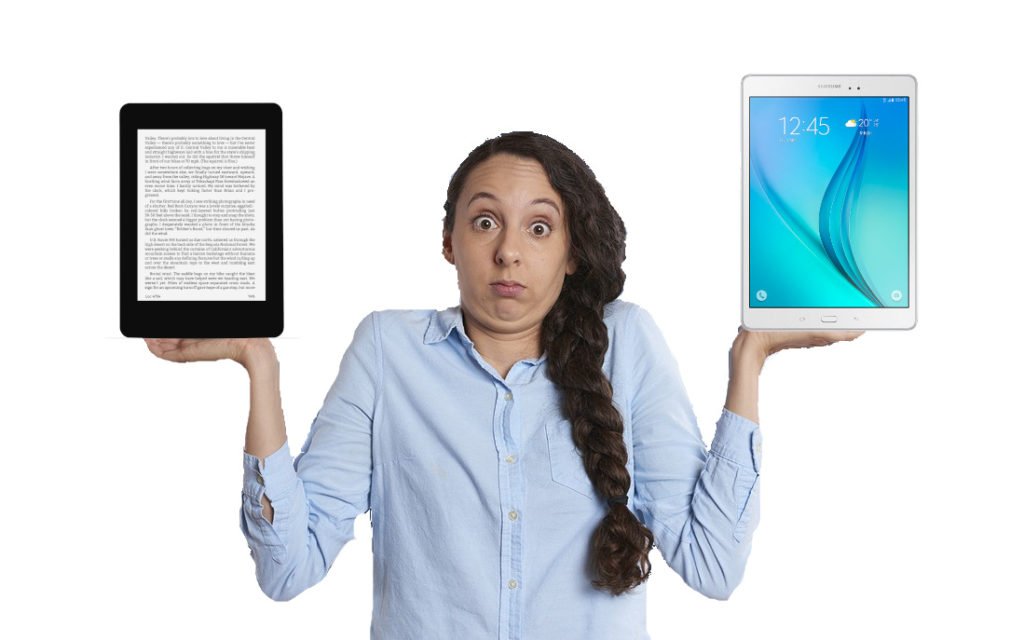
If you want to read ebooks on the go, you essentially have two options: an e-reader or a tablet. Both devices let you carry thousands of books in your bag, but they work very differently. One is built for reading and nothing else; the other is a portable computer that happens to have reading apps.
I have been using e-readers for over seven years and tablets for almost as long. In this guide, I will compare both devices across every criterion that matters so you can pick the one that fits your needs and budget.
TL;DR: E-readers win for reading comfort, battery life, eye health, portability, and price. Tablets win for color content, video, apps, and multitasking. If you mainly read books, get an e-reader (Kindle Paperwhite or Kobo Libra Colour). If you need a multipurpose device, get a tablet. Full comparison with 9 criteria and a summary table below.
Can a tablet be used as an e-reader?
Yes. Any tablet can be used as an e-reader as long as you install a reading app such as the Kindle app, Kobo app, or Apple Books. There are no technical restrictions: you can buy, borrow, and read ebooks on an iPad or an Android tablet without any issues.
However, the reading experience is not the same. The screen technology, weight, battery life, and overall comfort differ significantly.
A tablet can display ebooks, but that does not mean it is the best device for reading. The rest of this article explains why.
What’s the point of a e-reader?

An e-reader is a digital reading device that displays ebook files on an e-ink screen specially designed for text display.
An e-ink screen is less tiring on the eyes and offers a paper-like display.
The e-reader allows you to adjust a wide range of parameters for displaying the pages of digital books: font size, display font, margins, line spacing, etc.
If you’d like to find out more, read this article to find out how an e-reader works.
E-Reader vs Tablet: 9 Key Differences
Below I compare e-readers and tablets across nine important criteria. At the end, you will find a summary table and a clear recommendation based on your usage profile.
1. Screen Technology (E Ink vs LCD/OLED)
This is the single biggest difference. E-readers use E Ink screens, a technology that mimics the appearance of paper. E Ink is non-emissive: the screen itself does not produce light. It reflects ambient light, just like a printed page. This makes it extremely comfortable for long reading sessions.
Tablets use LCD or OLED screens, the same technology found in smartphones and televisions. These screens are emissive: they project light directly into your eyes. The result is a bright, vibrant display that is ideal for video and color content, but can cause eye fatigue during prolonged reading.
Winner: e-reader for reading comfort. Tablet for color and multimedia content.
2. Color Display
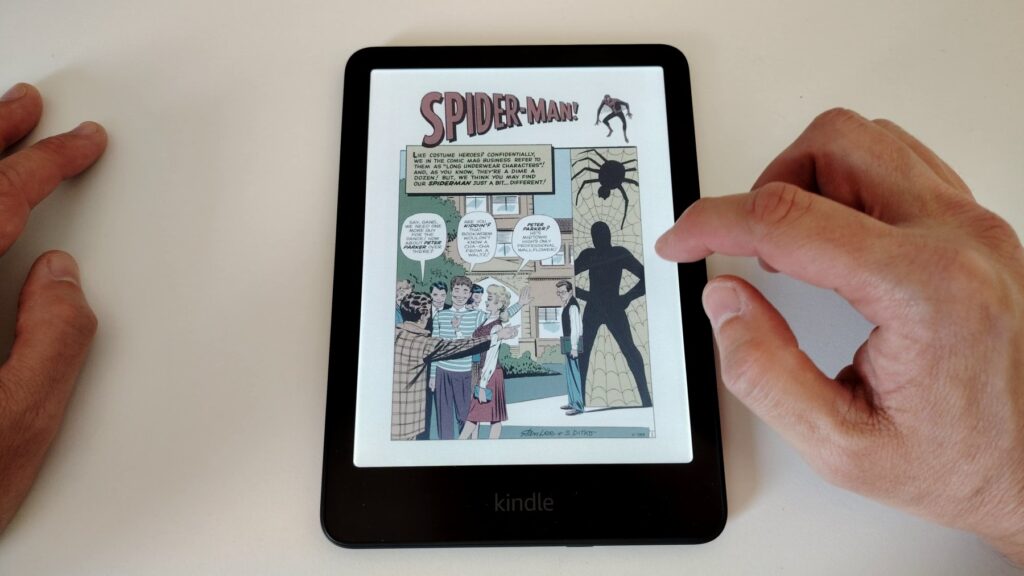
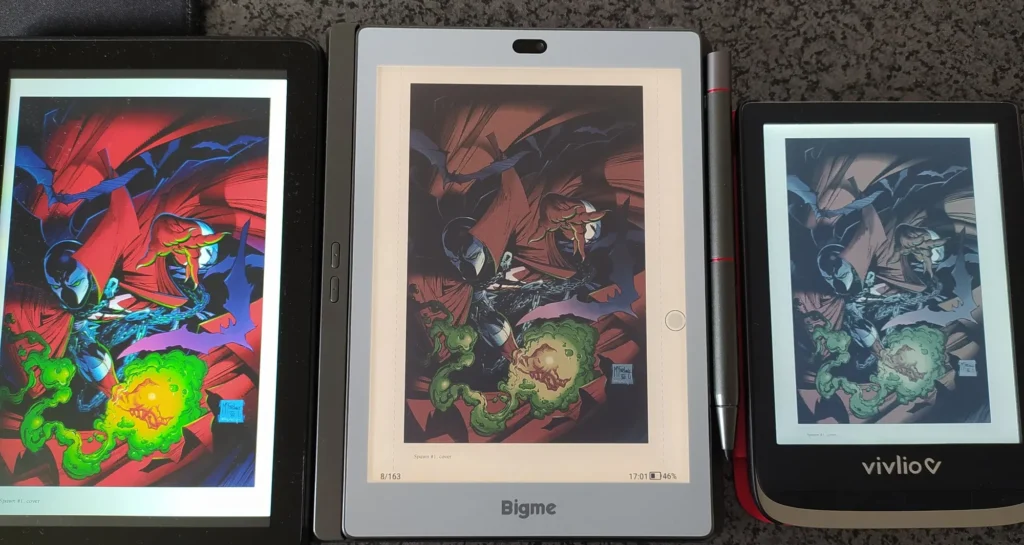
In 2026, color e-readers are becoming mainstream. Models such as the Kobo Clara Colour, Kobo Libra Colour, and Kindle Colorsoft use E Ink Kaleido 3 technology to display colors. However, color E Ink is still limited to 150 ppi (compared to 300 ppi for black-and-white text), and colors appear somewhat muted compared to what you see on a tablet.
If you mainly read novels and text-based content, a black-and-white e-reader is perfectly fine. If you read comics, manga, illustrated guides, or magazines, a color e-reader is a decent compromise. But if vivid color accuracy matters to you (art books, photo-heavy content) or if you want to watch videos, a tablet remains the clear choice.
Winner: tablet for color accuracy. Color e-readers are improving but not there yet.
3. Price
E-readers are significantly cheaper than tablets. Here are some 2026 price points for reference:
Entry-level e-readers: Amazon Kindle (basic) starts around $110. Kobo Clara BW starts around $130. PocketBook Basic Lux 4 is around $120.
Mid-range and premium e-readers: Kindle Paperwhite costs around $160. Kobo Libra Colour costs around $250.
Tablets: The cheapest usable option is the Amazon Fire HD (around $100–$150), but mainstream tablets like the iPad start at $330 and the iPad Mini starts at $500. Samsung Galaxy Tab S series easily tops $700–$900.
Winner: e-reader. You get a dedicated reading device for a fraction of a tablet’s price.
4. Reading Comfort and Eye Health
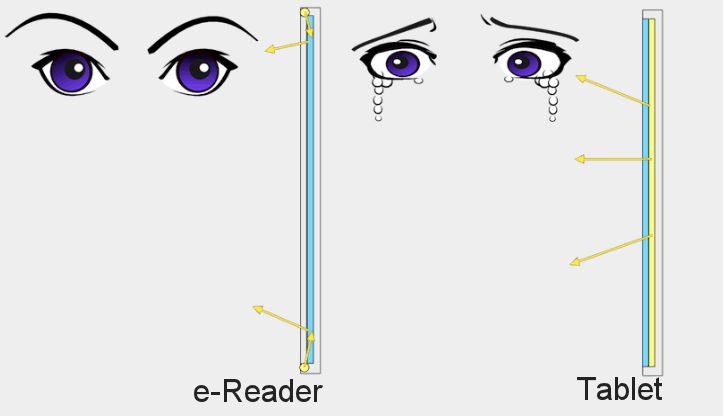
E Ink screens are far easier on the eyes than tablet screens. Because E Ink reflects ambient light rather than projecting it, your eyes are not staring into a light source. Studies have shown that LED screens reduce blink rate, which contributes to eye strain. Blue light emitted by tablets can also disrupt melatonin production and interfere with sleep quality.
Most modern e-readers include a warm-light feature (Kobo calls it ComfortLight PRO, Amazon calls it Warm Light) that gradually shifts the front-light to an amber tone in the evening. While tablets offer a similar “Night Mode,” the overall blue-light emission from an E Ink screen remains far lower than from an LCD or OLED panel.
Winner: e-reader, by a wide margin.
5. Battery Life
This is where e-readers absolutely dominate. A typical e-reader lasts several weeks to two months on a single charge with daily reading. The Kindle Paperwhite advertises up to 12 weeks of battery life.
A tablet, by contrast, lasts 8 to 12 hours of active use. If you read daily on a tablet, you will need to charge it every one to two days.
For travelers, this is a major advantage: you can take an e-reader on a two-week holiday without packing a charger.
Winner: e-reader. Weeks vs hours — no contest.
6. Weight, Size, and Portability
Most 6-inch e-readers weigh between 150 g and 180 g, roughly the weight of a slim paperback. Even the larger 7-inch models (like the Kobo Libra Colour) stay under 200 g. You can comfortably hold one in a single hand for hours.
Tablets are heavier and bulkier. An iPad Mini weighs around 295 g, a standard iPad around 480 g, and the larger 11–13-inch models exceed 600 g. One-handed reading with a tablet is not realistic for extended periods.
Winner: e-reader for portability. Tablet if you prefer a larger screen.
7. Waterproofing and Outdoor Reading
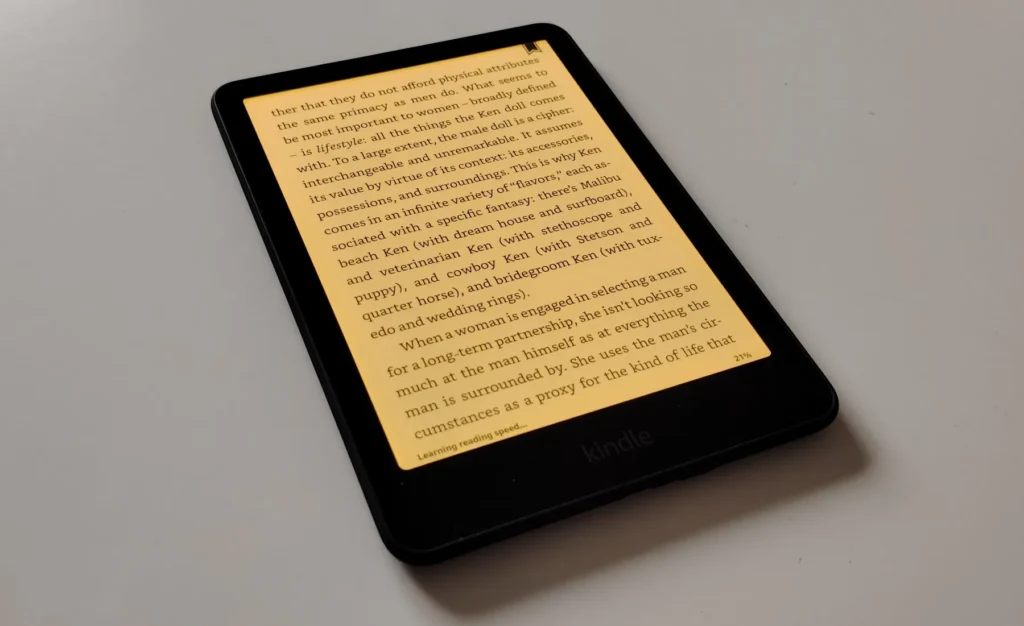
Many modern e-readers are IPX8 waterproof, meaning they can survive being submerged in up to 2 meters of water for 60 minutes. The Kindle Paperwhite, Kobo Clara, and Kobo Libra are all waterproof. This makes e-readers ideal for reading at the beach, by the pool, or in the bathtub.
Additionally, E Ink screens have zero glare in direct sunlight, unlike tablet screens that become nearly unreadable outdoors.
Most tablets are not waterproof (some premium models offer IP68, but they are expensive), and their glossy screens struggle in bright light.
Winner: e-reader. Built for outdoor and wet environments.
8. Library Borrowing and Audiobooks
One of the most underappreciated features of e-readers is free library borrowing. Kobo e-readers have built-in OverDrive integration, allowing you to borrow ebooks and digital magazines directly from your local public library through the Libby app. Kindle users can borrow library books through Libby as well, though the process requires sending books to the device via Amazon.
Many modern e-readers also support Bluetooth, allowing you to listen to audiobooks. The Kindle Paperwhite (2024) and Kobo Libra Colour both support audiobook playback via Bluetooth headphones or speakers.
Tablets, of course, support all these features and more through dedicated apps.
Winner: draw. Both devices support library borrowing and audiobooks, but e-readers make it surprisingly easy.
9. Note-Taking and Stylus Support
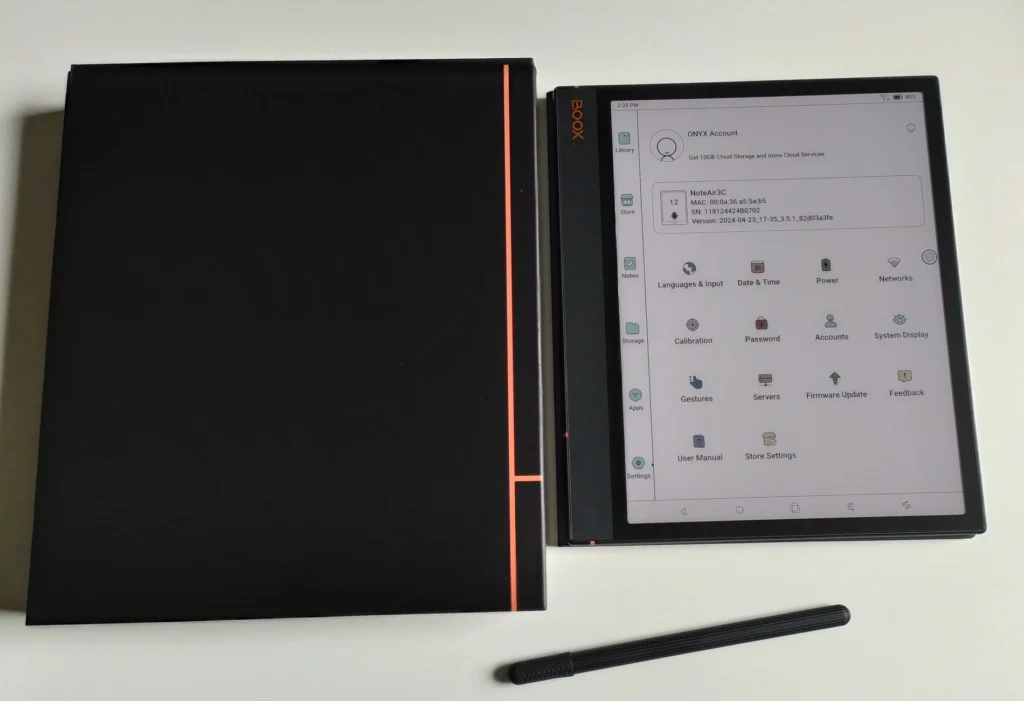
A growing category of e-ink tablets now supports stylus input. Devices like the Kindle Scribe, Kobo Elipsa 2E, and Kobo Sage let you annotate ebooks, highlight passages, and take handwritten notes directly on the E Ink screen. The writing experience feels closer to paper than writing on glass.
Tablets offer stylus support too (Apple Pencil for iPad, S Pen for Samsung Galaxy Tab), and they are more versatile for drawing and creative work. But for note-taking alongside reading, e-ink tablets offer a distraction-free, paper-like experience.
Winner: tablet for versatility. E-ink tablets for a focused reading-and-writing workflow.
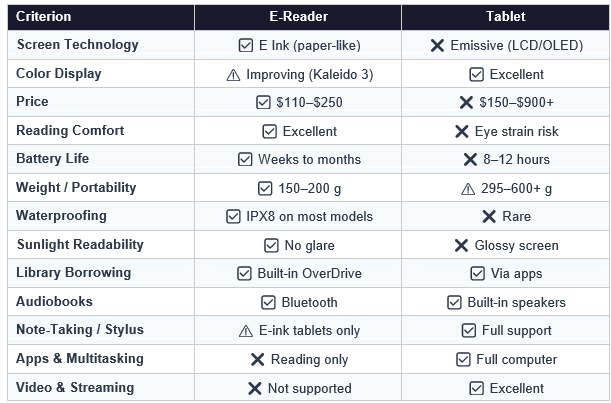
Summary Comparison Table
So, Which Should You Buy?
The answer depends entirely on how you plan to use the device. Here are three common profiles:
Buy an e-reader if…
You read books regularly (fiction, non-fiction, or long-form text). You want a device that is easy on the eyes and lightweight enough to hold for hours. You value weeks of battery life. You read outdoors or in the bath. You want to borrow library books easily. Budget matters and you do not need a multipurpose device.
Recommended models: Kindle Paperwhite (best value), Kobo Libra Colour (best all-rounder with color and buttons), Kobo Clara BW (budget-friendly).
Buy a tablet if…
You want a device for more than just reading: browsing, streaming video, gaming, email, productivity apps. You read a lot of color-heavy content like comics, art books, or illustrated magazines. You already own a tablet and do not want a second device. You need a larger screen for PDFs or textbooks.
Recommended models: iPad (best ecosystem), iPad Mini (portable), Samsung Galaxy Tab A (affordable Android option), Amazon Fire HD (budget choice).
What about your smartphone?
If you are not sure whether you need a dedicated device at all, consider using your smartphone first. All major reading apps (Kindle, Kobo, Apple Books, Libby) work on phones. The screen is smaller and the reading experience is not as comfortable, but it is free if you already have a phone. If you find yourself reading often on your phone, upgrading to an e-reader will be a significant improvement.
My Personal Recommendation
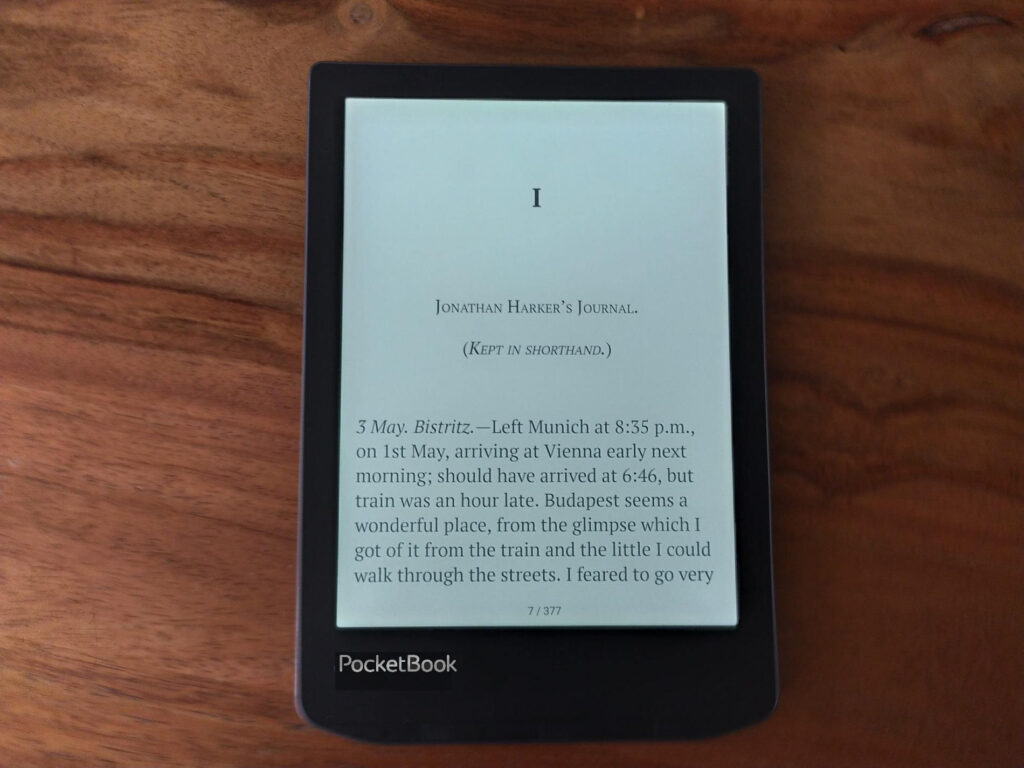
After years of using both, my verdict is clear: if reading is your primary goal, an e-reader is the better choice.
The combination of a paper-like screen, weeks of battery life, featherlight weight, and waterproofing makes it the ideal reading companion. I recharge my Kindle roughly once a month, and my first e-reader lasted over seven years before I replaced it.
A tablet is a fantastic device, but it tries to do everything. When it comes to focused, comfortable reading, nothing beats an e-reader — except perhaps a real paper book.
Frequently Asked Questions
Is an e-reader better for your eyes than a tablet?
Yes. E Ink screens reflect ambient light like paper, rather than projecting light into your eyes like LCD or OLED screens. This significantly reduces eye strain during long reading sessions. Most e-readers also include a warm-light mode that minimizes blue-light exposure in the evening.
Can I read in the dark with an e-reader?
Yes. Modern e-readers have a built-in front-light that illuminates the screen without disturbing anyone else in the room. Unlike a tablet that shines light directly at your face, an e-reader’s front-light is directed at the screen surface and reflected back softly.
Can I borrow library books on an e-reader?
Yes. Kobo e-readers have built-in OverDrive support, and Kindle users can borrow books via the Libby app. Many public libraries offer thousands of ebooks and audiobooks for free.
Are color e-readers worth it in 2026?
Color E Ink has improved significantly with the Kaleido 3 technology used in the Kobo Clara Colour and Kindle Colorsoft. Colors are visible and pleasant, but still appear somewhat muted compared to a tablet screen. If you read comics or illustrated content occasionally, a color e-reader is a solid choice. If color accuracy is critical, a tablet is still better.
How long does an e-reader last before I need to replace it?
E-readers are remarkably durable. A typical device lasts 5 to 7 years with normal use. Some Kobo models are now repairable with official spare parts from iFixit, which can extend their lifespan even further. Tablets usually need replacing every 3 to 4 years as software updates stop supporting older hardware.
Can I take notes on an e-reader?
Basic e-readers let you highlight text and type short notes. Dedicated e-ink tablets like the Kindle Scribe or Kobo Elipsa 2E support full handwritten notes with a stylus, offering a paper-like writing experience.