Nick

  • Thousands of free comic books to download

    Daredevil old comicbook from the golden age

    The Digital Comic Museum features thousands of free downloadable American comics from the early days of the medium through to the 1950s.

    On this website, you’ll find many copies of the popular comics of the time.

    These comics cover a wide range of themes. There’s a bit of everything, from westerns and horror to fantasy and – of course – superheroes, some of them very famous.

    This selection is made up of titles from what is considered "the golden age of American comics".

    It was in 1933 that Max Gaines brought out the first comic book in the format we now call "Comics". Success came quickly, and what is considered the Golden Age lasted from 1938 (appearance of Superman) to 1955.

    Sales soared with publications centered around super-powered heroes like Superman.

    Success was also amplified by the Second World War, which created anxiety and a need for exemplary patriotic figures. For example, in the first issue of Daredevil, the superhero thwarts Hitler’s plans (no less!).

    But in the early ’50s, a campaign of criticism against the violence of the publications and a sharp drop in sales meant that many publishers went out of business in 1955.

    On this site, you can read a large number of English-language comics from this period, free of charge. You’ll only find works that are now in the public domain in the U.S. (for France, I don’t know).

    The archives are stored in the form of "scans" of the original comics. They are therefore in English and free of charge. They can be read online or downloaded. (You’ll need to register to access them, though, as registration is free).

    It’s an excellent initiative for those wishing to familiarize themselves with the history of American comics.

    You can visit the site here: Digital Comic Museum.

    Comics can be downloaded in CBR, CBZ and PDF formats, depending on the title.

    If you want to read CRB or CBZ files on your Kindle e-reader you can read this article : how to read CBR and CBZ on Kindle and Kindle Paperwhite.

  • How to transfer epub and import epub ebook to a Kobo e-reader?

    how to transfer ebook epub to kobo ereader

    Kobo e-readers are widely distributed in American stores and on the Internet. For many people, using a e-reader is easy, but for the rest of us, this tutorial will help you transfer your ebooks in EPUB format onto your Kobo e-reader.

    It works for non-protected epub files and non-protected PDF files.

    This article was written using the Kobo Nia e-reader. It works in the same way for all Kobo e-readers, from the newest to the oldest, (Kobo Clara 2E, Kobo Libra 2, Kobo Sage, Kobo Elipsa 2E).

    Download a digital book (ebook epub file)

    The first thing to do is download a book.

    The easiest way to do this is to create a Kobo account to access the bookshop on your e-reader.

    To do this, you need to connect your e-reader to your WiFi network (this procedure is simple and can be carried out from the e-reader's settings).

    But you can also download digital books (ebooks) in EPUB format from a number of sites. This article will help you find free EPUB to download.

    I often go to Gutenberg.org to download books. For this example, I'm going to download a book by Herman Melville (in EPUB format):

    Moby Dick ebook Gutenberg

    The file is then saved in a folder on my computer, in the Downloads folder (this may be different for you).

    Now it's time to transfer the ePub to your Kobo e-reader.

    Connecting your Kobo e-reader to your computer

    The first step is to connect your Kobo e-reader to your computer. To do this, use a micro-USB cable (if possible, the one supplied with the e-reader and which you use to recharge the machine).

    Plug in the e-reader on one end and connect it to a free USB port on your Windows, Mac or Linux computer.

    If all goes well, a message will appear on the e-reader asking you if you want to connect the e-reader to your computer:

    Connect kobo ereader to usb to transfer ebook

    Click on the "Connect" button

    You must validate this message and the player will confirm that it has understood.

    This message appears if the e-reader is properly connected to your computer.

    Kobo ereader connected to computer

    You can then check that it's working properly on your computer by opening the file explorer and accessing the contents of your kobo e-reader.

    Transfer EPUB file onto your Kobo e-reader by "copy and paste"

    The easiest way to transfer an EPUB to your Kobo e-reader is to simply copy and paste the EPUB file into your e-reader's folder.

    You can simply copy an ".epub" file to your Kobo e-reader.

    After disconnecting properly (first in Windows and then by removing the cable), you'll see your book appear in the library.

    The book is on your Kobo e-reader.

    ebook on kobo ereader library

    If this doesn't work, there's probably a problem with your ebook format. But don't panic. Just keep reading: a second solution is provided, and it works almost 100% of the time.

    Transfer EPUB file onto your Kobo device with Calibre software

    Calibre ebook management software

    If you're starting to have a few dozen books, it makes sense to use software to organize your ebook (EPUB and other, like PDF) library on your computer.

    The most comprehensive software is called Calibre, and it has the advantage of being free. You can download it here: https://calibre-ebook.com/fr/download.

    You can read the full introduction to Calibre software here.

    To add an ebook to Calibre, simply drag and drop the file into the software window, and the ebook will be saved in your digital library.

    You can see the file just added to Calibre.

    Next, of course, you need to connect your Kobo e-reader to your computer. I'll refer you a little further up the article to find out how to do this.

    To finally transfer the ePub to your e-reader, all you have to do is click on the "send to device" button in the Calibre software and wait a minute.

    The button to use to send a digital book to your Kobo e-reader.

    After disconnecting properly (first in Windows and then by removing the cable), you'll see your book appear in the library.

    Transfer a Kindle ebook to a Kobo e-reader

    There's a special and more complex case to mention here: how do you transfer a Kindle ebook to a Kobo e-reader?

    This point is complicated by the fact that both Kindle and Kobo readers use different systems with different files (Epub for Kobo and MOBI/AZW for Kindle).

    It will therefore be necessary to go through a conversion stage and you can also do it with Calibre software.

    You will also need to remove DRM from the ebook.

    Are Kobo e-readers compatible with EPUB?

    Yes, all Kobo e-readers are compatible with the EPUB ebook file format.

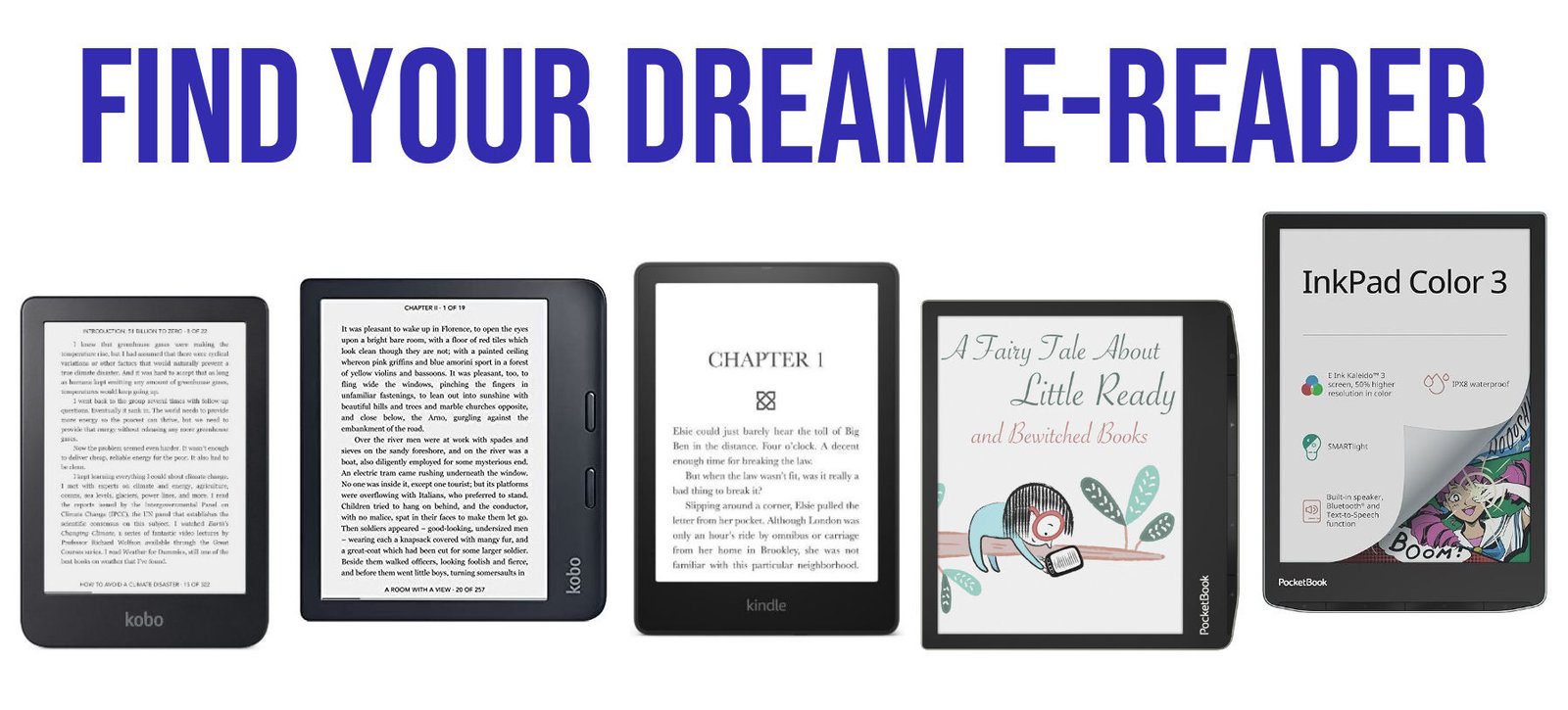
    If you are looking for a good e-reader you can read this guide.

    Add PDF file onto your Kobo

    You can follow the sames steps to transfert a PDF file onto your Kobo device.

  • Calibre Made Easy: Step-by-Step Guide for Beginners [2025 TUTORIAL]

    calibre ebook software

    I recently dove into the world of managing my eBook library and discovered a fantastic open-source software called Calibre.

    (more…)
  • CBR and CBZ to Kindle and Kindle Paperwhite

    cbr on kindle paperwhite

    Kindle e-readers are not compatible by default with CBR and CBZ files, but there are solutions that allow these files to be read on the Kindle.

    (more…)
  • What are CBR and CBZ files?

    cbr and cbz files

    We sometimes come across files with extensions ending in ".cbr" or ".cbz" . But what are these files, sometimes used to store comics and mangas?

    What is a CBR file?

    The CBR (Comic Book RAR) file is a format often used to store and read digital comics and manga.

    It’s an archive format that contains all the pages of a book in a single file.

    To facilitate its exchange on the Internet, pages and images are compressed using the RAR) file format to reduce their size in MB (also known as the "weight" of a file).

    What is a CBZ file?

    The CBZ (Comic Book Zip) file is also a digital exchange format for comics and mangas.

    As with CBR, all the pages and information in the document are grouped together in a single file.

    Pages and images are compressed using the Zip) system to reduce their size in MB (also known as the "weight" of a file).

    How do the CBR and CBZ files work?

    How CBR files work :

    • CBR files use the RAR compression format to compress images and assemble them into an archive.
    • Comic strip images are generally stored in the archive as sequentially numbered image files, such as page001.jpg, page002.jpg, etc.
    • To access the contents of the CBR archive, you need RAR-compatible decompression software, such as WinRAR, 7-Zip, or specific comic book readers.

    How CBZ files work :

    • CBZ files use the ZIP compression format to compress images and assemble them into an archive.
    • Like CBR files, comic strip images are stored in the archive as sequentially numbered image files.
    • To access the contents of a CBZ file, you can use common decompression software, such as WinRAR, 7-Zip, or specific comic book readers.

    Advantages of CBR and CBZ files

    These formats offer a number of advantages over PDF or Epub files:

    • Compression: CBR and CBZ files use compression algorithms to reduce file size, enabling multiple comic pages to be stored in a single compact file.
    • Organization: CBR and CBZ files allow comic pages to be organized sequentially, simplifying reading and navigation through the various pages.
    • Portability: CBR and CBZ files are widely supported by many comic-reading software programs on different platforms, such as computers, tablets and smartphones.

    Disadvantages of CBR and CBZ files

    This file type also has its drawbacks, which are worth noting:

    • Static content: CBR and CBZ files contain still images of comic book pages, which means they don’t allow for interaction or animation like some other forms of digital media.
    • Image quality: Image quality depends on the resolution of the original images used to create the CBR or CBZ file. If the original images are of low resolution, this may affect display quality.
    • Limited editing: CBR and CBZ files are generally used for reading and storing comics, but are not ideal for editing or modifying content.

    CBR and CBZ files are therefore useful for exchanging and reading digital comics.

    **They enable comics fans to store and easily access a wide range of comics, graphic novels and mangas.

    Today, it’s mainly an exchange format, since book publishers prefer to use EPUB or PDF files, which are easier to protect from copying.**

  • Kindle Battery Draining Faster Than You Can Read? 6 Tricks to Make Your Battery Last!

    battery kindle

    E-readers are electronic devices like any other. Occasionally, problems arise and you need to do a few things before you can use your e-reader again. Such is the case with the discharged battery problem on a Kindle.

    The problem may manifest itself in different ways:

    • Your e-reader may not start due to a lack of battery power (it's as if it's stuck on battery screen).
    • Your e-reader won't charge
    • Your e-reader won't hold a charge
    • Kindle only showing a battery with an exclamation mark

    There could be several reasons why your Kindle battery is draining quickly even when you don't use it (in sleep mode).

    > TLDR: By following these steps, you can help maximize the battery life of your Kindle e-reader: > > Adjust the display brightness to a lower level. > Disable Wi-Fi and mobile data when not needed. > Choose a longer interval for page refreshes. > Keep your Kindle's software up to date. > * Restart your Kindle.

    Here are some possible causes and steps you can make your Kindle battery life last longer:

    fix kindle battery
    1. Display brightness: The display is one of the main power consumers. Lowering the brightness level can significantly extend the battery life. You can adjust the brightness settings in the Kindle's settings menu.
    1. WiFi and 3G connectivity: If your Kindle is constantly connected to WiFi or a cellular network, it uses more power to maintain the connection. Turning off wireless connectivity when not needed can help conserve battery life. You can do this by going to the Kindle's settings menu and disabling WiFi or mobile data if you have a 3G Kindle Paperwhite or Oasis. This is the most important point if your kindle battery drains when not in use.
    1. Page refresh rate: Kindle e-readers use an E Ink display (electronic paper screen), which only consumes power when the page is refreshed. If your Kindle is set to refresh too frequently, it can drain the battery faster. You can adjust the page refresh rate in the settings menu. Choosing a longer interval between page refreshes can help boost battery life.
    1. Indexing: After adding new content to your Kindle or performing a software update, it may take some time for the device to index the content. During this indexing process, the battery consumption can be higher. I advise you to transfer only a few books and not hundreds of ebooks on your e-reader.
    1. Battery age and condition: Over time, the battery of your Kindle ereader may degrade, resulting in reduced battery life. If your device is older or you've noticed a significant decline in battery performance, it might be time to consider replacing the battery. It is a difficult process and not cost efficient, so it might be a better deal to buy a new Kindle e-reader.
    1. Software updates: Keeping your Kindle's software up to date can help optimize battery performance. New software updates often include improvements and bug fixes that can address battery-related issues. Make sure your Kindle is running the latest available software version. If you update the software, don't forget to turn off Wifi at the end of the process.
    1. Bugs (BONUS TIP) : you can reboot your Kindle a few time a year. A fresh start can correct bugs that might make your Kindle losing charge battery even when not in use.

    By implementing these tips, you should be able to extend the battery life of your Kindle. I did only with the Wifi trick!

    This apply to all Kindle e-readers.

    <iframe width="1897" height="751" src="https://www.youtube.com/embed/zGtgf7pK3bY" title="E-reader Battery Life TIPS : how to improve the battery life of your ereader ?" frameborder="0" allow="accelerometer; autoplay; clipboard-write; encrypted-media; gyroscope; picture-in-picture; web-share" referrerpolicy="strict-origin-when-cross-origin" allowfullscreen></iframe>

    Note : If you're still experiencing excessive battery drain, it's advisable to contact Kindle customer support for further help: kindle official help center

    e-reader empty battery pictures
  • E-ink Spectra 6: Where Did the Most Advanced Color E-Ink Screen Go?

    E Ink Spectra 6 color e ink screen display

    E-ink supplies electronic ink screens to all e-reader manufacturers (including Kobo, Kindle, and Pocketbook). For several years, they've been showcasing a brand new type of color screen: the Spectra 6. Unfortunately, despite being announced years ago, this technology is still not available!

    This new "color electronic paper" technology is based on the use of 6 colors which are then combined to produce the correct shades of color needed.

    The screens presented at various trade shows have a diagonal of 25.3 inches with a resolution of 3200 x 1800 pixels for 145 PPI. However, these screens can reach a definition of up to 200 PPI.

    According to the photographs and videos that can be seen on the web, Spectra 6 screens are impressive! They are clearly the most advanced when it comes to displaying vibrant colors with a contrast that allows them to be easily mistaken for a paper print.

    E Ink Spectra 6 color e ink screen display

    It's truly a revolution that nevertheless has a major flaw: it currently takes 12 seconds to completely refresh the screen and display a different photograph!

    This is completely unacceptable for an e-reader, which needs to refresh the screen much faster for a good reading experience.

    These E-ink Spectra 6 color electronic ink screens are therefore currently reserved for display and signage. They can be used as signage in shopping malls or for displaying promotional offers in stores – for example.

    E Ink Spectra 6 color e ink screen display

    Despite this significant limitation, the images we can see are truly fascinating and provide a good overview of what e-readers could become in the coming years.

    With a refresh rate that drops to less than 2 seconds, I think many of us would adopt an e-reader with a Spectra screen as a reading device for novels and comics.

    The previous generation of Spectra color signage screens from E Ink required about 30 seconds to refresh. Unfortunately, it took the company and its engineers years to successfully halve that time!

    Spectra 6 screens were scheduled to be delivered as early as 2024. But, in mid-2025, these screens are still only seen very rarely and are far from being available in large quantities. They may not even be truly available for electronic device manufacturers…

    Furthermore, the official E Ink website has not even been updated this year regarding the availability of these screens:

    E Ink Spectra 6 color e ink screen display

    See the E-ink website: https://www.eink.com/brand/detail/Spectra6

    For people who want to see what it could look like, here's an interesting video that gives a better idea of the quality of the color display:

    <iframe width="842" height="474" src="https://www.youtube.com/embed/JjBagyWLLMQ" title="E Ink Booth Tour at Display Week 2023 shows Spectra6: The Most Advanced Color E-Paper, Note, Display" frameborder="0" allow="accelerometer; autoplay; clipboard-write; encrypted-media; gyroscope; picture-in-picture; web-share" referrerpolicy="strict-origin-when-cross-origin" allowfullscreen></iframe>

    With a beautiful display close to a print, this technology seems far more convincing than the Kaleido 3 screens found in current color e-readers.

    But, t seems that Spectra 6 technology is struggling to develop. Is it due to the manufacturing cost or because the technology is not yet ready?

  • Which e-reader to choose for your summer vacation in 2024?

    best e-readers for summer vacations

    With summer just around the corner, it’s time to think about relaxing. And what could be better than reading a good book while sunbathing? That’s why it’s a good idea to turn to a reading device. Let’s find out why.

    > TLDR: chose a Kindle e-reader if you want the cheapest or a Kindle Paperwhite or Kobo Libra Colour for a very good waterproof e-reader.

    Why an e-reader for vacations?

    reading book on summer vacations

    Has this ever happened to you?

    You buy a few books for the vacations in the hope of having a good time.

    You put 3 or 4 paperback novels in your bag and realize that they’re already taking up a bit of space.

    That’s okay, you probably won’t have time to read that many books. So you sort them out and decide to leave with just two books.

    Once there, you start reading on the second day.

    Unfortunately, the first book isn’t very exciting: the detective story isn’t very original…

    The second book is a sure bet: a new book by an author you already know and love.

    You’ve not deceived us, the book is overwhelming and you’ll get through it in just 3 days.

    But now you’ve got nothing left to read, and your nearest tobacconist’s has a very limited selection of books.

    If you recognize yourself in these few lines, you know that a e-reader is undoubtedly a good buy for the vacations.

    With an e-reader, you’ll be able to :

    • save space in your bag
    • download new digital books (ebooks) directly from the Internet
    • always have something to read
    • In short, like many readers, I think the e-reader is a really good reading device that makes sense when you’re traveling.

    So let’s take a look at which e-reader is particularly suited to vacations.

    A really cheap e-reader: the Kindle

    Kindle e-reader

    Let’s face it, when buying a reading device, price is everything.

    Fortunately for those on a tight budget, Amazon is offering a new Kindle e-reader at the low price of $99.99 that makes reading easy and stress-free with its touch-sensitive, illuminated screen.

    Downloading books on the beach will be complicated. But the e-reader has a WiFi connection.

    So you can always find free Wifi access on the road or use your smartphone as a Wifi access point (it works on Android and iPhone).

    I think this e-reader is a really good first approach to digital reading, with its great value for money.

    It’s the least expensive e-reader in this selection.

    A waterproof e-reader to take anywhere (Kobo Libra Colour and Kindle Paperwhite)

    If there’s one problem with summer holidays, it’s water and sand. And in winter, it’s snow and rain.

    Once again, some e-reader manufacturers have thought of our demanding readers by offering waterproof e-readers.

    There are two interesting models to choose from.

    Kobo Libra Colour

    The first is the Kobo Libra Colour, a waterproof e-reader with a large, electronic ink color, 7-inch touchscreen.

    It’s a slightly luxurious e-reader that will follow you everywhere, while still offering great comfort at home with its large screen. Luckily, the price makes it the least expensive color high-end e-reader.

    The second e-reader has a gentler price tag, and it’s still a Kindle. It’s the latest-generation Kindle Paperwhite.

    Kindle Paperwhite

    It’s a waterproof machine with a 6.8-inch e-ink screen, touch-sensitive and illuminated in high definition.

    Here are some links to find out more about these two waterproof e-readers:

    This Kindle Paperwhite has the advantage of being the least expensive waterproof e-reader available in 2023.

    If you’re looking for a great e-reader at an affordable price, this is undoubtedly an excellent choice.

  • Xiaomi Moaan Air E-Reader

    Xiaomi Moaan Air e-reader

    Xiaomi continues to release e-readers for the Asian market, and in 2023 will be offering a new e-reader with an HD e-ink screen, the Xiaomi Moaan Air.

    Xiaomi has been active in the e-reader market for several years now, offering a variety of reading devices with advanced technical specifications.

    This Xiaomi Moaan Air e-reader is no exception, featuring a latest-generation high-definition e-ink screen: a 6-inch E Ink Carta 1200 display.

    The e-reader features a tactile layer and lighting, as well as a number of interesting options such as the ability to change contrast to make text darker or lighter.

    Apart from that, the system used is Android 12, which allows the addition of new reading applications to offer great variety in the choice of its digital library.

    Here are the specifications of this Xiaomi Moaan Air e-reader:

    • HD Carta 1200 e-ink screen, 300 PPI
    • Touch screen
    • Lighting with color temperature adjustment
    • ARM A53 quad-core 1.5GHz processor
    • 2GB RAM
    • 32 GB storage memory (for applications and ebooks)
    • Weight: 163 grams
    • 1800 mAh battery
    • USB-C port for fast recharging
    • Wifi
    • Bluetooth 5.1

    The presence of Bluetooth connectivity means you can enjoy music and audiobook playback via a Bluetooth speaker or headphones.

    The 163-gram weight makes this e-reader rather light, which no doubt explains the presence of the word "Air" in its name.

    As far as Android 12 is concerned, this e-reader doesn't appear to use Google services.

    So if you want to add new Android applications, you'll have to install them manually by downloading APK files. This is a disadvantage, since the applications available via download outside Google Play are often older, and updating them is less straightforward than with a more conventional system.

    With a price tag of around $150 and limited availability outside Asia, this Xiaomi Moaan Air e-reader is rather poorly placed in relation to the available competition.

    For the same price, you can buy a Kobo Clara 2E (same screen) or a Kindle Paperwhite with a 6.8-inch screen.

    Two reliable machines, available worldwide, and above all much simpler to use, with extensive digital book libraries.

    So I don't recommend this e-reader. Except, perhaps, for those who are comfortable with setting up the Android system and don't mind having to manually install new applications.

  • 8 tips to make your e-reader last longer and keep it safe

    Sometimes, when you buy an electronic e-reader, you want it to stay with you for a few years. But to do so, you need to be careful and protect your machine.

    Here are a few tips to help your e-reader last longer.

    1. Invest in a protective cover

    If your e-reader is well protected, it’s less likely to take knocks and get dust on it.

    In the end, you invest a few extra dollars (between $15 and $40) and you can make your e-reader last a very long time.

    That said, if your e-reader is a basic Kindle (sold on Amazon for less than $100, excluding special offers), it may not be worth the extra money. So it’s up to you.

    You should also check that your cover is compatible with your e-reader model, so that it fits perfectly.

    2. Add a protective film to the screen

    In the same way as for the cover, the screen can take a beating.

    If you have a small child, he or she may hit the screen with a toy or other object.

    So, by sticking a little protective film on the screen, you’ll be able to protect it a little more. Especially if the screen is touch-sensitive, you’ll be able to prevent a few scratches.

    Once again, you can find one on Amazon for around ten dollars.

    However, I think the price is a bit high and it’s not particularly useful. So it’s up to you…

    3. Beware of outdoor reading (sun and humidity)

    If you do a lot of reading away from home, remember to avoid damp places (unless, of course, you have a waterproof e-reader!).

    Electronics don’t really like humidity, which can infiltrate the whole device.

    Similarly, e-readers don’t cope well with long exposure to the sun (as is the case with most electronic devices), so avoid leaving them on a garden table or on the dashboard of your car.

    Personally, I avoid reading in my bathroom or leaving a e-reader in a place that could generate water vapor (bathroom but also kitchen).

    Of course, if you have a waterproof e-reader, you won’t have this problem.

    In the sun and on vacation, I always put my e-reader in a bag and in the boot of my car if I’m not using it. That’s still the place where there’s the least risk, as temperatures in the passenger compartment can reach very high levels in summer.

    4. Clean your e-reader regularly

    If you’ve left food marks on your e-reader, or put it in a dusty place, remember to clean it.

    Because, little by little, all this dirt risks attacking the electronics inside the e-reader. So a quick wipe down with a cloth is all it takes.

    The other point to consider is e-readers with buttons. There’s always a lot of dirt getting into all the holes on these devices.

    I regularly use a wooden or plastic (never metal) toothpick to clean these parts of the e-reader.

    You’ll find lots of things in the mini-USB cable slot!

    If your e-reader is waterproof, like the Kobo Libra 2 or Kindle Paperwhite, you can use a wet cloth to clean it too.

    5. Charge your battery regularly

    There’s no risk in regularly charging your battery. So remember to charge it regularly.

    The problem comes from inadvertently letting it discharge completely (see also the following tip).

    You can also save battery power by turning off your e-reader’s WiFi (or lighting) when you don’t need it.

    This way, the battery will discharge less quickly, you’ll need to charge it less often and it will last longer.

    Once again, remember that cold or intense heat is not good for the batteries of electronic devices.

    6. Don’t leave your e-reader discharged without using it

    If you have to put your e-reader in the cupboard, remember to recharge it (at least halfway) before storing it.

    If you store your discharged e-reader for too long, it could be damaged.

    7. Do not disassemble your e-reader

    If your e-reader has a problem, don’t dismantle it.

    Take it to the after-sales service and they’ll know what to do with it.

    And, if it really doesn’t work at all and the after-sales service can’t do anything, then yes, you can dismantle it or embark on a new purchase.

    If you’d like to know how long a e-reader can last, take a look at the video in this article: 8 years on, my Kindle still works!

    As you’ll see, a e-reader can run for many years without a hitch, much longer than any other electronic device!

    8. Handle USB ports with care

    Your e-reader is equipped with a charging port that also enables connection to your computer.

    There are two different ports depending on the e-reader:

    • Micro-USB
    • USB-C

    While the USB-C port tends to be more robust than the Micro-SD port, you still need to be careful to connect your e-reader to the cable without forcing it.

    It’s very important to handle the port of your e-reader carefully to avoid unsoldering, bending or unintentionally inserting crumbs or dust inside.

    You can share this image with your friends who owns an e-reader and want to keep it safe :

    how to keep your e-reader safe ?