Nick

  • How to Install Custom Fonts on Your Kindle

    Amazon allow the software that runs its e-readers to install custom font on your Kindle. This tutorial will help you add custom font on your Kindle, Kindle Paperwhite or Kindle Oasis.

    Many e-reader brands have been allowing users to add their own fonts for a very long time. But with Kindle, it took more than 10 years to get it working.

    How do you add fonts to your Kindle?

    add custom font to kindle

    First of all, you need to update your Kindle with the latest firmware.

    To do this, you need to be connected via WiFi and check that a new version is available in the Kindle preferences.

    The first version of the firmware that supports fonts is numbered "5.9.6". If you see a more recent version, it should work.

    Next, you need to connect your e-reader to your PC or Mac.

    Using File Explorer, you should see a folder called "Fonts".

    The word "font" refers to a typeface.

    Simply add the font file of your choice to this folder.

    Here’s how it looks on a Windows computer:

    custom font on kindle

    After logging out of the e-reader, you should be able to select this font for your Kindle ebooks.

    As you can see from the image below, the new "IM Fell English" font is indeed present on the e-reader’s selection screen:

    select custom font kindle

    If you can’t see the font, you’ll need to check that the font format is supported by your Kindle (see below). If in doubt, you can also restart your Kindle.

    What font file formats are supported on Kindle?

    font typeface

    The fonts accepted by the e-reader can be of two different formats:

    1. OpenType (OTF)
    2. TrueType (TTF)

    How to download Kinde fonts?

    You can download Kindle fonts for free from specialized sites.

    Here’s a selection of sites offering free font downloads for your Kindle e-reader:

    However, before you start looking for and adding new fonts, it’s worth pointing out that the default fonts for e-readers are already excellent and perfectly designed for digital reading.

    So, barring exceptional cases, there’s little chance that you’ll be able to significantly improve your Kindle reading experience by adding a new font.

    If you’d like to find out more, take a look at our list of e-reader reviews.

  • Pocketbook Basic Lux 4 : not so new… But cheap !

    Pocketbook Basic Lux 4

    Pocketbook is redoubling its efforts to bring out new ereaders, and it’s only logical that the manufacturer should go for an entry-level model with the Pocketbook Basic Lux 4.

    (more…)
  • Best e-reader for students for 2025

    best ereader for student 2025

    I was a university student for 5 years, and even though it's already been a few years, I think a e-reader could have helped me. I'm going to tell you how a e-reader can help you with your studies, and which are the best e-readers for students available in 2025.

    What is an e-reader?

    kobo ereader

    First of all, it's worth remembering that an e-reader is an electronic device that lets you read books while reproducing the experience of reading on paper.

    Unlike other devices (tablet, PC, smartphone), they use an e-ink screen optimized for long reading sessions.

    Using an e-reader doesn't tire your eyes any more than reading a paper book, so you can keep on reading for long sessions.

    E-readers are a complement to paper reading, even if there are a few advantages to using one for a student (non-exhaustive list):

    • Access to a large number of more published works
    • Reads EPUB and PDF files
    • Average price of books lower than the price of paper versions
    • Small footprint (you can store hundreds of books)
    • Greater autonomy than a computer or touch tablet

    Now that we've got the introductions out of the way, here are a few of the best e-reader I think might be of interest to students.

    E-readers that can only read ebooks (digital books)

    The first category of e-readers is those that can only be used to read books. As we'll see later, there are also e-readers that allow you to take notes – but these are more expensive.

    So, these readers have a screen between 6 and 7.8 inches, are the most affordable and are designed for students who need to read a lot of books (literature, social sciences, psychology, etc.).

    You can easily find on the site the guide to the best e-readers of the moment for a selection of excellent models.

    Here are some of the best e-reader models to consider for students in 2024:

    A digital notebook for a student

    kindle scribe

    If you need to take notes during your studies, you can use a computer or a good old sheet of paper.

    But these tools have their drawbacks.

    On the one hand, computerized note-taking sometimes makes it difficult to draw the diagrams and other graphics you need to learn certain concepts.

    On the other hand, while taking notes on paper makes it easy to create drawings, graphs and other diagrams, it doesn't allow you to quickly transfer your notes to a computer, or to carry out quick text searches.

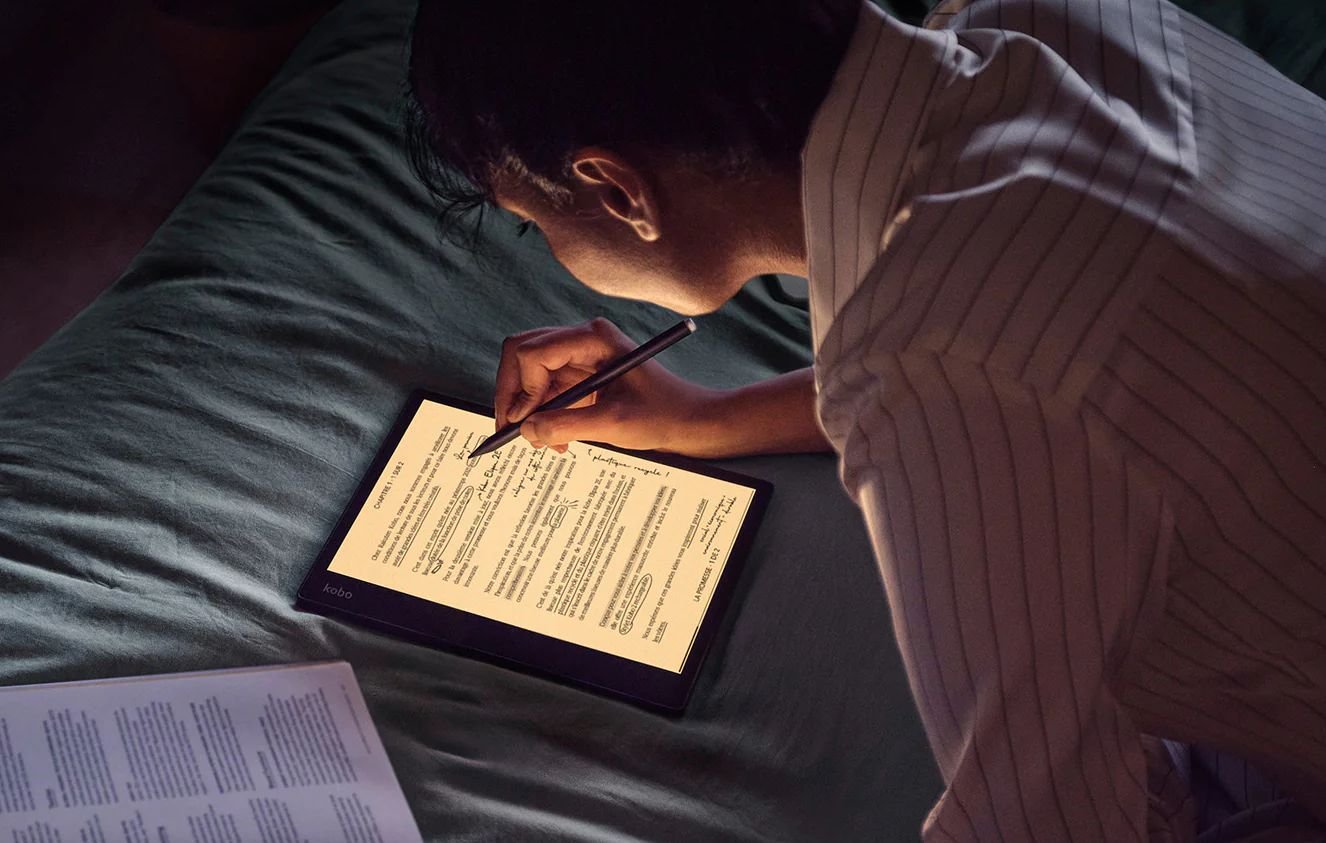
    Large-format e-reader models solve this problem by offering, in addition to ebook reading tools), software that enables you to capture handwritten notes and transfer them into digital format.

    Some of these devices also offer handwriting recognition to automatically transform your notes into typed documents. You can then easily share them or search within the text.

    These notebook readers are unfortunately more expensive than the simpler models, but they can help you during your studies if they suit your use and learning style.

    Here are some interesting digital notebook models for students in 2025:

    How can I buy a cheap e-reader if I'm a student?

    As you can see, e-readers cost between $120 and $500. That's a lot of money for a student to spend.

    Even if the investment is worth it, it's important to note that you can save money by buying a cheaper e-reader.

    You can read this article if you want to know more: best cheap e-readers.

    You can, of course, go for a second-hand used or reconditioned e-reader, but you can also wait for a promotion and benefit from a better price on a new and better e-reader.

  • Best used e-reader in 2024

    best used e-reader

    E-readers are very solid devices, and I don’t think it’s a bad idea to buy a used or reconditioned one.

    In fact, I’ve had e-readers in good working order for over 10 years.

    Among the e-readers I’ve used a lot, we can note a Kindle Paperwhite used intensively for 2 years, a Pocketbook Touch Lux 5 (also 2 years) and now I read on Kobo Libra 2 almost every day since its release.

    By browsing the classified ads sites or the used and refurbished pages of the major e-commerce sites, you can find many models of e-reader at good prices.

    Here are the e-reader models you can buy used in 2024

    I’ve put together a selection of the best e-readers to buy new, and it’s clear that if you can find one of these models cheap, it’s a great opportunity.

    Here’s my selection of the best values (because they’re good e-readers):

    Here are some interesting and more or less recent e-reader models that you can find second-hand for less than new:

    Used e-readers to watch out for

    There are also e-readers whose version is difficult to determine precisely.

    Sellers sometimes don’t even know which version they’re selling.

    Among these readers, I recommend that you beware of the Kindle and Kindles Paperwhite with 6-inch screens.

    It’s hard to know exactly which model you’re buying until you actually get your hands on it. It could be a recent model or an older one. See how to find the version of a Kindle e-reader here.

    A few tips before buying a used e-reader

    Before buying a second-hand e-reader, here’s what you need to ask the seller:

    • The exact version of the e-reader (name, brand and generation for Kindle e-readers): see how to find the version of a Kindle e-reader here
    • The state of the battery
    • Whether a protective cover is sold with the e-reader (this can be a plus, as a new protective cover can cost $30)
    • General condition of the case
    • Screen condition (scratches, poor lighting, etc.)

    If you can, also ask whether the e-reader has been transported a lot (public transport, for example).

    Generally speaking, a e-reader that has been kept at home has a better chance of being in good condition.

    You should also ask about the price of the new e-reader or the new price of its replacement model.

    For example, the Kobo Clara HD has been replaced by the Kobo Clara 2E. The Pocketbook Touch Lux 4 has been replaced by the Pocketbook Touch Lux 5, and so on.

    If you put forward the argument that the e-reader is no longer on the market and that a new version exists, it may be easier to negotiate a good price.

    If you’re looking for a new e-reader, take a look at our guide to the best e-readers.

  • Onyx Boox Tab Mini C: Kaleido 3 and Android 11 fun !

    Onyx Boox Tab Mini C with Kaleido 3 and Android 11

    The Onyx Boox Tab Mini C is the first 7.8" color e-reader available with the latest generation Kaleido 3 e-ink screen. While its price may be a little steep, it does have a number of assets that could make it attractive.

    The big recent innovations in e-readers come almost exclusively from Asia, and this Onyx Boox Tab Mini C is no exception.

    Indeed, while classic brands such as Kindle, Kobo and Vivlio capitalize on tried-and-tested, reliable e-reader formulas, Asian manufacturers vie with each other in their ingenuity to offer ever more, even if it means sometimes going a little too fast with software that isn't always up to scratch or intuitive.

    In any case, this Onyx Boox Tab Mini C is a reading device with a 7.8-inch screen featuring Kaleido 3 technology, the latest color electronic ink screen.

    After months of announcements from E Ink (the company that designs these color screens), we'll finally be able to find out more and see whether or not there's a big difference with the previous generation.

    👉 See the ONYX BOOX e-readers on Amazon.com

    Onyx Boox Tab Mini C with Kaleido 3 and Android 11

    But before we get to that, here's a quick look at the technical specifications of this Onyx Boox Tab Mini C e-reader:

    • 7.8-inch E Ink Kaleido 3 screen
    • Resolution of 1404×1872 pixels (300 PPP) in black and white and 702×936 pixels (150 PPI) in color
    • Touch screen
    • Illumination with color temperature adjustment (blue light filter)
    • Qualcomm Octa-core processor (with BSR GPU for graphics)
    • 64 GB storage
    • 4 GB RAM memory
    • Android 11 system (with Boox OS overlay) with Google Play Store
    • Stylus supplied (Wacom technology with 4096 pressure levels)
    • Bluetooth 5.0
    • Wifi
    • Built-in microphone
    • USB-C
    • 5000 mAh battery (quite substantial)
    • File formats: pdf, djvu, azw, azw3, doc, docx, epub, fb2, fbz, html, mobi, odt, PRC, rtf, sxw, trc, txt, chm and ppt

    This e-reader is equipped with Android 11 and Google Play. This means you can install any reading or productivity application you like.

    You can therefore use the Kindle or Kobo application (for example), on this Onyx e-reader to access (and read) your ebooks already purchased on these stores (or your old e-reader).

    The Onyx Boox Tab Mini C reader comes with its own ebook reader, which already supports many formats. But, if this one doesn't suit you, there's nothing to stop you using another, like Aldiko, among a selection of good reading apps for smartphones and tablets.

    There's also a whole range of software that lets you take notes and export them as PDF files.

    So we're on to something very classic, since a new Chinese e-reader of this type is offered almost every month (just check out the latest news on the site to find out for yourself).

    We're back to what seems to make the success of these machines, which are halfway between a reading device (for reading books) and a productivity tool (stylus and note-taking system):

    1. A reader with a large e-ink screen (color or not)
    2. A stylus
    3. An Android system for adding applications
    Onyx Boox Tab Mini C with Kaleido 3 and Android 11

    The originality of this e-reader, however, comes from its new Kaleido 3 color screen. Fortunately, even though I wasn't able to get my hands on this e-reader, the videos available on the Internet clearly show an improvement over the previous generation of color e-readers (including the Kaleido Plus screens found in the Pocketbook InkPad color 2).

    From my observations, the reading part is still limited by the color screen. Pages of text appear darker (and blander) than the text displayed on a dedicated e-reader such as the Kindle Paperwhite, Kobo Libra 2 and even the Pocketbook InkPad 3 (or the version 4 also available).

    In my opinion, this isn't a problem with the Onyx Boox Tab Mini C in particular. It's more a feature of the technology used here.

    The good news is that color display has progressed considerably. This Kaleido 3 screen displays colors that are brighter and richer than other older-generation color readers.

    So, for the time being, this color e-reader is the best option available on the market for enjoying your comics, mangas and color PDF documents.

    So, if you're looking for a color e-reader and don't mind buying an Asian machine, this Onyx Boox Tab Mini C could tempt you.

    But be warned, you'll have to pay a hefty price for it, and expect to pay about $450 for this Onyx Tab Mini C e-reader.

  • MobiScribe Wave Color 7.8 e-reader

    Mobiscribe wave color e-reader

    MobiScribe is an Asian e-reader manufacturer specializing in note-taking tools with e-ink screens. These readers are also designed for work.

    The MobiScribe Wave is a new e-reader featuring a 7.8-inch screen with Kaleido Plus e-ink color screen technology.

    👉 See the Mobiscribe Wave Color on Amazon.com

    The Kaleido Plus screen is a second-generation color screen similar to that of the Pocketbook Inkpad Color 2. So it's not the most recent technology (which is Kaleido 3), but it's not the oldest either.

    The big advantage of this e-reader is the Android 12 system, which enables new applications to be installed.

    While the e-reader offers a default reading application for your ebooks and PDF documents, it will still be possible to install applications from Kindle, Kobo, Pocketbook and others.

    But, as always with this type of e-reader, it's not a machine optimized for reading. The reading experience is therefore a compromise when using the Kindle application (for example).

    This will be the Android version available for smartphone or tablet, and not the simplified reading interface available on Kindle e-readers.

    That said, the Mobiscribe Wave Color is primarily designed as a productivity tool. A stylus for note-taking (Wacom technology with 4096 pressure levels) is supplied with the e-reader.

    Mobiscribe wave color ereader stylus

    The color screen, though limited, makes it easy to consult and annotate PDF documents.

    For comic book readers, this Mobiscribe Wave Color may also be a good reading aid, since the PDF format is well supported. Given the size of the color screen (7.8 inches), we can imagine using this e-reader to read mangas and comic books.

    Here are the Mobiscribe Wave Color's technical specifications:

    • 7.8-inch screen with Kaleido Plus electronic color ink
    • Resolution: 1404 x 1872 for black & white (300 PPP), 468 x 624 for color (100 PPP)
    • Storage capacity: 64 GB
    • RAM memory: 4 GB
    • Wifi
    • Bluetooth for connecting headphones or speakers
    • Speakers
    • Android 12
    • IPX7 certification (water and dust resistant)
    • 2500 mAh battery
    • Wacom stylus with 4096 pressure levels

    This Mobiscribe is equipped with speakers and Bluetooth connectivity, so it's also possible to play music or audio books.

    This Mobiscribe Wave ereader is therefore ideal for mixed use: note-taking and reading.

    It's worth noting, however, that you'll need to be familiar with the Android system to use this machine, as it won't be as easy to get to grips with as a dedicated reading device (Kindle, Kobo, Pocketbook, etc.).

    For a price equivalent (or almost, you'll have to reckon with between $300 and $400) to the larger black-and-white note-taking e-readers (Kindle Scribe or Kobo Elipsa), the choice isn't an easy one.

    Mobiscribe wave color ereader

    On the one hand, you've got a bigger screen and the ease of use of the mass-market e-readers available everywhere, and on the other, you've got a e-reader with a color screen but more obscure and less well distributed (so customer service may not be up to scratch).

    For work, I think the following e-readers are more appropriate:

    We already know that updates are regular for these models, which won't be the case for the Mobiscribe Wave Color (in my opinion).

    On the other hand, if you like a bit of tinkering and you're desperate for a color screen (e-ink) at an attractive price, this Mobiscribe could be just what you're looking for.

    Official website: https://mobiscribe.com/

  • Meebook P78 Pro review

    Meebook P78 Pro review

    Review of the Meebook P78 Pro: a large-format e-reader/tablet with a 7.8-inch screen, Android 11 and Google Play.

    (more…)
  • Onyx Boox Tab Ultra C

    Onyx Boox Tab Ultra C

    Onyx is back with a tempting e-reader proposition: a large format, an Android system and a color screen. So what to make of this Onyx Boox Tab Ultra C?

    The Onyx Boox Tab Ultra C is a curious machine. With its 10.3-inch e-ink color screen, it looks like a high-end e-reader for demanding readers.

    However, when we look at the possibilities offered by this machine, we realize that it's not just a reader, but more of a touch-screen tablet with a very high-end screen.

    In fact, this machine can be used with a stylus, Android applications can be installed and a keyboard is even available for budding writers and e-mail addicts.

    👉 See the ONYX BOOX e-readers on Amazon.com

    Kaleido 3 color screen

    First of all, it's worth noting that the machine uses an E Ink Kaleido 3 electronic ink screen. This is the third generation of the color screen available, for example, in the Pocketbook Color.

    So we can't expect vivid colors, but this argument is inadmissible since the Onyx Boox Tab Ultra C is really presented as a product for work, not entertainment.

    Onyx Boox Tab Ultra C

    The sales page features businessmen and offers them a tool designed above all for working and reading important documents.

    This positioning is easily explained: this Onyx Boox Tab Ultra C is expensive… very expensive. You'll need to spend at least $600 (depending on customs and currency exchange rates) to get your hands on it. If you want to add a keyboard or a protective cover, you'll have to add a bit more…

    But above all, as with all screens of this technology, the color part displays fewer pixels than the black-and-white part.

    So, while the screen displays a density of 300 PPI in black and white, you'll have to make do with 150 PPI in color.

    Android and Onyx tools

    The Onyx Boox Tab Ultra C runs on Android 11, which lets you install new software on this machine.

    Onyx Boox Tab Ultra C

    Onyx also offers a smartphone application that lets you synchronize documents and associated information (such as annotations) between your e-reader and your mobile device.

    There's also a document-reading application that supports 24 file formats (including Epub, PDF and HTML).

    The focus is on note entry, with a comprehensive tool available. This application lets you enter notes by hand (with a stylus), draw freely, add shapes and more.

    Given the machine's power (octa-core processor), it seems possible to easily browse the Internet with the supplied browser.

    With its 10.3-inch screen and interesting technical capabilities, this Boox Tab Ultra C could be of interest to heavy Internet users who want to use an e-ink screen to avoid tiring their eyes.

    Onyx Boox Tab Ultra C technical specifications

    Onyx Boox Tab Ultra C

    Here are the technical specifications of the Boox Tab Ultra C e-reader/tablet:

    • E Ink Kaleido 3 screen: 300 PPI in black and white and 150 PPI in color
    • Qualcom Octa-core processor (8 cores)
    • 4 GB RAM memory
    • 128 GB storage memory
    • 16 MP camera
    • micro-SD expansion
    • Bluetooth
    • Wifi
    • Weight 480g
    • Android 11
    • 6300 mAh battery
    • Available accessories: keyboard cover, stylus

    Onyx Boox Tab Ultra C: yes, but for whom?

    This Onyx Boox Tab Ultra C e-reader is clearly attractive, despite a number of shortcomings.

    The first is availability, which forces us to turn to imports, for lack of a French distributor. This means we have to buy online from an e-commerce site.

    The second shortcoming is, of course, its screen, with colors that are always a little too bland (but, it's true, you get used to them), which may disappoint the most demanding users.

    Last but not least, the price of the Boox Tab Ultra C will put some people off: for this price (between 600 and 700 euros), you can invest in a very decent laptop, a nice iPad and even for the combination of Android tablet and e-reader.

    In short, it's an expensive e-reader.

    Onyx Boox Tab Ultra C

    However, for the person who works in front of a screen every day and wants to protect their eyes, then using a machine of this type with an e-ink screen could be an excellent idea.

    Because, with Android 11, you'll find your favorite applications, you can check and reply to emails and – of course – read documents.

    So, it's a pretty interesting machine for work, but I think that if you want to dedicate this machine to reading, you'll have more comfort (weight, bulk), autonomy and simplicity by turning to a Kindle, Kobo or Pocketbook machine.

  • Top 29 advantages of using an e-reader and reading ebooks

    why buy a e-reader?

    There are still a few readers who aren’t convinced by the benefits of e-readers. So let’s take a look at the good reasons for switching to digital reading and using e-readers and ebooks.

    In recent years, e-readers have come a long way, offering ever more interesting features: huge storage capacity, waterproofing, blue light filter, HD screen, lighting, etc.

    Why use a e-reader?

    So, if you’re wondering why you should buy an e-reader, here are the reasons why you should switch to digital reading, e-readers and ebooks:

    1. Font choice for more comfortable reading
    2. If you’re dyslexic, there’s a font you can use to help you: Open Dyslexic.
    3. Unlike paper books, if you don’t like the typeface, line spacing or font size, you can change it.
    4. You can keep all the books you’ve read, even the not-so-good ones, without having to set aside an entire room for your library.
    5. You can walk around with dozens, even thousands of digital books in your bag. Try doing that with paper books!
    6. You can read a shameful book (Harry Potter when you’re over forty or Fifty Shades of Grey) without the people around you knowing what you’re reading.
    7. If you’re in the mood for a book, you launch the e-reader, select the book from the built-in bookshop, and one minute later you’re reading. Ideal for book series!
    8. Having a e-reader and e-books means you can make space at home and avoid cluttering your shelves with books you’ve already read and aren’t sure you’ll ever read again.
    9. You can read by the water or in the bath with a waterproof e-reader (or by the pool or on the beach) without fear of damaging the book.
    10. You don’t have to worry about damaging a book by nicking it or "breaking" the binding.
    11. You never lose your bookmarks, because the e-reader remembers them.
    12. You can start a book on your e-reader, continue it on your computer and finish it in the post office queue on your smartphone.
    13. You can highlight extracts and passages in a book and easily find them again later.
    14. As you can carry several books in your e-reader at the same time, you’ll never again have to worry about finishing a book on a long train or plane journey when you’ve got nothing left to read (how sad when that happens).
    15. The integrated dictionary lets you find the definition of a word very quickly.
    16. Reading ebooks makes learning foreign languages easier, with quick access to definitions.
    17. You can easily download foreign-language books onto your e-reader.
    18. You can read your PDF work documents without having to print them, which is good for the planet.
    19. If you find an Internet link in a book and your e-reader is connected by Wifi, you can directly consult the page without having to find a computer or open your smartphone.
    20. If you lose your e-reader, you don’t lose your book, and you can download it again. But for peace of mind, it’s best to make regular back-ups.
    21. Digital books are cheaper
    22. If you’re a heavy reader, you’ll save money with a e-reader – not to mention on furniture.
    23. Excellent reading comfort.
    24. You can read in the dark with the built-in light.
    25. You can read in bed without disturbing your partner with the same lighting.
    26. A e-reader takes up less space than a book, and can be easily stored in a bag.
    27. You can easily transport books, even those not yet available in pocket format at the time of their release.
    28. You only need to recharge your e-reader once a month (unlike a tablet or smartphone).
    29. You can download extracts from books before you buy them, from the comfort of your own home.

    If you want to buy a good ereader, you can read this article.

  • Comparison of the best e-readers (July 2025) – redirigée

    best ereaders

    Here’s the comparison of electronic ebook readers (or ereaders) for the year 2025: Kindle, Kobo, Pocketbook, Nook, Onyx, Meebook, etc.

    After years of reviewing e-readers, I’m beginning to know a thing or two about them.

    So, every month, I compile the latest information, reviews and rumors and deduce which are the best e-readers to buy.

    This guide will be very useful when it comes to (buying) a e-reader. By reading this page you should be able to buy the e-reader that suits you best.

    Should you buy a e-reader in July 2025?

    Yes !

    All the new Kobo e-reader have been released and you now have a lot of choice.

    A number of new e-readers (6″ screen and over) have been released in recent months or years and are very good:

    • Kobo Clara Colour
    • Kobo Clara BW
    • Kobo Elipsa 2E
    • Pocketbook Verse
    • Pocketbook Verse Pro
    • Pocketbook Verse Pro Color
    • Pocketbook InkPad 4
    • Kobo Libra Colour

    If you want a good, inexpensive 6″ e-reader, there’s plenty to choose from at Amazon Kindle, Pocketbook and Kobo, with great models like the Kindle, the Kobo Nia or the Pocketbook Verse and the Pocketbook Verse Pro and Kobo Clara Colour for high-end models.

    If you want a large-format Kobo, the Kobo Libra Colour is available. It’s a 7-inch, waterproof, touch-sensitive e-reader with lighting and a all new electronic ink color screen. All at an excellent value for money.

    But if you’re thinking of settling for an 8-inch e-reader, the Pocketbook InkPad 4 is an excellent choice. The same goes for the Kobo Forma (or Kindle Scribe), an excellent high-end e-reader.

    So don’t forget to check for “Bargains” (on e-commerce websites) for the latest discounts and bargains.

    Deals and discounts on ereaders

    Find here all discounts on ereaders at the moment:

    What’s the best e-readers?

    Here are the e-readers you should consider if you’re looking to make a purchase.

    This selection presents the best e-readers of the moment (in my opinion), not necessarily the cheapest or most popular:

    Kindle

    Kindle e-reader

    Kindle: this e-reader is an entry-level model available from Amazon. It is the best budget ebook reader you can buy

    It’s very easy to use, thanks to the system set up by Amazon, and is very reasonably priced, making it a very good e-reader for beginners, with all the classic options, including a useful light for reading at night.

    Kindle Paperwhite

    Kindle Paperwhite e-reader

    The new Amazon Kindle Paperwhite with a large e ink screen (6.8 inches) is simply excellent with its large screen and very affordable price. You can store thousands of books in this ebook reader.

    It’s a waterproof e-reader with a beautiful, illuminated 6.8-inch touchscreen and a great battery life.

    Pocketbook Verse

    Pocketbook Verse

    The Pocketbook Verse offers excellent value for money, with its illuminated touch screen and blue light filter.

    It supports EPUB files out of the box and a large quantity of ebook formats.

    Kobo Libra Colour

    Kobo libra colour e-reader

    Slightly more expensive, the Kobo Libra Colour also has a larger 7-inch color e ink screen.

    The Kobo Libra Color ebook e-reader works perfectly with the Overdrive service, which lets you borrow library books. It can also play Kobo audiobooks from the Kobo store.

    It’s one of the best e-readers around and best value for the money.

    Pocketbook Verse Pro Color

    Pocketbook Verse Pro Color e-reader

    The new Pocketbook Verse Pro Color offers great features and a color e ink screen in a compact 6-inch format. Although it’s a little more expensive than the competition, it has everything it takes to be the best 6″ available today.

    You can listen to audiobooks, there is text-to-speech and it is waterproof.

    Pocketbook Inkpad 4

    Pocketbook Inkpad 4 e-reader

    With its large 8-inch e ink screen and numerous functions, this e-reader is one of the best in its category, despite its rather high price. It can play audiobooks.

    It has the latest e ink display and offers a very good reading experience. 

    What are the latest ereaders?

    Here’s a selection of the leading e-readers on the market.

    This is not an exhaustive selection, but rather a selection of today’s main and most popular e-reader models (those that sell best and are easy to find).

    For this guide, I’ve selected the best-known brands widely available in USA: Kindle (Amazon), Kobo, Nook and Pocketbook.

    E-reader models that are too obsolete but still available for sale on certain sites are deliberately excluded.

    Models not officially available from US retailers are also excluded from this selection (such as ReMarkable, Meebook, Likebook, Onyx, Bookeen, Vivlio or Xiaomi e-readers), as are models that are not of good quality (some Chinese e-readers that we know nothing about and that are very expensive, for example).

    The different e-readers are grouped by brand.

    Rating /Review: this is a general assessment of the e-reader based on my personal opinion, but also on the ratings of users who have bought the e-reader (e-commerce site) and other sites specializing in digital reading and e-readers.

    Kindle e-readers

    Kindle e-readers are manufactured and distributed by Amazon.

    The Kindle Scribe is best suited for PDF with a great reading experience because of its larger screen.

    Kobo e-readers

    Kobo e-readers are manufactured and distributed by Rakuten.

    Kobo e-readers work perfectly with the Overdrive service, which lets you borrow library books.

    The Kobo Elipsa 2E is best suited for PDF with a great reading experience because of its larger screen.

    Here are some older Kobo e-eraders you may still find in stores :

    Pocketbook e-readers

    Pocketbook e-readers are manufactured and distributed by Poketbook an european company.

    6″ screen Pocketbook e-readers:

    7″+ screen Pocketbook e-readers:

    Nook e-readers

    Nook is a Barnes&Noble e-reader brand.

    How do I choose my e-reader?

    Choosing your e-reader is quite simple:

    Choosing the screen

    ereaders size comparison

    The standard e-reader screen size is 6 inches, but today you’ll find models of 7 inches (or 6.8), 7.8 inches and even 10 inches and more for some professional models.

    Today, all e-readers use the same electronic ink technology. The only difference is size.

    So this is an important parameter. If you want a screen bigger than 6 inches, you’ll have less choice. That’s why I advise you to look at the Kobo Libra 2 (7 inches) or the Kindle Paperwhite (6.8 inches) for a good-looking e-reader without breaking the bank.

    You can learn more about ereader size here.

    Choose your e-reader options

    All e-readers feature a touch screen, which simplifies use and ergonomics.

    Even the cheapest Kindle on Amazon offers lighting.

    However, there are a few differences: some readers offer lighting with color temperature adjustment to filter out blue light (see Kobo and Vivlio, or Amazon’s Kindle Oasis and Kindle Paperwhite).

    Others offer a text-to-speech function (Pocketbook Color, InkPad 4 and Touch HD Plus for example).

    If you’re planning to take your e-reader everywhere, I’d also advise you to choose a waterproof model that will protect it from water, snow, sand and dust.

    Some models also have an expansion port to add a micro-SD card to increase the e-reader’s storage capacity (if you only intend to read books like novels, however, this shouldn’t be a criterion).

    Of course, all these options add a little to the price of the e-reader.

    Choosing your e-reader brand: Kindle or Kobo?

    Choosing the brand of e-reader comes down to choosing which file formats the e-reader will support:

    All e-reader brands support more or less the same ebook file formats, except that the Kindle cannot read the EPUB format, and other brands cannot read the AZW format.

    Since the EPUB format and Kindle e-readers are popular, we can still make the two cohabit in this way:

    1) Buy the e-reader from Amazon, but make sure you buy a large proportion of your ebooks from online stores that offer DRM-free editions in EPUB format (the digital book standard).

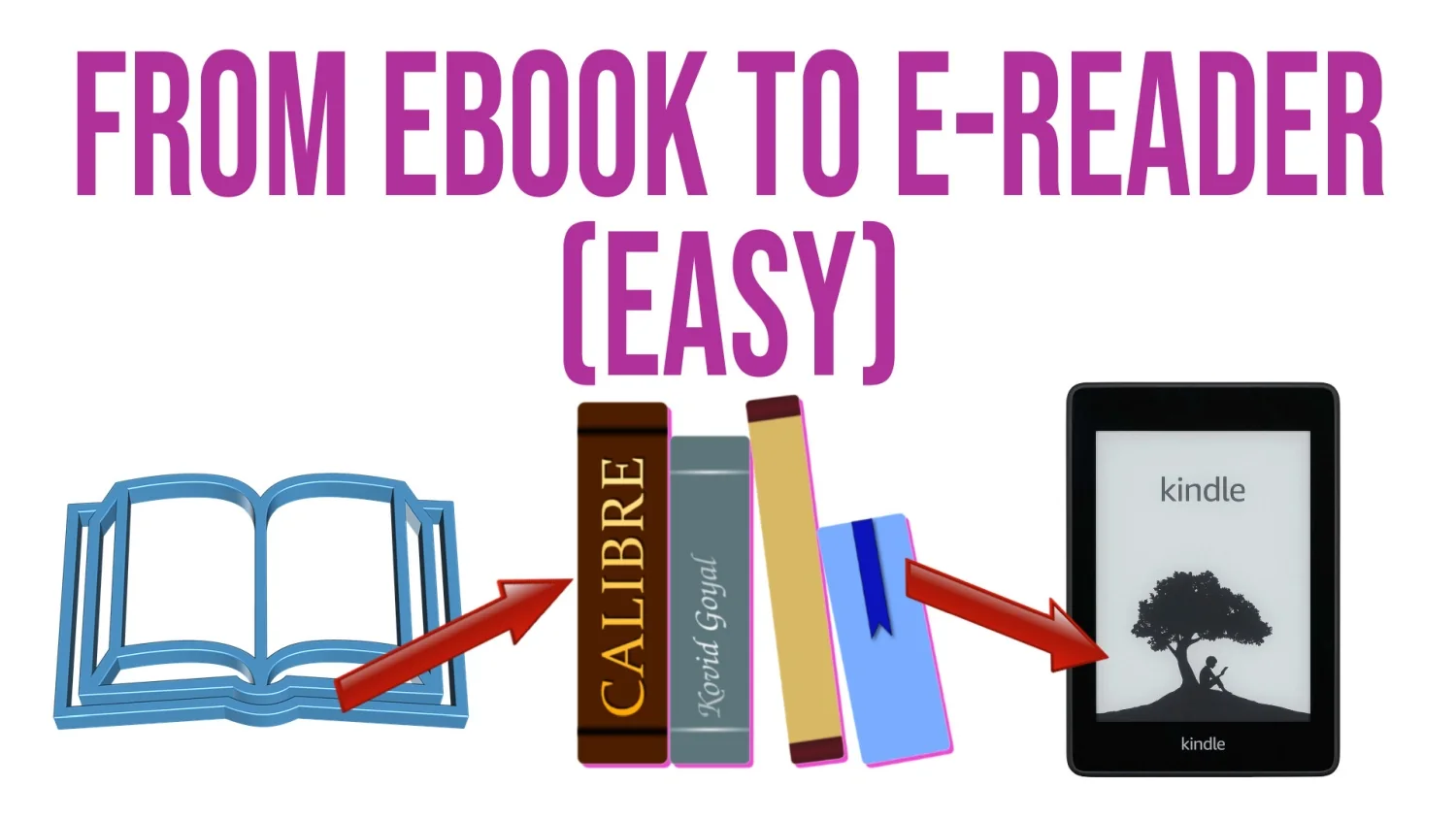
    2) You’ll then have EPUB ebooks that you can transfer to your e-reader using Calibre software (which converts file formats for you).

    3) So, if in the future you need to change your e-reader and you don’t get one from Amazon, your ebooks will be compatible with your Kindle using software like Calibre.

    Why buy a e-reader? What is an e-reader?

    E-readers are devices that allow you to read books on a screen with electronic ink that doesn’t tire your eyes.

    As a result, reading comfort and ergonomics are similar to those of a paper book. Unlike conventional screens, you can read in direct sunlight without any problem.

    E-readers have a large storage capacity, enabling them to carry hundreds of books. They are now all touch-screen, and most (if not 100% of models) have built-in lighting for reading in the dark with blue light filter.

    You can see why you should buy a e-reader in this article.

    Should you get an ereader or a tablet?

    If you want to read your ebooks just about anywhere, you don’t have many solutions at hand. You’ll have to opt for a e-reader or a tablet.

    The e-reader offers greater reading comfort and less eyestrain than the tablet. But the tablet offers more functions (videos) and can display content in color.

    The e-reader is therefore the best choice if you intend to read a lot of books.

    The choice depends very much on whether you’re going to use the e-reader or the tablet.

    But one thing is certain: when it comes to reading comfort, only paper can beat the e-reader.

    You can learn more on this article : Should you get an ereader or a tablet?.