
Bigme continues to expand its lineup of e-readers (or tablets, really…) with color E Ink screens, and now offers the Bigme B6 Color running Android 14. Here’s a full review of this device that can do a whole lot!
Note: Bigme provided this device for review purposes.
Video Review of the Bigme B6 Color
Buy a Bigme e-reader online
Bigme on Amazon.com (click here)
Bigme official website (click here)
Unboxing and First Impressions
The Bigme B6 Color comes in a rigid, book-shaped cardboard box. Inside you’ll find the e-reader and a quick start guide. The USB-C charging cable and a magnetic protective case are included in two separate boxes.
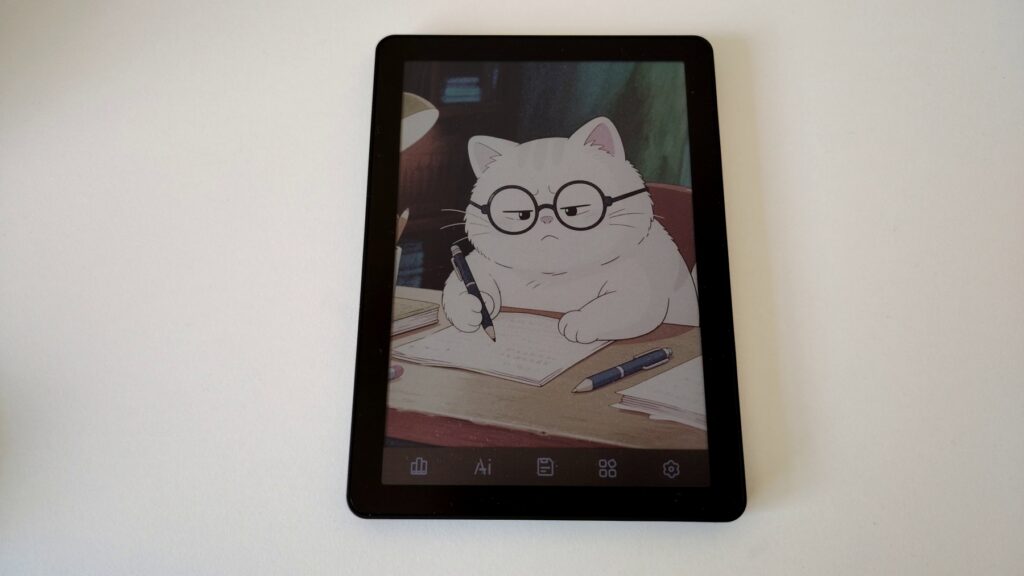
The Bigme B6 has a very clean, somewhat angular design with a minimalist style that’s reminiscent of certain Apple products.
The plastic is very rigid, sturdy, and almost feels like metal. The build quality is premium, and the slightly angular edges don’t get in the way of holding the device. Once you attach the magnetic case to the back, the grip becomes excellent, and a flap protects the screen.
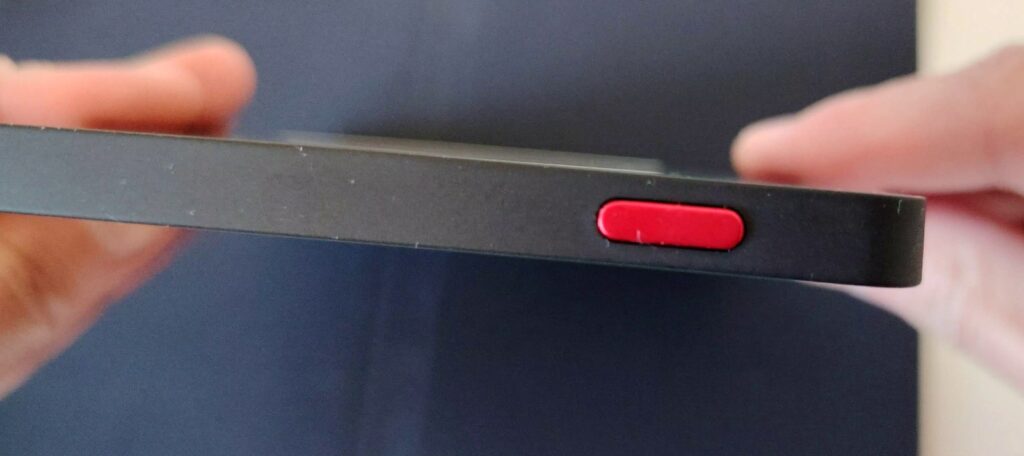
You’ll find the power button on the top edge of the device, next to a small speaker (yes, you can access audio content without needing to connect via Bluetooth, although that option is available too).
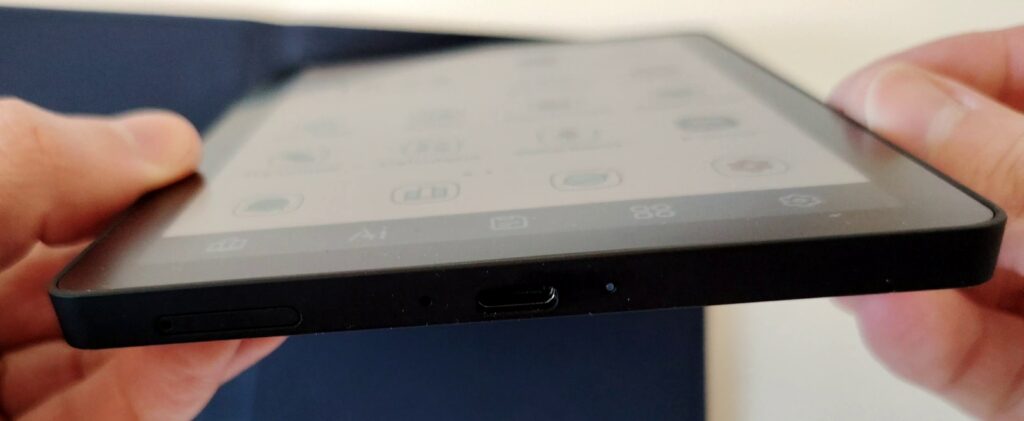
On the bottom edge, there’s a USB-C charging port that also lets you connect the Bigme B6 Color to a computer, along with a slot for a microSD expansion card (up to 1TB!). The device already has 64GB of storage, which should be more than enough for most reading and audiobook needs.
Since this is an Android e-reader, the startup process is just like a smartphone, and you land on the familiar Android home screen with app icons.
6-Inch Color E Ink Screen
The Bigme B6 Color features a Kaleido 3 color E Ink screen, the latest technology currently available. The screen has a 6-inch diagonal, comparable to the Pocketbook Touch HD Color or the Kobo Clara Colour.
The screen resolution is 300 PPI for black and white display and 150 PPI for color, which provides a very comfortable reading experience.
The on-screen display is sharp, and it’s nice to see your familiar Android apps on a screen that delivers a paper-like rendering. The comfort level is really there, and after a few days of use, going back to the bright screen of an iPad or smartphone feels strange. E Ink screens are truly worth using, even on tablets!
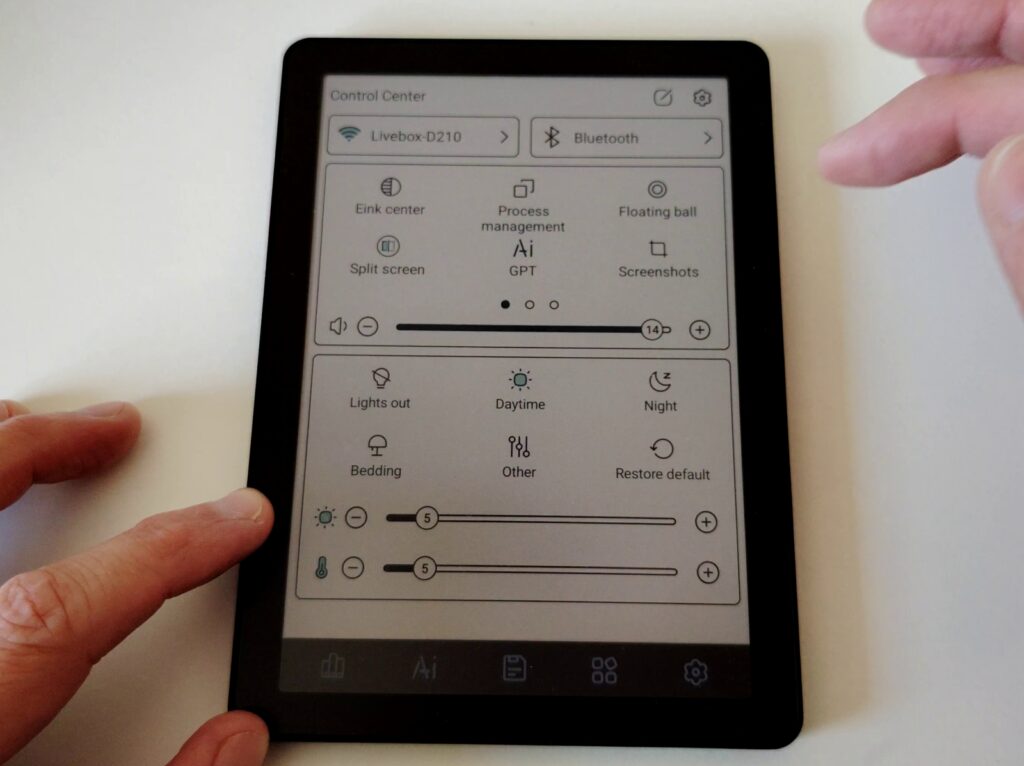
To complement the (touchscreen, of course) display, you get adjustable front lighting with fine brightness control. Additionally, you can adjust the color temperature, which tints the screen yellow/orange. This is useful for nighttime reading, for example, or simply to soften the display and reduce blue light exposure.
In addition to its screen, the Bigme B6 Color has 5 shortcut buttons below the display that let you quickly access key features: ebook reading, app home screen, settings, file storage, and AI features.
This is something new for a device like this, but it’s a smart addition since navigating the Android interface can require a lot of screen taps. With this system, you just press a button to jump straight to your ebooks (for example).
Of course, you can customize these buttons to change their behavior, for instance, to open your favorite ebook reading app when you press the “books” button.
Reading Ebooks on the Bigme B6 Color
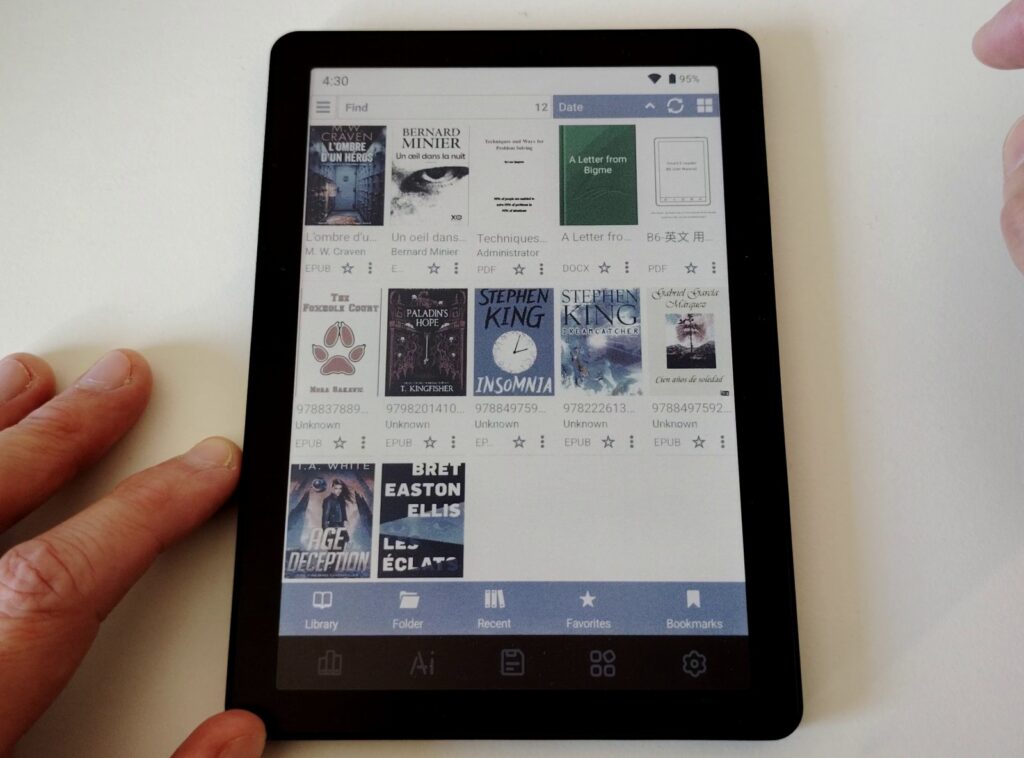
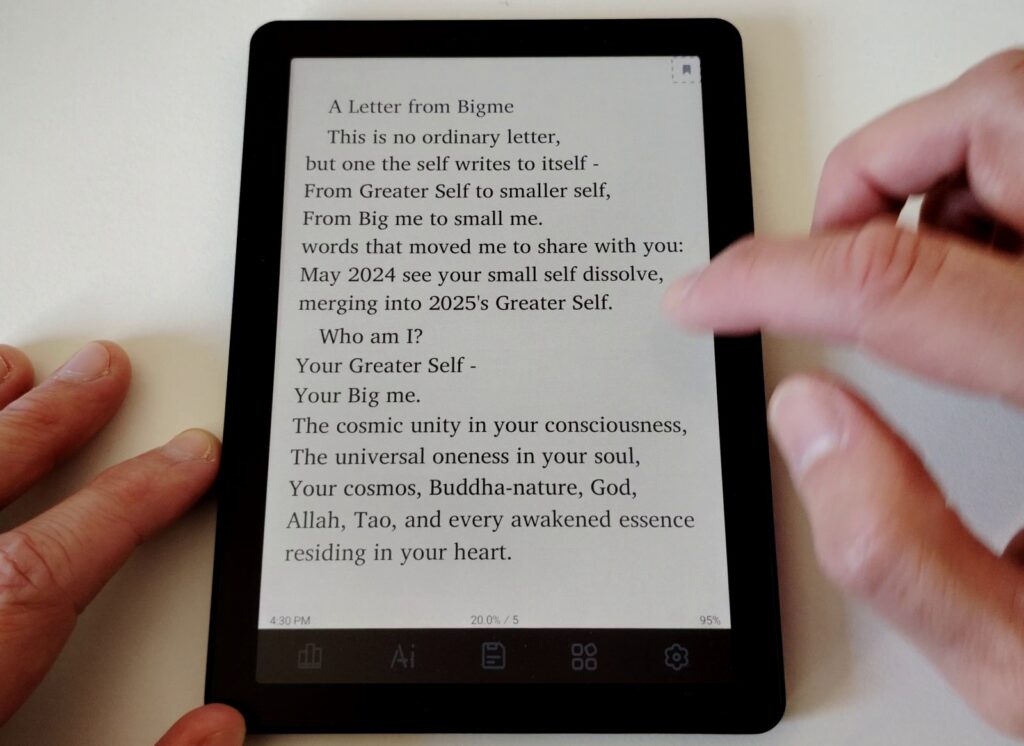
By default, the Bigme B6 comes with a fairly basic ebook reader. It does let you read ebooks, but I found the options somewhat limited.
That said, you still get the usual options: font size, font selection, margin size, line spacing.
Since the default reader didn’t quite meet my needs, I switched to Librera FD, which is my preferred app and lets you fine-tune the ebook display perfectly.
Librera FD is 100% free, regularly updated, and offers a wider font selection as well as text-to-speech and page-turn animations. The interface also uses color, which looks pretty nice on this e-reader!
But you can also use the standard reading apps from Kindle, Kobo, or Pocketbook.
I spent a few hours reading with the Pocketbook app without any issues and was able to access my books linked to my Pocketbook account.
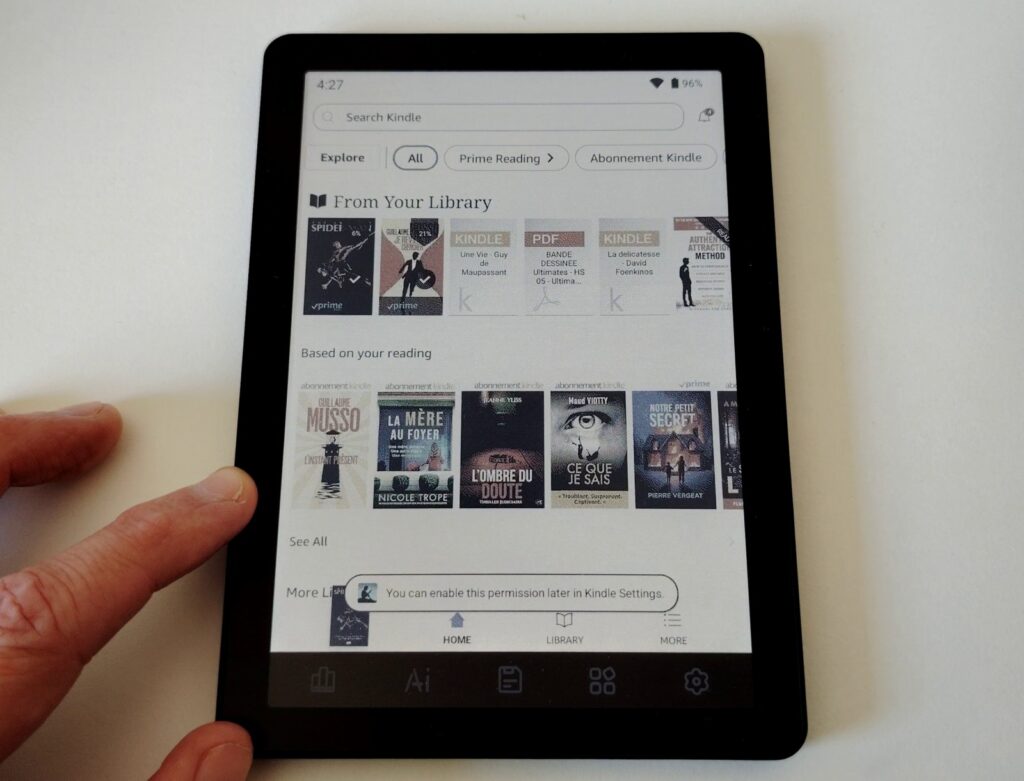
The same went for the Kobo app and the Kindle app.
The reading experience is therefore very good across all three major reading apps I tested, and that you’ll likely use too. Just keep in mind that you get the Android app features, not exactly the same experience as on a dedicated Kindle, Kobo, or Pocketbook e-reader.
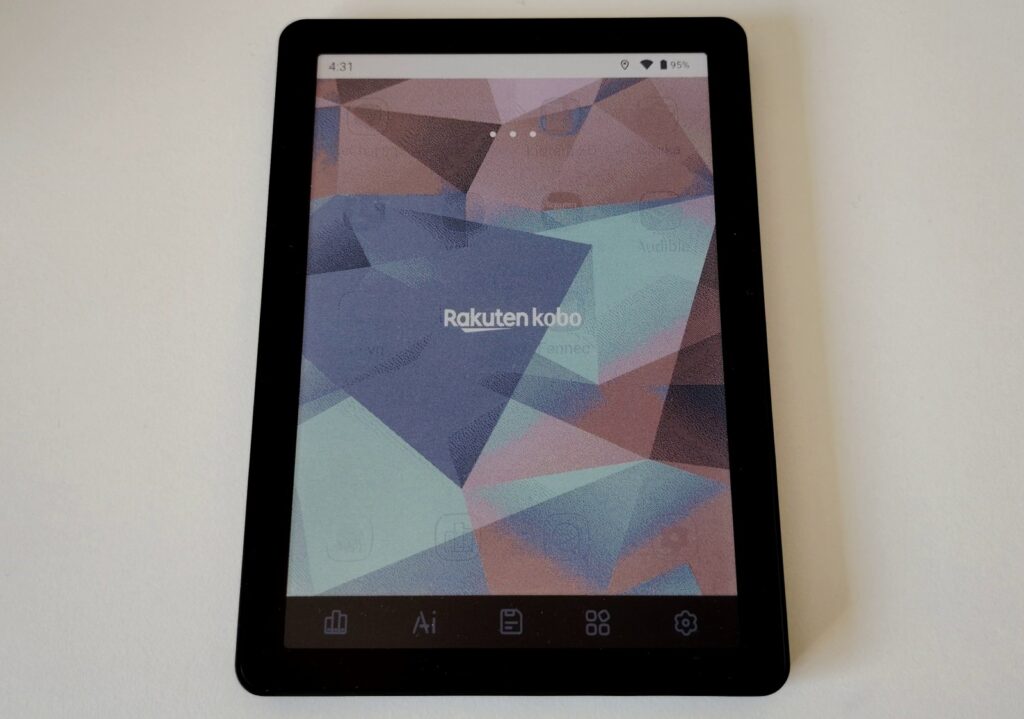
This Bigme B6 works great for reading, and I didn’t notice any problems, except that you do need to install and set up each app individually, just like you would on a smartphone or tablet.
How to Load Ebooks onto the Bigme B6 Color?
The Bigme B6 Color is fully compatible with Calibre, the free ebook management software.
You can send EPUB ebooks directly to your e-reader from Calibre.
To do this, connect your e-reader to your computer with the included USB cable and enable file sharing in Android on the device (a notification will pop up asking what you’d like to do).
From your computer, you can then browse the Bigme B6’s file system. You’ll find books in the “Books” folder. You can simply copy and paste books into that folder.
When I used this device, I preferred using Calibre to transfer books, but you can do it however you like.
Note that a fully functional web browser is also included, so you can visit your favorite download sites to get books directly on your e-reader.
You can also access your Kobo, Kindle, or Pocketbook ebooks by installing your preferred bookstore’s app from the Google Play Store.
Android Apps and Software
As you’ve seen, this is a device running Android 14.
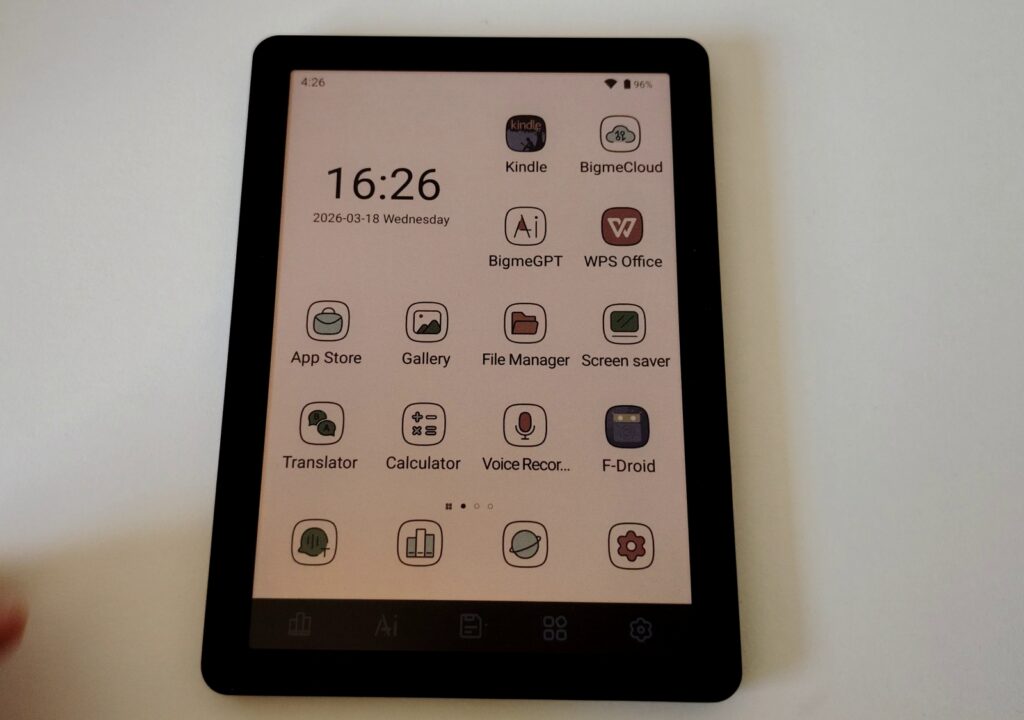
That means you can install whatever apps you want on the e-reader. To do this, you’ll use the Google Play Store, but there’s also another option I’ll briefly mention later.
To use the Play Store, you need to sign in with your Google account. Once that’s done, you have access to the full Android app library.
You can install many reading, productivity, or entertainment apps. However, keep in mind that some uses aren’t well suited to E Ink screens: games in particular, but also video, which doesn’t look as good as on a more conventional screen.
I successfully used the Pocketbook, Kindle, and Kobo apps. So this device works well for bringing all the major online bookstores together on a single reading device!
If you’d rather not use the Google Play Store, you can use F-Droid, which offers 100% free apps. To install it, head to the website and follow the instructions (use the Bigme B6’s built-in browser to download F-Droid).
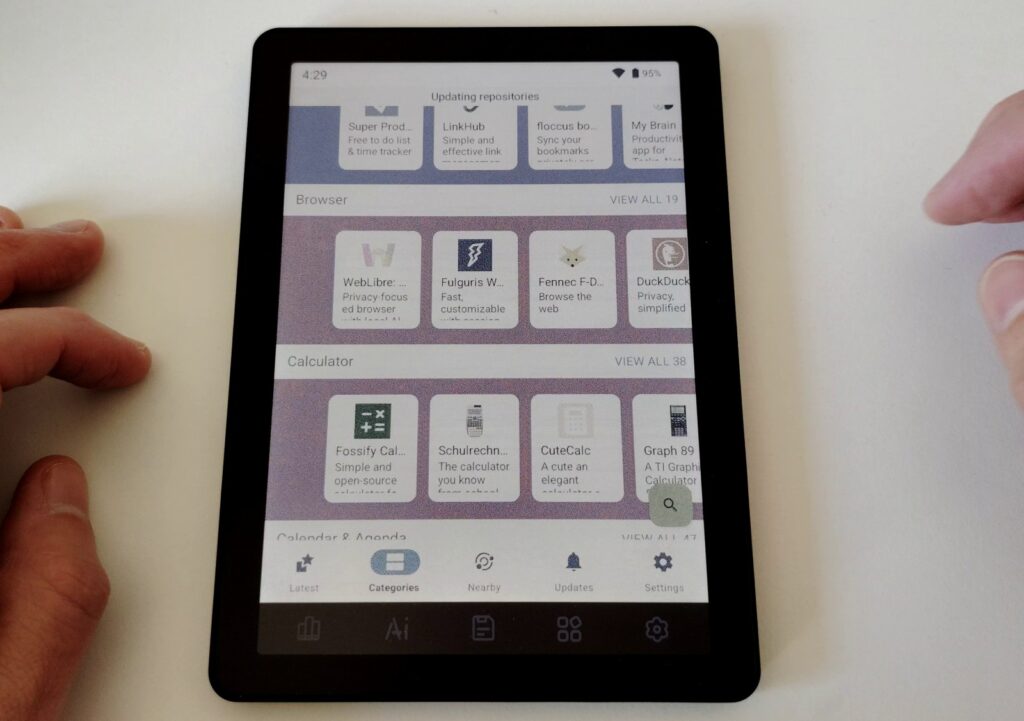
F-Droid has a large library of free software for all kinds of uses. You won’t find the big-name apps, but rather alternatives like the Librera FD ebook reader.
There’s also a fully functional web browser:
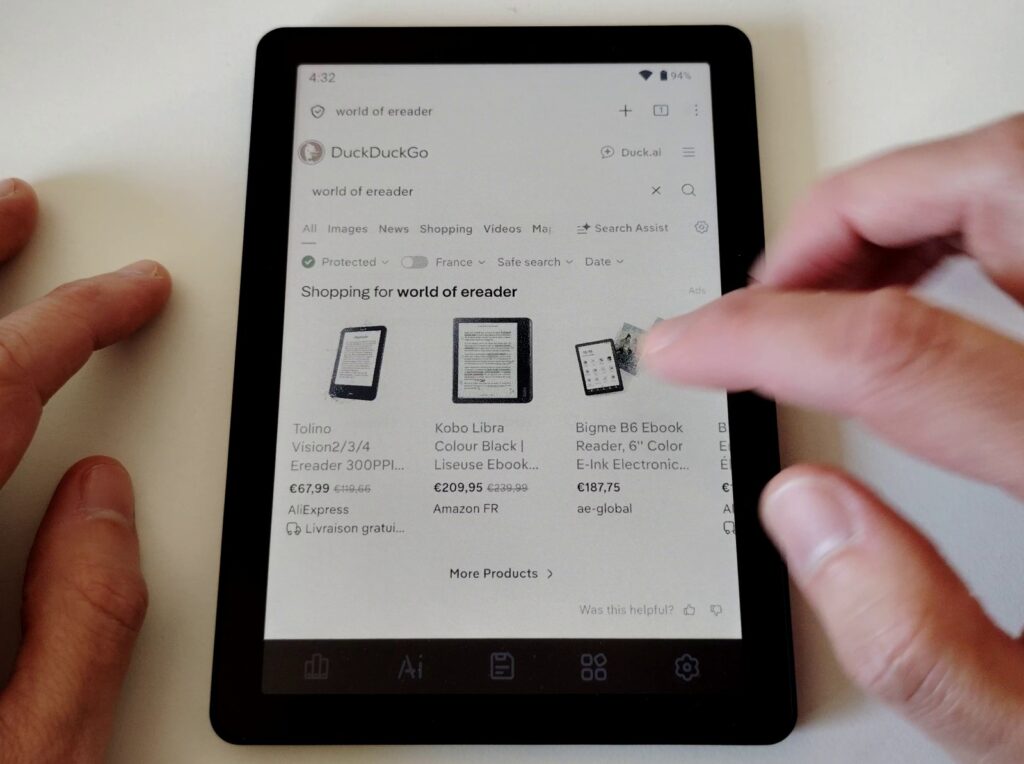
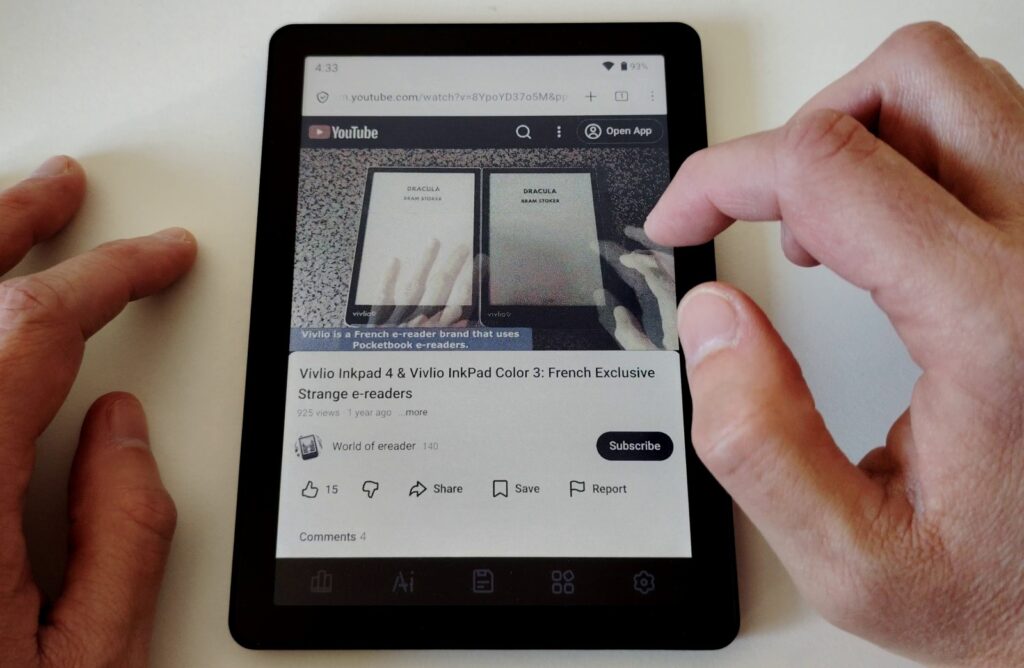
It’s even possible to watch YouTube videos thanks to the built-in speaker:
Reading Manga, Comics, Graphic Novels, and Magazines
There are many Android apps that let you access magazine content, graphic novels, and more.
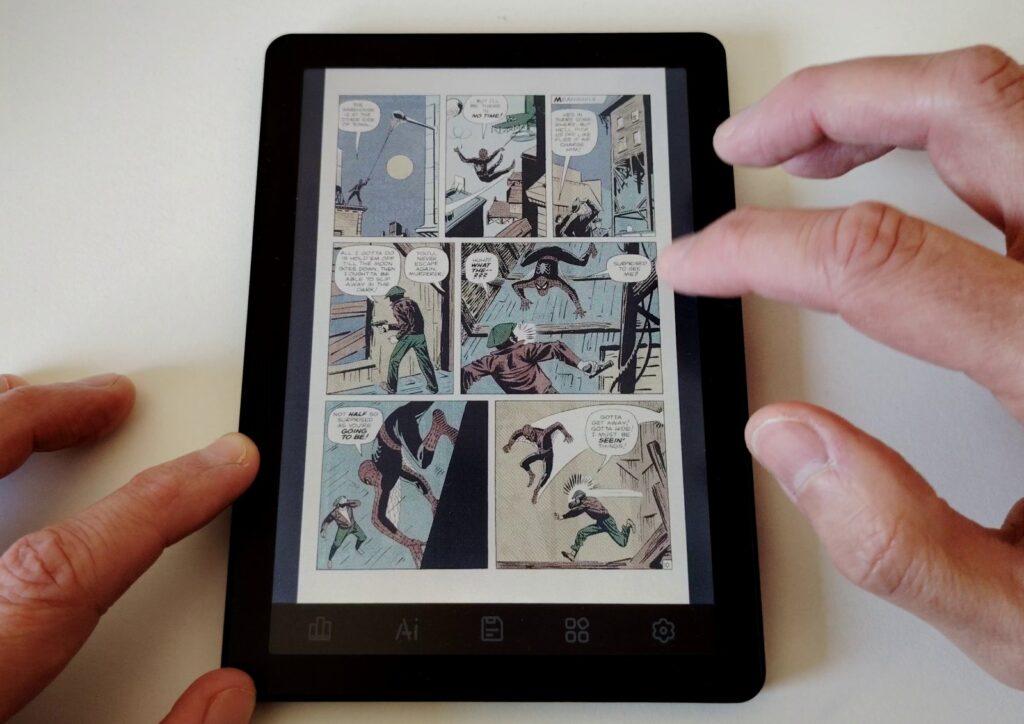
While they work well, the 6-inch screen isn’t quite suited for this type of content, which tends to be image-heavy. In my experience, it’s basically like reading on a smartphone.
The Bigme B6 is better suited for text-based reading like novels or non-fiction.
Settings and Custom Interface
There’s a lot to say about the interface since this device runs Android 14.
So you get most of the features of this operating system, along with the customization options that come with it.
One important thing to consider is how you set up navigation during initial setup: I chose to use gestures to access notifications (swipe down from the top of the screen) and for navigation (swipe from the left edge toward the center to go back to the previous screen).
The interface used is Bigme’s own, which adds a floating navigation “bubble.” This can of course be disabled, but tapping it gives you shortcuts to certain functions.
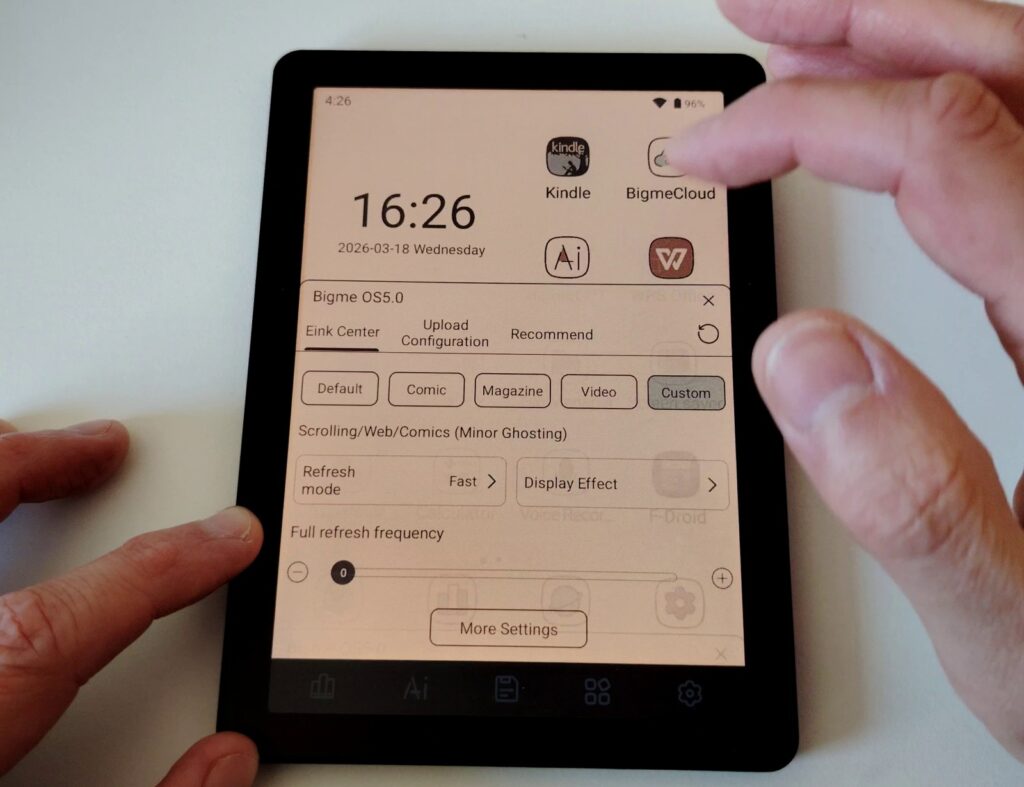
There’s also an important feature: the E Ink Center. It lets you adjust the E Ink display based on your needs. You have 4 preset modes:
- Default: a good balance between display speed and quality
- Comic: very sharp display, but slower refresh rate
- Magazine: same as above
- Video: lower quality display but faster refresh rate
Additionally, you can create a custom profile where each setting is adjustable, if you have specific needs or none of the presets work for you.
AI Tool Integration
The Bigme B6 Color comes with Bigme GPT, a built-in AI assistant you can ask to perform certain tasks. It’s similar to ChatGPT, though it seemed a bit more limited to me.
It can still summarize text or generate images. So it’s a useful tool, even if its value on a 6-inch e-reader mainly designed for reading is debatable.
Note that you can’t do voice input without a Bluetooth microphone connected, but results can be read aloud using text-to-speech.
You also have the option of installing other AI apps through the Google Play Store.
Bigme B6 Color Technical Specifications
Here are the technical specs for the Bigme B6 Color:
- 6-inch color E Ink Kaleido 3 screen
- 300 PPI resolution in black and white, 150 PPI in color
- ARM octa-core CPU
- 4GB RAM
- 64GB storage
- MicroSD expansion slot up to 1TB
- Wi-Fi and Bluetooth
- Speaker
- Gyroscope for automatic screen rotation
- Android 14 with Google Play Store
- Weight: approximately 6.2 ounces
- Dimensions: 4.25 x 5.88 x 0.39 inches
Conclusion: A Versatile E-Reader for Experienced Users
The Bigme B6 Color is very convincing and packed with features. That’s its main advantage: you can do pretty much whatever you want and access your full digital library by installing the Kindle, Kobo, and Pocketbook apps.
Of course, with great power comes great responsibility, and it’ll be up to you to configure the device however you see fit.
If you’re comfortable with Android smartphones or tablets and want to stay in that ecosystem, the Bigme B6 Color is probably the right choice for you.
But if you want a plug-and-play digital reading device, a more traditional e-reader would be a better fit.
That said, the Bigme B6 is yet another demonstration that Android e-readers seem to have reached maturity: it works well, the software is fully polished, and I didn’t run into any system bugs!
Add to that a price tag under $200 ($189 at the time of writing), and this Bigme B6 Color is a really good e-reader.
Buy a Bigme e-reader online
Bigme on Amazon.com (click here)
Bigme official website (click here)
Pros:
- 6-inch color E Ink screen
- Full Android 14 operating system
- More than an e-reader: a true mini tablet
- Very competitive price
Cons:
- Harder to use than a “traditional” e-reader
- The default ebook reader should be replaced with a better reading app
Leave a Reply