
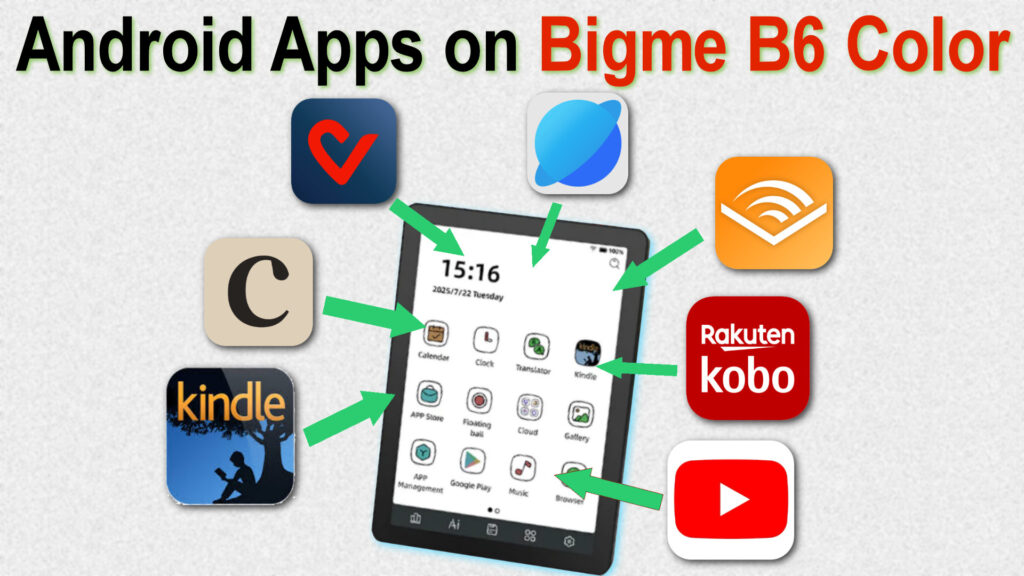
To complement the review of the Bigme B6 Color e-reader, here’s a quick rundown of the apps I use on this 6-inch color e-ink machine with a Kaleido 3 display.
The Bigme B6 Color runs Android 14, which lets you add new applications. So, unlike a Kindle, Kobo, or Pocketbook e-reader, the Bigme offers a richer experience, but also a more complex one (you have to find, install, and configure each app yourself).
First, you can watch the video showing how the apps work. I’ll then go over each app with a short comment below:
Audible: the Bigme B6 Color lets you listen to audiobooks. You can use the built-in speaker (which doesn’t sound great) or connect a Bluetooth speaker or headphones. You can get started with Audible for free with a trial.
Cafeyn: this is a French digital newsstand service for reading newspapers and magazines. The service works well, but the 6-inch screen is a bit small to fully enjoy some titles, and you’ll need to zoom in to read certain text.
F-Droid: this is an app that lets you install hundreds of free applications. It’s an alternative to the Google Play Store, and all the software is free and open source.
The web browser: this is a pre-installed app that lets you browse your favorite websites on the Bigme e-reader. The browser also lets you watch YouTube videos.
Vivlio: the Vivlio ebook reading app works perfectly. (a French exclusive alternative to Kobo and Kindle)
Kobo: you can install the Kobo reading app to access all your ebooks.
Kindle: if you have an Amazon Prime subscription, you can install the Kindle app to enjoy the free ebooks from the Prime Reading program, which lets you borrow ebooks every month.
Librera FD: a free, full-featured ebook reader that I installed from F-Droid. This is the EPUB reader I use on the Bigme B6 Color.
If you’d like to learn more about the best e-readers currently available, you can check out our last articles.
Leave a Reply