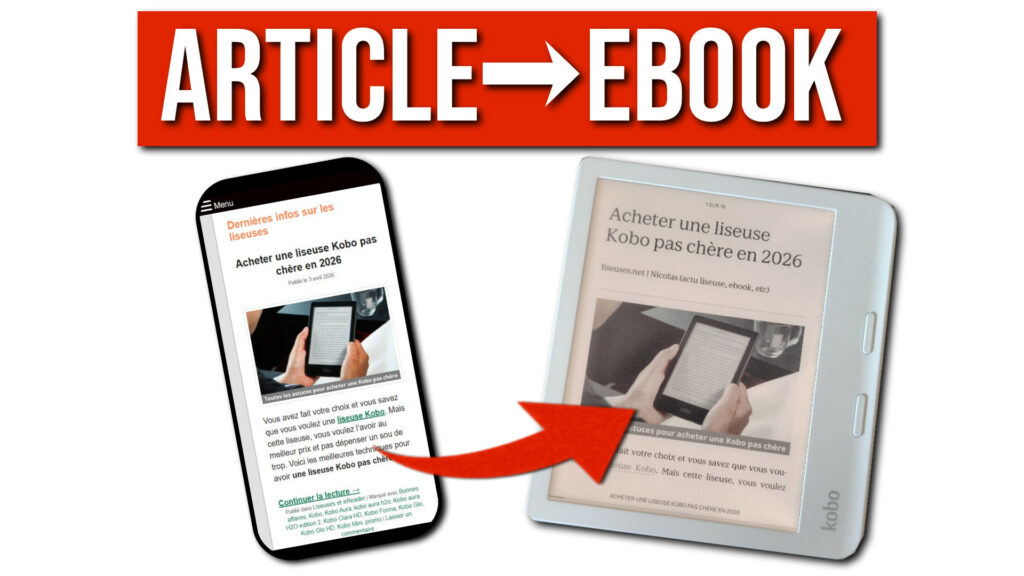
Here’s how to turn any web page into an ebook for your e-reader. You probably come across interesting articles all the time while scrolling on your phone, but never quite have the time to read them in the moment. What if you could find them waiting for you on your e-reader in the evening, in the best possible reading conditions?
That’s exactly what Instapaper makes possible – a free “read later” service. In this article, I’ll walk you through how to use it with the three main e-reader brands: Kobo, Kindle, and PocketBook.
TLDR: Instapaper is a free “read later” service that lets you save web articles and send them directly to your e-reader. Kobo users get the easiest experience with native built-in integration. Kindle users can use the Send-to-Kindle email method or manually download a Kindle-formatted file. PocketBook and other e-readers can export articles as EPUB files and copy them over manually or via Calibre.
What Is Instapaper?
Instapaper is a service available on the web and on mobile that lets you save articles to read later. When you save an article, Instapaper automatically extracts the text and images, stripping out everything that gets in the way: ads, menus, sidebars, pop-ups…
The result is clean, readable content, available offline. But the feature that’s most relevant here is that Instapaper can also send those articles directly to your e-reader.
To get started, just create a free account at instapaper.com and start saving articles using the dedicated button or the browser extension.
Kobo: Native Integration
Great news for Kobo users – Instapaper is built right into the device. No complex setup or installations needed.
Here’s how it works:
- On your Kobo e-reader, go to the Articles section.
- A code will appear on the screen.
- From your browser, go to kobo.com/instapaper and enter that code.
- This links your Instapaper account to your Kobo account.
That’s it. Your saved Instapaper articles will then appear in a dedicated category on your e-reader, as long as it’s connected to Wi-Fi and synced.
Tip: Set up automatic sync on your Kobo to download your articles once or twice a day. They’ll be waiting for you every evening with no extra steps.
Kindle: Two Options
For Kindle e-readers, Instapaper doesn’t have native integration, but there are two solid workarounds.
Option 1: Send to Kindle via Email (the easiest)
Every Kindle has a dedicated email address, which you can find in your e-reader’s settings or from your Amazon account.
Once you have that address, you can configure Instapaper to automatically send your articles to it. Your articles will then show up in your Kindle library, as long as the device is connected to the internet.
One downside to keep in mind: unlike Kobo, Kindle doesn’t have a dedicated section for articles. Your Instapaper content will be mixed in with your books in the general library.
Option 2: Manual Download in Kindle Format
If you’d rather skip the email system, Instapaper lets you download your articles in a Kindle-compatible format:
- Select the articles you want to export.
- Click Download, then choose the Kindle format.
- You’ll receive the file by email, ready to be copied to your e-reader.
PocketBook and Other E-Readers: EPUB Export
For PocketBook e-readers and any other brand without native Instapaper support, the solution is exporting as an EPUB file.
Here’s how:
- In Instapaper, select the articles you want to export.
- Click Download, then choose the EPUB format.
- Instapaper will email you an “.epub” file.
- Copy that file to your e-reader, either by connecting it directly to your computer or using software like Calibre.
The resulting file is a full ebook that your e-reader will open just like any other book.
Summary
| Brand | Method | Ease |
|---|---|---|
| Kobo | Native integration via pairing code | ⭐⭐⭐ Super easy |
| Kindle | Send-to-Kindle email or Kindle format download | ⭐⭐ Easy |
| PocketBook & others | EPUB export + manual copy | ⭐ A few steps |
Instapaper is a great way to get more out of your e-reader beyond just books. If you have extra tips or questions, feel free to share them in the comments.
Pingback: StoryGraph is coming to Kobo e-readers in June: everything you need to know – World of eReader