News

Ereader news from all over the world!

  • Vivlio Light HD Color: a New French Color e-reader

    Vivlio Light HD Color

    It's no longer a secret, but we now have confirmation that the next color e-reader from the French brand Vivlio will be called the Vivlio Light HD Color – and we also know its price.

    Indeed, everything comes from the French Cultura website which has released the product page for a new e-reader called Vivlio Light HD Color.

    This e-reader is equipped with a 6-inch color electronic ink screen using Kaleido 3 technology and thus offers an alternative to the recent Kobo Clara Colour, which has been the only next-generation color e-reader available in France so far.

    <iframe width="1252" height="704" src="https://www.youtube.com/embed/M0iTM184RlQ" title="Pocketbook Verse Pro Color 4k review" frameborder="0" allow="accelerometer; autoplay; clipboard-write; encrypted-media; gyroscope; picture-in-picture; web-share" referrerpolicy="strict-origin-when-cross-origin" allowfullscreen></iframe>

    Here are the technical specifications of the Vivlio Light HD Color e-reader:

    • Color electronic ink screen
    • Touchscreen with SmartLight blue light filter and lighting
    • Compatible file formats: EPUB, PDF, FB2, FB2.ZIP, TXT, DJVU, HTM, HTML, DOC, DOCX, RTF, CHM, TCR, PRC (MOBI), JPEG, BMP, PNG, TIFF
    • Audiobook playback with Bluetooth 5.4
    • Supported audio formats: M4A, M4B, OGG, OGG.ZIP, MP3, and MP3.ZIP
    • Wifi
    • IPX8 certification (waterproof)
    • Text-to-speech function

    A release date has also been announced, but we will have to wait a little longer since this e-reader will be available on 09/16/2024.

    The set price is €179.99. This price is well-positioned for a French product that offers several advantages over the competition:

    • MP3 audiobook playback (which Kobo does not offer)
    • Text-to-speech that converts ebooks into audiobooks with integrated software (something no other brand offers in France)

    Finally, the Vivlio Light HD Color will only cost €10 more than the Vivlio Light HD, which was already an excellent e-reader.

    So, thanks to Vivlio, we won't break the bank when switching to a color e-reader! I'm going to save a bit of money to treat myself to this Vivlio color e-reader and provide you with a thorough review once it's available.

    Of course, this e-reader will not be available outside of France.

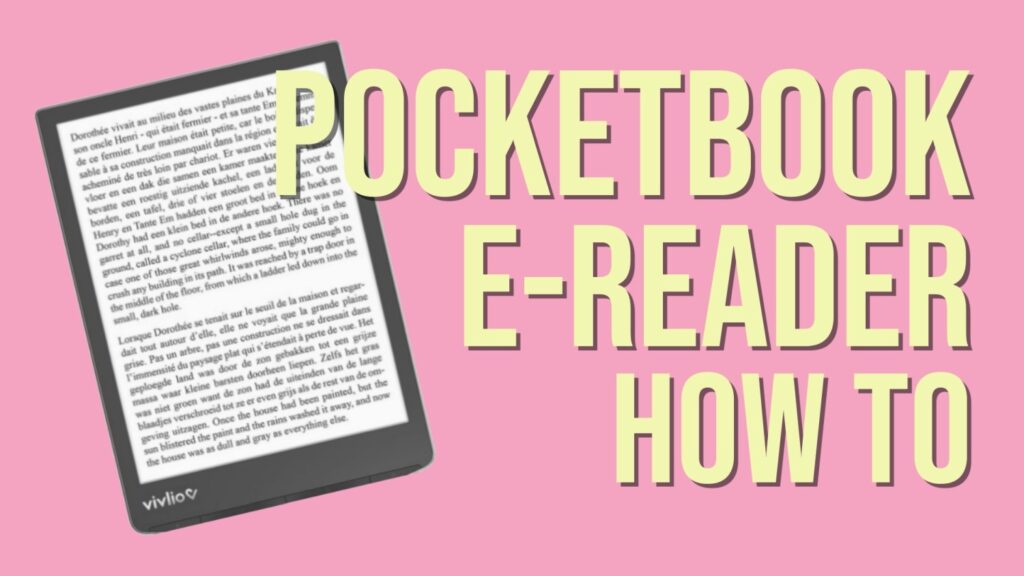
    But rest assured, the Vivlio brand uses Pocketbook e-readers.

    Therefore, this e-reader is essentially a Pocketbook Verse Pro Color marketed under the Vivlio brand and adapted for the French market, especially with a new integrated bookstore.

    If these specifications interest you, you can also consider the Pocketbook Verse Pro Color e-reader.

  • Kobo Libra Color vs Kobo Libra 2

    Kobo Libra Color vs Kobo Libra 2 comparison

    With the release of the color e-ink e-reader Kobo Libra Color, it’s interesting to see how it compares with the older Kobo Libra 2 to determine if you should upgrade your e-reader.

    (more…)
  • Amazon Prime Day 2024: discounts on Kindle e-readers

    Amazon prime day 2024

    The special Amazon Prime Day will take place on July 16 and 17, 2024. This day is reserved for Prime subscribers who will be able to enjoy exclusive discounts. Of course, Kindle devices will be on sale, and you can expect significant discounts on e-readers!

    How to Take Advantage of Prime Day Deals?

    First of all, to benefit from the discounts, you need to be an Amazon Prime subscriber. This subscription is free for the first month and costs €69 per year. It provides access to free shipping, VOD content with Prime Video, free books, and even free video games via the Twitch platform.

    If you don’t already have a Prime subscription, you can also try it for 30 days for free: 👉 Try Amazon Prime for Free.

    Current Discounts

    Kindle e-readers are on sale during Prime Day. Therefore, you can expect significant price drops on the Kindle, Kindle Oasis, Kindle Scribe, and Kindle Paperwhite.

    You only have 48 hours to take advantage of these great deals, so you should quickly check if the prices interest you.

    Expected Promotions

    In addition to e-readers, we can also expect deals on other products sold by Amazon during Prime Day.

    Fire Tablets, Alexa, and Other Amazon Devices

    Amazon Fire Tablet

    The Fire tablet range will likely be discounted as well, with potentially very attractive prices for the 7-inch version, which remains one of the best value-for-money tablets available today. 💪 Check out Amazon Fire Tablets and other Amazon devices.

    We should also expect discounts on Alexa devices and other products from Amazon brands.

    Smartphones and iPhones 🤳

    There will also be significant discounts on smartphones, with major promotions of -30% to -50% on certain models.

    In previous years, the following smartphone brands have had discounted models (selected models only):

    • Samsung
    • Huawei / Honor
    • Apple (iPhones)

    Try Amazon Prime subscription here (amazon.com).

  • New Youtube Channel: World of e-reader

    World of e-reader youtube channel

    Hey readers and tech fans!

    I’m super excited to tell you about my brand new YouTube channel, World of e-reader!

    New channel here : The French EReader Guy !

    Have you ever wondered if you should stick with paper books or try an e-reader? Or maybe you already love e-readers and want to learn more about the latest ones? Well, this channel is perfect for you!

    Why Did I Start This Channel?

    I love reading and I love tech gadgets. I’ve spent a lot of time checking out e-readers, from opening new ones to finding tricks that make reading even more fun.

    I thought, why not share my discoveries and fun experiments with everyone?

    What Can You Expect?

    World of e-reader is dedicated to e-reader and tech gadget with e ink screen (electronic paper):

    • Unboxings: Watch me open new e-readers and talk about what I think right away.
    • Reviews: I’ll look at all the details like screen quality and battery life to help you pick the right one.
    • Tips and Tricks: Learn cool tips, useful tricks, and hidden features, no matter if you’re new or experienced.

    Join the Fun!

    Subscribe to the channel, hit the notification bell, and be the first to see my videos. Leave your comments on the videos, and let’s enjoy e-readers from all brands together.

  • Reading on a tablet: a danger to the eyes

    blue eye

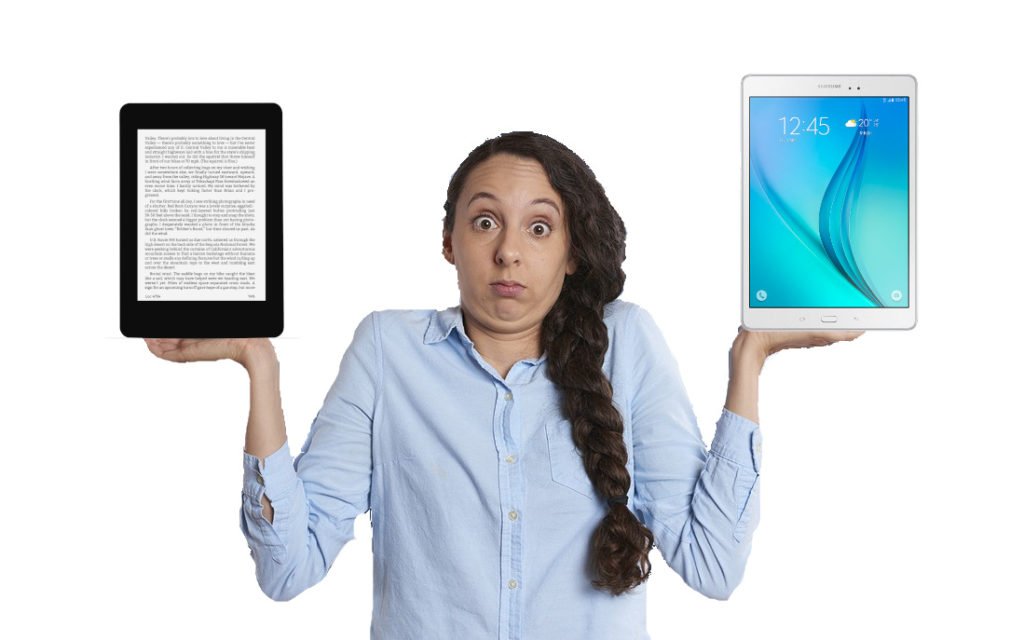
    Reading is a pleasure it would be a shame to miss out on. When you know all the benefits of reading, it’s easy to see why we probably never read enough. But did you know that reading on a tablet is dangerous for your eyes?

    Many of you have already started reading ebooks on smartphones and tablets.

    But we’re going to see here that reading on a tablet (and therefore, by extension, a smartphone) represents a danger to your eyes.

    The tablet screen and your eyes: a real danger

    There’s a real problem with reading on a tablet: lighting.

    Tablets and smartphones use lighting placed behind the screen: this is what makes for vivid colors and uniform illumination.

    The problem is easy to understand: the light from the screen comes directly into your eyes.

    A solution to this problem is to use reflective screens: this time, the light “bounces” off the screen before reaching your eyes. As a result, the light is less powerful and does not reach your retina directly.

    It’s a bit like looking at a light bulb:

    • If you look directly at it, you’ll hurt your eyes.
    • If you look at a white sheet of paper illuminated by this bulb, you’ll be able to withstand the light from the bulb more easily.

    Unfortunately, reflective screens for tablets are very rare and offer less than optimal color reproduction (see TCL’s NxtPaper). There’s also the alternative of the e-reader (see below), which uses a screen that does very little to tire the eyes.

    Yes, reading on a tablet is dangerous for the eyes

    Another major problem is the presence of blue light.

    Tablet lighting, and other LED ou LCD screens, emits blue light. While the effects of this light on the body are still difficult to determine with any certainty, initial studies show that caution is called for.

    The light is created by the illumination, and it’s impossible to switch it off on a tablet. Manufacturers therefore use a system that applies a filter to the colors rendered by the screen.

    Clearly, once the system is activated, the screen appears more “orange” or “yellow”, as there is less blue color present.

    It’s a good start, but it doesn’t completely solve the problem.

    More generally, studies show that tablet lighting causes us to blink less often (30% to 50% less than with a paper book). As a result, our eyes dry up more quickly, creating a major inconvenience.

    In addition, reading on a tablet is not at all equivalent to reading on paper: you retain much less (see this study).

    Reading: how to protect your eyes?

    The question arises as to whether the only safe way to read is on paper.

    And it’s true, paper remains an excellent reading medium.

    But there are also e-readers with technical features that partially or fully limit the dangers to your eyes.

    Unlike tablets, e-readers use a screen with a different technology called “electronic ink”.

    E-ink screens render characters as if they were on paper. Reading comfort for the eyes is therefore total and identical to paper.

    E-ink screens emit no light, so even without power, you can still read what’s displayed on them.

    For even greater comfort, e-readers also feature lighting. But, unlike the system used on tablets, the illumination on a e-reader is present on the sides of the screen and is therefore not pointed directly at the eyes.

    This new study investigated the impact of blue light from tablets on retinal health. Human retinal cells (ARPE-19) were exposed to blue light emitted from two types of tablets: backlit LCD screens and frontlit e-paper displays. The researchers then measured the oxidative stress response within the cells.

    The findings indicate that exposure to blue light increased reactive oxygen species (ROS), a marker of oxidative stress, in cells exposed to both devices. However, the rate of ROS accumulation was two to three times slower with e-paper displays compared to LCD screens. This suggests that e-readers may be a more protective option for retinal health during extended use.

    Another advantage of a e-reader over a tablet is that the lighting can be switched off when not needed.

    If, however, you still wish to use the light, the mid-range and top-of-the-range e-reader models all feature a blue light filter (color temperature adjustment).

    The e-reader is therefore a particularly useful and much safer tool for everything to do with reading ebooks.

    You can find a selection of the best current e-readers on our site.

  • The Kobo Libra 2 e-reader has reached the end of its life

    Kobo Libra 2 e-reader end of life

    According to the official Kobo website, the Kobo Libra 2 e-reader is sold out. Although still available from a number of vendors, all indications are that this e-reader will soon disappear from the catalog, following the release of the new version with color screen: the Kobo Libra Colour.

    The Kobo Libra 2 has been available since 2021, and this e-reader was a real “coup de coeur” for me.

    It has an excellent display, with a 7-inch black and white e-ink screen (Carta 1200 technology and high definition). The screen is perfectly complemented by its lighting and a blue light filter – the Comfort Light Pro system.

    But what I really like about this e-reader is the quality of its construction and its format with buttons on the side.

    Today, this e-reader is no longer available on the official Kobo website.

    The brand is highlighting new color e-ink models, such as the Kobo Clara Colour (read the review here) and above all the Kobo Libra Colour, which builds on the strengths of the Kobo Libra 2 by adding a Kaleido 3 color screen.

    But that doesn't mean the Kobo Libra 2 is no longer recommendable.

    In fact, it's still available on a number of sites, and I think you'll find it at a very good price soon (if it isn't today). So it's still a good buy for people who want a really good e-reader and don't need or want a color screen.

    On the other hand, if you're looking for a recent e-reader with the latest technological advances in digital reading, you'll need to look out for the Kobo Libra Colour, which replaces the Kobo Libra 2.

    To find out more and make the right choice of e-reader, I recommend reading our guide to the best e-readers of the moment.

  • Pocketbook and Bigme join forces to expand their e-reader offering

    cartoon drawning of 2 man making a deal

    E-reader brands Pocketbook and Bigme have just signed a partnership agreement that makes Pocketbook co-owner of Asian company Bigme.

    Pocketbook is a long-standing player in the digital reading market, offering a variety of innovative e-readers since its creation in 2007 in Ukraine.

    The company has been able to evolve and renew itself, moving to Switzerland in 2012.

    Twelve years on, Pocketbook is still going strong, regularly offering new e-readers at all price points.

    Bigme announces that it was founded in 2008 to offer e-readers to the Asian market. However, it’s only in recent years that the company has become more widely known, with e-readers such as the Bigme S6 Color+, which I reviewed on the site and in video.

    The GoodEReader website reports that Pocketbook now owns a significant share of the Bigme company.

    This merger will enable Pocketbook to take advantage of Bigme’s Android e-reader expertise to offer high-end e-reader models in the US and Europe.

    The first machine is the Pocketbook Inkpad Eo, whose fast release surprised me. It’s a large-format color e-reader with a Bigme-designed Android 11 system, but with software modified by Pocketbook.

    When I tested the last Bigme e-reader I received, I noticed problems with software translation. A slight disappointment, since the hardware is really good quality, with a superb color e-ink screen.

    Pocketbook will correct this and market some Bigme e-readers under its own brand and with corrections in the months and years to come.

    Of course, all this comes solely from the Goodereader website, and Pocketbook doesn’t seem to have communicated much more about Bigme in recent days.

  • Daylight Computer DC-1: a new kind of e-reader

    Daylight Computer e-reader dc-1

    The DC-1 is the first e-reader model from Daylight Computer to use a black-and-white screen, capable of simulating paper printing, but with a different approach to electronic ink.

    First of all, the DC-1 is available for pre-order on the company’s website for a rather hefty price: $729. It will be delivered to the first buyers during November 2024.

    Daylight Computer features

    The DC-1 is first and foremost a touchscreen tablet with a 10.5” black-and-white display.

    In terms of functionality, it can be used to consult Internet content – including video – but above all to read and work.

    It uses a proprietary operating system based on Android 13 called Sol:OS. This system is presented as an anti-distraction software that enables its user to concentrate on the essentials, with a simple interface accessible to all.

    Daylight Computer e-reader dc-1

    It also appears to be possible to install third-party applications, such as reading apps from Kobo or Kindle (to name but a few).

    The main functionalities revolve around reading (with, it seems, very good PDF support) and productivity, since a stylus is supplied with the DC-1.

    A brand new display

    Next, it’s important to talk about the screen used in this Daylight Computer, since it’s its main selling point.

    The screen is black and white and called “Live Paper”, with a diagonal of 10.5 inches. Its resolution is correct (without being exceptional) at 1600 x 1200 pixels (190 dpi).

    Daylight Computer e-reader dc-1

    The technology is based on RLCD (reflective LCD screen), but with modifications for better light reflection (for reading in the sun), better contrast and – above all – very fast display at 60 frames per second (60fps).

    The speed of the display can make all the difference for people who read a lot of PDFs on which it’s necessary to zoom in to enlarge certain portions of the documents.

    Its diagonal may also be perfectly suited to heavy manga consumers, and the presence of a stylus should enable it to be used with the main productivity software in the Android ecosystem.

    Daylight Computer technical specifications

    Here are the technical specifications for this new machine:

    • 10.5-inch Live Paper screen, black and white, 1600 x 1200 pixels (190 dpi)
    • Touch screen
    • Wacom stylus (passive EMR type)
    • Illumination with blue-light filter
    • MediaTek Helio G99 processor
    • 8000 mAh battery
    • 128 GB storage
    • 8 GB RAM memory
    • Wifi
    • Bluetooth 5.0
    • USB-C
    • micro-SD expansion
    • Weight: 550 grams
    • Speakers and microphone
    • System based on Android 13

    My premature opinion before the first reviews

    Daylight Computer e-reader dc-1

    This device has been in development for several years, and the first reviewers of the beta versions have already expressed their opinions on the subject, all indicating their satisfaction with the product.

    Of course, we’ll have to wait until it goes on the market – at the end of 2024 – to have a definitive opinion.

    It’s worth noting that the price of this e-reader is mainly aimed at professionals or very heavy readers (it will cost more than $700 at launch). It’s a far cry from most e-readers, which can be found everywhere for under $200.

    I’m quite enthusiastic, as the images I’ve seen suggest a good display and perfect fluidity – just like on an iPad.

    We’ll have to check, however, that the display doesn’t tire the eyes too much after prolonged use.

    Here’s an official presentation video:

    <iframe width="1259" height="708" src="https://www.youtube.com/embed/ovF3w8neDUw" title="Introducing the Daylight Computer 🍃" frameborder="0" allow="accelerometer; autoplay; clipboard-write; encrypted-media; gyroscope; picture-in-picture; web-share" referrerpolicy="strict-origin-when-cross-origin" allowfullscreen></iframe>

    Official website: https://daylightcomputer.com/

  • Back & White or Color E-reader? How to choose?

    Back &amp; White or Color E-reader? How to choose?

    While it’s common sense to go for a color e-reader straight away, it’s worth pausing for a moment to consider whether a black and white e-reader might not be a better choice.

    When it comes to buying a e-reader for reading ebooks, there are now several different categories to choose from:

    • Entry-level e-readers
    • Mid-range e-readers
    • High-end e-readers
    • Color e-readers

    While entry-level e-readers do the job very well, they’re best reserved for readers who want to try out digital reading on a budget (there are e-readers for under $100-$120).

    But if you really want to get into digital reading, or if you’re a good reader (you read more than one book a month), investing a little more money in a e-reader promises a better reading experience and greater comfort, thanks to a better definition e-ink "paper-like" screen.

    Having looked at the best e-readers available, one question quickly springs to mind: should I buy a color e-reader?

    Because, while we’re at it, why not go straight for a e-reader capable of displaying color?

    The differences between color and black & white e ink screens

    I’ll try to answer this question, at least in part, by taking the example of the Kobo Clara Colour e-reader (out in 2024) and the Kobo Clara 2E (black and white, out in 2022).

    The screen appears darker, with less contrast*.

    The technology behind color e-readers is still in its infancy. It therefore has its drawbacks, the first of which is that it renders text a little less well than a black-and-white e-reader.

    The second disadvantage comes from the lighting: it’s more powerful, and a color e-reader, without lighting, s less legible than a black-and-white e-reader.

    Finally, even if it’s hard to notice, black and white e-readers are a little faster in use. Simply put: e-ink displays pages of text faster than a black-and-white screen.

    Do you really need color?

    flow chart to choose your e-reader

    So you have to ask yourself whether you’ll really need color for your reading. If this is the case, don’t hesitate: switch to a color e-reader!

    Alternatively, you can save a few dozen dollars by settling for a black and white e-reader. That way, you’ll be able to treat yourself to an e-reader with a beautiful high-definition e-ink screen for less.

    I also invite you to consult the buying guide for the best e-readers available on the site (click here). It will help you make the right choice and enjoy many hours of digital reading in the best possible conditions, wherever you are.

  • How to translate ebooks fast?

    ebook translator tutorial

    Do you have a book in a foreign language that you'd like to read in English, but you're not fluent in that language? No problem! Here's an efficient way to translate your book in no time.

    The automatic ebook translation solution I'm proposing will be useful to both readers and publishers who want to have their book translated.

    Please note, however, that this is not a definitive solution, but rather an initial troubleshooting tool – as you'll see later. For those who prefer a video, I've added the video I made at the end of the page.

    <iframe width="1280" height="720" src="https://www.youtube.com/embed/1602jirh8tE" title="How to translate ebooks (epub)?" frameborder="0" allow="accelerometer; autoplay; clipboard-write; encrypted-media; gyroscope; picture-in-picture; web-share" referrerpolicy="strict-origin-when-cross-origin" allowfullscreen></iframe>

    Install Calibre and the translation plugin

    The first thing to do is install Calibre and the translation plugin.

    The aim of this article is not to go into detail on how to install the software and plugin, since you already have everything you need here in text and video on these pages:

    Now that that's done, you'll see that this page is a tutorial on how to use this plugin: Ebook Translator.

    ebook translator

    I'm going to guide you through the setup and use of this plugin.

    Configuring Ebook Translator

    The first thing to do is to go to the plugin's settings and adjust a few things.

    ebook translator settings

    First, you need to set the output format, which I prefer to set to EPUB. But you can change this:

    ebook translator settings plugin calibre tuto

    Then, in the second tab called “Engine”, I've chosen to use OpenAI for translation:

    ebook translator settings plugin calibre tuto

    As you'll see, you'll need to use ChatGPT's translation tool for this to work. You'll need to get an API key from OpenAI, which you'll fill in here (and we'll see how much it costs later).

    To configure OpenAI and ChatGPT, go to their site and pay a few euros: https://platform.openai.com/docs/overview

    You'll find many articles and videos explaining how to do it, and in the video at the end of this article, you'll see how I did it and how I set it up.

    Another very important element in plugin configuration is the Model version used.

    For this test, I chose a version of GPT-4, which is quite powerful for translations. If you want to save money, you can use a version of GPT-3.5, which will be less expensive, but which may provide a poorer translation.

    In addition, you can also set the “prompt”, i.e. the instruction to be given to OpenAI to perform the translation.

    I haven't tested this, but I've read that it's possible to get a better translation by requesting a translation in an author's style.

    ebook translator settings plugin calibre tuto

    Finally, in the “Content” tab, select “With no original” to obtain the new ebook with only the translation and no original text.

    ebook translator settings plugin calibre tuto

    Once you've configured everything, you can save the settings and move on to the next step.

    Using Ebook Translator

    You'll need to select the book to be translated.

    For this tutorial, I've decided to use a short text by Lovecraft called Dagon. This text is in the public domain and I'll be making the translation available in some way.

    So, we've got a 4 or 5 page text in English, in fairly strong language.

    We select the book in the Calibre library and press the plugin's translation button. A small window appears, asking you to select the translation "target" language.

    ebook translator settings plugin calibre tuto

    A large window then appears, listing (on the left) the chapters of the book and the available translation (on the right) for each sub-section.

    ebook translator settings plugin calibre tuto

    There are also various buttons, and I've framed the important parts in the screenshot.

    So, here's what you need to do:

    • Select the translation engine (OpenAI in my case)
    • Select target language: French
    • Select source language: English

    Next, you'll need to select the parts of the book you want to translate: you can use the “shift” and “control” keys on your keyboard to select multiple parts, or simply choose to translate the whole thing.

    Once you've done this, click on one of the “Translate selected” or “Translate all” buttons.

    A slow but fairly accurate translation

    Now we have to wait. And that takes a long time. In my example, the whole process took around 15 minutes. Which is a lot for a 5-page book.

    It has to be said that I use the OpenAI translation tool, which is one of the slowest. But you can also set up another, more specialized tool like Deepl – which may cost you less or more too.

    Once you're done, click on the button at the top right called “Output” to launch the creation of the new ebook, which you'll see appear in your library once the process is complete.

    ebook translator settings plugin calibre tuto

    You can then consult the book to observe the result in greater detail.

    And I think the result is just fine. In any case, it's readable, and even if there are a few passages that are a little heavy or approximate, you can read the text without any problem.

    How much does it cost to translate an ebook automatically?

    Now it's time to add up, since this process has a cost.

    I spent $0.17 in OpenAI credit to translate this text. I therefore estimate the translation cost at $0.03 – $0.05 per page of text.

    If you want to translate a 300-page ebook, it will cost you between $9 and $15 using the configuration I've suggested. That's a bit high for a reader, but it's an interesting first draft for a publisher who wants to propose and work on a translation of the book – which will then have to be proofread and corrected.