
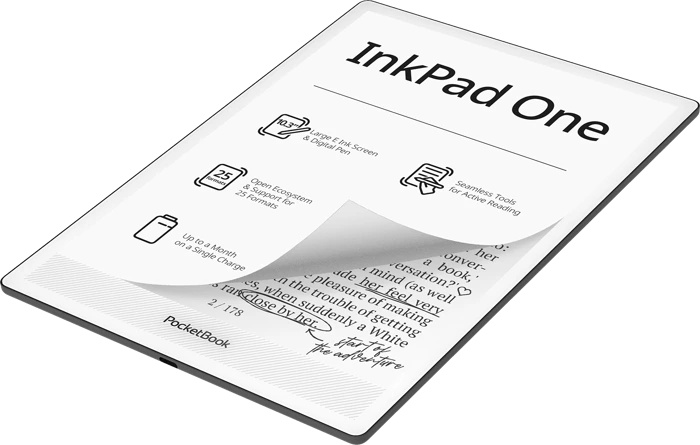
Pocketbook has just revealed its first new device of 2026 with the digital notepad Pocketbook InkPad One.
TL;DR: Pocketbook unveils the InkPad One, a 10.3-inch E Ink digital notepad priced at just $359, making it the most affordable device of its kind on the market. It uses an E Ink Mobius screen (flexible, energy-efficient), supports a wide range of file formats including PDF and CBZ for manga reading, and comes with a stylus for note-taking. However, its writing and note-taking features may be more limited than pricier competitors, and there doesn’t appear to be any handwriting-to-text conversion.

The Pocketbook InkPad One is a digital notepad featuring a large 10.3-inch screen and an accessible price tag of $359.
The price is actually its main strength, as it makes this the most affordable device currently available for this type of functionality.
To achieve this price point, Pocketbook used an E Ink Mobius e-ink screen in the InkPad One.
The Mobius screen has both advantages and drawbacks. First, it’s flexible. That doesn’t mean you’ll be able to fold the InkPad One, quite the opposite, but it should be more resistant to impacts. It also offers theoretically lower power consumption than Carta technology for large screen sizes. And since we’re talking about a 10.3-inch digital notepad, its use makes perfect sense.
On the downside, it’s generally accepted that the display quality can be slightly lower than a Carta HD screen. That said, in real-world use, I’ve never noticed any real difference.
So the use of a Mobius e-ink screen is perfectly appropriate for this Pocketbook InkPad One.
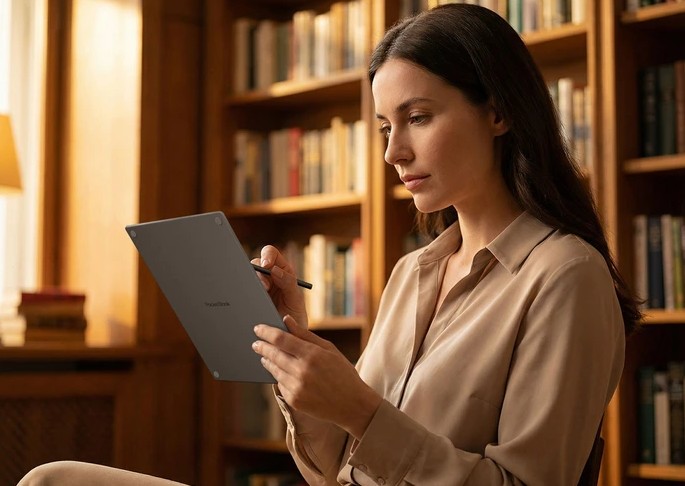
On the software side, this device supports a wide range of file formats (ACSM, CHM, DJVU, DOC, DOCX, EPUB, FB2, FB2.ZIP, HTM, HTML, MOBI, PDF, PRC, RTF, TXT, AZW, CBR, AZW3, CBZ) and is well suited for reading PDF documents as well as manga (both CBZ and PDF are supported).
Of course, the productivity features will also appeal to its users, since the device comes with a stylus that allows you to take notes on PDF documents.
A note-taking app is also built in, but it remains to be seen whether it will be fully featured enough for a professional environment or if it’s just a basic tool. There doesn’t seem to be any handwriting-to-text conversion option!
To round out the technical overview, the screen includes a front light with a color temperature adjustment option that helps reduce blue light exposure.
Here are the technical specifications for this device:
- Processor: 1.8 GHz (Quad Core, Rockchip RK3566)
- 10.3-inch black and white E Ink Mobius touchscreen (226 PPI)
- RAM: 2 GB
- Storage: 32 GB
- Bluetooth for connecting speakers or headphones to enjoy your audiobooks (M4A, M4B, OGG, OGG.ZIP, MP3, MP3.ZIP)
- Gyroscope
- Wi-Fi
- USB-C port for transferring documents to a computer and for charging
I think this Pocketbook InkPad One is an interesting device thanks to its many reading options and its affordable price. It’s almost the same price as an InkPad 4 but with a much larger screen!
It’s therefore an excellent choice for anyone looking to read PDFs and manga!
As for the note-taking and writing features, the InkPad One appears to be more limited than its main competitors, which are also more expensive.
Leave a Reply