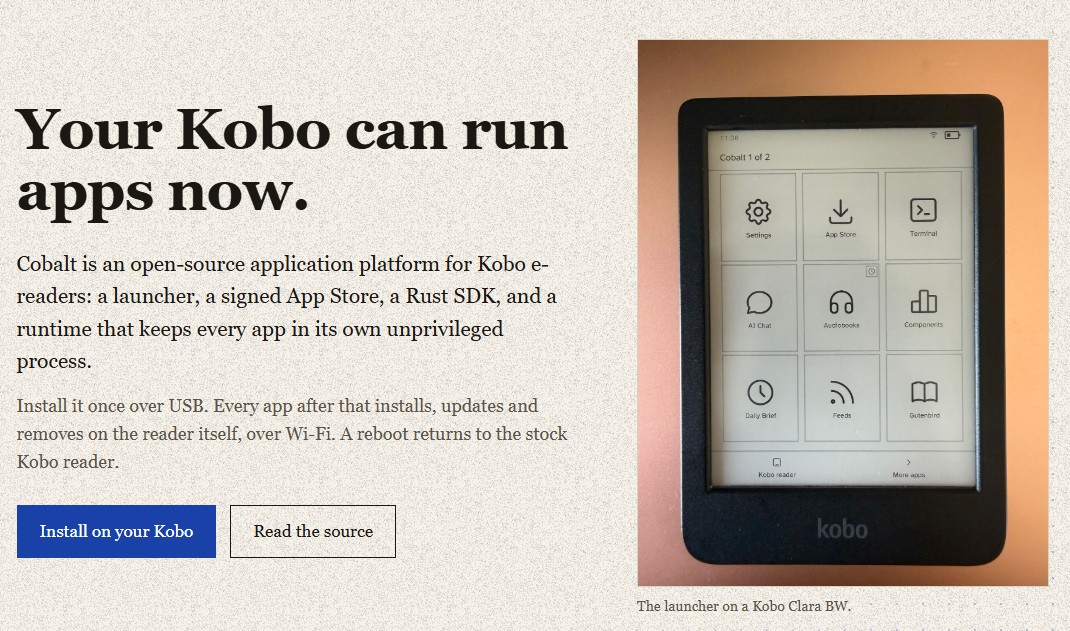
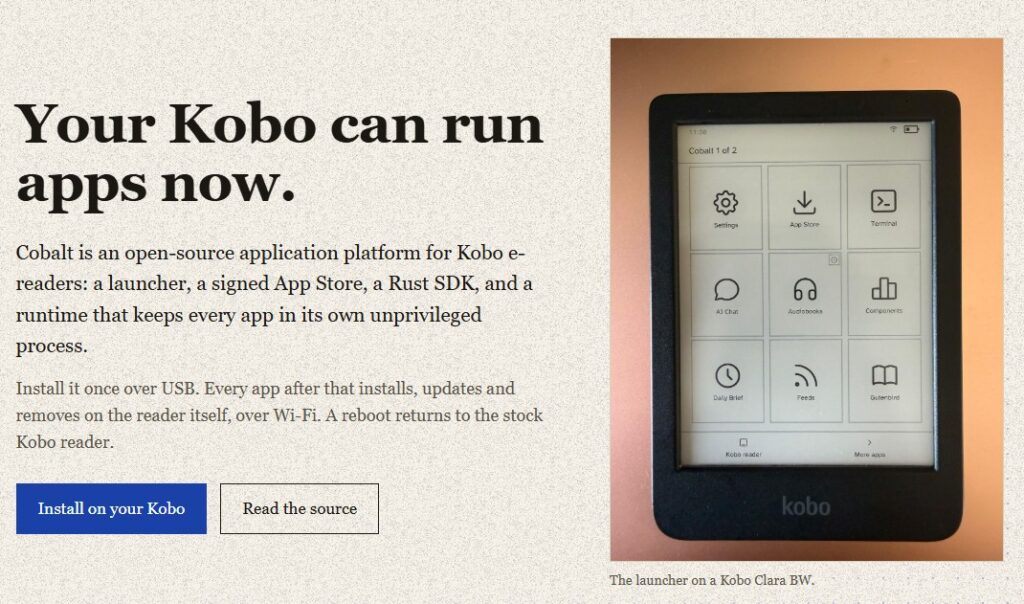
Cobalt is an open-source (free, libre) piece of software you can install on your Kobo e-reader. It then replaces the Kobo system to add extra functionality: software, games, tools, and so on.
This project caught my attention because it turns a Kobo e-reader into an entirely different device. Cobalt is free and offers a new system and, above all, an “app store” that lets you install and update additional apps, just as you already can on smartphones or on Android-based e-readers.
But before you can enjoy it, you first have to install it, which isn’t exactly beginner-friendly, though it’s perfectly doable if you’re willing to spend a little time on it. The procedure is in English and available at this address: https://github.com/BandarLabs/Cobalt/blob/main/docs/INSTALL.md
It should also be noted that not all Kobo e-readers are supported. Here is the list of compatible readers that have been tested: Kobo Clara BW N365 (device code 391), firmware 4.45.23697; Kobo Elipsa 2E N605 (device code 389), firmware 4.38.23697; Kobo Clara HD N249 (device code 376), firmware 4.38.23684 or 4.38.23697; Kobo Libra 2 N418 (device code 388), firmware 4.38.23697; and Kobo Libra Colour N428 (device code 390), firmware 4.45.23697.
Suffice to say, not many of us will be able to enjoy Cobalt on a Kobo e-reader. But this project is still fairly young, and more readers may well become compatible in the months ahead.
Here is the list of apps:
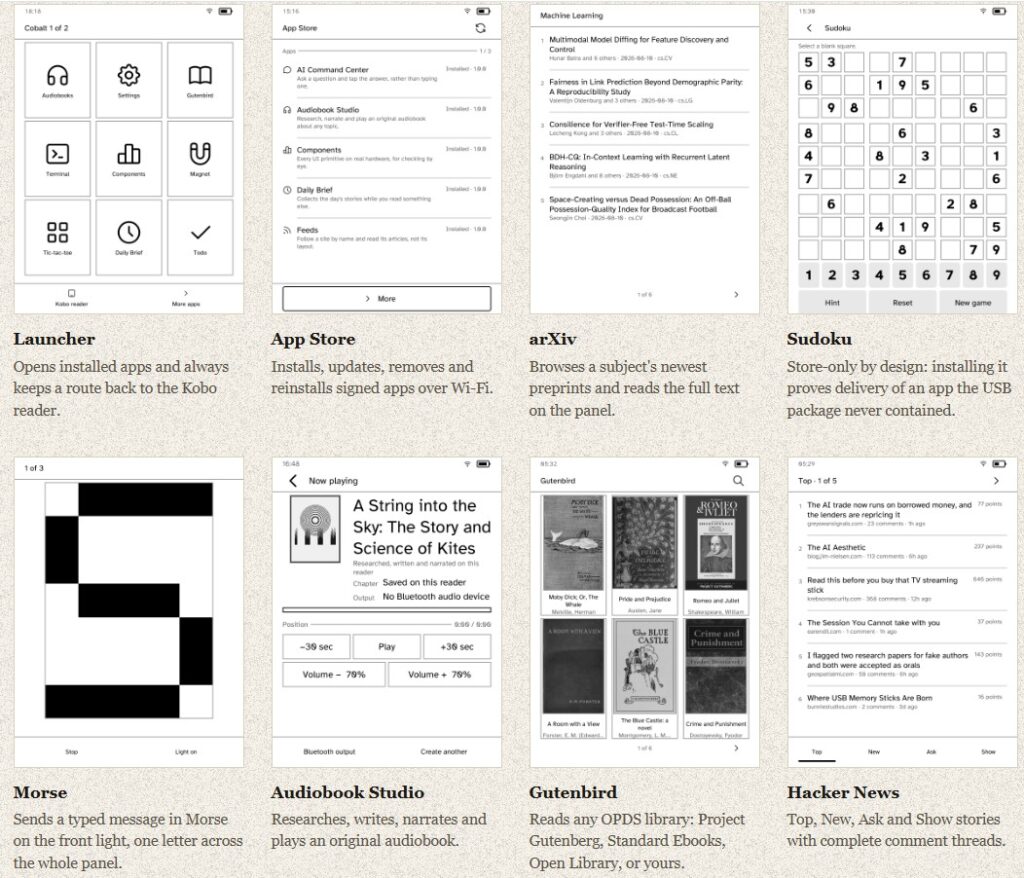
- Launcher: The home screen: a grid of tiles for every installed app. It is an ordinary SDK application like the rest, and it always keeps a pinned route back to the stock Kobo reader. Leaving an app doesn’t kill it: it is parked behind the launcher rather than stopped, so a download or a long-running task keeps going and returning to it is a repaint, not a restart.
- App Store: Installs, updates, removes and reinstalls signed apps over Wi-Fi. It reads a signed catalog from a fixed GitHub release; each package holds one ARM executable and a signed manifest, and the runtime verifies catalog, package, manifest and binary before an app is allowed to run. Use it to add or drop apps without ever plugging the reader back into a computer.
- arXiv: Browse the newest preprints in a subject, search them, and read the full text on the panel. It renders the HTML version arXiv publishes for every paper since December 2023: abstracts, sections, math and result tables, paginated for the screen, and keeps papers for offline reading. Practical for following a field’s daily output without a laptop or a badly-scaled PDF.
- Sudoku: A full 81-cell puzzle game. Store-only by design: installing it is what proves an app the USB package never contained can actually be delivered: so it doubles as the test case for the whole Store pipeline.
- Morse: Sends a typed message in Morse on the front light, one letter at a time drawn across the whole panel as it goes. A demonstration of driving the frontlight as an output device; usable for signalling or teaching Morse.
- Audiobook Studio: Generates an original audiobook end to end from a topic you type: research with Exa, writing with OpenAI, narration with ElevenLabs, then playback over Bluetooth, with cover art, a position bar and transport controls. Because apps keep running in the background, you can start one, use the reader for something else, and come back to the finished book.
- Gutenbird: An OPDS catalogue client: Project Gutenberg, Standard Ebooks, Open Library, or your own library. Sixty thousand free books, downloaded and read on the panel, browsed as a shelf of covers with titles and authors.
- Hacker News: Top, New, Ask and Show stories with complete comment threads, laid out by reply depth and showing points and comment counts. Reading HN on e-ink instead of on a phone.
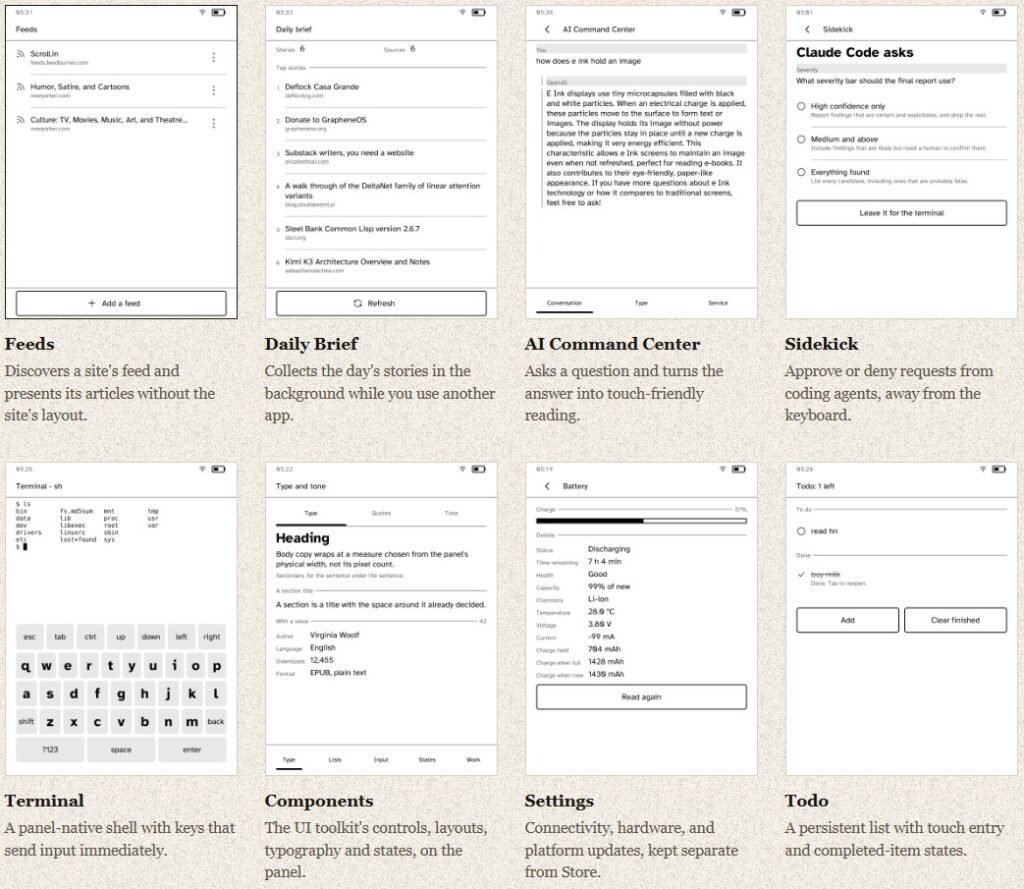
- Feeds (also called RSS Reader in the repo): Discovers a site’s feed and presents its articles without the site’s layout. You type a site address: arstechnica.com: and Feedsearch answers with the feeds it has, rather than making you hunt for a link. RSS 2.0, Atom and JSON Feed all arrive and are read into one shape.
- Daily Brief: Collects the day’s stories in the background while you use another app, then presents them as a numbered list with each item’s source and a Refresh button. Start it, go read something else, come back to a ready digest.
- AI Command Center (AI Chat in the repo): Ask a question and get the answer back turned into touch-friendly reading: an answer that can be tapped rather than typed. The API key never enters the app: it names a credential and the runtime attaches it, so the value stays out of the app’s memory, logs and crash dumps.
- Sidekick: Approve or deny requests from coding agents, away from the keyboard. Paired over the local network, it shows the question a coding agent (Claude Code, for instance) has stopped on, with tappable answers and a “leave it for the terminal” option. Your agent stops to ask; the reader on your desk answers.
- Terminal: A panel-native shell with keys that send input immediately: keys that send a byte rather than collect a word, with esc, tab and arrow keys on the touch keyboard. For poking at the device’s filesystem or running commands directly on the reader.
- Components (UI Components Showcase): The UI toolkit’s controls, layouts, typography and states, on the panel. Every UI primitive at once, for checking by eye on real hardware: mainly a reference for developers designing their own app’s screens.
- Settings: Connectivity, hardware, and platform updates, kept separate from Store. Join Wi-Fi, pair Bluetooth, and read eleven facts off the battery fuel gauge, from health to as-new charge. Platform updates arrive here over Wi-Fi, on a channel separate from the app catalog.
- Todo: A persistent list with touch entry and completed-item states. State that survives a restart, and a row that can be struck through: a working checklist, and the reference example for per-app storage.
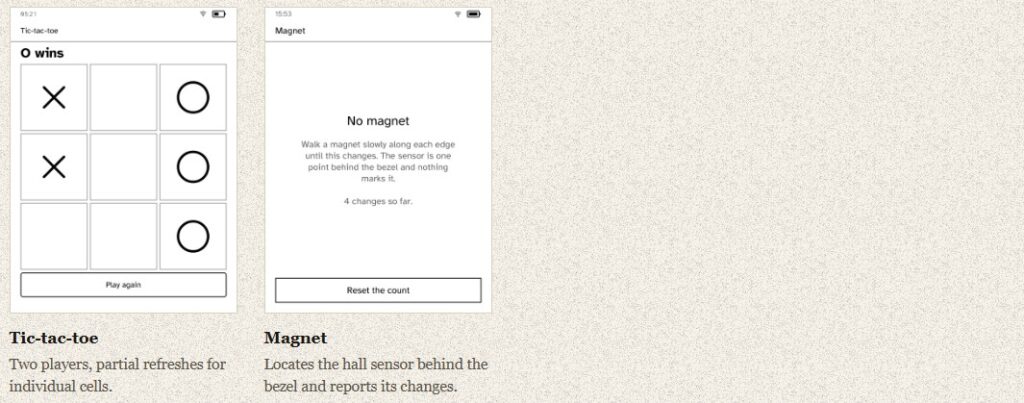
- Tic-tac-toe: Two players, one panel, and partial repaints of single cells: a hot-seat game that also demonstrates refreshing one region of e-ink rather than the whole screen.
- Magnet (Magnet Sensor): Locates the hall sensor behind the bezel and reports its changes, counting each time a magnet passes. Useful if you’re building or fitting a magnetic sleep-cover and need to know exactly where the sensor sits.
Link: https://bandarlabs.github.io/Cobalt/
Discussion on Hacker News: https://news.ycombinator.com/item?id=49390427