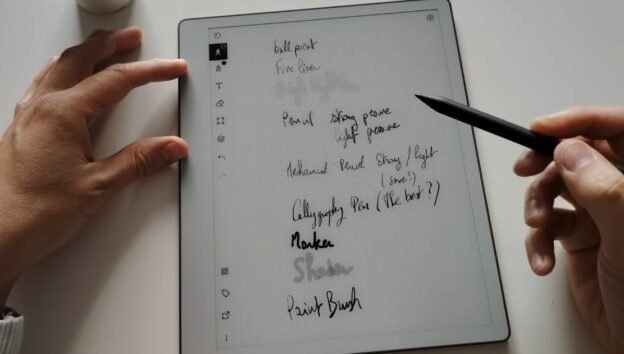
The reMarkable Paper Pure is a new, more affordable version of the classic digital notepad that has been the reference for a few years now. Even though it’s not really an e-reader, I chose to do a full review of its note-taking capabilities, but also of its reading capabilities.
Note: this review was done with a reMarkable Paper Pure unit that was sent to me by the reMarkable team. Let’s also note that there are other models with a color screen or a smaller footprint. The “Marker Plus” was the one supplied with the device.
Buy a reMarkable
reMarkable on Amazon.com (click here)
Packaging and presentation of the reMarkable Paper Pure
The reMarkable Paper Pure comes in a large box made of recycled cardboard that contains the device, a stylus, a USB-C connection cable and a quick start guide.
There are also 6 replacement tips for the stylus (which reMarkable calls “Marker Plus”) which are supplied in a nice little storage box.
The packaging is definitely “premium” and invites the user to enjoy the reMarkable experience right from the unboxing. You can obviously feel an “Apple” inspiration, which is not something I dislike.
On this subject, let’s note that this device is designed with an eco-responsible approach: the case of the device is sealed with screws (so it can be taken apart and repaired) and its manufacturing uses 38% recycled materials.
The most important thing is of course the digital notepad, which offers a very nice design and an asymmetric grip: one of the two edges is wider than the other, which allows you to hold the reMarkable with one hand.
On the back of the notepad there are also small pads that allow you to put it on a desk or a table to work. Personally, this is the way I use the reMarkable.
As soon as you turn on the reMarkable Paper Pure you get a nice 10-inch black and white e-ink screen, without a light. And, I dare to admit that I had to wait until the evening to realize that the Paper Pure didn’t have a light. So it’s not a problem at all during the day at the office, since it’s in a professional environment that this device will mainly be used.
For those who don’t know, this type of screen imitates the look of paper, hence the name “Paper Pure”, and so it doesn’t tire your eyes like an iPad, tablet, computer or smartphone screen.
The first impression is really excellent and you quickly understand why reMarkable is regularly mentioned as a reference in this field.
Getting started and interface
The reMarkable Paper Pure is very simple to use. In its software, everything revolves around the concept of notes, which is the main interface of the device.
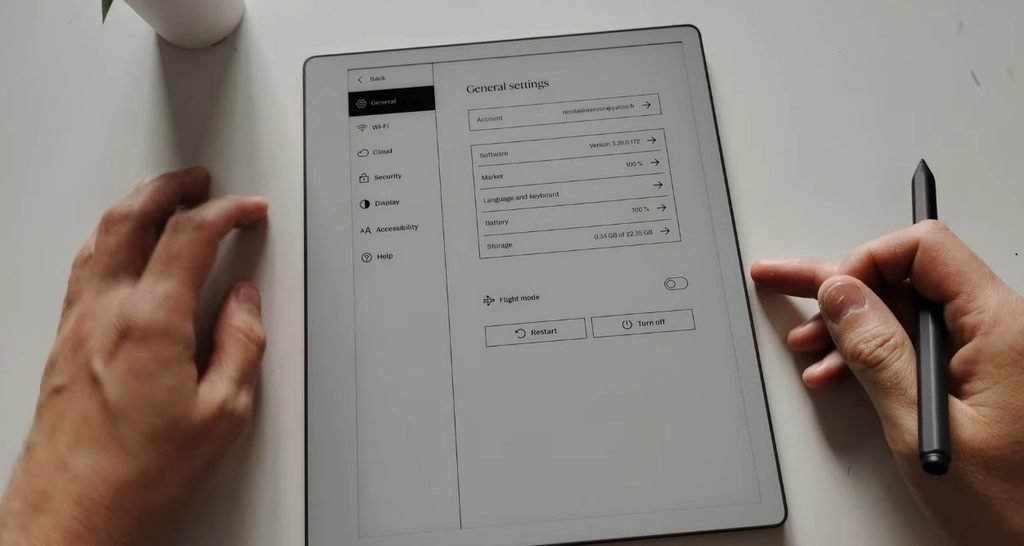
The settings are simple to understand and the device is very simple to set up.
Even if you can use the reMarkable without signing up on the website, in my opinion it’s very important to do it to be able to benefit from all the features offered by the notepad.
The software works very well, I didn’t notice any bug, and the display is fast and precise.
The Marker Plus stylus charges by clipping it on the edge of the device (it’s magnetic), which is very convenient and avoids having to charge a second device. On this subject I noticed that the battery life was about 1 week with intensive use. If you only use your reMarkable a few hours a day, you can push the battery life up to 2 or 3 weeks I think. So it’s a very good battery life compared to a classic tablet like the iPad.
Reading books (ebooks) and more
Before moving on to the main purpose of this device, which is note-taking, I want to talk about the reading part for ebooks, documents and more.
It’s necessary to point out that this device is not designed for this, but that it’s possible to read books, in EPUB or PDF format, with the reMarkable Paper Pure.
As the screen is excellent, with good contrast, you will rather choose EPUB formats, to read novels, and PDF, to read manga and other documents.
For novels, the Paper Pure lacks text customization options compared to the competition. However, it shines with its note-taking tools: you can use the stylus (“Marker Plus”) to underline, annotate, or even scribble on the text easily. It’s a real advantage compared to a classic e-reader.
That said, it’s entirely possible to use this device to read your ebooks in EPUB format. However, it’s important to know that no bookstore is built into the reMarkable and that your Kindle, Kobo or Pocketbook ebooks can’t be read on this device. You will need, for example, to go to this page to download ebooks.
The reMarkable is also, as far as I know, not compatible with the Calibre software (see further on about document transfer, import and export).
What is more interesting is for reading manga: as long as you have documents in PDF format, this reMarkable Paper Pure is a good device for this use, even if it’s clearly not the intention of its creators.
Overall, the reMarkable Paper Pure is not a real reading device and, anyway, it is neither sold nor designed for that.
Taking notes on the reMarkable Paper Pure
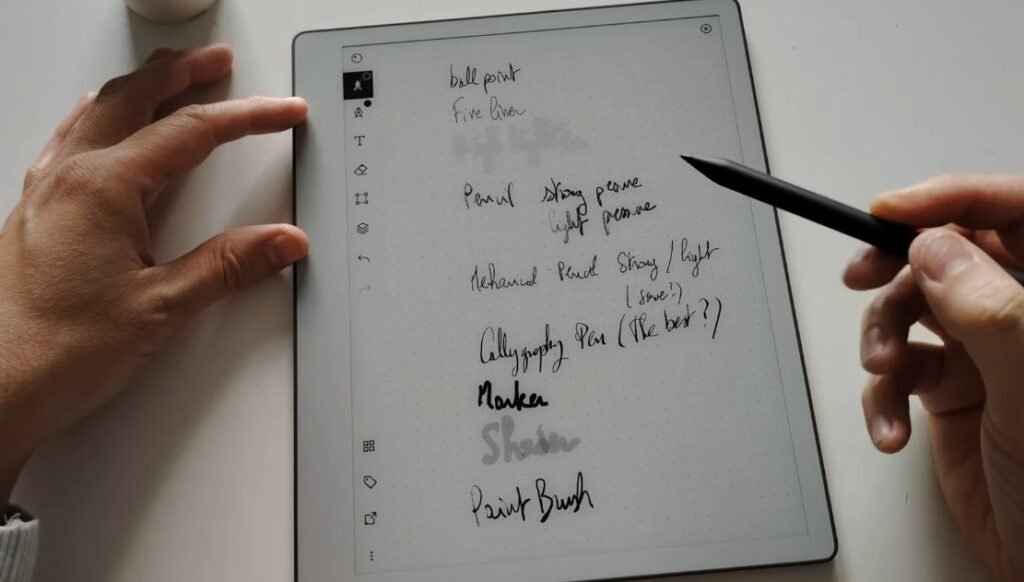
Now we move on to the main menu offered by the reMarkable Paper Pure: note-taking.
reMarkable widely highlights its philosophy in its communication: a device to concentrate on work, to stay focused and without distraction.
You can say that everything goes in this direction because, once immersed in the device, everything makes sense and you get carried away by the work or the reading of documents without being disturbed by notifications and other untimely emails that come to interrupt us in our work.
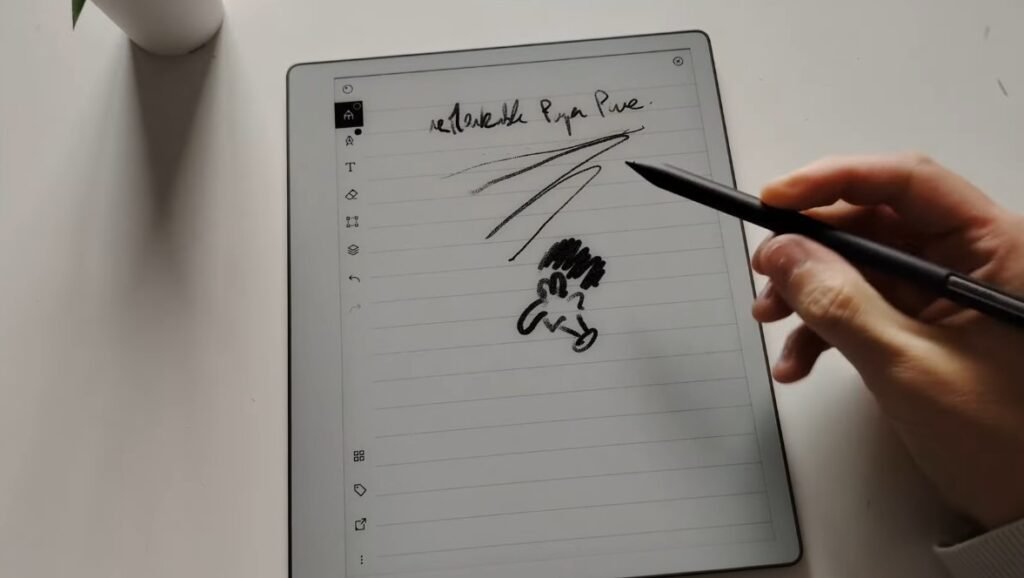
First thing: the Marker Plus works very well and the screen is very responsive, among the most responsive on the market. The writing feeling is also very close to paper without being perfect. I really liked the touch of the screen which is not totally smooth and moves away from the “glass” feeling offered by Apple or other notepad manufacturers.
The stylus respects very well the pressure you apply and it’s really interesting to work with the calligraphy tool (which is my favorite) for example.
If you want to delete text, you can turn the stylus over and rub the screen with it, like you would use the eraser at the end of a pencil.
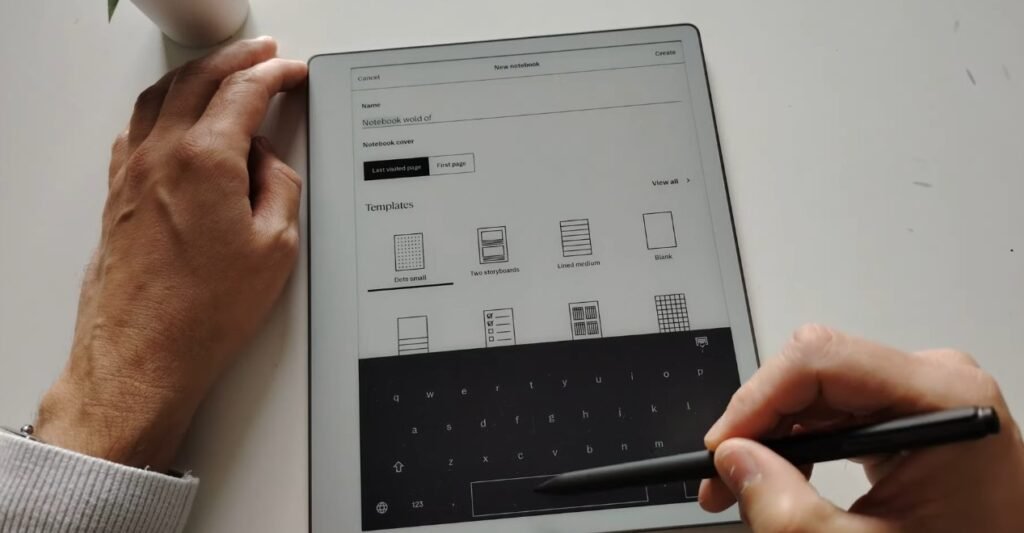
To start with you have the choice between 3 types of documents:
- A notebook
- A folder
- A loose sheet
A folder can contain notebooks and sheets, a notebook can contain sheets and a sheet stays a sheet.
These options allow you to organize your documents as you want.
Different layers and page templates are included and they are very complete and will suit many use cases: weekly or daily planner, music staff, lines, dots, grid, etc.
The writing tools are also numerous and complete: ballpoint pen, fineliner, highlighter, pencil, mechanical pencil, calligraphy pen, marker, shading tool or paintbrush.
You can also choose between 3 line thicknesses and colors. While the reMarkable screen is black and white, you can export documents in color.
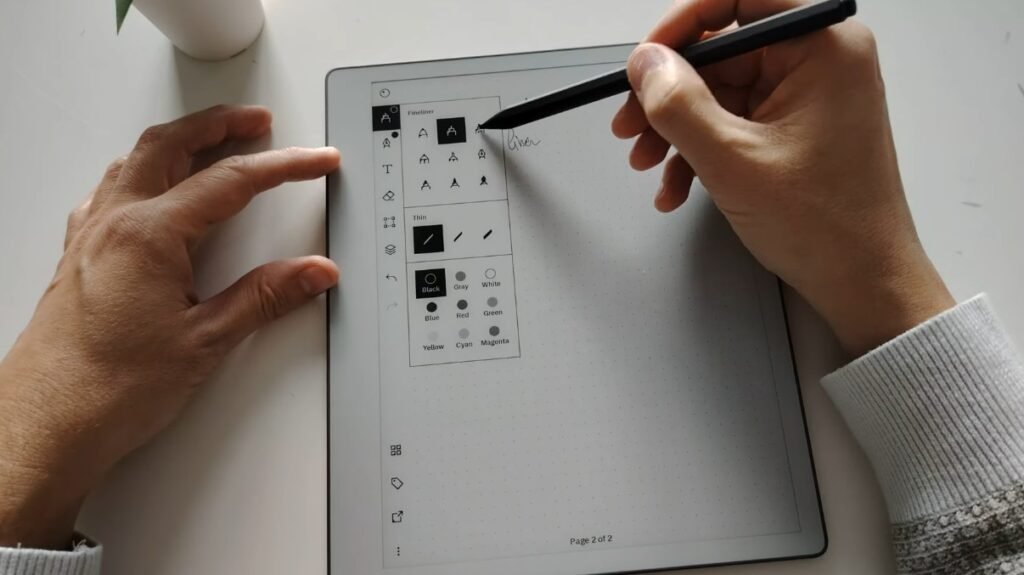
There is also an eraser, a selection tool and a text input tool using a virtual keyboard. This last tool is the only one that seemed not very intuitive to me, but I didn’t spend a lot of time with it.
There is an important feature that lets you convert your handwriting into typed text using artificial intelligence. The result is sent to your email inbox and you can then share it with other people.
You get by email the typed text and the handwritten page. (warning: this feature requires the Connect subscription, see further on)
A search function is available and allows you to search for words present in your handwritten notes.
In addition, you can organize your notes by adding tags to your documents and sheets so you can find them more easily later.
The experience is very convincing and in my opinion better than the alternatives available on the market.
Buy a reMarkable
reMarkable on Amazon.com (click here)
Importing and exporting documents
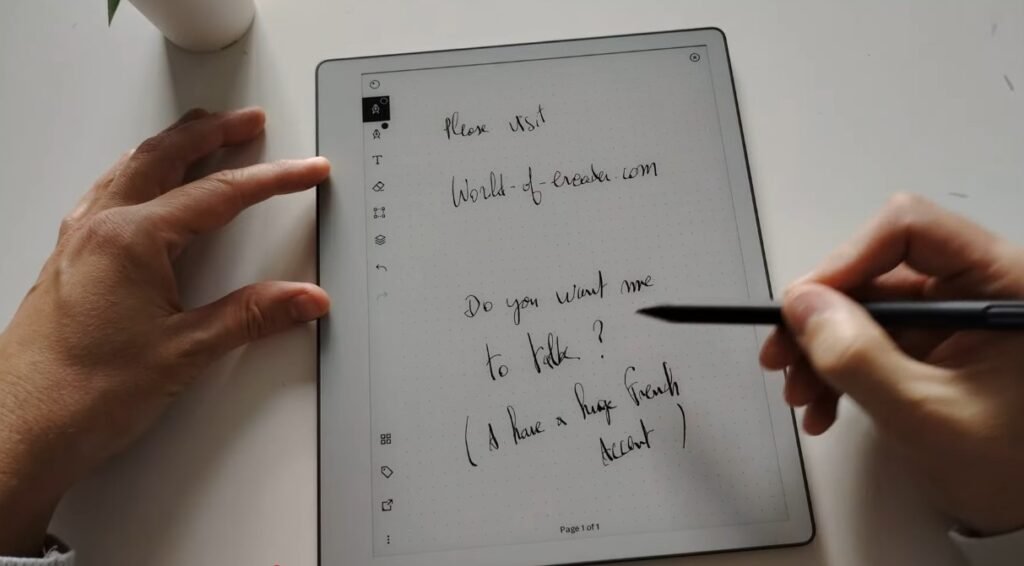
Now that you have created documents, you probably want to export them to work on a computer or share the result of your work with coworkers.
For this, the reMarkable Paper Pure is very integrated with the Internet. As we have already seen, you can transform your handwritten documents and send them by email.
To get documents on your computer, you will need to go through the reMarkable Web application accessible from an Internet browser. It’s also this way that you can add documents to your reMarkable, like EPUB or PDF files.
The reMarkable also allows you to import DOCX documents, which is the format of the Microsoft Word software. Here again, everything happens from the Web application.
reMarkable also offers extensions for browsers that allow you to send documents found on the Internet to your digital notepad. This allows you, for example, to send articles to read later to your Paper Pure and, possibly, to annotate them with the stylus.
It’s possible to connect your Google Drive, OneDrive or Dropbox account to make sharing documents easier.
Finally, reMarkable offers mobile apps (Android and iPhone) to access your notes from anywhere.
The reMarkable Connect subscription
The Connect subscription is a subscription that will be billed a few dollars each month ($3.99/month or $39 per year, at the time I’m writing these lines in 2026).
This subscription has a few advantages: searching in notes, unlimited cloud storage and exclusive page templates (non-exhaustive list).
My review revealed that it’s difficult to fully enjoy the reMarkable Paper Pure without a subscription. Given the use of this device, which is for creative people in a professional environment, the cost seems entirely acceptable to me and easy to support for a company.
That said, it’s obvious that for an individual who is “only” looking for a note-taking device for their personal life, this can represent a certain budget that is not necessarily justifiable. So it’s something to take into account before buying.
Conclusion: a notepad that keeps its promises
The reMarkable Paper Pure keeps its promises: it really is a work tool, dedicated to note-taking in a professional environment, designed for demanding users who work in a paperless environment.
Besides, the device is optimized for this and the Connect subscription becomes essential to enjoy all the capabilities offered by this device.
It’s, by the way, the first time that I really enjoy writing on a device rather than on paper.
Regarding ebook reading, a feature that exists but that reMarkable doesn’t communicate about, it’s still possible but there are better alternatives on the market.
However, with its large black and white screen that offers a nice resolution and good contrast, it’s entirely possible to treat yourself to the base version, offered at $399, for reading manga.
The only flaw of this device, in my opinion, is the lack of a light which can sometimes be felt. But, once again, it’s a device designed for work. And, who works in the dark today?
Given this, this reMarkable Paper Pure is really a serious option if you are looking for a digital notepad of excellent quality.
Pros:
- Excellent writing feeling
- Nice black and white screen, very fast
- “Marker Plus” stylus really pleasant and well designed
- Design
Cons:
- No light
- “Connect” subscription almost mandatory to fully enjoy this device