Let’s get straight to the point: digital reading and e-readers are experiencing a revival in 2024. The launch of the Crema Pebble e-reader in Korea is a testament to this, even though there is a noticeable lack of innovation.
The Crema Pebble is an e-reader introduced by the Korean online bookstore Yes24, one of the largest in the country.
Now, when I say “new”, it's worth noting that the Crema brand has been offering e-readers for a few years, including the Crema Motif. However, to be honest, I didn't expect it to last.
Like Vivlio in France, Nook in the USA, or Tolino in Germany, the Crema Pebble targets a local audience and has no greater ambition than to convince Yes24 customers to transition to digital reading with a device tailored specifically for Korean users and readers.
What’s surprising, though, is that the Crema Pebble is uniquely designed. It features entirely new hardware, making it distinct from other e-readers.
This stands in contrast to developments in other countries in recent years, where:
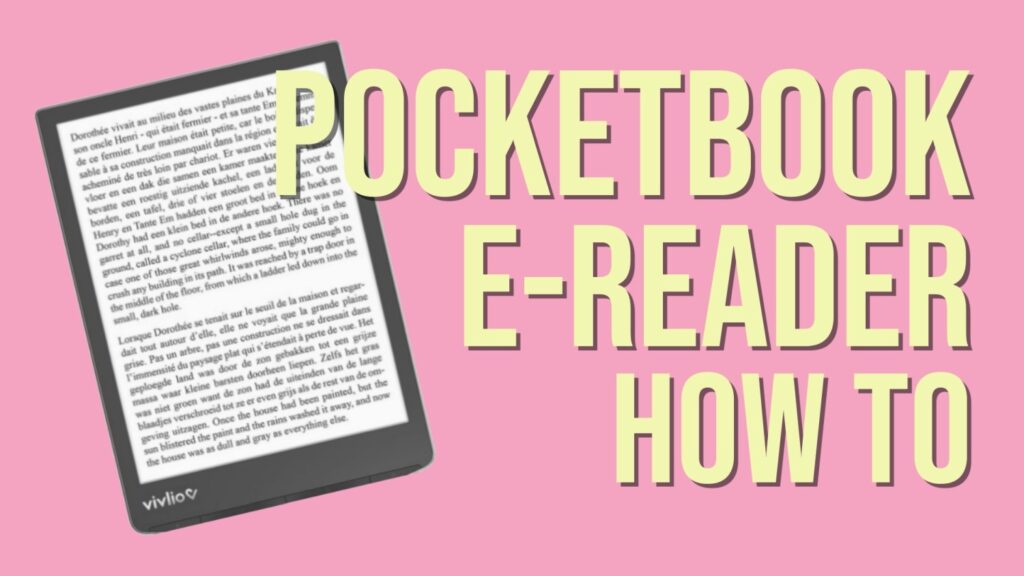
French e-reader brand Vivlio uses Pocketbook hardware.
German e-readers Tolino utilize Kobo hardware.
This e-reader boasts a 6-inch black and white E Ink display with fairly standard specifications and runs on Android 11.
Its weight of 139 grams is very impressive, placing it among the lightest in its category.
Currently, no availability has been announced outside of Korea, and the e-reader is expected to launch in early September 2024 for around $160.
There's an intriguing rumor circulating among enthusiasts and experts in the e-reader community, and I'm part of it: Amazon may be planning to release a new entry-level Kindle e-reader soon.
Of course, we should take this information with a grain of salt! However, it's worth noting that some countries have run out of Kindle e-readers for sale, as seen on the official French Amazon.fr website, where the e-reader is listed as out of stock.
See this picture:
It's quite surprising for a device that was released just two years ago and remains a bestseller for Kindle.
One can't help but think that Amazon must have a good reason for not having this e-reader in stock and that they may be preparing to launch a new version soon.
What Can We Expect?
A Color Entry-Level Kindle E-Reader
One key topic is color. Clearly, Amazon is lagging behind on this front since the Kindle line does not currently offer an e-reader with a color E Ink display.
Especially considering that competitors have already made significant strides in this area, seemingly achieving great success with devices that have already won over many readers:
It seems logical that Kindle should also provide a color e-reader, possibly an affordable entry-level model, to compete directly with Pocketbook and Kobo.
Why is this Plausible?
Again, this is just a rumor (which has been circulating for a while). However, it’s one that has gained traction.
Since this summer, I have come across some new information that may interest you and seems to support this claim.
It appears that the company manufacturing E Ink displays, E Ink, is strongly encouraging its clients to switch to color. They are using 3 main strategies:
They have reduced the quantity of black and white screens being produced.
They have launched a new HD black and white screen called Carta 1300 (found in the Kobo Clara B&W).
They are offering the Kaleido 3 color screens at a competitive price, only slightly more than the black and white screens.
These combined conditions make it advantageous for major clients of E Ink, including Amazon, to order Kaleido 3 or Carta 1300 screens.
It will soon become increasingly difficult to obtain the older screens currently used in the Kindle, Kindle Paperwhite, and Kindle Oasis.
This also explains why various e-reader manufacturers have been releasing new devices over the past few months.
In any case, I truly hope the rumors are true, as I believe a color Kindle could reignite interest in e-readers among the general public, especially since the brand holds a leading position in the minds of readers.
Color e-readers with a 7-inch display featuring the latest generation screens (Kaleido 3) are still relatively rare in the market. That's why I'm offering a comparison between the Kobo Libra Colour and the Onyx Boox Go Color 7.
Key Similarities
Both the Kobo Libra Colour and the Onyx Boox Go Color 7 utilize the same type of electronic ink screen that allows for color content display. The screen size is also suitable for reading manga and displaying colorful illustrations.
Additionally, both devices offer a convincing eBook reader with all the necessary features for an optimal reading experience, including adjustable fonts, line spacing, margins, text size, and orientation.
Both Kobo and Onyx provide strong compatibility with standard file formats such as EPUB, CBR, CBZ, PDF, and more. Thus, you can use either one to access and enjoy your digital book library without any issues.
You can find the reviews for these e-readers here:
Before moving on to the differences, here's a comparative video:
<iframe width="1255" height="706" src="https://www.youtube.com/embed/h9aUyZjGFek" title="Kobo Libra Colour vs Onyx Boox Go Color 7" frameborder="0" allow="accelerometer; autoplay; clipboard-write; encrypted-media; gyroscope; picture-in-picture; web-share" referrerpolicy="strict-origin-when-cross-origin" allowfullscreen></iframe>
Main Differences
These two e-readers embody distinct philosophies.
On one hand, we have the Kobo Libra Colour, which offers software that simplifies the e-reader's use for users: everything is preconfigured and integrated for a straightforward and effective reading experience.
On the other hand, he Onyx Boox Go Color 7 runs on Android 12, providing a plethora of features and the ability to add applications.
At this level, the differences are significant, and it's challenging to list them all, but here are the main distinctions I've noted concerning eBook reading:
The Onyx Boox Go Color 7 allows for fine adjustments to the screen display quality for advanced users.
The Kobo Libra Colour provides default settings that are good enough not to require adjustments.
The Onyx Boox Go Color 7 allows internet browsing and application additions (note: not all will be compatible with an e-reader).
The Onyx is more expensive and offers a more premium build quality than the Kobo.
The Kobo Libra Colour has a much richer digital library than the Onyx (with a wide selection of books in English).
Which E-Reader to Choose?
So, which e-reader should you choose between the Kobo Libra Colour and the Onyx Boox Go Color 7?
Once again, it comes down to personal preference and usage.
I believe it's better to lean towards the Kobo if you're looking for an excellent, straightforward reading experience with a very good, comprehensive library that gives access to a multitude of books directly from your e-reader.
However, if you're in need of an e-reader that caters to broader usage—such as web browsing or reading emails on an electronic ink screen—and plan to source your eBooks directly from download sites, the Onyx is also a good, more versatile option better suited for tech-savvy users.
Unlike a physical book library (paper), it is particularly difficult to showcase our collection of ebooks. Here are some solutions that exist to present your digital book library.
First of all, the digital books you own are stored on your e-reader, smartphone, or tablet. They can also be on a computer, especially if you use the Calibre software, which allows you to manage your ebook library for free. You will find a guide for Calibre on this page.
Presenting your library is not just an ego trip to show people how much of a great reader you are with a vast culture (even if that might be your primary goal).
It is also about seeing your books at a glance and deciding quickly to browse through them or to decide on your next read.
And for that, there's nothing better than seeing the book’s cover or its name on the spine. The advantage of physical book libraries is that this can be done in a single glance.
Unfortunately, this is not the case for digital books (ebooks)!
There are currently few solutions to do this easily, and in any case, you will need a computer and a screen to present your ebooks.
The first solution available to you is to use the Calibre software and configure it to display the covers of the books. Click on the button at the bottom right to change the layout and display the covers of the books in the Calibre library. Here’s what it looks like:
Another solution is to present your ebook library in the form of a website. Once again, it is possible to do this with Calibre.
But beware, from now on, it will become quite technical.
There is the Calibre Web software that allows you to create an internet server to publish your Calibre library on the web. This allows you not only to showcase your ebook library but also to share your ebooks with your relatives.
You can find the Kobo web browser by going into the "More" menu located at the bottom right of the e-reader’s home screen.
By tapping on the icon at the bottom right, you will access this menu. Next, go to “Beta Features”:
In “Beta Features”, you will find experimental options, which can include bugs, such as the web browser. You will then see the menu with the Kobo Internet browser. Simply press “Start.”
Browsing the Web with a Pocketbook e-Reader
On Pocketbook e-readers, the web browser is found in the applications. Access it by using the button located at the bottom right of the home screen.
The use is very simple; you just need to enter a web address to display the result on the screen.
Why Do Web Pages Display Poorly on E-Readers?
You will quickly notice that these web browsers are very limited. In fact, browsers like Chrome, Firefox, or Safari have become very complex software, even for computers.
This is due to the need to support all internet sites and all the necessary functionalities for displaying increasingly complex sites (videos, animations, colors, security for payments, etc.).
Brands that manufacture e-readers cannot replicate all these functionalities, especially on specialized hardware like an e-reader, primarily designed to display text and e-books.
Which E-Reader to Use for Web Browsing?
<iframe width="1255" height="706" src="https://www.youtube.com/embed/RPZyrD9DkJ8" title="Onyx Boox Air3 C Web Browser" frameborder="0" allow="accelerometer; autoplay; clipboard-write; encrypted-media; gyroscope; picture-in-picture; web-share" referrerpolicy="strict-origin-when-cross-origin" allowfullscreen></iframe>
If you need a device with an e-ink screen to browse websites, I strongly recommend opting for an Android e-reader made by an Asian manufacturer like Bigme or Onyx.
The Pocketbook Verse e-reader is now one of the best affordable e-readers available. But what are the differences compared to its predecessor, the Pocketbook Touch Lux 5?
If you recall, the Pocketbook Touch Lux 5 was the e-reader I recommended for anyone looking to start their digital reading journey with their first e-reader.
With its beautiful 6-inch e-ink screen and attractive price, it was an excellent device.
Since then, Pocketbook has launched its replacement with the excellent Pocketbook Verse. I decided to take a closer look at the differences between these two e-readers to see if this evolution is truly justified.
> Quick Answer: Yes, surprisingly, the differences are quite significant!
To start, the design of the Pocketbook Verse is more compact with a shorter body, making it easier to carry.
The plastic used is of better quality and the e-reader feels more robust compared to the Pocketbook Touch Lux 5.
Of course, it still includes the 4 buttons below the screen, and even though the buttons on the Pocketbook Verse are smaller, they are easier to use thanks to a design that makes the two page-turning buttons easier to find in the dark (they have a "bumpy" style).
Overall, I prefer the new style of the Pocketbook Verse, which is more refined, more compact, and feels better finished.
USB-C Port: Advantage Pocketbook Verse
Quickly, the Pocketbook Verse features a USB-C port that is more reliable (and more durable) for regular use.
This type of port also allows for faster charging of the e-reader. It's a real benefit when you find yourself with a low battery, as charging the device for about twenty minutes can give you several hours of reading time.
Screen: Better Character Display
The screen used in the Pocketbook Verse is an electronic ink (or epaper) type provided by the company E Ink, referenced as "Carta."
To my knowledge, it is the same type of screen with the same resolution as that of the Pocketbook Touch Lux 5.
Logically, one should expect identical display quality, but in reality, this is not the case!
The lighting is different, with better brightness management on the new Pocketbook Verse, resulting in a more eye-pleasing display that also gives the impression of better definition!
Of course, when you closely compare the two screens side-by-side, this is not the case, since both e-ink screens display the same number of dots (or pixels).
The display on the Verse is also faster with a better refresh rate.
Nevertheless, I have to admit that reading on the Pocketbook Verse is more enjoyable when the brightness is set at 50%.
Which E-Reader to Buy?
If you are hesitating between a second-hand Pocketbook Touch Lux 5 and a Pocketbook Verse and your budget allows you to purchase the Pocketbook Verse, then I definitely recommend the latter.
However, if you find a good deal on the Pocketbook Touch Lux 5, you can still go for it as it remains a very relevant device.
Kobo, a company committed to making its e-readers more sustainable, has taken notable steps in this direction. Firstly, the devices are partly made from recycled plastic, and they are also repairable.
It is now easier to repair the latest generation of Kobo e-readers:
In addition to these guides, you will also find instructions on how to open, disassemble, and reassemble your e-reader to perform these repairs.
These are positive points for Kobo, demonstrating that it is possible to improve in terms of sustainability and the longevity of e-readers.
Since e-readers are generally robust devices, it will logically be possible to keep them even longer.
Furthermore, to my knowledge, other electronic devices like smartphones or tablets are not as easily repairable as these Kobo e-readers. This adds another favorable point for the Kobo brand.
I am unsure if making e-readers easy to repair is a compelling enough selling point to convince readers to choose Kobo. You are welcome to share your thoughts with me, if you know more about that.
In any case, this initiative might encourage other brands to consider this aspect as well and hopefully offer more easily repairable e-readers in the future.
Update: you can now buy Kobo space parts from iFixit, if you want to repair your Kobo e-reader yourself. You'll find new screens, motherboard, etc. here. More info on Kobo.com
It's no longer a secret, but we now have confirmation that the next color e-reader from the French brand Vivlio will be called the Vivlio Light HD Color – and we also know its price.
Indeed, everything comes from the French Cultura website which has released the product page for a new e-reader called Vivlio Light HD Color.
This e-reader is equipped with a 6-inch color electronic ink screen using Kaleido 3 technology and thus offers an alternative to the recent Kobo Clara Colour, which has been the only next-generation color e-reader available in France so far.
<iframe width="1252" height="704" src="https://www.youtube.com/embed/M0iTM184RlQ" title="Pocketbook Verse Pro Color 4k review" frameborder="0" allow="accelerometer; autoplay; clipboard-write; encrypted-media; gyroscope; picture-in-picture; web-share" referrerpolicy="strict-origin-when-cross-origin" allowfullscreen></iframe>
Here are the technical specifications of the Vivlio Light HD Color e-reader:
Color electronic ink screen
Touchscreen with SmartLight blue light filter and lighting
Supported audio formats: M4A, M4B, OGG, OGG.ZIP, MP3, and MP3.ZIP
Wifi
IPX8 certification (waterproof)
Text-to-speech function
A release date has also been announced, but we will have to wait a little longer since this e-reader will be available on 09/16/2024.
The set price is €179.99. This price is well-positioned for a French product that offers several advantages over the competition:
MP3 audiobook playback (which Kobo does not offer)
Text-to-speech that converts ebooks into audiobooks with integrated software (something no other brand offers in France)
Finally, the Vivlio Light HD Color will only cost €10 more than the Vivlio Light HD, which was already an excellent e-reader.
So, thanks to Vivlio, we won't break the bank when switching to a color e-reader! I'm going to save a bit of money to treat myself to this Vivlio color e-reader and provide you with a thorough review once it's available.
Of course, this e-reader will not be available outside of France.
But rest assured, the Vivlio brand uses Pocketbook e-readers.
Therefore, this e-reader is essentially a Pocketbook Verse Pro Color marketed under the Vivlio brand and adapted for the French market, especially with a new integrated bookstore.
With the release of the color e-ink e-reader Kobo Libra Color, it’s interesting to see how it compares with the older Kobo Libra 2 to determine if you should upgrade your e-reader.
You’re already familiar with the Kobo Libra Colour and its large 7-inch color screen, so you’ll notice some similarities with the new Onyx Boox Go Color 7. In this review, we will explore the Onyx Boox Go Color 7 e-reader in detail.