Kindle e-readers are not compatible by default with CBR and CBZ files, but there are solutions that allow these files to be read on the Kindle.
Continue reading
Kindle e-readers are not compatible by default with CBR and CBZ files, but there are solutions that allow these files to be read on the Kindle.
Continue reading
We sometimes come across files with extensions ending in ".cbr" or ".cbz" . But what are these files, sometimes used to store comics and mangas?
The CBR (Comic Book RAR) file is a format often used to store and read digital comics and manga.
It’s an archive format that contains all the pages of a book in a single file.
To facilitate its exchange on the Internet, pages and images are compressed using the RAR) file format to reduce their size in MB (also known as the "weight" of a file).
The CBZ (Comic Book Zip) file is also a digital exchange format for comics and mangas.
As with CBR, all the pages and information in the document are grouped together in a single file.
Pages and images are compressed using the Zip) system to reduce their size in MB (also known as the "weight" of a file).
These formats offer a number of advantages over PDF or Epub files:
This file type also has its drawbacks, which are worth noting:
CBR and CBZ files are therefore useful for exchanging and reading digital comics.
**They enable comics fans to store and easily access a wide range of comics, graphic novels and mangas.
Today, it’s mainly an exchange format, since book publishers prefer to use EPUB or PDF files, which are easier to protect from copying.**
E-readers are electronic devices like any other. Occasionally, problems arise and you need to do a few things before you can use your e-reader again. Such is the case with the discharged battery problem on a Kindle.
The problem may manifest itself in different ways:
There could be several reasons why your Kindle battery is draining quickly even when you don't use it (in sleep mode).
> TLDR: By following these steps, you can help maximize the battery life of your Kindle e-reader: > > Adjust the display brightness to a lower level. > Disable Wi-Fi and mobile data when not needed. > Choose a longer interval for page refreshes. > Keep your Kindle's software up to date. > * Restart your Kindle.
Here are some possible causes and steps you can make your Kindle battery life last longer:
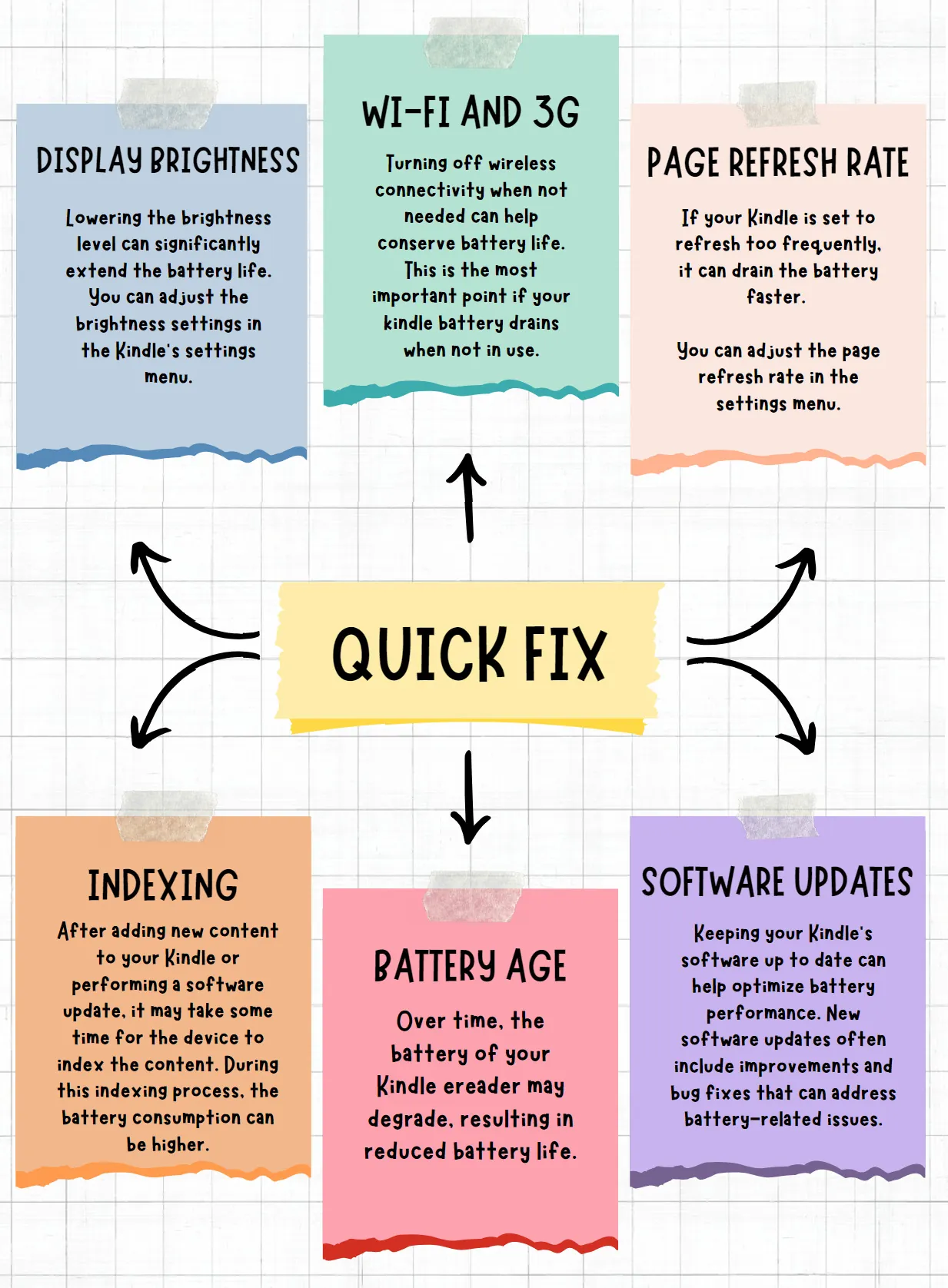
By implementing these tips, you should be able to extend the battery life of your Kindle. I did only with the Wifi trick!
This apply to all Kindle e-readers.
<iframe width="1897" height="751" src="https://www.youtube.com/embed/zGtgf7pK3bY" title="E-reader Battery Life TIPS : how to improve the battery life of your ereader ?" frameborder="0" allow="accelerometer; autoplay; clipboard-write; encrypted-media; gyroscope; picture-in-picture; web-share" referrerpolicy="strict-origin-when-cross-origin" allowfullscreen></iframe>
Note : If you're still experiencing excessive battery drain, it's advisable to contact Kindle customer support for further help: kindle official help center
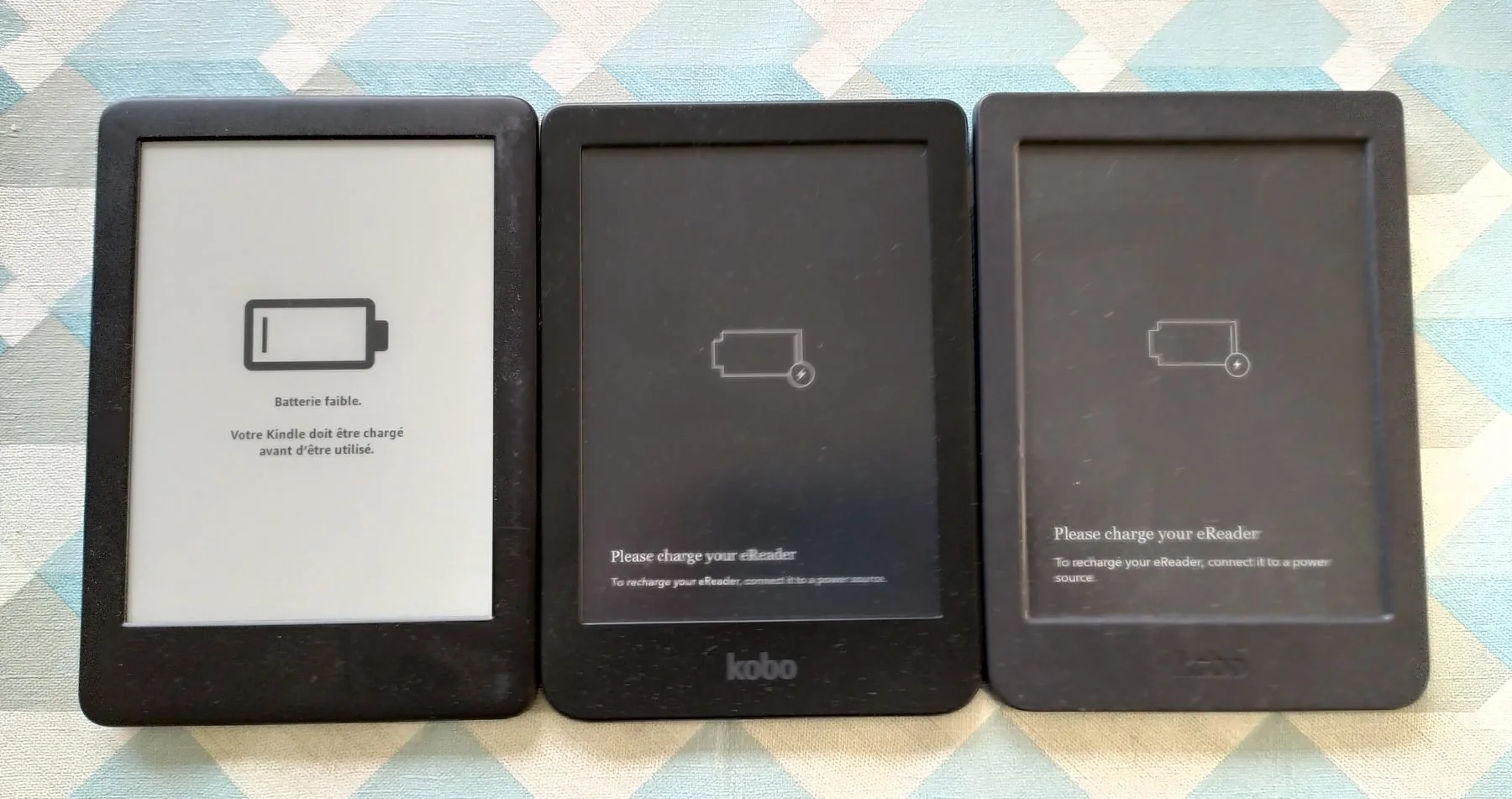

E-ink supplies electronic ink screens to all e-reader manufacturers (including Kobo, Kindle, and Pocketbook). For several years, they've been showcasing a brand new type of color screen: the Spectra 6. Unfortunately, despite being announced years ago, this technology is still not available!
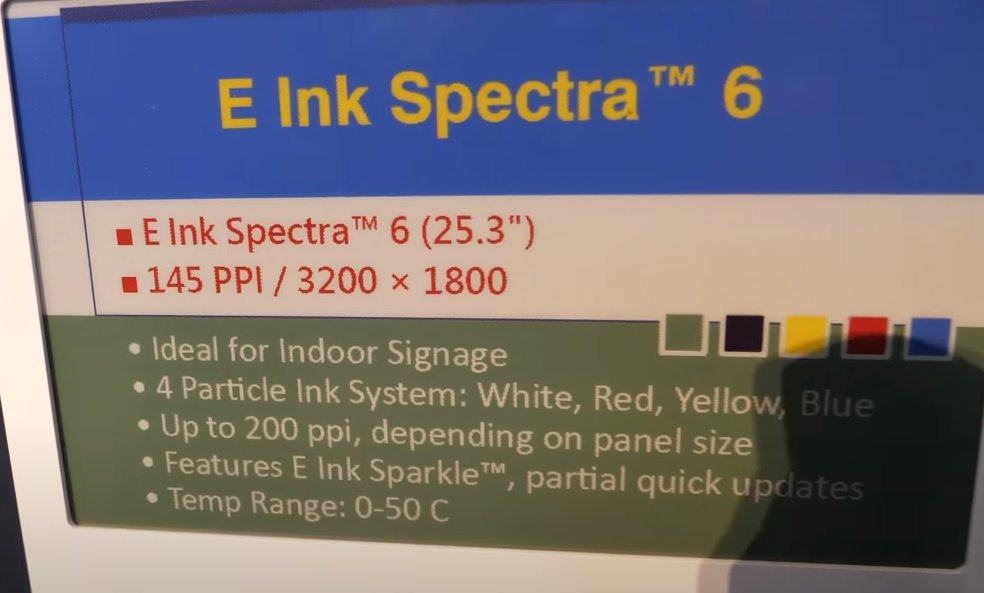
This new "color electronic paper" technology is based on the use of 6 colors which are then combined to produce the correct shades of color needed.
The screens presented at various trade shows have a diagonal of 25.3 inches with a resolution of 3200 x 1800 pixels for 145 PPI. However, these screens can reach a definition of up to 200 PPI.
According to the photographs and videos that can be seen on the web, Spectra 6 screens are impressive! They are clearly the most advanced when it comes to displaying vibrant colors with a contrast that allows them to be easily mistaken for a paper print.
It's truly a revolution that nevertheless has a major flaw: it currently takes 12 seconds to completely refresh the screen and display a different photograph!
This is completely unacceptable for an e-reader, which needs to refresh the screen much faster for a good reading experience.
These E-ink Spectra 6 color electronic ink screens are therefore currently reserved for display and signage. They can be used as signage in shopping malls or for displaying promotional offers in stores – for example.
Despite this significant limitation, the images we can see are truly fascinating and provide a good overview of what e-readers could become in the coming years.
With a refresh rate that drops to less than 2 seconds, I think many of us would adopt an e-reader with a Spectra screen as a reading device for novels and comics.
The previous generation of Spectra color signage screens from E Ink required about 30 seconds to refresh. Unfortunately, it took the company and its engineers years to successfully halve that time!
Spectra 6 screens were scheduled to be delivered as early as 2024. But, in mid-2025, these screens are still only seen very rarely and are far from being available in large quantities. They may not even be truly available for electronic device manufacturers…
Furthermore, the official E Ink website has not even been updated this year regarding the availability of these screens:
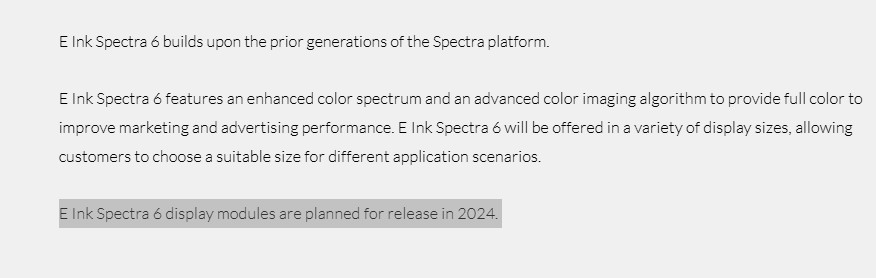
See the E-ink website: https://www.eink.com/brand/detail/Spectra6
For people who want to see what it could look like, here's an interesting video that gives a better idea of the quality of the color display:
<iframe width="842" height="474" src="https://www.youtube.com/embed/JjBagyWLLMQ" title="E Ink Booth Tour at Display Week 2023 shows Spectra6: The Most Advanced Color E-Paper, Note, Display" frameborder="0" allow="accelerometer; autoplay; clipboard-write; encrypted-media; gyroscope; picture-in-picture; web-share" referrerpolicy="strict-origin-when-cross-origin" allowfullscreen></iframe>
With a beautiful display close to a print, this technology seems far more convincing than the Kaleido 3 screens found in current color e-readers.
But, t seems that Spectra 6 technology is struggling to develop. Is it due to the manufacturing cost or because the technology is not yet ready?
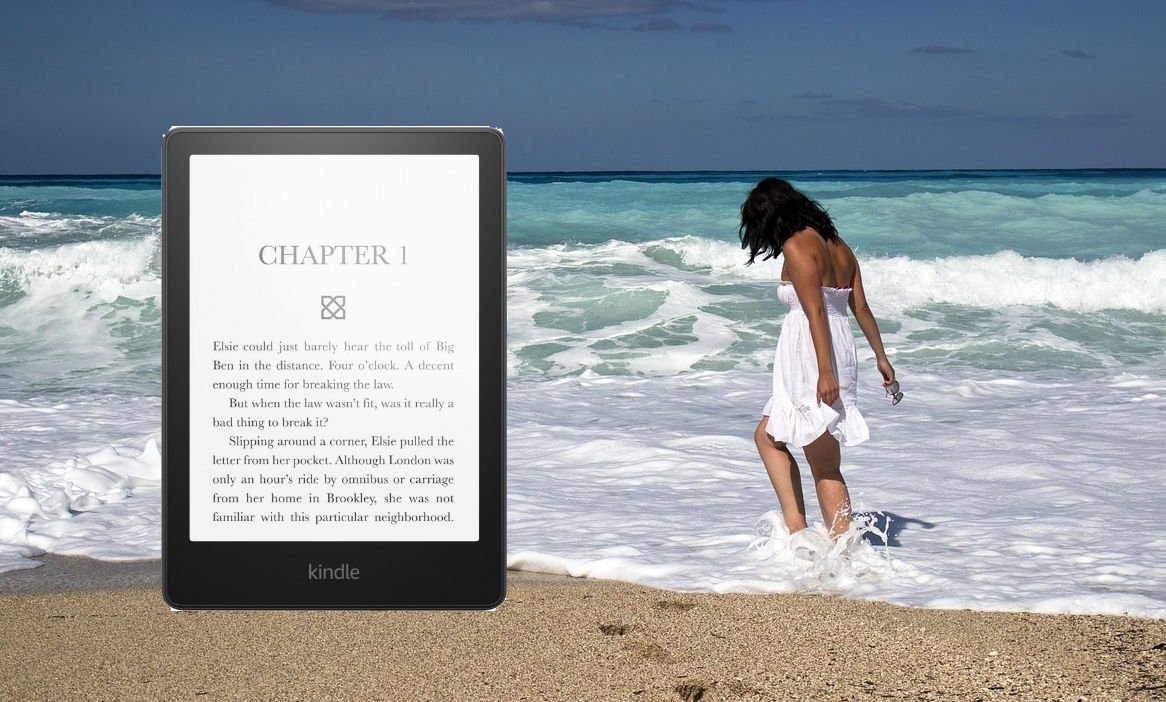
With summer just around the corner, it’s time to think about relaxing. And what could be better than reading a good book while sunbathing? That’s why it’s a good idea to turn to a reading device. Let’s find out why.
> TLDR: chose a Kindle e-reader if you want the cheapest or a Kindle Paperwhite or Kobo Libra Colour for a very good waterproof e-reader.

Has this ever happened to you?
You buy a few books for the vacations in the hope of having a good time.
You put 3 or 4 paperback novels in your bag and realize that they’re already taking up a bit of space.
That’s okay, you probably won’t have time to read that many books. So you sort them out and decide to leave with just two books.
Once there, you start reading on the second day.
Unfortunately, the first book isn’t very exciting: the detective story isn’t very original…
The second book is a sure bet: a new book by an author you already know and love.
You’ve not deceived us, the book is overwhelming and you’ll get through it in just 3 days.
But now you’ve got nothing left to read, and your nearest tobacconist’s has a very limited selection of books.
If you recognize yourself in these few lines, you know that a e-reader is undoubtedly a good buy for the vacations.
With an e-reader, you’ll be able to :
So let’s take a look at which e-reader is particularly suited to vacations.
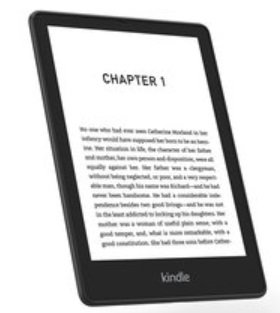
Let’s face it, when buying a reading device, price is everything.
Fortunately for those on a tight budget, Amazon is offering a new Kindle e-reader at the low price of $99.99 that makes reading easy and stress-free with its touch-sensitive, illuminated screen.
Downloading books on the beach will be complicated. But the e-reader has a WiFi connection.
So you can always find free Wifi access on the road or use your smartphone as a Wifi access point (it works on Android and iPhone).
I think this e-reader is a really good first approach to digital reading, with its great value for money.
It’s the least expensive e-reader in this selection.
If there’s one problem with summer holidays, it’s water and sand. And in winter, it’s snow and rain.
Once again, some e-reader manufacturers have thought of our demanding readers by offering waterproof e-readers.
There are two interesting models to choose from.
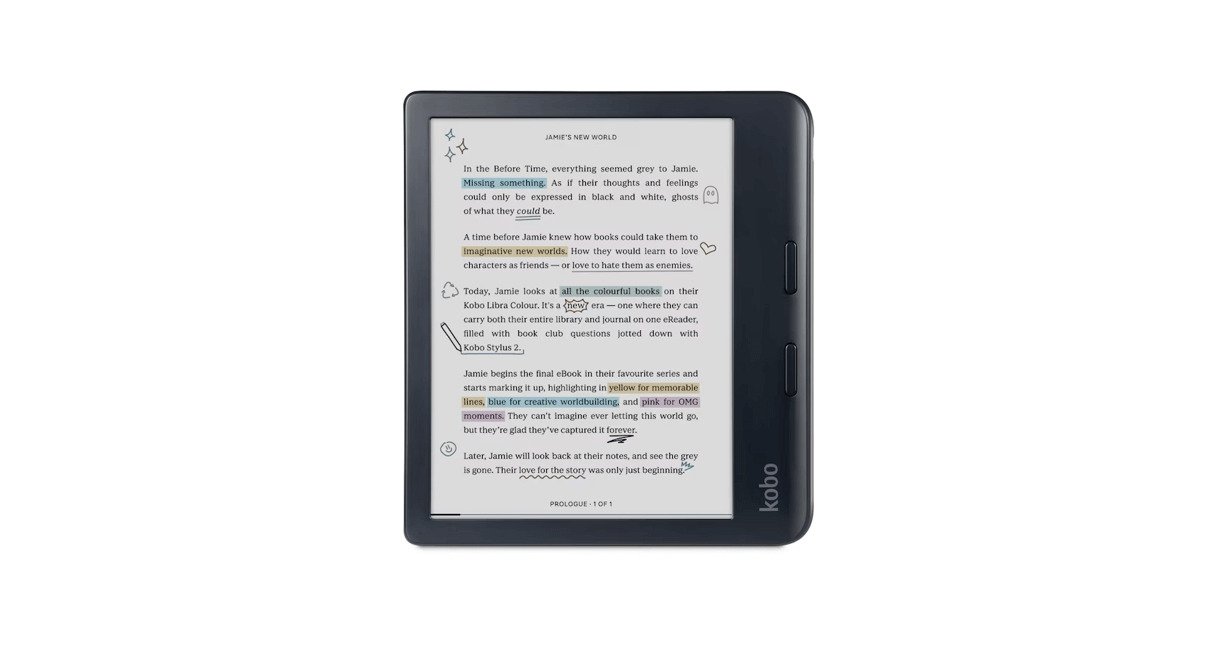
The first is the Kobo Libra Colour, a waterproof e-reader with a large, electronic ink color, 7-inch touchscreen.
It’s a slightly luxurious e-reader that will follow you everywhere, while still offering great comfort at home with its large screen. Luckily, the price makes it the least expensive color high-end e-reader.
The second e-reader has a gentler price tag, and it’s still a Kindle. It’s the latest-generation Kindle Paperwhite.
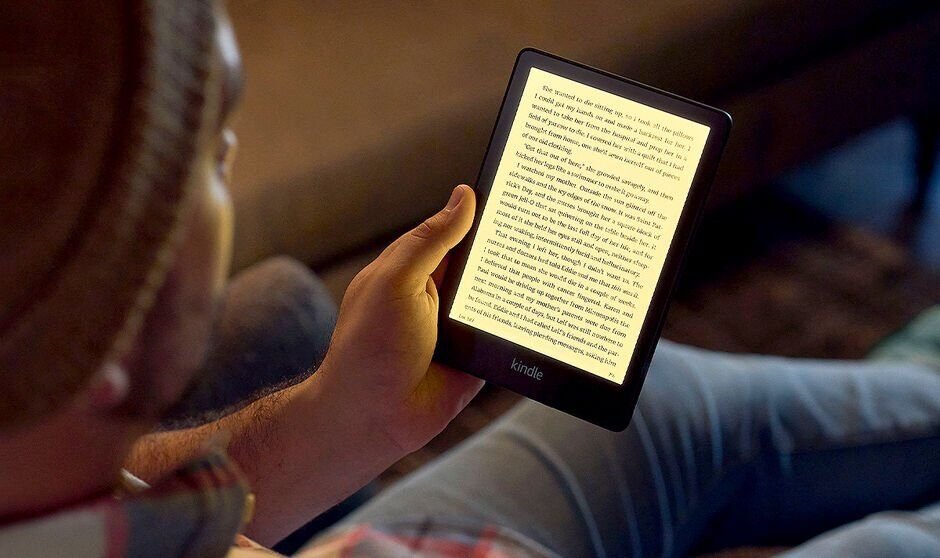
It’s a waterproof machine with a 6.8-inch e-ink screen, touch-sensitive and illuminated in high definition.
Here are some links to find out more about these two waterproof e-readers:
This Kindle Paperwhite has the advantage of being the least expensive waterproof e-reader available in 2023.
If you’re looking for a great e-reader at an affordable price, this is undoubtedly an excellent choice.
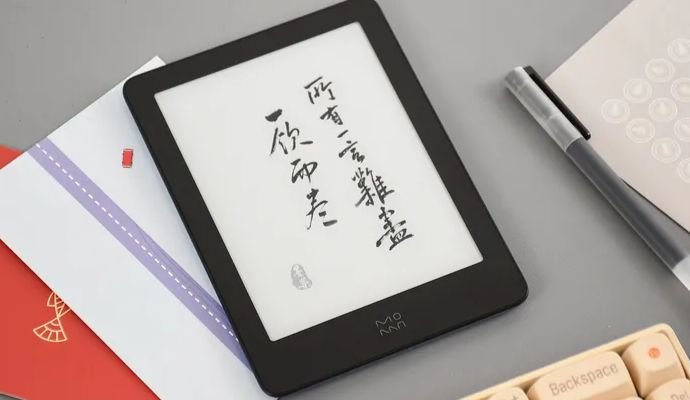
Xiaomi continues to release e-readers for the Asian market, and in 2023 will be offering a new e-reader with an HD e-ink screen, the Xiaomi Moaan Air.
Xiaomi has been active in the e-reader market for several years now, offering a variety of reading devices with advanced technical specifications.
This Xiaomi Moaan Air e-reader is no exception, featuring a latest-generation high-definition e-ink screen: a 6-inch E Ink Carta 1200 display.
The e-reader features a tactile layer and lighting, as well as a number of interesting options such as the ability to change contrast to make text darker or lighter.
Apart from that, the system used is Android 12, which allows the addition of new reading applications to offer great variety in the choice of its digital library.
Here are the specifications of this Xiaomi Moaan Air e-reader:
The presence of Bluetooth connectivity means you can enjoy music and audiobook playback via a Bluetooth speaker or headphones.
The 163-gram weight makes this e-reader rather light, which no doubt explains the presence of the word "Air" in its name.
As far as Android 12 is concerned, this e-reader doesn't appear to use Google services.
So if you want to add new Android applications, you'll have to install them manually by downloading APK files. This is a disadvantage, since the applications available via download outside Google Play are often older, and updating them is less straightforward than with a more conventional system.
With a price tag of around $150 and limited availability outside Asia, this Xiaomi Moaan Air e-reader is rather poorly placed in relation to the available competition.
For the same price, you can buy a Kobo Clara 2E (same screen) or a Kindle Paperwhite with a 6.8-inch screen.
Two reliable machines, available worldwide, and above all much simpler to use, with extensive digital book libraries.
So I don't recommend this e-reader. Except, perhaps, for those who are comfortable with setting up the Android system and don't mind having to manually install new applications.
Sometimes, when you buy an electronic e-reader, you want it to stay with you for a few years. But to do so, you need to be careful and protect your machine.
Here are a few tips to help your e-reader last longer.
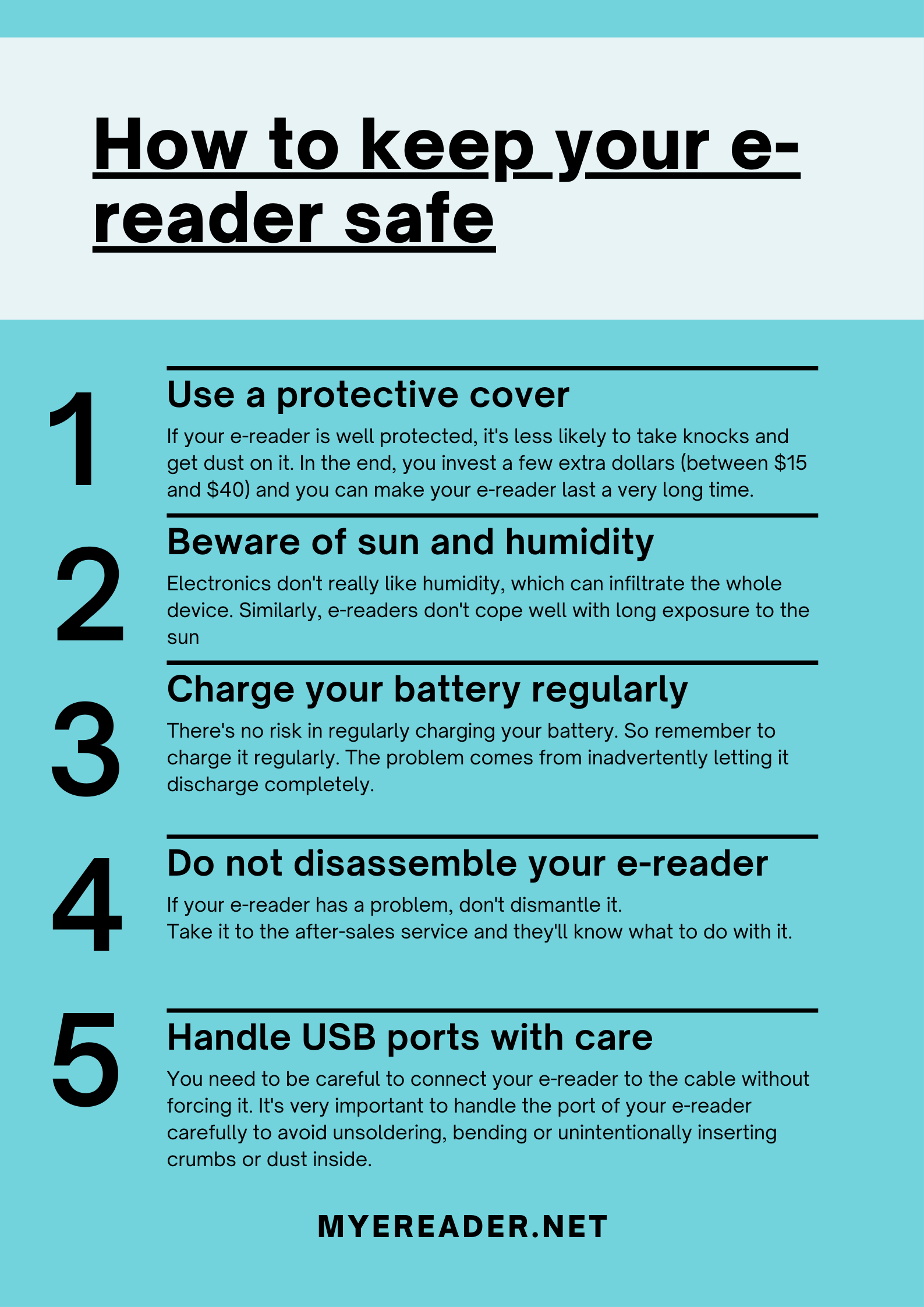
If your e-reader is well protected, it’s less likely to take knocks and get dust on it.
In the end, you invest a few extra dollars (between $15 and $40) and you can make your e-reader last a very long time.
That said, if your e-reader is a basic Kindle (sold on Amazon for less than $100, excluding special offers), it may not be worth the extra money. So it’s up to you.
You should also check that your cover is compatible with your e-reader model, so that it fits perfectly.
In the same way as for the cover, the screen can take a beating.
If you have a small child, he or she may hit the screen with a toy or other object.
So, by sticking a little protective film on the screen, you’ll be able to protect it a little more. Especially if the screen is touch-sensitive, you’ll be able to prevent a few scratches.
Once again, you can find one on Amazon for around ten dollars.
However, I think the price is a bit high and it’s not particularly useful. So it’s up to you…
If you do a lot of reading away from home, remember to avoid damp places (unless, of course, you have a waterproof e-reader!).
Electronics don’t really like humidity, which can infiltrate the whole device.
Similarly, e-readers don’t cope well with long exposure to the sun (as is the case with most electronic devices), so avoid leaving them on a garden table or on the dashboard of your car.
Personally, I avoid reading in my bathroom or leaving a e-reader in a place that could generate water vapor (bathroom but also kitchen).
Of course, if you have a waterproof e-reader, you won’t have this problem.
In the sun and on vacation, I always put my e-reader in a bag and in the boot of my car if I’m not using it. That’s still the place where there’s the least risk, as temperatures in the passenger compartment can reach very high levels in summer.
If you’ve left food marks on your e-reader, or put it in a dusty place, remember to clean it.
Because, little by little, all this dirt risks attacking the electronics inside the e-reader. So a quick wipe down with a cloth is all it takes.
The other point to consider is e-readers with buttons. There’s always a lot of dirt getting into all the holes on these devices.
I regularly use a wooden or plastic (never metal) toothpick to clean these parts of the e-reader.
You’ll find lots of things in the mini-USB cable slot!
If your e-reader is waterproof, like the Kobo Libra 2 or Kindle Paperwhite, you can use a wet cloth to clean it too.
There’s no risk in regularly charging your battery. So remember to charge it regularly.
The problem comes from inadvertently letting it discharge completely (see also the following tip).
You can also save battery power by turning off your e-reader’s WiFi (or lighting) when you don’t need it.
This way, the battery will discharge less quickly, you’ll need to charge it less often and it will last longer.
Once again, remember that cold or intense heat is not good for the batteries of electronic devices.
If you have to put your e-reader in the cupboard, remember to recharge it (at least halfway) before storing it.
If you store your discharged e-reader for too long, it could be damaged.
If your e-reader has a problem, don’t dismantle it.
Take it to the after-sales service and they’ll know what to do with it.
And, if it really doesn’t work at all and the after-sales service can’t do anything, then yes, you can dismantle it or embark on a new purchase.
If you’d like to know how long a e-reader can last, take a look at the video in this article: 8 years on, my Kindle still works!
As you’ll see, a e-reader can run for many years without a hitch, much longer than any other electronic device!
Your e-reader is equipped with a charging port that also enables connection to your computer.
There are two different ports depending on the e-reader:
While the USB-C port tends to be more robust than the Micro-SD port, you still need to be careful to connect your e-reader to the cable without forcing it.
It’s very important to handle the port of your e-reader carefully to avoid unsoldering, bending or unintentionally inserting crumbs or dust inside.
You can share this image with your friends who owns an e-reader and want to keep it safe :
If you’ve got a Kindle e-reader, you’re probably keen to read away from home and without an Internet connection. But the Kindle works with WiFi. Is it possible to read books without Wifi enabled?
The quick answer: yes, you can read books on your Kindle without WiFi. But there are some prerequisites.
First of all, your e-reader must contain books. On Kindle, you can either download books from the Kindle library or load books from a computer.
In the latter case, if you want to download ebooks, you’ll need to use the Wifi connection and your Amazon account to download the books to your e-reader.
Once the books have been downloaded, you can turn off the Wifi on your Kindle e-reader and read without needing an Internet connection.
If you don’t want to use your Kindle’s Wifi connection at all, you can turn it off and load books onto your Kindle using Calibre software, for example.
If you’d like to find out more about your Kindle’s compatibility with EPUB ebooks, take a look at this guide.
There are several reasons why it’s a good idea to turn off the WiFi on your Kindle e-reader.
The first is that you don’t send any information to Amazon about the books you’re reading or your reading habits.
The second is just as interesting, since turning off the WiFi on your Kindle increases its autonomy, so you can read longer between battery recharges.

Well, after all these years, I thought that by 2022 everyone had figured out that the Kindle e-reader could do a lot of things. But, in reality, it looks a lot more complicated than it sounds…
That’s why we’re going to look at the different ways of adding ebooks to your Kindle e-reader, and in particular ebooks in ePUB format.
Hardly a week goes by without a reader telling me about their dissatisfaction with Kindle e-readers and their closed ecosystem.
There’s truth and falsehood in this complaint.
First of all, Kindle e-readers are not fully compatible with the EPUB format. In fact, they are technically capable of reading them, but Amazon has chosen not to enable this compatibility directly.
However, since August 2022, it has become much simpler to send EPUB ebooks to your Kindle e-reader, and it’s even Amazon that has implemented this new feature.
Here’s what the official website says:
In any case, as you’ll see, it’s very easy to read EPUBs on the Kindle e-reader.
First of all, if you don’t know how to get started with Kindle ebooks, the easiest way is to take a look at the official Kindle bookshop.
It’s directly accessible from your e-reader, but you can also browse it from a computer or smartphone, which I find easier.
From the bookshop, you can buy or download free ebooks in a format 100% compatible with your Kindle e-reader.
It’s really the easiest thing to do if you’re just starting out with your e-reader and are looking for ebooks to read. You’ll also notice that the latest literary releases are cheaper in digital format than in print.
On the other hand, if you already have ebooks in a format other than the one supported by the Kindle, you’ll need to continue reading the article to see how to load them onto your e-reader.
You can use the Kindle app on your smartphone to add an EPUB file to your e-reader.
Here’s how:
The Kindle e-reader is compatible with a large number of files:
**If you want to send an ebook of this type to your Kindle, you can do so simply by e-mail.
Your Kindle e-reader is associated with an e-mail address. You can find it by going to Settings > My Account.**
All you have to do is send an e-mail with the EPUB file attached to the address indicated.
If all goes well, you’ll then need to connect your Kindle e-reader to the Internet (Wifi), and a few minutes later, the book will appear in your personal library.
Note that if you have several readers, the book will appear on all your readers connected to the same Amazon Kindle account.
If you want to send an EPUB file to your Kindle e-reader without using Amazon tools, you need to use Calibre software.
Indeed, Calibre is now the benchmark in ebook library management software.
So you might as well use it right from the start to manage your digital books and send them to your Kindle e-reader.
To install Calibre, go to: https://calibre-ebook.com/download
As you can see, the software is free and runs on Windows, Mac OS and even Linux. The only constraint is that you’ll need a computer.
After downloading, you can install the software and start using it for the first time.
In most cases, your Calibre software will recognize your Kindle and you’ll be able to transfer your EPUBs directly to it.

When ebooks first appeared on the market, many of us were confused by a curious fact about e-readers: page numbers have no equivalence between paper and digital books. If you think that page numbers don't work on your ebook or e-reader (Kindle or Kobo), this article may enlighten you.
Short answer :
In a paper book, each page is carefully numbered.
This numbering is an ingenious system that allows you to do a number of things:
We invented this system on a paper book to make it easier to use this medium. And, as we can see, the system works very well, since it hasn't changed in years.
In fact, the first known typographed book with page numbers dates back to 1470, and is called Sermo in festo praesentationis beatissimae Mariae virginis ( https://ilovetypography.com/2014/02/21/the-first-printed-page-numbers/ ).
Interestingly, the numbers are on the sides of the pages, not at the bottom as they are today.
But with a digital book (ebook) on a Kindle or Kobo e-reader, you have complete control over how a page is displayed.
So, by modifying margins, line spacing, font and font size, your book can be displayed on your e-reader with a variable number of pages.
This means you can no longer use the page number as a tool to make a reference to a passage in the book. Page numbers in ebooks are therefore meaningless.
In practice, you can't tell someone that a piece of information can be found on page 55 of an ebook, as there's little chance of that person using the same display preferences as you when reading the ebook.
This explains why the page number is not displayed by default (or rarely) on an e-reader.
And, if you do display the page number, it doesn't change with every page you turn.
This is the case with Kindle e-readers, for example, but also with other manufacturers.
Amazon has chosen to match the page numbers of Kindle ebooks with those of the print edition from the same publisher.
This makes it possible to find texts when moving from a paper edition to a digital one, but it doesn't solve all the problems…
Because, if you buy an ebook and see that it's 500 pages long. This is in fact the number of pages communicated by the publisher for the paper version. And, once on your e-reader (or any other digital book-reading software), you may find that it's only 400 pages long, depending on how the software calculates this page count…
There are other ways to help us find our way around an ebook in the same way as with a paper book.
First of all, there's the location.
This is a number in the thousands that perfectly identifies each part of a digital book. It can be used to synchronize reading between different devices, or as a reference (like the page + paragraph number in a paper book).
Then there's the percentage of progress in the book. This gives you an idea of how far you've progressed through the book or a chapter.
There are also notes. With the quick-entry system and the ability to export notes, you can easily create references in an ebook to share with someone or on a website.
Last but not least, there are the reading statistics, which are an added bonus compared to paper books. Statistics can do many things, but above all they let you know how long you have left to read a book or chapter.
The problem is that two systems coexist. Between ebook tools and paper book page numbers, it's sometimes impossible to match the two correctly.
This makes it difficult for users of one system to communicate with users of the other.
For example, if I send my Kindle notes to the owner of the same paper book, he'll still have trouble finding the information in his book.
On the other hand, the text search capabilities of ebooks generally make it easier to find what you're looking for.
So, while ebooks and e-readers offer more ways of navigating through a book, the simplest system remains that of page numbers, which, unfortunately, can't work completely on an e-reader.
Of course, all this is just a detail, but if you come across people who are struggling to understand the whole issue of page numbers on e-readers, you can pass this article on to them.