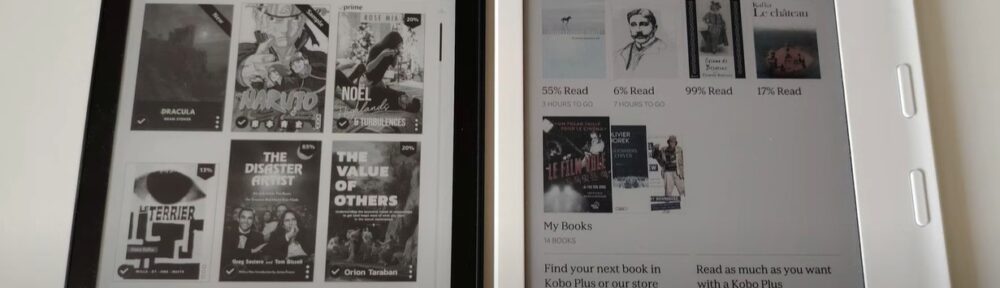
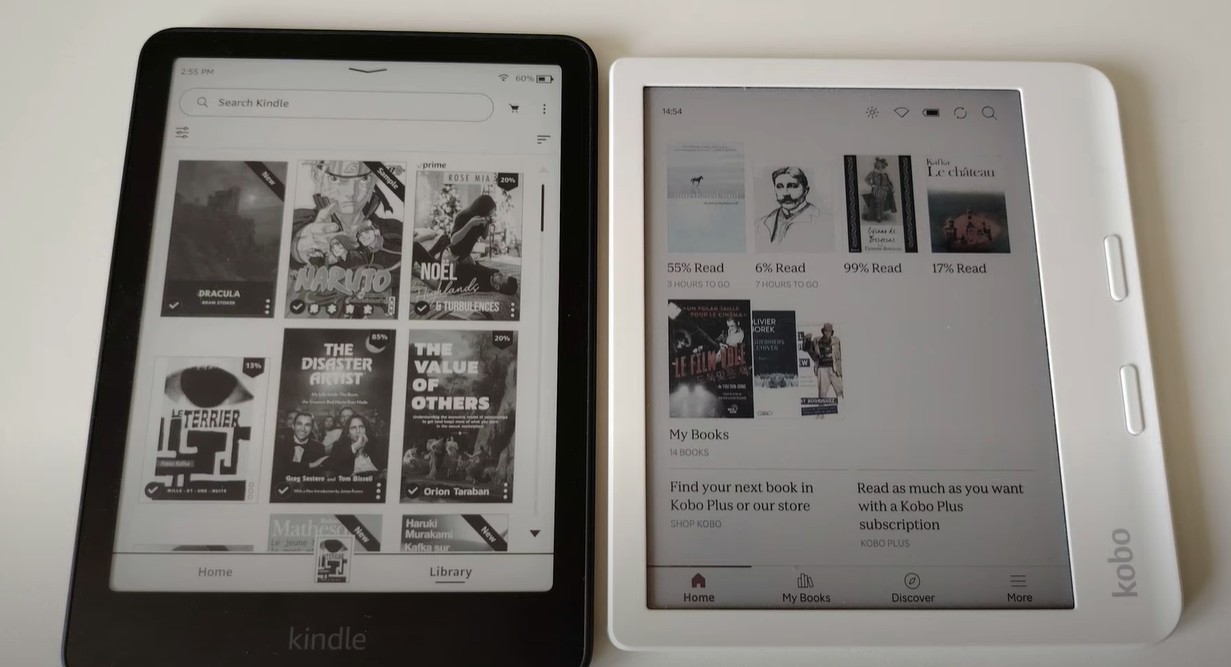
In this video, I compare two very different approaches to the e-reading experience: the classic Kindle Paperwhite and the innovative Kobo Libra Colour.
The Kindle Paperwhite and the Kobo Libra Colour are the two most popular e-readers on the market right now. Both feature a 7-inch e-ink display, a premium build, and everything a dedicated reader could need. But between Amazon’s sharp monochrome classic and Kobo’s bold color screen, which one is actually worth your money?
In this comparison, I’ll walk you through every meaningful difference – display quality, design, ecosystem, features, and price – so you can decide which e-reader is the right fit for your reading life.
Quick Specs: Kobo Libra Colour vs Kindle Paperwhite
| Feature | Kobo Libra Colour | Kindle Paperwhite (2024) |
|---|---|---|
| Screen size | 7″ E Ink Kaleido 3 (color) | 7″ E Ink (black & white) |
| B&W resolution | 300 PPI | 300 PPI |
| Color resolution | 150 PPI | — |
| Storage | 32 GB | 16 GB / 32 GB |
| Battery | 2,050 mAh (~40 days) | Up to 12 weeks |
| Bluetooth | Yes (audiobooks) | No (Signature Edition only) |
| Physical buttons | Yes | No |
| Waterproofing | IPX8 | IPX8 |
| Supported formats | 15 (EPUB, PDF, MOBI, CBZ…) | Amazon formats + PDF |
| Price | ~$219 / ~$229 | ~$159 / ~$169 |
Design and Ergonomics: A Clear Win for Kobo
The first thing you’ll notice when holding both devices side by side is how different they feel in the hand. The Kobo Libra Colour has an asymmetric, ergonomically curved body with a built-in grip and two physical page-turn buttons. It was designed for extended one-handed reading sessions, and it shows. Whether you’re reading in bed or on the couch, flipping pages without touching the screen is a genuine pleasure.
The Kindle Paperwhite goes in the opposite direction: clean, symmetric, no buttons on the face. Navigation is entirely touch-based. It’s a sleek and elegant approach, but it can feel less comfortable over long reading sessions, especially one-handed.
Both devices are available in black and white, and both are IPX8 waterproof: meaning they can survive up to 60 minutes submerged in 2 meters of water.
Great news if you like reading by the pool or in the bath.
Display: Color vs Contrast
This is the core of the Kindle Paperwhite vs Kobo Libra Colour debate.
The Kobo Libra Colour is equipped with an E Ink Kaleido 3 screen – the latest generation of color e-ink technology. It renders black-and-white text at 300 PPI (the same sharpness as the Kindle), and color content at 150 PPI. Book covers, manga panels, graphic novels, and color-coded annotations look genuinely great. You can also highlight passages in multiple colors, which is a useful feature for students or anyone who annotates heavily.
The Kindle Paperwhite, on the other hand, delivers a slightly better contrast on black-and-white content – crisper whites and deeper blacks. The difference is noticeable in a side-by-side comparison, but in everyday use, reading on the Kobo Libra Colour is perfectly comfortable. The color layer does add a very slight softness to text, but it’s not something most readers will notice or be bothered by.
Both e-readers include a blue light filter and adjustable warm lighting for comfortable nighttime reading. The Kobo’s ComfortLight PRO even adjusts color temperature automatically throughout the day.
Display verdict: If you read manga, graphic novels, illustrated books, or want color annotations, the Kobo Libra Colour wins outright. If you read novels exclusively and contrast is your top priority, the Kindle Paperwhite edges it out on that single metric.
Kobo Libra Colour vs Kobo Libra 2: What Actually Changed?
If you’re upgrading from the previous generation, the differences are significant enough to make the Libra Colour a compelling upgrade:
- Color E Ink Kaleido 3 screen (vs black-and-white on the Libra 2)
- Faster dual-core 2.0 GHz processor
- Dual-band Wi-Fi (2.4 and 5 GHz)
- Larger battery: 2,050 mAh vs ~1,200 mAh on the Libra 2
- Lighter: 199.5 g vs ~215 g
- 32 GB of storage included as standard
For roughly $30 more than the Libra 2, the Libra Colour is a meaningful generational leap. If you own an older Kobo, the upgrade is easy to justify.
Ecosystem and Content: The Amazon Argument
The ecosystem question is often what actually tips the decision between Kindle and Kobo.
On the Kindle / Amazon side:
- Prime Reading: if you’re already an Amazon Prime subscriber, you get access to a rotating catalog of free ebooks – mostly older titles, but very useful if you’re a heavy reader of genre fiction
- Kindle Unlimited: a monthly subscription giving access to millions of ebooks and audiobooks
- If you already own a library of Kindle books, switching to Kobo means leaving them behind (Amazon’s DRM makes transfers difficult)
- Tight integration with the Kindle app across all your devices
On the Kobo side:
- Kobo Plus: a subscription service similar to Kindle Unlimited, with a slightly smaller catalog
- Native OverDrive / Libby integration for borrowing ebooks directly from your local library – a major advantage in countries where digital library lending is available
- Support for 15 file formats including EPUB, the universal open standard — great if you buy ebooks outside official stores
- Pocket integration for saving and reading web articles offline
- More open ecosystem overall: side-loading books is easier and more straightforward
If you’re already deep in the Amazon ecosystem, switching has a real cost. But if you’re starting fresh – or if you borrow ebooks from the library – Kobo makes a strong case.
Audiobooks: Another Point for Kobo
The Kobo Libra Colour includes Bluetooth as a standard feature, letting you connect wireless headphones or a speaker to listen to Kobo Audiobooks. If you switch between reading and listening, this is a genuinely useful feature to have on one device.
The standard Kindle Paperwhite doesn’t include Bluetooth ; you’ll need the Signature Edition for that. Worth keeping in mind if audiobooks are part of your routine.
Kindle Paperwhite vs Kobo Libra Colour: Who Should Get Which?
Choose the Kindle Paperwhite if:
- You read novels and text-heavy books without illustrations
- You’re already invested in the Amazon ecosystem (Prime, Kindle Unlimited, existing Kindle library)
- Budget matters: it’s $60 cheaper
- You prefer a minimal, buttonless design
- Screen contrast is your top priority
Choose the Kobo Libra Colour if:
- You read manga, comics, graphic novels, or illustrated non-fiction
- You want to highlight and annotate in color
- You value physical page-turn buttons for ergonomic reading
- You borrow ebooks from the library via OverDrive or Libby
- You want to listen to audiobooks on the same device
- You prefer an open ecosystem with broad format support
Frequently Asked Questions
Kobo Libra Colour vs Kindle Paperwhite: which has the better screen? The Kindle Paperwhite has slightly better contrast for black-and-white reading. The Kobo Libra Colour adds a color E Ink Kaleido 3 display on top of equally sharp 300 PPI text, making it the better choice for illustrated content.
Kobo Libra Colour vs Kindle Colorsoft: how do they compare? The Kindle Colorsoft is Amazon’s color e-reader answer to the Kobo Libra Colour. It uses a different color e-ink panel and generally carries a higher price tag. Both are solid choices — the Kobo wins on ecosystem openness and physical buttons, while the Kindle Colorsoft benefits from Amazon’s content ecosystem.
Can you read Kindle books on a Kobo? Not directly, due to Amazon’s DRM. There are workarounds, but they require technical steps and aren’t officially supported.
Kobo Libra Colour vs Kobo Libra 2: which should you get? The Libra Colour is a substantial upgrade: color screen, faster chip, bigger battery, dual-band Wi-Fi. For about $30 more, it’s the obvious choice for anyone buying new.
Is the Kobo Libra Colour worth it over the Kindle Paperwhite? If you read illustrated content, annotate, borrow library books, or want physical buttons, yes absolutely. If you’re a pure novel reader already in the Amazon ecosystem, the Kindle Paperwhite is the more cost-effective option.
Bottom Line
Neither the Kindle Paperwhite nor the Kobo Libra Colour is objectively better – they serve different readers. The Kindle Paperwhite remains the best value option for Amazon-ecosystem readers who stick to text-only books. The Kobo Libra Colour is the more versatile, more ergonomic, and more open device ; and for anyone interested in color e-ink in 2025, it’s one of the best e-readers you can buy.