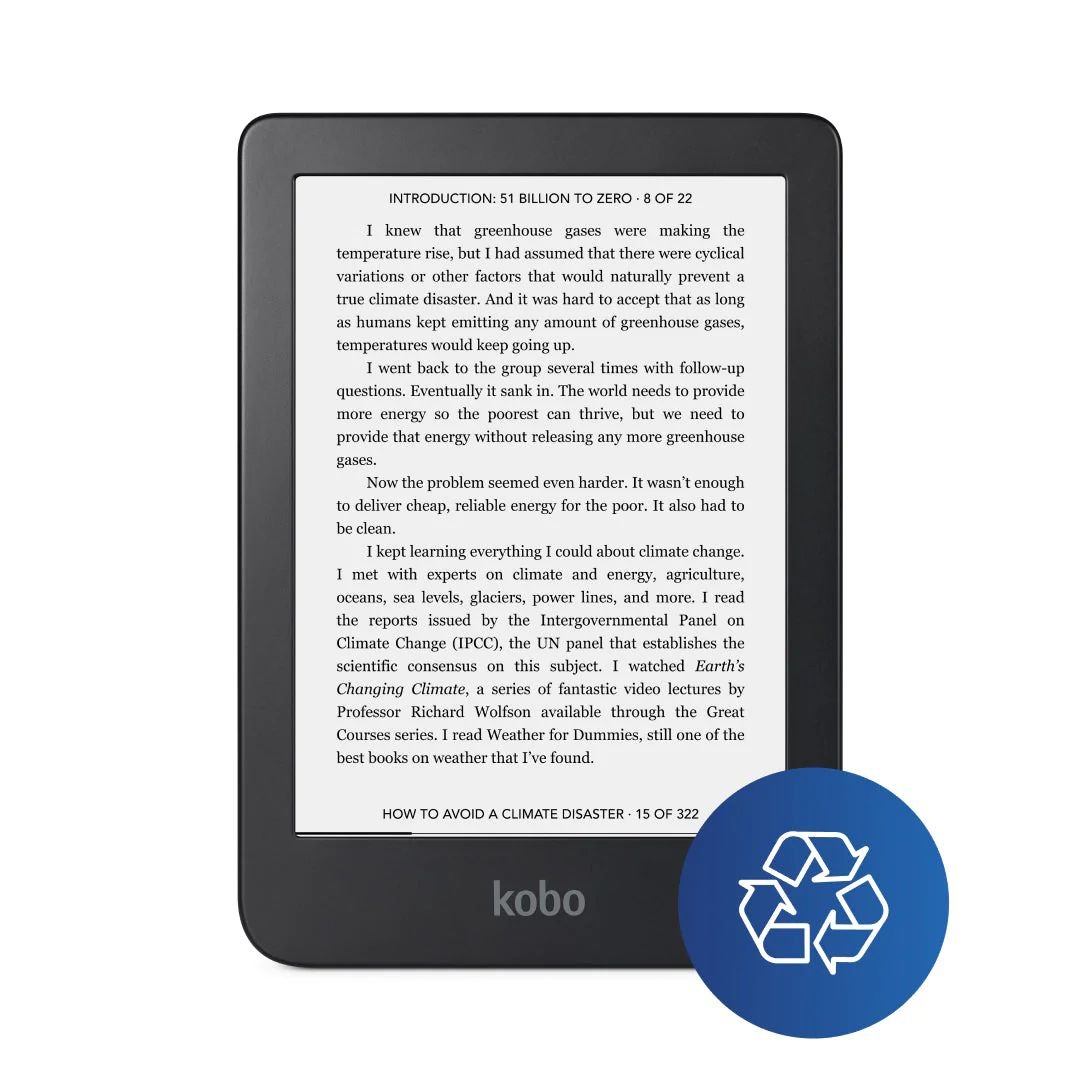
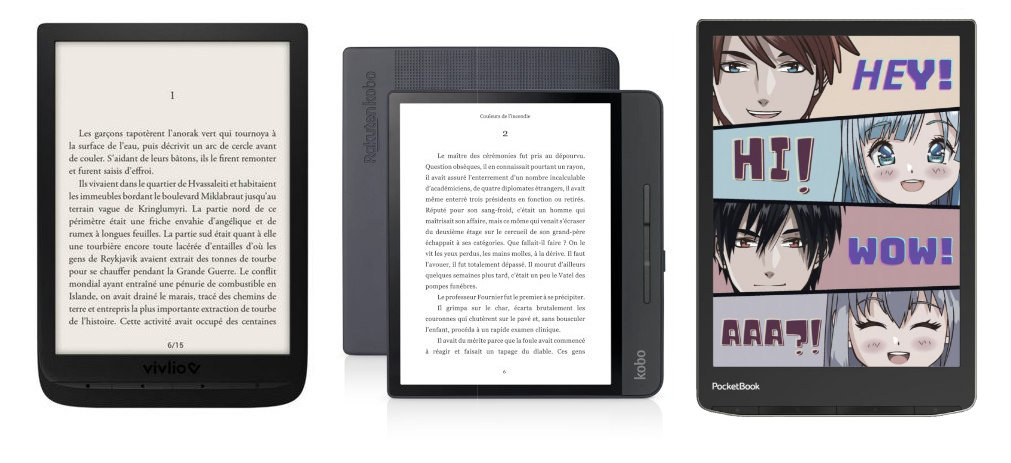
Kobo e-readers are already provided with various dictionaries that allow you to get definitions of words in English, but also English translations from other languages.
Unfortunately, some of the dictionaries used are not sufficient for the taste of some Kobo users. We can often see these defects:
A lack of definition
A lack of freshness
If the role of Kobo (and other e-reader manufacturers) is first and foremost to provide a reliable material for displaying pages of text, it is true that this defect may bother some people.
Fortunately, there is now a solution! It is indeed possible to change the default dictionary and we will see how to add a new dictionary with many more definitions.
Download a new dictionary for Kobo e-reader
The first thing to do is to download this new dictionary.
For French, English, German, Spanish, Italian or Portuguese, I found this project which proposes a dictionary based on Wiktionary, a collaborative site close to Wikipedia: https://github.com/BoboTiG/ebook-reader-dict
We will download (in our case), the French dictionary at this address : https://github.com/BoboTiG/ebook-reader-dict/releases/tag/en (the file to download is called dicthtml-en.zip – you can download it here if the link does not work anymore)
Now you have to transfer the file to your Kobo e-reader. First of all, you have to connect it to a computer with the USB cable provided with the e-reader.
Then, you have to validate the file transfer on the screen of the Kobo e-reader. In your operating system, you should be able to see the e-reader using a file explorer (keyboard keys "Windows + e" in Windows).
You have to go to the files of your e-reader and find the ".kobo" folder. This folder is special and hidden, so you will need to set the folder view to show this type of file in Windows (or Mac).
All you have to do is copy the new downloaded file into the ".kobo/dict" folder of your Kobo e-reader to install the new dictionary.
Now that you've done that, you can disconnect your e-reader from your computer ("eject" in Windows or Mac) and restart your Kobo.
Setting up the e-reader to use the new dictionary
To use the new dictionary, you'll first need to make sure it's installed properly by going to your Kobo e-reader settings.
It should be called "English – English".
Then, you can use it directly from an ebook by underlining a word.
As we can see the result is much better with this dictionary!
Don't hesitate to leave a comment under this article if you want to bring more details about adding new dictionaries on your Kobo e-reader.
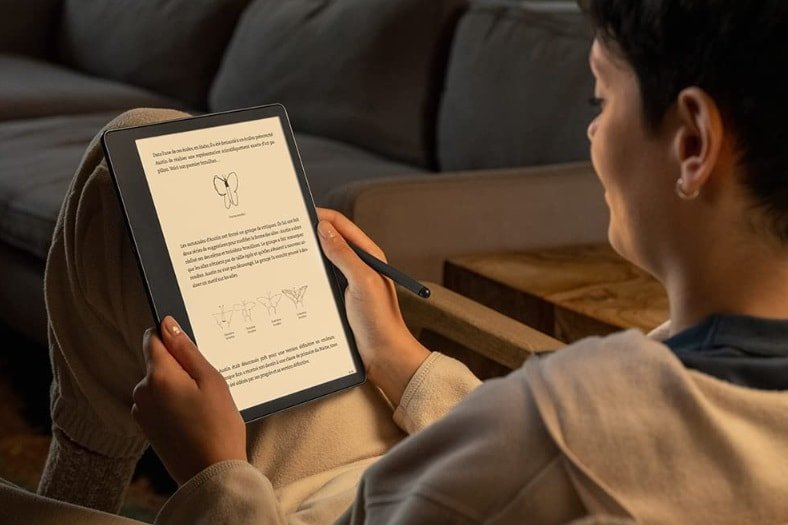
It was bound to happen: Amazon is also launching a large-format e-reader with a note-taking function with the Kindle Scribe and its large 10.2-inch screen.
For once, Amazon is obliged to react by offering a machine that competes with the Bookeen Notéa and the Kobo Elipsa.
So the Kindle Scribe is a reading and working machine. Thought as a tool that will allow you to be productive as well as to relax, the Kindle Scribe therefore comes with a stylus that will allow you to take notes and scribble on your electronic documents.
Certainly the screen should do wonders, especially for fans of manga and PDF documents.
The promise of having a stylus without batteries or batteries that is as comfortable to use as a competing stylus is appealing.
People who work in an environment where they have to work, proofread and edit a lot of documents will probably be interested in this machine.
But, if it's just about reading, the price of $369.99 for the 16GB version will put off many book lovers.
Indeed, there are e-readers for less than $200 that do very well for reading ebooks without any headache.
The price is too high for me to buy this Kindle Scribe. So I am unlikely to offer a full review, let alone a comparison with other e-readers. If you only need a Kindle e-reader for ebooks, I think the Kindle Paperwhite is a better alternative.
The e-reader is available and you can learn more about it on Amazon's website if you are interested in this type of device.
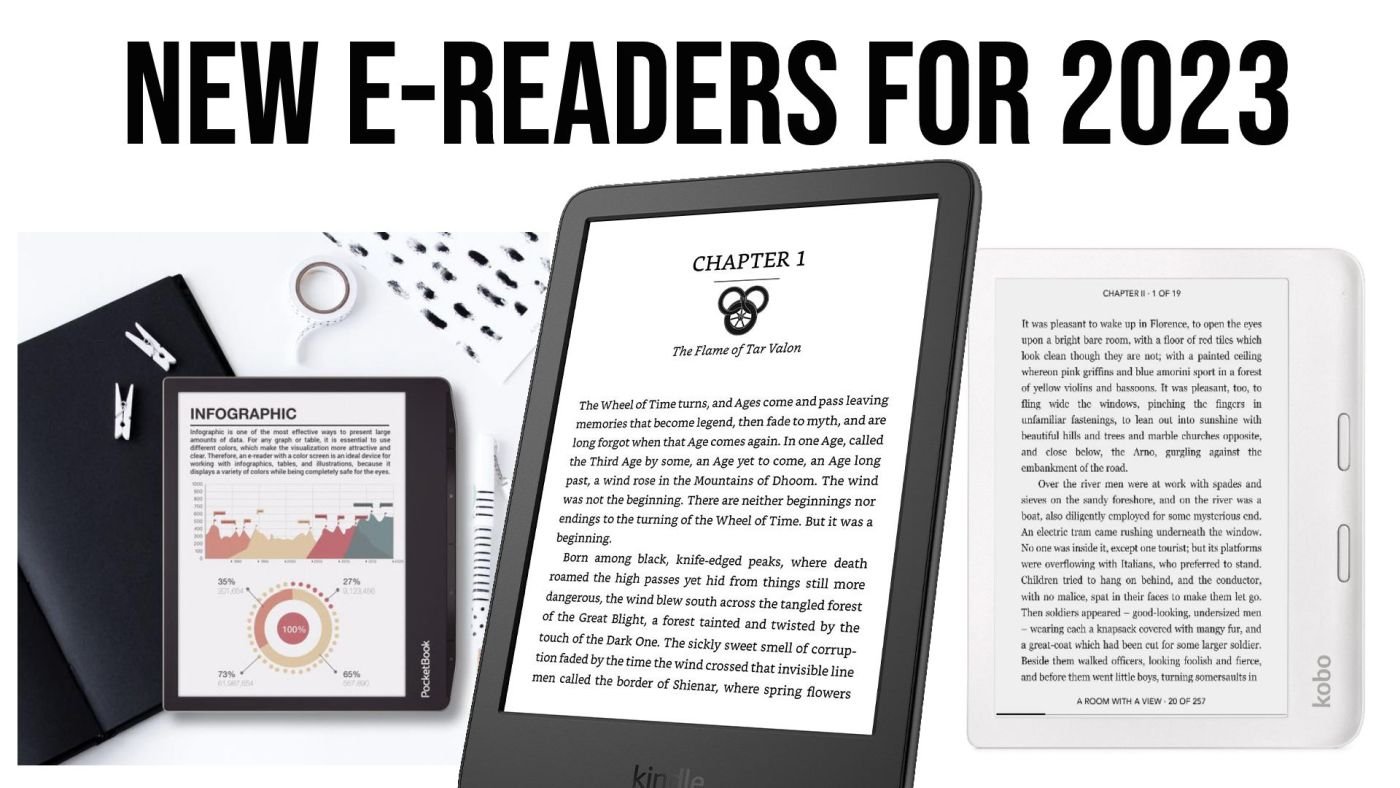
The year 2022 has been rich in new hardware (Kobo Clara 2E and new Kindle to name a few) and the year 2023 also promises some nice things. The opportunity to see what we can expect as new readers…
A new Kobo Nia?
The first thing that seems obvious is that Kobo must work on an affordable e-reader that would compete with the new Kindle.
Indeed, the Kobo Nia (current e-reader of the range at less than $100) is starting to show its age with its rather slow screen and its not always top definition.
Clearly, if Kobo wants to get back in the race and offer something very good in the entry level, it will have to release a new version of the Kobo Nia.
Let’s hope that 2023 will bring us this new e-reader!
A new Kindle Oasis?
On the Amazon side, we have already had a renewal of the Kindle Paperwhite with the very good version released in 2021 that offers a great value for money with its 6.8-inch screen.
A few months ago, a new Kindle was released for less than $100.
Logically, it’s the turn of the Kindle Oasis to get a makeover – if Amazon still wants to market it. Indeed, with its price close to $300 and the competition of cheaper and excellent models like the Kobo Libra 2, nothing indicates that Amazon will continue the Oasis adventure.
But, if a new version is to be released, the year 2023 seems to be the right time for Amazon.
New color readers are a key trend
With the arrival of the new Gallery 3 color screen technology, we can expect to see new color readers.
As previously mentioned, the Pocketbook Viva has already been announced and we’ll see what this reader offers in terms of color. The first echoes indicate much better colors than on the Pocketbook Color (for example), but a screen that takes longer to refresh…
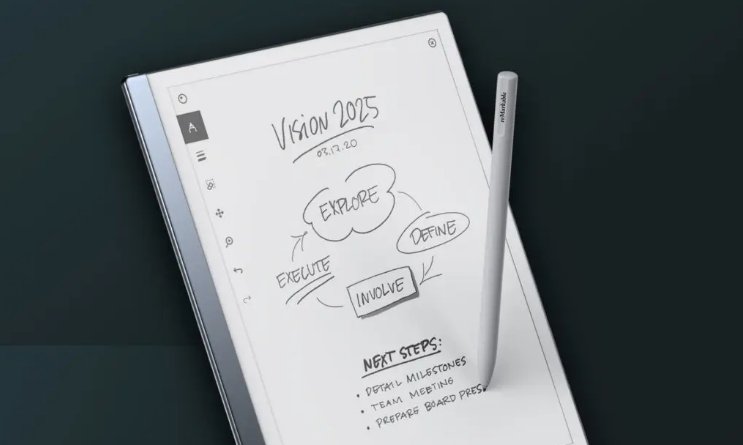
After months of waiting, people who ordered the reMarkable 2 reading device will finally receive it. It’s the opportunity to see what this machine offers and if lessons have been learned from the first version.
The reMarkable 2 was one of the most anticipated e-readers of the year 2020.
With its large format and its stylus, it promises much broader uses than simply reading ebooks.
However, the business was not going well. After a successful crowdfunding campaign, the company had trouble communicating about the repeated delays in the production of the reMarkable 2.
Technical specifications of the reMarkable 2
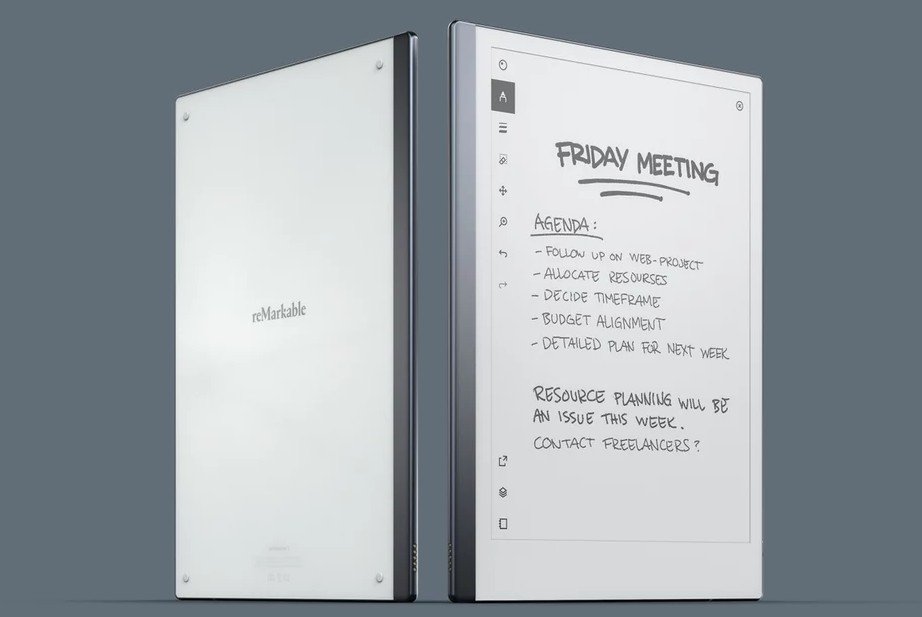
The main asset of this machine is indeed its capacitive E ink touch screen in black and white with a diagonal of 10.3 inches.
The screen has been improved thanks to the Canvas 2.0 system, which promises a faster refresh rate and better contrast.
However, the resolution remains the same with 1872 × 1404 pixels (226 pixels per inch).
Here are all the technical specifications:
10.3-inch E Ink Canvas 2.0 screen
touch screen
dual-core processor at 1.2 Ghz
stylus
1 GB RAM memory
8 GB of memory for storage
USB-C port
3,000 mAh battery (the e-reader should be able to stay on standby for about 3 months)
Wifi
weight: 403 grams
dimensions: 188 × 246 × 4.7 mm
In terms of differences with the first machine we find in addition to a more powerful screen, a faster processor, more RAM and a larger battery that promises about 2 weeks of autonomy. The reMarkable 2 is also about 1/3 thinner.
Overall, this machine is more attractive since its design has also been revised. We note, for example, the removal of physical buttons.
Software on the reMarkable 2
We remember the difficult beginnings of the first reMarkable as far as reading is concerned.
But, with the latest updates, we must admit that things are working better.
This new version uses the same software and will not disconcert those who are used to the first machine.
You have access to your notebook and you can consult PDF and EPUB files.
Overall, the software does the basics and does not offer several applications for one task.
So, if you want to read your ebooks on the reMarkable 2, you will have to use the software provided for this purpose.
The advantage is that the machine is very easy to use and allows you to be more productive. The problem is that if we don’t like the default application, we will have to stay with it.
This is also the case with e-readers. But, e-readers are designed specifically for reading, while this reMarkable 2 is more comfortable with note taking (see the paragraph on EPUB ebooks below).
There is an option that allows the machine to recognize your handwriting and transform it into typographical characters.
This reMarkable 2 follows the same path as its sister: it is first and foremost a tool for working and not for reading.
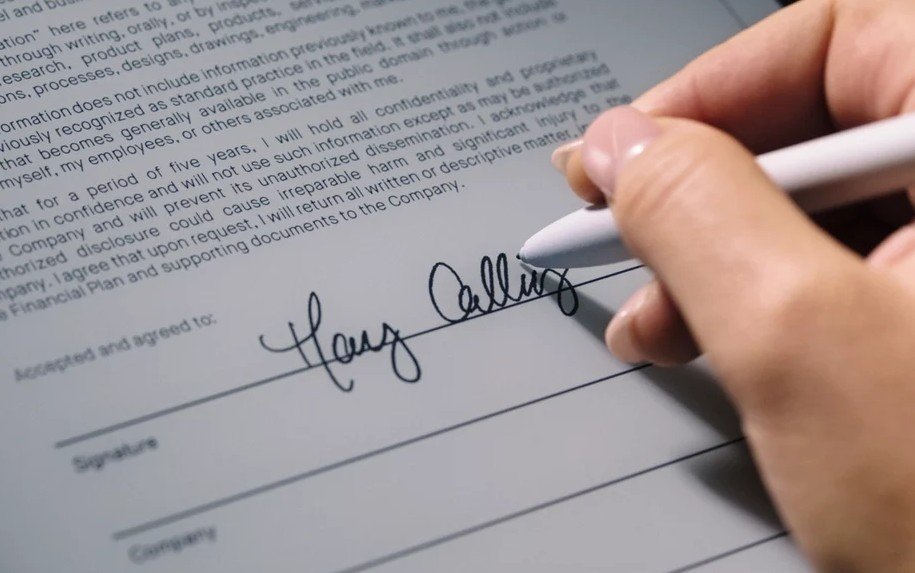
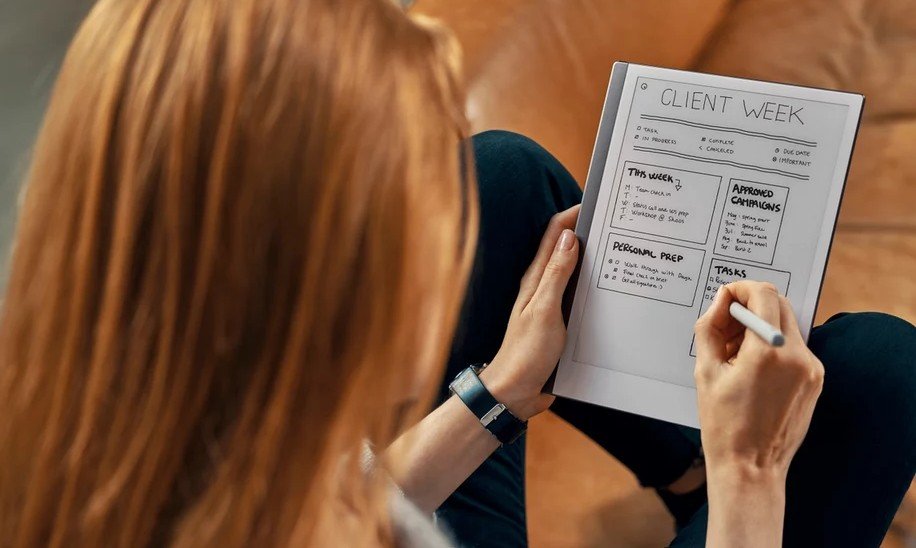
The objective of this machine is to offer a device that allows you to annotate and work directly on your PDF and EPUB documents.
In this respect, the application that allows you to take notes in a free way, like in a notebook, seems very efficient and responsive. You can choose the style of line (felt-tip, pen, pencil), its size and the level of gray to use for writing.
We note a disappointment: it is necessary to go through a special software to be installed on its computer to access the internal memory of the reader reMarkable 2 and to deposit documents.
Two styluses are better than one?
As the machine is designed for typing, it is interesting to take a closer look at the stylus offered with the reMarkable 2.
Or should I say pens, since it comes in two versions: a classic version and a so-called "Pro" version (and more expensive) with an eraser that we imagine to be quite practical.
In both cases, the pen seems to be perfectly functional and offers no less than 4096 pressure levels.
You can also tilt the pen to obtain a different writing style.
Great care has been taken with the stylus and it is possible to replace the "leads" which will tend to wear out if you use this machine a lot.
If you plan to use the pen a lot, you will have to buy the more expensive version which also contains an eraser. It will still be possible to erase with the simple version, but you will have to change the "brush" in the software, as you do today with Paint or Photoshop.
Epub only
It goes without saying that the reMarkable 2 is still lacking in terms of supported formats for reading ebooks.
In addition to PDF, only EPUB can be used on the reMarkable 2.
The reader does not support EPUB protected with Adobe DRM either. So you won’t be able to read your Kobo or Bookeen ebooks on it.
The e-reader offers some reading customization options:
6 font sizes
6 fonts
2 text justification options
3 sizes of margins
3 different spaces between lines
It’s not much, but it should be enough for most uses.
The very good news is that you can intervene on the EPUB ebook with the stylus like on a PDF: you can underline words, cross them out, add small handwritten notes, etc.
I think that proofreaders and editors of manuscripts and texts will find this a very interesting use.
ReMarkable 2: a disappointing subscription system
If technically the reMarkable 2 seems to be up to scratch, one marketing aspect is very bad: the reader is sold with a paid subscription to access some features.
If you buy a ReMarkable 2 today, these features will no longer be available:
storage of notes in the cloud
integration with Google Drive
integration with Dropbox
handwriting recognition
Screen Share
Conclusion
There is an undeniable evolution that shows that the reMarkable 2 is very interesting for certain uses.
People who do a lot of proofreading or editing should find it a great tool.
But, readers who just want to read a good book on their couch on a 10.3 inch e-ink screen will probably be frustrated by the lack of options. I’d recommend a Kobo Elipsa or Kindle Scribe instead if they want a large e-reader.
All this probably explains the success of this machine: by addressing a small community, they have created a product that fills 100% of an obvious need.
I find this reMarkable 2 very interesting for this precise use: note taking and document correction.
Unfortunately, the subscription system makes it very disappointing since you will have to pay a few euros each month to enjoy all the features.
At this price, we will probably prefer to turn to a competing machine like the Kindle Scribe or the Kobo Elipsa!
The two cheapest e-readers in the Kindle range both offer very good reading experiences. Yet, there are some notable differences between these two e-readers. So, should you buy a Kindle e-reader or a Kindle Paperwhite e-reader?
Welcome to our comprehensive guide to the world of e-readers! On this page, I've meticulously examined the latest devices on the market to help you navigate through the clutter and find the best one for YOU.
> ✅ On this website, you'll find comprehensive reviews based on our hands-on experience with each e-reader (that is why you won't find every e-reader reviewed here).
> ☑️ We partner with manufacturers and retailers to bring you in-depth reviews of the latest e-readers, often keeping the review units in our collection.
You can find all the e-reader reviews published on the site on this page:
The best e-reader brands: Kindle, Kobo, Pocketbook and Nook
If you are looking at this page, it means that you are interested in buying a e-reader or that you want to know more about the different models available and the different brands.
There are a few brands of e-readers available in the USA. If you want to buy a e-reader, here are the brands you should choose:
Kobo , such as the Kobo Nia, the Kobo Libra 2 or the Kobo Clara 2E
Kindle, the e-readers of this brand are exclusive to Amazon such as the Kindle Paperwhite, the Kindle Oasis or the Kindle Scribe
Pocketbook, like the Pocketbook Verse, Verse Pro, the Pocketbook Inkpad Color 3 or the InkPad 4
Ebooks (electronic books) are cheaper than paper books
You can hold a e-reader with one hand
The fonts can be very large which is useful for people with vision problems
You can carry thousands of books in one device
etc
If you want to know all the advantages of using a e-reader to read, you can check this article: top reasons to use a e-reader to read ebooks.
In addition to visually impaired people who need large characters to read (and therefore a reader), we can also use a font like OpenDyslexic which should allow dyslexic people to read more easily on a reader than on a paper book.
It is not necessarily a miracle solution, but it has proven itself in many cases. So you can try it!
However, you don't have to read exclusively on a e-reader.
I think that e-readers can't replace paper reading. But, the two are perfectly complementary. So, I have collections of paper books that I don't have on e-reader. See also : https://world-of-ereader.com/ebook-vs-paper-book.html.
But if I want to take something to read on a trip or on the subway, bus or train, it's much easier to carry a 6-inch e-reader, which is thin, light and takes up less space than a paper book.
The other advantage of the e-reader is that you can access classic literature for free. The texts in the public domain are available for download for e-reader without having to pay money.
So, if you like classic authors, you should invest in a e-reader. Even if you pay $150 for your e-reader, you'll pay back your investment very quickly with the free books you read.
If you read a lot, you can also turn to unlimited reading subscriptions. For example, you have the Kindle subscription for Amazon e-readers. For about $10 per month, you will have access to thousands of digital books for download. If you really read a lot, this can again quickly pay off.
What criteria should you use to choose your e-reader?
Now that you know more, you may want to buy a e-reader But first, you need to ask yourself the right questions to make sure you're making the right choice.
Don't forget that you can check out the complete and detailed e-reader buying guide.
Here are some criteria you can take into account when choosing your e-reader:
Price: what budget do you have? You can have a good e-reader for $129,99 and an exceptional model for more than $200. But you can also start from $99,99.
Screen size: e-reader screen sizes start at 6 inches, but you can go up to 10 inches. A 6-inch e-reader is more portable, but an 8-inch e-reader offers more reading comfort.
Lighting: Many e-readers have lighting for reading at night. The latest e-readers even have a blue light filter.
Text-to-speech: if you want to try text-to-speech, you should know that very few e-readers can read text!
Waterproof: do you read a lot by the pool or in the square? Then you should consider waterproof readers, which are more expensive but more solid.
Color: e-readers with color screens are available, although these models are still expensive and few in number. There is the Pocketbook Inkpad Color 3 for example which is available in the US.
If e-reader sales are down, how come readers are still reading digital books?
It seems that studies show that digital book sales are doing well (globally). So people are still using a digital device to read ebooks.
These devices can be: e-reader, tablet or smartphone.
So, these three devices are suitable for reading books even if it is obvious that the e-reader is largely superior because of its electronic ink screen which allows a display close to the paper which is ideal to read for hours on a screen.
But, the readers for assiduous could be satisfied with a smartphone or a tablet. Especially since these two devices can display color. If color is useless for novels and mangas, it is important for reading comics or magazines.
Is this the end of the e-reader?
The study presented above is very pessimistic for the e-reader. Indeed, everything seems to indicate that people will buy less and less e-readers to read ebooks.
Will people settle for paper, smartphones or tablets to read? I’m not sure.
First of all, we have to put e-reader sales in perspective.
On the one hand, the pandemic has allowed many people to buy e-readers. The e-reader has the advantage of allowing the purchase of books without having to leave home. It was a big plus for the security of people during this difficult time (especially since some countries have chosen to close bookstores).
If you bought a reading device 2 or 3 years ago, you don’t need to buy it again today. E-readers are very durable devices that don’t need to be replaced on a regular basis – unlike a smartphone that starts to malfunction and is outdated 3 to 4 years after its purchase.
Then, a technological transition begins with the arrival of new generation color e-readers, like the Pocketbook Viva.
If these new reading machines live up to their promise, comic book readers could jump on them to finally properly consume their favorite albums with as much ease as novel readers.
Sales could then pick up again in a few years.
Why people are buying less e-readers: my conclusion
People are buying less e-readers because of a too slow technological evolution of the machines which do not impose a regular renewal.
If today I read every day (or almost every day) with my Kobo Libra 2, my old Kindle Paperwhite and its 6 inch screen still do the job. I might as well keep reading with my Pocketbook Touch Lux 5 which is still excellent and reliable.
So, people who are already equipped with e-readers don’t renew their equipment as quickly as they do with smartphones (or tablets). So it’s hard to compare this market to the smartphone market.
But that’s not all: many new readers (the younger ones) are starting to read digitally with their smartphone. These devices are equipped with 5 inch screens (and sometimes more) which allows to read in better conditions than 4 or 5 years ago.
If some people will switch to e-readers for their visual comfort (and to limit fatigue), we can imagine that others will keep this habit and continue to read on their smartphone.
The decline in e-reader sales may therefore be temporary and does not herald the end of digital reading. On the contrary, I think more and more people are starting to read every day on an electronic device.
Around me, more and more people (of all ages) are reading on iPads, smartphones or e-readers.
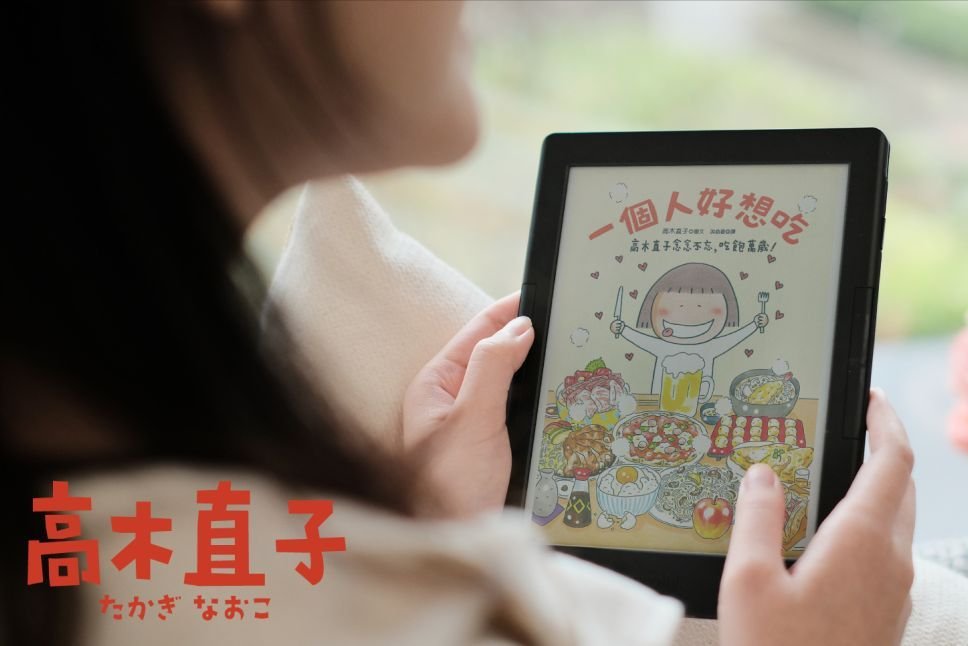
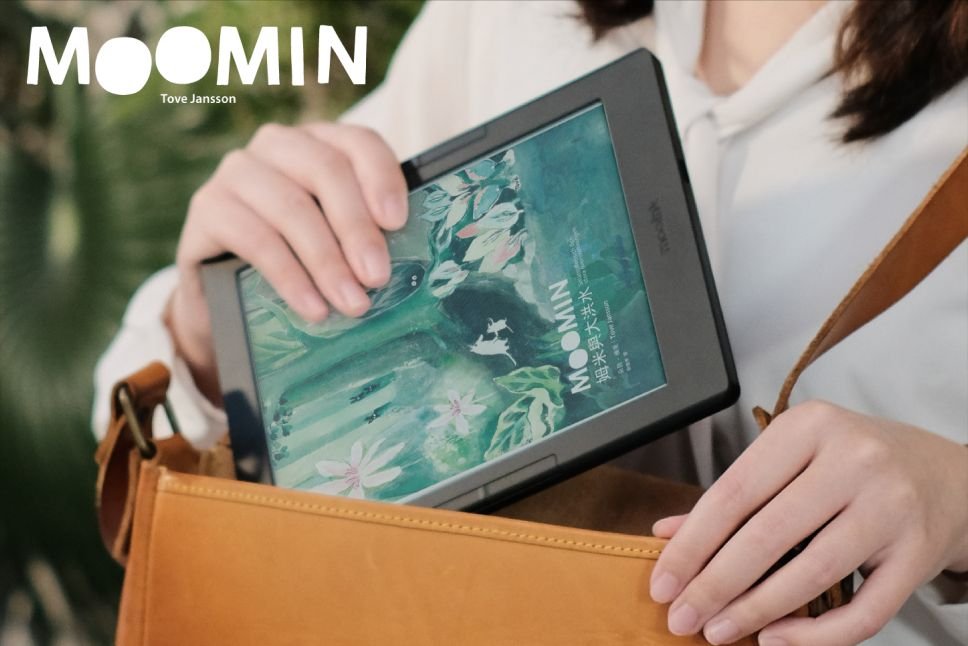
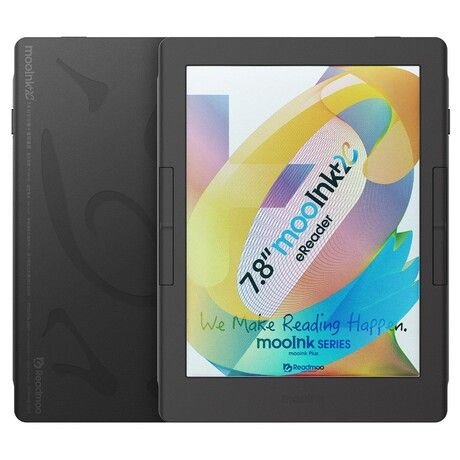
The Readmoo MooInk Plus 2C will be the first color e-reader to be equipped with the famous Kaleido 3 color screen that has been expected for almost a year. So was it really worth the wait?
The Kaleido 3 color display technology had become the talk of the town in terms of color display technology for e-readers.
Long announced and presented to the press, the Kaleido 3 screen is the second evolution of the Kaleido E Ink color screens.
Namely: the Pocketbook Color is equipped with an E Ink Kaleido 1 screen. And the Pocketbook InkPad Color is equipped with a Kaleido Plus screen (2nd generation).
This Readmoo MooInk Plus 2C reader will finally offer a Kaleido 3 screen with a diagonal of 7.8 inches that will seriously overshadow the Pocketbook InkPad Color.
However, we shouldn’t get too excited. First of all, it’s a reading device designed by a rather obscure Asian company: Readmoo. Secondly, it is reserved for the Asian market. So you won’t see it on the shelves in Europe and you’ll have to import it to get it.
That being said, we have reasons to be happy. Indeed, Kaleido 3 technology is quite promising for color e-readers. Here are the new features brought by Kaleido 3 (this is a company release):
30% more vivid colors than the Kaleido 2/Plus version
A lighting technology called E Ink ComfortGaze that promises a significant decrease in blue light emission
A diagonal available in 7.8 inches but also 10.3 and 13.3 inches
Display of 4096 colors
We will have more realistic colors, better lighting and the possibility of having larger diagonals on a color machine.
The technical specifications of the Readmoo MooInk Plus 2C e-reader also tell us that this 7.8 inch screen comes with a resolution of :
1404 x 1872 pixels in black and white
702 x 936 pixels with colors
The number of displayable color pixels is therefore less than on a classic black and white e-reader, but the combination of color and black and white should make it widely usable.
Here are the rest of the specifications of this Readmoo MooInk Plus 2C e-reader:
Screen E Ink Kaleido 3 7.8 inches (1404 x 1872 pixels in black and white / 702 x 936 pixels with colors)
Touchscreen
Lighting with ComfortGaze technology to reduce blue light by 60%.
1.8 Ghz processor
2 GB RAM memory
128 GB of storage for files
2050 mAh battery
Wifi
Bluetooth 5.2
USB type-C
Weight: 280 grams
Information about the operating system is not disclosed and this machine is announced for April 2023 (in China) at a price of about $500.
Note that if you order it on an e-commerce platform, you may have to add extra costs for shipping or taxes.
If I’m not thrilled with this Readmoo MooInk Plus 2C e-reader, it’s not because of its technical specifications or its screen technology.
It’s more because of its lack of official availability in the US and its interface which will only be in English and some local languages (Cangjie, Instant, Zhuyin, Pinyin).
In itself, this release is a very good thing since this reader will finally allow us to know more about this long awaited Kaleido 3 color screen !
Will it finally be possible to read comics and comic books in good conditions? It’s hard to say, even if the photos communicated by the brand are promising.
We’ll also have to keep a close eye on the comparisons with the new Pocketbook Viva reader, which should be available soon.
This Pocketbook Viva also offers a new color screen, but this time with a different and equally promising electronic ink technology: a Gallery 3 type screen.
So, this spring will be very interesting for everything that concerns digital reading and ereaders with color screens!
After the sneaky release of the TCL NXTPAPER 10S tablet and its color screen adapted to reading, the company TCL is back with a new version with a new color screen: the TCL NXTPAPER 11.
On paper, the TCL NXTPAPER tablets have everything to convince: we have a large color screen (10 inches and more) capable of displaying both text and color while remaining pleasant for the eyes.
But in practice, we found that the result was not as good as expected when it came to reading. If the experience was correct indoors, it was quite different outdoors where the Kaleido e-ink screen technology remained superior.
Nevertheless, TCL has chosen to persevere by proposing an evolution of its technology with an improved screen called NXTPAPER 2.0 which will come to equip the Android tablet TCL NXTPAPER 11 next May for a price close to $300.
This evolution comes to correct some problems encountered with notably a reinforced luminosity which works in conjunction with a sensor of luminosity which will come to adjust the lighting according to the light conditions.
The objective is to find the best possible setting to allow reading in all conditions, which should improve the readability of the screen outdoors.
Here are the technical specifications of this TCL NXTPAPER 11 tablet:
NXTPAPER 2.0 screen of 10.95 inches with a resolution of 2000 x 1200 pixels
Lighting
Tactile (with pen support on more than 400 pressure levels)
MediaTek Helio P60T processor
4 GB of RAM
128 GB of storage
Speakers
Bluetooth 5.0
Wifi 5
Micro
8000 mAh battery
USB-C
Support for micro-SD cards
Cameras (front and rear) of 8 MP
Android 13
Dimensions of 163.3 mm x 6.9mm
Weight: 462 grams
We are therefore facing a real Android tablet (version 13) that will allow the addition of entertainment and reading applications, such as Kindle, Kobo or Pocketbook.
However, we do not know much about the performance of this new color screen. And, as is often the case with this kind of technological iteration, there shouldn’t be much difference with the previous version.
What will be interesting to see is the difference in color rendering between this TCL NXTPAPER tablet, the Readmoo MooInk Plus 2C and the Pocketbook Viva. Two color e-reader avaible in 2023.
Indeed, these three machines are equipped with a different color screen:
The match is likely to be close and it is likely that once again the E Ink Kaleido 3 or Gallery 3 screen technology will come out on top in this comparison.
The TCL NXTPAPER 11 tablet is expected to be available in May in Asia and possibly in USA and Europe for a price of around $300 (probably slightly less).