News

Ereader news from all over the world!

  • Kindle Scribe: not that great…

    Kindle Scribe

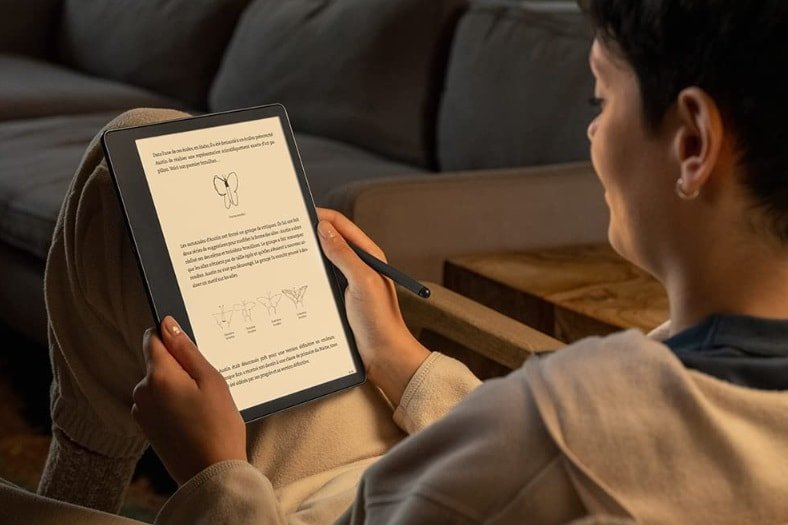
    It was bound to happen: Amazon is also launching a large-format e-reader with a note-taking function with the Kindle Scribe and its large 10.2-inch screen.

    (more…)
  • E-reader Trends for 2023

    The year 2022 has been rich in new hardware (Kobo Clara 2E and new Kindle to name a few) and the year 2023 also promises some nice things. The opportunity to see what we can expect as new readers…

    (more…)
  • ReMarkable 2 reader: the tablet that imitates paper is very expensive!

    reMarkable 2 reader

    After months of waiting, people who ordered the reMarkable 2 reading device will finally receive it. It’s the opportunity to see what this machine offers and if lessons have been learned from the first version.

    The reMarkable 2 was one of the most anticipated e-readers of the year 2020.

    With its large format and its stylus, it promises much broader uses than simply reading ebooks.

    However, the business was not going well. After a successful crowdfunding campaign, the company had trouble communicating about the repeated delays in the production of the reMarkable 2.

    Technical specifications of the reMarkable 2

    reMarkable 2 reader

    The main asset of this machine is indeed its capacitive E ink touch screen in black and white with a diagonal of 10.3 inches.

    The screen has been improved thanks to the Canvas 2.0 system, which promises a faster refresh rate and better contrast.

    However, the resolution remains the same with 1872 × 1404 pixels (226 pixels per inch).

    Here are all the technical specifications:

    • 10.3-inch E Ink Canvas 2.0 screen
    • touch screen
    • dual-core processor at 1.2 Ghz
    • stylus
    • 1 GB RAM memory
    • 8 GB of memory for storage
    • USB-C port
    • 3,000 mAh battery (the e-reader should be able to stay on standby for about 3 months)
    • Wifi
    • weight: 403 grams
    • dimensions: 188 × 246 × 4.7 mm

    In terms of differences with the first machine we find in addition to a more powerful screen, a faster processor, more RAM and a larger battery that promises about 2 weeks of autonomy. The reMarkable 2 is also about 1/3 thinner.

    Overall, this machine is more attractive since its design has also been revised. We note, for example, the removal of physical buttons.

    Software on the reMarkable 2

    reMarkable 2 reader

    We remember the difficult beginnings of the first reMarkable as far as reading is concerned.

    But, with the latest updates, we must admit that things are working better.

    This new version uses the same software and will not disconcert those who are used to the first machine.

    You have access to your notebook and you can consult PDF and EPUB files.

    Overall, the software does the basics and does not offer several applications for one task.

    So, if you want to read your ebooks on the reMarkable 2, you will have to use the software provided for this purpose.

    The advantage is that the machine is very easy to use and allows you to be more productive. The problem is that if we don’t like the default application, we will have to stay with it.

    This is also the case with e-readers. But, e-readers are designed specifically for reading, while this reMarkable 2 is more comfortable with note taking (see the paragraph on EPUB ebooks below).

    There is an option that allows the machine to recognize your handwriting and transform it into typographical characters.

    This reMarkable 2 follows the same path as its sister: it is first and foremost a tool for working and not for reading.

    The objective of this machine is to offer a device that allows you to annotate and work directly on your PDF and EPUB documents.

    In this respect, the application that allows you to take notes in a free way, like in a notebook, seems very efficient and responsive. You can choose the style of line (felt-tip, pen, pencil), its size and the level of gray to use for writing.

    We note a disappointment: it is necessary to go through a special software to be installed on its computer to access the internal memory of the reader reMarkable 2 and to deposit documents.

    See also : best alternatives to the reMarkable

    Two styluses are better than one?

    reMarkable 2 reader

    As the machine is designed for typing, it is interesting to take a closer look at the stylus offered with the reMarkable 2.

    Or should I say pens, since it comes in two versions: a classic version and a so-called “Pro” version (and more expensive) with an eraser that we imagine to be quite practical.

    In both cases, the pen seems to be perfectly functional and offers no less than 4096 pressure levels.

    You can also tilt the pen to obtain a different writing style.

    Great care has been taken with the stylus and it is possible to replace the “leads” which will tend to wear out if you use this machine a lot.

    If you plan to use the pen a lot, you will have to buy the more expensive version which also contains an eraser. It will still be possible to erase with the simple version, but you will have to change the “brush” in the software, as you do today with Paint or Photoshop.

    Epub only

    It goes without saying that the reMarkable 2 is still lacking in terms of supported formats for reading ebooks.

    In addition to PDF, only EPUB can be used on the reMarkable 2.

    The reader does not support EPUB protected with Adobe DRM either. So you won’t be able to read your Kobo or Bookeen ebooks on it.

    The e-reader offers some reading customization options:

    • 6 font sizes
    • 6 fonts
    • 2 text justification options
    • 3 sizes of margins
    • 3 different spaces between lines

    It’s not much, but it should be enough for most uses.

    The very good news is that you can intervene on the EPUB ebook with the stylus like on a PDF: you can underline words, cross them out, add small handwritten notes, etc.

    I think that proofreaders and editors of manuscripts and texts will find this a very interesting use.

    ReMarkable 2: a disappointing subscription system

    reMarkable 2 reader

    If technically the reMarkable 2 seems to be up to scratch, one marketing aspect is very bad: the reader is sold with a paid subscription to access some features.

    If you buy a ReMarkable 2 today, these features will no longer be available:

    • storage of notes in the cloud
    • integration with Google Drive
    • integration with Dropbox
    • handwriting recognition
    • Screen Share

    Conclusion

    reMarkable 2 reader

    There is an undeniable evolution that shows that the reMarkable 2 is very interesting for certain uses.

    People who do a lot of proofreading or editing should find it a great tool.

    But, readers who just want to read a good book on their couch on a 10.3 inch e-ink screen will probably be frustrated by the lack of options. I’d recommend a Kobo Elipsa or Kindle Scribe instead if they want a large e-reader.

    All this probably explains the success of this machine: by addressing a small community, they have created a product that fills 100% of an obvious need.

    I find this reMarkable 2 very interesting for this precise use: note taking and document correction.

    Unfortunately, the subscription system makes it very disappointing since you will have to pay a few euros each month to enjoy all the features.

    At this price, we will probably prefer to turn to a competing machine like the Kindle Scribe or the Kobo Elipsa!

    The website : https://remarkable.com/store/remarkable-2

  • Kindle or Kindle Paperwhite? How to choose wisely?

    kindle or kindle paperwhite

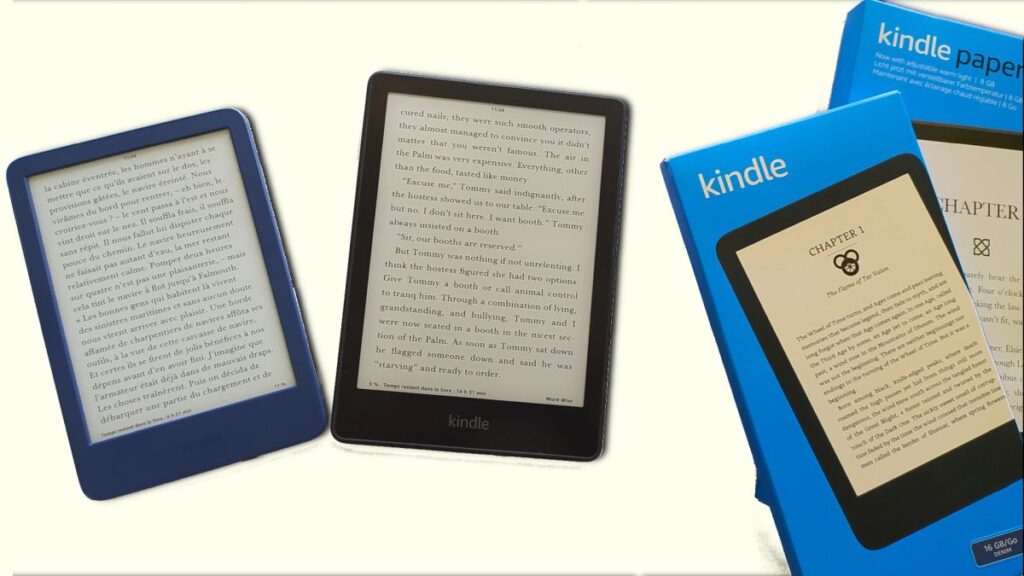
    The two cheapest e-readers in the Kindle range both offer very good reading experiences. Yet, there are some notable differences between these two e-readers. So, should you buy a Kindle e-reader or a Kindle Paperwhite e-reader?

    (more…)
  • 27 E-Readers Reviewed: Discover the Hidden Gems & Total Flops of 2025 – redirigée

    ereader review

    Welcome to our comprehensive guide to the world of e-readers! On this page, I've meticulously examined the latest devices on the market to help you navigate through the clutter and find the best one for YOU.

    > ✅ On this website, you'll find comprehensive reviews based on our hands-on experience with each e-reader (that is why you won't find every e-reader reviewed here).

    > ☑️ We partner with manufacturers and retailers to bring you in-depth reviews of the latest e-readers, often keeping the review units in our collection.

    You can find all the e-reader reviews published on the site on this page:

    1. Kindle Colorsoft (16GB) (reviewed in 2025)
    2. Paperslate (reviewed in 2025)
    3. Bigme HiBreak Pro (reviewed in 2025) not an e-reader, but a smartphone with an E Ink screen
    4. Pocketbook Verse Light (reviewed in 2025)
    5. Boox Palma 2 (reviewed in 2025)
    6. Kindle Paperwhite (reviewed in 2024 – new version)
    7. Kindle (reviewed in 2024 – new version)
    8. Pocketbook InkPad Color 3 (reviewed in 2024)
    9. Onyx Boox Go 6 (reviewed in 2024)
    10. Pocketbook Verse Pro Color (reviewed in 2024)
    11. Onyx Boox Go Color 7 (reviewed in 2024)
    12. Onyx Boox Note Air3 C (reviewed in 2024)
    13. Kobo Libra Colour (reviewed in 2024)
    14. Kobo Clara Colour (reviewed in 2024)
    15. Bigme S6 Color+ (reviewed in 2024)
    16. Pocketbook Verse Pro (reviewed in 2023)
    17. Pocketbook Verse (reviewed in 2023)
    18. Pocketbook InkPad 4 (reviewed in 2023)

    Old e-readers

    1. Woxter Scriba 195 S (clone of Y-Ben Mini) review (reviewed in 2023)
    2. Kobo Clara 2E (reviewed in 2022)
    3. Kobo Nia (reviewed in 2020)
    4. Kobo Libra 2 (reviewed in 2021)
    5. Kindle (reviewed in 2022)
    6. Kindle Paperwhite 6.8 inch (reviewed in 2021)
    7. Meebook P78 Pro (reviewed in 2022)

    Best guides about e-readers

    best ereader reviews

    You will be able to find all the guides published on the site and the Youtube channel on this page:

    The best e-readers

    The site offers many contents and guides that will help you find your way among the many models available from Kobo, Kindle, Nook or Pocketbook.

    In order to help you as soon as possible, we have made a selection of the best articles on e-readers:

    • Kobo e-reader : comparison and guide of Kobo e-readers
    • Kindle e-reader : guide and comparison of Kindle e-readers
    • Pocketbook e-reader : guides of Pocketbook e-reader models
    • Free audiobooks : download free audiobooks
    • Download free ebooks : all the good addresses to download free ebooks – see also this video on how to download free books

    If you're not sure which brand of e-reader to choose, you can check out our guide that shows you the differences between Kobo and Kindle to make the right choice.

    You should also have a look at this page : KOBO vs KINDLE vs POCKETBOOK vs NOOK: how to CHOOSE?

    The best e-reader brands: Kindle, Kobo, Pocketbook and Nook

    If you are looking at this page, it means that you are interested in buying a e-reader or that you want to know more about the different models available and the different brands.

    There are a few brands of e-readers available in the USA. If you want to buy a e-reader, here are the brands you should choose:

    • Kobo , such as the Kobo Nia, the Kobo Libra 2 or the Kobo Clara 2E
    • Kindle, the e-readers of this brand are exclusive to Amazon such as the Kindle Paperwhite, the Kindle Oasis or the Kindle Scribe
    • Pocketbook, like the Pocketbook Verse, Verse Pro, the Pocketbook Inkpad Color 3 or the InkPad 4
    • Nook, an e-reader brand by Barnes & Nobles

    In the USA, the most popular e-reader brands are Kindle (Amazon), Kobo, Nook and Pocketbook. You should also have a look at this page : KOBO vs KINDLE vs POCKETBOOK vs NOOK: how to CHOOSE?

    Ereader or printed book: pros and cons

    e-reader synthwave

    E-readers are electronic devices, and it may not necessarily seem worthwhile to use an e-reader to read instead of a book.

    But, there are many advantages to reading on e-readers:

    • Ebooks (electronic books) are cheaper than paper books
    • You can hold a e-reader with one hand
    • The fonts can be very large which is useful for people with vision problems
    • You can carry thousands of books in one device
    • etc

    If you want to know all the advantages of using a e-reader to read, you can check this article: top reasons to use a e-reader to read ebooks.

    In addition to visually impaired people who need large characters to read (and therefore a reader), we can also use a font like OpenDyslexic which should allow dyslexic people to read more easily on a reader than on a paper book.

    It is not necessarily a miracle solution, but it has proven itself in many cases. So you can try it!

    However, you don't have to read exclusively on a e-reader.

    I think that e-readers can't replace paper reading. But, the two are perfectly complementary. So, I have collections of paper books that I don't have on e-reader. See also : https://world-of-ereader.com/ebook-vs-paper-book.html.

    But if I want to take something to read on a trip or on the subway, bus or train, it's much easier to carry a 6-inch e-reader, which is thin, light and takes up less space than a paper book.

    The other advantage of the e-reader is that you can access classic literature for free. The texts in the public domain are available for download for e-reader without having to pay money.

    See this page if you want to download free ebooks: Download free ebook, comics and audio books on the Internet

    So, if you like classic authors, you should invest in a e-reader. Even if you pay $150 for your e-reader, you'll pay back your investment very quickly with the free books you read.

    If you read a lot, you can also turn to unlimited reading subscriptions. For example, you have the Kindle subscription for Amazon e-readers. For about $10 per month, you will have access to thousands of digital books for download. If you really read a lot, this can again quickly pay off.

    You can access every articles of the websites here.

    What criteria should you use to choose your e-reader?

    woman asking a question

    Now that you know more, you may want to buy a e-reader But first, you need to ask yourself the right questions to make sure you're making the right choice.

    Don't forget that you can check out the complete and detailed e-reader buying guide.

    Here are some criteria you can take into account when choosing your e-reader:

    Price: what budget do you have? You can have a good e-reader for $129,99 and an exceptional model for more than $200. But you can also start from $99,99.

    Screen size: e-reader screen sizes start at 6 inches, but you can go up to 10 inches. A 6-inch e-reader is more portable, but an 8-inch e-reader offers more reading comfort.

    Lighting: Many e-readers have lighting for reading at night. The latest e-readers even have a blue light filter.

    Text-to-speech: if you want to try text-to-speech, you should know that very few e-readers can read text!

    Waterproof: do you read a lot by the pool or in the square? Then you should consider waterproof readers, which are more expensive but more solid.

    Color: e-readers with color screens are available, although these models are still expensive and few in number. There is the Pocketbook Inkpad Color 3 for example which is available in the US.

  • E-reader sales on the decline (february 2023)

    After a very nice upturn during the pandemic, it seems that e-readers are selling less and less. At least, fewer people are buying new models.

    (more…)
  • Readmoo MooInk Plus 2C: a first color e-reader with Kaleido 3 screen

    The Readmoo MooInk Plus 2C will be the first color e-reader to be equipped with the famous Kaleido 3 color screen that has been expected for almost a year. So was it really worth the wait?

    (more…)
  • TCL NXTPAPER 11 : a new better version ?

    TCL NXTPAPER 11 color screen e-paper

    After the sneaky release of the TCL NXTPAPER 10S tablet and its color screen adapted to reading, the company TCL is back with a new version with a new color screen: the TCL NXTPAPER 11.

    (more…)
  • Kindle vs Kobo Nia : e-reader comparison

    Kindle vs kobo nia e-reader comparison

    We are lucky to have two e-readers sold for about $100: the Kobo Nia and the Kindle. So we can compare them and see which one is the best for you.

    (more…)
  • 4 cool and retro e-reader by Pocketbook

    While going back to the Pocketbook adventure, I came across some old models that were very interesting for their time. Here is a selection of e-reader models that had a short career and that have been sometimes forgotten.

    (more…)