News

Ereader news from all over the world!

  • reMarkable Paper Pro Move: Is It Worth the Price?

    reMarkable Paper Pro Move

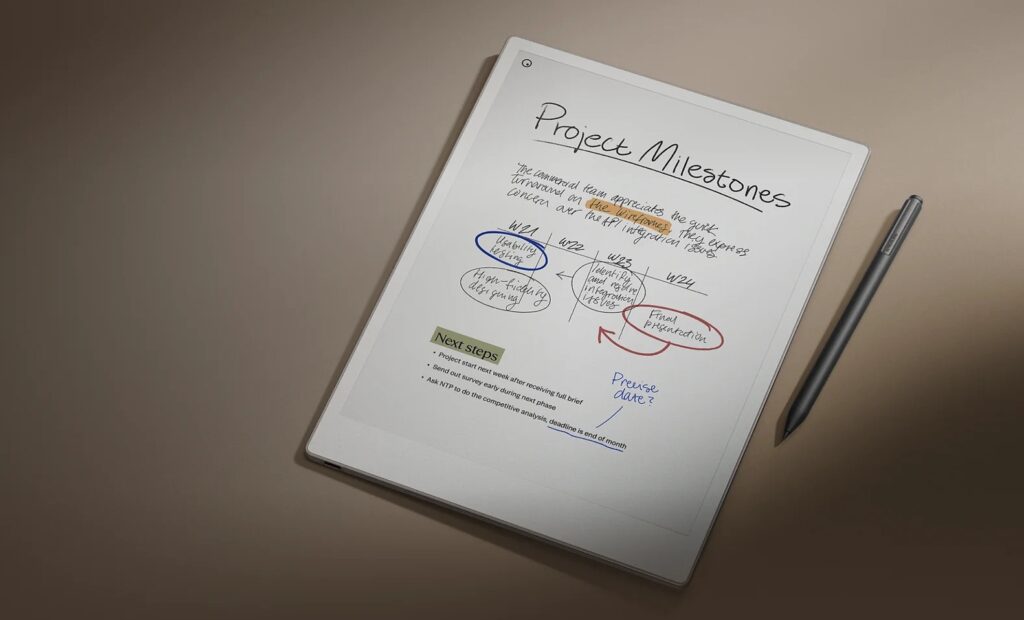
    The digital notebook brand reMarkable is back with an unexpected new product, the reMarkable Paper Pro Move, which comes as a more compact version of its color e-ink notebook.

    Introducing the reMarkable Paper Pro Move

    This is somewhat of a surprise that could shape the future of this type of device. After years of growth in screen size, smaller digital notebooks now seem to be the next trend.

    A first example of this shift is the reMarkable Paper Pro Move, which fits in your hand with its 7.3-inch diagonal screen, in a format close to that of a large smartphone.

    The display is labeled “Canva Color e-ink”, which appears to be reMarkable’s brand name for E Ink Gallery 3 color screens.

    Colors seem comparable to those of an e-reader using Kaleido 3 technology (though, judging by early videos, the results aren’t particularly convincing). What’s most interesting, however, is that the screen refreshes very quickly, making the color reMarkable devices surprisingly pleasant to use. Still, this type of optimization has also been mastered by other manufacturers, as we saw with the HiBreak Pro e-ink smartphone in my review.

    Inside the box, you’ll also find a USB charging cable, the stylus, and 6 spare nibs (since stylus nibs wear down, as with all pens of this kind).

    A New Work Tool?

    reMarkable Paper Pro Move

    The company presents this notebook as a new kind of work tool, one that doesn’t get in the way of your interactions. Unlike larger 10 inch devices, this one fits in your hand and aims to replace your trusty old paper notebook.

    Unlike paper, the reMarkable Paper Pro Move lets you search your notes (even handwritten ones) and, of course, convert handwriting to typed text.

    One important caveat: to unlock the full set of features, you’ll need to subscribe to a paid service costing $2.99 per month.

    This subscription gives you cloud storage for your notes and the ability to edit your documents from a smartphone, tablet, or computer with instant sync. In addition, subscribers get access to extra document and note templates.

    Reading eBooks: Best Avoided

    Even though the reMarkable Paper Pro Move is primarily a work tool for note-taking, it can also be used for reading.

    Your PDF files are fully supported and can be annotated. You can also read EPUB files, as long as they’re not DRM-protected (like those using Adobe DRM).

    By default (and without complicated file conversion) you cannot read Kobo, Pocketbook, or Kindle books on a reMarkable device. This severely limits its usefulness as an eBook reader (in my opinion).

    Given its price, if your main goal is reading eBooks, you’re better off with a dedicated e-reader. Not only is the price-to-performance ratio much better, but e-readers also support a wider range of formats.

    If you’re particularly interested in smartphone-sized e-ink devices, I recommend checking out my reviews of the Boox Palma 2 and the HiBreak Pro.

    Isn’t It a Bit Expensive?

    reMarkable Paper Pro Move

    With a price tag of $449, at a time when the competition is both strong and cheaper, one might wonder if reMarkable has gone too far this time.

    Time will tell if people are willing to pay this much for a work tool, especially since reMarkable requires a monthly subscription to access all its features.

    And if you want to protect your Paper Pro Move, you’ll need to spend an extra $69 for the Book Folio case. That brings the total to $519 for the base notebook and its case! What’s more, the base version only comes with the “Marker” stylus, which is a downgraded version of the “Marker Plus”.

    Despite my skepticism, I do think it’s a good idea that could open the way for more interesting digital notebooks in the future.

    Personally, I’d imagine something like the Boox Palma 2 (which already comes in a compact smartphone-like form), but with strong handwriting recognition, a good stylus, and an Android system. That would give us a versatile device (one that works for productivity, web browsing, and reading eBooks) while still fitting right in your pocket.

    See also : best alternatives to the reMarkable

    Website : https://remarkable.com

  • HiBreak Pro or Boox Palma 2?

    Comparison of the HiBreak Pro and the Boox Palma 2

    Here’s a comparison of the HiBreak Pro and the Boox Palma 2. Both are Android-based devices on which you can install apps, and both use an e ink screen in a compact, pocket-friendly format.

    To help you make your choice, I’ve made a video that shows the screens side by side:

    In the video, you can clearly see that the HiBreak Pro has a screen that responds much faster than the Boox Palma 2. It also delivers sharper text rendering (in the web browser) as well as better speed and accuracy (when playing a YouTube video).

    This is due to several factors:

    • The HiBreak Pro is significantly more expensive
    • The HiBreak Pro is more recent
    • The HiBreak Pro is technically more powerful

    Another key difference is that the HiBreak Pro is a full smartphone, capable of replacing both your eReader and your Android phone. Its ePaper display is also an advantage, as it is gentler on the eyes.

    On the other hand, the Boox Palma 2 has its own benefit: if your main use for such a device is reading, it’s a more affordable option that still works very well for web browsing and eBook reading.

    So the Boox Palma 2 remains a solid choice for that kind of use.

    For more details, you can read the full reviews of these devices on the following pages (which also include videos):

    See these devices on amazon.com:

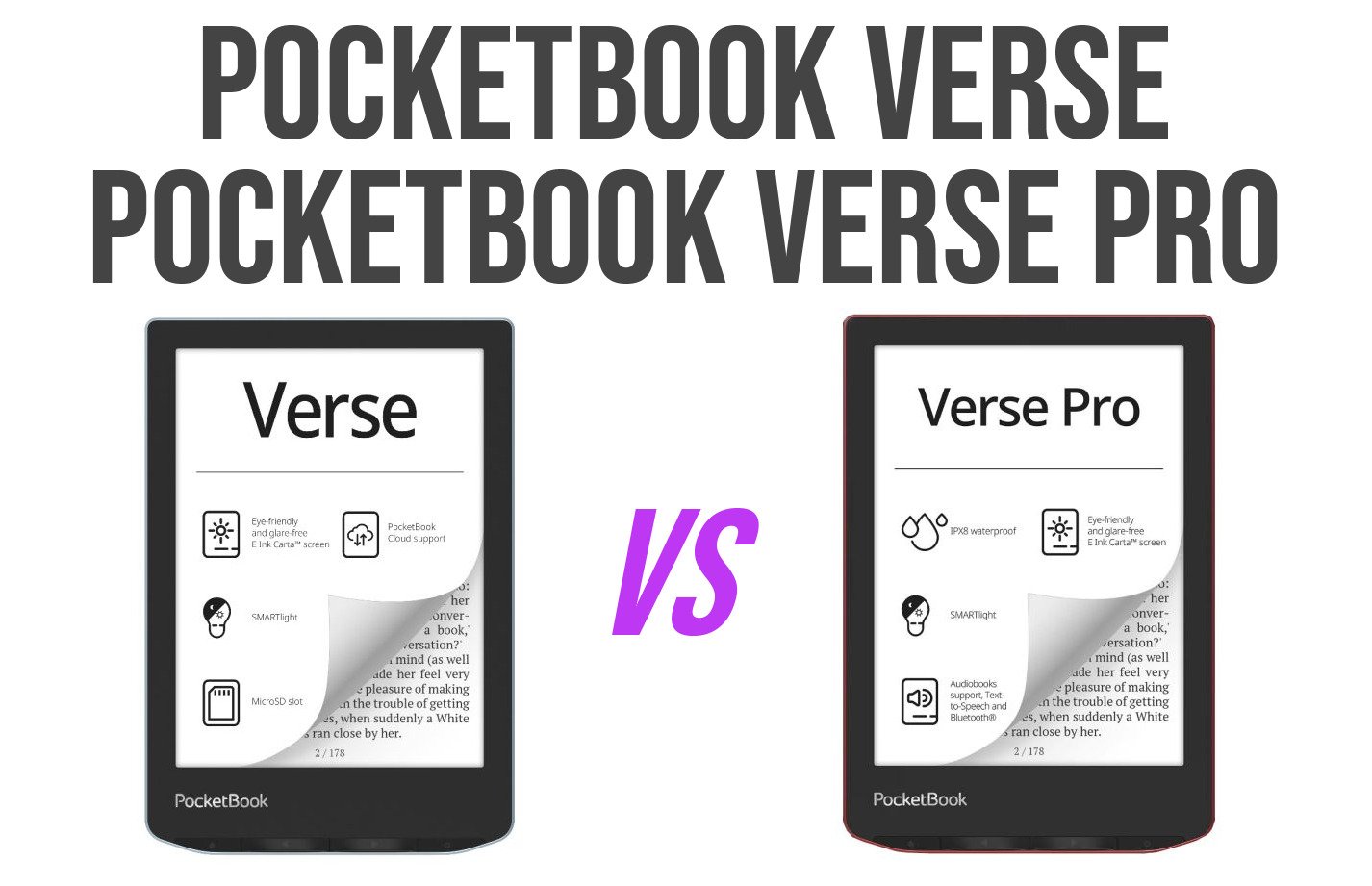
  • Pocketbook Verse Comparison: Which Black & White Model Is Right for You?

    Pocketbook Verse Comparison: Which Black & White Model Is Right for You?

    In this video, I take a close look at three black and white e-readers from Pocketbook’s Verse lineup. While they may look similar at first glance, each model has its own strengths and unique features. From screen quality to performance and overall value, I compare them side by side to help you figure out which one best suits your reading needs.

    (more…)
  • Kindle vs Pocketbook Verse Lite: Which eReader Should You Choose?

    Kindle vs Pocketbook Verse Lite

    In this video, I compare two popular e-readers: Amazon’s well-known Kindle and the Pocketbook Verse Lite, a lesser-known but intriguing alternative. From design and reading comfort to features and ecosystems, I break it all down to help you decide which device best fits your reading habits. If you’re on the fence between these two models, this video is for you!

    (more…)
  • Vivlio Light Zen: The Affordable French E-Reader Is Finally Here!

    Vivlio Light Zen : France exclusive e-reader

    Vivlio kicks off the summer with a remarkable and affordable 6-inch e-reader featuring an electronic ink display: the Vivlio Light Zen.

    The Vivlio Light Zen is priced at €109.99 (correction: it's available in France for just €99 at launch – see Vivlio’s official store) and focuses on the essentials:

    • a 6-inch electronic ink (E Ink) display that's gentler on the eyes than traditional screens,
    • a touchscreen interface,
    • built-in front lighting.

    To make digital reading more accessible to a wider audience, a few compromises were made: there are no physical page-turn buttons and no blue light filter.

    That said, you still get a generous 8 GB of internal storage, enough to carry thousands of eBooks with you.

    The product is smartly positioned in Vivlio’s lineup: for just €20 more, you can get the Vivlio Light, which adds physical buttons and a blue light filter. But that filter is only truly useful for those who read at night with the front light on. By cutting back on a few features to lower the price, Vivlio delivers a compelling e-reading solution for the masses.

    Considering the regular promotions available from partner retailers and Vivlio itself, the Vivlio Light Zen is the most affordable e-reader on the market in 2025—something that’s sure to make Kindle and Kobo a bit nervous.

    Needless to say, I’ll be ordering this e-reader (already available online) so I can bring you a full review soon (check out my other e-reader reviews here).

    Please note that this appears to be a France-exclusive e-reader, and it is based on a PocketBook device called the PocketBook Verse Lite (they are essentially the same). France is a strange market because PocketBook e-readers are banned in this country.

    Vivlio Light Zen : France exclusive e-reader

    In the meantime, here are the technical specifications of the Vivlio Light Zen:

    • Display size: 6" (15.24 cm)
    • Display type: E Ink Carta™
    • Resolution (grayscale): 758 × 1024 pixels
    • PPI (grayscale): 212
    • Color depth (grayscale): 16 levels
    • Touchscreen: Capacitive (multi-touch)
    • Front light: Yes (no blue light filter)
    • Processor: Dual Core (2×1 GHz)
    • RAM: 512 MB
    • Internal storage: 8 GB
    • Battery: 1000 mAh (Li-Ion Polymer)
    • Wi-Fi: 2.4 GHz
    • USB port: USB Type-C
    • Operating system: Linux 3.10.65
    • Supported eBook formats (no conversion): ACSM, AZW, AZW3, CBR, CBZ, CHM, DJVU, DOC, DOCX, EPUB, FB2, FB2.ZIP, HTM, HTML, MOBI, PDF, PRC, RTF, TXT
    • DRM-supported formats: Adobe DRM (EPUB, PDF), LCP DRM (EPUB)
    • Image formats: JPEG, BMP, PNG, TIFF
    • Dictionaries: 11 pre-installed language combinations + 42 more available for download
    • Dimensions: 108 × 156 × 7.6 mm
    • Weight: 170 g
    • Box contents: E-reader, USB Type-C cable, quick start guide
  • DOOM on a Pocketbook e-reader: The Tutorial

    pocketbook doom e-reader

    It had to happen eventually, and I’ve finally managed to play the video game DOOM on a Pocketbook e-reader. Plus, I’m explaining how to do it yourself on this page (and in this video).

    The video game DOOM was released in 1993 on personal computers (PC) and remains one of the best-known games. It has had many sequels.

    DOOM has been ported to a multitude of platforms for several key reasons. First, its immense popularity in the 90s created a strong demand for the game on all possible media.

    Secondly, its source code was made public, which allowed amateur and professional developers to adapt it to different architectures and operating systems.

    Finally, the idea of having DOOM playable everywhere, from PCs to game consoles, to calculators or even vending machines, has become a fun challenge for many, contributing to its exceptional distribution. So it was logical to see DOOM arrive on e-readers.

    So, to play DOOM you will have to use a Pocketbook e-reader.

    I relied on the PBDoom project available at this address but also on the availability of levels for the DOOM 2 game available on archive.org.

    So I created a small project available as a downloadable ZIP file.

    You can retrieve this file for FREE, which allows you to play DOOM on your Pocketbook e-reader, by subscribing to the site’s free newsletter (click here).

    Once registered, you will receive an email that will contain the download link.

    All you have to do is connect your Pocketbook e-reader to your computer to transfer the ZIP file you received to the “applications” folder.

    You must finally unzip it to obtain this file structure:

    pocketbook doome e-reader

    With in the pbdoom folder:

    pocketbook doom e-reader

    See this video if you want to see DOOM running on a Pocketbook e-reader:

  • A new Color Kindle in 2025?

    new color kindle 2025

    If you've been waiting for the release of a new color Kindle e-reader before buying one in 2025, you're in for a disappointment. Amazon doesn't look set to release a new e-reader before the end of the year!

    A New Color Kindle for 2025?

    According to a rumor reported by Bloomberg, Amazon might launch new high-end devices before the end of the year. Is an e-reader planned for the end of 2025?

    While the Bloomberg article mainly discusses Amazon's position in the voice assistant and AI sector, like "Alexa," Amazon typically approaches product development holistically and integrates them into its existing ecosystem.

    So, although the exact nature of these devices remains unknown, the Kindle Oasis being out of stock for many weeks (it's still unavailable) and the mixed success of the Kindle Colorsoft suggest that Amazon could finally release an affordable color e-reader.

    The idea of a new color Kindle, potentially with a 6-inch Kaleido 3 e-ink screen, sold for under $200 to compete with brands like Kobo, is very appealing.

    Of course, this is just a rumor, but the hope for a color Kindle e-reader at a finally accessible price for the holiday season is definitely present.

    And Amazon needs to react quickly. Because with compelling models, the competition is significant and well-positioned.

    Here are, for example, reviews of the latest color e-readers from competing brands:

    Currently, Amazon only offers the Kindle Colorsoft for almost $300!

    A price that's too high, even for a 7-inch color e-ink reader, when the competition offers just as much for much less.

    Will the Kindle Oasis be renewed in 2025?

    That leaves the Kindle Oasis, which may be replaced by a new model in 2025.

    The Kindle Oasis is still a very decent machine, but it seems a little dated today.

    In particular, its micro-USB charging port poses a problem, despite the fact that USB-C has become the standard for faster, more reliable e-reader searching over the past 2 years.

    The Kindle Oasis could also benefit from a new-generation e-ink screen with a faster refresh rate. But this gain would be marginal and hardly noticeable to the untrained user.

    So I don't think a new version of the Kindle Oasis will be announced this year, since Amazon's engineers seem to have concentrated on the Kindle Scribe and its software updates.

    But I could be wrong.

  • Nook Lagging Behind: Can Barnes & Noble Still Win with Their E-Readers?

    nook e-readers 2025

    For years, Nook e-readers have been on the American (and sometimes British) market. But for months, even years, now, their e-reader lineup has been falling behind. 2025 is looking particularly concerning, as there's only one two e-readers left in the Nook catalog.

    Barnes & Noble is a major player in the USA, with a huge chain of bookstores all across the country. So, it makes sense that the brand would have the resources to dominate the digital reading space. The Nook brand was created years ago, and it's seen its share of ups and downs.

    We remember when Nook released a groundbreaking e-reader back in 2012: it was the first one to have a front light, and it was really well-designed for e-ink screens.

    That same year, Nook signed a strategic partnership with Microsoft to expand in the digital reading sector.

    But then, just a year later, in 2013, Barnes & Noble announced they were ending the Nook e-readers! How do you explain that? It was a strategic shift to focus on print and their bookstore chain, rather than digital services, which were booming at the time…

    Since then, Barnes & Noble has relaunched their e-reader line, but you can't help but notice that it's still really underdeveloped, with only 2 e-readerw : a simple, effective, but basic one and a larger with 7.8" screen.

    Clearly, Nook is losing steam. It's easy to see, since the brand still hasn't launched, or even announced, a color e-reader model.

    While all the other players in the market have been offering color e-readers for months or even years, Nook is sticking to its guns and refusing to move forward.

    While it's not a sure thing that the Nook brand is doomed again, it seems pretty obvious that it's lagging behind, and its survival is in jeopardy if it doesn't innovate quickly.

  • Colibri: A New Open Source Alternative to Calibre

    Colibri: A New Open Source Alternative to Calibre

    Looking for an alternative to Calibre, the well-known ebook management software? Okay, first: why? But if you are, there's a new, equally free piece of software called Colibri.

    So, Colibri is a promising new open-source software option that might just win you over. Although still in active development, Colibri already offers features that will let you organize and enjoy your ebook collection, and even share it.

    Available for free and open source (the software is modifiable and hosted on Github), Colibri stands out with its features geared towards managing your ebook library online and making it accessible to everyone via the internet.

    Therefore, this is definitely a digital book management solution, but one focused on sharing, with features designed with that in mind:

    Simple Library Management: Easily import your ebooks, update their metadata, and enjoy a well-organized library, accessible from all your devices.

    Automatic Metadata Retrieval: Colibri automatically retrieves information about books, authors, and publishers from public databases. No more spending time manually filling in each field! (Something Calibre already offers)

    • Easy Search Integration: Colibri integrates search services to easily index and search for content within your library.
    • Seamless Passkey Authentication: Log in to Colibri using Windows Hello, Touch ID, Face ID, or other similar authenticators, thanks to Passkey technology.
    • Book Collections: Create themed collections to organize your books according to your preferences.
    • Colibri is designed to work online, so you'll need the technical skills to install it. It can be run on Docker, Cloudflare, Vercel, AWS, or directly on a Node.js server.

    Although the software is still under development, it already allows you to put an ebook library online, which would be ideal for family sharing or for smaller organizations, such as libraries or media centers, that want to make documents accessible.

    Another interesting use would be providing digital documents and professional documentation within a company.

    So, Colibri is a promising project that's worth keeping an eye on. It offers an interesting alternative to Calibre, with a more modern approach and increased online hosting flexibility. However, for use on a single computer, without sharing features, and total flexibility plus compatibility with e-readers, Calibre remains the gold standard and a must-have.

    You can find the software for download here: https://github.com/colibri-hq/colibri

  • Readmoo Announces Foldable E-Reader: is it a Fake?

    MooInk V readmoo

    Taiwanese company Readmoo is making waves with the announcement of their upcoming MooInk V, a foldable e-reader co-developed with E Ink.

    Featuring an 8" E Ink Gallery 3 screen that bends in the middle for ultimate portability, this device aims to revolutionize the e-reader landscape.

    According to Readmoo, the MooInk V is the result of 9 years of development and has endured over 200,000 bending tests.

    The MooInk V boasts a Gallery 3 screen for richer color representation compared to traditional Kaleido 3 screens. The device features an aluminum-magnesium alloy casing with a matte finish, and weighs in at 255 grams.

    MooInk V readmoo

    However, the MooInk V reportedly lacks a frontlight. There is also no word on pricing or availability yet, and initial distribution is expected to be limited to China.

    Foldable E-Reader Hype: We've Been Here Before

    The promise of a foldable e-reader isn't entirely new. Several years ago, this brand made similar pronouncements about releasing their own bendable device. Yet, years went by and the product never materialized.

    one of the first folding e-reader

    Picture: the first folding e-reader from Readmoo/MooInk

    This raises a critical question: is the MooInk V a genuine innovation, or a carefully crafted mirage?

    MooInk V readmoo

    In a market dominated by larger screens, the focus on portability has waned. Major players aren't exactly rushing to shrink their devices. The fact that this e-reader brand never released it's foldable e-reader, raises the question: Is there really a demand for foldable screens, especially considering the likely premium price tag?

    A Ploy for Investors?

    MooInk V fake

    Picture: this picture is a fake and is only here to illustrate this article. All other pictures have been provided by Readmoo

    Could the announcement of the MooInk V be more about securing investment than delivering a revolutionary product? The e-reader market is competitive, and a splashy announcement of a novel product could entice investors to pour capital into Readmoo, allowing them to continue their e-reader production.

    Or it could also be for E Ink to get new patents on electronic ink and e-paper (see here for an insider view on this).

    The lack of concrete details surrounding pricing, availability, and even the presence of a frontlight, raises concerns. Could the MooInk V be a showcase piece designed to impress, rather than a commercially viable product ready for mass production?

    Only time will tell if the MooInk V lives up to the hype or fades into the realm of vaporware.

    For now, potential consumers and investors should approach this announcement with cautious optimism, remembering the broken promises of foldable e-readers past.

    MooInk V readmoo