News

Ereader news from all over the world!

  • How to Showcase Your eBook Library?

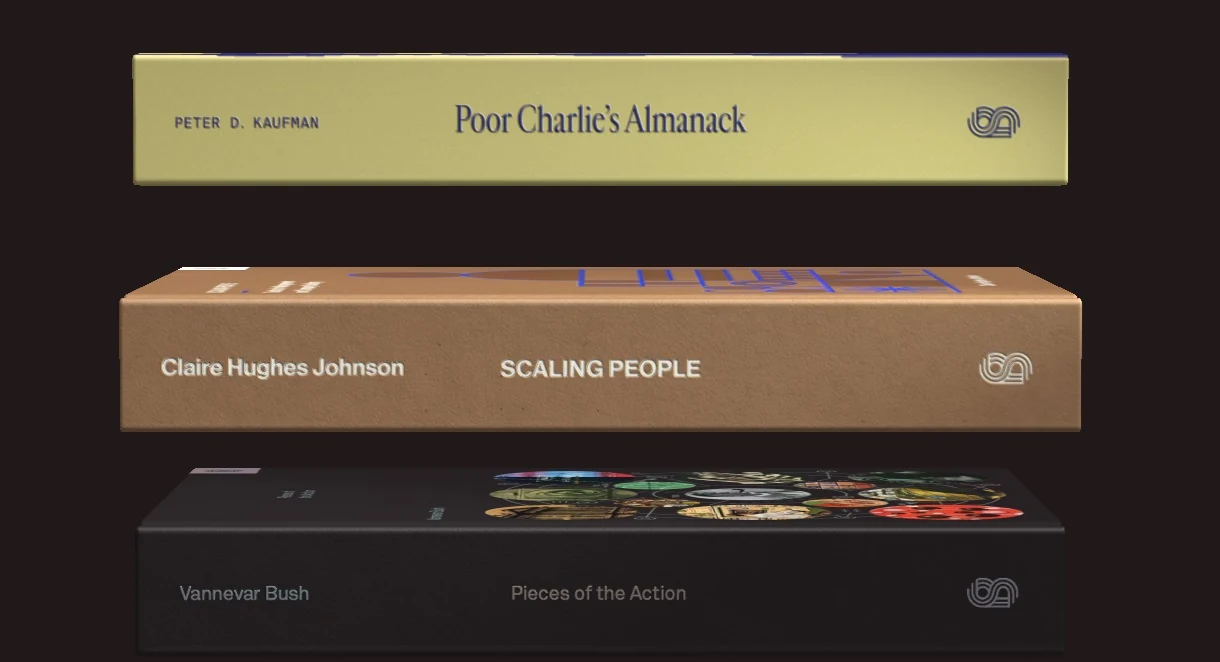
    ebooks library

    Unlike a physical book library (paper), it is particularly difficult to showcase our collection of ebooks. Here are some solutions that exist to present your digital book library.

    First of all, the digital books you own are stored on your e-reader, smartphone, or tablet. They can also be on a computer, especially if you use the Calibre software, which allows you to manage your ebook library for free. You will find a guide for Calibre on this page.

    Presenting your library is not just an ego trip to show people how much of a great reader you are with a vast culture (even if that might be your primary goal).

    It is also about seeing your books at a glance and deciding quickly to browse through them or to decide on your next read.

    And for that, there's nothing better than seeing the book’s cover or its name on the spine. The advantage of physical book libraries is that this can be done in a single glance.

    Unfortunately, this is not the case for digital books (ebooks)!

    There are currently few solutions to do this easily, and in any case, you will need a computer and a screen to present your ebooks.

    The first solution available to you is to use the Calibre software and configure it to display the covers of the books. Click on the button at the bottom right to change the layout and display the covers of the books in the Calibre library. Here’s what it looks like:
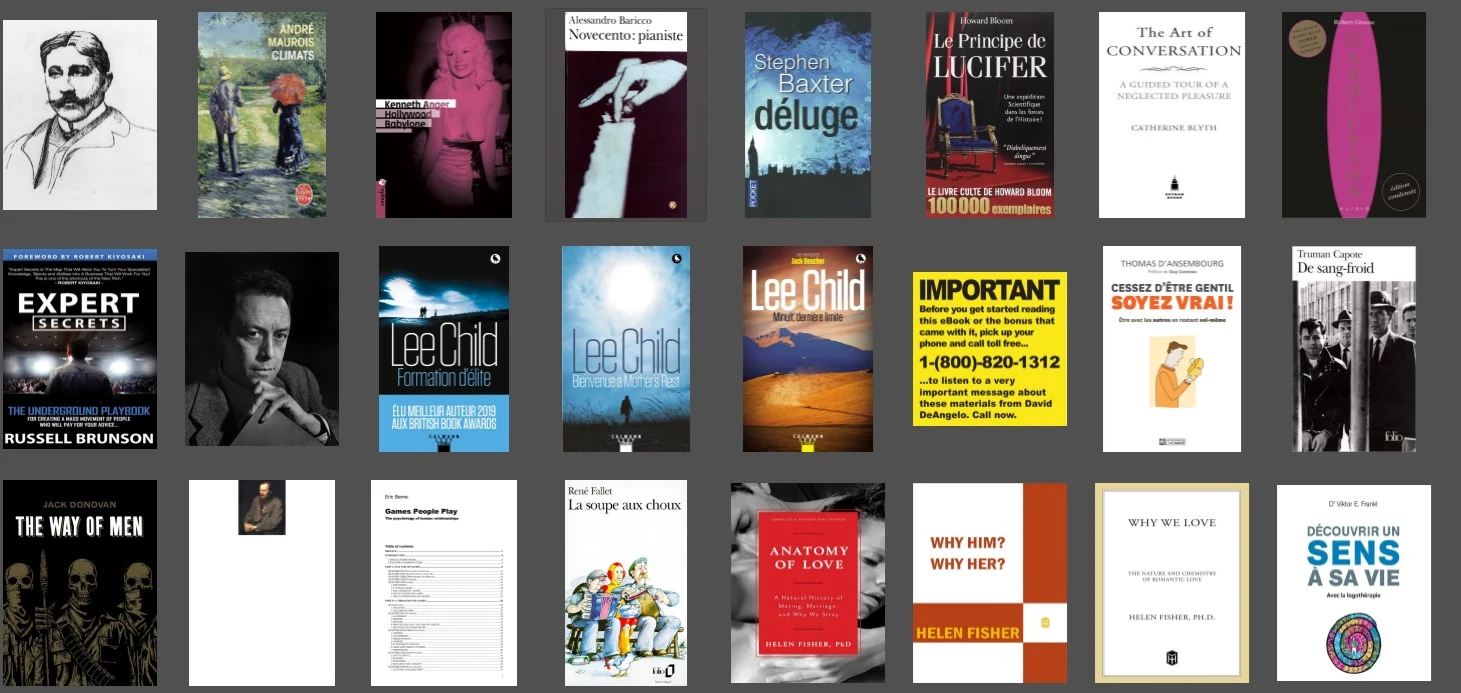
    Calibre display ebooks covers

    Another solution is to present your ebook library in the form of a website. Once again, it is possible to do this with Calibre.

    But beware, from now on, it will become quite technical.

    There is the Calibre Web software that allows you to create an internet server to publish your Calibre library on the web. This allows you not only to showcase your ebook library but also to share your ebooks with your relatives.

    Here is what the created website looks like:
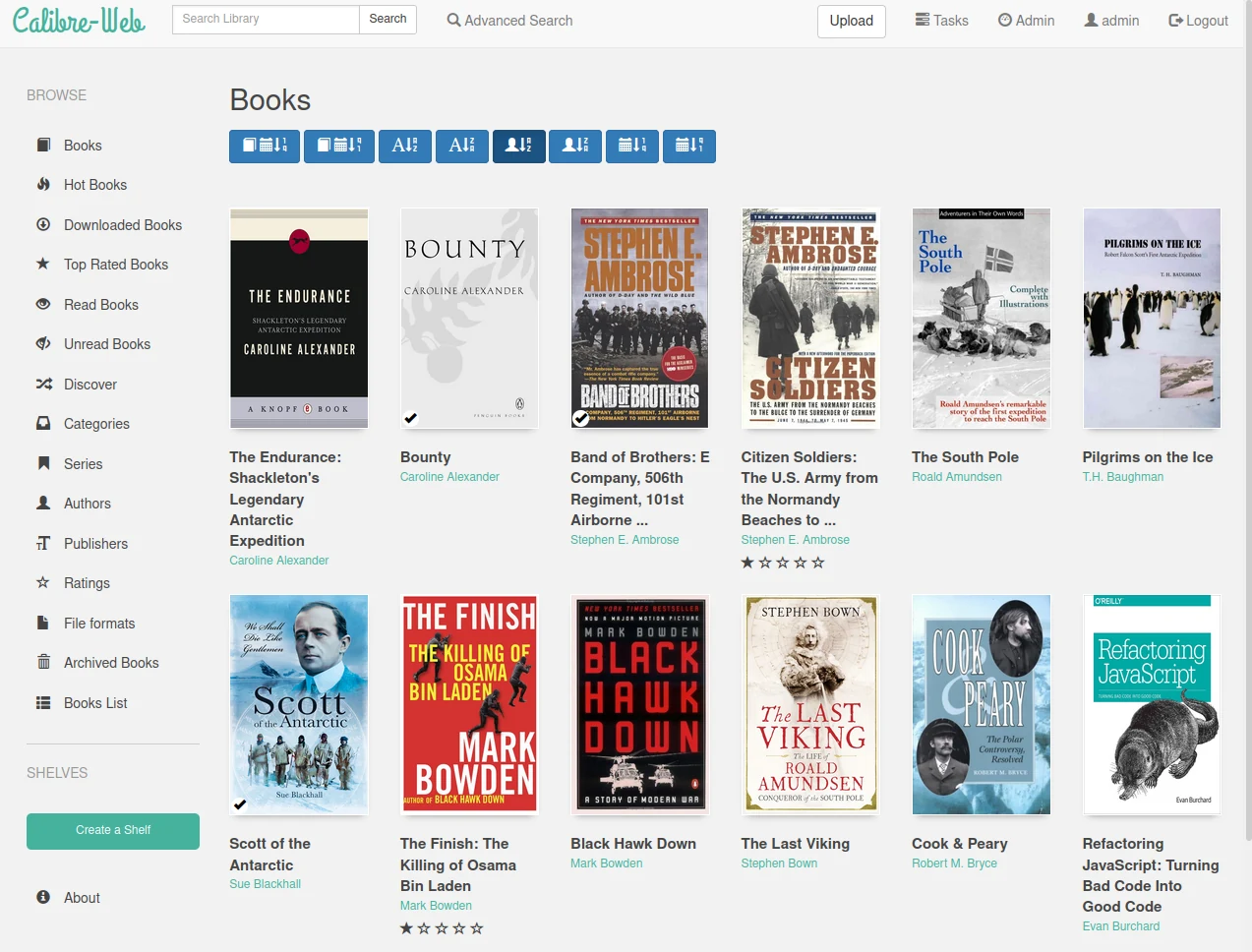
    Calibre Web software

    Link to download and install the software (IT knowledge required): https://github.com/janeczku/calibre-web

    Additionally, here are other software or IT projects offering to program something similar:

    And finally, here are websites that showcase ebooks in a more beautiful way than simple lists of titles:

    Don’t forget that you can download free ebooks to start building a beautiful ebook library.
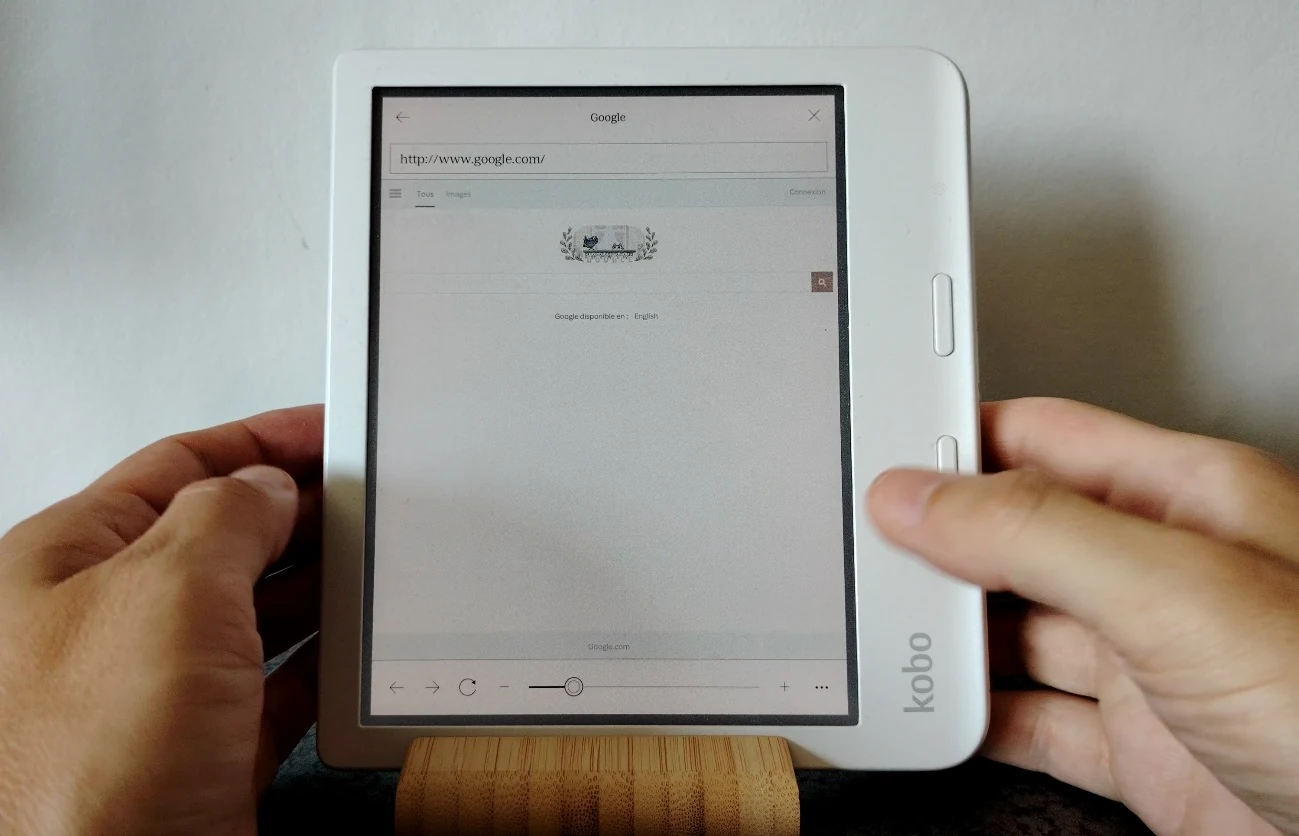
  • How to Browse the Web with Your E-Reader? (TUTORIAL)

    Kobo web browser

    Today, most e-readers with e-ink screens come with a software that allows you to browse the web. In this article, we will explain how to do so.

    Browsing the Web with a Kindle E-Reader

    To launch the web browser on a Kindle, follow these steps:

    • Go to the home screen of your e-reader.
    • Tap on the menu represented by three dots (located at the top right of the screen).
    • Select “Experimental Browser.”
    • You are now on the Internet!

    If your Kindle browser cannot display websites, ensure your e-reader is connected to Wi-Fi and that the connection is working properly.

    Then, you can use the search bar to enter a web address. You can also perform a Google search by using the button to the left of the URL input bar.

    Browsing the Web with a Kobo E-Reader

    <iframe width="1255" height="706" src="https://www.youtube.com/embed/fY1Ps9-EEsA" title="Kobo Libra Colour Web Browser" frameborder="0" allow="accelerometer; autoplay; clipboard-write; encrypted-media; gyroscope; picture-in-picture; web-share" referrerpolicy="strict-origin-when-cross-origin" allowfullscreen></iframe>

    You can find the Kobo web browser by going into the "More" menu located at the bottom right of the e-reader’s home screen.

    By tapping on the icon at the bottom right, you will access this menu. Next, go to “Beta Features”:

    In “Beta Features”, you will find experimental options, which can include bugs, such as the web browser. You will then see the menu with the Kobo Internet browser. Simply press “Start.”

    Browsing the Web with a Pocketbook e-Reader

    On Pocketbook e-readers, the web browser is found in the applications. Access it by using the button located at the bottom right of the home screen.

    The use is very simple; you just need to enter a web address to display the result on the screen.

    Why Do Web Pages Display Poorly on E-Readers?

    You will quickly notice that these web browsers are very limited. In fact, browsers like Chrome, Firefox, or Safari have become very complex software, even for computers.

    This is due to the need to support all internet sites and all the necessary functionalities for displaying increasingly complex sites (videos, animations, colors, security for payments, etc.).

    Brands that manufacture e-readers cannot replicate all these functionalities, especially on specialized hardware like an e-reader, primarily designed to display text and e-books.

    Which E-Reader to Use for Web Browsing?

    <iframe width="1255" height="706" src="https://www.youtube.com/embed/RPZyrD9DkJ8" title="Onyx Boox Air3 C Web Browser" frameborder="0" allow="accelerometer; autoplay; clipboard-write; encrypted-media; gyroscope; picture-in-picture; web-share" referrerpolicy="strict-origin-when-cross-origin" allowfullscreen></iframe>

    If you need a device with an e-ink screen to browse websites, I strongly recommend opting for an Android e-reader made by an Asian manufacturer like Bigme or Onyx.

    From the e-readers reviews I’ve conducted, these devices displayed web pages (including video) the best.

  • Pocketbook Verse vs. Pocketbook Touch Lux 5: A Comparison

    Pocketbook Verse vs. Pocketbook Touch Lux 5

    The Pocketbook Verse e-reader is now one of the best affordable e-readers available. But what are the differences compared to its predecessor, the Pocketbook Touch Lux 5?

    If you recall, the Pocketbook Touch Lux 5 was the e-reader I recommended for anyone looking to start their digital reading journey with their first e-reader.

    With its beautiful 6-inch e-ink screen and attractive price, it was an excellent device.

    Since then, Pocketbook has launched its replacement with the excellent Pocketbook Verse. I decided to take a closer look at the differences between these two e-readers to see if this evolution is truly justified.

    > Quick Answer: Yes, surprisingly, the differences are quite significant!

    <iframe width="1280" height="720" src="https://www.youtube.com/embed/2l7qdqiH3oA" title="Pocketbook Touch Lux 5 vs Pocketbook Verse" frameborder="0" allow="accelerometer; autoplay; clipboard-write; encrypted-media; gyroscope; picture-in-picture; web-share" referrerpolicy="strict-origin-when-cross-origin" allowfullscreen></iframe>

    Design and Build: Advantage Pocketbook Verse

    To start, the design of the Pocketbook Verse is more compact with a shorter body, making it easier to carry.

    The plastic used is of better quality and the e-reader feels more robust compared to the Pocketbook Touch Lux 5.

    Of course, it still includes the 4 buttons below the screen, and even though the buttons on the Pocketbook Verse are smaller, they are easier to use thanks to a design that makes the two page-turning buttons easier to find in the dark (they have a "bumpy" style).

    Overall, I prefer the new style of the Pocketbook Verse, which is more refined, more compact, and feels better finished.

    USB-C Port: Advantage Pocketbook Verse

    Quickly, the Pocketbook Verse features a USB-C port that is more reliable (and more durable) for regular use.

    This type of port also allows for faster charging of the e-reader. It's a real benefit when you find yourself with a low battery, as charging the device for about twenty minutes can give you several hours of reading time.

    Screen: Better Character Display

    Pocketbook Verse vs. Pocketbook Touch Lux 5

    The screen used in the Pocketbook Verse is an electronic ink (or epaper) type provided by the company E Ink, referenced as "Carta."

    To my knowledge, it is the same type of screen with the same resolution as that of the Pocketbook Touch Lux 5.

    Logically, one should expect identical display quality, but in reality, this is not the case!

    The lighting is different, with better brightness management on the new Pocketbook Verse, resulting in a more eye-pleasing display that also gives the impression of better definition!

    Of course, when you closely compare the two screens side-by-side, this is not the case, since both e-ink screens display the same number of dots (or pixels).

    The display on the Verse is also faster with a better refresh rate.

    Nevertheless, I have to admit that reading on the Pocketbook Verse is more enjoyable when the brightness is set at 50%.

    Which E-Reader to Buy?

    If you are hesitating between a second-hand Pocketbook Touch Lux 5 and a Pocketbook Verse and your budget allows you to purchase the Pocketbook Verse, then I definitely recommend the latter.

    However, if you find a good deal on the Pocketbook Touch Lux 5, you can still go for it as it remains a very relevant device.

    You can also check out my buying guide for the best e-readers of the moment – this guide is updated every month.

  • The New Kobo E-Readers are Repairable (buy parts)

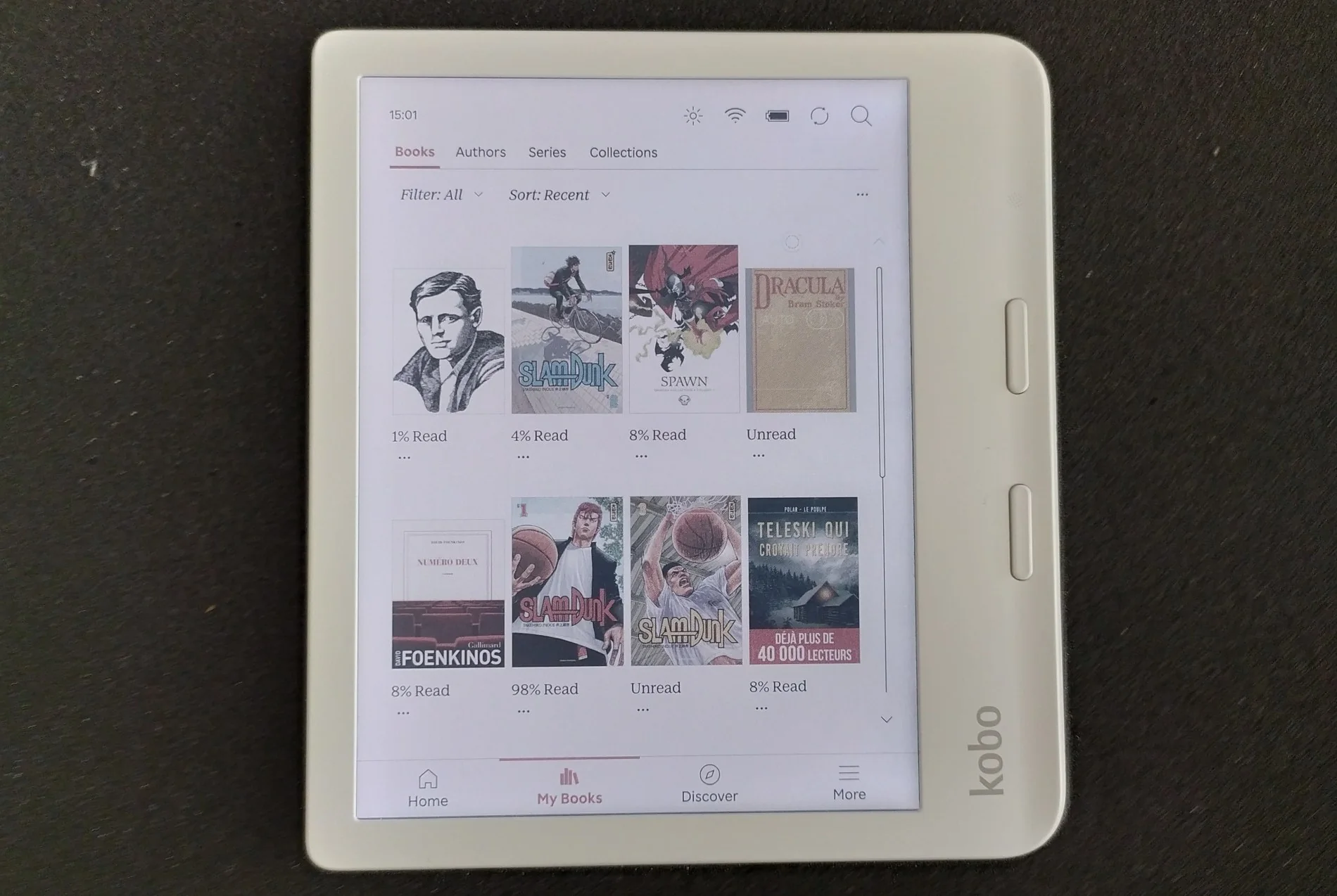
    kobo libra colour e-reader

    Kobo, a company committed to making its e-readers more sustainable, has taken notable steps in this direction. Firstly, the devices are partly made from recycled plastic, and they are also repairable.

    It is now easier to repair the latest generation of Kobo e-readers:

    If you buy one of these e-readers, theoretically, you will be able to find replacement parts to fix any components that no longer work.

    Moreover, you can find repair guides on the iFixit website to do the repairs yourself:

    • Changing the e-reader battery
    • Replacing the screen
    • Replacing the motherboard
    • Fixing the power button

    In addition to these guides, you will also find instructions on how to open, disassemble, and reassemble your e-reader to perform these repairs.

    These are positive points for Kobo, demonstrating that it is possible to improve in terms of sustainability and the longevity of e-readers.

    Since e-readers are generally robust devices, it will logically be possible to keep them even longer.

    Furthermore, to my knowledge, other electronic devices like smartphones or tablets are not as easily repairable as these Kobo e-readers. This adds another favorable point for the Kobo brand.

    I am unsure if making e-readers easy to repair is a compelling enough selling point to convince readers to choose Kobo. You are welcome to share your thoughts with me, if you know more about that.

    In any case, this initiative might encourage other brands to consider this aspect as well and hopefully offer more easily repairable e-readers in the future.

    Update: you can now buy Kobo space parts from iFixit, if you want to repair your Kobo e-reader yourself. You'll find new screens, motherboard, etc. here. More info on Kobo.com

  • Vivlio Light HD Color: a New French Color e-reader

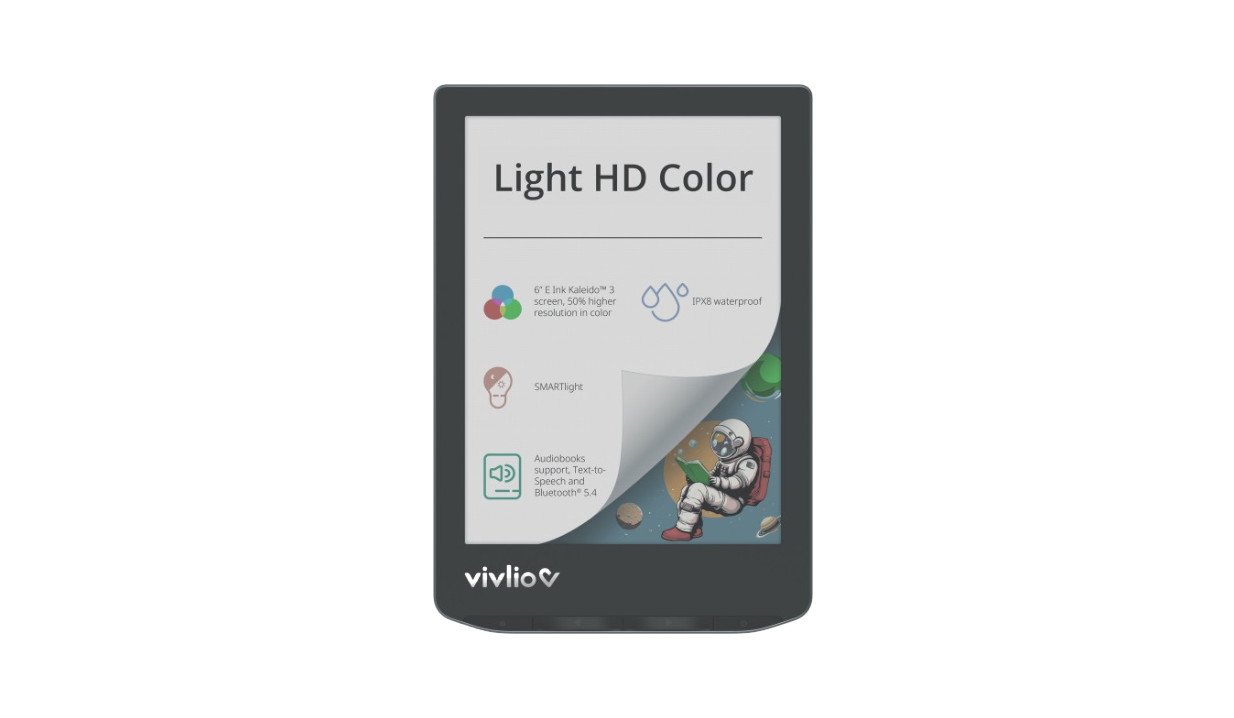
    Vivlio Light HD Color

    It's no longer a secret, but we now have confirmation that the next color e-reader from the French brand Vivlio will be called the Vivlio Light HD Color – and we also know its price.

    Indeed, everything comes from the French Cultura website which has released the product page for a new e-reader called Vivlio Light HD Color.

    This e-reader is equipped with a 6-inch color electronic ink screen using Kaleido 3 technology and thus offers an alternative to the recent Kobo Clara Colour, which has been the only next-generation color e-reader available in France so far.

    <iframe width="1252" height="704" src="https://www.youtube.com/embed/M0iTM184RlQ" title="Pocketbook Verse Pro Color 4k review" frameborder="0" allow="accelerometer; autoplay; clipboard-write; encrypted-media; gyroscope; picture-in-picture; web-share" referrerpolicy="strict-origin-when-cross-origin" allowfullscreen></iframe>

    Here are the technical specifications of the Vivlio Light HD Color e-reader:

    • Color electronic ink screen
    • Touchscreen with SmartLight blue light filter and lighting
    • Compatible file formats: EPUB, PDF, FB2, FB2.ZIP, TXT, DJVU, HTM, HTML, DOC, DOCX, RTF, CHM, TCR, PRC (MOBI), JPEG, BMP, PNG, TIFF
    • Audiobook playback with Bluetooth 5.4
    • Supported audio formats: M4A, M4B, OGG, OGG.ZIP, MP3, and MP3.ZIP
    • Wifi
    • IPX8 certification (waterproof)
    • Text-to-speech function

    A release date has also been announced, but we will have to wait a little longer since this e-reader will be available on 09/16/2024.

    The set price is €179.99. This price is well-positioned for a French product that offers several advantages over the competition:

    • MP3 audiobook playback (which Kobo does not offer)
    • Text-to-speech that converts ebooks into audiobooks with integrated software (something no other brand offers in France)

    Finally, the Vivlio Light HD Color will only cost €10 more than the Vivlio Light HD, which was already an excellent e-reader.

    So, thanks to Vivlio, we won't break the bank when switching to a color e-reader! I'm going to save a bit of money to treat myself to this Vivlio color e-reader and provide you with a thorough review once it's available.

    Of course, this e-reader will not be available outside of France.

    But rest assured, the Vivlio brand uses Pocketbook e-readers.

    Therefore, this e-reader is essentially a Pocketbook Verse Pro Color marketed under the Vivlio brand and adapted for the French market, especially with a new integrated bookstore.

    If these specifications interest you, you can also consider the Pocketbook Verse Pro Color e-reader.

  • Kobo Libra Color vs Kobo Libra 2

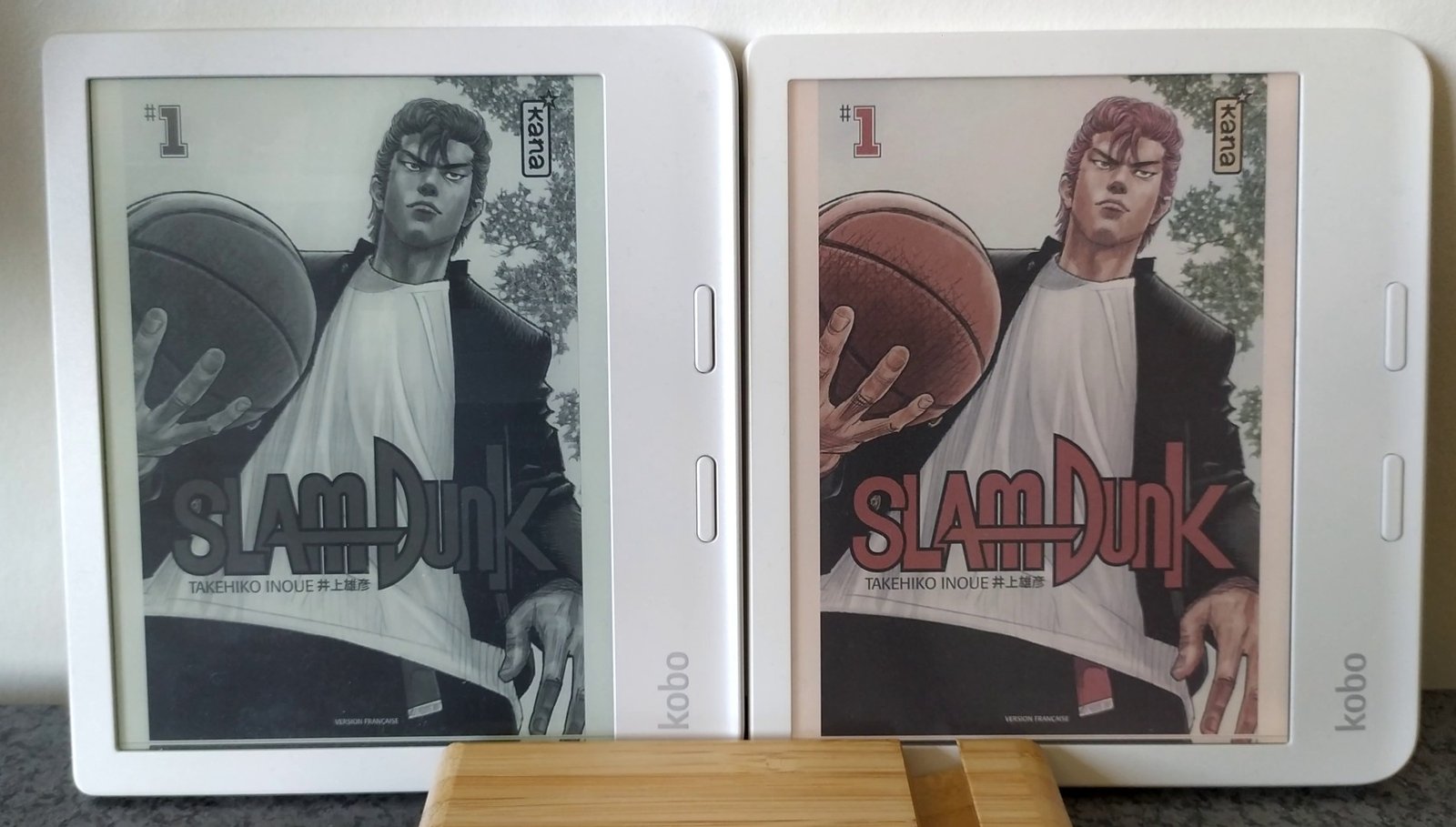
    Kobo Libra Color vs Kobo Libra 2 comparison

    With the release of the color e-ink e-reader Kobo Libra Color, it’s interesting to see how it compares with the older Kobo Libra 2 to determine if you should upgrade your e-reader.

    (more…)
  • Amazon Prime Day 2024: discounts on Kindle e-readers

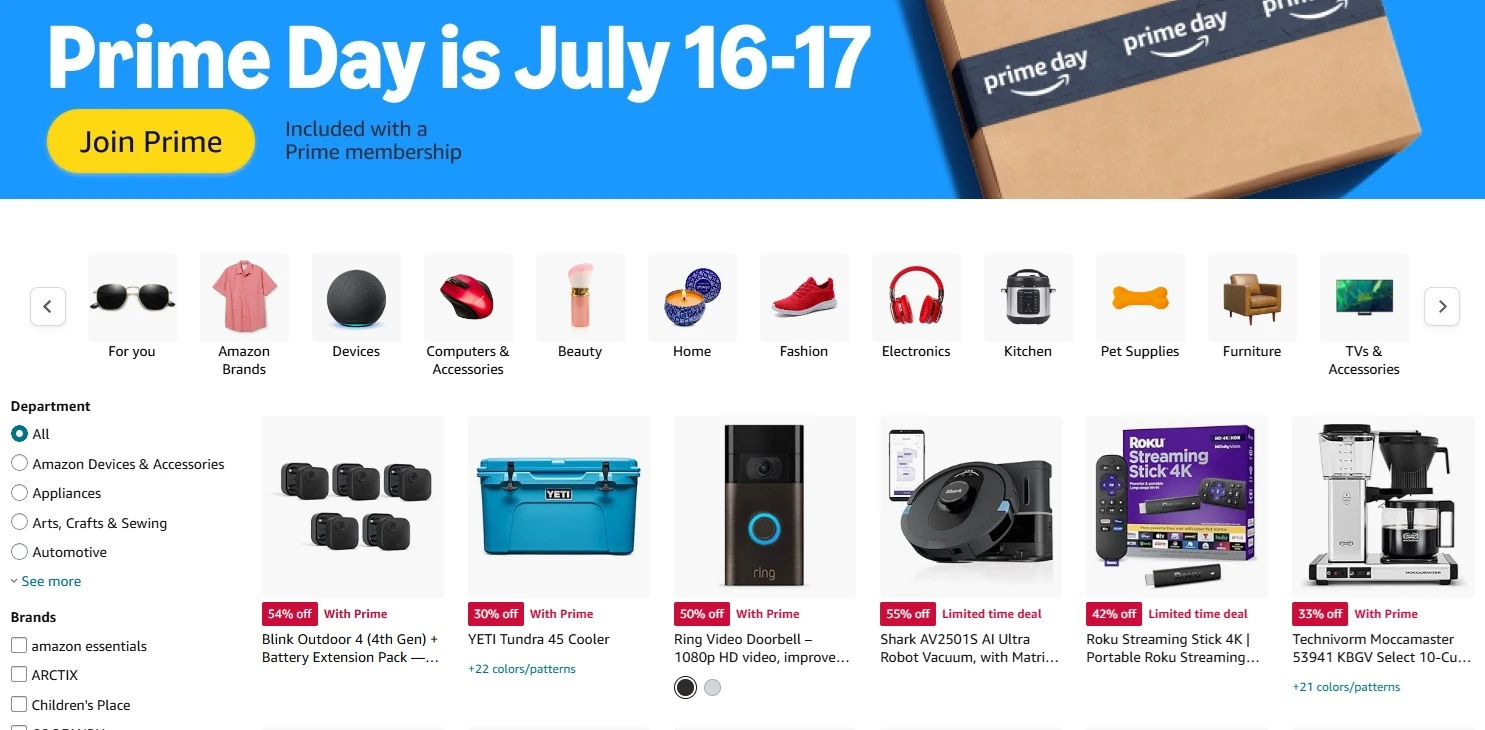
    Amazon prime day 2024

    The special Amazon Prime Day will take place on July 16 and 17, 2024. This day is reserved for Prime subscribers who will be able to enjoy exclusive discounts. Of course, Kindle devices will be on sale, and you can expect significant discounts on e-readers!

    How to Take Advantage of Prime Day Deals?

    First of all, to benefit from the discounts, you need to be an Amazon Prime subscriber. This subscription is free for the first month and costs €69 per year. It provides access to free shipping, VOD content with Prime Video, free books, and even free video games via the Twitch platform.

    If you don’t already have a Prime subscription, you can also try it for 30 days for free: 👉 Try Amazon Prime for Free.

    Current Discounts

    Kindle e-readers are on sale during Prime Day. Therefore, you can expect significant price drops on the Kindle, Kindle Oasis, Kindle Scribe, and Kindle Paperwhite.

    You only have 48 hours to take advantage of these great deals, so you should quickly check if the prices interest you.

    Expected Promotions

    In addition to e-readers, we can also expect deals on other products sold by Amazon during Prime Day.

    Fire Tablets, Alexa, and Other Amazon Devices

    Amazon Fire Tablet

    The Fire tablet range will likely be discounted as well, with potentially very attractive prices for the 7-inch version, which remains one of the best value-for-money tablets available today. 💪 Check out Amazon Fire Tablets and other Amazon devices.

    We should also expect discounts on Alexa devices and other products from Amazon brands.

    Smartphones and iPhones 🤳

    There will also be significant discounts on smartphones, with major promotions of -30% to -50% on certain models.

    In previous years, the following smartphone brands have had discounted models (selected models only):

    • Samsung
    • Huawei / Honor
    • Apple (iPhones)

    Try Amazon Prime subscription here (amazon.com).

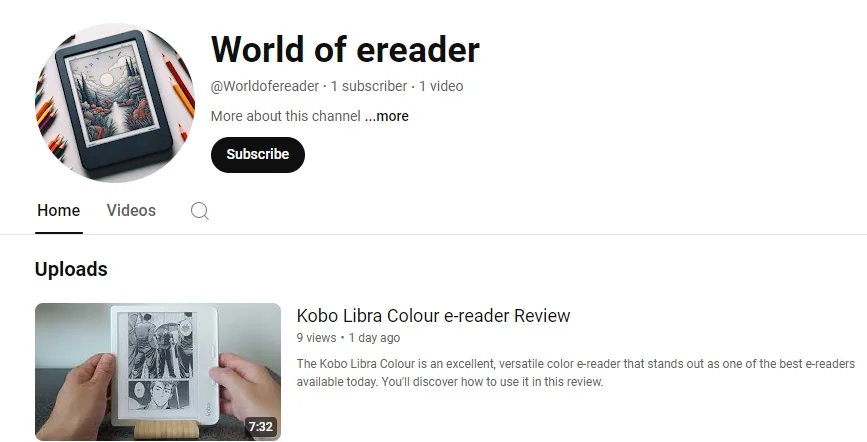
  • New Youtube Channel: World of e-reader

    World of e-reader youtube channel

    Hey readers and tech fans!

    I’m super excited to tell you about my brand new YouTube channel, World of e-reader!

    New channel here : The French EReader Guy !

    Have you ever wondered if you should stick with paper books or try an e-reader? Or maybe you already love e-readers and want to learn more about the latest ones? Well, this channel is perfect for you!

    Why Did I Start This Channel?

    I love reading and I love tech gadgets. I’ve spent a lot of time checking out e-readers, from opening new ones to finding tricks that make reading even more fun.

    I thought, why not share my discoveries and fun experiments with everyone?

    What Can You Expect?

    World of e-reader is dedicated to e-reader and tech gadget with e ink screen (electronic paper):

    • Unboxings: Watch me open new e-readers and talk about what I think right away.
    • Reviews: I’ll look at all the details like screen quality and battery life to help you pick the right one.
    • Tips and Tricks: Learn cool tips, useful tricks, and hidden features, no matter if you’re new or experienced.

    Join the Fun!

    Subscribe to the channel, hit the notification bell, and be the first to see my videos. Leave your comments on the videos, and let’s enjoy e-readers from all brands together.

  • Reading on a tablet: a danger to the eyes

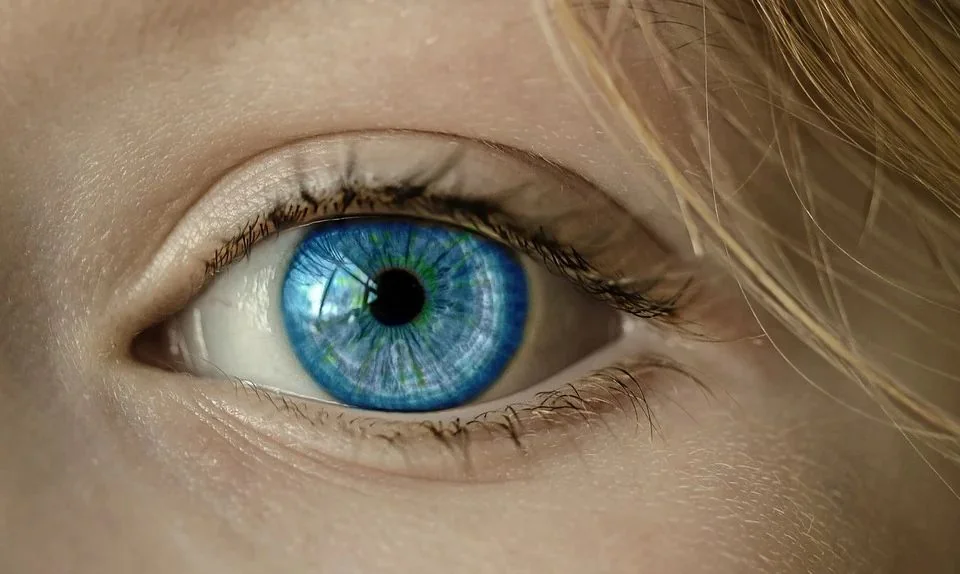
    blue eye

    Reading is a pleasure it would be a shame to miss out on. When you know all the benefits of reading, it’s easy to see why we probably never read enough. But did you know that reading on a tablet is dangerous for your eyes?

    Many of you have already started reading ebooks on smartphones and tablets.

    But we’re going to see here that reading on a tablet (and therefore, by extension, a smartphone) represents a danger to your eyes.

    The tablet screen and your eyes: a real danger

    There’s a real problem with reading on a tablet: lighting.

    Tablets and smartphones use lighting placed behind the screen: this is what makes for vivid colors and uniform illumination.

    The problem is easy to understand: the light from the screen comes directly into your eyes.

    A solution to this problem is to use reflective screens: this time, the light “bounces” off the screen before reaching your eyes. As a result, the light is less powerful and does not reach your retina directly.

    It’s a bit like looking at a light bulb:

    • If you look directly at it, you’ll hurt your eyes.
    • If you look at a white sheet of paper illuminated by this bulb, you’ll be able to withstand the light from the bulb more easily.

    Unfortunately, reflective screens for tablets are very rare and offer less than optimal color reproduction (see TCL’s NxtPaper). There’s also the alternative of the e-reader (see below), which uses a screen that does very little to tire the eyes.

    Yes, reading on a tablet is dangerous for the eyes

    Another major problem is the presence of blue light.

    Tablet lighting, and other LED ou LCD screens, emits blue light. While the effects of this light on the body are still difficult to determine with any certainty, initial studies show that caution is called for.

    The light is created by the illumination, and it’s impossible to switch it off on a tablet. Manufacturers therefore use a system that applies a filter to the colors rendered by the screen.

    Clearly, once the system is activated, the screen appears more “orange” or “yellow”, as there is less blue color present.

    It’s a good start, but it doesn’t completely solve the problem.

    More generally, studies show that tablet lighting causes us to blink less often (30% to 50% less than with a paper book). As a result, our eyes dry up more quickly, creating a major inconvenience.

    In addition, reading on a tablet is not at all equivalent to reading on paper: you retain much less (see this study).

    Reading: how to protect your eyes?

    The question arises as to whether the only safe way to read is on paper.

    And it’s true, paper remains an excellent reading medium.

    But there are also e-readers with technical features that partially or fully limit the dangers to your eyes.

    Unlike tablets, e-readers use a screen with a different technology called “electronic ink”.

    E-ink screens render characters as if they were on paper. Reading comfort for the eyes is therefore total and identical to paper.

    E-ink screens emit no light, so even without power, you can still read what’s displayed on them.

    For even greater comfort, e-readers also feature lighting. But, unlike the system used on tablets, the illumination on a e-reader is present on the sides of the screen and is therefore not pointed directly at the eyes.

    This new study investigated the impact of blue light from tablets on retinal health. Human retinal cells (ARPE-19) were exposed to blue light emitted from two types of tablets: backlit LCD screens and frontlit e-paper displays. The researchers then measured the oxidative stress response within the cells.

    The findings indicate that exposure to blue light increased reactive oxygen species (ROS), a marker of oxidative stress, in cells exposed to both devices. However, the rate of ROS accumulation was two to three times slower with e-paper displays compared to LCD screens. This suggests that e-readers may be a more protective option for retinal health during extended use.

    Another advantage of a e-reader over a tablet is that the lighting can be switched off when not needed.

    If, however, you still wish to use the light, the mid-range and top-of-the-range e-reader models all feature a blue light filter (color temperature adjustment).

    The e-reader is therefore a particularly useful and much safer tool for everything to do with reading ebooks.

    You can find a selection of the best current e-readers on our site.

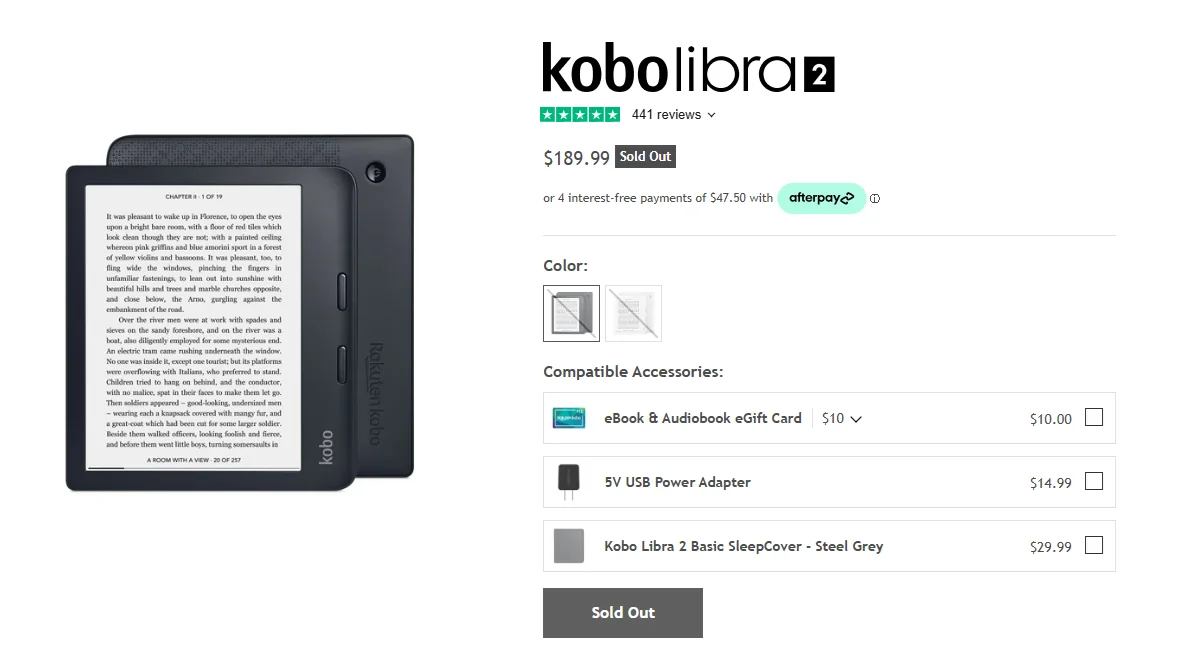
  • The Kobo Libra 2 e-reader has reached the end of its life

    Kobo Libra 2 e-reader end of life

    According to the official Kobo website, the Kobo Libra 2 e-reader is sold out. Although still available from a number of vendors, all indications are that this e-reader will soon disappear from the catalog, following the release of the new version with color screen: the Kobo Libra Colour.

    The Kobo Libra 2 has been available since 2021, and this e-reader was a real “coup de coeur” for me.

    It has an excellent display, with a 7-inch black and white e-ink screen (Carta 1200 technology and high definition). The screen is perfectly complemented by its lighting and a blue light filter – the Comfort Light Pro system.

    But what I really like about this e-reader is the quality of its construction and its format with buttons on the side.

    Today, this e-reader is no longer available on the official Kobo website.

    The brand is highlighting new color e-ink models, such as the Kobo Clara Colour (read the review here) and above all the Kobo Libra Colour, which builds on the strengths of the Kobo Libra 2 by adding a Kaleido 3 color screen.

    But that doesn't mean the Kobo Libra 2 is no longer recommendable.

    In fact, it's still available on a number of sites, and I think you'll find it at a very good price soon (if it isn't today). So it's still a good buy for people who want a really good e-reader and don't need or want a color screen.

    On the other hand, if you're looking for a recent e-reader with the latest technological advances in digital reading, you'll need to look out for the Kobo Libra Colour, which replaces the Kobo Libra 2.

    To find out more and make the right choice of e-reader, I recommend reading our guide to the best e-readers of the moment.