Kobo to launch a new Kobo Nia e-reader in 2024

new kobo nia e-reader 2024

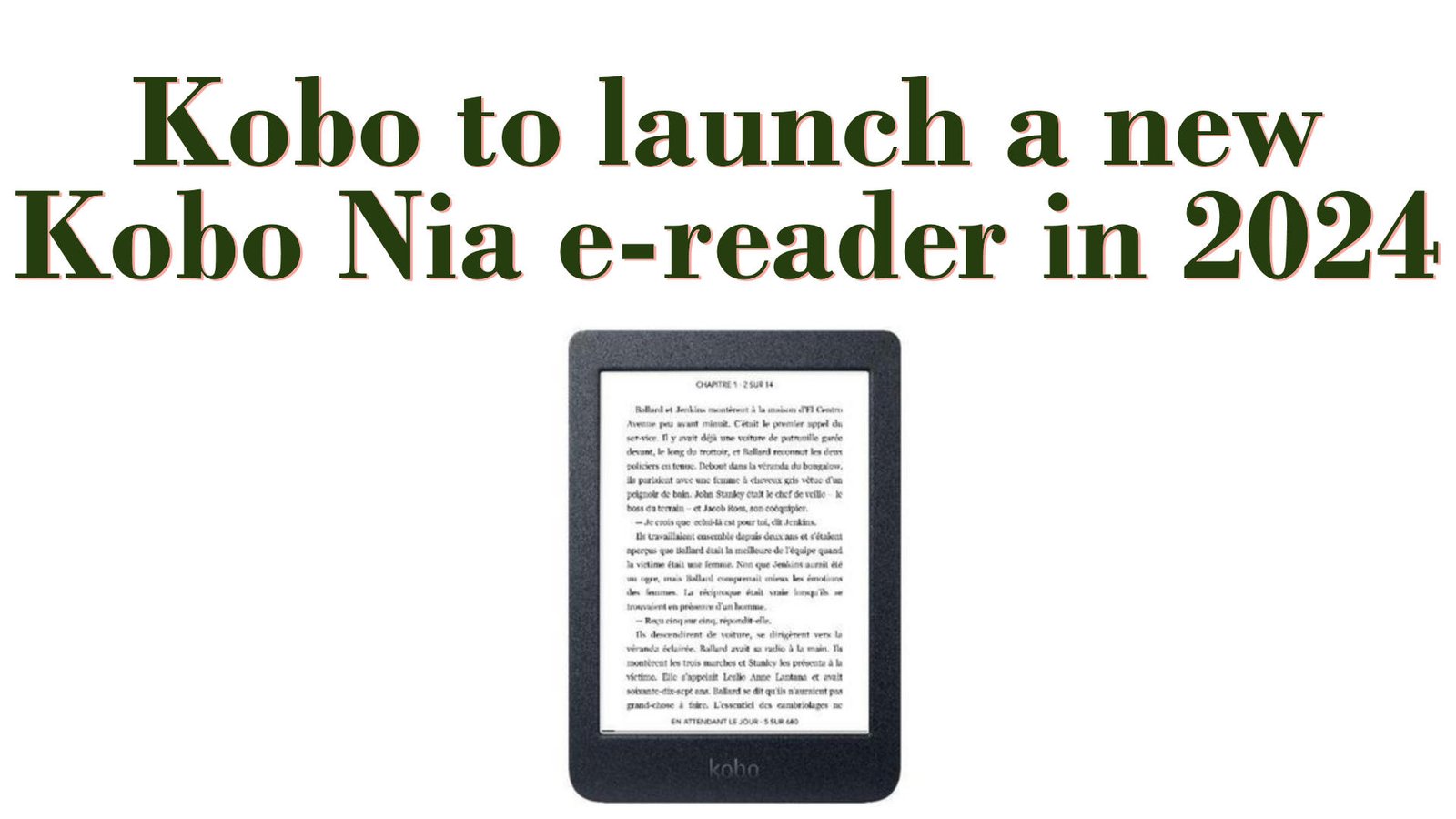
Kobo is set to release a new affordable e-reader this year, replacing the Kobo Nia.

This information comes from an application made by Kobo to the FCC (Federal Communications Commission) in the USA.

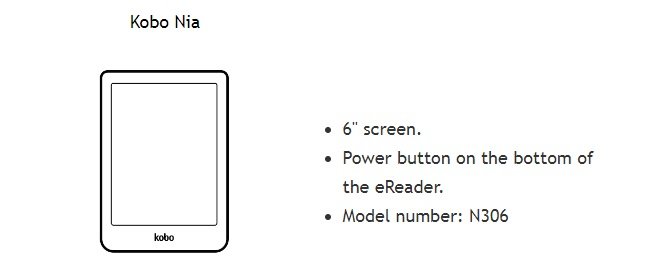
The Kobo e-reader brand has indicated that it will market a new e-reader under the reference Kobo NOIKBN367.

This reference NOIKBN367 is very similar to the current Kobo Nia reference NOIKBN306. So everything suggests that this new e-reader will be a 6-inch model, replacing the current Kobo Nia, which is getting on in years (to be taken with a pinch of salt, as nothing is official).
new kobo nia noikbn367

As for the release date, expect it to arrive in autumn or late 2024. We have no name for this e-reader, but it might be one of those:

  • Kobo Nia 2
  • Kobo Nia 2E

In fact, this is the third new Kobo e-reader announced for 2024. And, as yet, no e-reader has been released or officially unveiled.

For the record, we should also see a replacement for the already excellent Kobo Libra 2 in 2024, as well as the Kobo Sage (with a better battery).

Today, the Kobo Nia is one of the most affordable 6-inch e-readers on the market. It is rivalled only by the Pocketbook Verse, the Pocketbook Basic Lux 4 and the Kindle e-reader.

The problem with the Kobo Nia is its slow system. It's slower than other e-readers, and even though this problem has been partially solved by an update, this puts it at a disadvantage compared with other affordable e-readers.

Apart from this speed issue, this Kobo Nia offers a convincing screen that displays characters well. So it's a good choice if you like the Kobo e-reader ecosystem.

So Kobo is right to release a new version of this e-reader by the end of 2024. A new Kobo Nia with a sweet price tag could well be a hit!

For the time being, however, this is just speculation, and if you're looking for a Kobo e-reader, you can turn to the current models in the range.
Onyx Boox Kant 2: a small Android e-reader

Onyx Boow Kant 2 e-reader

Onyx is an Asian company that regularly brings new e-readers to market. The year 2024 is already busy with different models announced, and it’s the Onyx Boox Kant 2 that caught my eye.

Onyx is a company that markets a lot of e-readers. Some of the models on offer are only available for a very limited time, and are sometimes impossible to find.

But Onyx also innovates and tries to offer new things in digital reading.

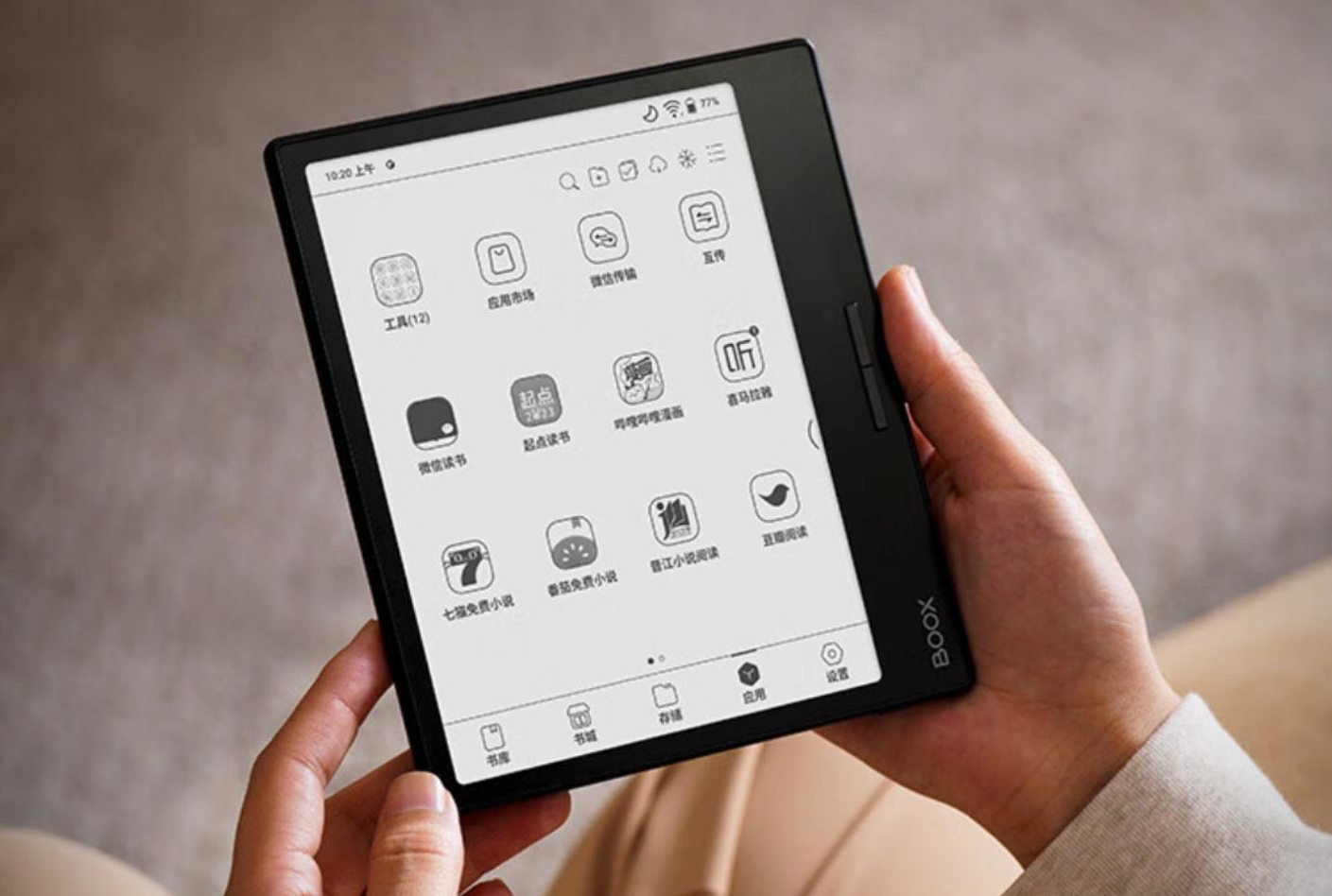
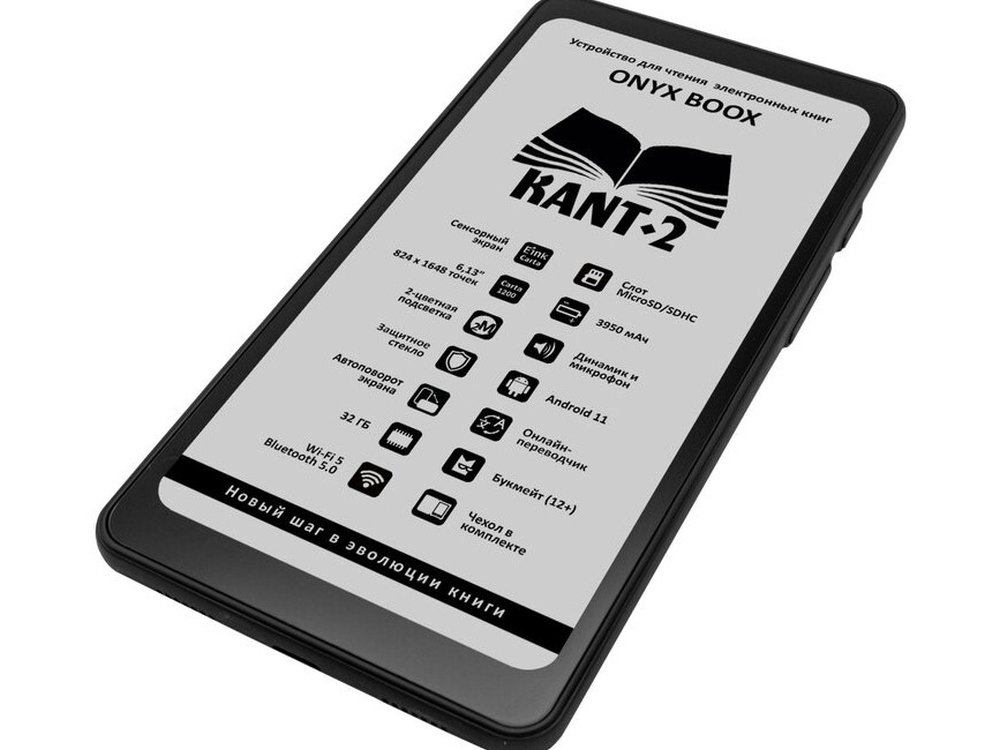
The Onyx Boox Kant 2 is one of the most original e-readers on the market, with a smartphone-like design and a 6.13-inch diagonal e-ink screen with a 2:1 ratio (twice as high as it is wide).

The touchscreen is illuminated (with "Moon light 2" blue light filter) and has a resolution of 824 x 1648 pixels. The pixel density is high enough to display characters in excellent conditions.

The Onyx Boox Kant 2 e-reader is also waterproof (with as yet undisclosed IPX certification), and the operating system on offer is Android 11.

Clearly, Onyx has based its e-reader on a smartphone, omitting the color screen and mobile connection and telephony capabilities. Interestingly, however, this is a highly portable e-reader that can easily be slipped into a pocket or bag.

The presence of a touch screen and Android 11 will enable the use of a multitude of reading applications, which was the weak point of another highly portable e-reader: the Woxter Scriba reviewed on the site.

To complement the e-ink screen, this e-reader also has a speaker, so you can enjoy your audio books on it.

Unfortunately, we have no real information on the availability of this e-reader. What’s more, as the name suggests, this is the second version of this model.

The first Onyx Boox Kant was marketed very confidentially, but this second version seems to indicate that Onyx has decided that it is a success. You should also note that Onyx has a similar e-reader named Onyx Boox Palma Mobile ePaper that you can already buy on amazon.

It is therefore likely that the Onyx Boox Kant 2 will be marketed more widely throughout the world, and why not in the USA too (a major markets for Onyx).

For those of you looking for a space-saving, affordable e-reader, I suggest you read our review of the Woxter Scriba, widely available worldwide.

If you want to buy a Onyx e-reader, you can check the prices on Amazon.com.

The end of the Kindle Oasis in 2024

death of kindle oasis 2024

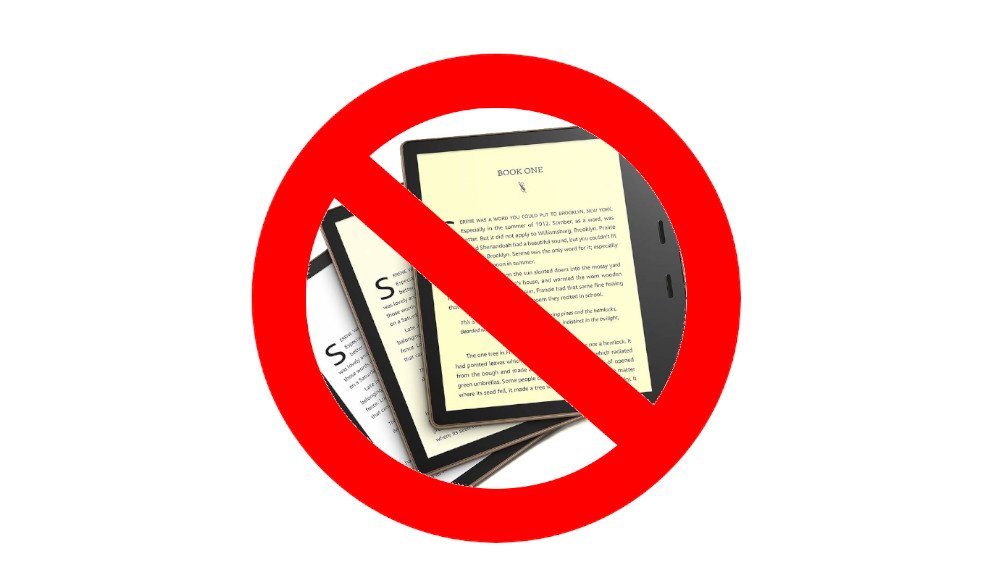
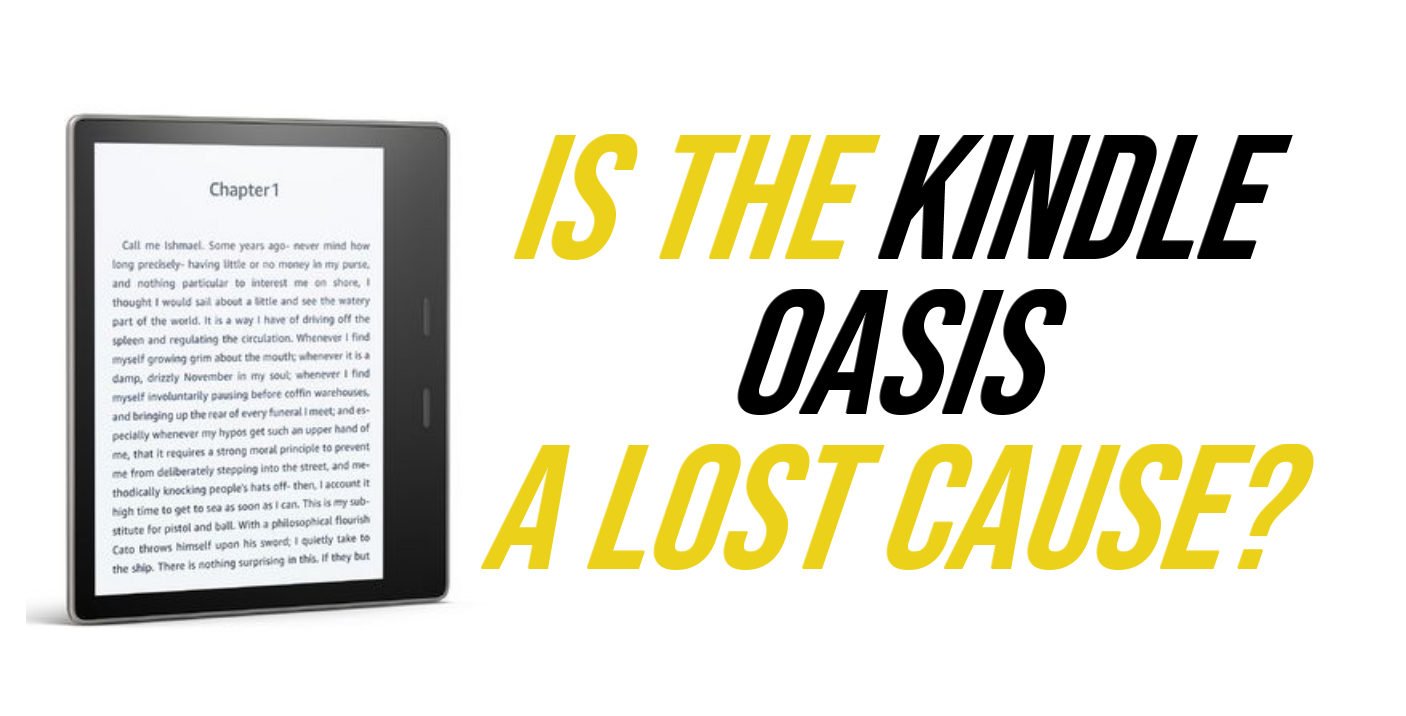
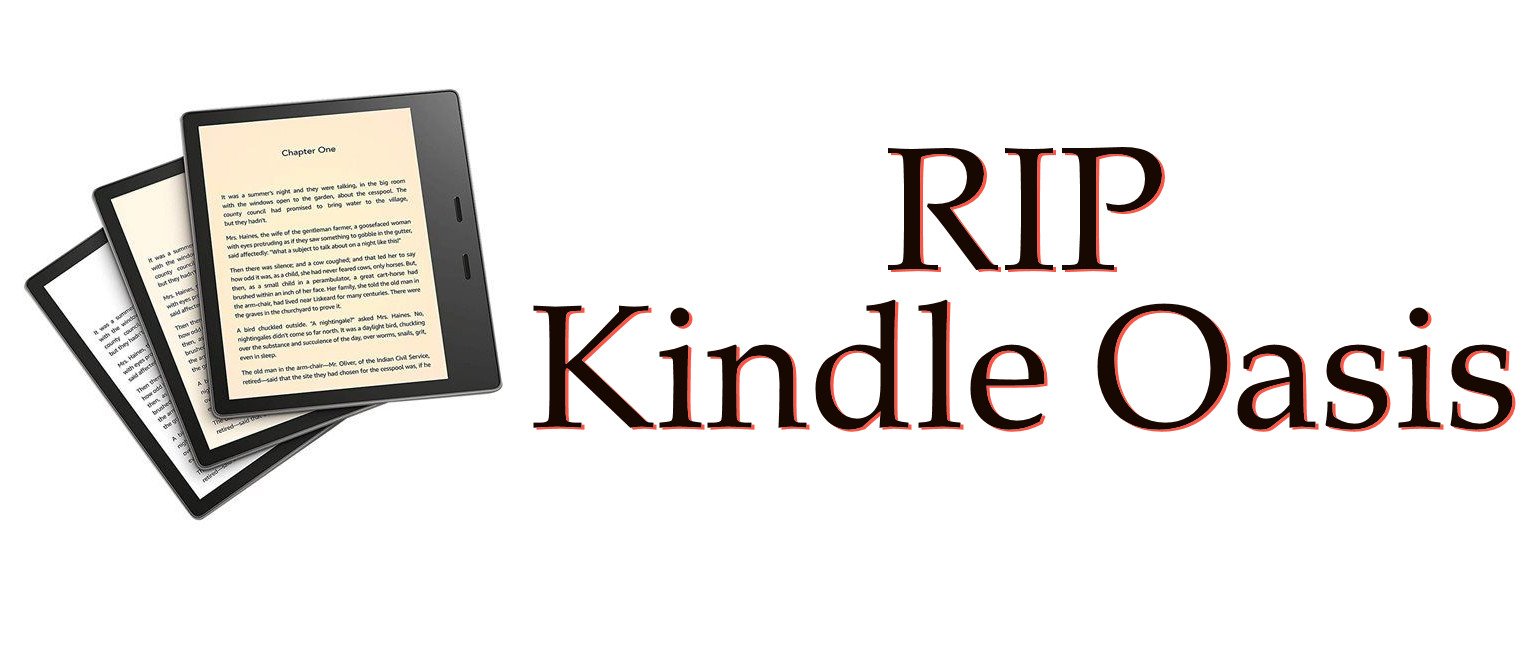
This time, it looks as if the venerable Kindle Oasis is going to bow out (at least for a while) and join the graveyard of Kindle e-readers alongside the Kindle DX, the Kindle Voyage and other Kindle with keyboard.

Not only is the Kindle Oasis no longer available in the USA, but it also seems to be out of stock in many other countries – including France, a major market for digital reading.

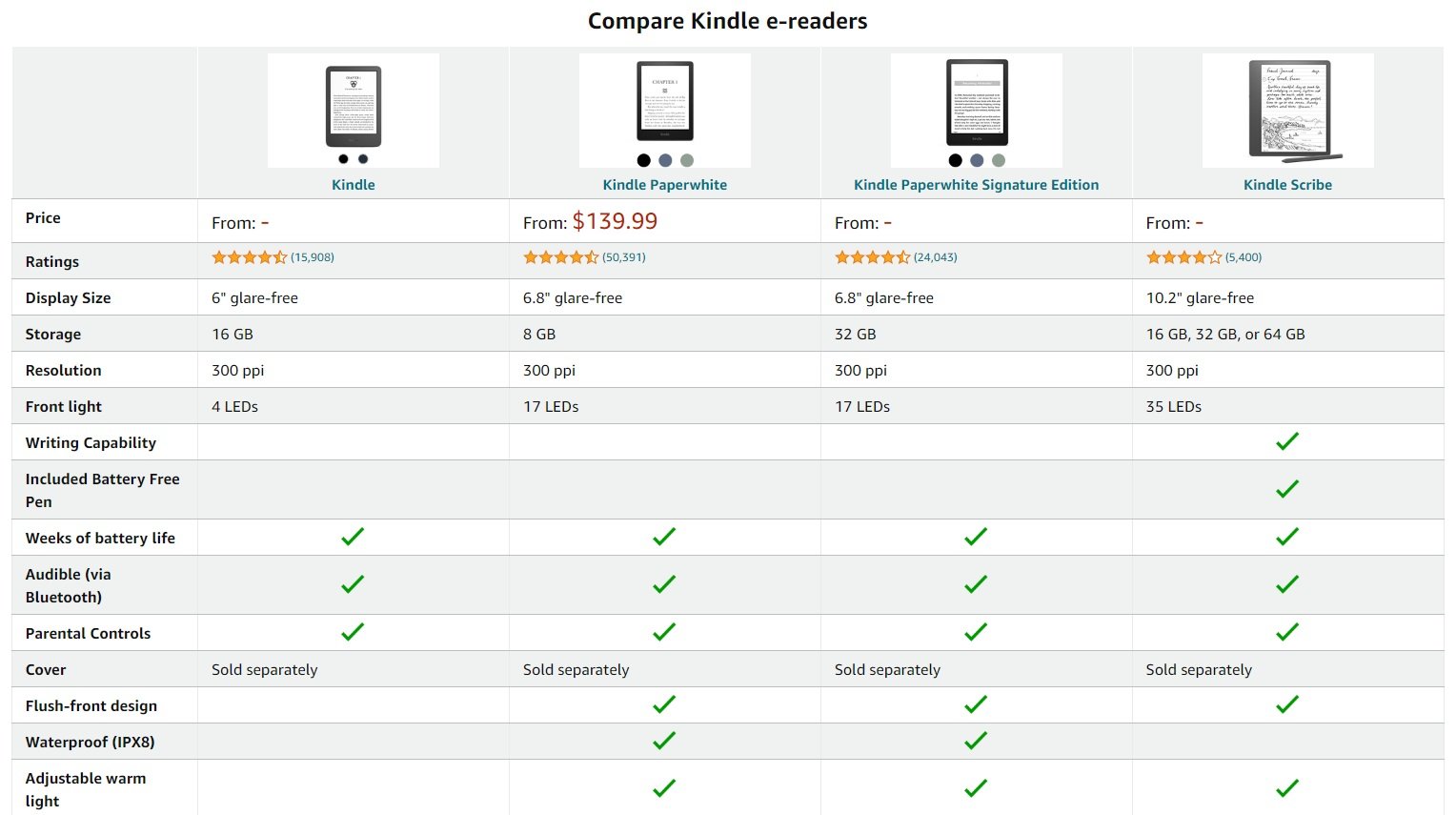
On Amazon.com, it is no longer even listed in the Kindle comparison chart available on the merchant site.

death of kindle oasis 2024

The Kindle Oasis has been available since 2016, and its current version dates from 2019. We can't say that this e-reader has had a long career, even if it has remained widely available until 2023.

The Kindle Oasis is a very high-end version of the Kindle e-readers and one of the first machines to introduce an asymmetrical design with buttons on the side of the screen. Of course, it offers all the best features found on e-readers today: 32 GB of storage, a beautiful 7-inch HD screen (300 PPI), a blue light filter, IPX8 waterproofing, etc.

Even if you can't buy a brand-new e-reader, you may still be interested in it if you're looking for a bargain or second-hand e-reader. Indeed, it can sometimes be found at a reasonable price (well, considering its launch price, which was well over $240), and it could be a good deal if you find a recent model in the $100 to $150 range.

If you're looking for a Kindle e-reader with an almost 7-inch screen, you've got the affordable Kindle Paperwhite with a 6.8-inch screen.

Competitors also include the excellent Kobo Libra 2 with its 7-inch screen, and the Pocketbook InkPad 4 with its 7.8-inch screen, so you can enjoy your ebooks in optimum comfort.

Alternatives to the Kindle e-reader in 2025

best kindle alternative

While the Kindle was the first e-reader to make its mark on the general public, the choice of ebook-reading devices is now wide and offers interesting alternatives to Amazon's Kindle for 2025.

After a promising launch in 2007, the Kindle e-reader continues to seduce readers all over the world.

The undisputed leader, the Kindle (and its variants Kindle Paperwhite, Kindle Scribe and Kindle Oasis) is no longer the only one on this market.

Here are 3 e-reader brands that are also making a name for themselves with their convincingly functional machines.

Kobo e-readers

Designed in Canada, Kobo e-readers are well known in USA. This means you can see and handle these readers in stores, which is always a nice touch.

Kobo's journey began not as a standalone company, but as a cloud-based eReading service called Shortcovers, launched by Canadian bookstore chain Indigo in 2009. Recognizing the potential of the e-reading market, they spun off Kobo as an independent company in December of the same year.

Today, Kobo remains a strong competitor in the e-reader market, known for its diverse device offerings, competitive prices, and user-friendly interface. With a focus on continuous innovation and reader experience, Kobo continues to captivate bookworms worldwide.

Key factors for Kobo's success:

  • Early mover advantage in the Canadian market
  • Focus on price competitiveness and strategic partnerships
  • Continuous innovation and feature-rich devices
  • User-friendly software and open ecosystem

Kobo e-readers have their own article on the site.

Pocketbook e-readers

Since their inception, PocketBook has established itself as a leading global brand in the e-reader market, boasting a diverse range of devices catered to every reader's preference.

Here's what sets PocketBook apart:

  • Cutting-edge Technology: PocketBook utilizes the latest e-ink technology, ensuring eye-comfort and glare-free reading, mimicking the natural experience of traditional paper.
  • Unmatched Variety: From compact, lightweight options to feature-packed powerhouses, PocketBook offers a device for every reading style and budget.
  • Open Ecosystem: Enjoy the freedom to choose from millions of ebooks across various formats and online libraries, without restrictions.
  • Smart Functionality: Annotate, translate, listen to audiobooks, and access apps on select models, making your reading experience truly interactive.
  • Sleek Design: PocketBook e-readers are renowned for their stylish and ergonomic design, making them a pleasure to hold and use.

You can find out more by reading this guide to Pocketbook e-readers (you'll see lots of e-readers here).

Nook e-readers

Nook eReaders are a line of eReaders developed and sold by Barnes & Noble. The first Nook was released in 2009, and the line has since expanded to include a variety of models, including the Nook Simple Touch, Nook Glowlight, and Nook Tablet.

Nook eReaders are designed for reading eBooks, and they offer a variety of features that make them comfortable and convenient for reading, such as a long-lasting battery, a backlit display, and a variety of font sizes and styles.

What is the best Kindle alternative?

Now that we've looked at the various brands that are interesting alternatives to a Kindle, you may be wondering which e-reader to choose?

It obviously depends on a number of things, such as the screen size you want, or the features you want (blue-light filtering, waterproofing).

So I invite you to take a look at this page, which contains a complete guide to the best current e-readers, as well as the page containing all the e-readers reviews and the page on cheap e-readers.

How can I use my e-reader with the Internet connection of my smartphone or iPhone?

hotspot smartphone and e-reader

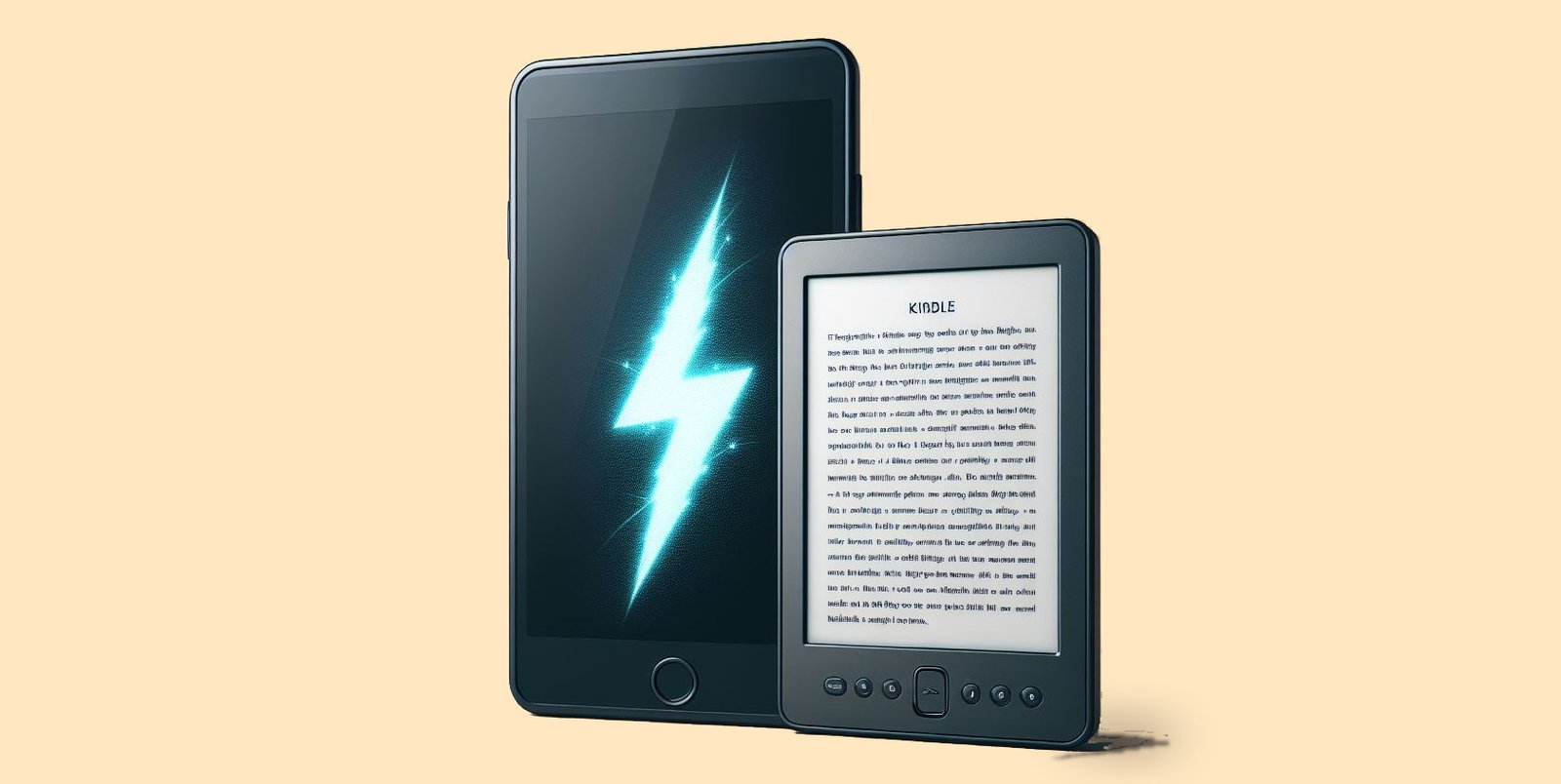
E-readers need an Internet connection to access online services such as synchronizing your reading or buying and downloading digital books (ebooks). But a WiFi connection isn’t always available.

This article explains how to use the connection on your Android smartphone or iPhone to connect your e-reader to the web.

Why connect your e-reader to the Internet?

Your Kindle, Kobo or Pocketbook e-reader doesn’t need the Internet to work.

So you can read books without needing Internet access, which is very practical when you’re on public transport, travelling or on vacation.

However, you may need an Internet connection to perform these operations on your e-reader:

  • Initial start-up after purchase
  • Log in to your Kindle, Kobo or Vivlio account to retrieve your digital books
  • Buy and download new ebooks
  • Synchronizing your reading

There are other things you can do with an Internet connection on your e-reader, such as accessing your Pocket account on a Kobo e-reader or consulting Wikipedia definitions, but these uses are marginal.

How do I use my smartphone Internet connection on my e-reader?

Check that you have Internet access on your smartphone

The first thing to do is to check that your Internet connection is working on your smartphone.

The easiest way to do this is to try a search on Google or Wikipedia (for example) and consult a website.

For this to work, you’ll need to have a 3G, 4G or 5G connection and not use your smartphone’s Wifi connection. If your smartphone is using its Wifi connection, the easiest thing to do is to connect the e-reader to the same connection.

Share a mobile connection by hotspot or tethering on Android

Next, you need to activate Internet connection sharing with your smartphone.

To do this, you’ll need to go to your phone’s preferences and request sharing.

Here’s how to do it on Android:

Settings > Wi-Fi Access Point / Hotspot > Mobile Wi-Fi Access Point / Hotspot (check "enable")

Configure the access point:

  • SSID: enter the name of your choice for this connection, e.g. "Nicolas’s smartphone Wi-Fi".
  • Password: enter a password of your choice.

Documentation: https://support.google.com/android/answer/9059108?hl=en

Here’s how to do it on iPhone:

Settings > Personal Hotspot

You’ll also need to set a password.

Documentation: https://support.apple.com/kb/HT204023

Connect your e-reader to the Wifi network of your Android smartphone or iPhone

Now that you’ve configured your smartphone for Internet connection sharing ("hotspot"), you can activate Wifi on your e-reader to connect it to your smartphone.

You’ll need to :

  • Activate Wi-Fi
  • Select the right Wi-Fi network to match that of your smartphone
  • Enter your chosen password

If all goes well, your e-reader is now connected to the Internet via your smartphone’s shared connection (also called "hotspot").

Don’t forget to disconnect your e-reader from the Wifi network and turn off your smartphone’s hotspot when you’re not using it – this is a power-hungry feature that will quickly drain your battery.

Onyx Boox Leaf 3 and Leaf 3C e-readers

onyx boox leaf 3 e-reader

Onyx is a major player in digital reading in Asia, and regularly offers new e-readers with innovative designs and technologies. This time, we take a look at two interesting e-readers, the Onyx Boox Leaf 3 and Onyx Boox Leaf 3C.

As their names suggest, these Onyx Boox Leaf e-readers are two sisters who share a broad base of technical features.

The Leaf 3 features a 7-inch e-ink screen in black and white, while **the 3C comes with a Kaleido 3 color e ink screen.

Both e-readers are powered by a fast ARM processor (octa-core) and 3 GB of RAM.

The design is fairly classic for a 7-inch e-reader, as it follows the codes established by the Kobo Libra 2 and Kindle Oasis, i.e. an asymmetrical design with buttons placed next to the screen for ease of handling.

As always with Onyx, the operating system is based on Android, and offers a range of applications. It is undoubtedly possible to add applications by downloading APK files or via the Onyx Store present in this e-reader's software suite.

onyx boox leaf 3 e-reader

Screen-wise, there are two E Ink screens to choose from:

  • A Carta 1200 HD 300 PPI screen for the Onyx Boox Leaf 3
  • A Kaleido 3 screen for the Onyx Boox Leaf 3C.

It should be noted that these e-readers are also not available everywhere, and that you'll have to wait until the end of February 2024 or March 2024 to be able to buy the Onyx Boox Leaf 3C (the color version).

See the ONYX BOOX e-readers on Amazon.com

My opinion on these Onyx Boox Leaf 3 and Onyx Boox Leaf 3C e-readers

As much as the Onyx Boox Leaf 3 with its 7-inch black and white screen offers a solution and an alternative to the Kobo Libra 2 and Kindle Oasis, I find it hard to understand the positioning of the color version.

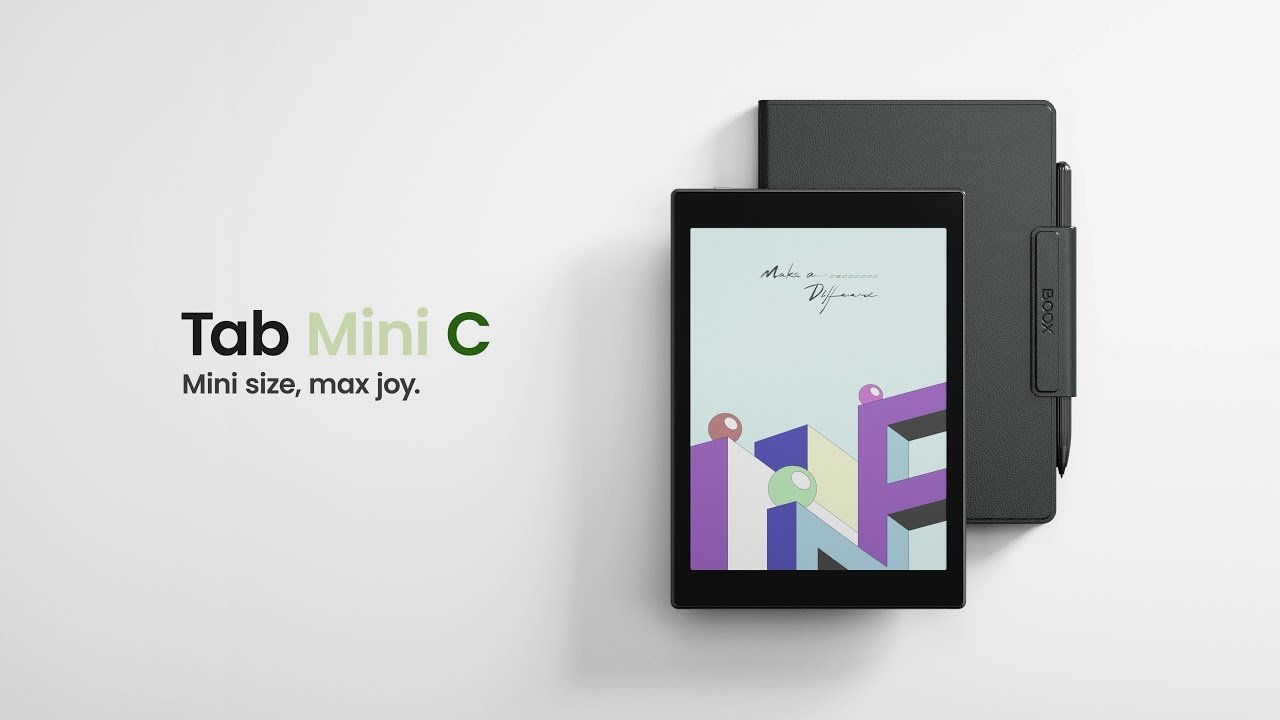
In fact, Onyx already offers the Onyx Boox Tab Mini C, which is a Kaleido 3 color e-reader with a larger 7.8-inch screen.

onyx boox tab mini c

The latter seems to me far more relevant for enjoying ebooks and other content in color than the Leaf 3C (which is still not out, by the way).

What's more, Onyx e-readers are imported devices mainly reserved for the Asian market. There are still a few problems with the translation of their interface (even in English), and there are occasional bugs in the applications.

While bugs in the reading applications can be resolved by installing a better reading application (either with the Android Store provided, or by loading an APK), this is not always the case with the operating system, as these Onyx readers are rarely updated.

If you're looking for a good e-reader, I'd recommend checking out our guide to the best e-readers around, and choosing a model designed by a reputable brand that officially distributes its e-readers in the USA.

Kindle Oasis: Amazon’s mystery e-reader for 2024

kindle oasis e-reader 2024

The Kindle Oasis is Amazon's top-of-the-range portable e-reader. With a price tag approaching $300, it's also one of the longest-running Kindle e-readers.

But for the past few years, it seems that Amazon has been floundering, and doesn't really know what to do with the Kindle Oasis.

The Kindle Oasis is regularly out of stock

Indeed, the Kindle Oasis is regularly out of stock. Each time, we think this means a new version is on its way. But it's always a disappointment when, a few weeks later, the Kindle Oasis is available again, unchanged.

It turns out that Amazon only manufactures this Kindle Oasis in small quantities, and the Kindle Oasis is often out of stock all over the world at the same time, and not just in the USA.

Now, as it turns out, this e-reader has not been available for sale for several weeks (probably since Christmas 2023). And, as I write these lines, the Kindle Oasis is still not back in stock…

Will Amazon finally make a final decision on the Kindle Oasis?

Nothing is less certain, even if Valentine's Day is of course a special time for sales of e-readers, which make a very popular gift during this period, as the discounts offered every year show.

What can Amazon do with the Kindle Oasis?

kindle oasis e-reader

Amazon has several options for the Kindle Oasis, and it seems that all of them are on the table today, making it difficult to make reliable predictions.

Firstly, Amazon may simply choose to remove the Kindle Oasis from the range. The Kindle Paperwhite and its 6.8-inch screen offer a similar size to the 7-inch Kindle Oasis. The Kindle Oasis is therefore less justified in the Kindle range in 2024.

Secondly, the Kindle Oasis will return to stock unchanged.

Thirdly, the Kindle Oasis will return with improved features (new version). It has to be said that the idea of a new, updated version of the Kindle Oasis is an interesting one. A Carta 1300 e-ink screen could also make an appearance in this hypothetical new model.

Whatever happens, Amazon is leaving the way clear for the Kobo Libra 2, which also boasts an excellent 7-inch screen, a lower price, page-turning buttons and is widely available around the world.

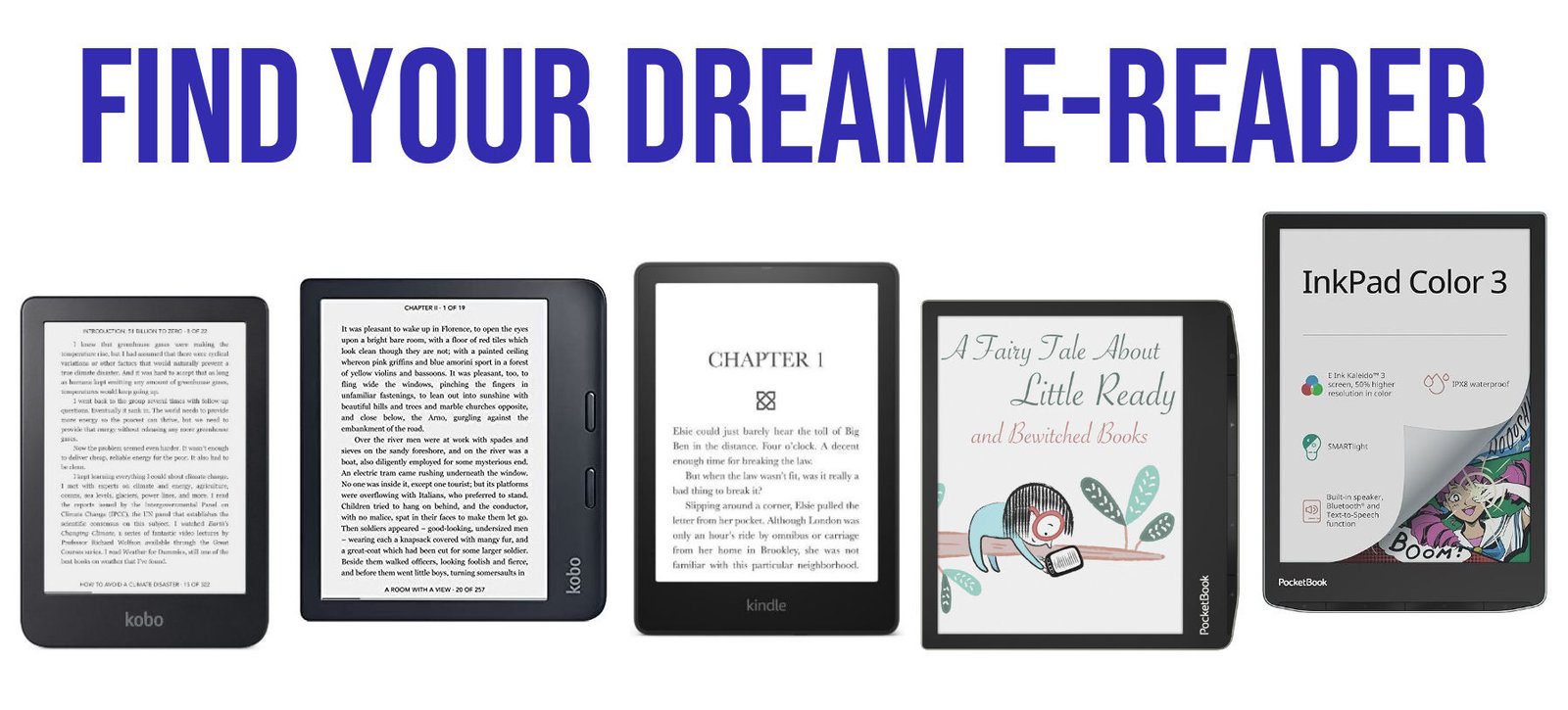
🔎 Find your dream e-reader

e-reader search engine

Find the e-reader of your dreams thanks to our tool that lets you filter and search for e-readers with the features that suit you best. You can use our tool to get all the good e-readers for your criterias.

!ALL_EREADERS!

Why not all the e-readers are in this search engine?

We've selected the best e-readers available today.

We've deliberately avoided e-readers that are difficult to find outside the USA, or that are only sold via Chinese marketplaces.

What's more, we've selected e-readers from brands that have already been tested on the site (see e-reader reviews) and have already proved their worth.

How to look for a specific e-reader?

If you know the brand of the e-reader simply type the brand in the search bar.

If you know the screen size, type the diagonal in inches like 7" for a 7" screen.

If you went an e-reader that can read EPUB, type "epub" in the search bar.

If you know the name, search for it (like paperwhite).

Why this online tool to search for e-readers?

Are you tired of scouring the internet for hours, trying to find the perfect e-reader that matches all your requirements? Look no further! Our innovative online tool is here to revolutionize your e-reading experience.

Simplify Your Search:

Gone are the days of endlessly scrolling through endless product listings and reviews. Our intuitive interface allows you to effortlessly filter through a vast array of e-readers based on your specific criteria.

Tailored Recommendations:

Whether you prioritize screen size, color options, supported ebook formats, or any other feature, our tool delivers personalized recommendations tailored to your preferences.

Explore Diverse Options:

With a comprehensive database of e-readers from leading brands, you'll discover a diverse range of options to suit every need and budget. From sleek and compact models to feature-rich devices, we've got you covered.

Save Time and Effort:

Why waste time on trial and error when you can find your ideal e-reader in just a few clicks? Our tool streamlines the selection process, saving you precious time and effort.

Make Informed Decisions:

Empower yourself with all the information you need to make informed decisions. Detailed specifications, user reviews, and expert insights are readily available to help you choose with confidence.

Start Your Journey:

Ready to embark on a seamless e-reading journey? Simply input your preferences, hit search, and let our tool match you with the perfect e-reader companion. Say goodbye to compromise and hello to a world of reading enjoyment!

How to export Kobo highlights and annotation from your e-reader?

If you’ve got a Kobo e-reader, you’ve probably noticed that it’s impossible to export your notes and the bits of text you’re going to highlight.

Fortunately, there are solutions that allow you to retrieve notes from your computer for further editing, formatting or sending to someone else.

How do I take notes on a Kobo e-reader?

The first thing we’re going to look at is how to take notes (or annotation) on a Kobo e-reader.

It’s pretty straightforward.

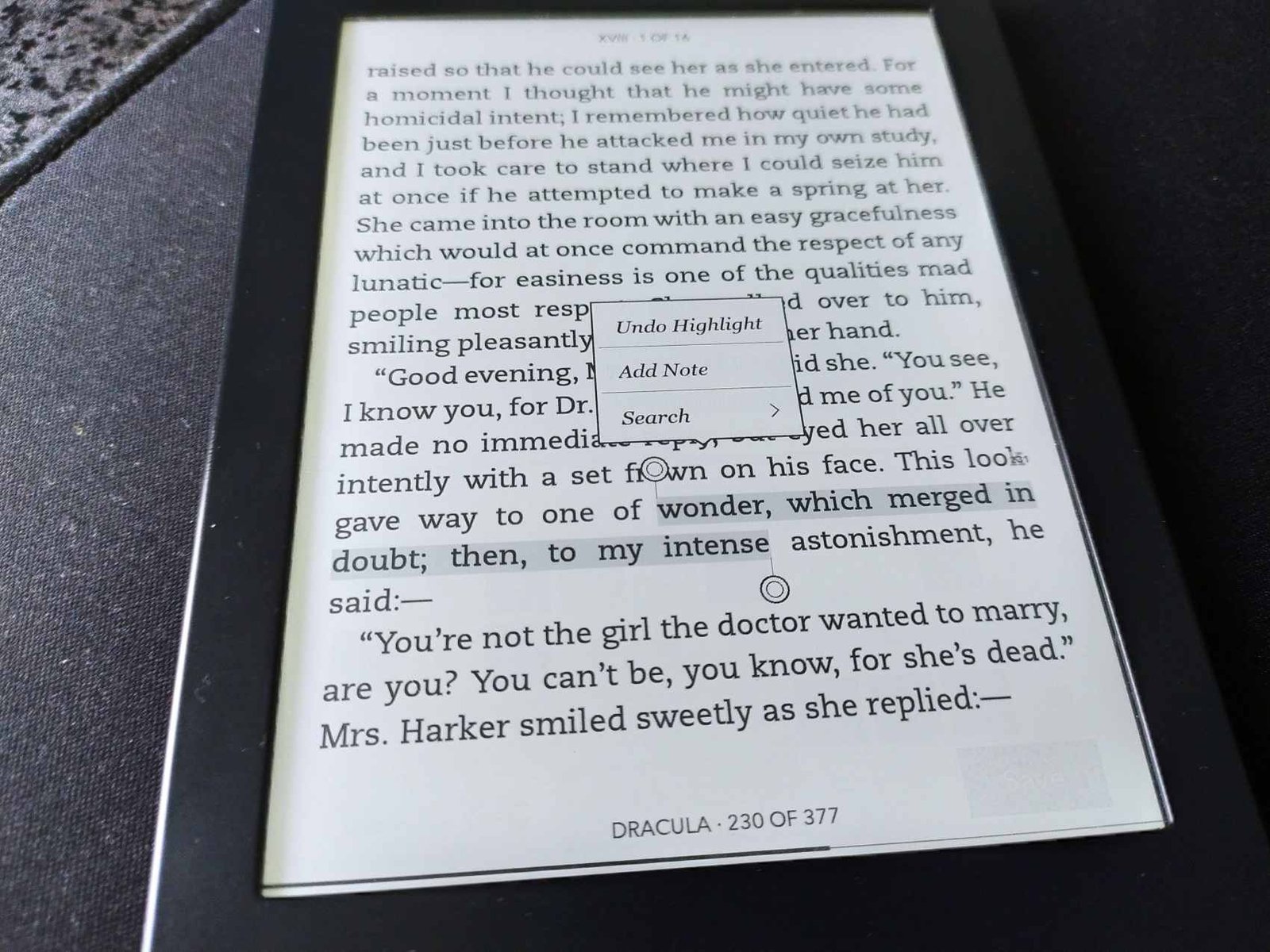
When reading a book, you can leave your finger pressed down on the screen to underline a word. To underline a passage or a complete text excerpt, slide your finger over the relevant words.

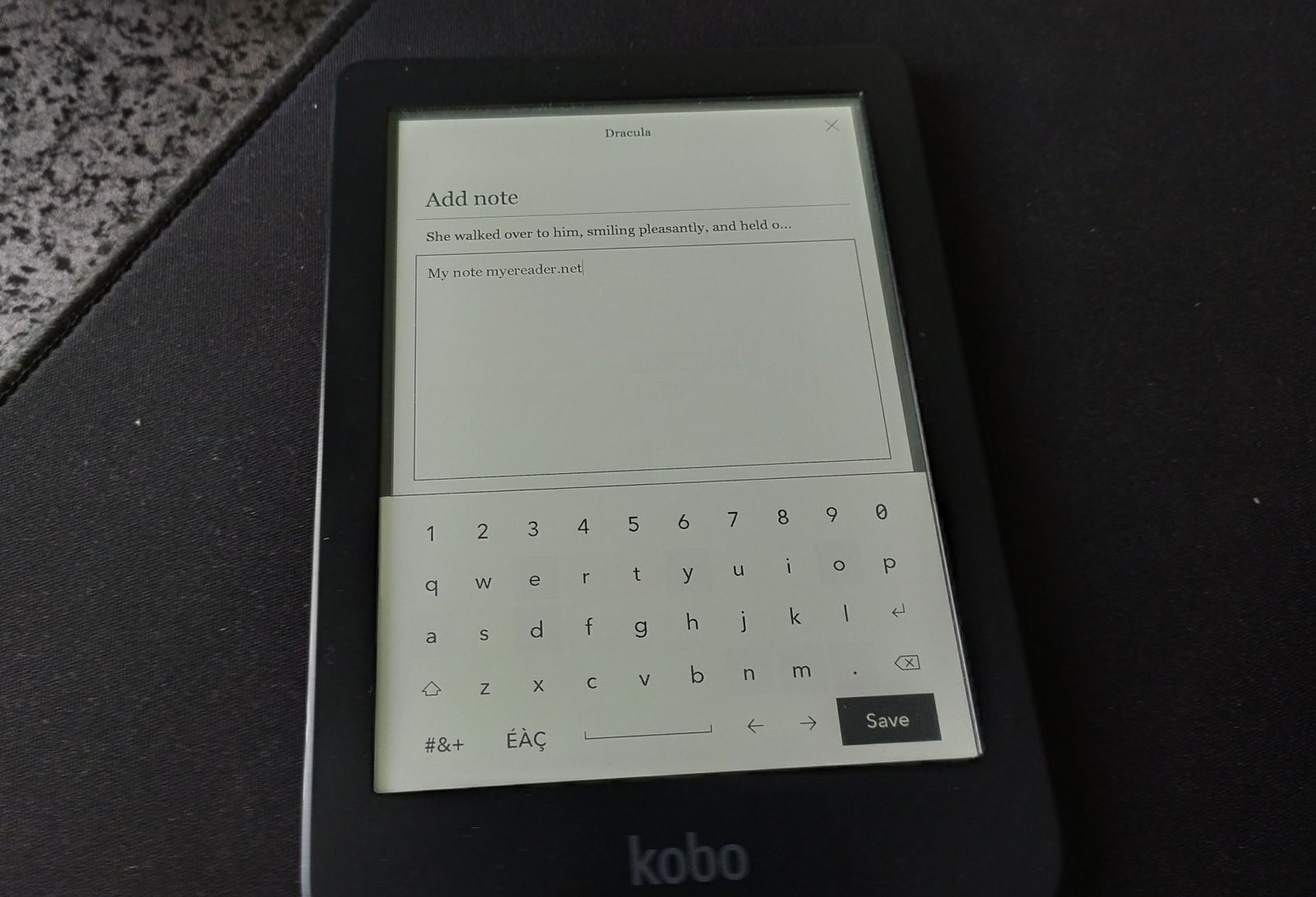
A menu then opens, allowing you to enter text.

add not and hightlight kobo e-reader

You can, of course, delete highlighted notes and extracts by pressing them to bring up the menu again and delete them.

How to enable export Kobo highlights and notes?

First, you need to enable annotation export to your Kobo e-reader.

First of all, you need to connect your e-reader to a computer to make its contents visible.

Next, go to the ".kobo / Kobo" folder.

You’ll see a file called "Kobo eReader.conf".

You need to edit the file to add a line of text. You can use the text-editing software of your choice. I recommend VSCode, which runs on all platforms (Windows, Linux and Mac) and is free of charge.

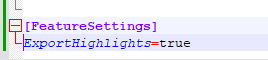
Using the editor, find the line containing the text [FeatureSettings].

There should be some text below this line (at least one line).

You must then add this text below the existing text:

ExportHighlights=true

Here’s what it looks like on my Kobo Nia in my text editor:

activate highlight export kobo

If you have no [FeatureSettings] in the file you can add it as showed in the last picture.

Now that this is done, you can eject your e-reader, which should no longer be connected to your computer.

How to export notes, highlighted extracts and annotations on your Kobo e-reader?

Now you can easily export your notes.

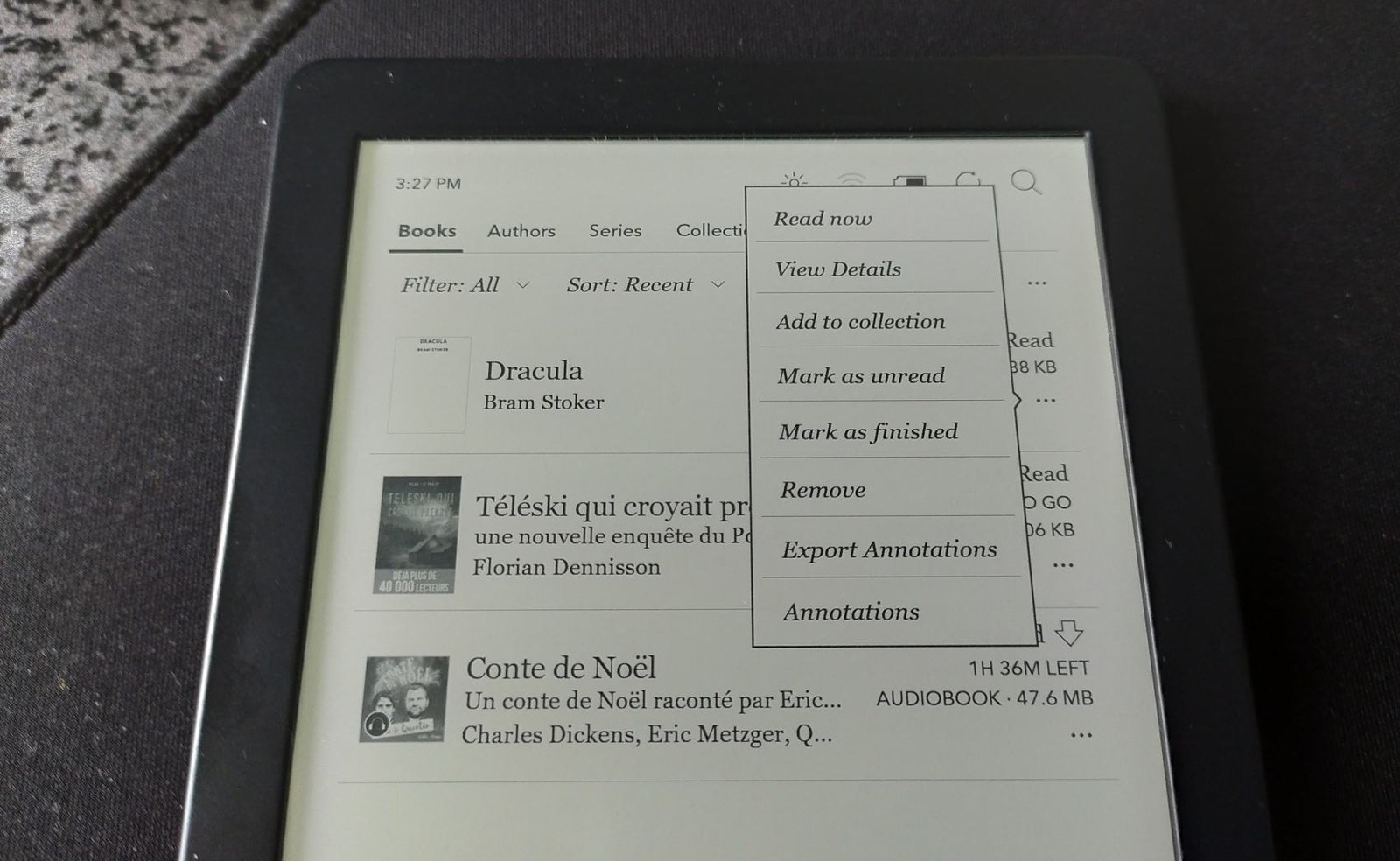
Go to the library and rest your finger on the cover of a book.

A menu appears and you need to select "Export annotations".

export notes for a book kobo e-reader

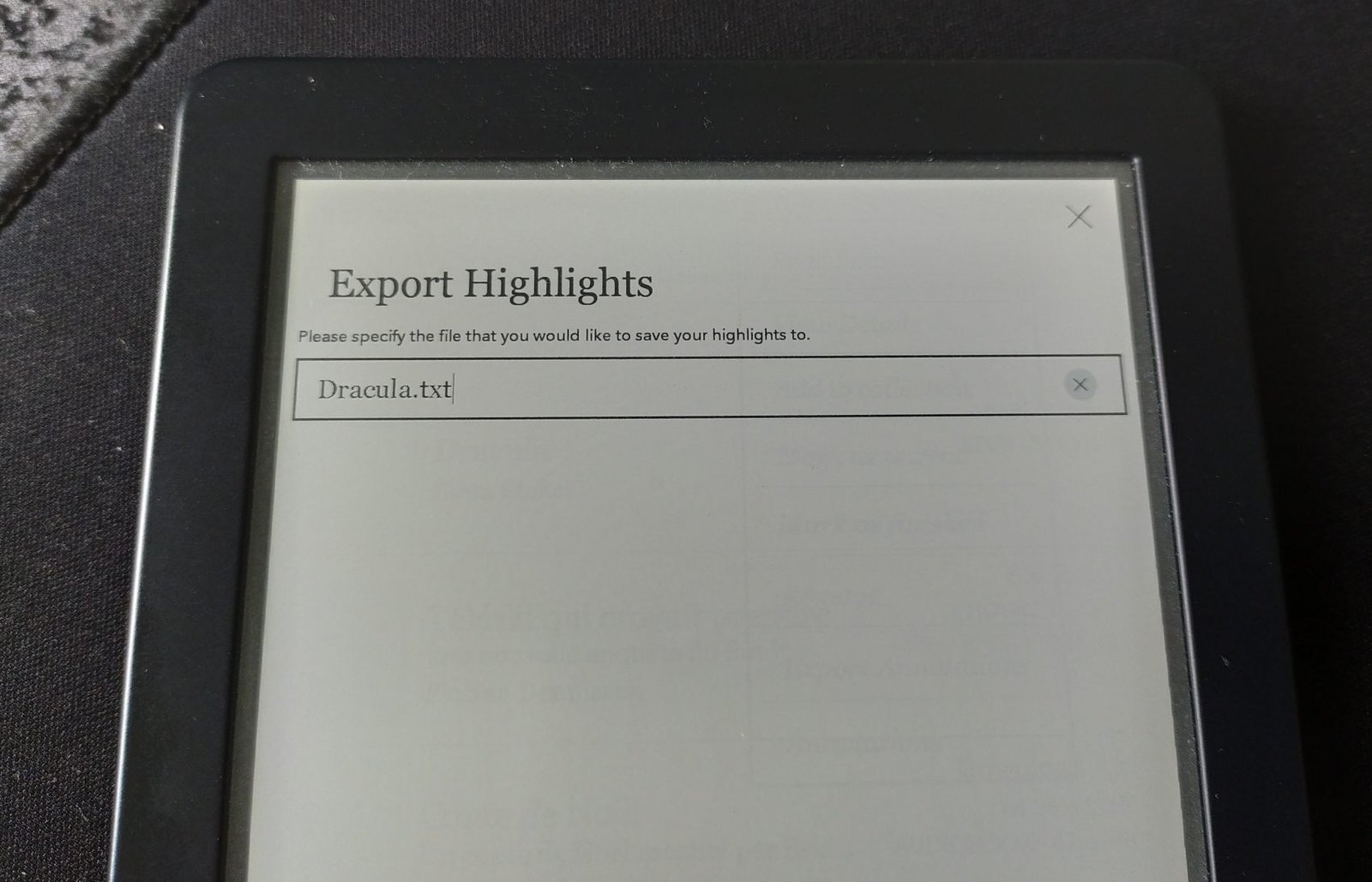
You then enter a file name (by default, the book name is used, which is very convenient):

export notes for a book kobo e-reader

Once this has been done, the highlighted passages and annotations are saved in a file in ".txt" format.

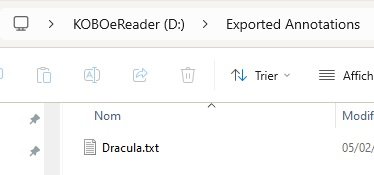
Simply reconnect your Kobo e-reader to view the contents of the file, as you can see in this screenshot:

export kobo notes to file

The content is in the "Exported annotations" folder on your Kobo e-reader.