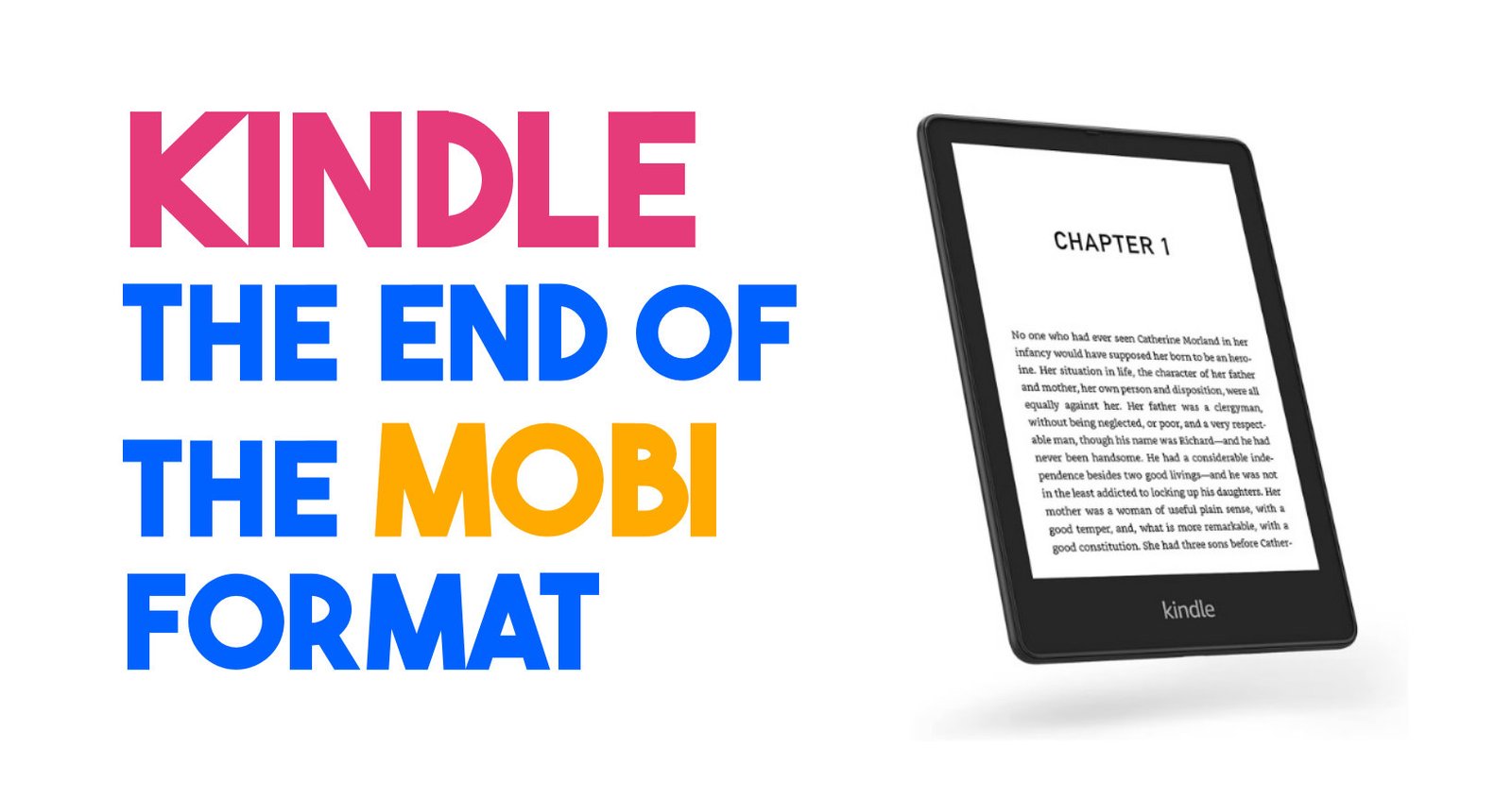
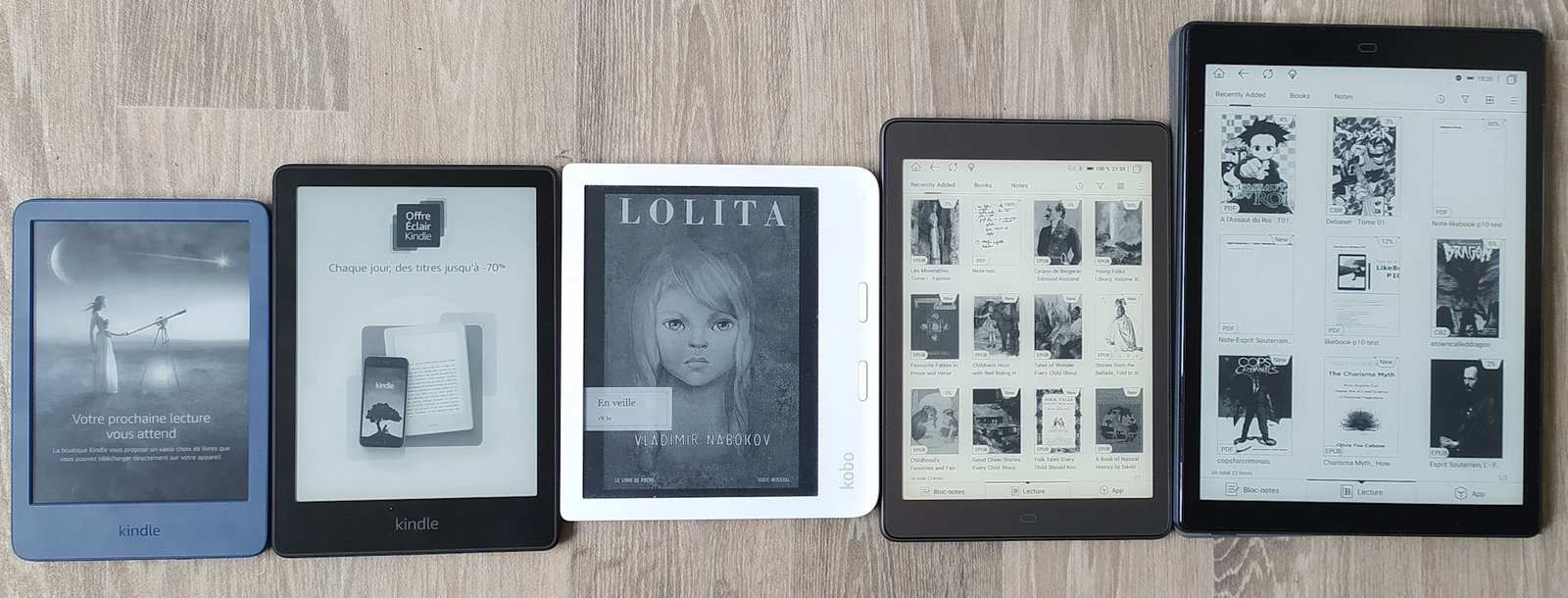
After months of updates and dithering at Amazon over the ebooks formats supported by Kindle e-readers, things will become clearer from next month.
Amazon has announced that a major update will take place in November 2023.
This change concerns the "Send to Kindle" service, which enables you to send an ebook to your e-reader from the email address generated e associated with your e-reader. You can find this address in your e-reader's settings.
The system is simple: you send an ebook file to an email address, and the book is sent directly to your Kindle e-reader's library.
Until now, this system has supported the MOBI file format, which has been compatible with Kindle readers since their launch.
A web interface for this service is available here (you need to be logged in to your Amazon account for it to work): Send to Kindle Web
In a few months' time, MOBI ebook files will no longer be compatible with this "Send to Kindle" system. You will no longer be able to email MOBI files to your e-reader.
Amazon now recommends using the EPUB format.
This is rather good news, since this ebook format is widely used and standardized. In fact, it's the preferred ebook format for e-readers from other brands: Kobo, Nook and Pocketbook.
So if you have a large library of MOBI format ebooks, you're likely to be bored. Fortunately, it is possible to convert MOBI files to EPUB format with appropriate software such as Calibre.
So it's not a big deal and, apart from the inconvenience of having to convert files and adopt a new habit, it's rather good news for the mass adoption of the EPUB format by all e-reader manufacturers.
Here are all the ebook file formats supported by "Send to Kindle": PDF, DOC, DOCX, TXT, RTF, HTM, HTML, PNG, GIF, JPG, JPEG, BMP and EPUB.
Even if a ereader is very easy to use, you may sometimes wonder how to perform certain actions on a Kindle.
This page will help you get the most out of your e-reader, and is therefore a quick guide for beginner Kindle users.
How to use a Kindle: video tutorial
How do I get back to home screen on Kindle?
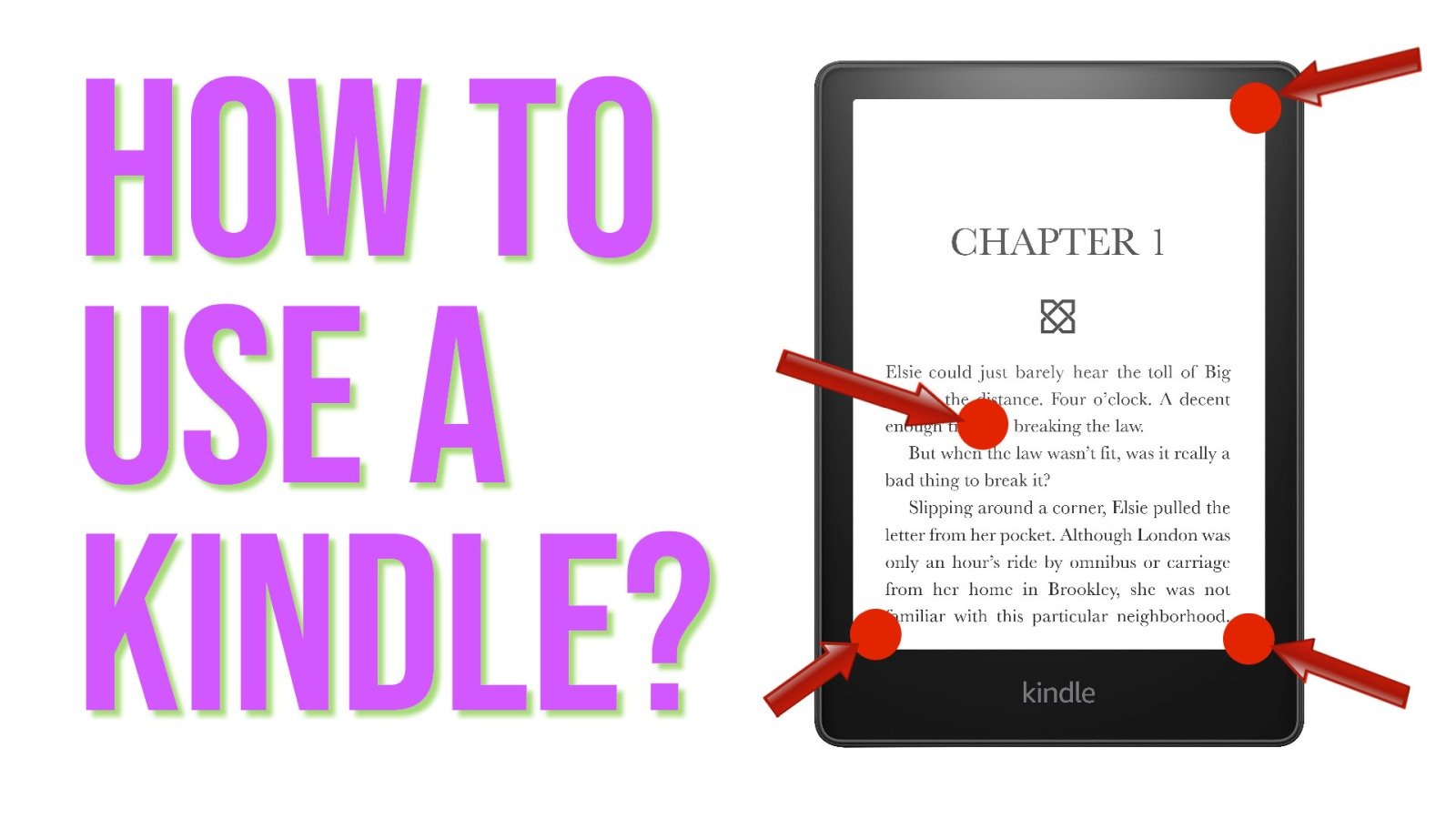
To get back to home screen on Kindle when reading an ebook you need to tap the top of the screen and then tap the back button (on the left of the screen).
How to exit book on Kindle?
To exit a book on Kindle, you need to :
open the menu : tap the top of the screen
tap the back button on the left of the screen
How do I get my Kindle to go back to library?
If you are reading a book, you first need to exit (see before).
Then, on home screen, you need to click to the "Library" button at the bottom right of the screen.
How to delete books on Kindle?
You need to go to the library.
Then, press down on the cover of the book you want to delete from your Kindle.
A menu appears : you can delete the ebook from your Kindle.
Note: you can download later the book if you want to read it again.
How to change font size on Kindle?
You need to open a book.
Then tap at the top of the screen and tap the button "aA" on the menu.
You can now change the font, thefont size, the margin, etc.
To exit the font menu, you must tap on the screen anywhere above the menu on the text of the ebook.
How to add books on Kindle?
There are several ways to add books to your Kindle e-reader.
The first is to use the Kindle bookstore to buy or download free books. These will be transferred directly to your Kindle e-reader.
You’ll find the Kindle bookstore on the home screen of your ereader. You’ll need a Amazon account.
To adjust brightness, you’ll need to tap on the top of the screen.
If you are reading an ebook, You’ll need to tap a second time at the top of the screen, on the "v" button to get the the brightness settings.
How to set and manage bookmarks on Kindle?
Bookmarks are specifics to ebooks.
So, when your are reading an ebook, you can open the Kindle bookmarks menu by tapping the top right corner of the screen (see the video in this article).
How to enlarge text on Kindle?
You need to open a book.
Then tap at the top of the screen and tap the button "aA" on the menu.
You can now change the font size to enlarge the text of the book.
To exit the font menu, you must tap on the screen anywhere above the menu on the text of the ebook.
How to factory reset a Kindle? (and restart)
You can factory reset a Kindle, but you’ll lose all your books and configurations.
To reset your Kindle, you must:
Go to home screen,
Tap the top of the screen,
Tap the "All settings" button (with a wheel)
Tap "Device Options",
Chose "Reset",
Confirm that you want to factory reset your Kindle.
On the same screen you can also restart your Kindle.
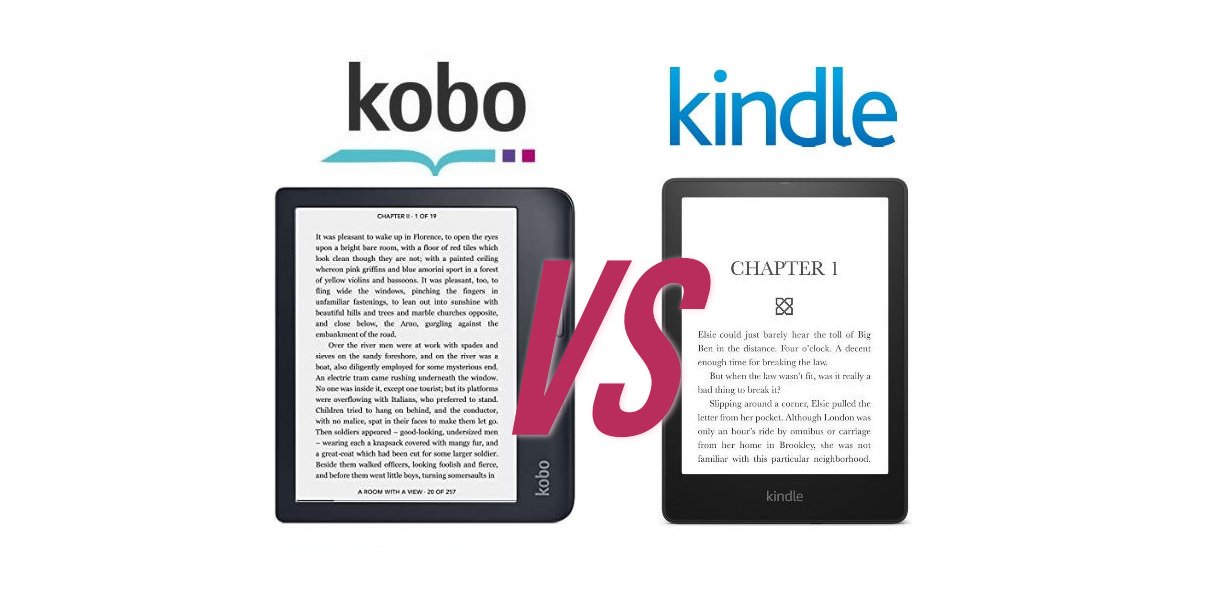
Many of you are wondering whether you should buy a Kobo or Kindle e-reader. In this article, we’ll look at the advantages and disadvantages of each brand of e-reader: Kobo vs Kindle.
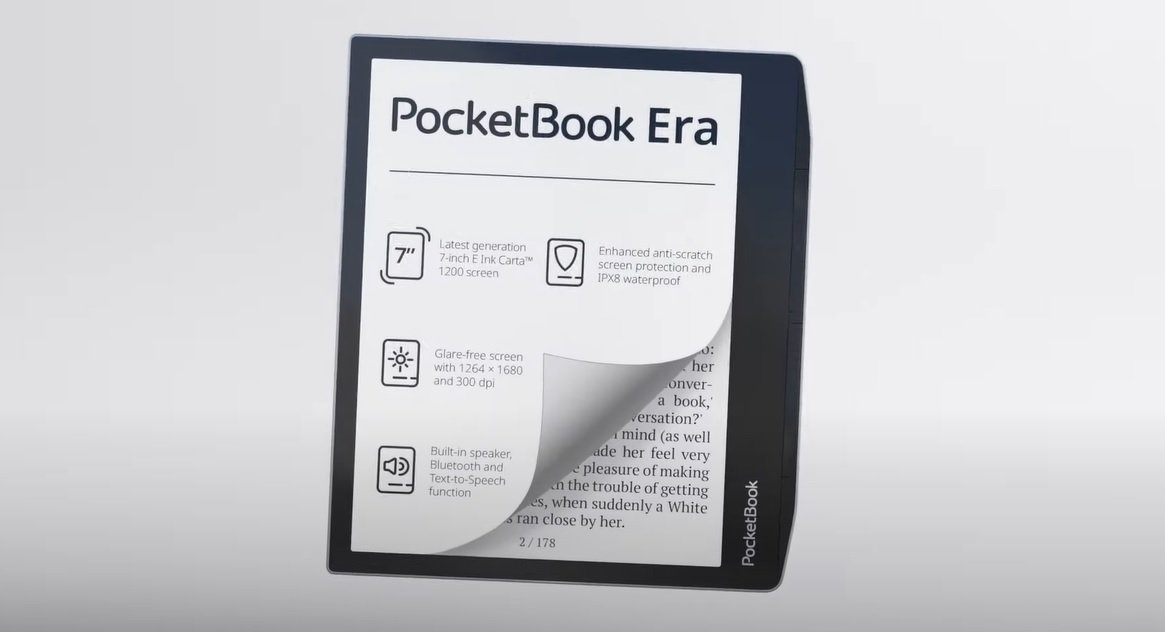
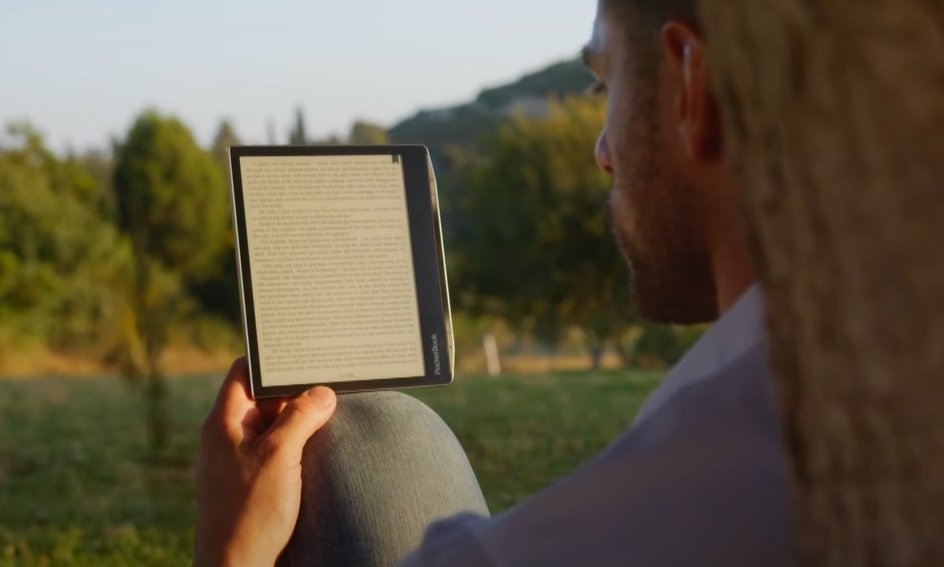
Pocketbook is offering a new e-reader called Pocketbook Era. And there's going to be some change!
With its 7-inch screen, this new Pocketbook Era e-reader will go head-to-head with the new Kindle Paperwhite and Kobo Libra 2.
The screen features the very latest in electronic ink (E Ink Carta 1200), and special attention seems to have been paid to integrating the screen into the case, and to the lighting, which features color temperature adjustment (blue light filter).
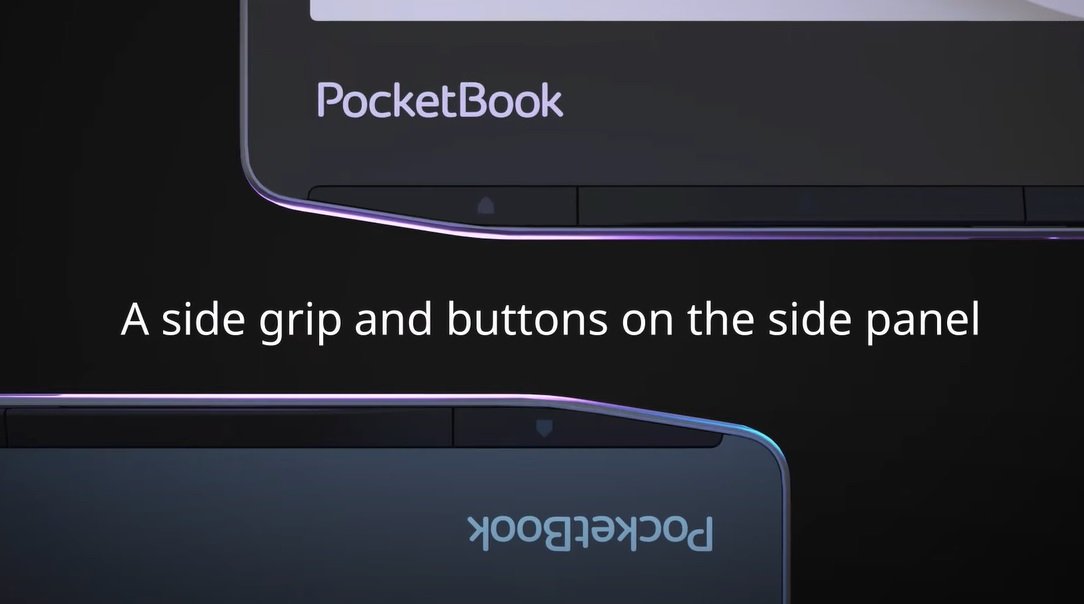
The Pocketbook Era's new design is reminiscent of the Kobo Libra 2, with buttons on the side and a grip that suits both right- and left-handed users.
The e-reader is also waterproof, which already makes it an excellent alternative to the two competing e-readers.
But Pocketbook has finally integrated something really useful in its Pocketbook Era e-reader: speakers.
These speakers let you take advantage of the text-to-speech function to transform a classic ebook into an audio book! In addition, it is also possible to listen to audiobooks directly from the Pocketbook Era.
You can still use the Bluetooth function to connect headphones, speakers and even use your e-reader in a car.
Pocketbook Era technical specifications
Two options are available for the Pocketbook Era e-reader:
A version priced at around $200 with 16 GB storage
A version at around $250 with 64 GB storage
Technical specifications :
7-inch E Ink Carta 1200 display, color temperature-controlled illumination, touchscreen
Audiobook formats: as yet undisclosed (probably MP3)
My opinion of the Pocketbook Era e-reader
For the moment, it's difficult to give an opinion on this e-reader until I've had it in my hands.
But knowing the history of Pocketbook and its products, it seems clear that we have a fine e-reader that will undoubtedly be listed among the best e-readers of the year.
This Pocketbook Era is more complete than the Kindle Paperwhite and Kobo Libra 2, the two flagship e-readers of 2022 and 2023.
My only downside comes from the price, which at first glance seems a little high ($200) compared with the competition for the addition of speakers.
But speakers with a waterproof e-reader must represent an additional technical difficulty that may justify the price.
All in all, it's a good e-reader, and only the Pocketbook InkPad 4 overshadows it with its larger screen and similar features at a similar price.
Kaleido technology has been around for a few years now. While it still holds real promise for color e-readers, we’ve yet to get a real glimpse of this future. Will the Kaleido 3 color screens finally revolutionize the e-reader market?
One thing seems certain: the future of the e-reader will involve color.
Indeed, it’s the last great technological wall separating digital reading from a reading experience superior to paper.
Without true color as vivid as a paper print, it’s currently impossible to consume comics, photography books and magazines without the need for a color tablet and its rapidly eye-weary screen.
E Ink was the first company to offer e-ink screens for e-readers. It has therefore been working for years on adding color to its screens.
One of the major advances was the arrival of Kaleido technology. This made it possible to add color rapidly, while retaining the advantages of electronic ink (energy savings, reading comfort, reading without lighting).
How does the Kaleido screen work?
E-readers are able to display colors with a Kaleido screen, which is the name of the screen sold to device manufacturers by E Ink.
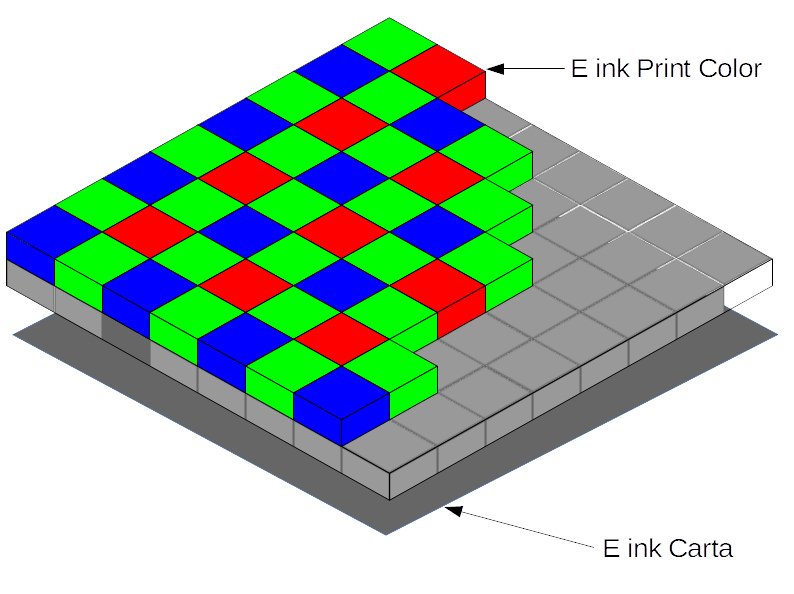
First of all, the technical basis of the Kaleido (or Print Color) device is indeed a Carta-generation e-ink black and white screen. This is the screen used in today’s black and white e-readers.
This FCA is well known to screen designers, and its French name is "Matrice de filtres colorés". It’s a mosaic of colors (red, green and blue) on top of the black-and-white screen.
Each point (or pixel) on the screen can then take on the color white, black, blue, green or red.
To obtain different shades of color, the screen then combines different colors to obtain the desired hue from among 4096 possibilities.
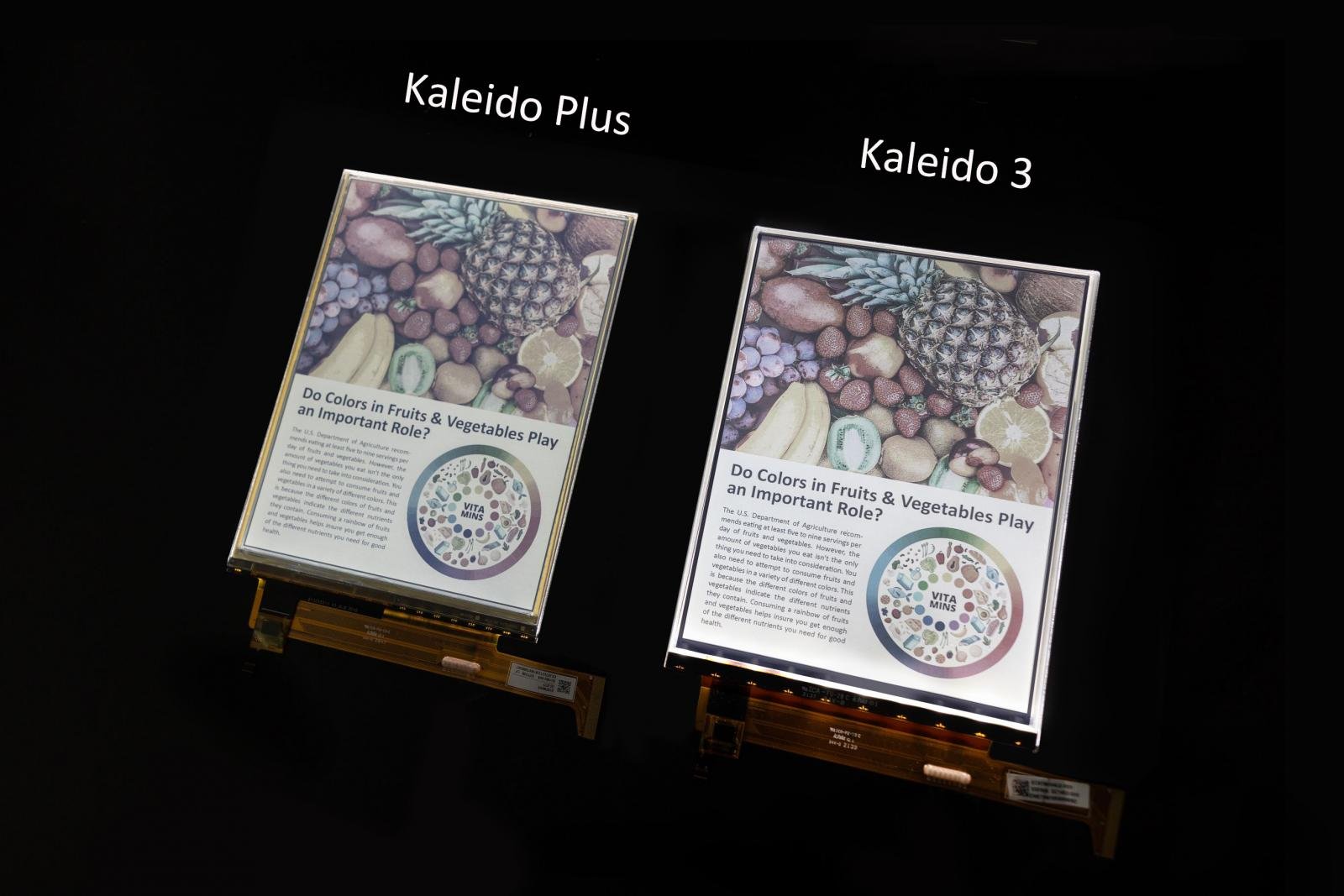
The Kaleido screen has since been updated with Kaleido Plus technology, then Kaleido 3 to improve color display.
The need for a Kaleido 3 screen
Kaleido technology is not without its drawbacks. The main one is that color reproduction is paler than on paper, LCD or LED screens.
For this reason, new versions of these screens have been appearing over the past 4 years.
After a Kaleido 2 (or Kaleido Plus) version that was ultimately rather confidential (there’s the Pocketbook Inkpad Color, which seems to be equipped with such a screen), the E Ink Kaleido 3 technology is now available.
Yes, this screen is now available for e-reader brands who want to embed it in a machine.
Here’s what’s new in Kaleido 3:
30% more vivid colors than the Kaleido 2/Plus version
E Ink ComfortGaze lighting technology, which promises a significant reduction in blue light emission
A diagonal available in 7.8", 10.3" and 13.3" sizes
This all sounds very pleasing, but I do have a few technical concerns, and there are always some annoying limitations.
Firstly, I haven’t found any information about 6- to 7-inch screens using Kaleido 3. Does this mean that this technology will be reserved for larger screens and, therefore, more expensive e-readers?
If so, that’s a real shame, because I think a 6-inch Pocketbook Color with an up-to-date screen and a price still under $200 would be a really good e-reader.
On the other hand, one of the limitations of these color screens is the lower resolution for color display. It seems that this is still the case with Kaleido 3, and we’re still limited to 4096 colors.
This aspect of the technology can be annoying when displaying photographs and pictures – for example.
E-readers using this screen are mainly designed by Asian brands, and are not widely distributed worldwide.
It is worth noting, however, that the recently released Pocketbook InkPad Color 2 still uses an E Ink Kaleido™ Plus screen, which seems to indicate that the price of Kaleido 3 screens is too high, or that the quantities manufactured are too low, for these screens to be integrated into e-readers distributed widely around the world.
So, the Kindle and the iPad are two very different tools. Even if you can do many things with iPad, the Kindle has one major advantage for reading ebooks: its e-ink screen.
The Kindle: a screen that’s much better for the eyes
The Kindle’s e-ink screen is designed to mimic a paper printout.
As a result, the pages of text displayed on your e-reader give you a reading sensation very close to that experienced when reading a paper book.
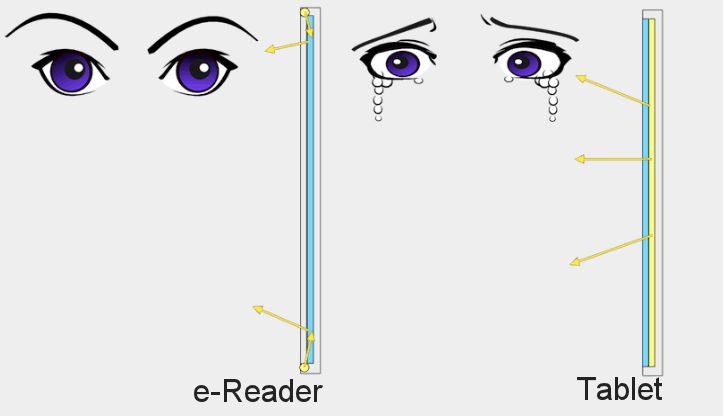
What’s more, the iPad’s lighting is very aggressive on the eyes. In fact, its illumination is placed under the screen, which means that the light reaches your retina directly (and with a certain intensity).
This is not the case with a e-reader, which has a different type of lighting placed on the edges of the screen, which first illuminates the screen, as you can see in the diagram below:
Harvard Study Shows E Ink’s ePaper Is Up to Three Times Healthier for Your Eyes Than LCD Screens
Even better: you can read on a Kindle with the lighting switched off – something you can’t do on an iPad.
Simply put: you can read for hours on a Kindle without experiencing eyestrain, which is not possible with an iPad.
Kindle: other benefits of the e-reader
In addition to having an e-ink screen better suited to reading and a lower price, the Kindle e-reader also has another advantage: [it has a much longer battery life].
A simple recharge of a Kindle e-reader takes a few hours, and you’ll be able to read ebooks for weeks.
An iPad discharges very quickly, and you’ll need to recharge it several times a week.
Yes, it better for eyes to read on Kindle
In conclusion, here’s why reading on a Kindle e-reader is better for your eyes:
The e-ink screen mimics paper and doesn’t tire the eyes
The battery life of a Kindle is much longer than that of an iPad.
You should also know that there’s more than just the Kindle e-reader out there: on this site, you’ll find a guide to the best current e-readers of all brands, if you want to buy a model that’s right for you.
E-readers use a special type of screen known as electronic ink. Unlike the screens used on smartphones, tablets and PCs, e-ink is based on a completely different technological approach, enabling a paper-like display.
In this article, we’ll look at how does e ink works, and its advantages and disadvantages compared with other screen technologies.
What is electronic ink (e ink)?
Electronic ink is the name given to a technology that enables characters and illustrations to be displayed on a surface, with the aim of closely resembling a paper print.
Electronic ink is also known as "electronic paper", "electronic ink", "e ink" or "e paper".
As with paper printing, e-ink does not require lighting to operate. The surface of electronic ink is reflective in the sense that it is sunlight (or an artificial light source) reflected from the screen that enables us to see what is displayed.
E-ink can be used on a variety of surfaces, but is mainly used on a plastic surface, which can be rigid or flexible.
Today, the main manufacturer of screens using electronic ink is the Asian company E-Ink Holding, more often referred to as "E-Ink" or "e ink".
Today, electronic ink displays are used in e-readers, watches, display panels, smartphones, tablets and computer screens.
Who invented e ink?
E-ink was invented in 1997 by MIT researcher JD Albert.
It was at MIT, in 1997, that JD Albert discovered how to make an electronic ink display.
At the time, he hadn’t yet imagined the e-reader as we know it. But what he had in mind was far more impressive: a book made up of e-ink pages that could be flipped through!
In retrospect, it sounds complicated, but that’s what JD Albert was trying to achieve at the time, as Albert explains in an interview:
"Often, when working on a new technology, it helps to set bold goals."
So, even if the vision of a multi-screen device with pages that can be turned has not come to fruition, e-ink is the main technology that drives all e-readers.
How does e ink work?
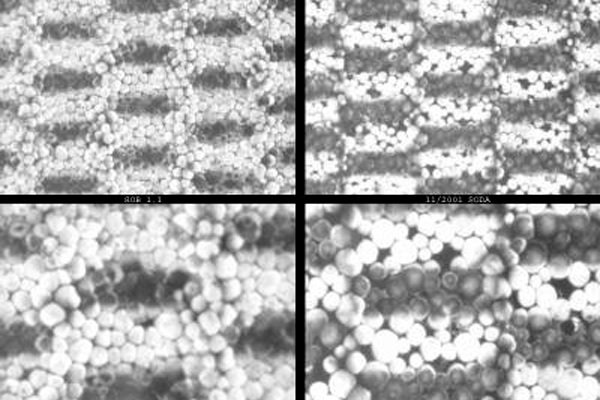
Electronic ink is made up of sphere-like microcapsules. These capsules are sandwiched between two plastic plates (rigid or flexible).
Inside each sphere are oil and small particles that are electrically charged.
A particle can be negatively charged (giving it the color black) or positively charged (giving it the color white).
When a negative electric current is applied to a capsule, the white particles are placed at one end of the capsule, while the black particles are placed at the other. This is the process that enables the display to switch from black to white.
To obtain different shades of gray, a more or less intense electric current is applied: 100% white; 75% white and 25% black; 50% white, 50% black; 25% white, 75% black and 100% black.
Once the electric current has been applied, the particles remain in place. This means that the e ink does not need to be supplied with energy once the text and images have been printed.
An e-ink screen is therefore made up of millions of capsules.
This technology is also known as "electrophoretic display".
Color e ink displays are produced on the same basis as monochrome electrophoretic displays.
The color comes from a filter that is added on top of the screen and the millions of capsules.
This filter is actually a matrix of filters that enables the display of 4096 colors.
Today, there are a number of different color e-ink screen technologies: Spectra, Gallery 3 and Kaleido (Kaleido 3 being the main ones.
How does the lighting work on e ink screens?
E-ink screens don’t need a backlight source to function.
However, ereader manufacturers have chosen to include a light source to facilitate reading in dark environments. A light source also provides greater contrast on the screen.
E-ink screen lighting uses LEDs placed all around the screen.
Unlike LED, LCD or OLED screens, which use a lighting system placed beneath the screen, the light produced by the illumination of an e-ink screen does not strike the user’s retina directly, as you can see from the following diagram:
The brightness of the lighting on e-ink screens can be adjusted, and manufacturers have also integrated a system for adjusting the lighting color temperature to act as a blue-light filter.
What are the advantages of e-ink?
Electronic ink is visually close to a paper print. Displays using this technology are therefore suitable for reading text.
Once e ink printing has been carried out, there is no need to supply power to the screen, which retains its display.
On the other hand, an electric current is required for each change made to the screen. As a result, e-ink screens consume very little energy. As a result, devices using them have longer battery life than those using more conventional screen technology.
What are the disadvantages of e-ink?
Although e-ink is very energy-efficient, it has the disadvantage of being slower than other display technologies. Refreshing an e-ink screen is therefore slower.
While technological advances have greatly improved this point, e-ink is still too slow to display video in good conditions.
The other major shortcoming is color display. Color rendering is well below that of LED, LCD or OLED screens.
Finally, these screens are more expensive to manufacture. The price of large diagonal screens (8 inches and over) is therefore very high compared with competing display technologies.
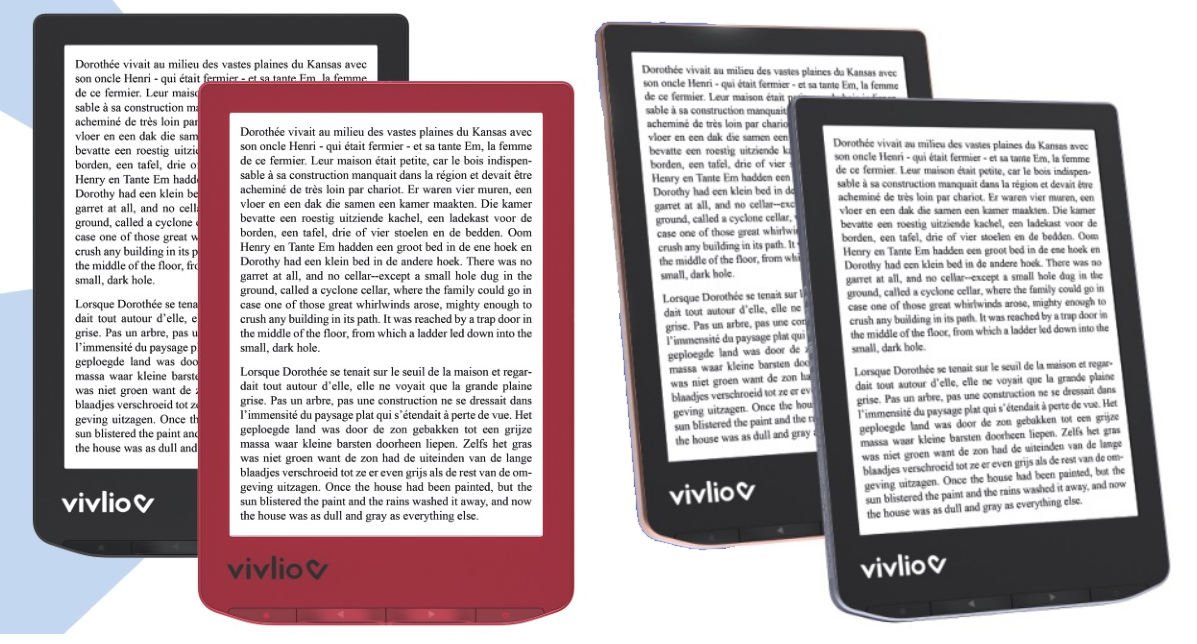
Two new e-readers exclusive to France are announced: the Vivlio Light and the Vivlio Light HD.
There’s a little-known French company in the USA called Vivlio. Vivlio distributes Pocketbook e-readers in France following a legal dispute between the French paperback brand "Pocket" and e-reader manufacturer Pocketbook.
In a nutshell: Pocketbook does not have the right to sell "Pocketbook" e-readers under this name in France.
This created an opportunity for Vivlio to develop a range of e-readers aimed primarily at France.
Vivlio uses Pocketbook e-readers, but modifies the interface and adds a French online bookshop, enabling French-language books to be downloaded directly onto the e-reader after purchase.
Vivlio has been around for a number of years, and has enjoyed considerable success in France, where the brand is appreciated locally as a good alternative to the Kindle and Kobo e-readers.
Since September, Vivlio has been releasing 3 new e-readers in France.
For these new readers, Vivlio has decided to completely change the name of the Pocketbook model. The Vivlio Light is a Pocketbook Verse, while the Vivlio Light HD is a Pocketbook Verse Pro.
The hardware used is identical, with only the brand name changing. The physical buttons under the screen are the same, as are the technical specifications of Pocketbook models.
On the software side, there may be slight differences between Vivlio and Pocketbook e-readers. In fact, Vivlio checks that all the reader’s functions are properly translated and that everything works in French.
So we’ve seen some Vivlio e-readers that didn’t activate the little video games found on some Pocketbook e-readers.
Apart from these details, Vivlio e-readers offer the same reading experience as Pocketbook readers.
After years spent in the shadow of the paper book, the last years has allowed everyone to understand the benefits of e-readers and ebooks. Perhaps it’s time to reconsider. Do you prefer digital books (ebooks) or paper books? And which is better?
E-readers and ebooks as a viable alternative to paper books
There’s no denying that the ebook can help book lovers when a bookshop is no longer accessible.
This may be because a bookshop has closed, or because an epidemic has forced booksellers to lower their curtains.
But more often, it’s simply because people live far from cities and bookshops. So they order their books over the Internet, or use digital books (ebooks) to continue reading.
Here are the main advantages in favor of the ebook:
Ebooks are easy to access: all you need is an Internet connection
Today, I believe that the ebook is no longer the scarecrow it may have been just a few years ago. We need to put an end to the stupid fantasy that digital books (ebooks) will replace paper books.
We’re forgetting the major innovations that have turned the economics of paper books on their head. Here are just a few of them:
Large-scale printing
Paperbacks, which lowered the price of books (but didn’t make more expensive books disappear)
Supermarket distribution of books in a lot of countries
Library: no need to buy books, just borrow them
Paper books are also a "passion" object. People buy them for the pleasure of the object, for the pleasure of building up a fine library, and for the pleasure of lending or giving.
Unlike other cultural media such as DVDs and CDs, sales of paper books have not fallen dramatically with the arrival of smartphones and e-readers (since around 2007), as shown by this graph showing the evolution of the number of copies of books sold (in millions) :
So it’s not the e-reader and ebooks that will kill the paper book.
In any case, it’s more likely that the death of the paper book will come from a law, a political decision or a natural cause (such as an epidemic, an ecological problem, a paper supply problem, etc.).
Ebook or traditional printed book: there’s no winner
Objectively speaking, there are advantages to reading on paper, just as there are to reading ebooks on e-readers or other reading devices.
In both cases, there are also disadvantages.
So it’s time to put the differences aside and not stigmatize some (who love the traditional paper object) and others (who love soulless devices and put bookshops out of business with their ebooks).
On the contrary, showing that there are different ways of reading also means showing that we can continue to read whatever happens.
Because seeing someone reading an old paperback of Albert Camus should make us as happy as someone reading a Stephen King on an e-reader.
At a time when Netflix, social networks and smartphone apps are taking up more and more of our time, every person who reads is a victory to be savored.
Whether you choose the ebook or the paper book, you’re right either way. The most important thing is to read.
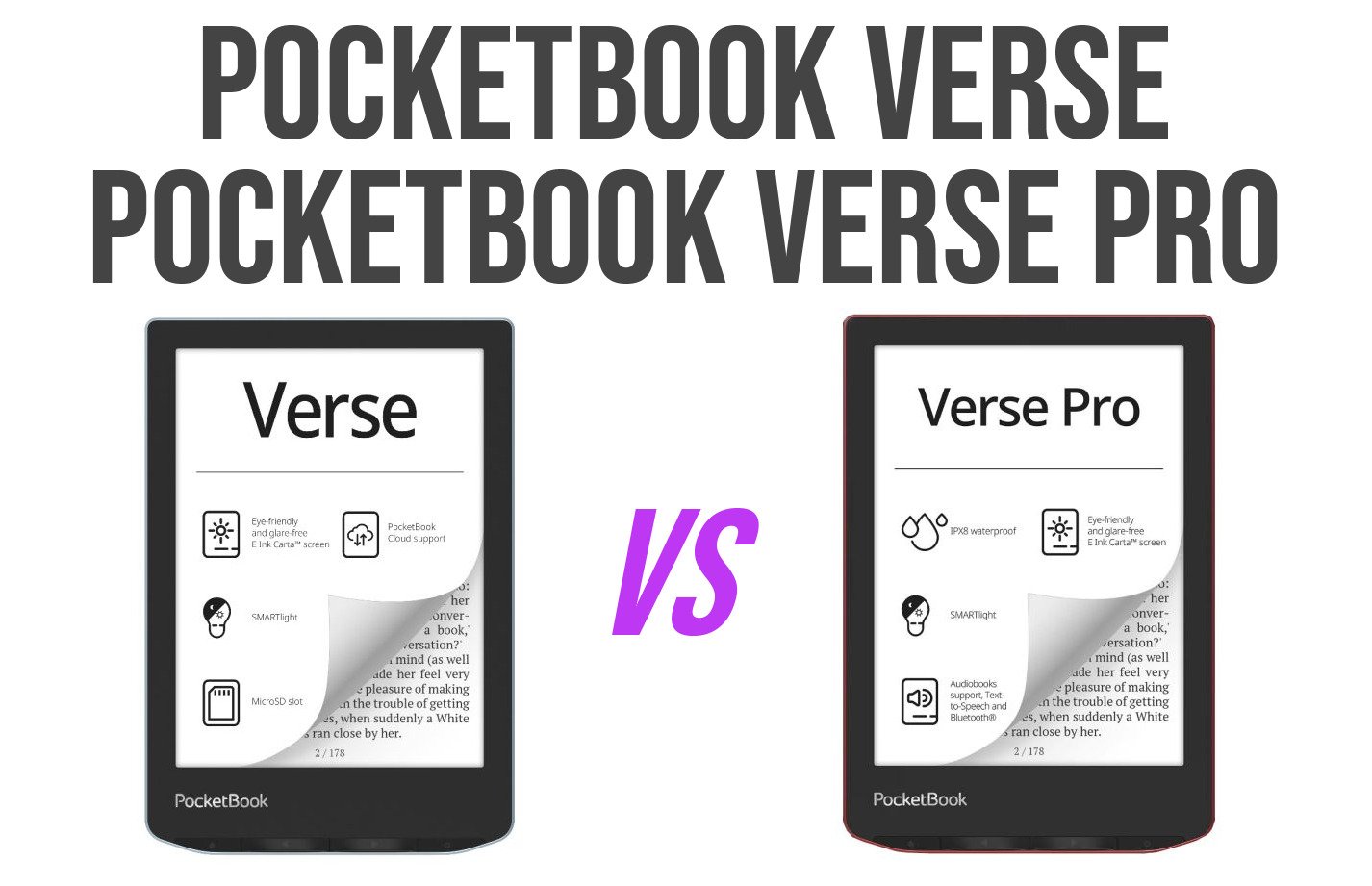
Pocketbook now offers two reading devices that share the same name: Pocketbook Verse and Pocketbook Verse Pro. Let’s take a look at the differences between these two models to help you make your choice: Pocketbook Verse or Pocketbook Verse Pro?