E-reader blue light filters and impact of blue light on health

ereader blue light

The debate on blue light and tools to reduce this light source is not over. But, following various queries from readers, I decided to investigate whether or not a blue light filter is necessary on e-readers with a light.

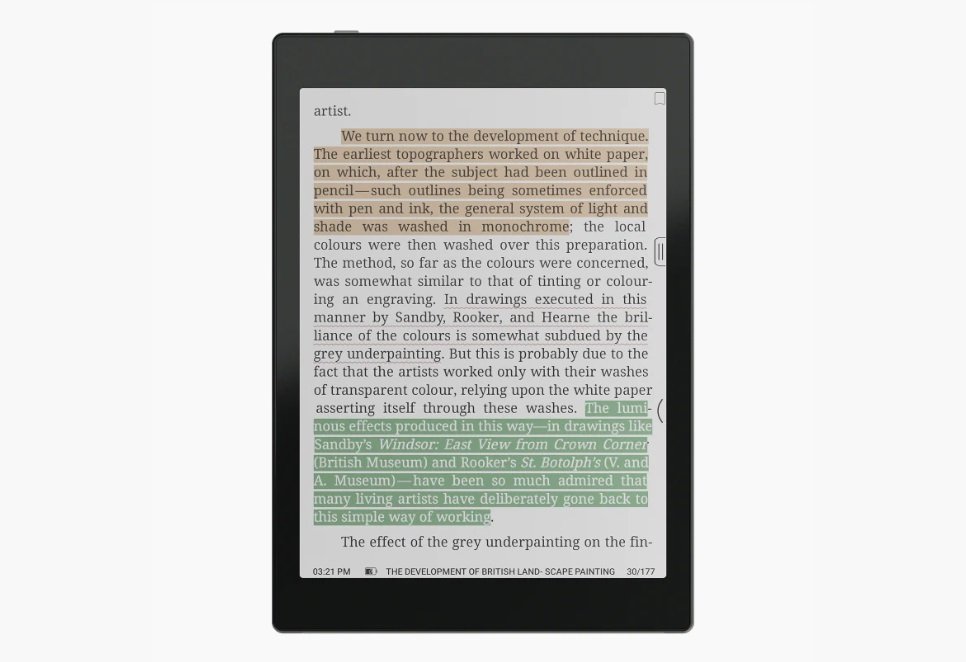
The answer is as follows: on an e-reader the blue light filter is useful if the lighting is activated, but the blue light of e-readers illuminations is less violent than that of other devices with LED screens, which makes it less harmful to health.

And we'll see in detail how I arrive at this conclusion.

What is blue light?

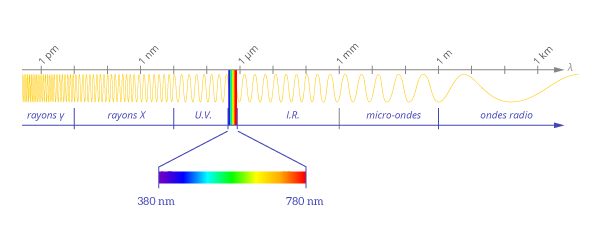
Blue light is light with a wavelength below 445 nanometers.
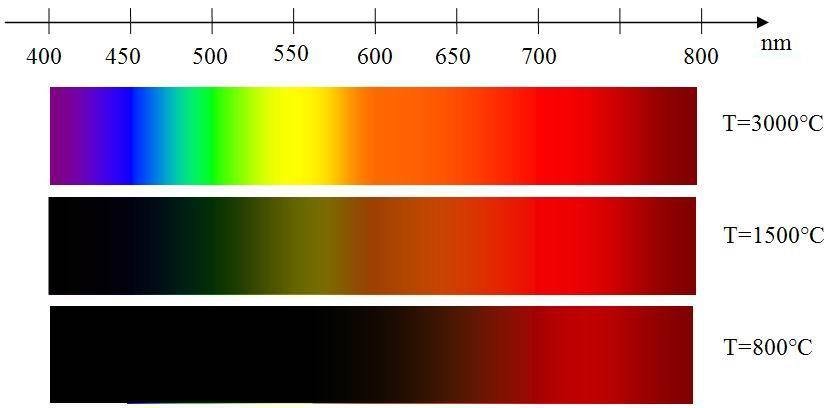
light spectre
light waves

This is because light is a wave, and the shorter the wavelength, the more blue the color. On the other hand, the longer the wavelength, the more reddish the color. Blue light therefore has a very short wavelength.

The problem is: the shorter the wavelength, the greater the energy. So it's this energy linked to the color blue that's harmful.

Is blue light dangerous?

There are now numerous studies on the subject, and it's safe to say that blue light is indeed not good for your health.

There are several reasons for this.

Firstly, the earliest study showed that blue light could deregulate the body's internal clock. This clock, known as the circadian rhythm, regulates sleep.

That's why we recommend not using a smartphone, tablet or TV before bedtime: the avalanche of blue light received by the body (especially the eyes) can prevent us from sleeping.

But there's a potentially more serious reason: a study shows that the photons that make up blue light can damage retinal cells. The photons create oxidation in the retina, releasing molecules that are harmful to the eye.

So you see: too much blue light could reduce our eyesight and even damage the retina.

These in-depth studies show that there is indeed a health risk associated with exposure to blue light.

The problem is that this risk is heightened by the use of LED technology, which is now found everywhere from public lighting to smartphones to the frontlights of e-readers…

Why is there debate?

What's interesting about this issue is the debate in the scientific community about blue light.

As we've just seen, exposure to blue light is proven to be harmful to the human eye and the internal clock.

However, this light comes from LEDs, a technology used to reduce energy consumption and therefore rather good and useful for the environment.

So the question is:

> Should we pollute more and ban or avoid LED lighting – given that we don't have a better solution at the moment?

Of course, there's no question of banning or advising against it, because the studies haven't settled a major question: how long and at what frequency and power must you be exposed to blue light before it causes irreversible damage to the eye?

In fact, to date, there are no proven cases of health problems linked to blue light in humans. All the data we have is based on controlled laboratory studies.

Some study on blue light impact on health

Here are some links to studies I found online, where available. Keep in mind that some articles may be behind a paywall, depending on your access to academic journals:

  1. Blue Light-Induced Retinal Neuronal Injury and Amelioration by Commercially Available Blue Light-Blocking Lenses: https://pmc.ncbi.nlm.nih.gov/articles/PMC8877890/
  2. Sensitivity of the human circadian system to short-wavelength (420-nm) light: https://pubmed.ncbi.nlm.nih.gov/18838601/
  3. Computer vision syndrome: a review: https://pubmed.ncbi.nlm.nih.gov/15850814/
  4. Evening use of light-emitting eReaders negatively affects sleep, circadian timing, and next-morning alertness: https://www.pnas.org/doi/10.1073/pnas.1418490112
  5. Short-Term Exposure to Blue Light Shows an Inhibitory Effect on Axial Elongation in Human Eyes Independent of Defocus: https://pmc.ncbi.nlm.nih.gov/articles/PMC8711007/

The problem with tablets, smartphones and e-readers

The screen of a tablet or smartphone is often close to the face and eyes. Does this mean there's no danger to our eyes?

Not entirely, if the lighting is located high up and at a good distance from our eyes, devices such as smartphones, computers, tablets and even e-readers are used just a few inches from our face.

In this case, exposure to blue light is much greater and potentially much more dangerous.

How can we protect ourselves from blue light?

On more and more computer devices, there are solutions for reducing or "filtering" blue light from screens.

For example, you can install the f.lux software on your computer, or use the night mode available on more and more devices (called Blue shade at Amazon on fire Tablets, for example).

You can also use blue-light-filtering glasses (most opticians now offer this option) or buy highly effective, low-cost glasses specially designed for this purpose.

Blue light and e-readers: is there a danger?
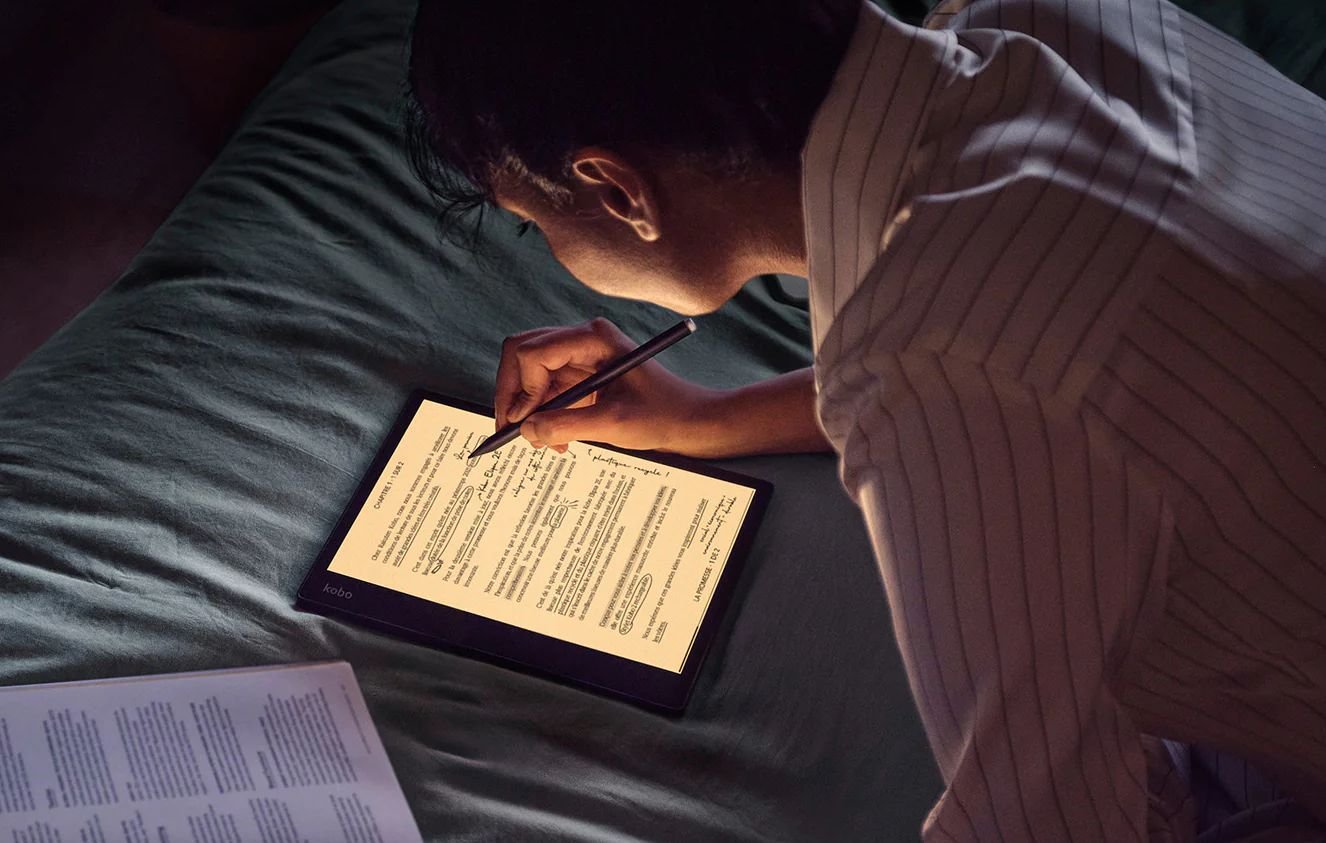
Kobo Elipsa 2E with blue-light filter called comfortlight pro

For several years now, the main e-reader models have been equipped with a lighting system that allows you to change the tint of the screen to suppress, or attenuate, blue light.

On the other hand, other manufacturers have chosen not to integrate this type of option into their equipment, which raises a few questions: is there a danger for e-readers?

The first thing to understand is that the screen of an e-reader looks nothing like the screen of a tablet or smartphone.

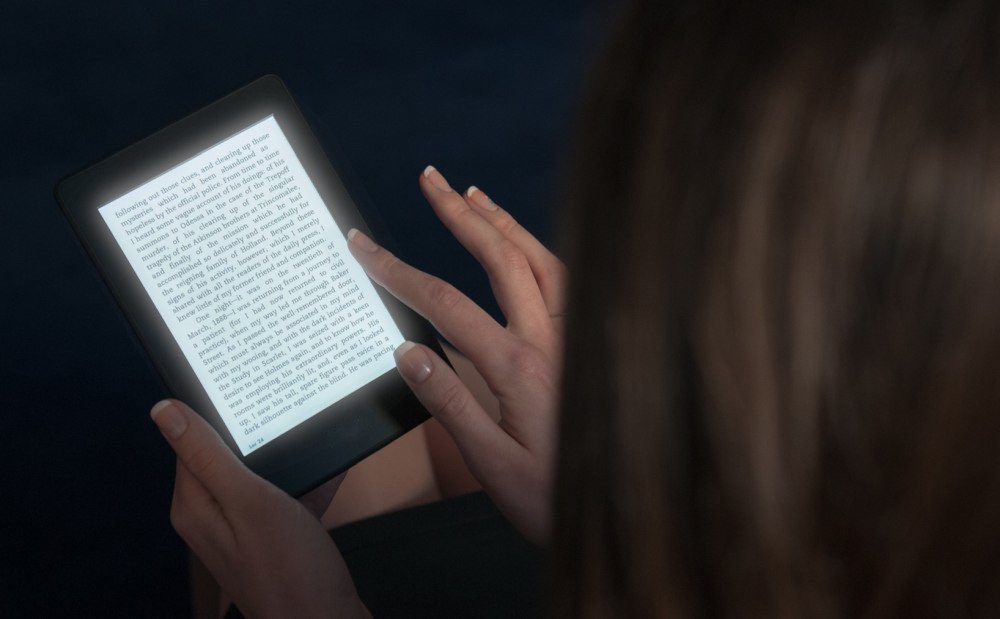
The light sent by a smartphone (or tablet) LED screen arrives directly in the eyes, whereas with a ereader, the light is first reflected by the screen.
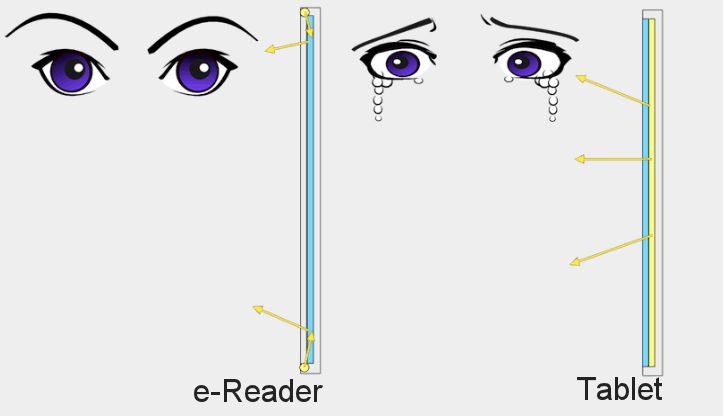
screen light on tablet and ereader differences

LEDs are widely used to illuminate the screens of e-readers.

These LEDs produce a white light that combines green, red and blue, which means that there is indeed some blue light.

However, the light loses some of its energy when it hits the screen. What's more, in my experience, e-readers produce far less light than smartphones or tablets, with the lighting set to minimum.

But this doesn't totally eliminate the problem: blue light remains.

This was demonstrated by a study which showed that people who read on e-readers with lighting had much more trouble sleeping than those who read without lighting or on a paper book.

The blue light filter is therefore useful on e-readers, even if the blue light emitted is less than on a smartphone or tablet.

Obviously, the problem only arises on a e-reader when you activate the lighting.

If you switch off the lighting, no blue light is emitted by the e-reader, which is still a big advantage over a tablet or smartphone.

Which e-readers have a blue light filter?

As we've seen, most e-readers come with a device to attenuate the blue light emitted by the lighting.

On this site, you'll find a guide to the best e-readers to help you choose the right model with a blue-light filter.
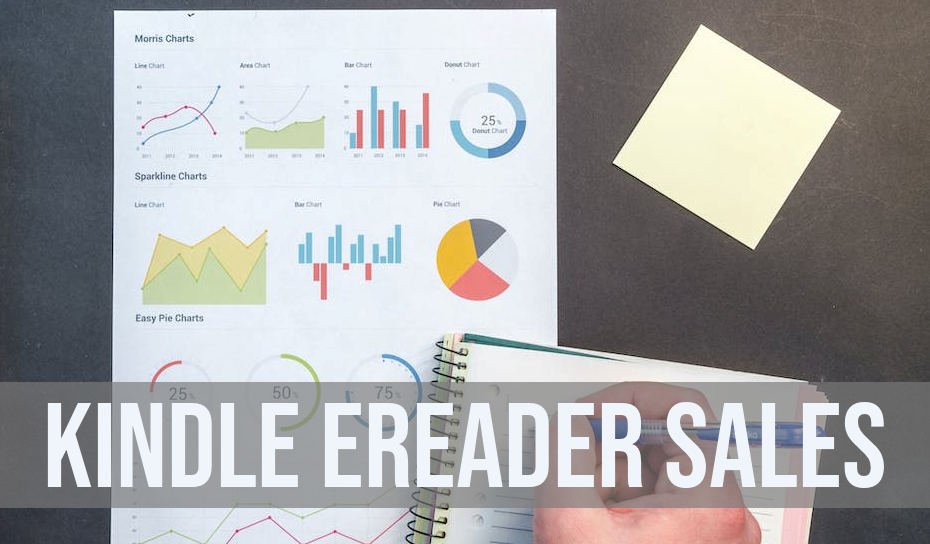
Kindle e-reader sales figures for 2023

kindle ereader sales figures

E-reader sales figures are kept secret by the manufacturers (Kindle, Kobo, Pocketbook, etc.), but thanks to various industry figures, it is possible to make estimates of Kindle e-reader sales.

According to my estimates, Amazon will sell around 900,000 Kindle e-readers in 2023 in the USA alone.

First, let's look at the worldwide e-reader sales figures to estimate sales of Kindle e-readers and other brands. These figures are estimates and are published by Technavio (https://www.technavio.com/report/e-reader-market-industry-analysis).

The e-reader market is estimated at $20 billion for 2023.

While the study is not free, it does contain some interesting figures.

First of all, there's this graph showing the evolution of the e-reader market over time, with forecasts for the future:

The figure of a market worth around $15.6 billion for 2017 is also present.

With 5% average annual growth, we get a market worth $20 billion for the year 2023 (actually almost $21 billion, but I prefer to make a lower estimate).

But this figure seems too large to me, even if it concerns the whole world. In this other article, we learn that the US e-reader market is closer to $200 million: https://www.statista.com/topics/1488/e-readers/#topicOverview.

That's the figure we're going to use, so we're going to focus on the US market.

The Kindle e-reader range

There are different Kindle e-reader models available at different prices.

For the purposes of this article, I'm going to take the Kindle Scribe out of the equation, since it's a recent release and its price means that it's likely to sell far less than other Kindle e-readers.

The average price of a Kindle e-reader available for sale is around $179. This price does not take into account the various discounts that often apply (Mother's Day, Christmas or Prime Day).

I therefore prefer to take an average price of $150 to have a lower and more accurate estimate of the average price of a Kindle e-reader sold.

Kindle e-reader sales

Next, we need to know the market share of Kindle e-readers.

For this, we have studies on sales of digital books (ebooks): https://www.mordorintelligence.com/industry-reports/e-book-market and https://wordsrated.com/amazon-publishing-statistics/

The figure that comes up most often is Amazon's 67% market share for digital book sales. But this figure includes sales of Apple and Google ebooks.

It seems more conservative to use the figure of 70% to 80% market share for Amazon in e-book sales for e-readers. We also assume that every reader and user of a Kindle, Kobo, iPad or Pocketbook reads the same number of books.

These figures give us an idea of Kindle sales.

The numbers are :

  • 200 million for the global e-reader market in the USA
  • Average price of a Kindle e-reader: $150
  • 70% market share in digital reading for e-readers
  • 67% market share in ebook sales

We therefore estimate sales of Kindle e-readers at around 900,000 for 2023.

This figure also only concerns the USA, and is obviously an estimate of Kindle sales.

But, according to the various studies I've been able to find, it seems to reflect reality fairly well, and the e-reader is still a device that appeals to many people.

Display ebooks as an old book

old book font on ereader

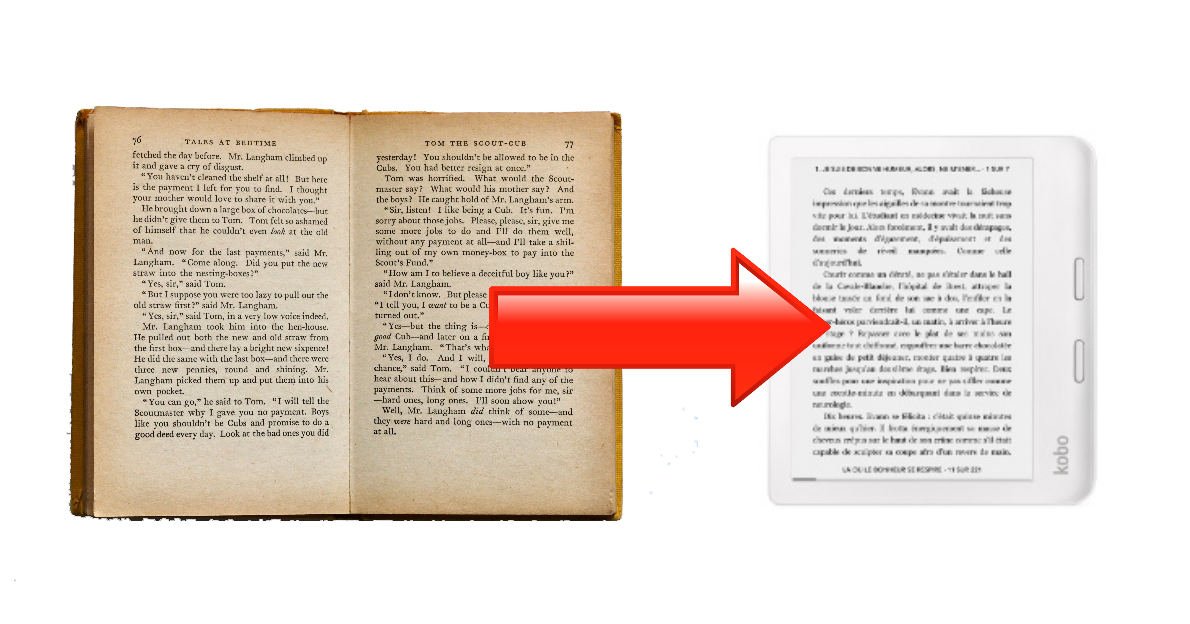
For some people, reading on an e-reader seems too modern and too far from the experience of reading a paper book. I’ve come up with a solution that transforms the display of any ebook into a style that mimics an old book.

As you may know, printouts of old books have a specific and characteristic font that isn’t as clean and regular as recent printouts.

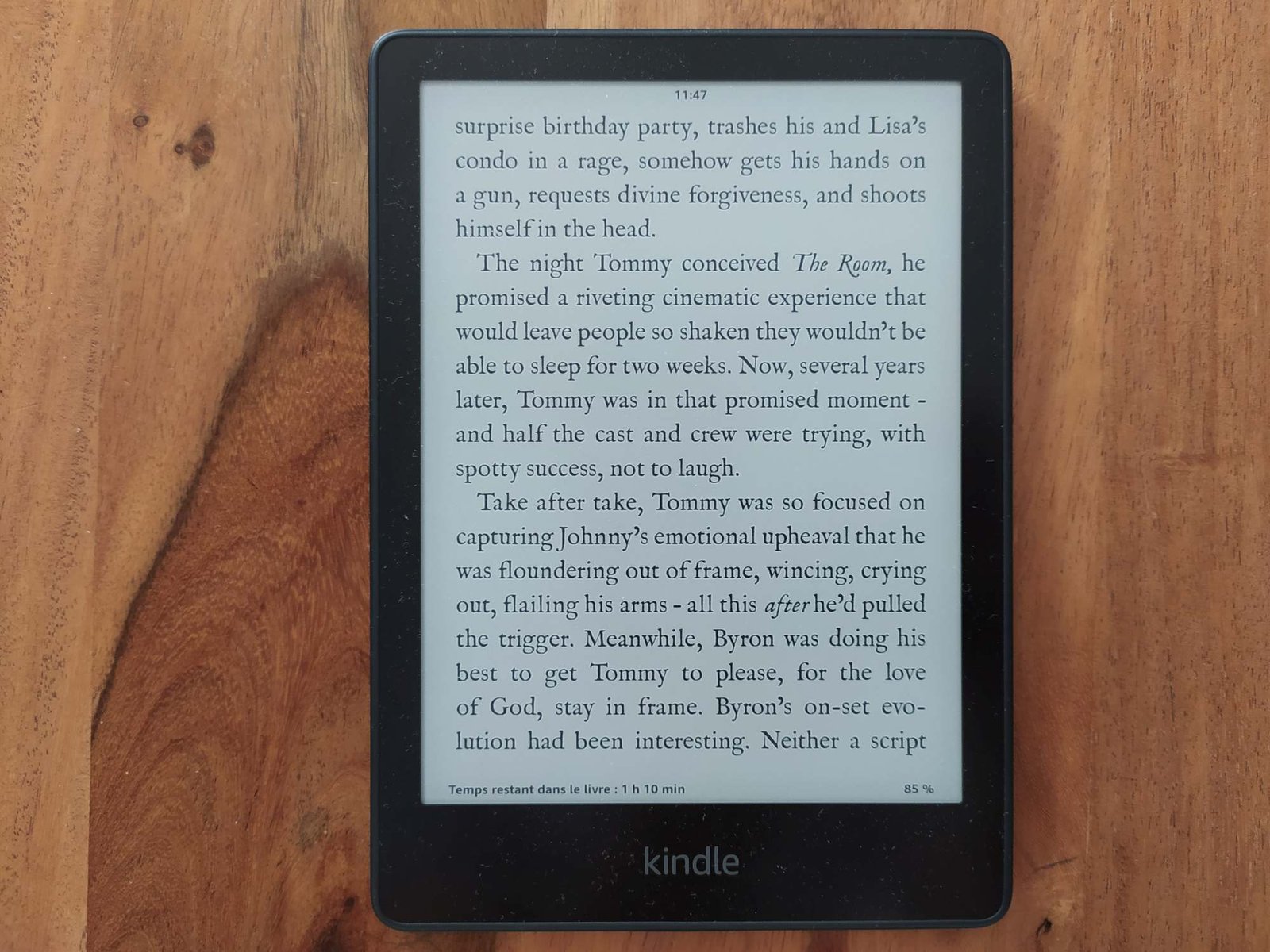
As a visual example is better than a long explanation, here’s a text displayed by the Bookerly font followed by the display we want to achieve:

If you can’t simply change the font of the page displayed on a reader, it is possible to use a new font that will reproduce some of the characteristics of these old scripts.

The best font I’ve found is called IM Fell English and can be downloaded from various websites at the following addresses:

You can use this font on your computers, but what we’re interested in here is using it on a reading device. I’ve already published several guides to installing fonts on Kindle e-readers:

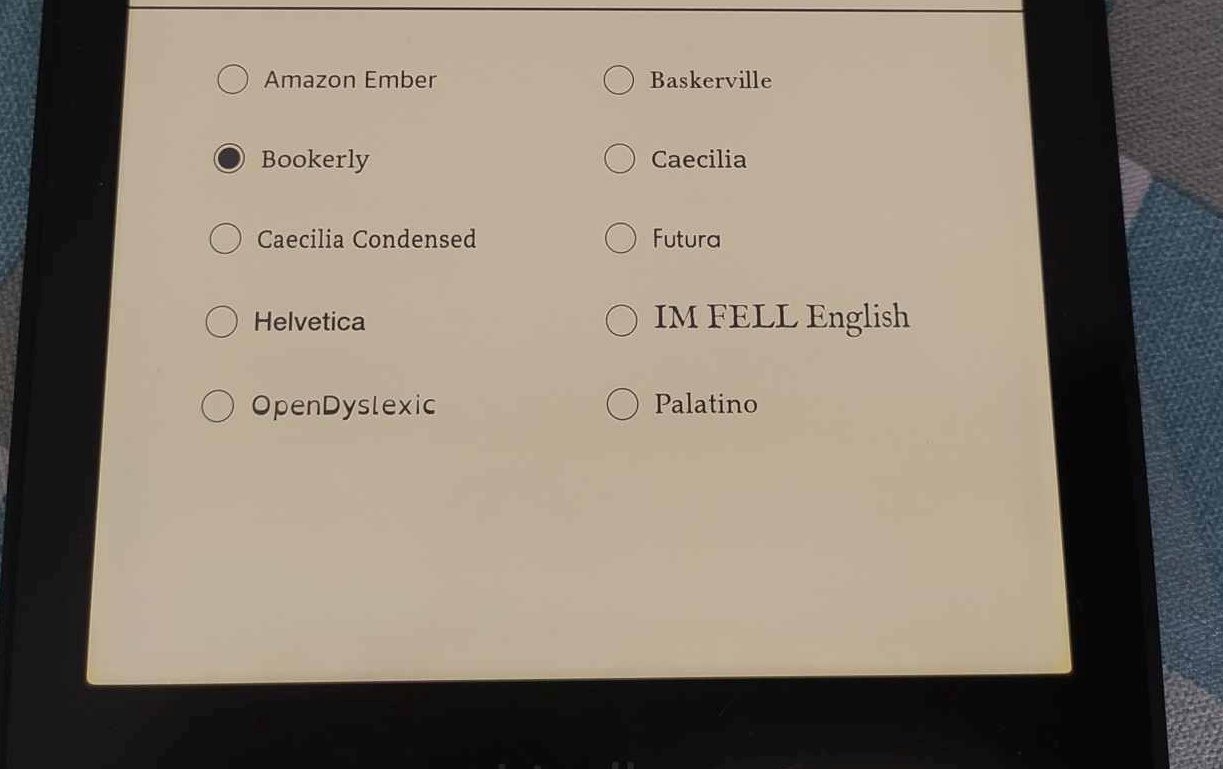
Once the font is on your e-reader, you can select it to obtain the desired display on the e-reader:

custom font im fell english on kindle paperwhite
old book font on kindle paperwhite

I’ve already read several hundred pages with this font, and I’m very pleased with it. The fact that the characters are not so well aligned on a line makes the text display subtly closer to that of a paper print.

The characters are also less smooth. These are details, but they all contribute to a more traditional reading experience.

However, not everything is perfect. I find the capital Q a little unsightly. The apostrophes are also a little too large.

Still, if you want to bring a slightly vintage reading experience to your e-readers, I highly recommend this font, which should work on all your reading devices.

How to Install Custom Fonts on Your Kindle

Amazon allow the software that runs its e-readers to install custom font on your Kindle. This tutorial will help you add custom font on your Kindle, Kindle Paperwhite or Kindle Oasis.

Many e-reader brands have been allowing users to add their own fonts for a very long time. But with Kindle, it took more than 10 years to get it working.

How do you add fonts to your Kindle?

add custom font to kindle

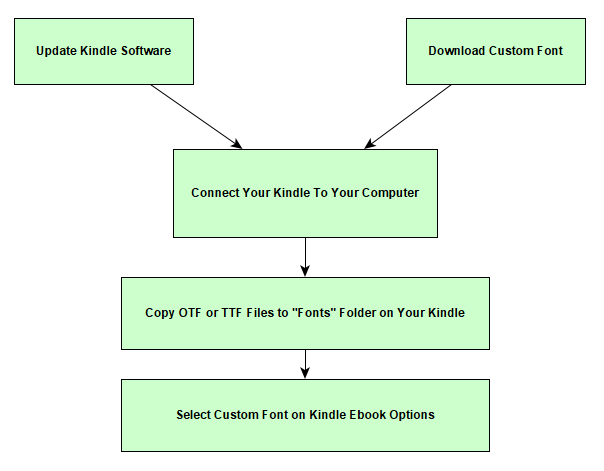
First of all, you need to update your Kindle with the latest firmware.

To do this, you need to be connected via WiFi and check that a new version is available in the Kindle preferences.

The first version of the firmware that supports fonts is numbered "5.9.6". If you see a more recent version, it should work.

Next, you need to connect your e-reader to your PC or Mac.

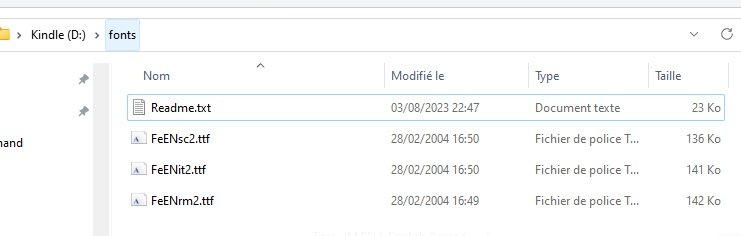
Using File Explorer, you should see a folder called "Fonts".

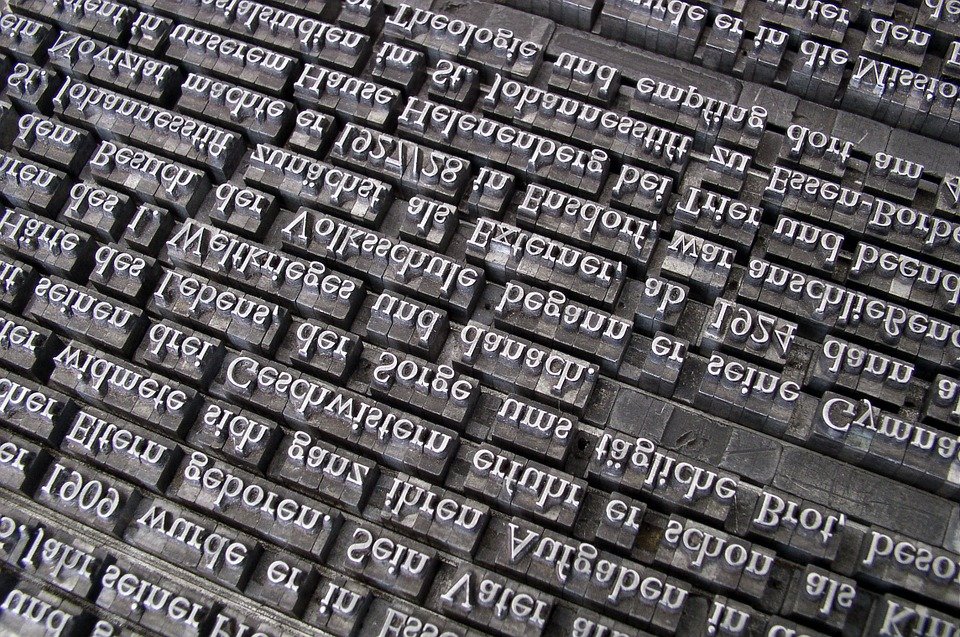
The word "font" refers to a typeface.

Simply add the font file of your choice to this folder.

Here’s how it looks on a Windows computer:

custom font on kindle

After logging out of the e-reader, you should be able to select this font for your Kindle ebooks.

As you can see from the image below, the new "IM Fell English" font is indeed present on the e-reader’s selection screen:

select custom font kindle

If you can’t see the font, you’ll need to check that the font format is supported by your Kindle (see below). If in doubt, you can also restart your Kindle.

What font file formats are supported on Kindle?

font typeface

The fonts accepted by the e-reader can be of two different formats:

  1. OpenType (OTF)
  2. TrueType (TTF)

How to download Kinde fonts?

You can download Kindle fonts for free from specialized sites.

Here’s a selection of sites offering free font downloads for your Kindle e-reader:

However, before you start looking for and adding new fonts, it’s worth pointing out that the default fonts for e-readers are already excellent and perfectly designed for digital reading.

So, barring exceptional cases, there’s little chance that you’ll be able to significantly improve your Kindle reading experience by adding a new font.

If you’d like to find out more, take a look at our list of e-reader reviews.

Best e-reader for students for 2025

best ereader for student 2025

I was a university student for 5 years, and even though it's already been a few years, I think a e-reader could have helped me. I'm going to tell you how a e-reader can help you with your studies, and which are the best e-readers for students available in 2025.

What is an e-reader?

kobo ereader

First of all, it's worth remembering that an e-reader is an electronic device that lets you read books while reproducing the experience of reading on paper.

Unlike other devices (tablet, PC, smartphone), they use an e-ink screen optimized for long reading sessions.

Using an e-reader doesn't tire your eyes any more than reading a paper book, so you can keep on reading for long sessions.

E-readers are a complement to paper reading, even if there are a few advantages to using one for a student (non-exhaustive list):

  • Access to a large number of more published works
  • Reads EPUB and PDF files
  • Average price of books lower than the price of paper versions
  • Small footprint (you can store hundreds of books)
  • Greater autonomy than a computer or touch tablet

Now that we've got the introductions out of the way, here are a few of the best e-reader I think might be of interest to students.

E-readers that can only read ebooks (digital books)

The first category of e-readers is those that can only be used to read books. As we'll see later, there are also e-readers that allow you to take notes – but these are more expensive.

So, these readers have a screen between 6 and 7.8 inches, are the most affordable and are designed for students who need to read a lot of books (literature, social sciences, psychology, etc.).

You can easily find on the site the guide to the best e-readers of the moment for a selection of excellent models.

Here are some of the best e-reader models to consider for students in 2024:

A digital notebook for a student

kindle scribe

If you need to take notes during your studies, you can use a computer or a good old sheet of paper.

But these tools have their drawbacks.

On the one hand, computerized note-taking sometimes makes it difficult to draw the diagrams and other graphics you need to learn certain concepts.

On the other hand, while taking notes on paper makes it easy to create drawings, graphs and other diagrams, it doesn't allow you to quickly transfer your notes to a computer, or to carry out quick text searches.

Large-format e-reader models solve this problem by offering, in addition to ebook reading tools), software that enables you to capture handwritten notes and transfer them into digital format.

Some of these devices also offer handwriting recognition to automatically transform your notes into typed documents. You can then easily share them or search within the text.

These notebook readers are unfortunately more expensive than the simpler models, but they can help you during your studies if they suit your use and learning style.

Here are some interesting digital notebook models for students in 2025:

How can I buy a cheap e-reader if I'm a student?

As you can see, e-readers cost between $120 and $500. That's a lot of money for a student to spend.

Even if the investment is worth it, it's important to note that you can save money by buying a cheaper e-reader.

You can read this article if you want to know more: best cheap e-readers.

You can, of course, go for a second-hand used or reconditioned e-reader, but you can also wait for a promotion and benefit from a better price on a new and better e-reader.

Best used e-reader in 2024

best used e-reader

E-readers are very solid devices, and I don’t think it’s a bad idea to buy a used or reconditioned one.

In fact, I’ve had e-readers in good working order for over 10 years.

Among the e-readers I’ve used a lot, we can note a Kindle Paperwhite used intensively for 2 years, a Pocketbook Touch Lux 5 (also 2 years) and now I read on Kobo Libra 2 almost every day since its release.

By browsing the classified ads sites or the used and refurbished pages of the major e-commerce sites, you can find many models of e-reader at good prices.

Here are the e-reader models you can buy used in 2024

I’ve put together a selection of the best e-readers to buy new, and it’s clear that if you can find one of these models cheap, it’s a great opportunity.

Here’s my selection of the best values (because they’re good e-readers):

Here are some interesting and more or less recent e-reader models that you can find second-hand for less than new:

Used e-readers to watch out for

There are also e-readers whose version is difficult to determine precisely.

Sellers sometimes don’t even know which version they’re selling.

Among these readers, I recommend that you beware of the Kindle and Kindles Paperwhite with 6-inch screens.

It’s hard to know exactly which model you’re buying until you actually get your hands on it. It could be a recent model or an older one. See how to find the version of a Kindle e-reader here.

A few tips before buying a used e-reader

Before buying a second-hand e-reader, here’s what you need to ask the seller:

  • The exact version of the e-reader (name, brand and generation for Kindle e-readers): see how to find the version of a Kindle e-reader here
  • The state of the battery
  • Whether a protective cover is sold with the e-reader (this can be a plus, as a new protective cover can cost $30)
  • General condition of the case
  • Screen condition (scratches, poor lighting, etc.)

If you can, also ask whether the e-reader has been transported a lot (public transport, for example).

Generally speaking, a e-reader that has been kept at home has a better chance of being in good condition.

You should also ask about the price of the new e-reader or the new price of its replacement model.

For example, the Kobo Clara HD has been replaced by the Kobo Clara 2E. The Pocketbook Touch Lux 4 has been replaced by the Pocketbook Touch Lux 5, and so on.

If you put forward the argument that the e-reader is no longer on the market and that a new version exists, it may be easier to negotiate a good price.

If you’re looking for a new e-reader, take a look at our guide to the best e-readers.

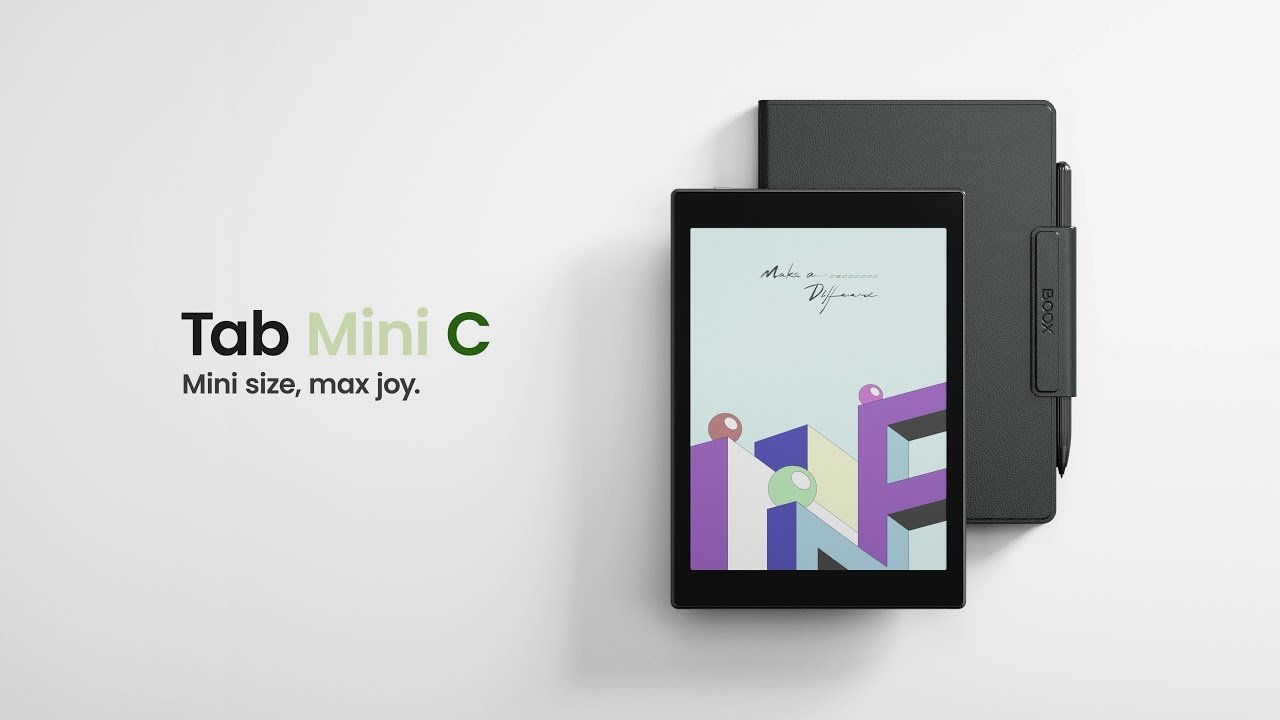
Onyx Boox Tab Mini C: Kaleido 3 and Android 11 fun !

Onyx Boox Tab Mini C with Kaleido 3 and Android 11

The Onyx Boox Tab Mini C is the first 7.8" color e-reader available with the latest generation Kaleido 3 e-ink screen. While its price may be a little steep, it does have a number of assets that could make it attractive.

The big recent innovations in e-readers come almost exclusively from Asia, and this Onyx Boox Tab Mini C is no exception.

Indeed, while classic brands such as Kindle, Kobo and Vivlio capitalize on tried-and-tested, reliable e-reader formulas, Asian manufacturers vie with each other in their ingenuity to offer ever more, even if it means sometimes going a little too fast with software that isn't always up to scratch or intuitive.

In any case, this Onyx Boox Tab Mini C is a reading device with a 7.8-inch screen featuring Kaleido 3 technology, the latest color electronic ink screen.

After months of announcements from E Ink (the company that designs these color screens), we'll finally be able to find out more and see whether or not there's a big difference with the previous generation.

👉 See the ONYX BOOX e-readers on Amazon.com

Onyx Boox Tab Mini C with Kaleido 3 and Android 11

But before we get to that, here's a quick look at the technical specifications of this Onyx Boox Tab Mini C e-reader:

  • 7.8-inch E Ink Kaleido 3 screen
  • Resolution of 1404×1872 pixels (300 PPP) in black and white and 702×936 pixels (150 PPI) in color
  • Touch screen
  • Illumination with color temperature adjustment (blue light filter)
  • Qualcomm Octa-core processor (with BSR GPU for graphics)
  • 64 GB storage
  • 4 GB RAM memory
  • Android 11 system (with Boox OS overlay) with Google Play Store
  • Stylus supplied (Wacom technology with 4096 pressure levels)
  • Bluetooth 5.0
  • Wifi
  • Built-in microphone
  • USB-C
  • 5000 mAh battery (quite substantial)
  • File formats: pdf, djvu, azw, azw3, doc, docx, epub, fb2, fbz, html, mobi, odt, PRC, rtf, sxw, trc, txt, chm and ppt

This e-reader is equipped with Android 11 and Google Play. This means you can install any reading or productivity application you like.

You can therefore use the Kindle or Kobo application (for example), on this Onyx e-reader to access (and read) your ebooks already purchased on these stores (or your old e-reader).

The Onyx Boox Tab Mini C reader comes with its own ebook reader, which already supports many formats. But, if this one doesn't suit you, there's nothing to stop you using another, like Aldiko, among a selection of good reading apps for smartphones and tablets.

There's also a whole range of software that lets you take notes and export them as PDF files.

So we're on to something very classic, since a new Chinese e-reader of this type is offered almost every month (just check out the latest news on the site to find out for yourself).

We're back to what seems to make the success of these machines, which are halfway between a reading device (for reading books) and a productivity tool (stylus and note-taking system):

  1. A reader with a large e-ink screen (color or not)
  2. A stylus
  3. An Android system for adding applications
Onyx Boox Tab Mini C with Kaleido 3 and Android 11

The originality of this e-reader, however, comes from its new Kaleido 3 color screen. Fortunately, even though I wasn't able to get my hands on this e-reader, the videos available on the Internet clearly show an improvement over the previous generation of color e-readers (including the Kaleido Plus screens found in the Pocketbook InkPad color 2).

From my observations, the reading part is still limited by the color screen. Pages of text appear darker (and blander) than the text displayed on a dedicated e-reader such as the Kindle Paperwhite, Kobo Libra 2 and even the Pocketbook InkPad 3 (or the version 4 also available).

In my opinion, this isn't a problem with the Onyx Boox Tab Mini C in particular. It's more a feature of the technology used here.

The good news is that color display has progressed considerably. This Kaleido 3 screen displays colors that are brighter and richer than other older-generation color readers.

So, for the time being, this color e-reader is the best option available on the market for enjoying your comics, mangas and color PDF documents.

So, if you're looking for a color e-reader and don't mind buying an Asian machine, this Onyx Boox Tab Mini C could tempt you.

But be warned, you'll have to pay a hefty price for it, and expect to pay about $450 for this Onyx Tab Mini C e-reader.