About Nick

Nicolas Lorenzon is the French leading expert in e-readers since 2012 and also the creator of the website www.liseuses.net. Nicolas Lorenzon is also in charge of the pictures and the Youtube channel and the relationship with e-readers brands. See this page for more informations.

Vision Pro and ebook reading: Apple’s sad vision

apple vision pro is a sad device for ebook lovers

You’ve probably read or heard about the Apple Vision Pro. This device is an immersive headset that lets you work and play. But what about reading and ebooks ?

What is the Vision Pro?

Before getting to the heart of the matter, I confess to having trouble describing the Apple Vision Pro properly.

On the one hand, even though I haven’t tested it, I can see where Apple is going with this new device. On the other hand, I’m having trouble finding the right words and vocabulary to describe the Vision Pro’s features.

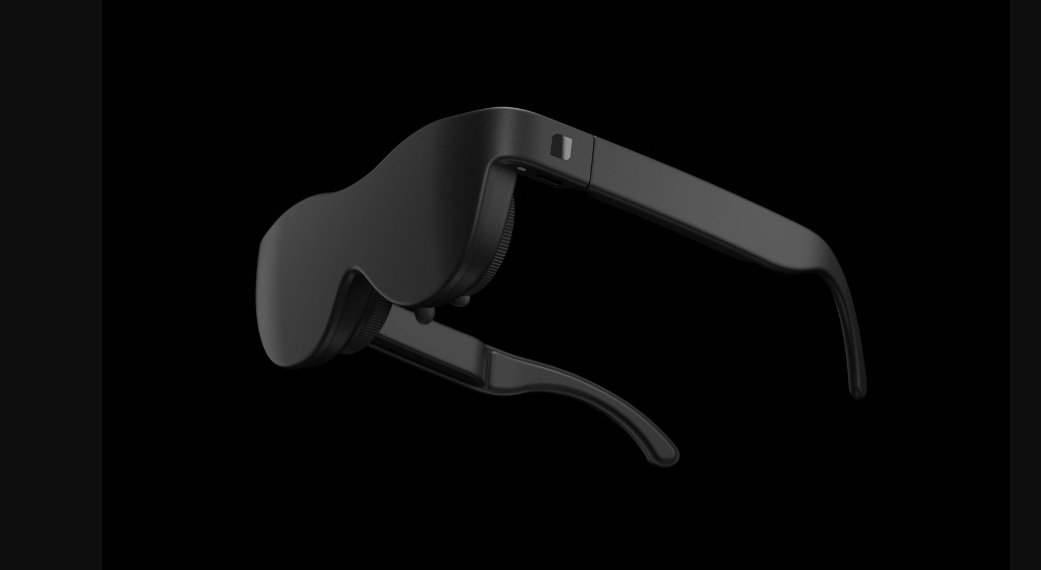
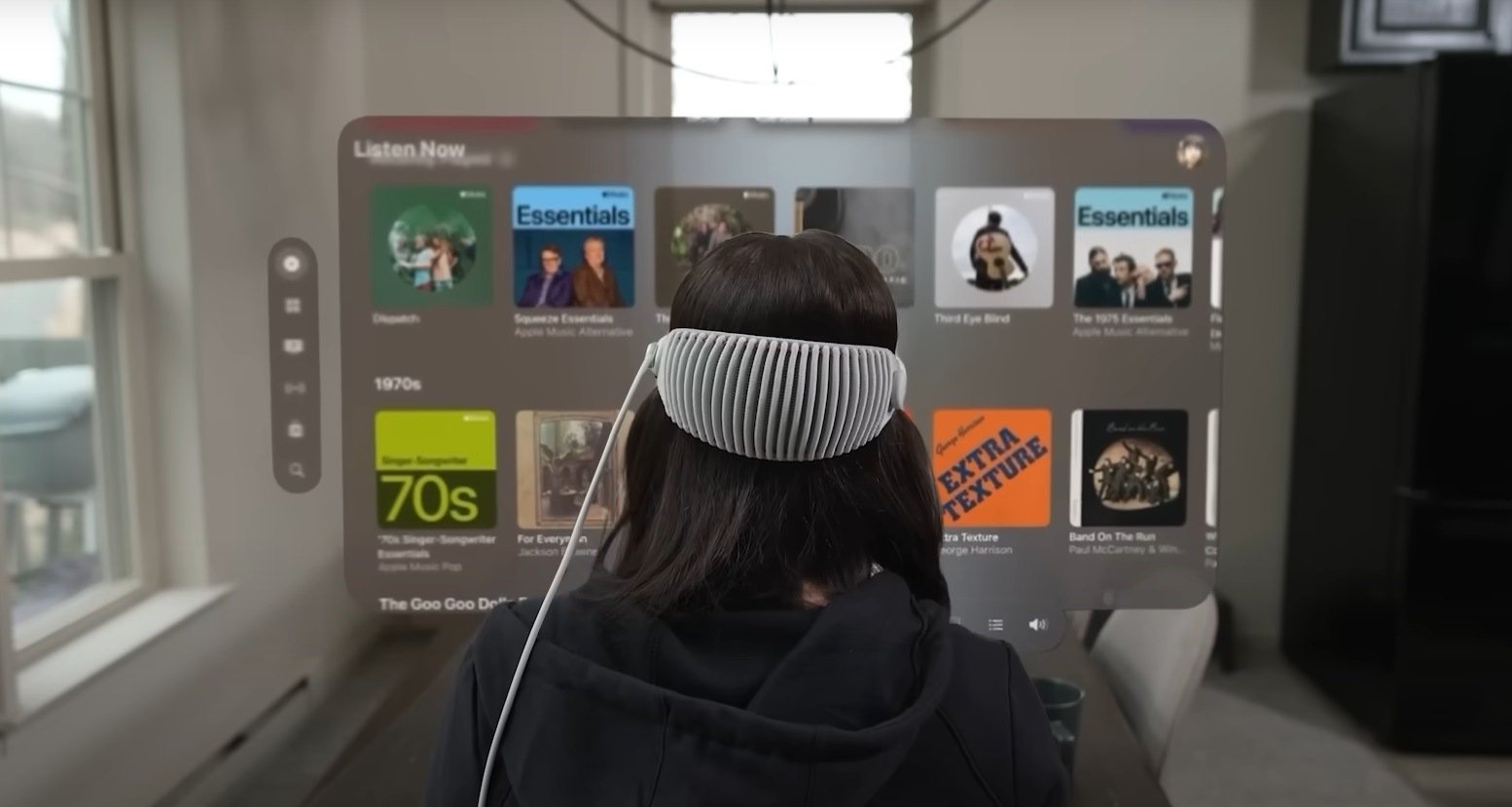
So, let me say that the Vision Pro is a headset that adds digital information to your environment.

In practice, when you wear this headset, you can bring up an Internet browsing window (Safari) in your living room. You’ll then see the Internet page "floating" above your table or displayed against a wall in your apartment.

You can then access a wide range of applications: professional tools (word processing, spreadsheets), entertainment (video) or social networking.

The applications are designed for the Vision Pro, and even if they’re not all available, Apple has done the work for its video application, which lets you watch a movie sitting in a cinema or in the countryside of Yosemite Park.

Apple Vision Pro and reading: is it possible?

Apple offers an Internet browser from the Vision Pro. This browser is based on Safari, which can read epub files, but transfers them to the Apple Books application (formerly iBooks).

Unfortunately, Apple didn’t see fit to launch its Vision Pro with a dedicated Apple Books application.

And it’s a fine example of the sad reality that Apple is once again neglecting reading on one of its devices.

So, you’ll have to use the Apple Books app for iPad on your Vision Pro to start reading your ebooks.
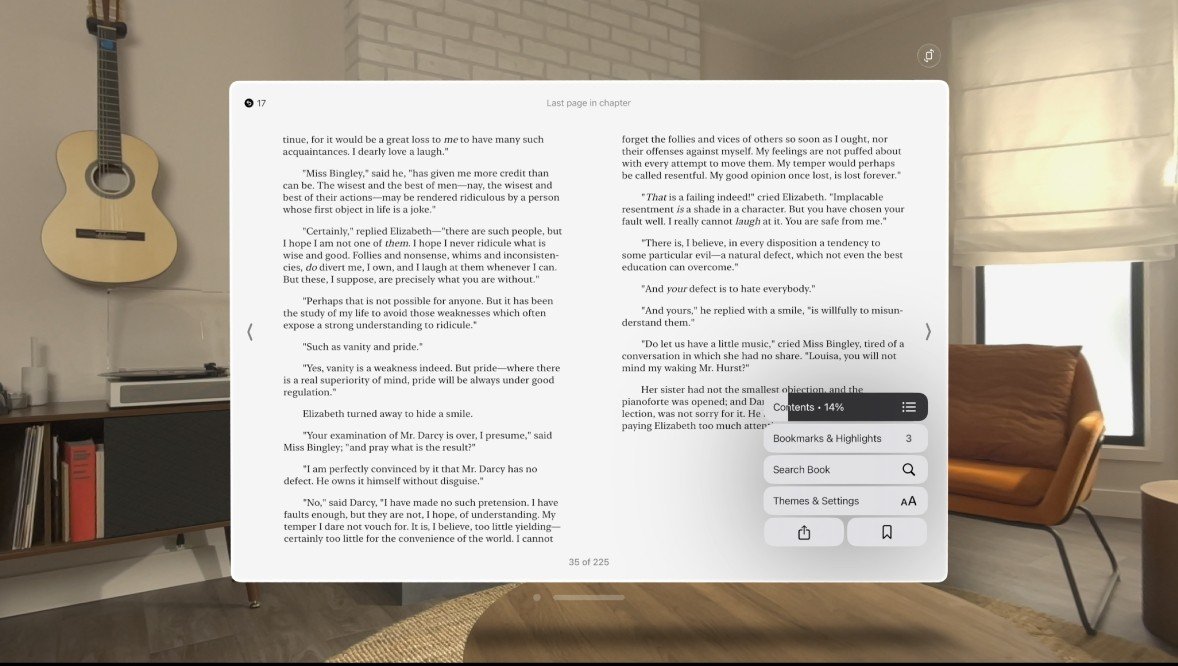
Apple Books for iPad on Apple Vision Pro

The page size can then be perfectly adjusted with the right settings to make reading more enjoyable.

But the Apple Books application is designed for the iPad. And it’s far from being one of the best ebook-reading apps for tablet or smartphone (check out this list if you’re looking for something good).

What we end up with is an ebook-reading application that doesn’t fully utilize the capabilities of its medium, as is often the case with Apple.

Also, there’s no Youtube or Netflix application on Vision Pro (for the moment), and you have to use these services in your browser.

So I’m wondering about the future availability of Kindle or Kobo applications on Vision Pro. Will this be possible?

For the time being, we’ll have to make do with the iPad versions of these reading applications on the Vision Pro, but if it proves successful, it’ll be interesting to see what Kindle or Kobo come up with in terms of reading immersion.

I think the Vision Pro offers an interesting and immersive technology for reading comics and manga, and I hope Apple will take advantage of this device to experiment in this area (which I doubt, of course).

Official website: https://www.apple.com/apple-vision-pro/
Affordable but limited mini e-readers (DLHiFi, Onxy, Fanmu, etc.)

tiny ereader DLHiFi, Onxy, Fanmu

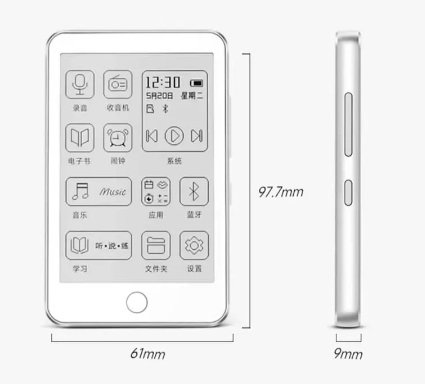
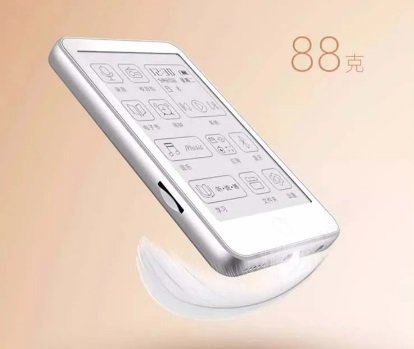
A few months ago, I tested a small-format, affordable e-reader from Woxter (a Spanish brand), and on Reddit I discovered a whole range of mini e-ink e-readers with screens smaller than 4 inches.

These e-readers are distributed on e-commerce sites under brand names such as Onxy (not to be confused with Onyx), DLHifi or Fanmu.

They all share the same specifications, or almost:

  • a small 3.52" e-ink screen
  • 240 x 360 pixel resolution
  • Bluetooth 5.3 connectivity
  • 850 mAh battery
  • USB-C port
  • Support for ebook format: TXT
  • Support for audio formats: MP3, FLAC, AAC, WAV, APE, WMA
  • 32 GB of storage
  • Weight: 88 grams
  • Dimensions: 97.7mm x 61mm x 9mm

In short, these devices are tiny and fit easily in the hand or pocket.

The specifications reveal that they only support the TXT format for reading. This makes them very limited e-readers, far from the possibilities offered by major brands such as Kindle, Kobo, Nook or Pocketbook.

To read an EPUB file on one of these little e-readers, you'll need to use Calibre software and convert the ebook to TXT format (which is easy to do with the conversion options offered by the software).

The TXT file must then be transferred to the e-reader by connecting it to your computer and copying the file to its storage medium.

tiny ereader DLHiFi, Onxy, Fanmu

With more advanced audio compatibility (and Bluetooth), these devices are primarily designed for reading audiobooks or music files.

On the technical side, there's a 320 x 240 pixel e-ink screen. To the best of my knowledge, these seem to be small screens designed primarily for display purposes.

Resolution is therefore minimal, and text display will be rather complicated, but not impossible. Needless to say, the reading experience will be a far cry from what a true, more complete e-reader is capable of offering.

So why am I telling you about these mini e-readers?

Well, because the price is pretty impressive: you can pick one up for around $50 (sometimes less, depending on the brand) on a sales site like AliExpress. So, if you like minimalist and different reading experiences, this could be an intriguing and fun gadget to get your hands on.

Nevertheless, you can always get the Woxter Scriba e-reader on Amazon (reviewed on the site) for a few dollars more which will give you a much better reading experience – without audio capability though.

NXTPAPER 3: finally a decent color screen?

TCL NXTPAPER 3 tablet

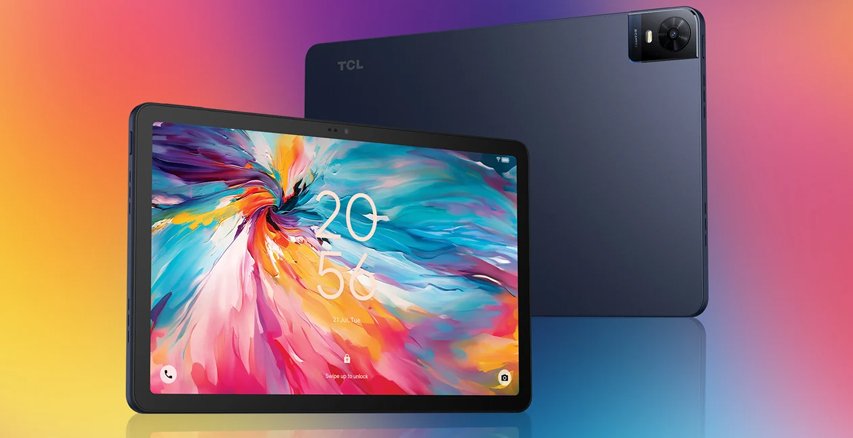
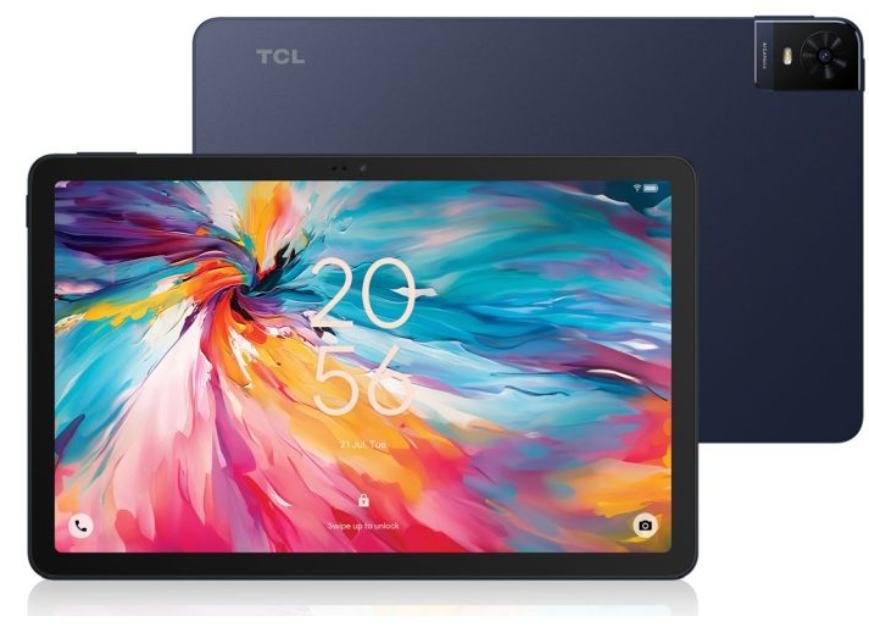
For years, TCL has been pushing the NXTPAPER technology, a type of color LCD screen that offers a more restful reading experience for your eyes. TCL has just announced a major evolution with NXTPAPER 3.

At CES 2024, TCL unveiled NXTPAPER 3 and the all products that will use it for the year to come.

What is NXTPAPER?

NXTPAPER is a technology based on LCD screens which, unlike e-ink screens, relies on an older technology: liquid crystals.

However, TCL has modified the way this type of screen produces light to offer a less aggressive experience for the eyes. The result is a screen with softer lighting that offers more entertainment possibilities than e-ink screens.

The NXTPAPER technology makes it possible not only to read, but also to display videos and play games smoothly.

Unfortunately, all is not rosy, as these screens have great difficulty in being convincing when exposed to an external light source, such as the sun.

When reading an ebook in the garden, their performance is far inferior to that of an e-ink e-reader screen.

NXTPAPER 3: what’s new?

NXTPAPER 3 arrives with a host of new features.

First of all, TCL has improved the display by eliminating artifacts on color rendering and the blue light filter – which is much more efficient than that of the previous generation NXTPAPER.

NXTPAPER 3 now uses a CPL (Circularly Polarized Light) display that also enhances the outdoor reading experience by playing on the screen’s "reflectivity", i.e. the way light reflects off its surface.

Another point: the luminous intensity of the lighting has been improved by 10%.

The aim of all these adjustments is to make the LCD screen less tiring on the eyes, while offering an experience close to that of conventional smartphone or tablet screens.

NXTPAPER 3: pros and cons

TCL NXTPAPER 3 tablet

The advantages of the NXTPAPER 3 screen are its wide color palette and excellent refresh rate, making it ideal for displaying videos or playing video games.

The tablets that use it are Android-based, so the user experience is very similar to that of a conventional tablet.

It’s also possible to switch this screen to a "black and white" mode, which is easier on the eyes when reading ebooks.

But the NXTPAPER 3 also has its drawbacks. The first is that it’s a TCL technology, found only in their products: smartphones and tablets. So there’s not much choice, and you’ll have to make do with what TCL has to offer.

NXTPAPER devices are also available in limited quantities and are sometimes hard to find in the USA.

Finally, while the reading experience is appreciable and better than on a conventional smartphone or tablet, it still seems below what an e-reader is capable of.

Indeed, NXTPAPER screens still "play" a lot with ambient light, which is a disadvantage when it comes to reading text.

What tablets and smartphones with NXTPAPER 3?

In addition to announcing this technology, TCL also presented various devices at CES 2024 that use NXTPAPER 3 screens.

TCL 40 NXTPAPER 5G

A 6.6" smartphone with a NXTPAPER 3 screen.

  • 256GB Large Memory
  • 6+6GB RAM Expansion
  • 50MP AI Triple Camera

TCL 40 NXTPAPER

A 6.78" FHD+ 90Hz smartphone with a NXTPAPER Display.

  • 32MP Front Camera
  • 256GB Large Memory
  • 8+8GB RAM Expansion

TCL NXTPAPER 11

A 11" screen tablet (Android 13) with a 2k NXTPAPER display.

  • 2K 11" NXTPAPER Display
  • Premium Design
  • 8000mAh Big Battery

TCL NXTPAPER 12 PRO

A 12.2" screen tablet (Android 13) with a 2k NXTPAPER display.

TCL website: https://www.tcl.com/

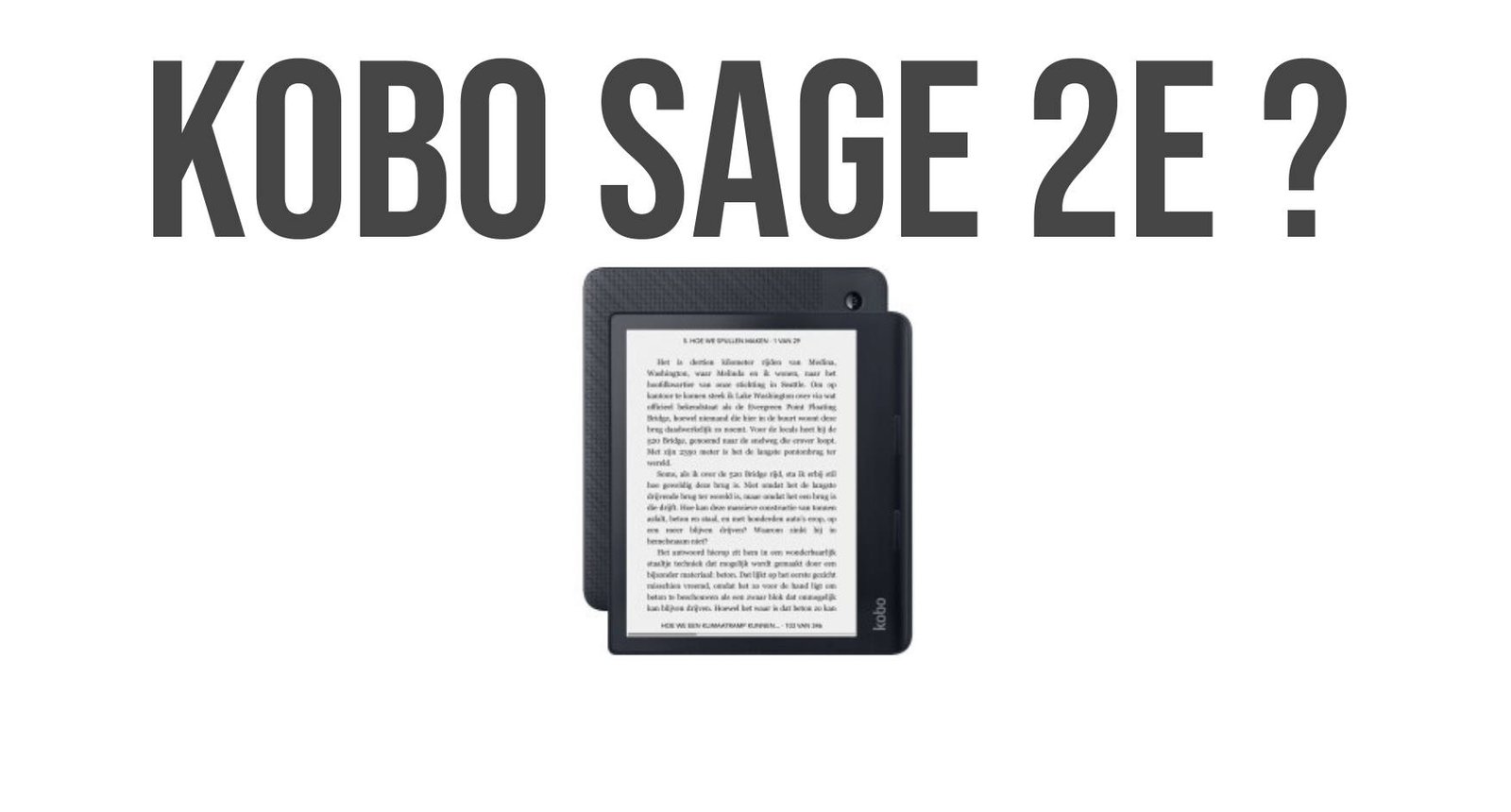
New Kobo Sage to be released in 2024

new kobo sage for 2024

Kobo has just launched the pre-market certification of a new e-reader. Available information indicates that it will probably be a new Kobo Sage, probably called Kobo Sage 2E.

A few months ago, Kobo launched FCC certification for a new Kobo Libra 2 (read here).

This time, information available from the FCC indicates that a second Kobo e-reader will be released by Kobo in the coming months. The serial number is NOIKBN365, which is very close to the NOIKBN360 serial number associated with the Kobo Sage.

All the indications are that this is a new high-end e-reader that will probably be called Kobo Sage 2E, in line with the names given to the brand’s most recent models: Kobo Clara 2E and Kobo Elipsa 2E.

Available documents do not allow us to know the exact specifications of this e-reader, but we do have these elements:

  • Wifi,
  • Bluetooth 5.1
  • USB-C
  • Adobe DRM compatibility

The current model of the Kobo Sage was released in 2021, so it’s time for Kobo to offer an update for this e-reader.

One of the Kobo Sage’s major shortcomings is its battery, which offers modest autonomy compared with the competition. We can therefore assume that Kobo will use a higher-capacity battery for its new model.

The presence of a Bluetooth connection also validates audiobook compatibility. So you’ll be able to listen to your Kobo audiobooks on this new model.

You can also bet that Kobo will continue to manufacture its e-readers with partially recycled plastics. They communicate a lot on this point and aim to make reading more ecological.

Finally, in terms of the e-ink screen used, I think that Kobo will continue to use the latest generation of black and white screens, and we can assume that it will be Carta HD technology, either with the Carta 1200 reference, or with the more recent Carta 1300 technology.

It would be wise to offer this new Kobo Sage with a Carta 1300 screen, which promises improved contrast (deeper blacks) and faster refresh rates.

This would make it possible to stand out from the competition by offering a more technically accomplished e-reader.

Expect a release in the coming months, probably in the first half of 2024 with, why not, availability in early summer.

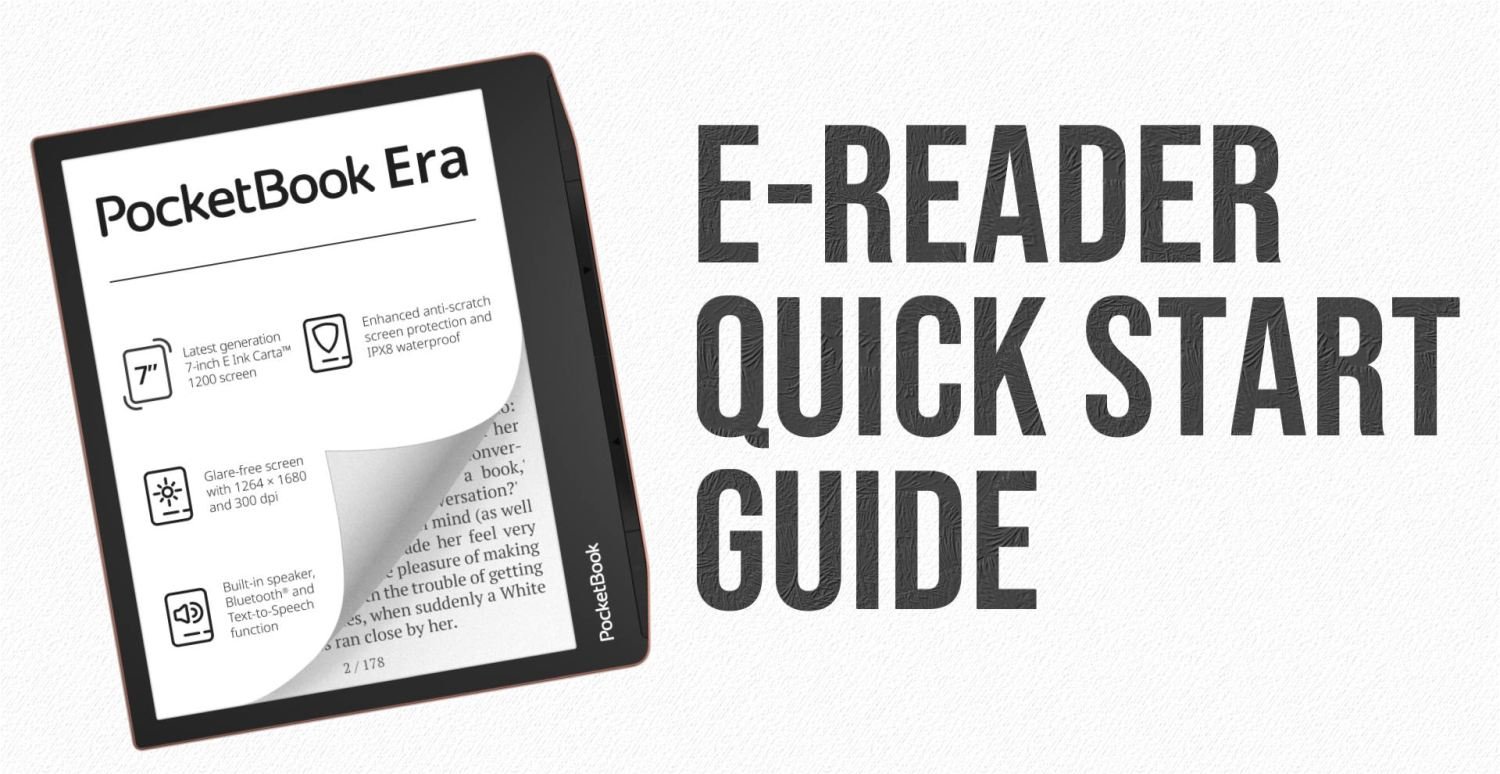
E-reader Quick Start Guide (2025)

e-reader quick start guide

More than ever, digital reading and e-readers are at the center of attention. Here's a quick start-up guide to get you up and running quickly with your new e-reader.

You may have a new e-reader, or you may know someone who has one and needs help getting started.

👪 Please feel free to share and send this page to as many people as possible if you'd like to help others who own a e-reader.

Connecting your e-reader to Wifi and your bookshop account

Once you've booted up your e-reader, you'll need to connect it to a Wifi network to enable it to communicate with the Internet.

This enables you to do a number of things:

  1. Update the e-reader with the latest available software, to fix bugs or add new features.
  2. Log in to create an account on your e-reader's built-in library.

Without this step, you won't be able to take full advantage of your e-reader!

Getting digital ebooks

First of all, you'll naturally want to give your e-reader a few books.

If your e-reader doesn't already come with a few books, you're going to go to your ereader's built-in bookshop to download a few books. That's why it's important to create an account.

You'll need to connect to the Internet via Wifi and register (or log in if you already have an account in the e-reader's bookshop). Rest assured, it's a quick operation.

Then browse the list of available titles, or search by author or title. If you don't want to spend any money, you can always access and download a classic for free.

ou can also check out our comprehensive article on dozens of free ebook download sites: download free ebooks.

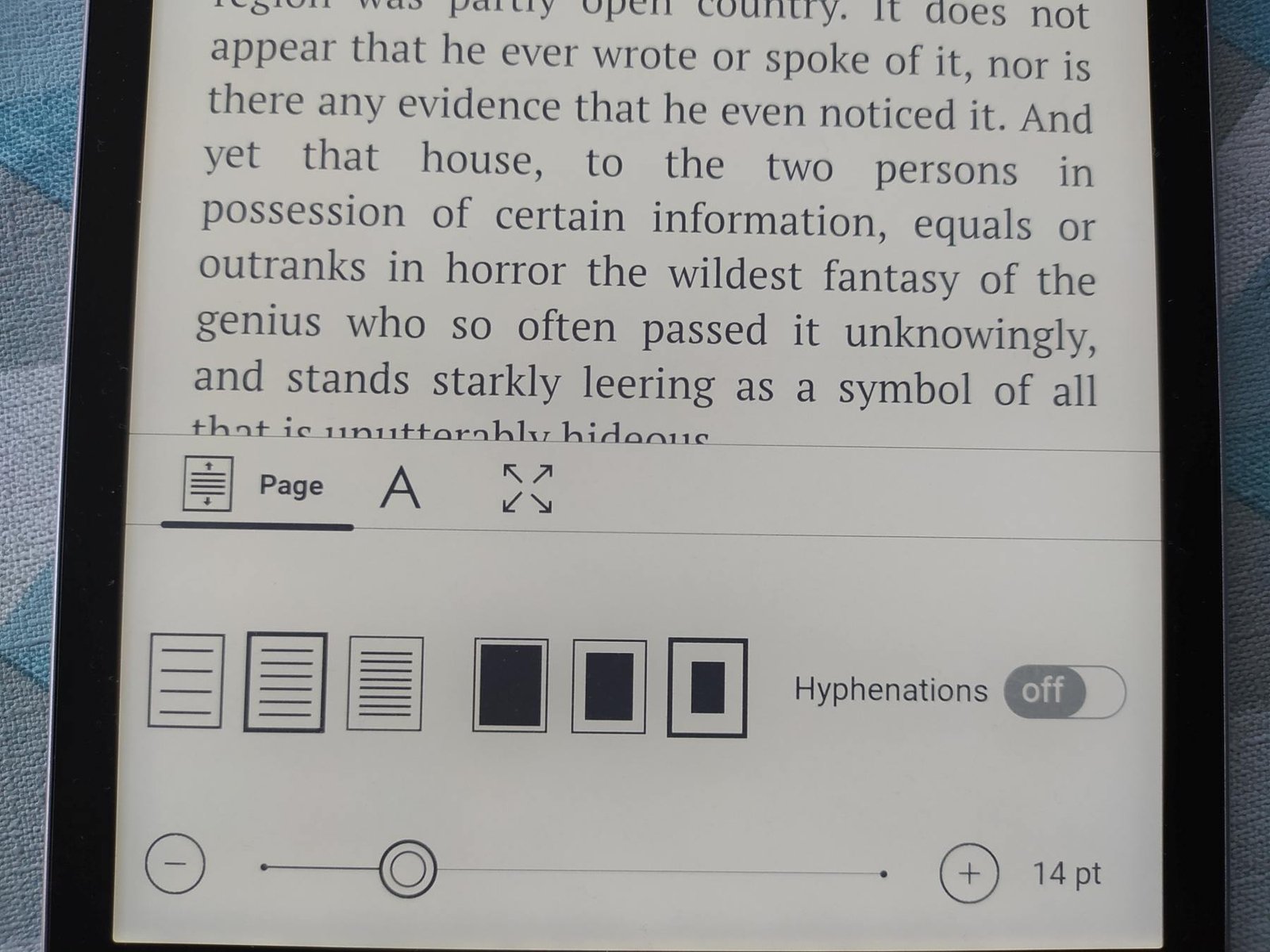
Configure your e-reader to suit your reading habits

ebook reading options pocketbook e-reader

An e-reader allows you to adjust the display of digital books.

So you need to start reading a book, and begin adjusting the various display settings available:

Character size,

  • Text display font,
  • Orientation (landscape or portrait),
  • Spacing,
  • lighting,
  • Margins,
  • etc.

If you see a black screen that appears when you change pages, you can adjust it by going to the reader's settings.

Look for the "screen refresh" option to make it appear only every X pages, or simply deactivate it if your e-reader allows it.

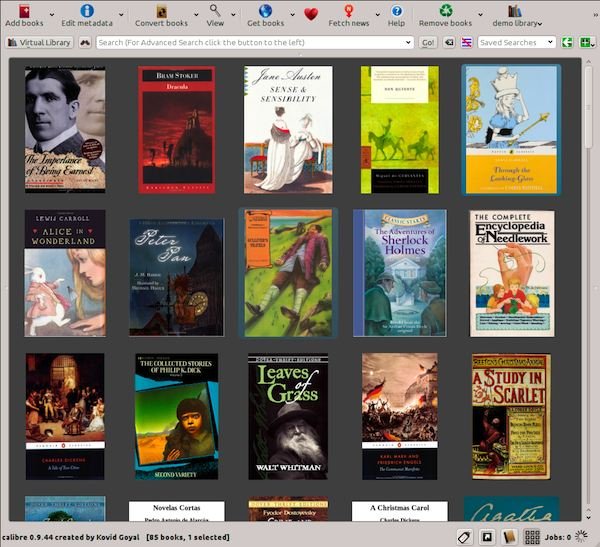
Install Calibre to manage all your ebooks

calibre ebook software

If, like me, you already have books on your computer, the easiest thing to do is to use software like Calibre, which will enable you to organize, classify and sort them.

If you only have a few dozen books, it's not very useful. But if you have more than a hundred, and you want to put them in order and classify them nicely, this software is particularly useful.

You can also use a specialized book management program: Calibre. See this article for more details : 👉 Calibre software configuration and use guide.

Buy accessories: protective cover, cable, charger, etc.

Your e-reader comes with the most rudimentary of accessories: a short start-up guide and a cable to connect the reading machine to your computer.

For added convenience, you may want to buy a protective cover for your e-reader, a longer USB cable or a charger to recharge your e-reader more easily from the mains.

Here's a selection of practical accessories available for purchase on Amazon.com :

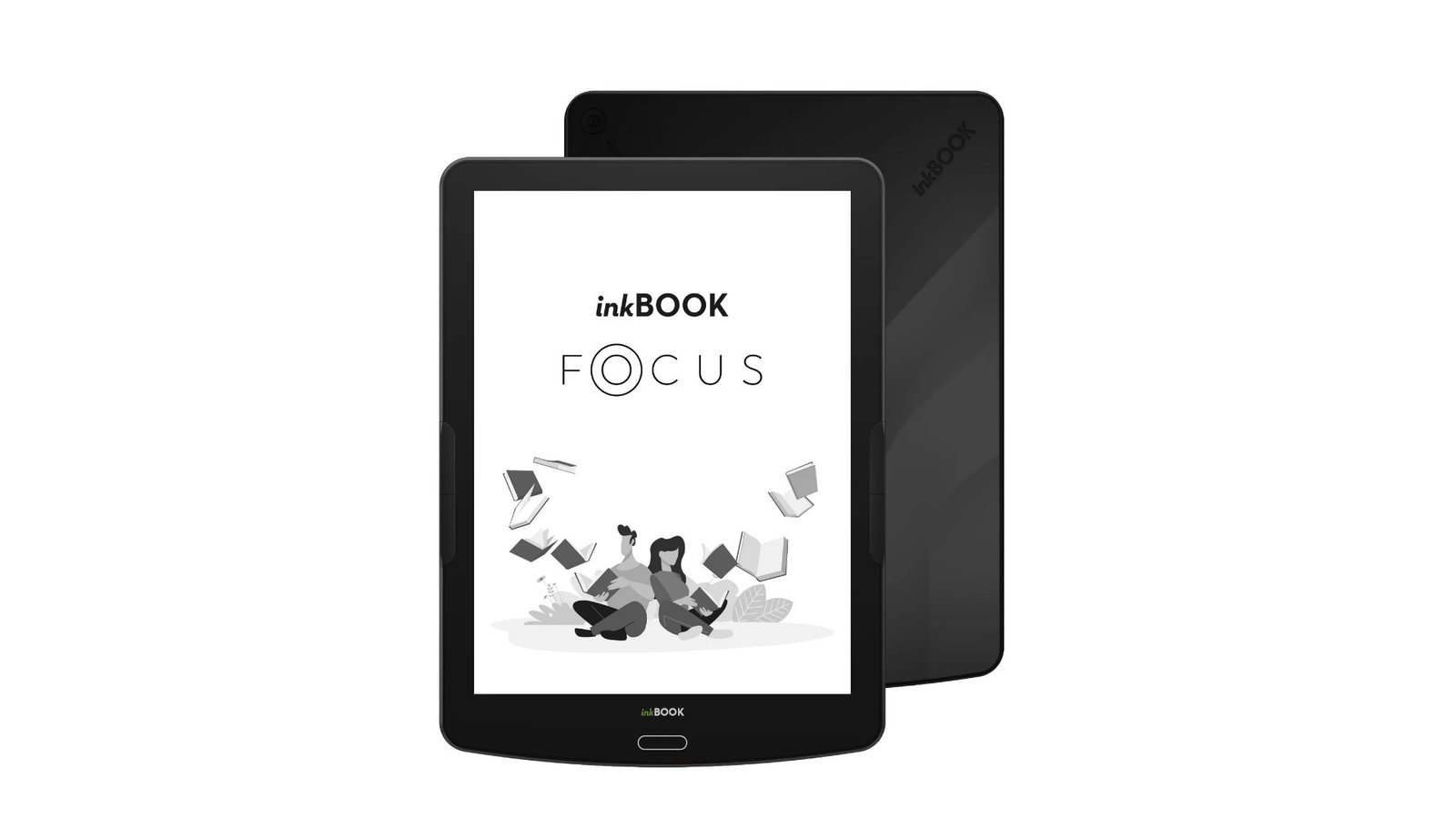
InkBOOK Focus : a dated Android e-reader

inkbook focus e-reader

After the presentation of the Inkbook Calypso Plus, it’s time to take a closer look at the InkBook Focus. With its 7.8-inch screen and Android system, it’s an alternative to the great Pocketbook InkPad 4.

InkBook is an asian brand. The InkBook Focus has a large 7.8-inch screen (e-ink with a resolution of 1872 x 1404 pixels – 300 dpi) and offers an attractive reading surface.

It can also read audiobooks. For the moment, it’s hard to say what types of audiobooks are compatible, but it’s a safe bet that it supports the MP3 format, since the e-reader uses an InkBook OS operating system based on Android 8.

The presence of an Android-derived system should also enable the installation of additional Android applications, presumably with direct loading of an APK file since Google Play doesn’t appear to be available on the InkBook Focus e-reader.

We also note the presence of 16 GB of storage memory, which may seem a little light when the competition doesn’t hesitate to offer 32 GB to load thousands of ebooks and hundreds of mangas.

When you consider the weight of an audiobook or manga file, I think that 16 GB is going to be a bit cramped.

Here are the technical specifications of the InkBook Focus e-reader:

  • 7.8-inch Carta screen, 1872 x 1404 pixels (300 dpi)
  • Touch screen
  • Blue light filter illumination
  • Quad-core ARM Cortex-A35 processor
  • 16 GB storage capacity
  • Dimensions: 192 x 140 x 9mm
  • Li-ION polymer battery, 2900 mAh
  • Supported formats: EPUB, PDF (reflow), ADE, MOBI, TXT, HTML, RTF, DOC.
  • USB-C (recharges in 5 hours)
  • Wi-Fi (802.11b/g/n)

We also note a limited autonomy of one week of reading, whereas e-readers like the Pocketbook InkPad 4 (7.8") can last a month.

This point remains to be verified, but it seems logical given the use of the Android operating system, which is known to consume more energy than a custom-built system adapted to e-readers.

All in all, the InkBook Focus is not a great e-reader. With a dated Android 8 OS and a price of $229, there are better alternatives on the market, including color e-reader models.

To find out more, take a look at our guide to the best e-readers.

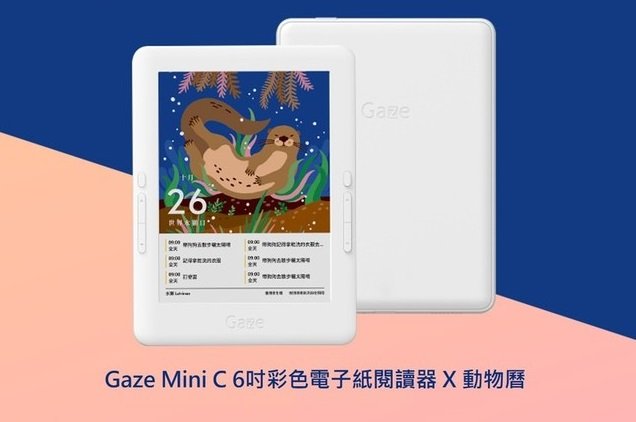
Hyread Gaze Mini C: a new 6-inch color e-reader

Hyread Gaze Mini C color e-reader kaleido 3

The Asian Hyread brand has just announced the future release of a new-generation color e-reader with a 6-inch screen: Hyread Gaze Mini C.

Hyread is a little-known brand that is looking to make a name for itself by rapidly offering one of the first e-ink color e-readers with a 6-inch screen using Kaleido 3 technology.

Kaleido 3 is the latest in color screen technology. It aims to display full-color pages with paper-like quality.

The advantage of Kaleido 3 screens is that they offer brighter colors, which comic book fans should appreciate.

But there’s a problem: with a 6-inch screen diagonal, reading comics isn’t made any easier on a screen of this size. My article on e-readers for manga actually mentions this point.

A screen size of at least 7.8 inches seems more coherent to me.

Still, it’s nice to have color, if only to appreciate book covers and to be able to underline passages of text in color.

Here are the technical specifications for this Hyread Gaze Mini C e-reader:

  • Kaleido 3 electronic ink screen: 300 PPI in black and white, 150 PPI in color
  • Color touch screen (4096 different colors)
  • Physical buttons for page turning
  • 1.8 Ghz quad-core processor
  • 3 GB RAM memory
  • 32 GB storage (expandable to 1 TB with SD card)
  • Wi-fi
  • Bluetooth 5
  • Speakers
  • Microphone
  • USB-C
  • Android 11 system
  • File formats supported: EPUB, PDF, MOBI, DOC, TXT, FB2, RTF, HTML/HTM, DJVU/DJV and CBZ

The presence of an Android operating system makes it possible to install new applications. However, e-ink e-readers with Android often have shorter battery life than classic e-readers from leading brands.

With an advertised price of $239, this Hyread Gaze Mini C e-reader is aimed at the more affluent and adventurous readers who want above all to enjoy a good color e-ink screen coupled with an Android system.

In theory, it’s possible to enjoy all your Kindle, Kobo or Pocketbook digital books on the Hyread Gaze Mini C by installing these booksellers’ applications.

But, for a reader simply looking for a simple e-reader, the price is clearly too high compared to affordable models from Kindle, Kobo or Pocketbook.

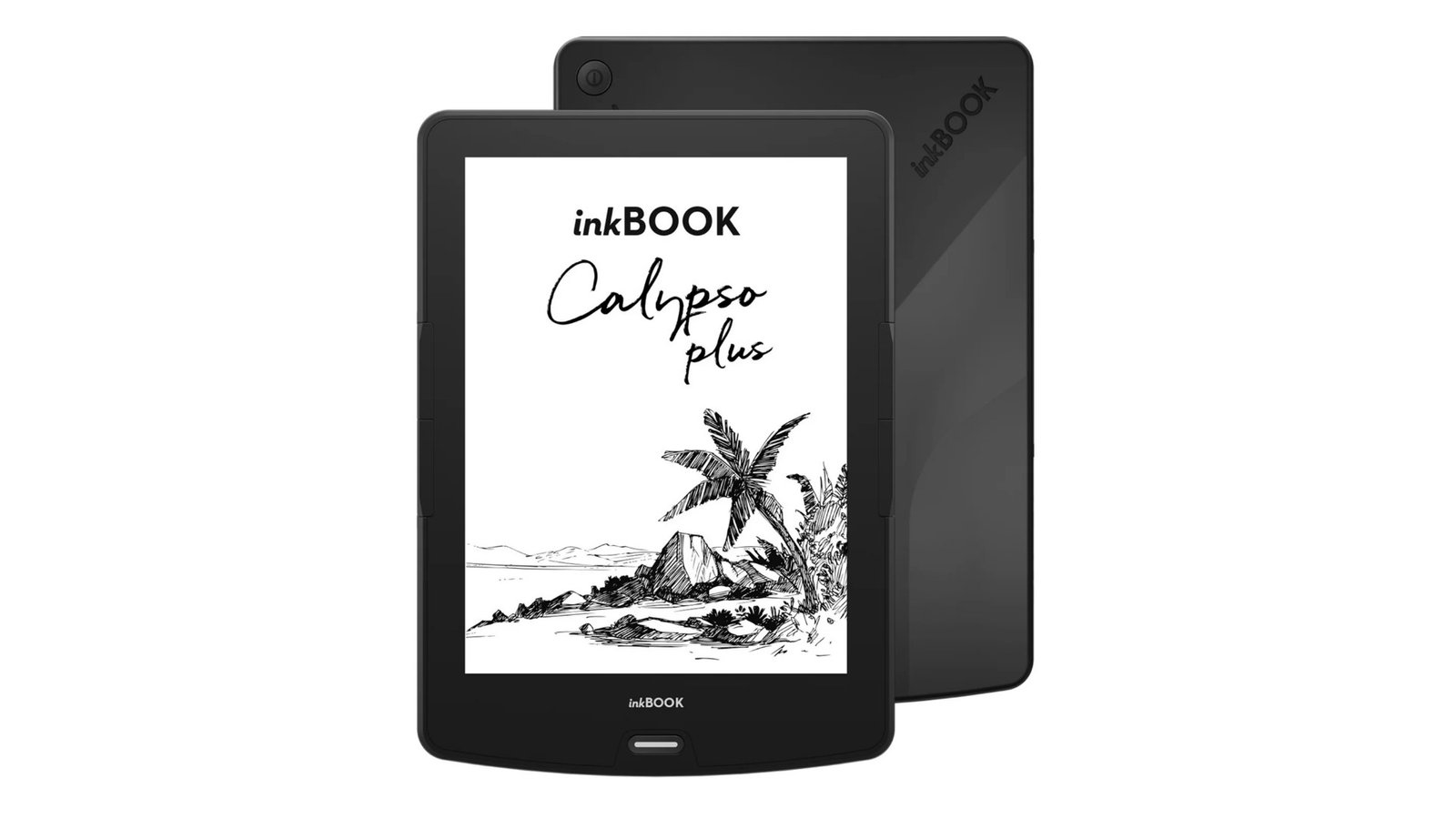
inkBOOK Calypso Plus e-reader

inkbook calypso plus

The inkBook brand offers an InkBook Calypso Plus e-reader, so you can enjoy the ebooks on all plateforms on a 6" e-reader. Let’s take a look at what this new e-reader has to offer.

InkBook is an Asian e-reader brand with a 6-inch e-ink screen that uses Android version 8 – which is therefore quite old.

The InkBook Calypso Plus uses a screen with a resolution of 1024 x 758 pixels (212 DPI) – which isn’t high-definition (like the recent Pocketbook Verse) – with a touch-sensitive layer and lighting with adjustable color temperature management (and therefore blue light filtering).

We note that the e-reader uses an operating system based on Android 8 and called InkBook OS. It seems like it will be possible to add applications to the e-reader (like Kindle, Kobo or Pocketbook android apps). I imagine it will be possible to do so by loading APK files directly onto the machine.

Compatibility with file formats is limited, with support for EPUB, PDF, ADE (i.e. EPUB protected by Adobe DRM), Mobi, Txt, HTML, RTF and Doc.

I think it will still be possible to load EPUB and PDF files directly, either by copying and pasting the file after connecting the e-reader to the PC, or by using the Calibre ebook management software.

Where there seems to be a problem is with battery life. The manufacturer’s data sheet gives an autonomy of 7 days, which is 4 times less than the competition.

If this measurement is accurate, it’s probably due to the system used (based on Android), which is necessarily more power-hungry than an optimized system found on other e-reader brands such as Kobo, Kindle or Pocketbook.

Here are the technical specifications of the inkBOOK Calypso Plus e-reader:

  • 6-inch Carta screen, 1024 x 758 pixels (212 DPI)
  • Touch screen
  • Blue light filter illumination
  • Quad-core ARM Cortex-A35 processor
  • 16 GB storage capacity
  • Dimensions: 159 x 114 x 9 mm
  • Li-ION polymer battery, 1900 mAh
  • Supported formats: EPUB, PDF (reflow), ADE, MOBI, TXT, HTML, RTF, DOC.
  • USB-C (recharges in 5 hours)
  • Wi-Fi (802.11b/g/n)
  • Android Os 8 (under the name inkBook OS)

With a price tag of $129, this e-reader’s main appeal lies in its compatibility with Android Apps, which will make it attractive if you already have a large collection of digital books purchased on several service like Kindle and Kobo Books.

Website : https://inkbook.eu/products/inkbook-calypso-plus

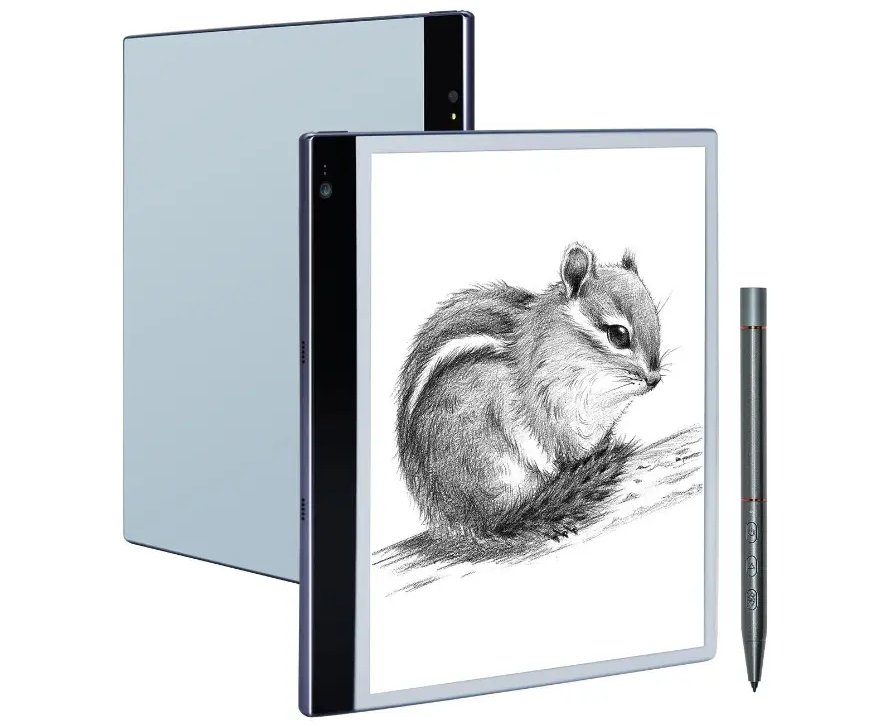
Bigme InkNote S: a e-reader with ChatGPT?

bigme inknote s

Asian manufacturers have been releasing numerous note-taking and productivity tools in recent years. The Bigme InkNote S is no exception to the rule, and seems to follow a familiar recipe without much innovation. And yet, there’s an interesting twist!

In addition to the market leaders Kobo Elipsa 2E, Kindle Scribe and ReMarkable, there are many other productivity devices on the market that use an e-ink screen in conjunction with note-taking software and a stylus.

All these machines have one ambition: to make you forget pen and paper. Their aim is to use these devices as digital note-taking tools on which you can work.

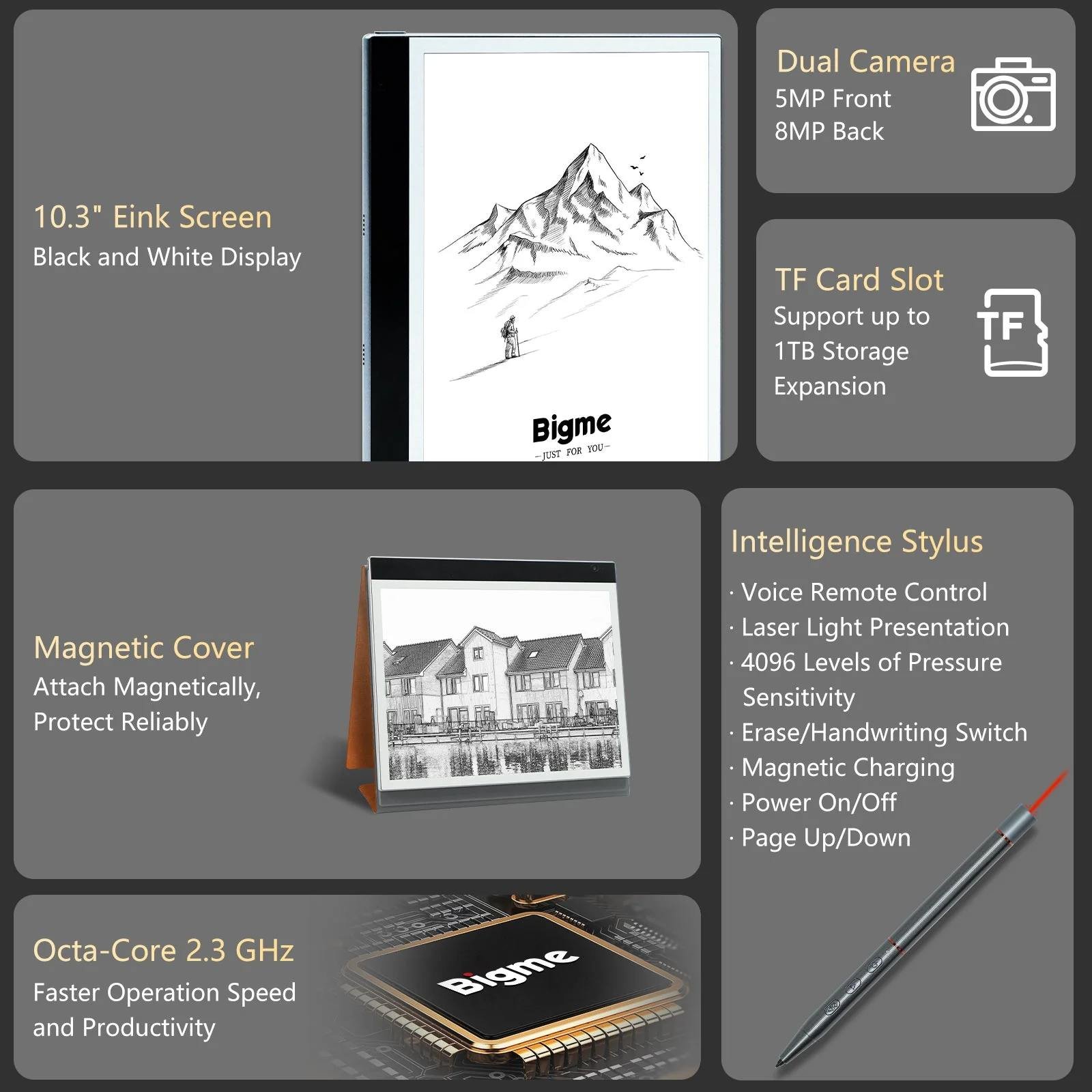
The Bigme InkNote S follows in this tradition, with its 10.3" diagonal e-ink screen, stylus and Android 11 operating system.

bigme inknote s

While there’s nothing original about the hardware, there are some innovative additions to the software.

Of course, there’s also a tool that converts your handwritten notes into typed text. But there’s also a system that lets you dictate text (as you can already do with more mainstream tools such as Microsoft Word or Google Docs).

bigme inknote s chatgpt

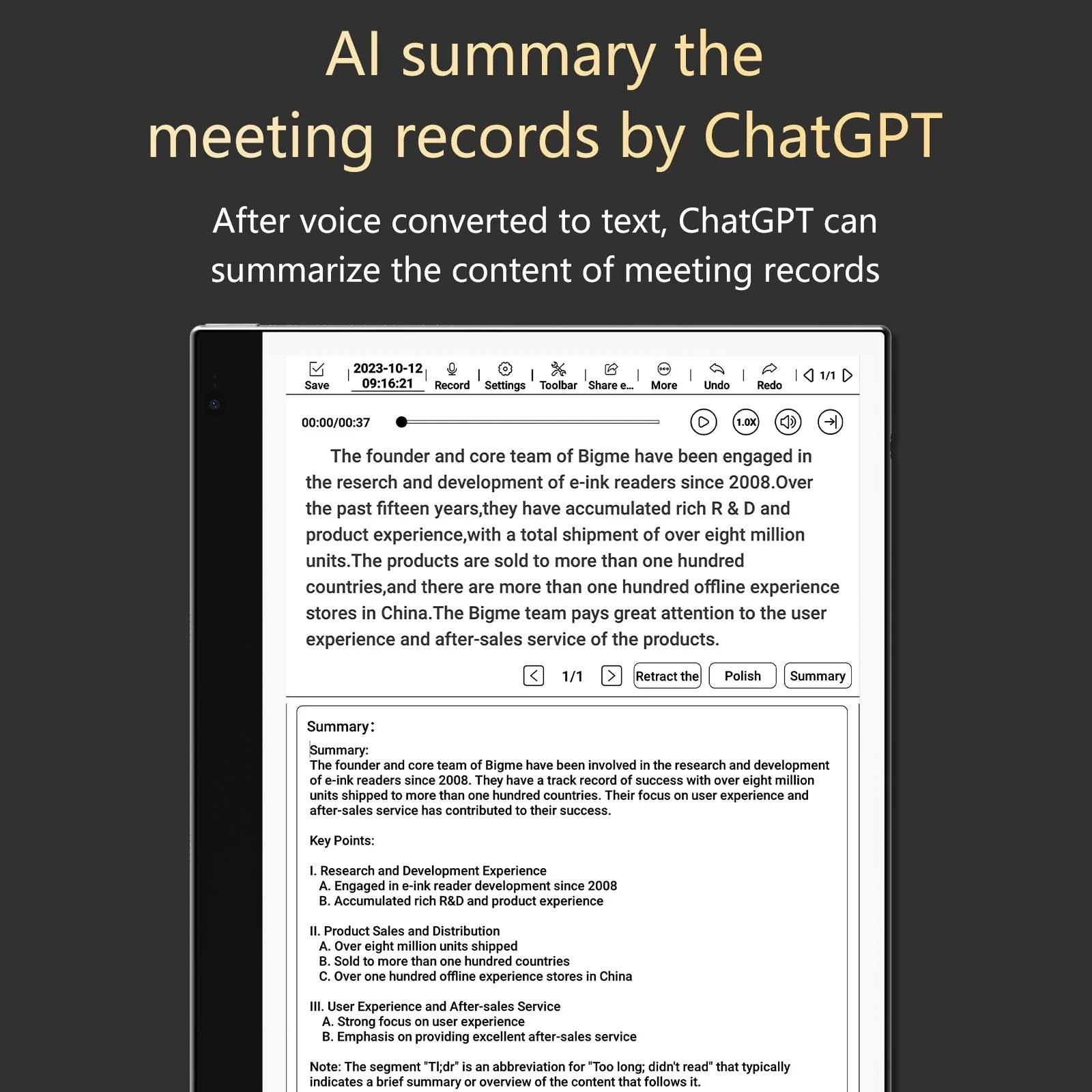
Better still, Bigme is announcing integration with ChatGPT via an application to be downloaded from its "App Center" (which is a kind of Google Play for Bigme-branded devices).

This chatbot uses artificial intelligence to provide answers to your questions. While it’s hard to know exactly what benefits there are to having ChatGPT on your e-reader, Bigme suggests these usecases:

  • You can have ChatGPT rewrite your texts.
  • You can ask ChatGPT to summarize your documents
  • You can ask ChatGPT to take meeting minutes for you.

There’s no mention of whether you need a subscription to ChatGPT+ to use it with this Bigme InkNote S e-reader, but it’s an interesting new use that brings additional features that seem useful (for once).

If the handwriting recognition functions work with ChatGPT, we can imagine that this machine will be able to produce very correct texts quickly and effortlessly.

To complete this presentation, here are the technical specifications of the Bigme InkNote S:

  • 10.3-inch (227 PPI) black and white e-ink display
  • 2.3 GHz octa-core processor
  • 4 GB RAM memory
  • 64 GB storage
  • USB-C
  • Stylus with wireless charging (A5)
  • 8MP camera (rear)
  • 5MP camera (front)
  • 2.4G/5G WiFi
  • Bluetooth 5.0
  • 4000mAh battery
  • Android 11

With a price tag of around $399, we have what appears to be an interesting alternative to the leaders in the field. It’s enough to seriously worry ReMarkable, which has been struggling to come up with interesting new features for the past year or two…

You can find out more by visiting Bigme’s ereaders at Amazon.com (click here).