About Nick

Nicolas Lorenzon is the French leading expert in e-readers since 2012 and also the creator of the website www.liseuses.net. Nicolas Lorenzon is also in charge of the pictures and the Youtube channel and the relationship with e-readers brands. See this page for more informations.

All the New Color Pocketbook E-Readers for 2024

Pocketbook color era

The year 2024 has been rich in innovations for the European brand Pocketbook. Among the new e-readers, there are some very interesting color models that will allow readers to fully enjoy their ebooks, comic books, and mangas.

Here's a quick overview of the latest models released and available from Pocketbook in 2024.

Pocketbook Color Note

pocketbook color note

The Pocketbook Color Note is the last release from the brand in 2024.

This e-reader has a 10.3" color electronic ink screen (Kaleido 3 technology) and is the first with an Android 12 operating system that comes with the Google Play Store, enabling the installation of third-party applications.

It is an expensive e-reader that comes with a stylus.

More: Pocketbook Color Note

Pocketbook Verse Pro Color
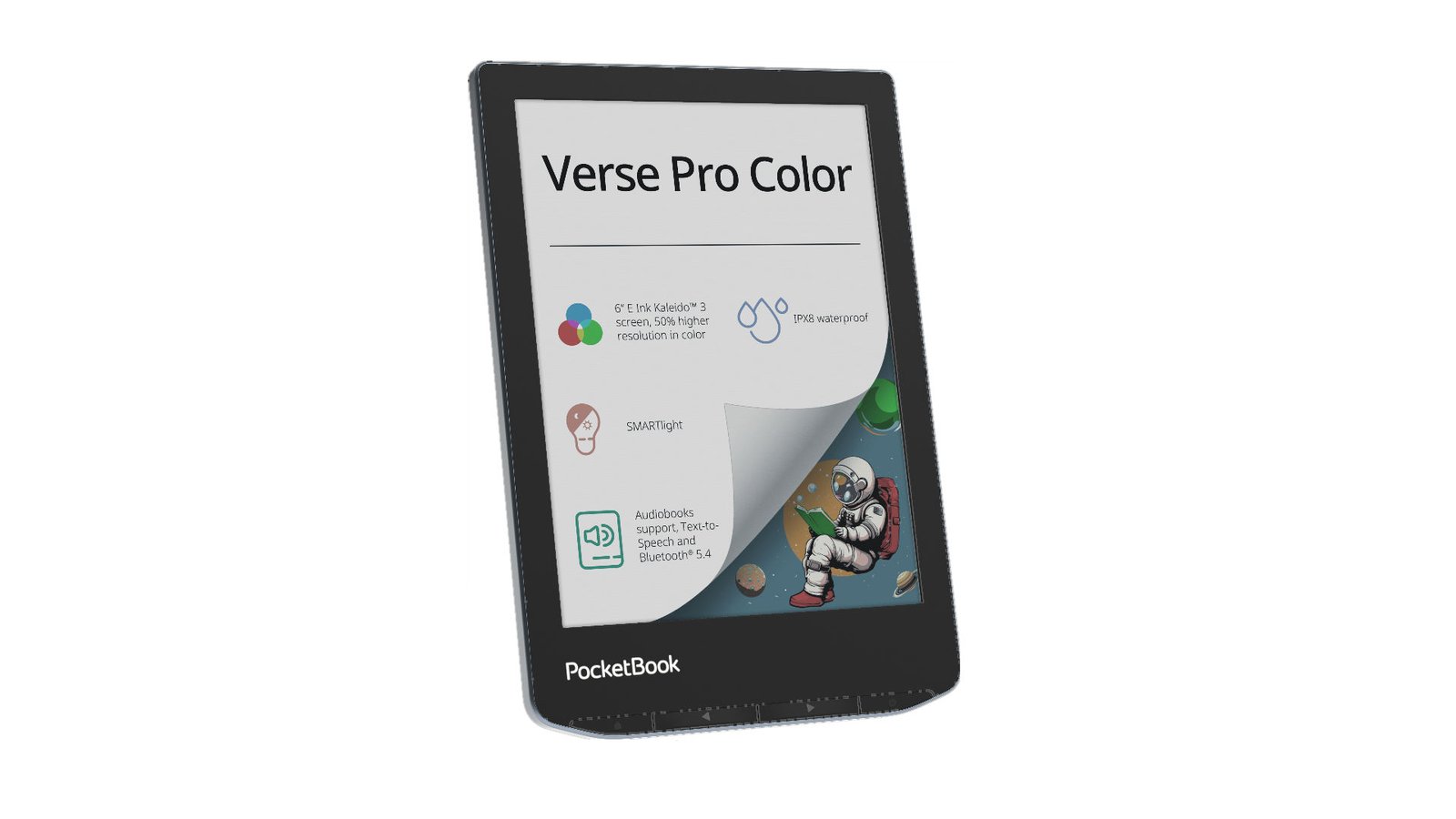
pocketbook verse pro color e-reader

Featuring a 6-inch Kaleido 3 electronic ink display of the latest generation, the Pocketbook Verse Pro Color is the most affordable model in the range.

More info about the Pocketbook Verse Pro Color e-reader: https://world-of-ereader.com/pocketbook-verse-color.html

Pocketbook Era Color

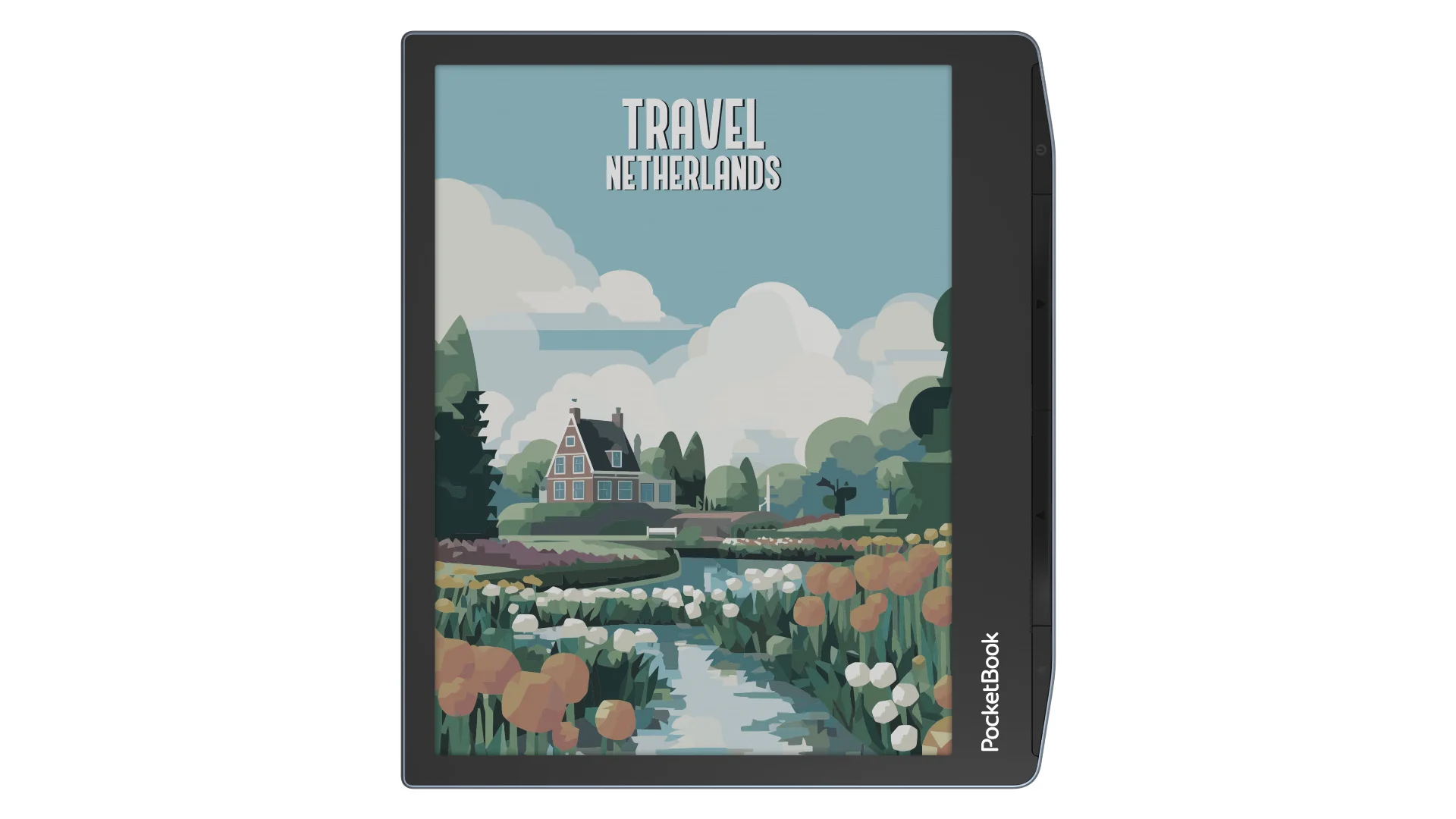
pocketbook era color

This e-reader took some time to arrive, but it is finally here. The Pocketbook Era Color has a different design with a 7-inch diagonal screen.

More info about the Pocketbook Era Color e-reader: https://world-of-ereader.com/pocketbook-era-color.html

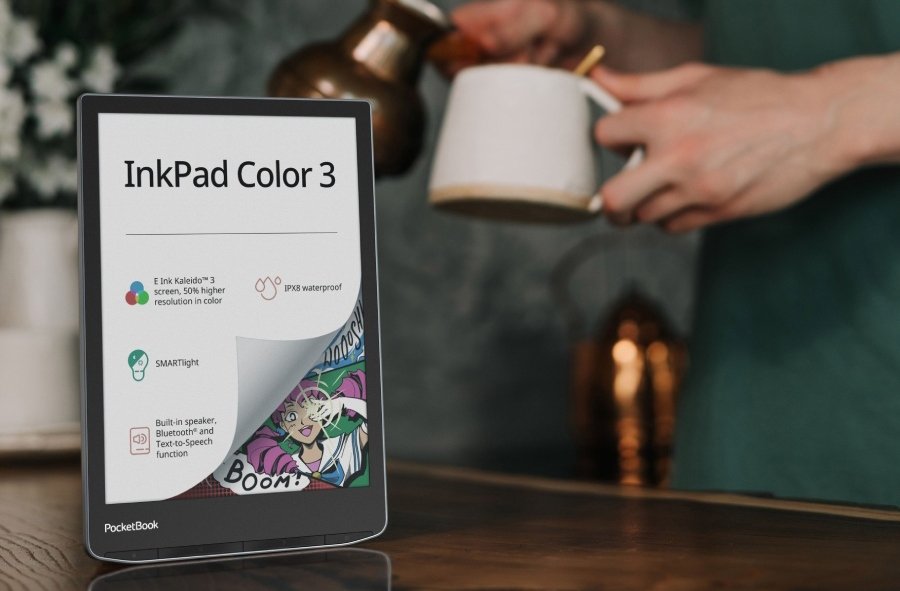
Pocketbook InkPad Color 3
pocketbook inkpad color 3

If you're looking for a larger screen, you can turn to the Pocketbook InkPad Color 3, which offers a 7.8-inch Kaleido 3 electronic ink display.

More info about the Pocketbook InkPad Color 3 ereader: https://world-of-ereader.com/pocketbook-inkpad-color-3.html

Pocketbook InkPad Eo

pocketbook inkpad eo

For those wanting even bigger, Pocketbook presents its Eo e-reader with a 10.3-inch Kaleido 3 color electronic ink display.

You can also work with this e-reader as it is compatible with a stylus for note-taking.

More info about the Pocketbook InkPad Eo e-reader: https://world-of-ereader.com/pocketbook-inkpad-eo-e-reader.html

Pocketbook Viva

pocketbook viva e-reader

The Pocketbook Viva features an 8-inch display. While it uses electronic ink for its screen, it also utilizes a different technology: Gallery 3. This technology provides better color display and is used in the new reMarkable Paper Pro as well.

More info about the Pocketbook Viva e-reader: https://world-of-ereader.com/pocketbook-viva.html

A New Kindle Paperwhite and Kindle Scribe? Color? Finally!

kindle paperwhite color

Rumors are heating up about Amazon potentially releasing two new e-readers soon: a new Kindle Paperwhite and a new Kindle Scribe (in color!).

For the first time in its history, the Kindle range is lagging behind the competition. As the pioneer of e-reading with the launch of the first Kindle in 2007, we can only lament the lack of innovation over the past few years.

In all honesty, the Kindle Paperwhite still stands out with its 6.8-inch screen and reasonable price. However, competing brands like Pocketbook are currently outpacing Kindle in all areas – in my opinion.

Therefore, Amazon must release new e-readers and take into account the technical advancements of recent years. So, we can expect color options, as well as a screen larger than 6 inches!

While I’m still banking on a new basic Kindle or a more comprehensive update to the range, sources that are better informed believe that Amazon will soon launch two e-readers:

  • A new color Kindle Paperwhite
  • A new color Kindle Scribe

Let’s take a quick look at the Kindle Scribe, which would represent a color upgrade from the existing model.

The idea is clearly to outpace the reMarkable Paper Pro, whose aggressive marketing campaign suggests they have a lot at stake with this release.

What could worry reMarkable? A new color Kindle Scribe, of course! This is a view held by many.

As for the Kindle Paperwhite, we should expect it to be a competitor to the very good Kobo Libra Colour e-reader, which seems to have won over many readers with its beautiful 7-inch color display.

Now, here comes the juicy part of this story: the color screens that Amazon will use in its new e-readers won’t be the same; they should be Gallery 3 screens – similar to the one used in the newly released reMarkable Paper Color.

This means these screens are finally available in large quantities for e-readers aimed at mass sales.

In short, it’s tough to say much more at this moment, but there’s a lot of excitement ahead!

Sources:

A new Color ReMarkable e-reader – tablet: reMarkable Paper Pro

reMarkable Paper Pro

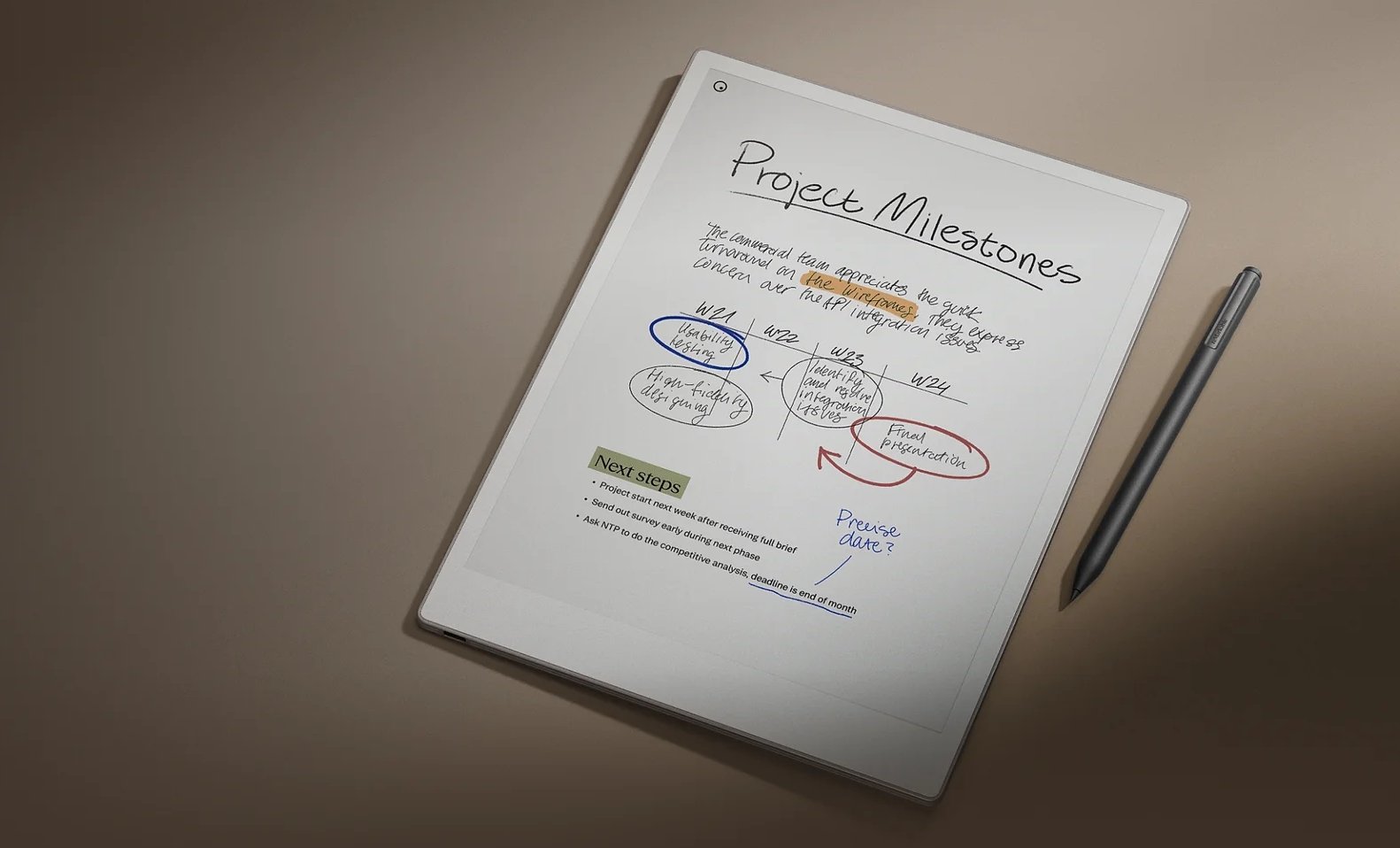
The reMarkable company has just unveiled its new large-format e-reader, the reMarkable Paper Pro.

This new device is clearly focused on working and digitizing paper in the corporate environment. It features an 11.8-inch large color e-ink display and a stylus, allowing users to work (annotate, underline, handwrite text, etc.).

The design has been revamped, taking inspiration from California standards, much like what the Apple brand offers. The display is referred to as “Canvas color,” presenting a new screen that is even closer to the feel of paper.

The Canvas Color 3.0, based on E INK Gallery 3 is different from the Kaleido 3 screens in the last Kobo and Pocketbook e-readers. It is also what may be used in the futur Kindle color e-reader.

In addition to the stylus, an integrated keyboard within a protective case is also introduced. The combination of the reMarkable, stylus, and keyboard aims to cater to most text entry activities in a business context, such as report creation or document editing.

There is also integrated lighting, although it doesn’t appear to offer adjustable color temperature — something that will need to be confirmed later.

The emphasis remains on software, with a complete suite of applications designed to be effective and simple to use. It seems that great importance has been placed on ensuring this digital device doesn’t become a distraction from the work at hand.

It will be interesting to see how this manifests, but it’s clear that today’s Android e-readers do so much that they can become significant distractions for their users.

In practice, this means that the reMarkable Paper Pro does not allow for writing or checking emails or accessing social media.

Compared to older models, the reMarkable Paper Pro also provides a better writing experience that is even closer to writing on paper. This may be true in terms of feel, but there still seems to be some latency between using the stylus and the ink display on the screen. However, the company claims a 40% faster response time compared to the reMarkable 2.

Regarding color rendering, the first images show something quite convincing. It's difficult to draw conclusions without having the device in hand, but one can assume that the color rendering is very close to that of a Kaleido 3 screen from E Ink.

According to initial information, the reMarkable Paper Pro is a second option within the reMarkable lineup. Thus, the reMarkable 2 (released in 2020) remains available at a lower price than this new color screen version.

A higher price tag is evident, but it’s important to remember that this is primarily a professional tool. You will need to spend $579 for the reMarkable tablet with the basic stylus.

However, you will need to add an additional $50 for the Pro stylus, $89 for the basic case, and $229 for the case with a keyboard.

In short, it’s expensive, and you will also have to pay a subscription fee of $2.99 per month to back up your documents in the cloud.

See more at the official site: https://remarkable.com/

<iframe width="1343" height="480" src="https://www.youtube.com/embed/gcuoqE3Qumk" title="reMarkable special event | September 4, 2024" frameborder="0" allow="accelerometer; autoplay; clipboard-write; encrypted-media; gyroscope; picture-in-picture; web-share" referrerpolicy="strict-origin-when-cross-origin" allowfullscreen></iframe>

Crema Pebble: A New E-Reader from Korea

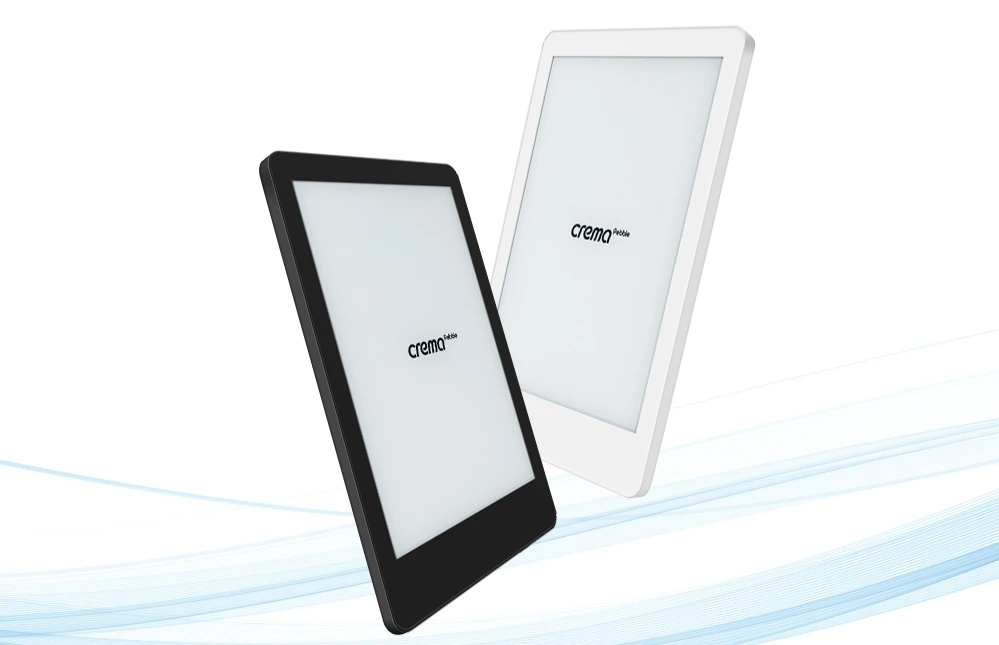
creama pebble e-reader from Korea

Let’s get straight to the point: digital reading and e-readers are experiencing a revival in 2024. The launch of the Crema Pebble e-reader in Korea is a testament to this, even though there is a noticeable lack of innovation.

The Crema Pebble is an e-reader introduced by the Korean online bookstore Yes24, one of the largest in the country.

Now, when I say “new”, it's worth noting that the Crema brand has been offering e-readers for a few years, including the Crema Motif. However, to be honest, I didn't expect it to last.

Like Vivlio in France, Nook in the USA, or Tolino in Germany, the Crema Pebble targets a local audience and has no greater ambition than to convince Yes24 customers to transition to digital reading with a device tailored specifically for Korean users and readers.

What’s surprising, though, is that the Crema Pebble is uniquely designed. It features entirely new hardware, making it distinct from other e-readers.

This stands in contrast to developments in other countries in recent years, where:

  • French e-reader brand Vivlio uses Pocketbook hardware.
  • German e-readers Tolino utilize Kobo hardware.

This e-reader boasts a 6-inch black and white E Ink display with fairly standard specifications and runs on Android 11.

Its weight of 139 grams is very impressive, placing it among the lightest in its category.

Currently, no availability has been announced outside of Korea, and the e-reader is expected to launch in early September 2024 for around $160.

Source : https://event.yes24.com/detail?eventNo=251282

A New Basic Kindle E-Reader in Fall 2024?

the 2022 kindle basic e-reader

There's an intriguing rumor circulating among enthusiasts and experts in the e-reader community, and I'm part of it: Amazon may be planning to release a new entry-level Kindle e-reader soon.

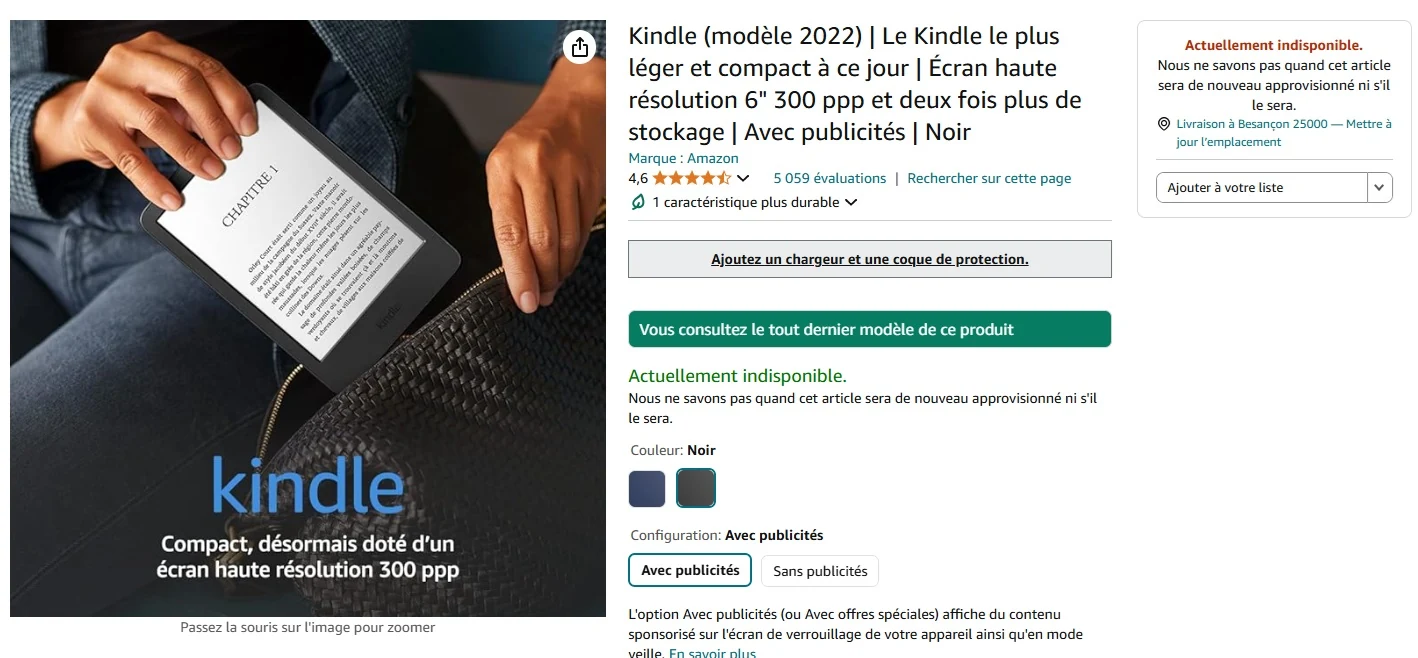
Of course, we should take this information with a grain of salt! However, it's worth noting that some countries have run out of Kindle e-readers for sale, as seen on the official French Amazon.fr website, where the e-reader is listed as out of stock.

See this picture:

out of stock kindle in France

It's quite surprising for a device that was released just two years ago and remains a bestseller for Kindle.

One can't help but think that Amazon must have a good reason for not having this e-reader in stock and that they may be preparing to launch a new version soon.

What Can We Expect?

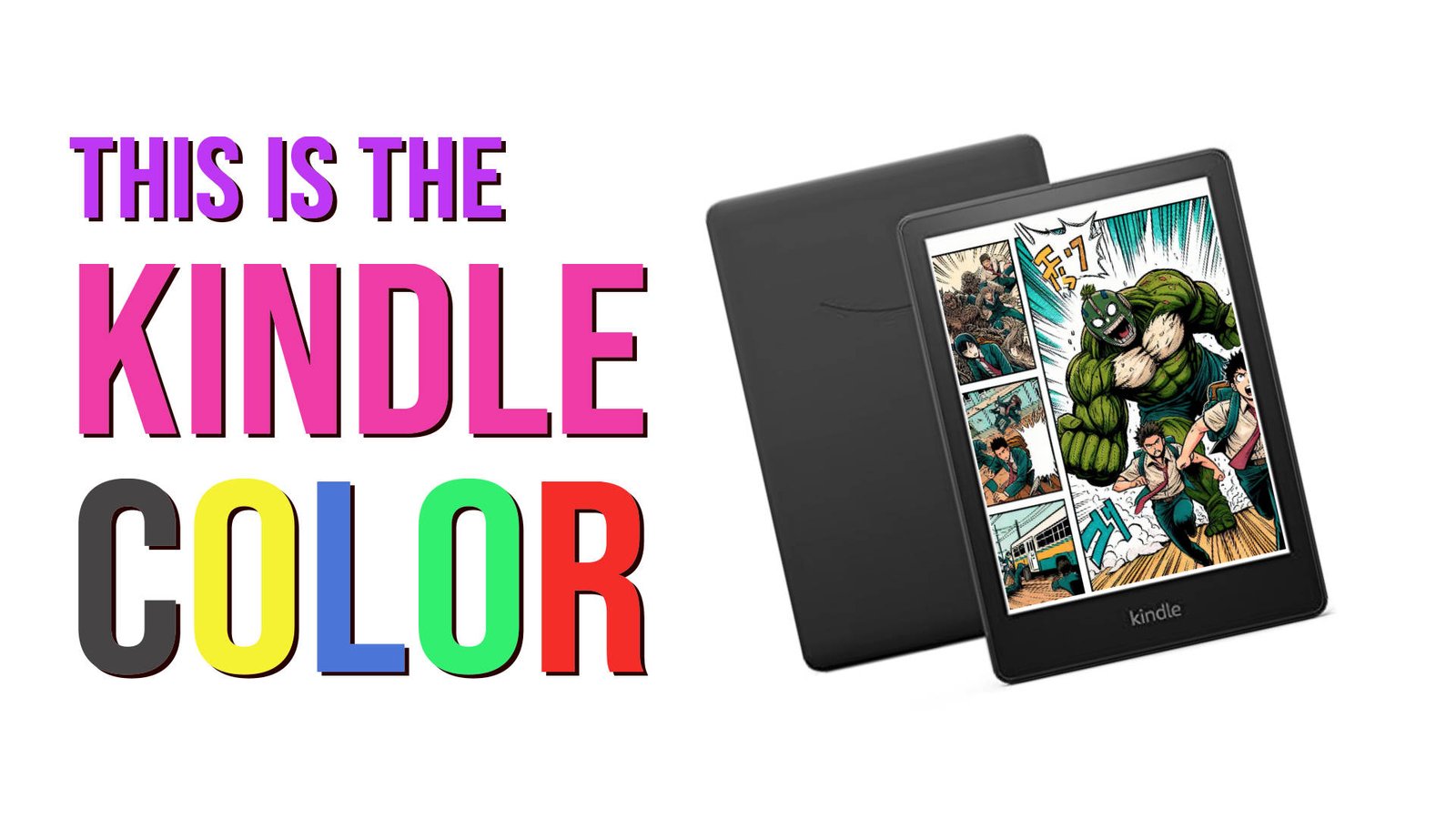
A Color Entry-Level Kindle E-Reader

a kindle color

One key topic is color. Clearly, Amazon is lagging behind on this front since the Kindle line does not currently offer an e-reader with a color E Ink display.

Especially considering that competitors have already made significant strides in this area, seemingly achieving great success with devices that have already won over many readers:

It seems logical that Kindle should also provide a color e-reader, possibly an affordable entry-level model, to compete directly with Pocketbook and Kobo.

Why is this Plausible?

Again, this is just a rumor (which has been circulating for a while). However, it’s one that has gained traction.

Since this summer, I have come across some new information that may interest you and seems to support this claim.

It appears that the company manufacturing E Ink displays, E Ink, is strongly encouraging its clients to switch to color. They are using 3 main strategies:

  • They have reduced the quantity of black and white screens being produced.
  • They have launched a new HD black and white screen called Carta 1300 (found in the Kobo Clara B&W).
  • They are offering the Kaleido 3 color screens at a competitive price, only slightly more than the black and white screens.

These combined conditions make it advantageous for major clients of E Ink, including Amazon, to order Kaleido 3 or Carta 1300 screens.

It will soon become increasingly difficult to obtain the older screens currently used in the Kindle, Kindle Paperwhite, and Kindle Oasis.

This also explains why various e-reader manufacturers have been releasing new devices over the past few months.

In any case, I truly hope the rumors are true, as I believe a color Kindle could reignite interest in e-readers among the general public, especially since the brand holds a leading position in the minds of readers.

Kobo Libra Colour vs Onyx Boox Go Color 7

Color e-readers with a 7-inch display featuring the latest generation screens (Kaleido 3) are still relatively rare in the market. That's why I'm offering a comparison between the Kobo Libra Colour and the Onyx Boox Go Color 7.

Key Similarities

Both the Kobo Libra Colour and the Onyx Boox Go Color 7 utilize the same type of electronic ink screen that allows for color content display. The screen size is also suitable for reading manga and displaying colorful illustrations.

Additionally, both devices offer a convincing eBook reader with all the necessary features for an optimal reading experience, including adjustable fonts, line spacing, margins, text size, and orientation.

Both Kobo and Onyx provide strong compatibility with standard file formats such as EPUB, CBR, CBZ, PDF, and more. Thus, you can use either one to access and enjoy your digital book library without any issues.

You can find the reviews for these e-readers here:

Before moving on to the differences, here's a comparative video:

<iframe width="1255" height="706" src="https://www.youtube.com/embed/h9aUyZjGFek" title="Kobo Libra Colour vs Onyx Boox Go Color 7" frameborder="0" allow="accelerometer; autoplay; clipboard-write; encrypted-media; gyroscope; picture-in-picture; web-share" referrerpolicy="strict-origin-when-cross-origin" allowfullscreen></iframe>

Main Differences

These two e-readers embody distinct philosophies.

On one hand, we have the Kobo Libra Colour, which offers software that simplifies the e-reader's use for users: everything is preconfigured and integrated for a straightforward and effective reading experience.

On the other hand, he Onyx Boox Go Color 7 runs on Android 12, providing a plethora of features and the ability to add applications.

At this level, the differences are significant, and it's challenging to list them all, but here are the main distinctions I've noted concerning eBook reading:

  • The Onyx Boox Go Color 7 allows for fine adjustments to the screen display quality for advanced users.
  • The Kobo Libra Colour provides default settings that are good enough not to require adjustments.
  • The Onyx Boox Go Color 7 allows internet browsing and application additions (note: not all will be compatible with an e-reader).
  • The Onyx is more expensive and offers a more premium build quality than the Kobo.
  • The Kobo Libra Colour has a much richer digital library than the Onyx (with a wide selection of books in English).

Which E-Reader to Choose?

So, which e-reader should you choose between the Kobo Libra Colour and the Onyx Boox Go Color 7?

Once again, it comes down to personal preference and usage.

I believe it's better to lean towards the Kobo if you're looking for an excellent, straightforward reading experience with a very good, comprehensive library that gives access to a multitude of books directly from your e-reader.

However, if you're in need of an e-reader that caters to broader usage—such as web browsing or reading emails on an electronic ink screen—and plan to source your eBooks directly from download sites, the Onyx is also a good, more versatile option better suited for tech-savvy users.

How to Showcase Your eBook Library?

ebooks library

Unlike a physical book library (paper), it is particularly difficult to showcase our collection of ebooks. Here are some solutions that exist to present your digital book library.

First of all, the digital books you own are stored on your e-reader, smartphone, or tablet. They can also be on a computer, especially if you use the Calibre software, which allows you to manage your ebook library for free. You will find a guide for Calibre on this page.

Presenting your library is not just an ego trip to show people how much of a great reader you are with a vast culture (even if that might be your primary goal).

It is also about seeing your books at a glance and deciding quickly to browse through them or to decide on your next read.

And for that, there's nothing better than seeing the book’s cover or its name on the spine. The advantage of physical book libraries is that this can be done in a single glance.

Unfortunately, this is not the case for digital books (ebooks)!

There are currently few solutions to do this easily, and in any case, you will need a computer and a screen to present your ebooks.

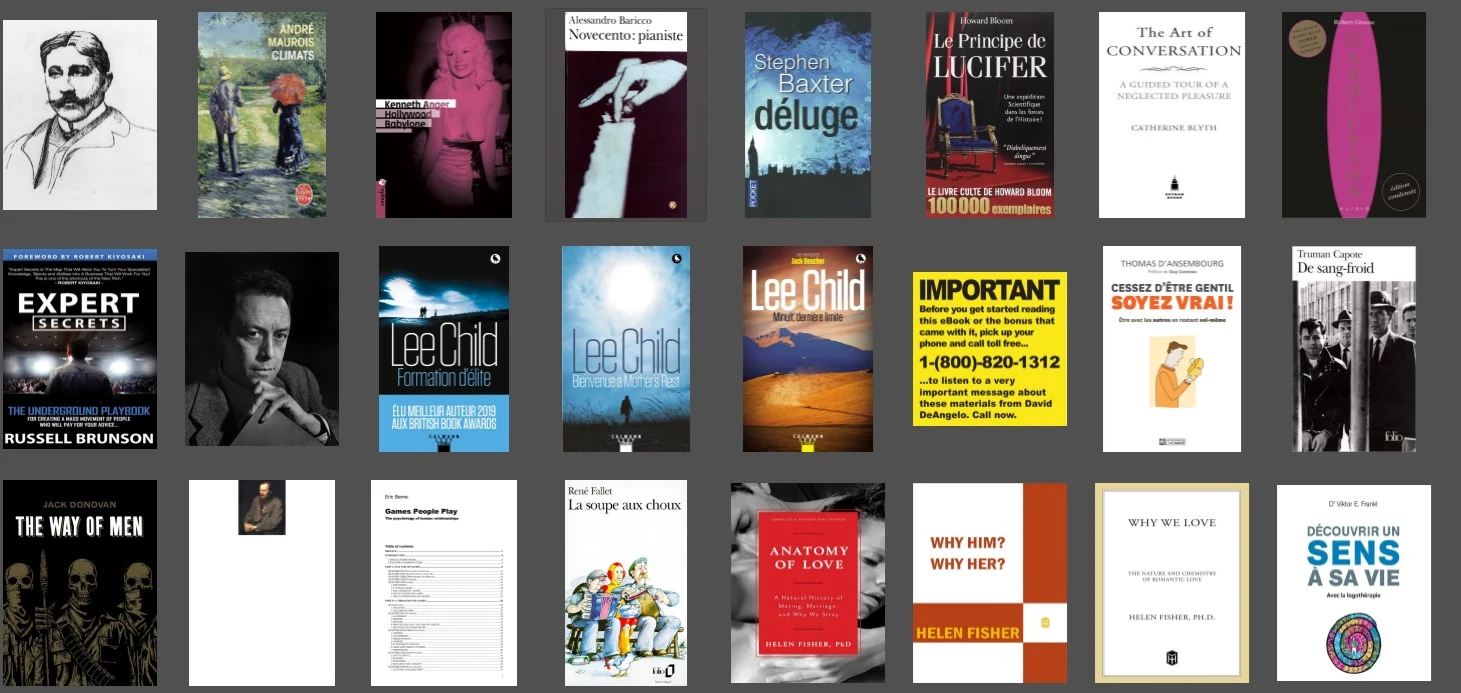
The first solution available to you is to use the Calibre software and configure it to display the covers of the books. Click on the button at the bottom right to change the layout and display the covers of the books in the Calibre library. Here’s what it looks like:

Calibre display ebooks covers

Another solution is to present your ebook library in the form of a website. Once again, it is possible to do this with Calibre.

But beware, from now on, it will become quite technical.

There is the Calibre Web software that allows you to create an internet server to publish your Calibre library on the web. This allows you not only to showcase your ebook library but also to share your ebooks with your relatives.

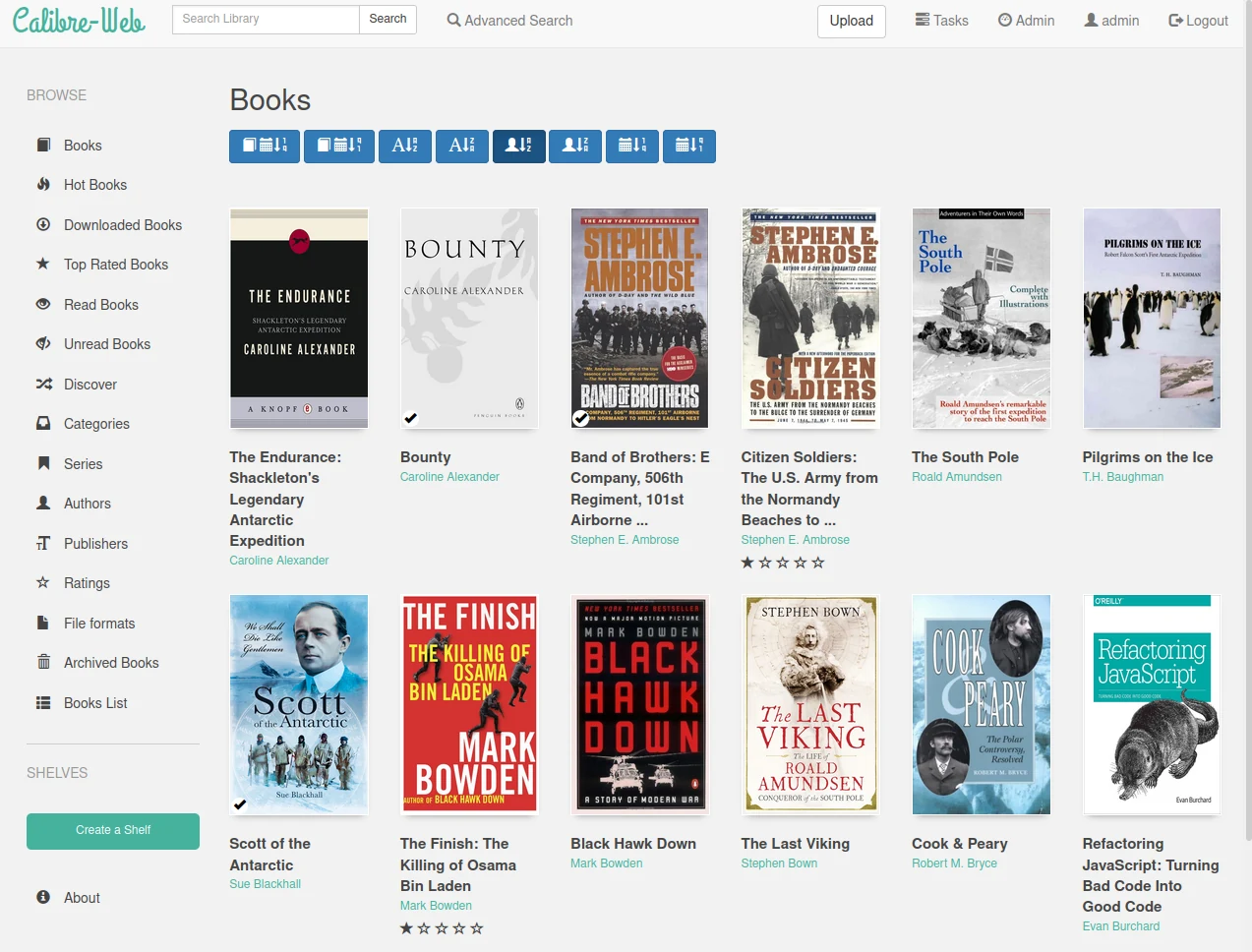
Here is what the created website looks like:

Calibre Web software

Link to download and install the software (IT knowledge required): https://github.com/janeczku/calibre-web

Additionally, here are other software or IT projects offering to program something similar:

And finally, here are websites that showcase ebooks in a more beautiful way than simple lists of titles:

Don’t forget that you can download free ebooks to start building a beautiful ebook library.

How to Browse the Web with Your E-Reader? (TUTORIAL)

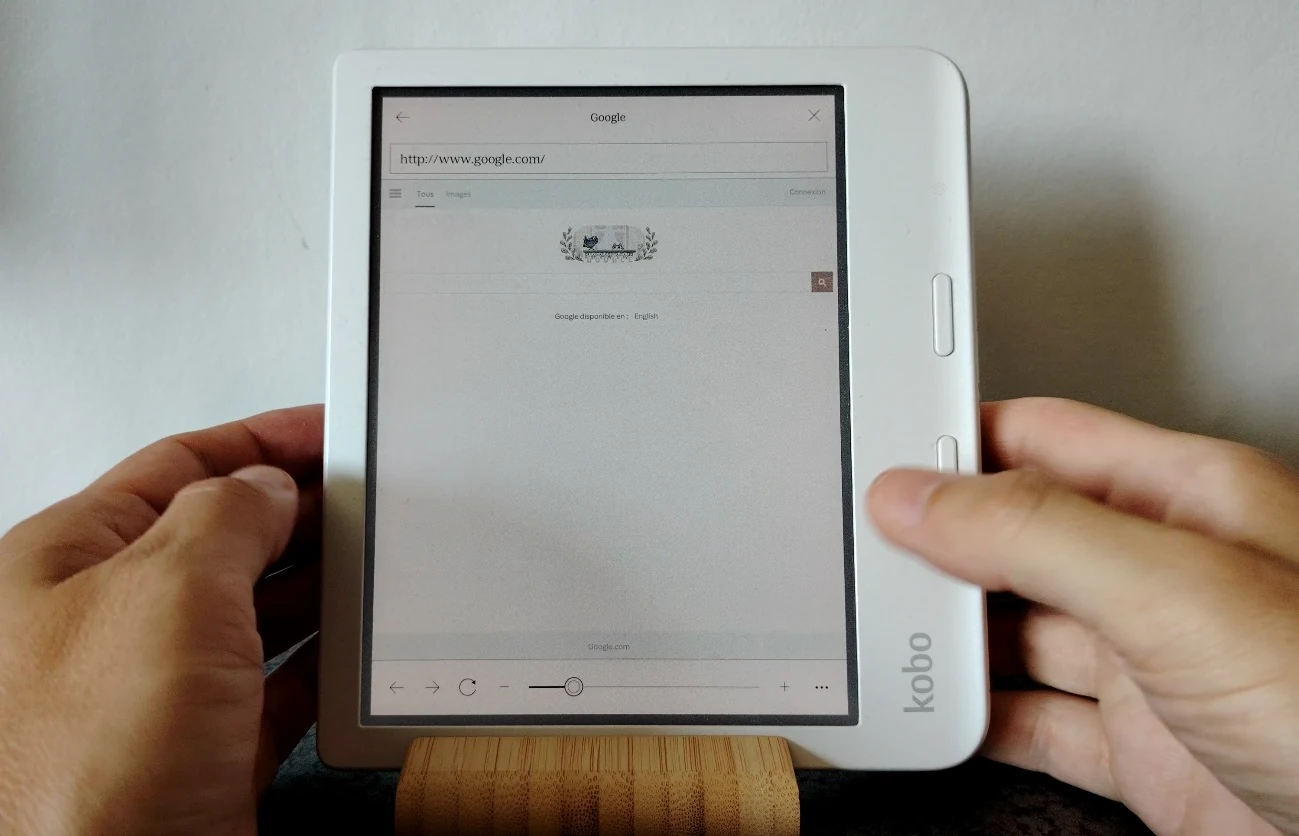
Kobo web browser

Today, most e-readers with e-ink screens come with a software that allows you to browse the web. In this article, we will explain how to do so.

Browsing the Web with a Kindle E-Reader

To launch the web browser on a Kindle, follow these steps:

  • Go to the home screen of your e-reader.
  • Tap on the menu represented by three dots (located at the top right of the screen).
  • Select “Experimental Browser.”
  • You are now on the Internet!

If your Kindle browser cannot display websites, ensure your e-reader is connected to Wi-Fi and that the connection is working properly.

Then, you can use the search bar to enter a web address. You can also perform a Google search by using the button to the left of the URL input bar.

Browsing the Web with a Kobo E-Reader

<iframe width="1255" height="706" src="https://www.youtube.com/embed/fY1Ps9-EEsA" title="Kobo Libra Colour Web Browser" frameborder="0" allow="accelerometer; autoplay; clipboard-write; encrypted-media; gyroscope; picture-in-picture; web-share" referrerpolicy="strict-origin-when-cross-origin" allowfullscreen></iframe>

You can find the Kobo web browser by going into the "More" menu located at the bottom right of the e-reader’s home screen.

By tapping on the icon at the bottom right, you will access this menu. Next, go to “Beta Features”:

In “Beta Features”, you will find experimental options, which can include bugs, such as the web browser. You will then see the menu with the Kobo Internet browser. Simply press “Start.”

Browsing the Web with a Pocketbook e-Reader

On Pocketbook e-readers, the web browser is found in the applications. Access it by using the button located at the bottom right of the home screen.

The use is very simple; you just need to enter a web address to display the result on the screen.

Why Do Web Pages Display Poorly on E-Readers?

You will quickly notice that these web browsers are very limited. In fact, browsers like Chrome, Firefox, or Safari have become very complex software, even for computers.

This is due to the need to support all internet sites and all the necessary functionalities for displaying increasingly complex sites (videos, animations, colors, security for payments, etc.).

Brands that manufacture e-readers cannot replicate all these functionalities, especially on specialized hardware like an e-reader, primarily designed to display text and e-books.

Which E-Reader to Use for Web Browsing?

<iframe width="1255" height="706" src="https://www.youtube.com/embed/RPZyrD9DkJ8" title="Onyx Boox Air3 C Web Browser" frameborder="0" allow="accelerometer; autoplay; clipboard-write; encrypted-media; gyroscope; picture-in-picture; web-share" referrerpolicy="strict-origin-when-cross-origin" allowfullscreen></iframe>

If you need a device with an e-ink screen to browse websites, I strongly recommend opting for an Android e-reader made by an Asian manufacturer like Bigme or Onyx.

From the e-readers reviews I’ve conducted, these devices displayed web pages (including video) the best.

Pocketbook Verse vs. Pocketbook Touch Lux 5: A Comparison

Pocketbook Verse vs. Pocketbook Touch Lux 5

The Pocketbook Verse e-reader is now one of the best affordable e-readers available. But what are the differences compared to its predecessor, the Pocketbook Touch Lux 5?

If you recall, the Pocketbook Touch Lux 5 was the e-reader I recommended for anyone looking to start their digital reading journey with their first e-reader.

With its beautiful 6-inch e-ink screen and attractive price, it was an excellent device.

Since then, Pocketbook has launched its replacement with the excellent Pocketbook Verse. I decided to take a closer look at the differences between these two e-readers to see if this evolution is truly justified.

> Quick Answer: Yes, surprisingly, the differences are quite significant!

<iframe width="1280" height="720" src="https://www.youtube.com/embed/2l7qdqiH3oA" title="Pocketbook Touch Lux 5 vs Pocketbook Verse" frameborder="0" allow="accelerometer; autoplay; clipboard-write; encrypted-media; gyroscope; picture-in-picture; web-share" referrerpolicy="strict-origin-when-cross-origin" allowfullscreen></iframe>

Design and Build: Advantage Pocketbook Verse

To start, the design of the Pocketbook Verse is more compact with a shorter body, making it easier to carry.

The plastic used is of better quality and the e-reader feels more robust compared to the Pocketbook Touch Lux 5.

Of course, it still includes the 4 buttons below the screen, and even though the buttons on the Pocketbook Verse are smaller, they are easier to use thanks to a design that makes the two page-turning buttons easier to find in the dark (they have a "bumpy" style).

Overall, I prefer the new style of the Pocketbook Verse, which is more refined, more compact, and feels better finished.

USB-C Port: Advantage Pocketbook Verse

Quickly, the Pocketbook Verse features a USB-C port that is more reliable (and more durable) for regular use.

This type of port also allows for faster charging of the e-reader. It's a real benefit when you find yourself with a low battery, as charging the device for about twenty minutes can give you several hours of reading time.

Screen: Better Character Display

Pocketbook Verse vs. Pocketbook Touch Lux 5

The screen used in the Pocketbook Verse is an electronic ink (or epaper) type provided by the company E Ink, referenced as "Carta."

To my knowledge, it is the same type of screen with the same resolution as that of the Pocketbook Touch Lux 5.

Logically, one should expect identical display quality, but in reality, this is not the case!

The lighting is different, with better brightness management on the new Pocketbook Verse, resulting in a more eye-pleasing display that also gives the impression of better definition!

Of course, when you closely compare the two screens side-by-side, this is not the case, since both e-ink screens display the same number of dots (or pixels).

The display on the Verse is also faster with a better refresh rate.

Nevertheless, I have to admit that reading on the Pocketbook Verse is more enjoyable when the brightness is set at 50%.

Which E-Reader to Buy?

If you are hesitating between a second-hand Pocketbook Touch Lux 5 and a Pocketbook Verse and your budget allows you to purchase the Pocketbook Verse, then I definitely recommend the latter.

However, if you find a good deal on the Pocketbook Touch Lux 5, you can still go for it as it remains a very relevant device.

You can also check out my buying guide for the best e-readers of the moment – this guide is updated every month.