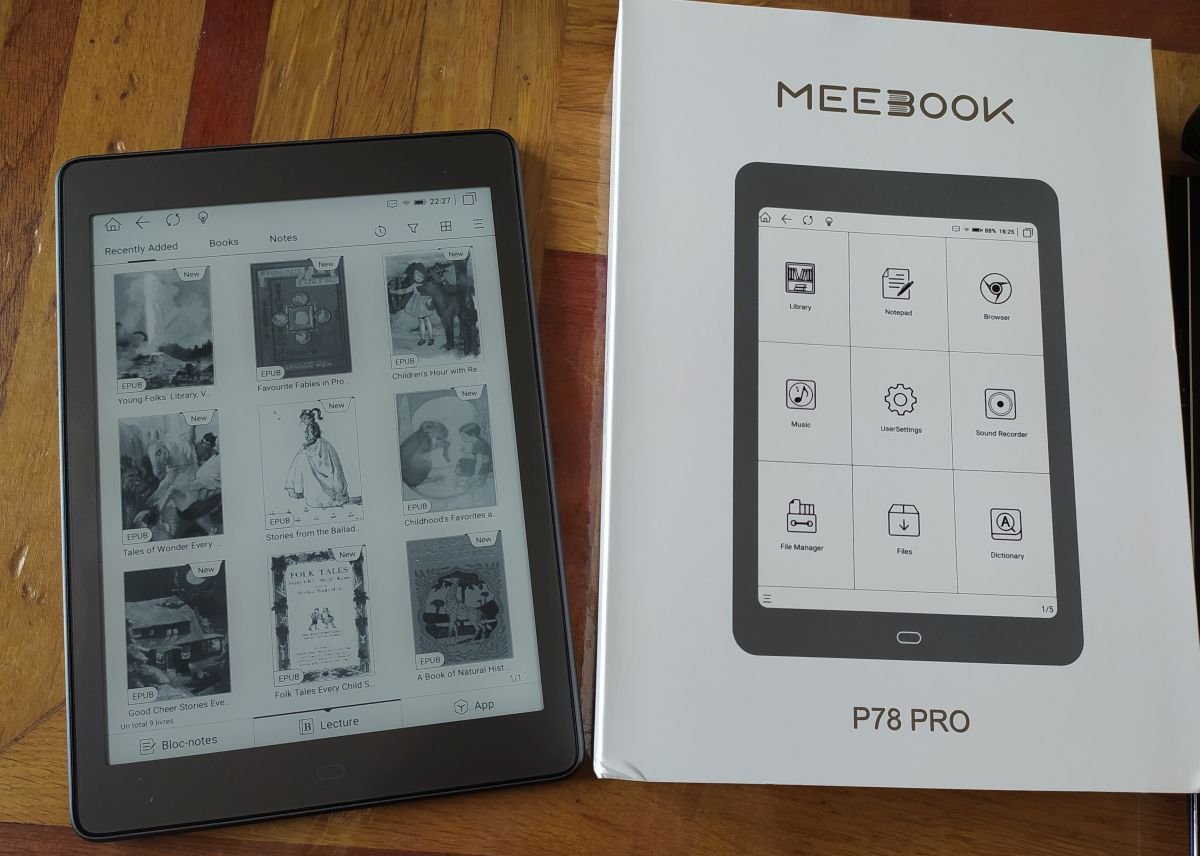
Review of the Meebook P78 Pro: a large-format e-reader/tablet with a 7.8-inch screen, Android 11 and Google Play.
Continue reading
Review of the Meebook P78 Pro: a large-format e-reader/tablet with a 7.8-inch screen, Android 11 and Google Play.
Continue reading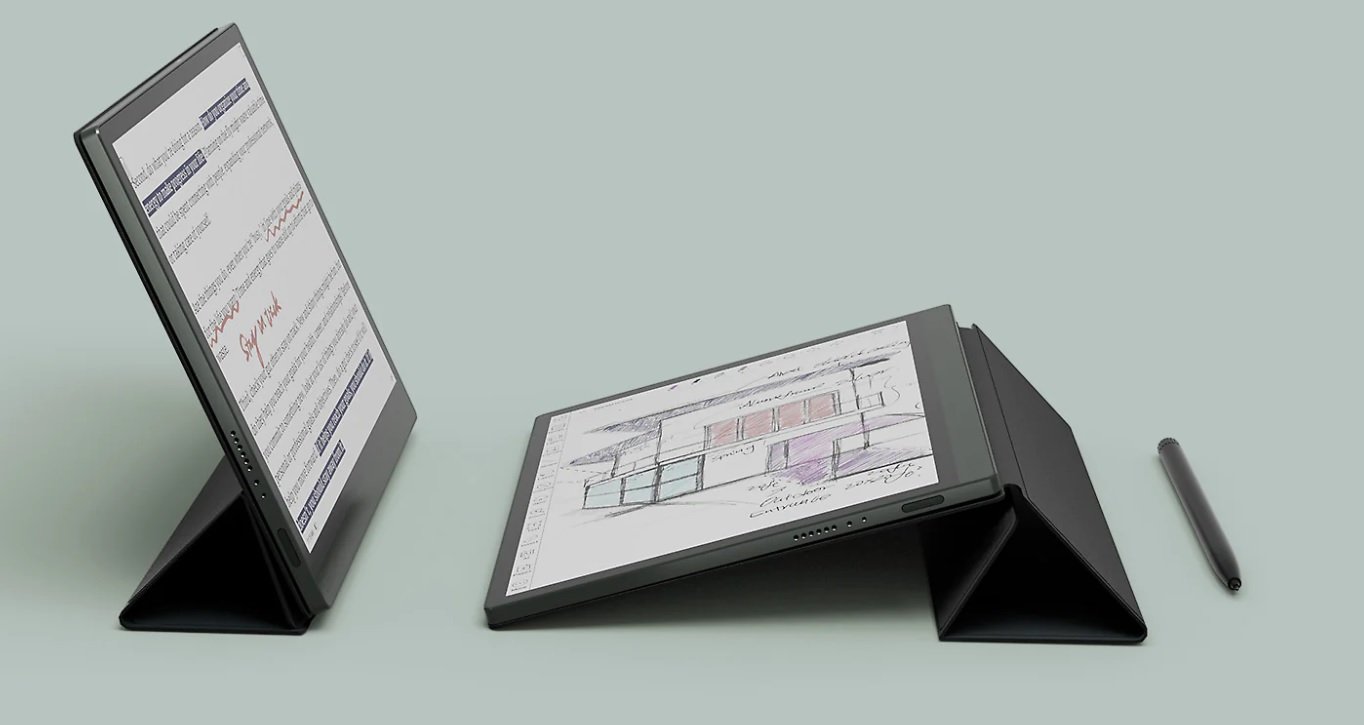
Onyx is back with a tempting e-reader proposition: a large format, an Android system and a color screen. So what to make of this Onyx Boox Tab Ultra C?
The Onyx Boox Tab Ultra C is a curious machine. With its 10.3-inch e-ink color screen, it looks like a high-end e-reader for demanding readers.
However, when we look at the possibilities offered by this machine, we realize that it's not just a reader, but more of a touch-screen tablet with a very high-end screen.
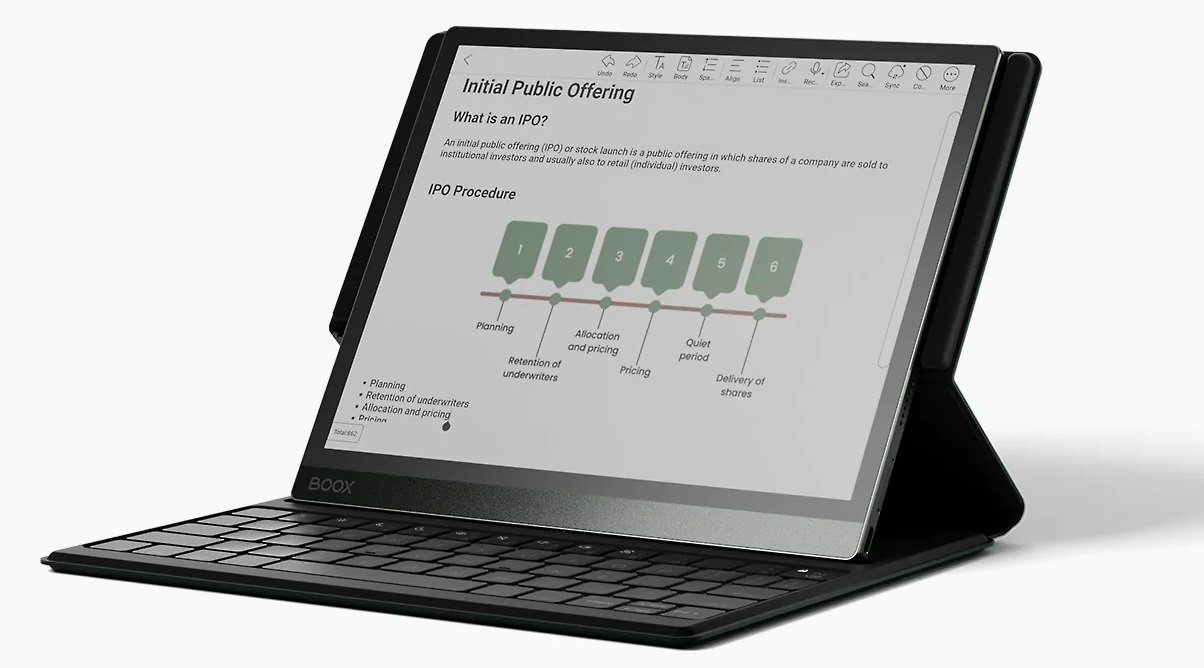
In fact, this machine can be used with a stylus, Android applications can be installed and a keyboard is even available for budding writers and e-mail addicts.
👉 See the ONYX BOOX e-readers on Amazon.com
First of all, it's worth noting that the machine uses an E Ink Kaleido 3 electronic ink screen. This is the third generation of the color screen available, for example, in the Pocketbook Color.
So we can't expect vivid colors, but this argument is inadmissible since the Onyx Boox Tab Ultra C is really presented as a product for work, not entertainment.
The sales page features businessmen and offers them a tool designed above all for working and reading important documents.
This positioning is easily explained: this Onyx Boox Tab Ultra C is expensive… very expensive. You'll need to spend at least $600 (depending on customs and currency exchange rates) to get your hands on it. If you want to add a keyboard or a protective cover, you'll have to add a bit more…
But above all, as with all screens of this technology, the color part displays fewer pixels than the black-and-white part.
So, while the screen displays a density of 300 PPI in black and white, you'll have to make do with 150 PPI in color.
The Onyx Boox Tab Ultra C runs on Android 11, which lets you install new software on this machine.

Onyx also offers a smartphone application that lets you synchronize documents and associated information (such as annotations) between your e-reader and your mobile device.
There's also a document-reading application that supports 24 file formats (including Epub, PDF and HTML).
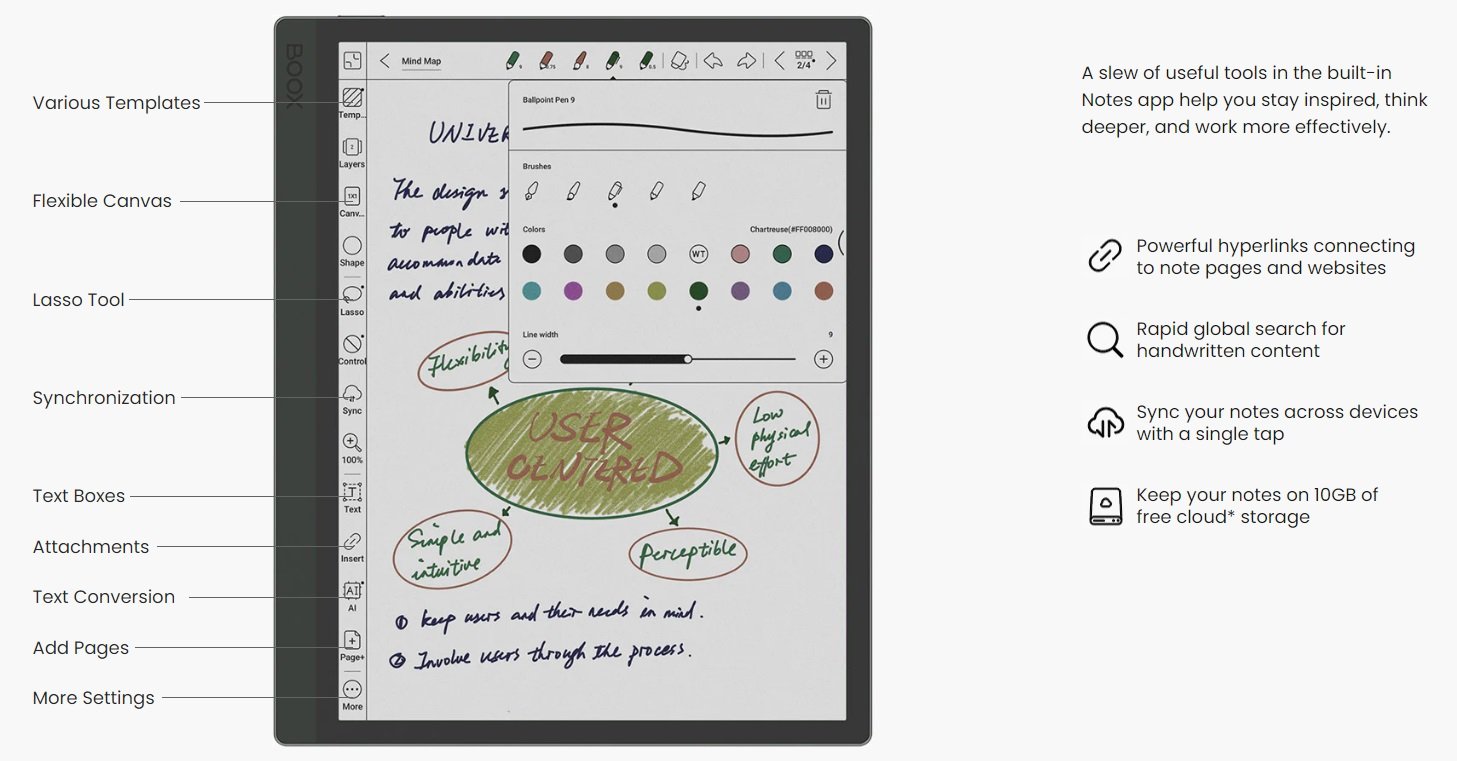
The focus is on note entry, with a comprehensive tool available. This application lets you enter notes by hand (with a stylus), draw freely, add shapes and more.
Given the machine's power (octa-core processor), it seems possible to easily browse the Internet with the supplied browser.
With its 10.3-inch screen and interesting technical capabilities, this Boox Tab Ultra C could be of interest to heavy Internet users who want to use an e-ink screen to avoid tiring their eyes.
Here are the technical specifications of the Boox Tab Ultra C e-reader/tablet:
This Onyx Boox Tab Ultra C e-reader is clearly attractive, despite a number of shortcomings.
The first is availability, which forces us to turn to imports, for lack of a French distributor. This means we have to buy online from an e-commerce site.
The second shortcoming is, of course, its screen, with colors that are always a little too bland (but, it's true, you get used to them), which may disappoint the most demanding users.
Last but not least, the price of the Boox Tab Ultra C will put some people off: for this price (between 600 and 700 euros), you can invest in a very decent laptop, a nice iPad and even for the combination of Android tablet and e-reader.
In short, it's an expensive e-reader.
However, for the person who works in front of a screen every day and wants to protect their eyes, then using a machine of this type with an e-ink screen could be an excellent idea.
Because, with Android 11, you'll find your favorite applications, you can check and reply to emails and – of course – read documents.
So, it's a pretty interesting machine for work, but I think that if you want to dedicate this machine to reading, you'll have more comfort (weight, bulk), autonomy and simplicity by turning to a Kindle, Kobo or Pocketbook machine.
There are still a few readers who aren’t convinced by the benefits of e-readers. So let’s take a look at the good reasons for switching to digital reading and using e-readers and ebooks.
In recent years, e-readers have come a long way, offering ever more interesting features: huge storage capacity, waterproofing, blue light filter, HD screen, lighting, etc.
So, if you’re wondering why you should buy an e-reader, here are the reasons why you should switch to digital reading, e-readers and ebooks:
If you want to buy a good ereader, you can read this article.
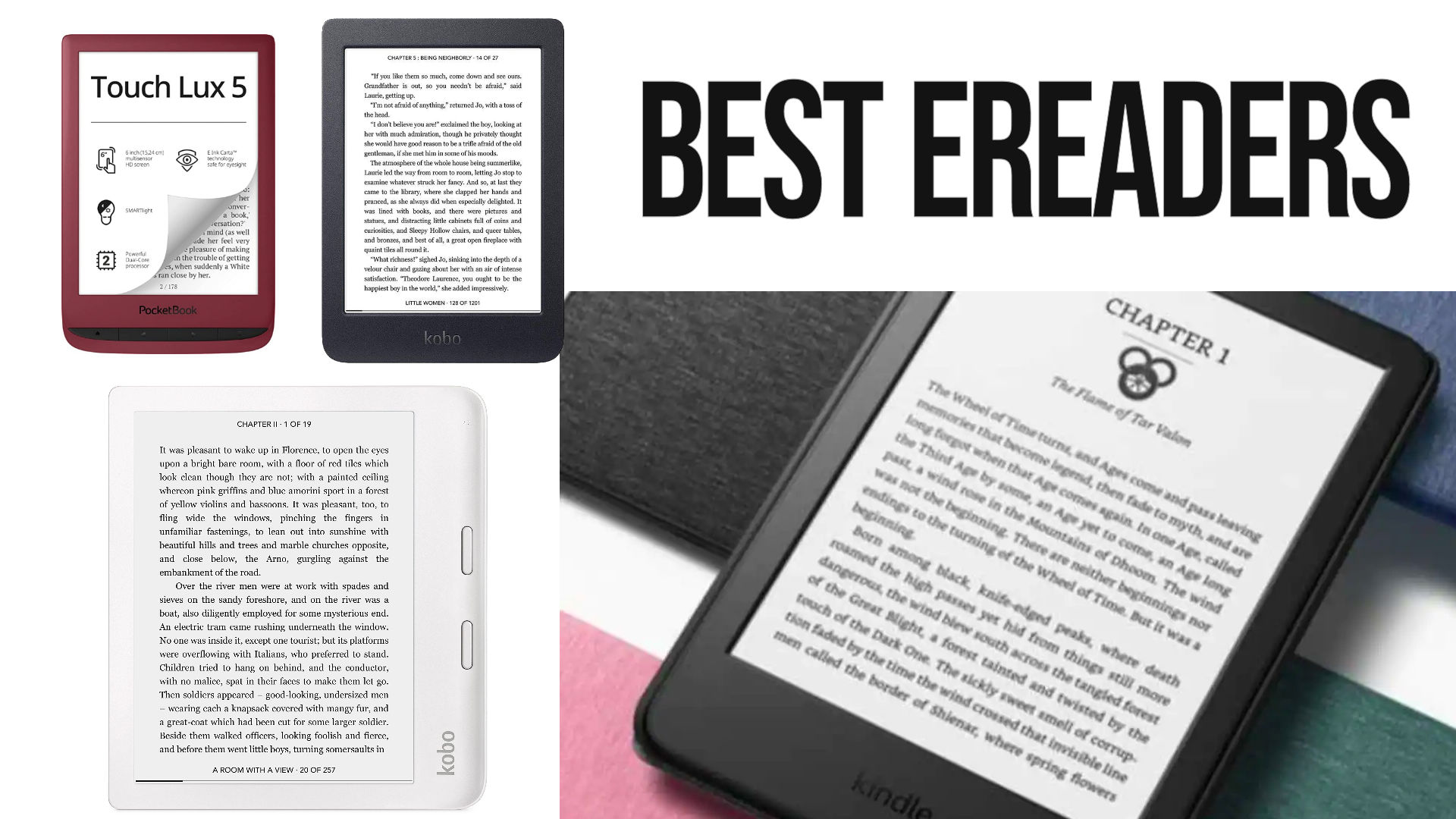
Here’s the comparison of electronic ebook readers (or ereaders) for the year 2025: Kindle, Kobo, Pocketbook, Nook, Onyx, Meebook, etc.
After years of reviewing e-readers, I’m beginning to know a thing or two about them.
So, every month, I compile the latest information, reviews and rumors and deduce which are the best e-readers to buy.
This guide will be very useful when it comes to (buying) a e-reader. By reading this page you should be able to buy the e-reader that suits you best.
Yes !
All the new Kobo e-reader have been released and you now have a lot of choice.
A number of new e-readers (6″ screen and over) have been released in recent months or years and are very good:
If you want a good, inexpensive 6″ e-reader, there’s plenty to choose from at Amazon Kindle, Pocketbook and Kobo, with great models like the Kindle, the Kobo Nia or the Pocketbook Verse and the Pocketbook Verse Pro and Kobo Clara Colour for high-end models.
If you want a large-format Kobo, the Kobo Libra Colour is available. It’s a 7-inch, waterproof, touch-sensitive e-reader with lighting and a all new electronic ink color screen. All at an excellent value for money.
But if you’re thinking of settling for an 8-inch e-reader, the Pocketbook InkPad 4 is an excellent choice. The same goes for the Kobo Forma (or Kindle Scribe), an excellent high-end e-reader.
So don’t forget to check for “Bargains” (on e-commerce websites) for the latest discounts and bargains.
Find here all discounts on ereaders at the moment:
Here are the e-readers you should consider if you’re looking to make a purchase.
This selection presents the best e-readers of the moment (in my opinion), not necessarily the cheapest or most popular:
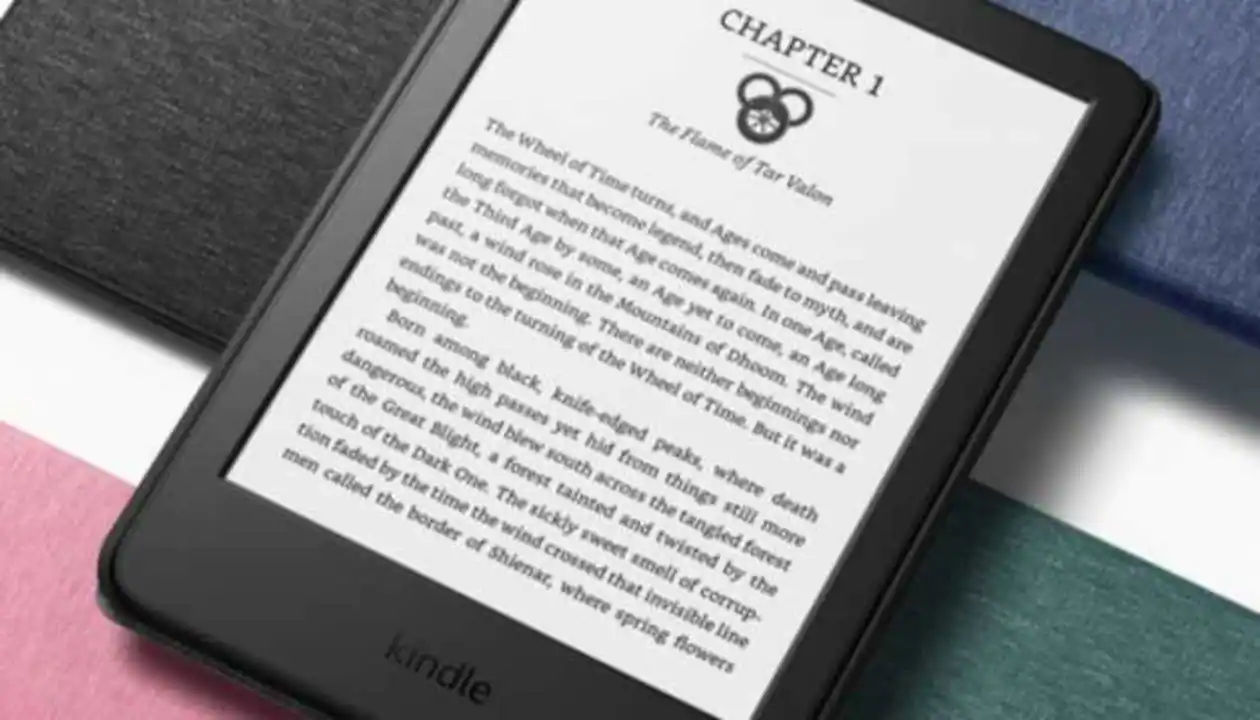
Kindle: this e-reader is an entry-level model available from Amazon. It is the best budget ebook reader you can buy.
It’s very easy to use, thanks to the system set up by Amazon, and is very reasonably priced, making it a very good e-reader for beginners, with all the classic options, including a useful light for reading at night.
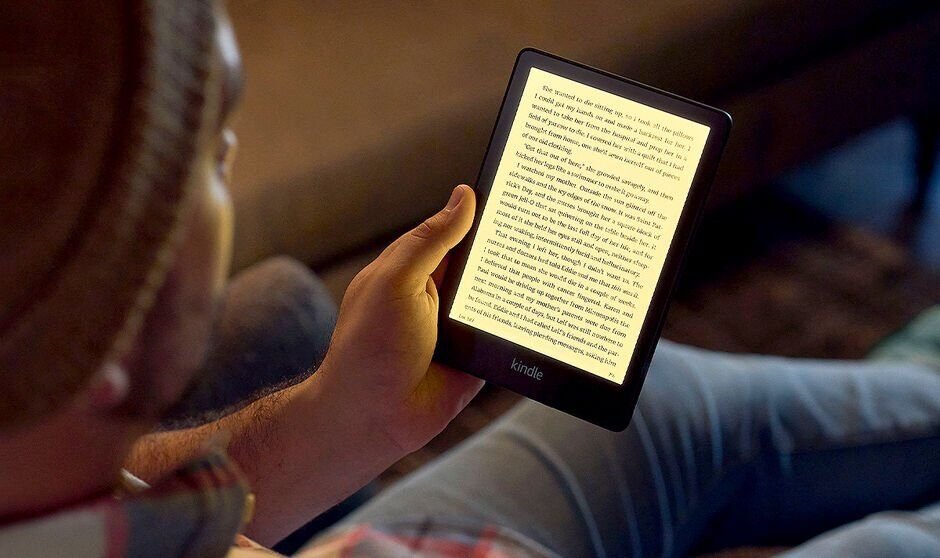
The new Amazon Kindle Paperwhite with a large e ink screen (6.8 inches) is simply excellent with its large screen and very affordable price. You can store thousands of books in this ebook reader.
It’s a waterproof e-reader with a beautiful, illuminated 6.8-inch touchscreen and a great battery life.
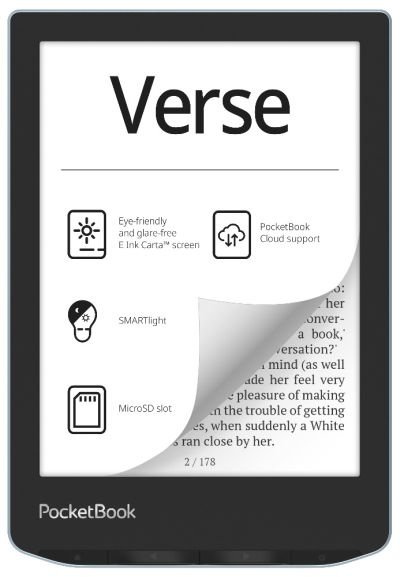
The Pocketbook Verse offers excellent value for money, with its illuminated touch screen and blue light filter.
It supports EPUB files out of the box and a large quantity of ebook formats.
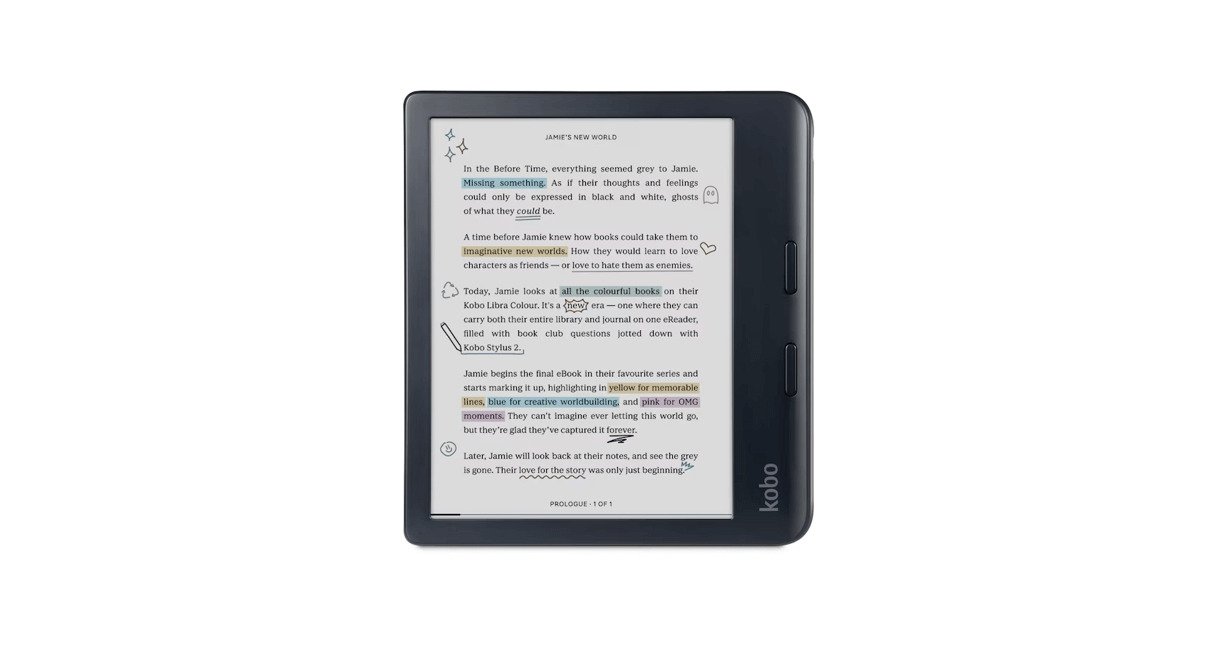
Slightly more expensive, the Kobo Libra Colour also has a larger 7-inch color e ink screen.
The Kobo Libra Color ebook e-reader works perfectly with the Overdrive service, which lets you borrow library books. It can also play Kobo audiobooks from the Kobo store.
It’s one of the best e-readers around and best value for the money.
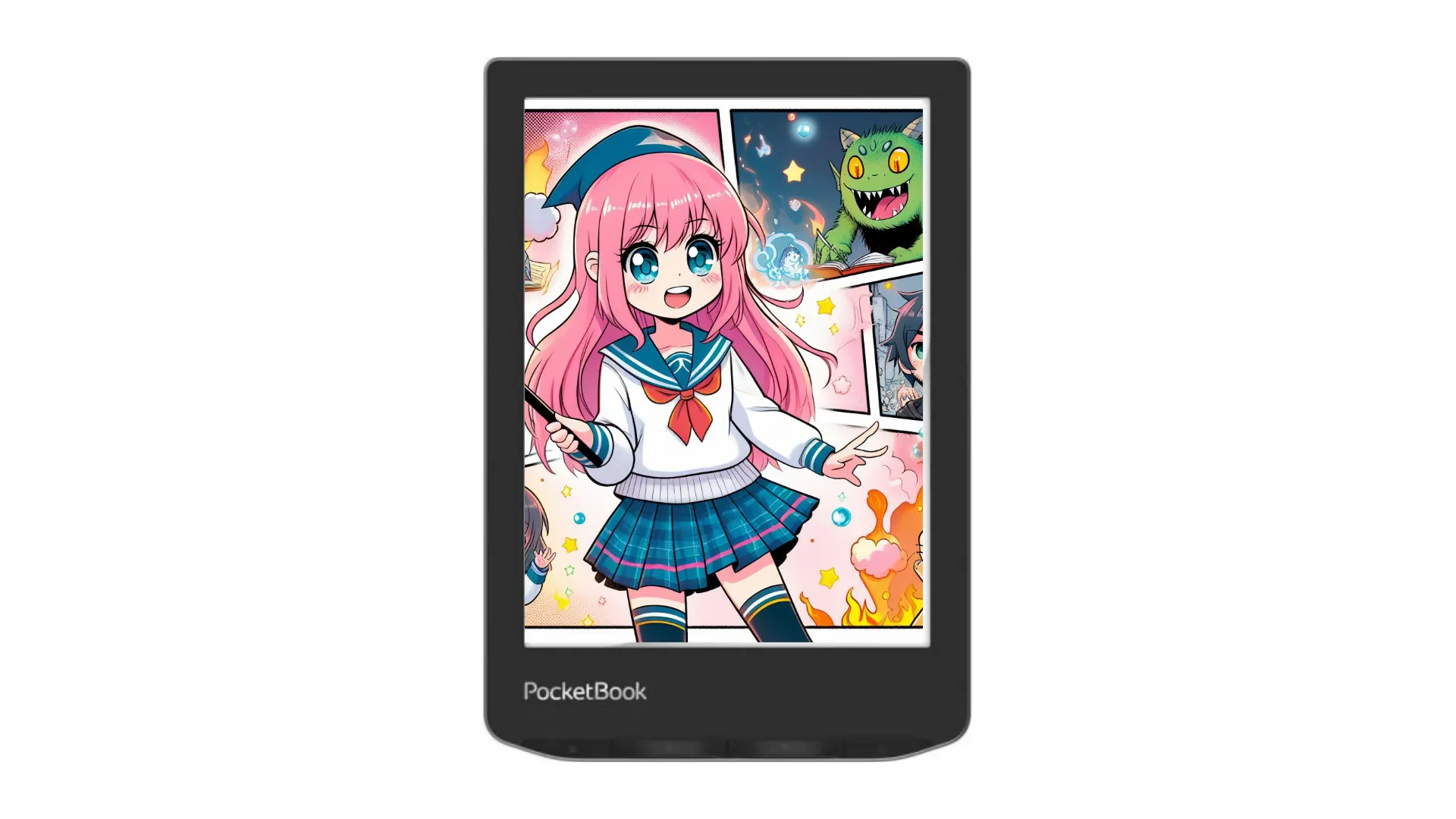
The new Pocketbook Verse Pro Color offers great features and a color e ink screen in a compact 6-inch format. Although it’s a little more expensive than the competition, it has everything it takes to be the best 6″ available today.
You can listen to audiobooks, there is text-to-speech and it is waterproof.
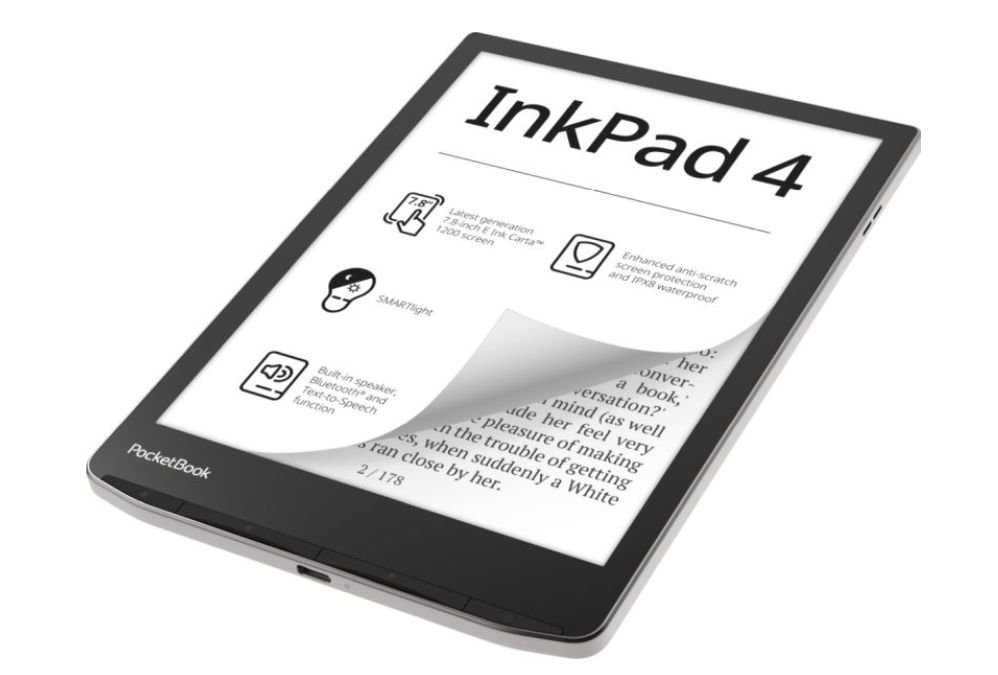
With its large 8-inch e ink screen and numerous functions, this e-reader is one of the best in its category, despite its rather high price. It can play audiobooks.
It has the latest e ink display and offers a very good reading experience.
Here’s a selection of the leading e-readers on the market.
This is not an exhaustive selection, but rather a selection of today’s main and most popular e-reader models (those that sell best and are easy to find).
For this guide, I’ve selected the best-known brands widely available in USA: Kindle (Amazon), Kobo, Nook and Pocketbook.
E-reader models that are too obsolete but still available for sale on certain sites are deliberately excluded.
Models not officially available from US retailers are also excluded from this selection (such as ReMarkable, Meebook, Likebook, Onyx, Bookeen, Vivlio or Xiaomi e-readers), as are models that are not of good quality (some Chinese e-readers that we know nothing about and that are very expensive, for example).
The different e-readers are grouped by brand.
Rating /Review: this is a general assessment of the e-reader based on my personal opinion, but also on the ratings of users who have bought the e-reader (e-commerce site) and other sites specializing in digital reading and e-readers.
Kindle e-readers are manufactured and distributed by Amazon.
The Kindle Scribe is best suited for PDF with a great reading experience because of its larger screen.
Kobo e-readers are manufactured and distributed by Rakuten.
Kobo e-readers work perfectly with the Overdrive service, which lets you borrow library books.
The Kobo Elipsa 2E is best suited for PDF with a great reading experience because of its larger screen.
Here are some older Kobo e-eraders you may still find in stores :
Pocketbook e-readers are manufactured and distributed by Poketbook an european company.
6″ screen Pocketbook e-readers:
7″+ screen Pocketbook e-readers:
Nook is a Barnes&Noble e-reader brand.
Choosing your e-reader is quite simple:
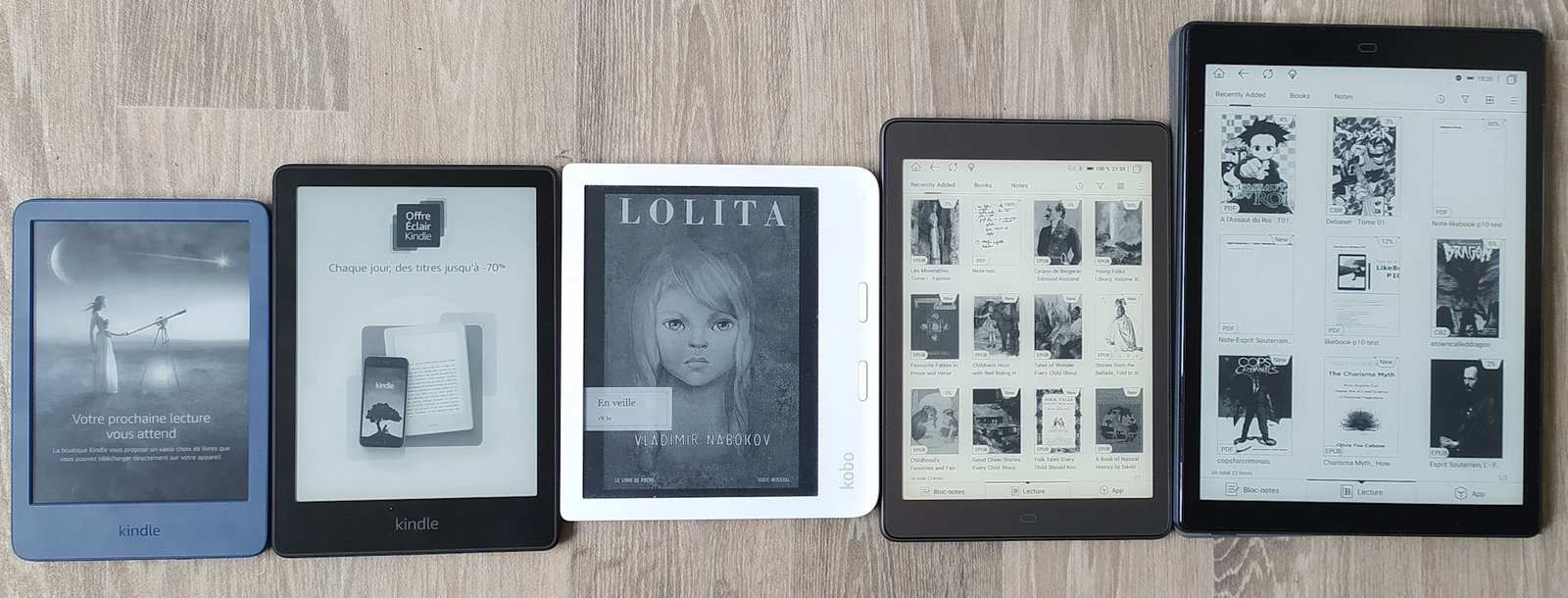
The standard e-reader screen size is 6 inches, but today you’ll find models of 7 inches (or 6.8), 7.8 inches and even 10 inches and more for some professional models.
Today, all e-readers use the same electronic ink technology. The only difference is size.
So this is an important parameter. If you want a screen bigger than 6 inches, you’ll have less choice. That’s why I advise you to look at the Kobo Libra 2 (7 inches) or the Kindle Paperwhite (6.8 inches) for a good-looking e-reader without breaking the bank.
You can learn more about ereader size here.
All e-readers feature a touch screen, which simplifies use and ergonomics.
Even the cheapest Kindle on Amazon offers lighting.
However, there are a few differences: some readers offer lighting with color temperature adjustment to filter out blue light (see Kobo and Vivlio, or Amazon’s Kindle Oasis and Kindle Paperwhite).
Others offer a text-to-speech function (Pocketbook Color, InkPad 4 and Touch HD Plus for example).
If you’re planning to take your e-reader everywhere, I’d also advise you to choose a waterproof model that will protect it from water, snow, sand and dust.
Some models also have an expansion port to add a micro-SD card to increase the e-reader’s storage capacity (if you only intend to read books like novels, however, this shouldn’t be a criterion).
Of course, all these options add a little to the price of the e-reader.
Choosing the brand of e-reader comes down to choosing which file formats the e-reader will support:
All e-reader brands support more or less the same ebook file formats, except that the Kindle cannot read the EPUB format, and other brands cannot read the AZW format.
Since the EPUB format and Kindle e-readers are popular, we can still make the two cohabit in this way:
1) Buy the e-reader from Amazon, but make sure you buy a large proportion of your ebooks from online stores that offer DRM-free editions in EPUB format (the digital book standard).
2) You’ll then have EPUB ebooks that you can transfer to your e-reader using Calibre software (which converts file formats for you).
3) So, if in the future you need to change your e-reader and you don’t get one from Amazon, your ebooks will be compatible with your Kindle using software like Calibre.
E-readers are devices that allow you to read books on a screen with electronic ink that doesn’t tire your eyes.
As a result, reading comfort and ergonomics are similar to those of a paper book. Unlike conventional screens, you can read in direct sunlight without any problem.
E-readers have a large storage capacity, enabling them to carry hundreds of books. They are now all touch-screen, and most (if not 100% of models) have built-in lighting for reading in the dark with blue light filter.
You can see why you should buy a e-reader in this article.
If you want to read your ebooks just about anywhere, you don’t have many solutions at hand. You’ll have to opt for a e-reader or a tablet.
The e-reader offers greater reading comfort and less eyestrain than the tablet. But the tablet offers more functions (videos) and can display content in color.
The e-reader is therefore the best choice if you intend to read a lot of books.
The choice depends very much on whether you’re going to use the e-reader or the tablet.
But one thing is certain: when it comes to reading comfort, only paper can beat the e-reader.
You can learn more on this article : Should you get an ereader or a tablet?.

You may have seen it pop up on e-commerce sites: the Woxter Scriba 195 S is a tiny e-reader with a 4.7″ screen that fits in the palm of your hand. Easy to carry and inexpensive, it seems perfectly suited to the nomadic reader in search of a reading device that’s easy to take anywhere.
Continue reading
Here's an investigation that led me to scour the depths of Internet forums to determine whether or not it's possible to make a lot of money being a self-published author. But, above all, you're about to discover a veritable hellish world where anything goes to sell books.
Following a discussion with a friend who has started publishing fiction on Amazon, I decided to see what the indie author community is like.
So I read thousands of posts on forums and entire blogs dedicated to the art of selling ebooks on Amazon and other digital book self-publishing services (Kobo for example).
And I've discovered some amazing things…
Let's face it, the real revolution Amazon has brought to the world of reading isn't really the Kindle.
Introduced 10 years ago with a flurry of press releases and marketing efforts, Amazon's first e-reader was a passable reading device at best.
But the arrival at the same time (November 2007) of the KDP – Kindle Direct Publishing – system really changed the world of publishing, reading and authors.
The idea behind this service is to allow anyone to offer their text for sale in digital format on the Amazon website. In less than 48 hours, your novel, short story or essay is available worldwide.
Anyone with access to Amazon can buy, download and start reading.
And, as a thank you, Amazon pays the author 70% of the money raised by the sale of the ebook.
What Amazon perhaps hadn't anticipated, however, was the exploitation and even abuse of this system by a whole horde of specialized authors with strong marketing skills.
These authors then used KDP to generate millions of dollars by selling texts of sometimes dubious quality – like the famous "Dinosaur Erotica" genre (yes, it exists!) which earned Christie Sims tens of thousands of dollars…
What really surprised me was that, yes, authors have become millionaires by publishing their books, without a publisher, on Amazon.
This is the case, for example, of Amanda Hocking, who decided in 2010 to place her first novel on the Amazon platform.
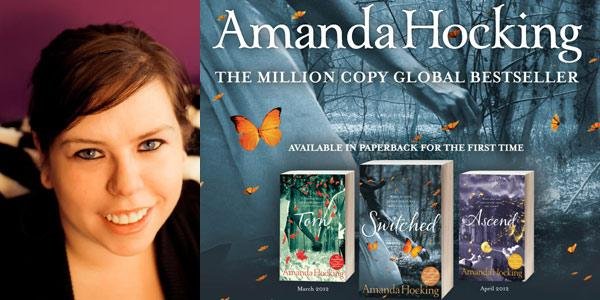
In just 18 months, she has sold over a million copies of her books, making her the first self-published millionaire on the Internet. Yet most people don't even know her name.
An article in The Guardian newspaper tells this incredible story in 2012 (read here).
In the end, she earned around 2 million euros in just 20 months. An income that would make any professional author dream, so for an amateur it's even more extraordinary.
Since then, Amanda Hocking has been translated all over the world, including into French by a major publisher, and her books are still on Amazon.
A few days ago, the BBC website ran an article announcing that independent authors working in the romance genre have seen their incomes rise. Many of them now earn more than $100,000 a year…
My investigation could have ended there. But there's been a lot of water under the bridge since 2012, and I wanted to find out more…
My research quickly led me to a forum of English-speaking authors under the domain name kboards.com.
Originally, it was a forum for users of Kindle e-readers, apps and Fire tablets.
But it's also home to many freelance writers who seek and share advice, tips and sometimes even complete and elaborate strategies on how to make a fortune with Kindle ebooks.
For, on Kboards forums, participants are rarely looking for advice on how to write a masterpiece capable of changing the world or making female readers cry. What they're really looking for is a miracle recipe for making money.
Let's take a classic forum example. A user boasts that he has published two books and, in just three months, has enough money to quit his job and live off the money earned from sales.
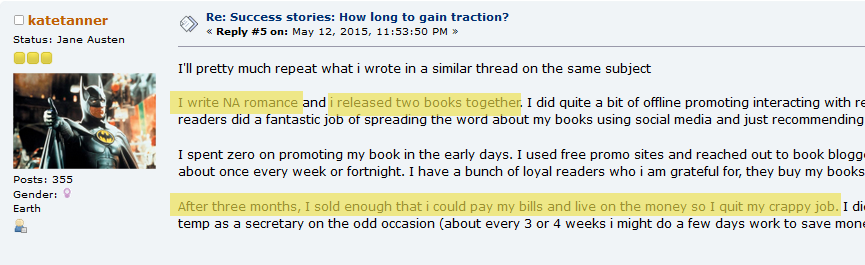
Of course, he writes a trendy genre "NA Romance" which is "New Adult Romance". I'll come back to this later…
There's also the example of the man who earns around 300,000 dollars a year selling his ebooks:

Or the author who explains that his book sales exploded in just a few months:

So it's not always clear whether all this is bogus or not…
But examples like these are plentiful, and the forum is full of topics on how to sell your books.
To sell more and make a lot of money, some people directly suggest using Facebook advertising to promote books.
Complex strategies are then implemented. For example, if you have a series of 3 books, you make the first one free for a while, then create a "bundle" (i.e. a single ebook grouping together the three volumes) which will be sold at a friendly price. Fingers crossed, of course.
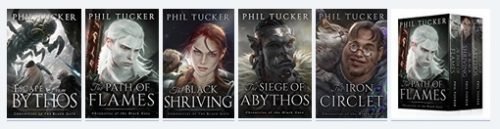
Next, we promote the discount – or the free book – on blogs, newsletters and so on.
You can also advertise directly on Amazon to promote your books.
By investing a little money, you can even get downloads that will propel your ebooks into the bestseller category for a while.
But above all, you ask your friends and family, and your "fans", to write a review on the book's Amazon page.
After all, ratings, comments and reviews are a major concern for independent authors who publish on Amazon.
As soon as the system was set up in 2007, two things were discovered:
All these recipes and tips have been passed on from post to post, topic to topic and user to user for years.
So it's impossible to escape these tips if you spend some time reading and participating on the forum.
This is where a second category of users comes into play: those who sell shovels.
Clearly, publishing ebooks on Kindle is like a gold rush.
Topics on the Kboards forum don't always have much to do with writing.
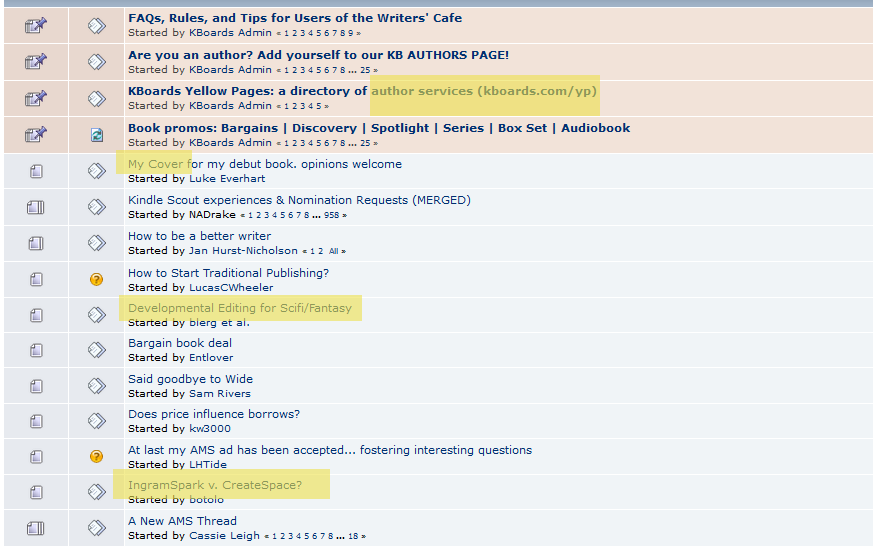
If there are whispers that a particular genre is selling a lot, we immediately start writing a short story to "test the market" (30 pages is usually enough).
If it catches on, we'll launch the writing of a saga in 3 to 12 volumes of novellas (60 to 100 pages) or novels (150 pages or more) on the theme to take advantage of the windfall. Because, yes, you read that right, the recipe for success is to write large series or, more often, trilogies.
The independent author must therefore quickly become an analyst and editor capable of unearthing the latest trends to ride the wave before it's too late…
But, as with every gold rush, there are also those who sell the shovels. And there are plenty of them in the world of self-publishing.
First and foremost, there are the graphic designers, who regularly remind us via incessant promotions on Kboards that this really is the right time to buy their illustrations at knock-down prices.
These visuals will work wonders to sell your books in various categories:
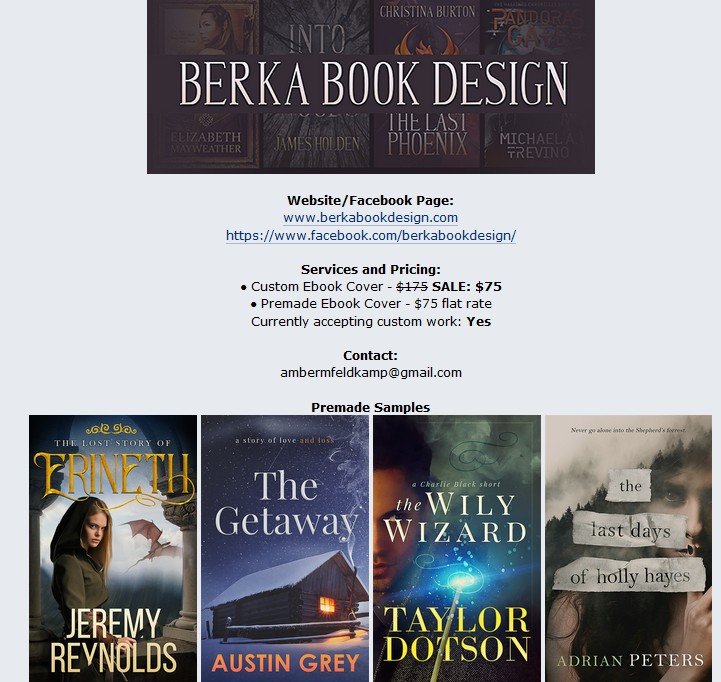
And then there's the site that makes indie authors dream: BookBubs.
This site, which may not mean anything to you, allows you to distribute promotional offers to readers/buyers. Provided the site accepts your ebooks, of course. And for that, nothing beats a nice cover…
I've also found softwares that allows authors to carry out comprehensive marketing studies on ebooks.
If an author wants to write a romance book about pandas (why not, after all), then he or she can use a software to get information on which categories sell best, get an estimate of sales figures and even an overview of how difficult it is to sell a book in this market.
So, by using this software, you may realize that vampires are out of fashion, but zombies still sell (and therefore make money).
And why not turn your futuristic action thriller (because you're a Crichton fan) into a romance if that sells more? Don't laugh: on KBoards, some people really do ask themselves this question.
Finally, there are the inevitable proofreaders.
And, let's face it, this is often a necessary service for indie authors used to releasing several books a year in different genres.
Many of these proofreaders haunt the KBoards forums to offer their services – always with a 20% discount because it's winter, or the new year, or spring, or the summer vacations!
But the must in the career of a millionaire amateur writer is to become a coach to explain to other authors that yes, it's possible, you can do it too. And thus earn even more money.
I've found this to be a fairly regular occurrence, but I'd like to focus on the case of JF Penn. This lady is a best-selling author of supernatural thrillers on Amazon who has suddenly decided to dispense her good advice.
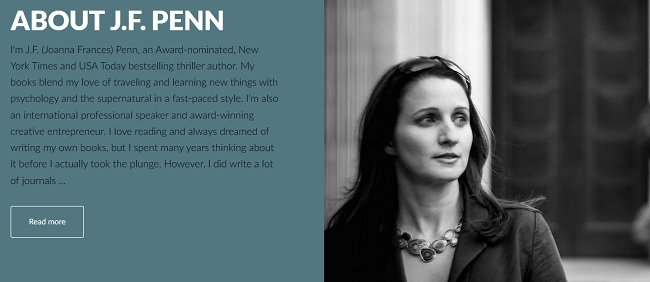
But she uses another name, Joanna Penn, to sell books that explain how to make lots of money by selling lots of books.
Why does a successful fiction writer embark on a career as a coach to explain to others how to be successful too? Is being a writer not enough anymore?
To be honest, I don't have a ready-made answer to this question. But I do have a few hypotheses.
Studying the well-oiled marketing of the JF/Joanna Penn books (you can download some of them for free on Amazon), I've noticed that every free book supposedly explaining how to write better is a foretaste of a paying book.
The pattern seen on KBoards forums (and you can check Reddit too for marketing) remains the same: a good proportion of authors are trying to identify which literary "niche" will enable them to make a fortune.
If a few decide that "advice for authors" is the right niche, we're going to see a lot of books on the subject.
That's probably why there are so many ebooks on how to write a good book, how to manage a detective story or, more crudely, how to write a book to make it a bestseller.
After many hours of me, too, haunting the discussion forums on the subject, I think there are many authors who make a good living from indie ebook publishing.
There are even a few millionaires, that's for sure. We've seen some of them in the press, and others have been spotted and published by mainstream publishers.
But there are also some who are too busy writing and who rarely, if ever, visit online forums.
Somehow, I have the amusing impression of witnessing, first-hand, the lives of pulp writers and other pulp fiction writers of yesteryear.
With the Kindle generation, authors publish their manuscripts directly on the Internet and sell them (or not) without anyone's help.
The fastest, smartest and most assiduous even manage to publish a novel a quarter to support themselves and their families.
But let's make no mistake: for every millionaire, how many authors won't earn more than $100 a year?
If you are looking for the best ereader, you can read this article.
Today’s ebook reader is a real alternative to the good old paper book. But how does an e-reader work?
If you don’t really know what an e-reader is, you should know that it’s an electronic device that lets you read digital books – also known as "ebooks".
Its operation can be compared to that of a smartphone or tablet, but with a few peculiarities that we’ll look at together.
An e-reader is essentially made up of 3 components:
This is a rather crude simplification, but it will help you understand how a reading device works.
Its main advantage over any other device that displays an electronic book (ebook) is its e-ink screen.
The way e-ink works makes reading far more comfortable than reading on a computer, smartphone or tablet.
This is because, unlike a conventional touch screen, the e-ink screen has no powerful light underneath. What’s more, when the screen is switched off, it continues to display text, which also consumes less energy.
Here’s a diagram showing this style of screen:
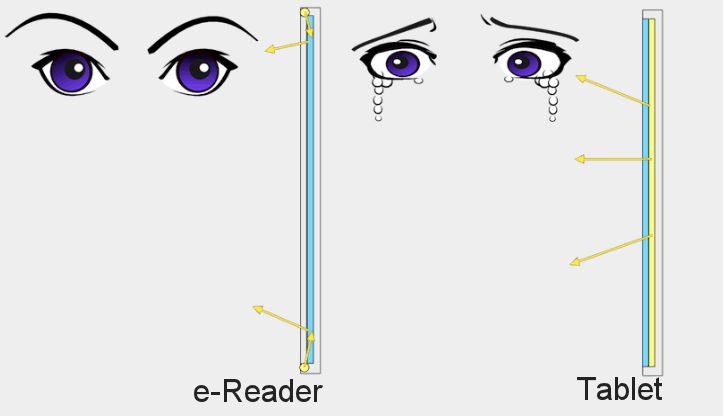
On the e-reader screen, light is reflected before reaching the eye, which is not the case with the tablet and its "backlit" screen.
Now, here’s what happens on a e-reader when you open an ebook:
E-readers have a very limited number of buttons, so they’re very easy to use.
The device contains a battery and must be charged regularly (every 3 to 4 weeks if you read an average of 1h30 a day).
To use your e-reader, simply switch it on. Then you have access to a home screen that lets you do a number of things: open a book, buy a book, access your book library and manage your e-reader’s settings.
Each e-reader brand offers different software, but 90% of features are common to the Kindle, Kobo and Pocketbook brands.
You can take a look at our e-reader reviews to get an idea of the differences between the brands.
To buy books for an e-reader, you need to access the bookshop.
The good news is that all e-readers have a digital bookshop that can be accessed directly from the device’s home screen, provided the device is connected to the Internet.
You can connect your e-reader to your WiFi network.
So you can buy a book directly from the e-reader, then download it (in under 2 minutes!) and start reading from the comfort of your living room!
More good news: not all books have to be paid for, and you can download free books onto your e-reader.
You have two options:

For some years now, Kindle, Kobo and Pocketbook have all been offering good e-readers.
The best e-reader is the one that best suits your needs:
You can read all our e-readers reviews on this page.
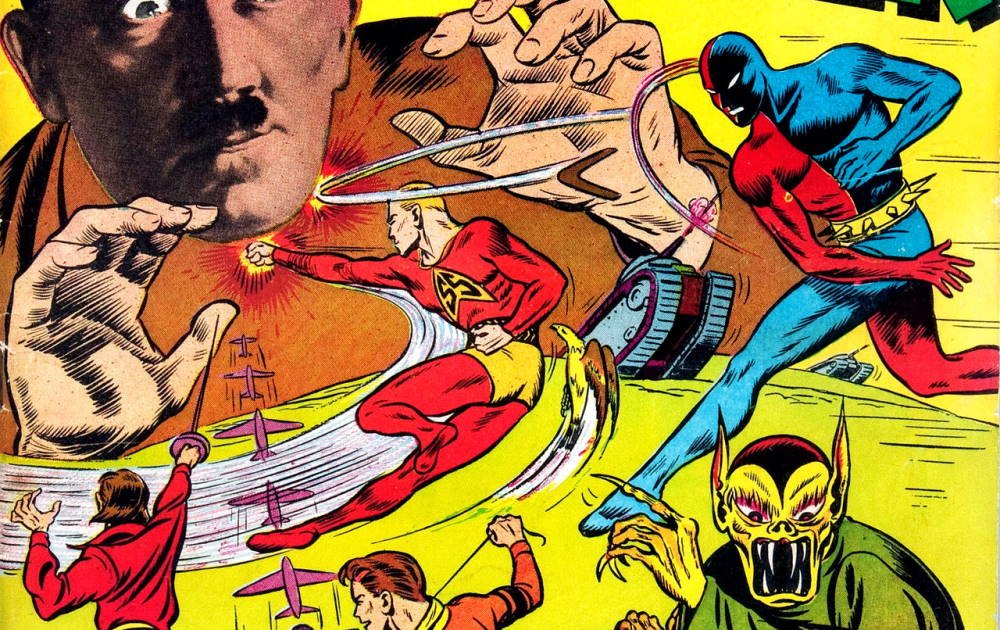
The Digital Comic Museum features thousands of free downloadable American comics from the early days of the medium through to the 1950s.
On this website, you’ll find many copies of the popular comics of the time.
These comics cover a wide range of themes. There’s a bit of everything, from westerns and horror to fantasy and – of course – superheroes, some of them very famous.
This selection is made up of titles from what is considered "the golden age of American comics".
It was in 1933 that Max Gaines brought out the first comic book in the format we now call "Comics". Success came quickly, and what is considered the Golden Age lasted from 1938 (appearance of Superman) to 1955.
Sales soared with publications centered around super-powered heroes like Superman.
Success was also amplified by the Second World War, which created anxiety and a need for exemplary patriotic figures. For example, in the first issue of Daredevil, the superhero thwarts Hitler’s plans (no less!).
But in the early ’50s, a campaign of criticism against the violence of the publications and a sharp drop in sales meant that many publishers went out of business in 1955.
On this site, you can read a large number of English-language comics from this period, free of charge. You’ll only find works that are now in the public domain in the U.S. (for France, I don’t know).
The archives are stored in the form of "scans" of the original comics. They are therefore in English and free of charge. They can be read online or downloaded. (You’ll need to register to access them, though, as registration is free).
It’s an excellent initiative for those wishing to familiarize themselves with the history of American comics.
You can visit the site here: Digital Comic Museum.
Comics can be downloaded in CBR, CBZ and PDF formats, depending on the title.
If you want to read CRB or CBZ files on your Kindle e-reader you can read this article : how to read CBR and CBZ on Kindle and Kindle Paperwhite.
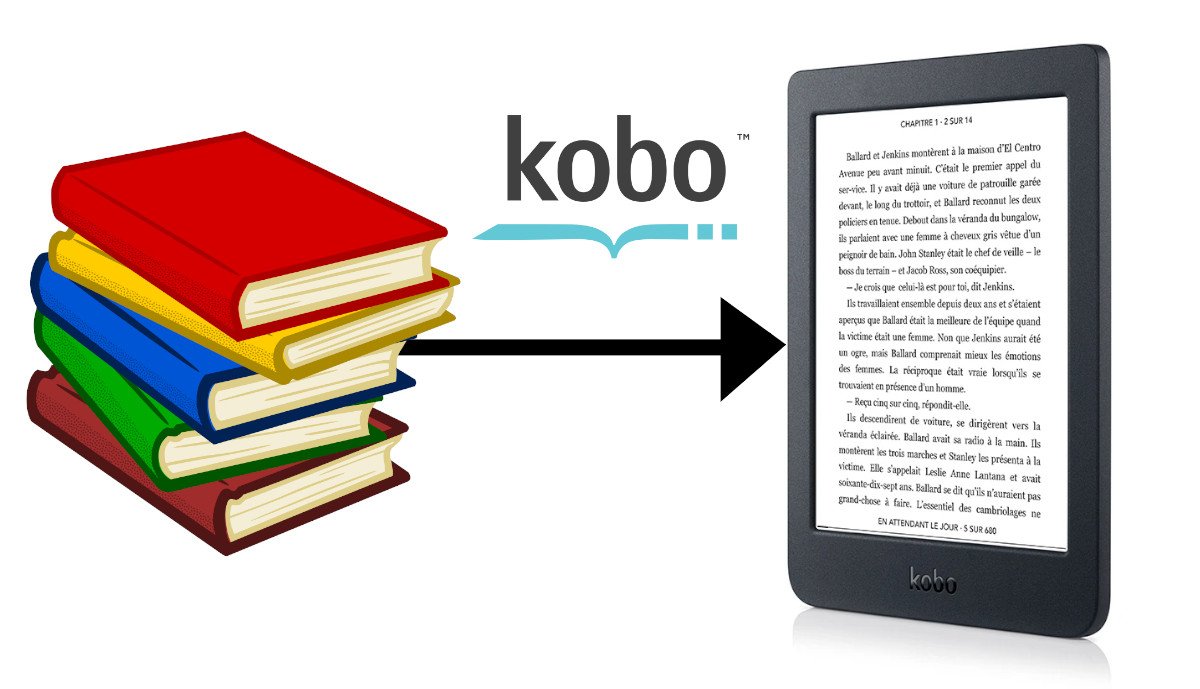
Kobo e-readers are widely distributed in American stores and on the Internet. For many people, using a e-reader is easy, but for the rest of us, this tutorial will help you transfer your ebooks in EPUB format onto your Kobo e-reader.
It works for non-protected epub files and non-protected PDF files.
This article was written using the Kobo Nia e-reader. It works in the same way for all Kobo e-readers, from the newest to the oldest, (Kobo Clara 2E, Kobo Libra 2, Kobo Sage, Kobo Elipsa 2E).
The first thing to do is download a book.
The easiest way to do this is to create a Kobo account to access the bookshop on your e-reader.
To do this, you need to connect your e-reader to your WiFi network (this procedure is simple and can be carried out from the e-reader's settings).
But you can also download digital books (ebooks) in EPUB format from a number of sites. This article will help you find free EPUB to download.
I often go to Gutenberg.org to download books. For this example, I'm going to download a book by Herman Melville (in EPUB format):
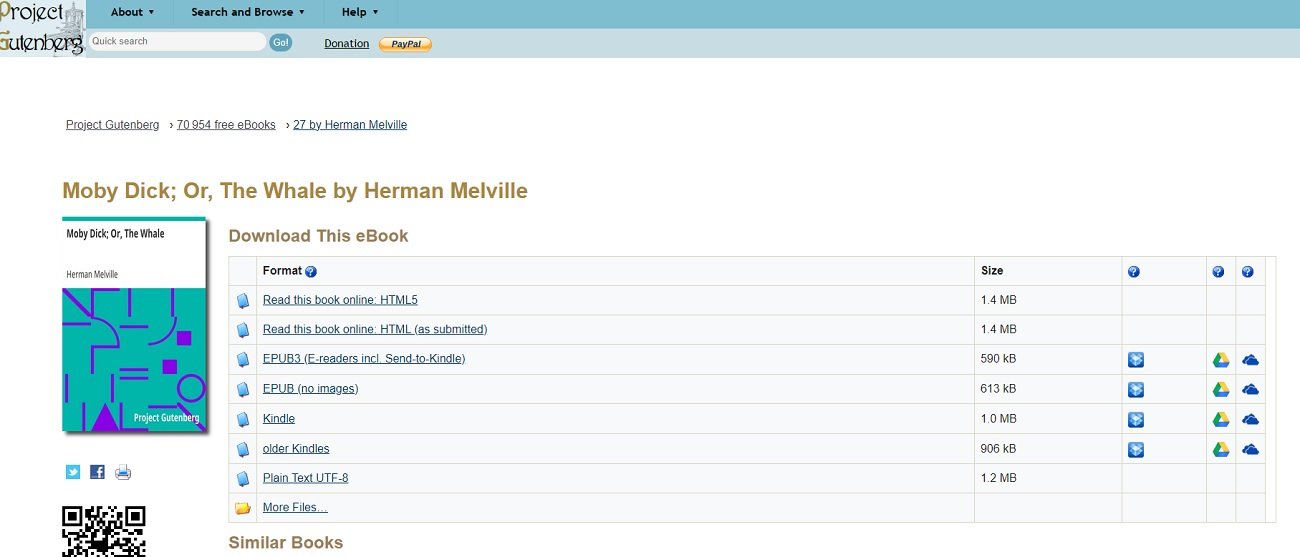
The file is then saved in a folder on my computer, in the Downloads folder (this may be different for you).
Now it's time to transfer the ePub to your Kobo e-reader.
The first step is to connect your Kobo e-reader to your computer. To do this, use a micro-USB cable (if possible, the one supplied with the e-reader and which you use to recharge the machine).
Plug in the e-reader on one end and connect it to a free USB port on your Windows, Mac or Linux computer.
If all goes well, a message will appear on the e-reader asking you if you want to connect the e-reader to your computer:
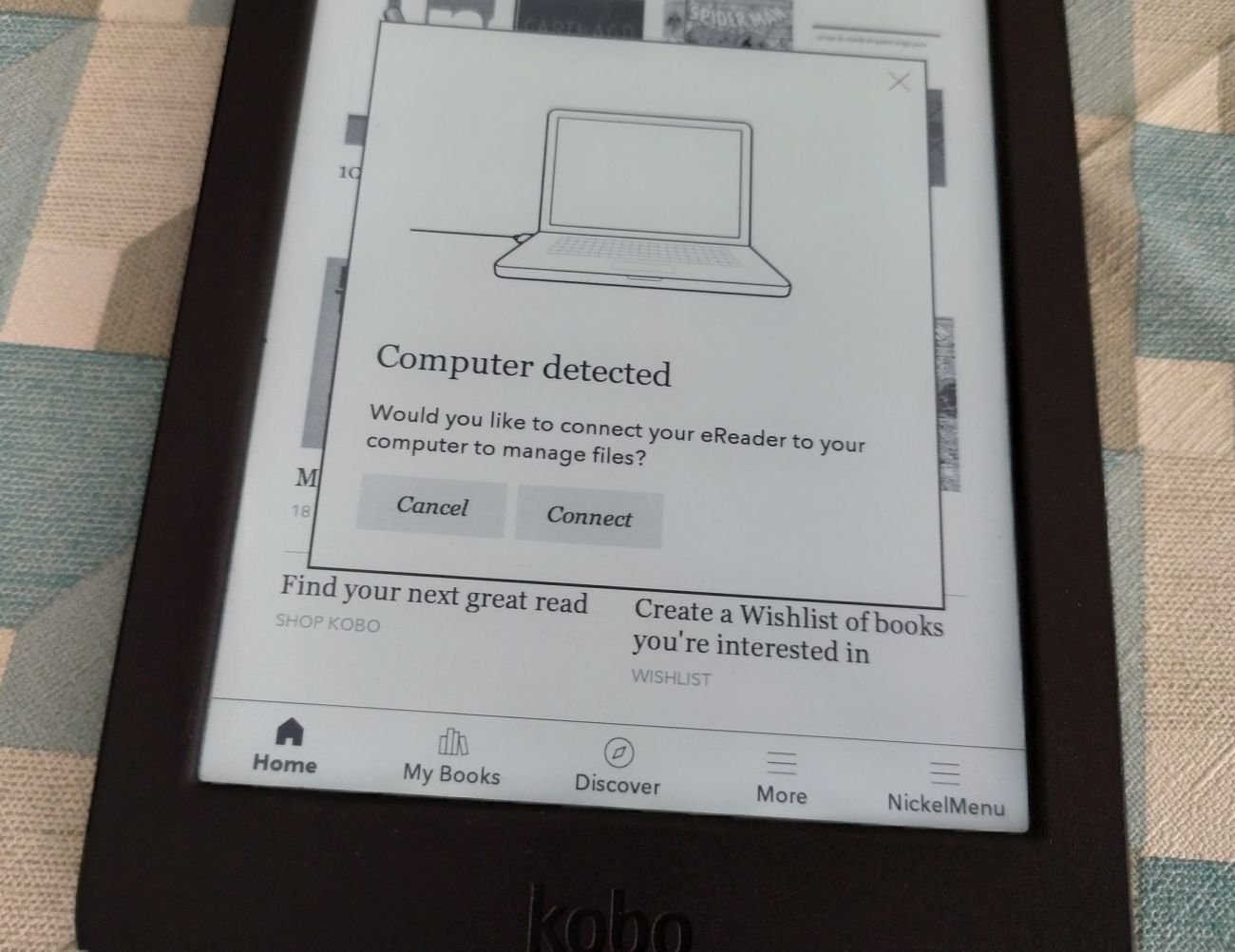
Click on the "Connect" button
You must validate this message and the player will confirm that it has understood.
This message appears if the e-reader is properly connected to your computer.
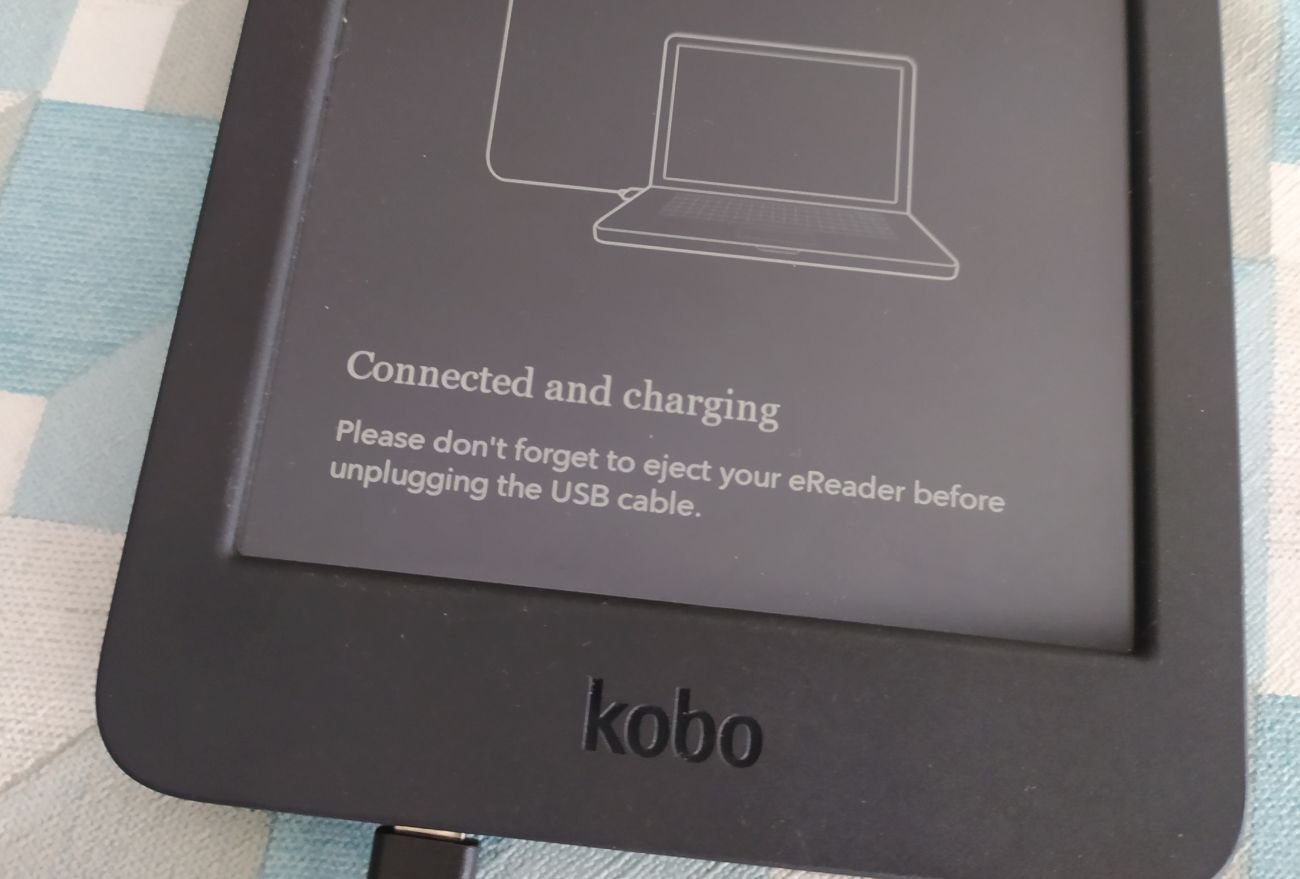
You can then check that it's working properly on your computer by opening the file explorer and accessing the contents of your kobo e-reader.
The easiest way to transfer an EPUB to your Kobo e-reader is to simply copy and paste the EPUB file into your e-reader's folder.
You can simply copy an ".epub" file to your Kobo e-reader.
After disconnecting properly (first in Windows and then by removing the cable), you'll see your book appear in the library.
The book is on your Kobo e-reader.
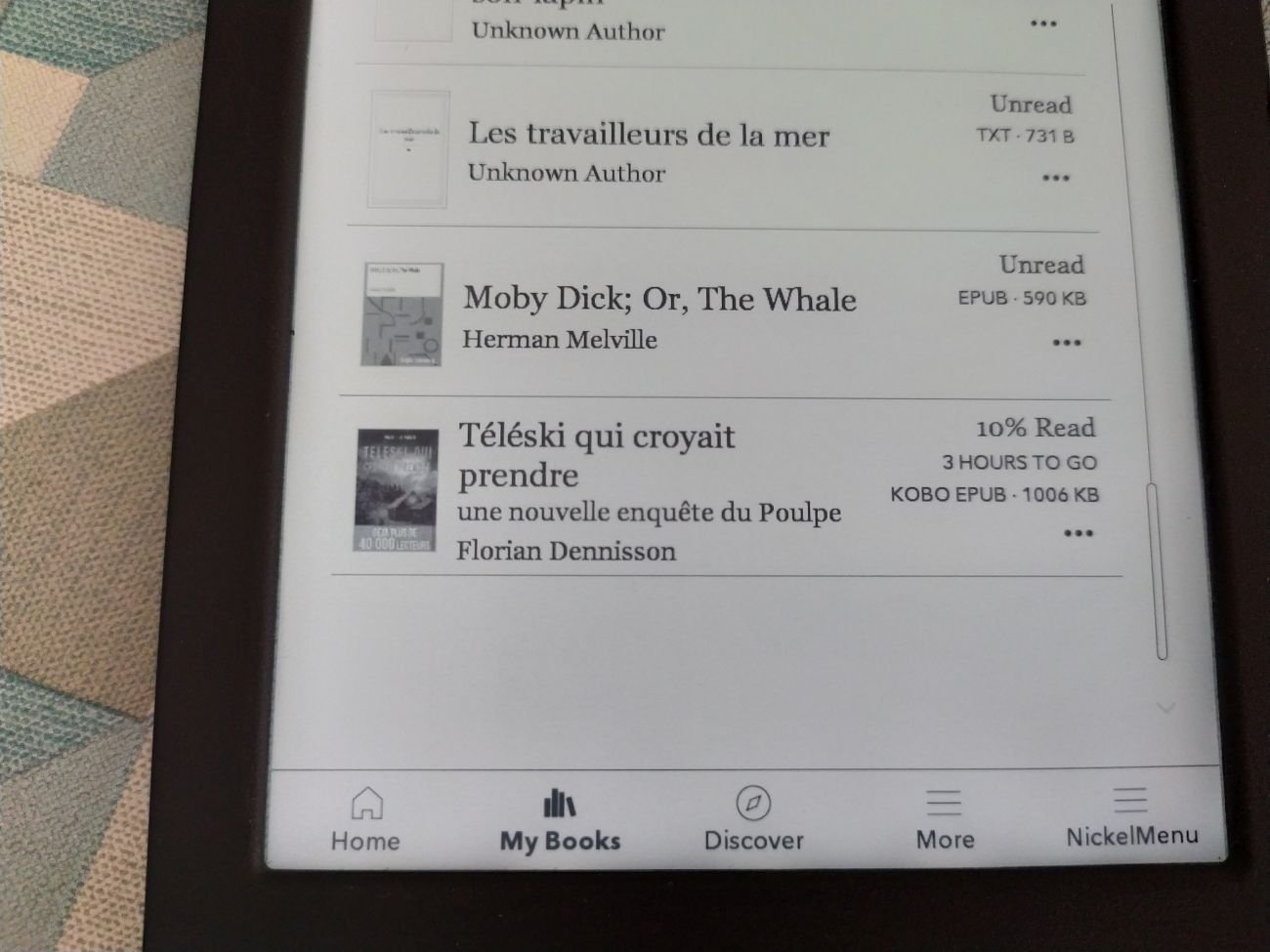
If this doesn't work, there's probably a problem with your ebook format. But don't panic. Just keep reading: a second solution is provided, and it works almost 100% of the time.
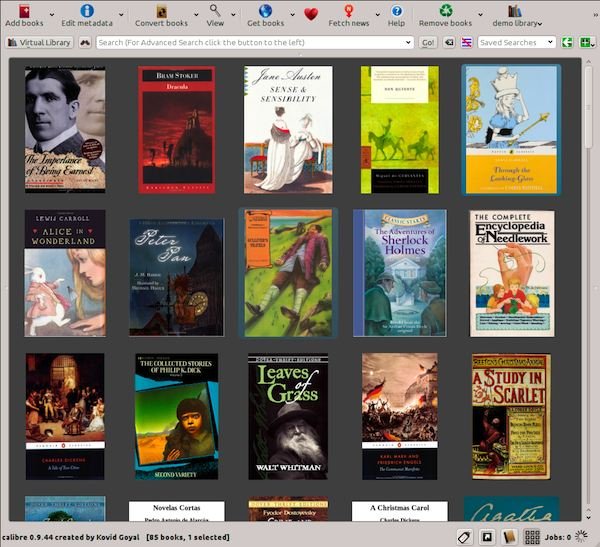
If you're starting to have a few dozen books, it makes sense to use software to organize your ebook (EPUB and other, like PDF) library on your computer.
The most comprehensive software is called Calibre, and it has the advantage of being free. You can download it here: https://calibre-ebook.com/fr/download.
You can read the full introduction to Calibre software here.
To add an ebook to Calibre, simply drag and drop the file into the software window, and the ebook will be saved in your digital library.
You can see the file just added to Calibre.
Next, of course, you need to connect your Kobo e-reader to your computer. I'll refer you a little further up the article to find out how to do this.
To finally transfer the ePub to your e-reader, all you have to do is click on the "send to device" button in the Calibre software and wait a minute.
The button to use to send a digital book to your Kobo e-reader.
After disconnecting properly (first in Windows and then by removing the cable), you'll see your book appear in the library.
There's a special and more complex case to mention here: how do you transfer a Kindle ebook to a Kobo e-reader?
This point is complicated by the fact that both Kindle and Kobo readers use different systems with different files (Epub for Kobo and MOBI/AZW for Kindle).
It will therefore be necessary to go through a conversion stage and you can also do it with Calibre software.
You will also need to remove DRM from the ebook.
Yes, all Kobo e-readers are compatible with the EPUB ebook file format.
If you are looking for a good e-reader you can read this guide.
You can follow the sames steps to transfert a PDF file onto your Kobo device.
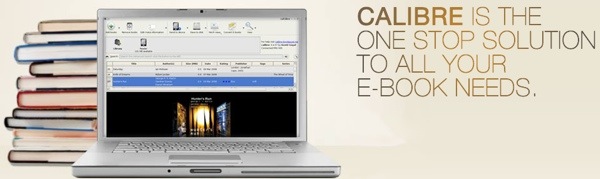
I recently dove into the world of managing my eBook library and discovered a fantastic open-source software called Calibre.
Continue reading