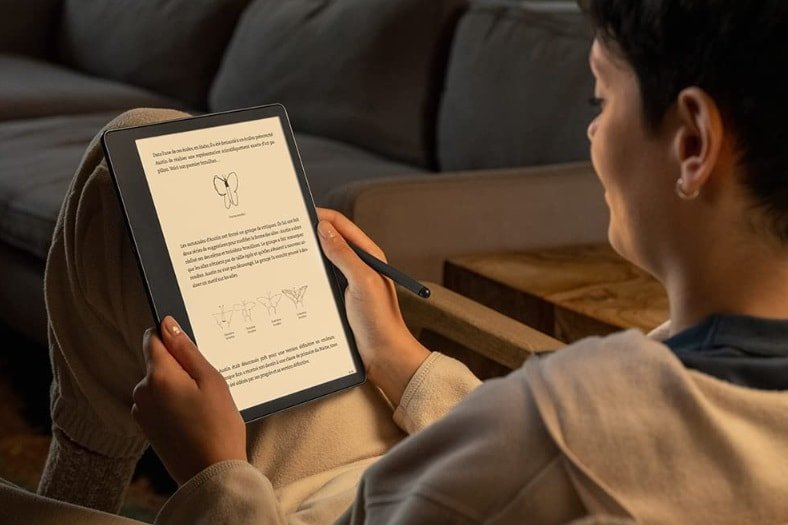
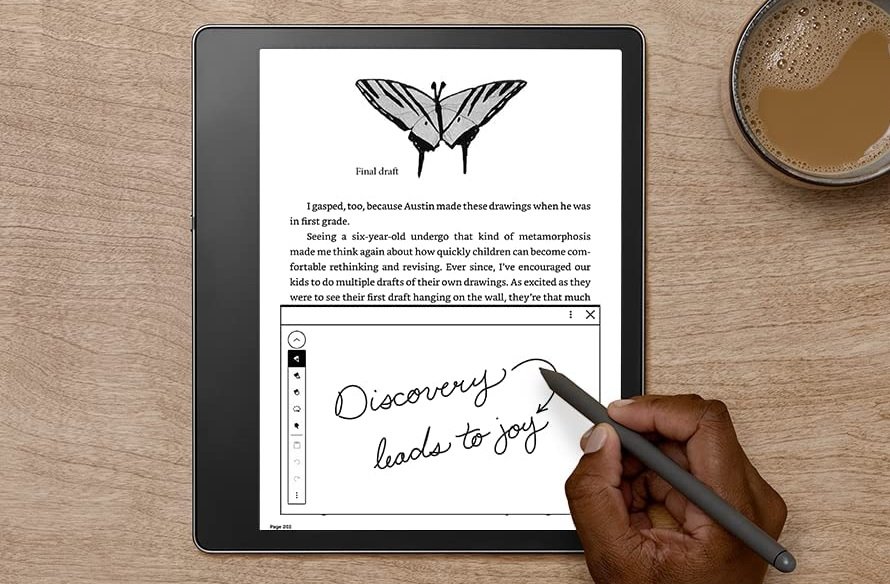
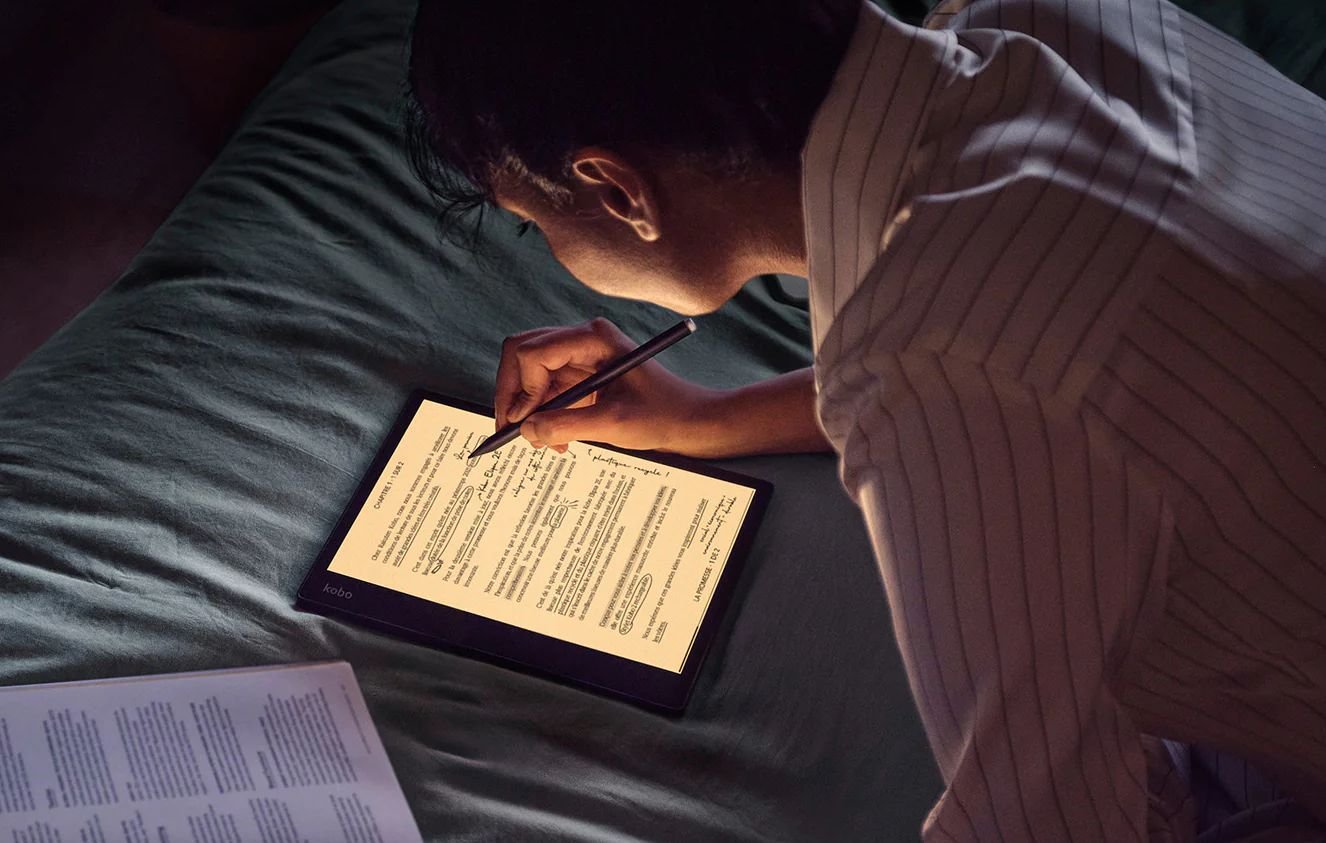
Released a few months ago, the Kindle Scribe has just received a nice software update that offers many additional possibilities and makes it a strong competitor to the Kobo Elipsa 2E.
Kindle Scribe handwriting to text
The Kindle Scribe is a fairly expensive e-reader that is equipped with a stylus. It allows you to access your library of Kindle books and offers features that also allow you to use it for work.
But when it was released, it lacked something that is essential on this type of machine today: handwriting recognition.
That's now history as the Kindle Scribe can be used to capture notes by hand with the stylus that will be converted into typed text ready to be reworked on a computer into a more formal document (or to be emailed to your collaborators). Yes ! you can now convert handwriting to typed text on your Kindle Scribe.
How to enable the option to convert handwritten notes to text with a Kindle Scribe ? You simply must install the latest software update for the Kindle Scribe, to enable the conversion of handwritten notes to text.
This option will be available in the Share menu, “Convert to text and quick send” and “Convert to text and email”. The converted text will be available as TXT (\*.txt) file.
New features for PDF documents on Kindle Scribe
But the updates are not limited to that. The new software comes with additional features to support PDF documents:
Crop margins,
Text selection,
Lasso" function to select a handwritten note to transform it (size and position for example)
Regarding the support of ebooks, it will also be possible to take notes directly on some ebooks (still using the stylus) but in a very limited way. Some Sudoku or crossword books would be concerned and Amazon indicates that this function will be extended to more books (without specifying which ones).
As for taking notes on ebooks like novels, there is no news for the moment. But, if it happens, it seems unlikely to have a book export function for copyrights reasons: it would be like making a copy of the book! But, I could be wrong about that…
In any case, these announcements are great news for owners of the Kindle Scribe e-reader that you can find on Amazon.
Can I read a Kindle book without a Kindle ? Yes, but you’ll need a computer or a smartphone or a tablet of some sort with the right software.
If you go to the Amazon website, you can buy digital books (ebook) to save money. But how to read a Kindle book without a reader?
Digital books are generally cheaper than paper books. Although there are exceptions (paperback or used books), you can save money by reading ebooks.
There are also some books that are only available digitally. This is the case for some self-published authors or for books in foreign languages. In the same spirit, there are some books that are only available in paper format, but that’s another story.
But if you have to buy a reader just to read a Kindle digital book, it’s not worth buying a digital book.
Read a Kindle book on your computer, PC or Mac
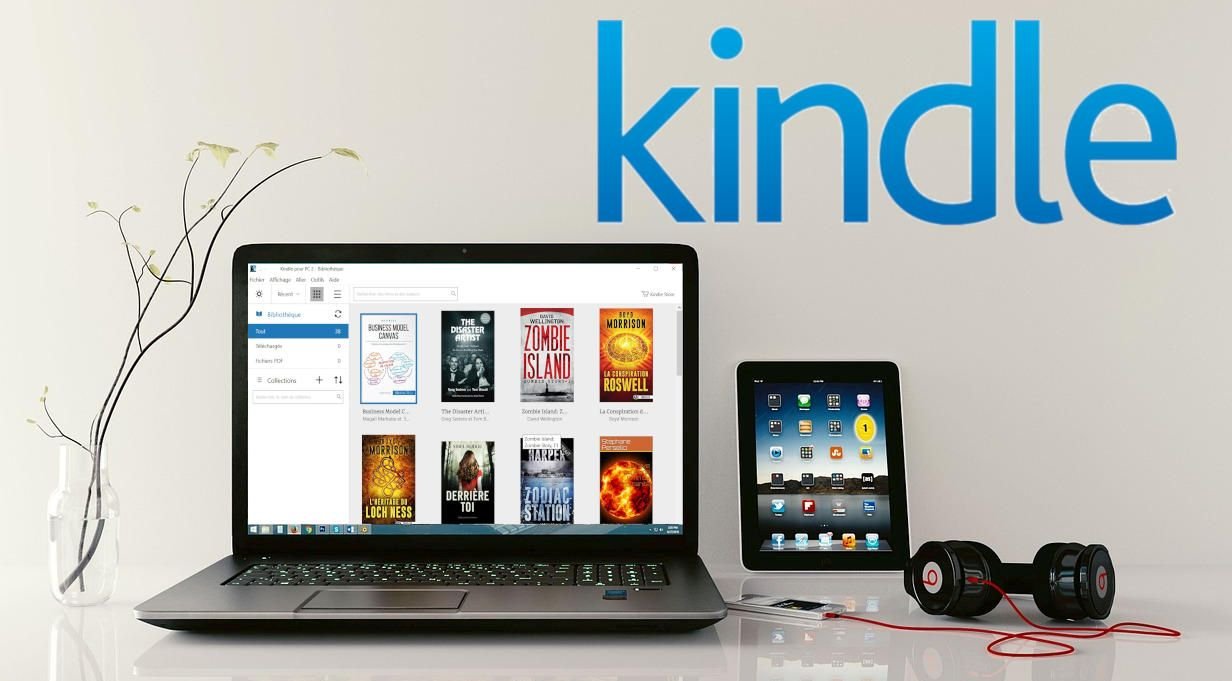
If you want to read the book on your computer running Windows or MacOS, you can use the official Kindle application available on the Amazon website.
This application is free and you just need to download the software and install it on your computer.
Then you need to set it up with your Amazon account – the one with which you bought the Kindle book.
After a quick sync, you can access the book from the library and start reading.
Read a Kindle book on your Android or iPhone smartphone
Reading on a computer is not very comfortable, it may be wise to use a smartphone to read your Kindle books.
The smartphone is also always in our pocket or bag and it provides constant access to your Kindle digital books.
So you need to install the official Kindle application on your smartphone. There is an application that works with Android and a version for iPhones (iOS).
The easiest way is to search the App Store (iPhone) or Google Play (Android) for the Kindle application and let yourself be guided through the installation.
The application is called "Amazon Kindle" and is designed by "Amazon Mobile LLC".
Next, open the application and enter the login information: this is your Amazon account with which you purchased the Kindle book.
Your books will then appear in the Library of the Kindle application and you can start reading.
Read a Kindle book on your Android tablet or iPad
If you need a bigger screen and more comfort, you can opt for an Android tablet or an iPad on which you can read your Kindle books.
As with the smartphone, you’ll need to download the "Amazon Kindle" tablet app from Google Play or the App Store.
Then you will need to enter your Amazon login information (the account with which you purchased the Kindle book) and you can go to the library section of the app to start reading.
The color e-reader is now on the front of the scene and represents a viable alternative to black and white e-readers.
New models of color e-readers are regularly released in the world but in a confidential way. Some of them are interesting enough for me to dedicate this article about the best color e-readers for the year 2025.
> Summary if you don't want to read :
>
> The new color e-readers from Kobo or Pocketbook (and other) are good if they have a Kaleido 3 screen
> The colors are not as good as printed comic books (you will see pictures below)
> You must choose a 7" color e-reader (at least) to fulkly enjoy the electronic in k display
> If you just want to read novels, you can use a black and white e-reader
The best color e-reader in 2025
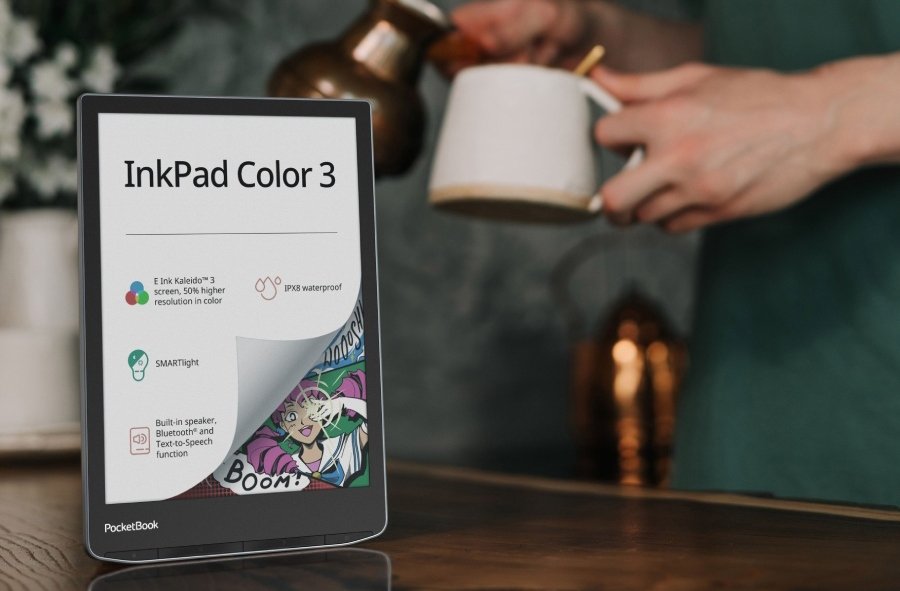
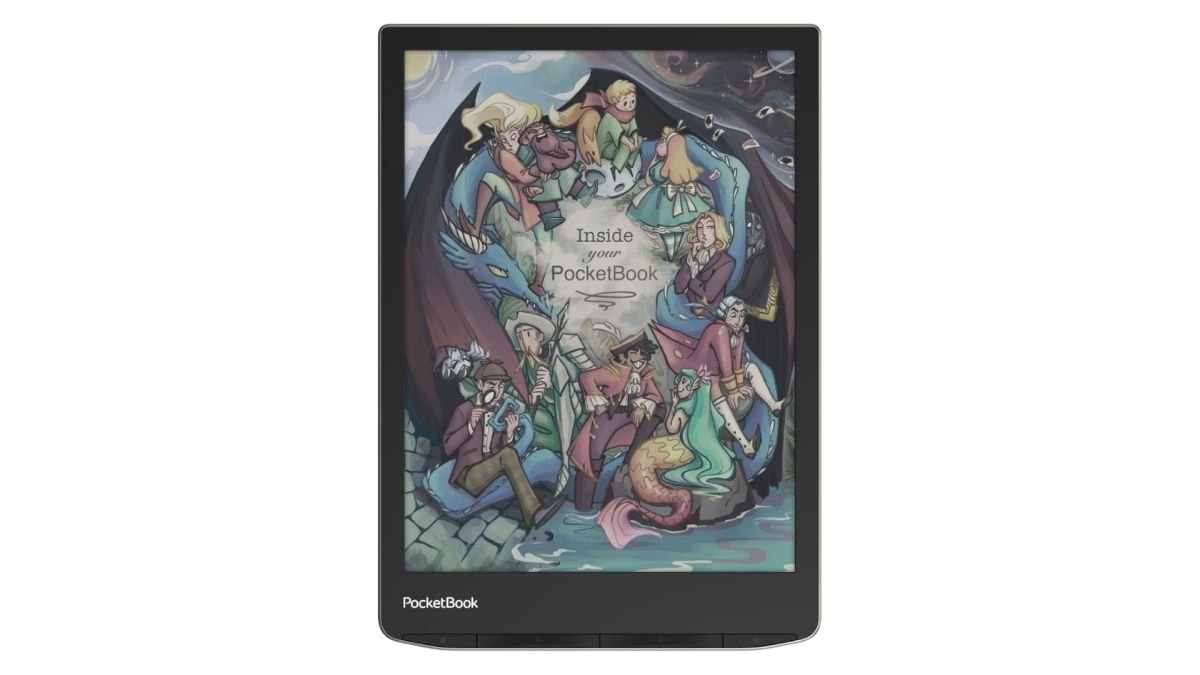
The Pocketbook InkPad Color 3 is the best color e-reader available now.
It has a reputable brand, a large 7,8" color e ink screen and the new Kaleido 3 color technology.
This year marks a real renewal in terms of color readers since the democratization of the new technologies of color screen Kaleido 3 and Gallery 3.
Here are some very interesting new color readers.
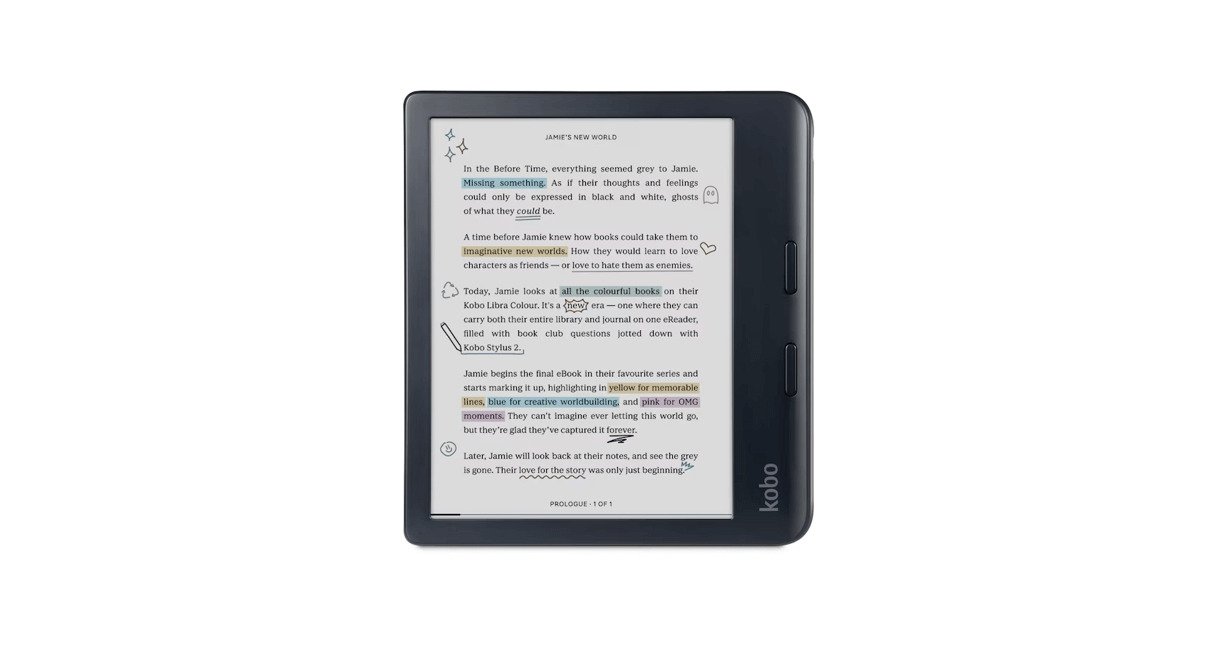
Kobo Libra Colour
The Kobo Libra Colour is a new e-reader featuring a 7-inch color screen with Kaleido 3 technology. This is Kobo's first large-format color e-reader.
The Kobo Libra Colour inherits the design of the Libra 2, including its comfortable grip and side buttons.
It's also waterproof (IPX8 rating) and can read audio books.
I think it is one of the better option if you want a new color e-reader.
Kobo Clara Colour
The Kobo Clara Colour as a great choice for a budget-friendly color e-reader. The best features from Kobo are preserved: Inherits audiobook playback, USB-C charging, Wi-Fi, Comfortlight Pro, and waterproofing.
In my opinion the screen size is a bit small to fully showcase the Kaleido 3's potential. But, overall, my review is positive, especially considering the price point.
The Kobo Clara Colour is the most afforable color e-reader available now.
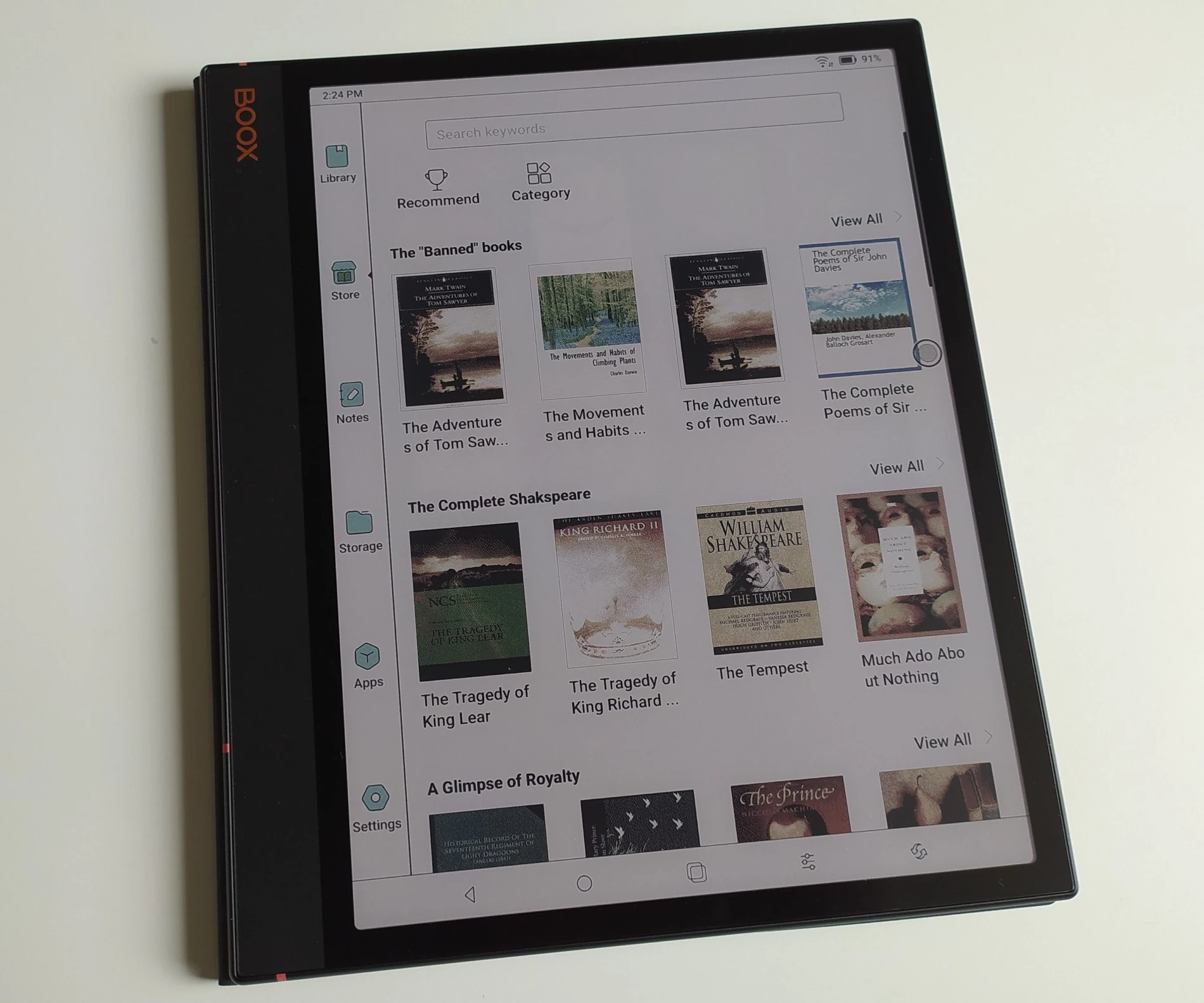
Onyx Boox Note Air3 C
The Onyx Boox Note Air3 C is a very large 10.3-inch e-reader with a Kaleido 3 color e-ink screen (the latest generation).
It is first and foremost a professional tool (a stylus is supplied for note-taking and work) that runs on Android 12. Google Play is installed, and it is possible to add new Android compatible applications.
With its large screen diagonal, it's also an excellent e-reader for reading PDF documents, mangas or comics, thanks to its excellent color screen.
The Bigme S6 Color+ is an Android e-reader with a beautiful Kaleido 3 color e-ink screen.
With its 7.8-inch diagonal and the ability to install Android applications, it's a beautiful, versatile e-reader that can be used for both reading and working. In fact, it can be used with a stylus.
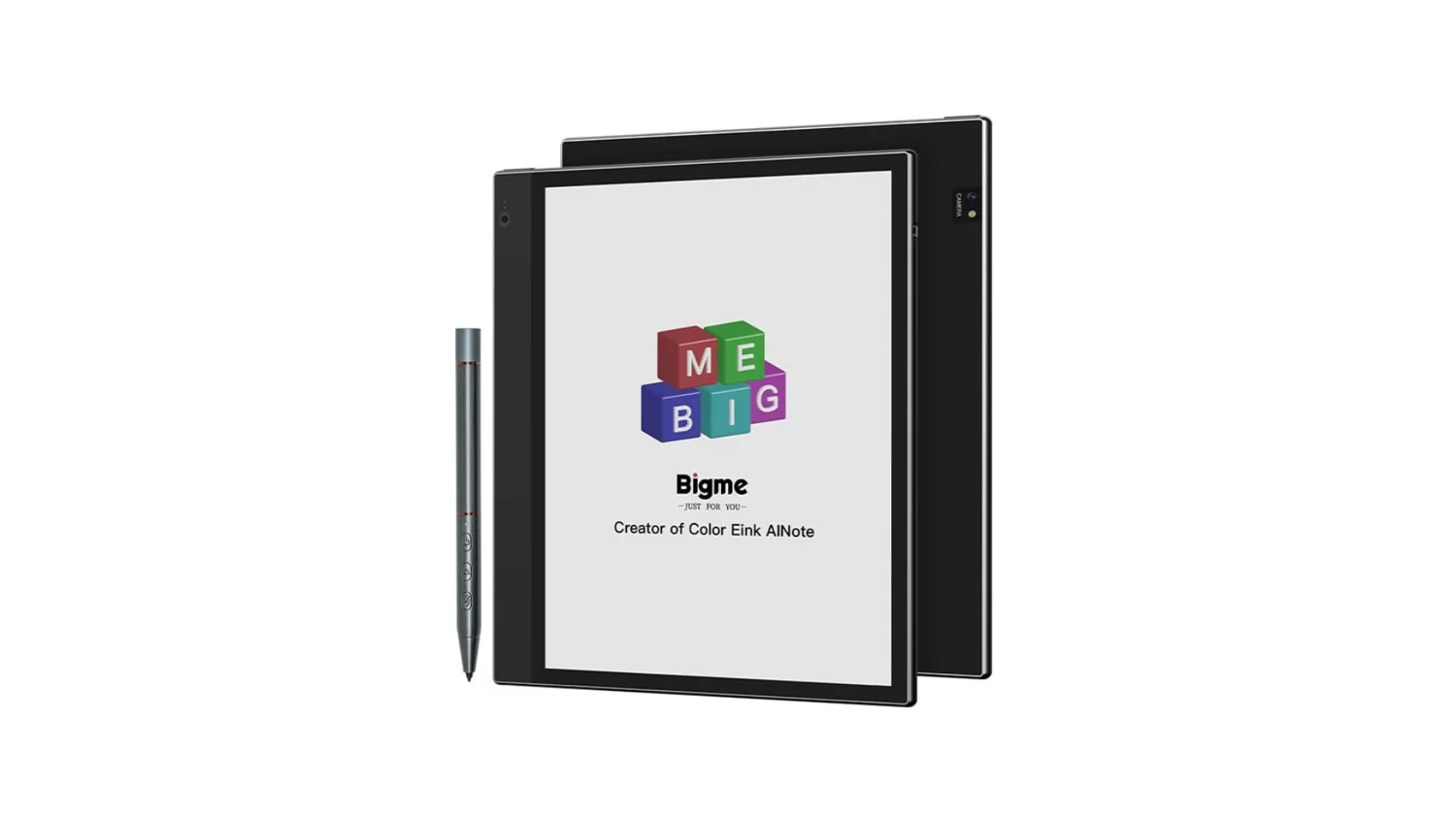
The Bigme inkNoteX Color boasts a large 10.3 inch color E Ink Kaleido 3 display with sharp black and white text (300 ppi) and decent color viewing (150 ppi). It offers adjustable warm and cool front lighting with blue light reduction for comfortable reading in various environments.
Under the hood, a powerful octa-core processor paired with 6GB RAM ensures smooth performance. With 128GB of storage expandable via a microSD card, you have ample space for books, documents, and apps. The 4000 mAh battery promises long reading sessions.
Running Android 13, it allows installation of third-party apps, making it versatile for various tasks. A pressure-sensitive stylus (4096 levels) enhances note-taking and drawing. Additional features like an infrared pointer, voice remote control, speakers, and dual cameras expand its functionality. Wi-Fi, Bluetooth, and USB connectivity options provide easy access to information and file transfer. For security, a fingerprint sensor is integrated into the power button.
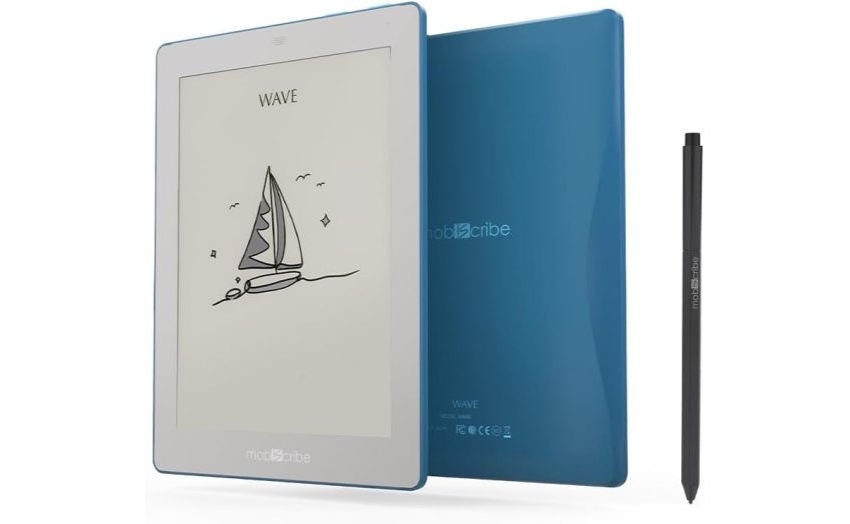
Mobiscribe Wave Color with Kaleido 3
The MobiScribe Wave Color is a new e-reader featuring a 7.8-inch screen with Kaleido 3 e-ink color screen technology.
Also note that the same brand is also selling a Mobiscribe Wave Color with a Kaleido Plus screen. The Kaleido Plus screen is a second-generation color screen similar to that of the Pocketbook Inkpad Color 2. So it's not the most recent technology (which is Kaleido 3), but it's not the oldest either.
The big advantage of this e-reader is the Android 12 system, which enables new applications to be installed.
The Mobiscribe Wave Color with Kaleido 3 should be available in April 2024.
The MobiScribe Wave Color is a new e-reader featuring a 7.8-inch screen with Kaleido 3 e-ink color screen technology.
Also note that the same brand is also selling a Mobiscribe Wave Color with a Kaleido Plus screen. The Kaleido Plus screen is a second-generation color screen similar to that of the Pocketbook Inkpad Color 2. So it's not the most recent technology (which is Kaleido 3), but it's not the oldest either.
The big advantage of this e-reader is the Android 12 system, which enables new applications to be installed.
Since 2020, many models of color readers have appeared. Here are some interesting reading machines.
Onyx Boox Nova Air C reader
Available in March 2022, this reading machine does not bring much new except a stylus and a well studied price for a 7,8 inches reading machine with color screen.
Pocketbook Color reader
Pocketbook has launched the marketing of a new generation color reader in many countries (including the USA and some European countries).
Pocketbook InkPad Color
This is a color reader released in 2021 in some (few) countries.
The InkPad Color has the particularity to have a 7.8 inches color screen with a second generation technology (the screen displays colors a little more defined than on the Pocketbook color).
The iReader color reader, "iReader C6" (for "C" color and "6" 6 inches diagonal) is the first to be released.
It is a rather classic color reader with a 6 inch touch screen that allows a display of up to 4096 different colors on the screen.
Onyx Poke2 Color reader
Onyx has released a color reader in a 6 inch format that proved to be a real hit (out of stock in less than 24 hours).
The reader works with the Android system and has been available only in small numbers in Asia.
iFlytek Reader color
This machine signed iFlytek looks like the iReader C6.
The machine also offers software and speakers that will allow text-to-speech.
Bigme S3
The Bigme S3 color e-reader is a new e-reader with a diagonal of 7.8 inches for the Asian market. The screen is identical to that of the InkPad Color and is therefore said to be of "second generation".
Unfortunately, this e-reader is marketed in a very confidential way.
Onyx Boox Nova 3 Color
The Onyx Boox Nova 3 Color is a reader with a diagonal of 7.8 inches with E Ink Carta HD screen (black and white) and color overlay Kaleido Plus.
As for the Onyx machines, it is a machine that runs on an Android system and can therefore accommodate new reading or productivity applications.
Smartbook V5 Color
The Smartbook V5 Color is another machine equipped with a 7.8-inch color screen with Android system and reserved for the Asian market.
Color e-reader or black and white e-reader? How to make the right choice?
While common sense might suggest that a color e-reader is the obvious choice, it's worth taking a moment to consider whether a black and white e-reader might be a better option for you.
When purchasing an e-reader for reading ebooks (digital books), you now have the choice between different categories of e-readers:
Budget e-readers
Mid-range e-readers
High-end e-readers
Color e-readers
While budget e-readers do the job just fine, they are generally intended for readers who want to try out digital reading without spending a lot of money (there are e-readers available for under $100).
However, if you are serious about digital reading or are a heavy reader (you read more than one book per month), investing a little more will promise a better reading experience and better comfort thanks to an e-reader with a better electronic ink screen with a higher resolution.
After looking at the best e-readers available, one question quickly comes to mind: should you buy a color e-reader?
After all, why not just get a color e-reader right away?
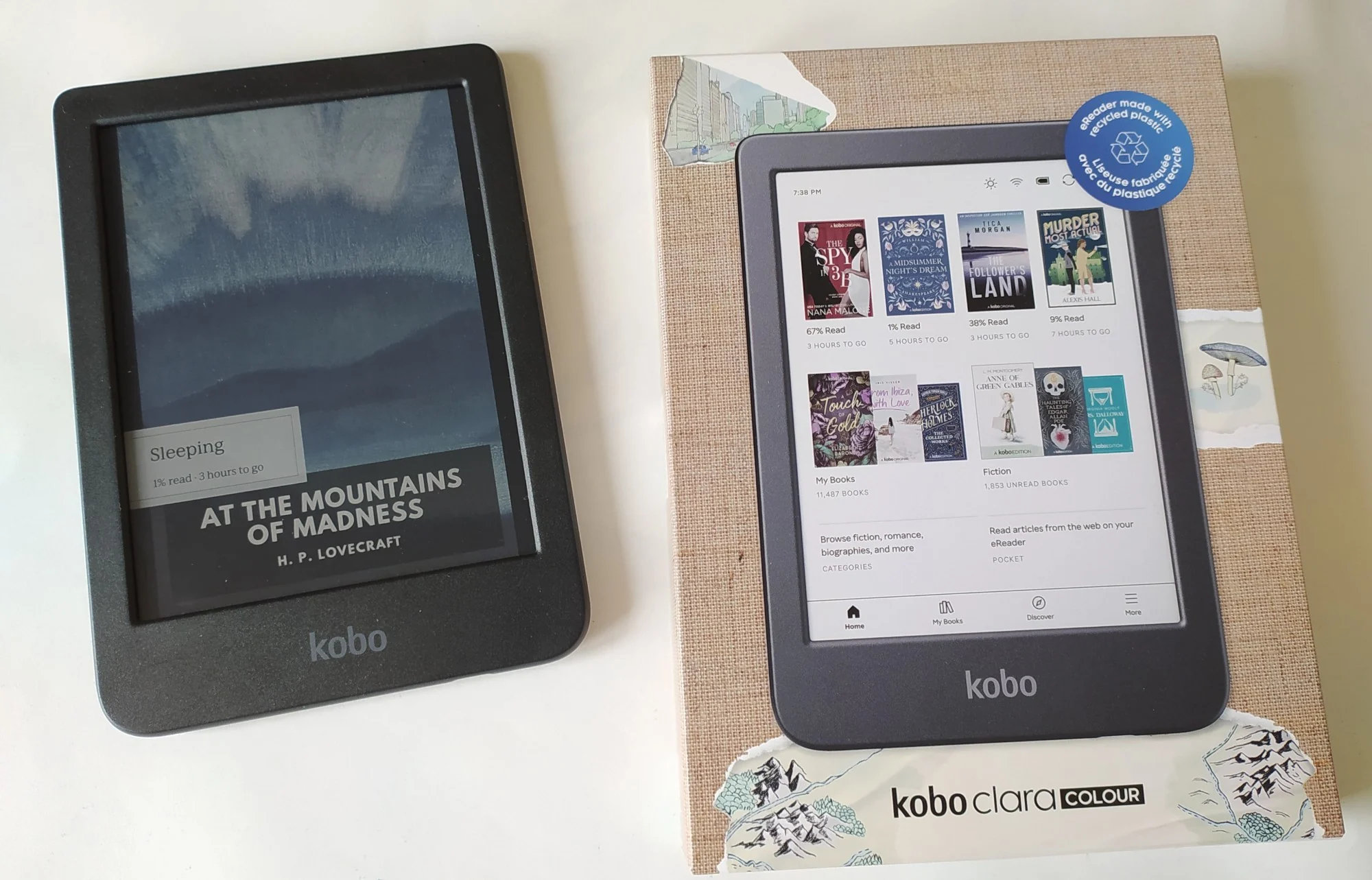
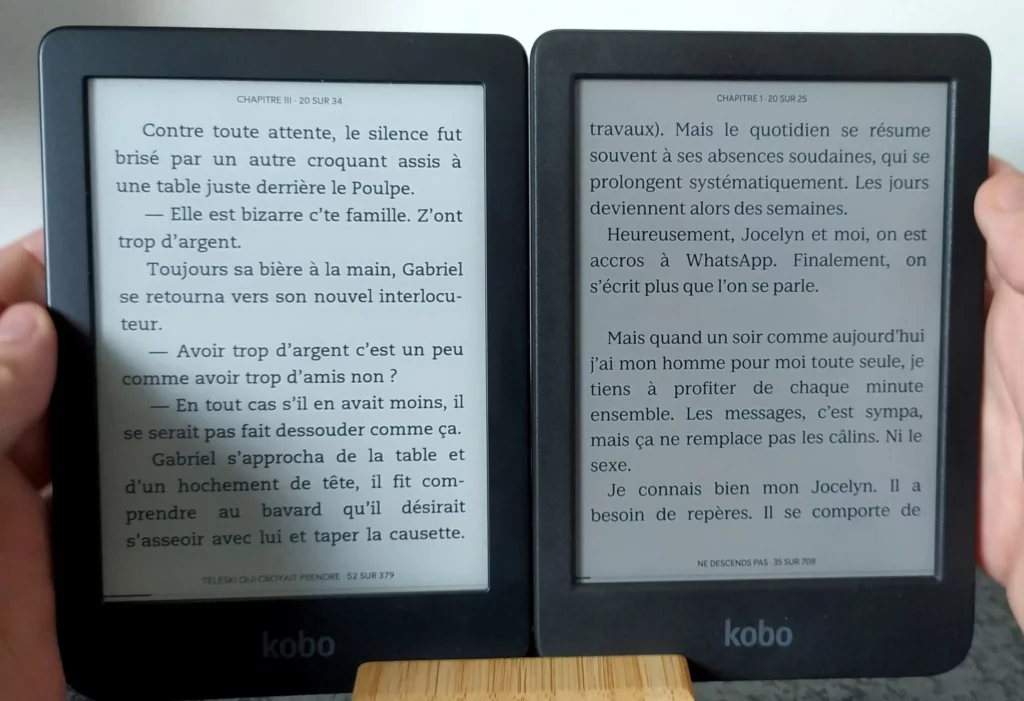
I will try to answer this question, at least partially, by taking the example of the Kobo Clara Colour e-reader (released in 2024) and the Kobo Clara 2E (black and white, released in 2022).
Picture: Kobo Clara 2E (left) and Kobo Clara colour (right) with the same brigthness parameters
As you can see in the photo above, color e-readers are not necessarily the best for reading plain text (such as novels or essays, without illustrations, photos, or images).
The screen appears darker with less contrast.
This is because the technology that makes color e-readers possible is still relatively young. As a result, it has some drawbacks, the first of which is that it renders text slightly less well than a black and white e-reader.
The second drawback is the lighting: it is more powerful, and the color e-reader, without lighting, is less readable than a black and white e-reader.
Finally, even if it is difficult to perceive, black and white e-readers are a little faster to use. In other words: electronic ink displays text pages more quickly with a black and white screen.
So you have to ask yourself if you really need color for your reading. If that's the case, then there's no need to hesitate: you need to switch to a color e-reader!
Otherwise, you can save a few dozen dollars by settling for an e-reader with a black and white screen. This will allow you to get an e-reader with a beautiful high-definition e-ink screen for less money.
E Ink and Wacom have worked together on the new color screens that equip these new color readers (for all manufacturers). They're called "Kaleido" and there is multiple version :
The companies E Ink and Wacom are already well known to e-reading and dematerialization enthusiasts.
On the one hand, we have E Ink, a company that has been working since the early 2000s in the research and creation of low-power screens based on electronic ink technology.
On the other hand, there is Wacom, which specializes in pressure-sensitive touch pens and other input devices.
Contrary to what one might think, this is not the already known Advanced Color E-Paper (called "Gallery 3" now), but a completely new type of screen called Print Color ePaper.
Unlike previous E Ink screens, this one does not use electronic ink. It is based on an old technology called TFT which allows to display pixels of red, green, blue, black or white color.
These colors can then be mixed to obtain the other colors.
There are two screens: a first one in black and white (below) and a second one in color (above)
Even if it does not contain electronic ink, the new screen retains some interesting properties: lower energy consumption and a screen that produces a display close to that of paper.
For its part, Wacom has created a new "overlay" that allows touch functions.
I guess that this type of display will be rather useful for note taking and displaying color documents.
Should you buy a color e-reader in 2025?
We are going from surprise to surprise with this technology in 2025 and the first devices that have been released and reviewed are very interesting.
The question to ask is: is it better to buy a color reader or a black and white reader?
We can start by saying that I've been dreaming for years about less dangerous tablet screens for the eyes.
It is therefore logical that we welcome these color readers with benevolence.
But, even if great progress has been made in recent years, I remain skeptical.
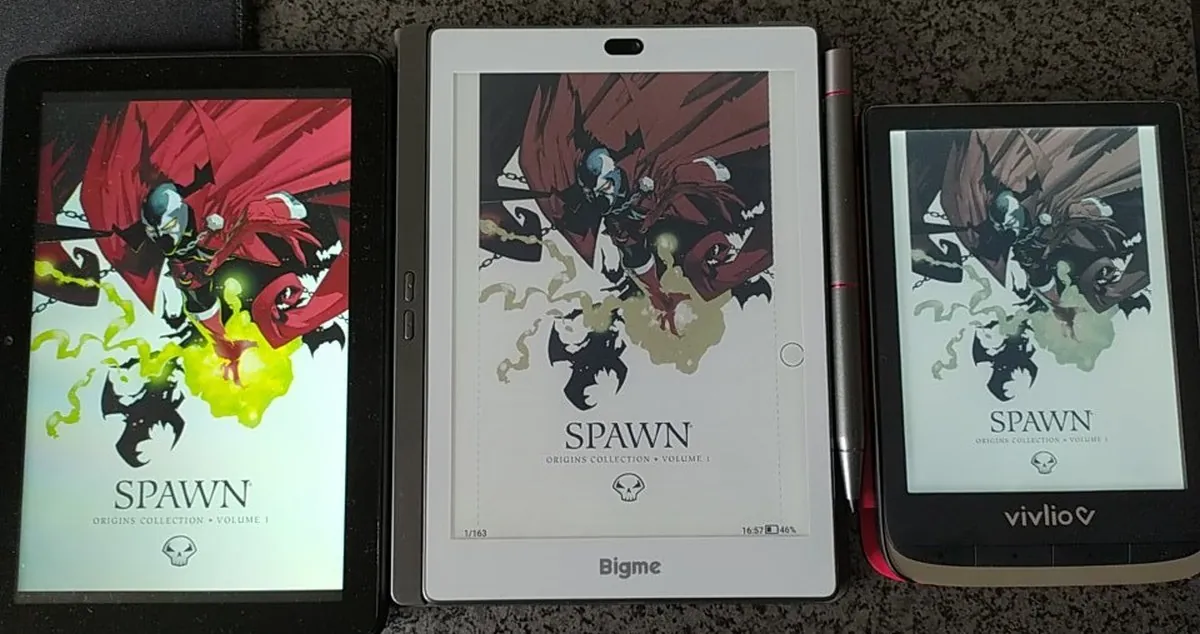
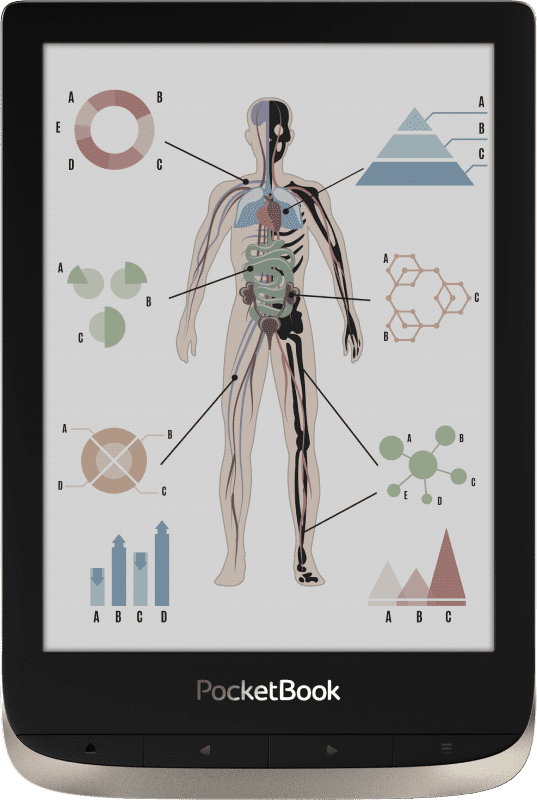
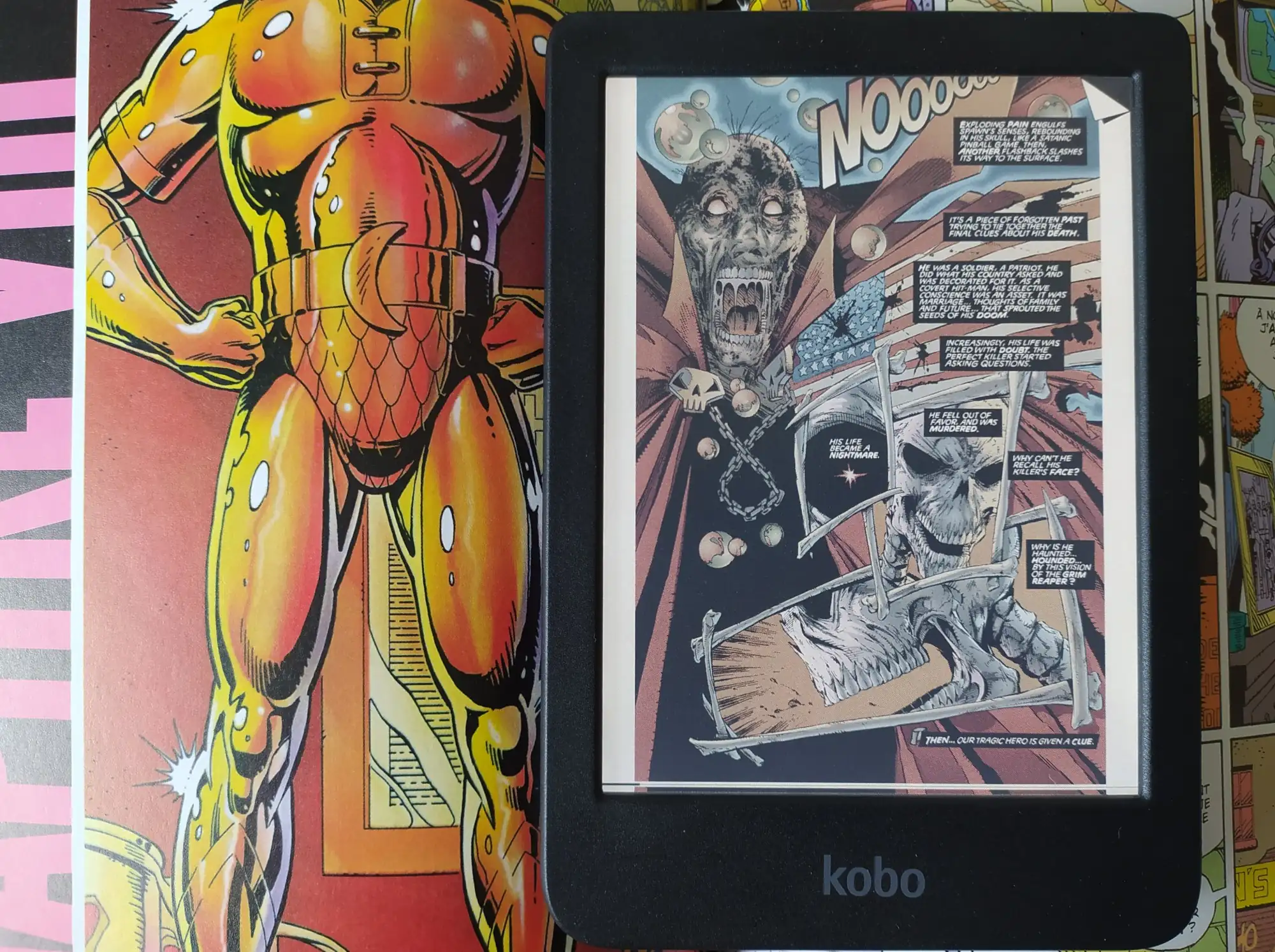
Today, it seems difficult to use one of these e-readers to comfortably read a magazine or a comic book – either because of the low number of pixels, or because the machine does not display very bright colors, even if the colors are now close to a paper print (see photo below):
The introduction of color e-readers in 2024 has marked a significant turning point in the e-reading landscape, offering a noticeable enhancement in color display at an attractive price point (starting as low as $150!).
While these new devices offer an exciting advancement, it's important to consider your specific needs and preferences when making a decision.
I prefer color e-readers if the screen is about 7" or larger (7.8" is best of course). I think a smaller screen, like 6" for the Kobo Clara Colour is too small to read comic books or magazines.
And, if you only want a good e-reader to read novel, I still think you should stick with a black and white e-reader for now.
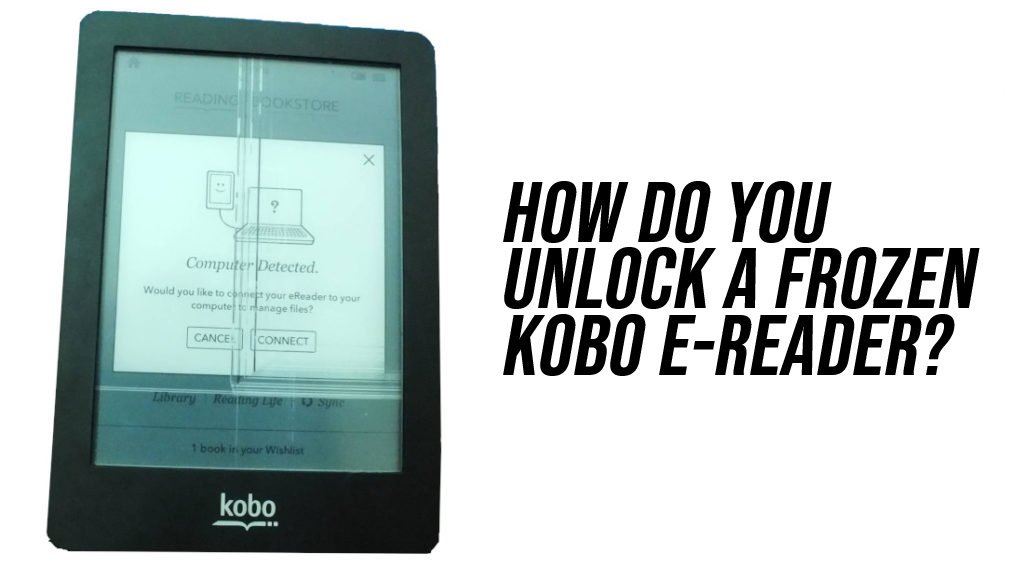
Sometimes your Kobo e-reader can be locked, frozen or not responsive. Indeed, like any electronic device with software, there are cases where the e-reader can get stuck or stop working normally.
In this article, we will see how to solve the usual problems related to Kobo e-readers: blocked or locked device, frozen screen reset, reset, various repairs, etc.
This article is intended for owners of Kobo Libra 2, Kobo Nia, Kobo Sage, or Kobo Clara 2E readers.
However, it is also useful for owners of older readers: Kobo Touch, Kobo Aura, Kobo Aura One, Kobo Forma, Kobo Clara HD, Kobo Aura H2O, Kobo Aura Edition 2, Kobo Mini or Kobo Glo HD.
If your Kobo e-reader is not listed (even if it's not a Kobo), it may still be of interest to you to understand the different options available to you in case of problems with your favorite reading machine.
<iframe width="1897" height="751" src="https://www.youtube.com/embed/e7O9dikkQ44" title="Your KOBO e-reader screen is FROZEN? How to unlock your Kobo e-reader?" frameborder="0" allow="accelerometer; autoplay; clipboard-write; encrypted-media; gyroscope; picture-in-picture; web-share" referrerpolicy="strict-origin-when-cross-origin" allowfullscreen></iframe>
Blocked / frozen Kobo E-reader screen: What to do first?
First of all, the most common case is this: you turn on your e-reader to finish reading a book and the Kobo e-reader seems to be stuck.
It simply won't respond. This issue is often discussed by email or on forums.
The first thing to do is to check that the e-reader still has battery power. You can then simply plug your Kobo into your computer or mains with the USB cable provided.
Sometimes, just plugging it in is enough to make your e-reader work and unlock it.
If that doesn't work, you can try one of these solutions to unlock the e-reader:
turn off and on the e-reader by pressing the on/off button on the e-reader for about ten seconds (up to 30 seconds)
locate a small hole behind the machine (or on the edge) and insert a paper clip to restart the reader (on some new models, this is not possible)
If this does not work, you may have to move on to the next step.
Resetting a Kobo ereader
Kobo e-readers can be reset. It's like taking the e-reader out of the box and making it brand new again.
The consequence is that you will lose all your preferences and ebooks. After resetting the e-reader, it will be necessary to download or transfer books again, log into your Kobo account, connect to Wifi, etc.
To launch a complete reset of your Kobo e-reader, you have to go to the settings, go to technical information and select "factory reset".
Of course, this only works if you can navigate the menus of the reader. If the screen is blocked, you will not be able to do so.
In this case, you have to try a forced restoration in this way: plug in your e-reader to charge it, press the on/off button until the e-reader turns off, press the button again as to turn on the e-reader but keep the button pressed for at least 30 seconds until a reset screen appears, only then you can release the on/off button of the Kobo e-reader.
Repairing a Kobo E-reader
If your Kobo e-reader is out of order and out of warranty, there's often no point in taking it to the service department, because the cost of repairing it will be almost the same as a new e-reader.
However, if you are a bit of a handyman, you can try to repair it. The only problem is that you'll need to buy spare parts on Ebay or other e-commerce website.
Change the screen of your Kobo e-reader
Opening a Kobo e-reader is not that complicated if you follow a good guide.
The screen of the e-reader is often the most delicate thing to change. Indeed, the screen is often touch-sensitive and you have to proceed methodically to know if the problem comes from the display or the touch (or both).
In any case, you can find a repair kit on Asian websites like Ali Express.
Nevertheless, it's better not to get involved in this kind of repair if you're not comfortable with electronics.
Changing the battery of your Kobo e-reader
For the same reason as for the screen, changing the battery of your Kobo e-reader requires some knowledge in electronics.
But, if you're brave, you can easily do this kind of repair.
You can find batteries for e-readers on the Internet on sites like Ali Express or Ebay.
Your Kobo e-reader won't connect to your computer
Here's something that happens to me quite often with my Windows 10 computer: when I plug in my e-reader, it's not recognized right away.
Usually, I just have to plug and unplug the USB cable for it to work. Kobo e-readers seems to have problems with USB Hub, so it is better to plug your e-reader in a USB port directly on the computer.
Sometimes, it is necessary to wait a few seconds before the reader appears.
If it still doesn't work, you can restart your computer and your e-reader, this can solve many problems.
Finally, it is also possible that an update is necessary for your Kobo e-reader.
Indeed, with the numerous updates of the Windows 10 operating system, Kobo sometimes needs to update the software of its readers for a perfect compatibility.
First of all, it is necessary to make sure that the e-reader is well recognized by your Mac or Windows computer. If it is not, please refer to the previous section.
If your Kobo e-reader is recognized, then there is a problem with Calibre. You can start by restarting the software (you never know).
If it still doesn't work, you can install the latest software update.
If the problem persists, you can go and ask a question on the help forums or see if other users have the same problem as you.
Other problems with kobo e-readers
Here are some other problems you may encounter that work with the solutions described above:
Kobo Clara HD frozen
Kobo Aura frozen
Kobo Libra 2 frozen
Kobo Nia frozen
Kobo Sage frozen
To solve these problems you can turn off and on the e-reader by pressing the on/off button on the e-reader for about ten seconds.
Among the different ereaders available, you may have noticed that there are models of different sizes. It is the size of the screen that changes from one e-reader to another and we will see how to choose well.
Different sizes of e-readers (comparison)
First of all, here are the different sizes of e-readers that we can find nowadays :
6-inch screen
6.8 inch screen
7-inch screen
7.8 inch screen
8-inch screen
9.6 inch and above screen
10.3 inch screen
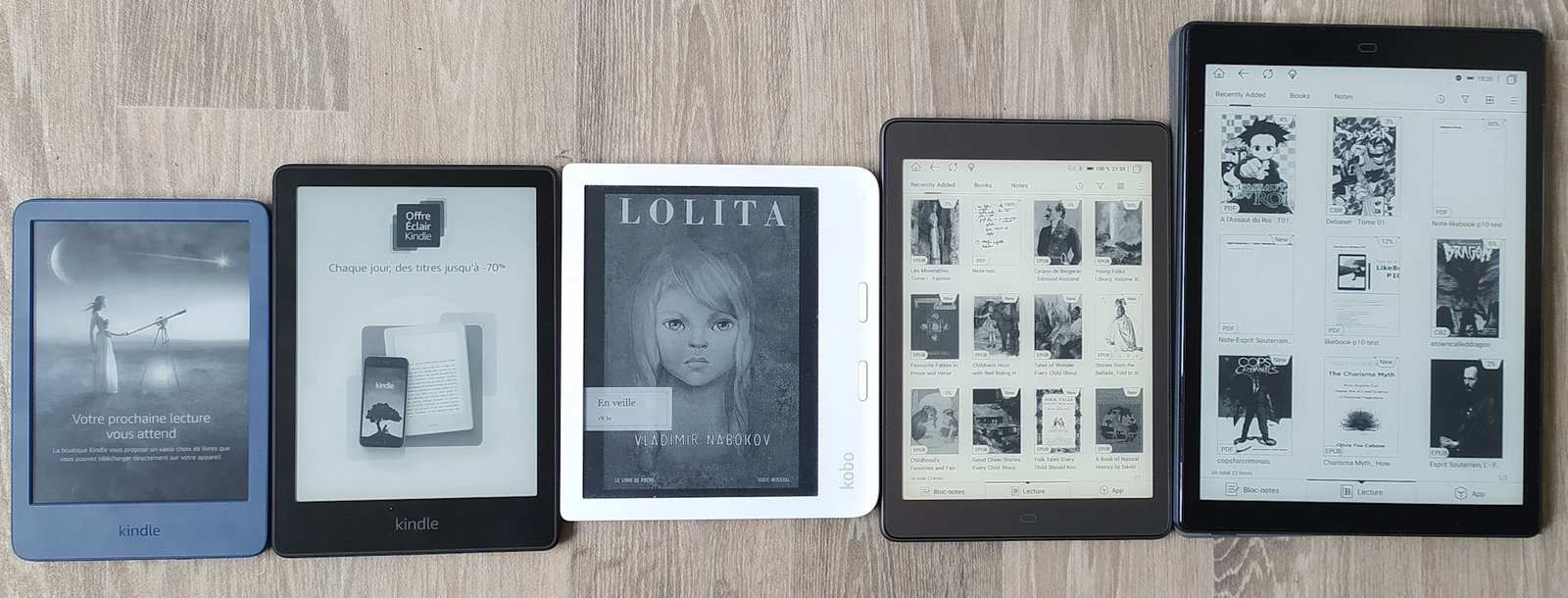
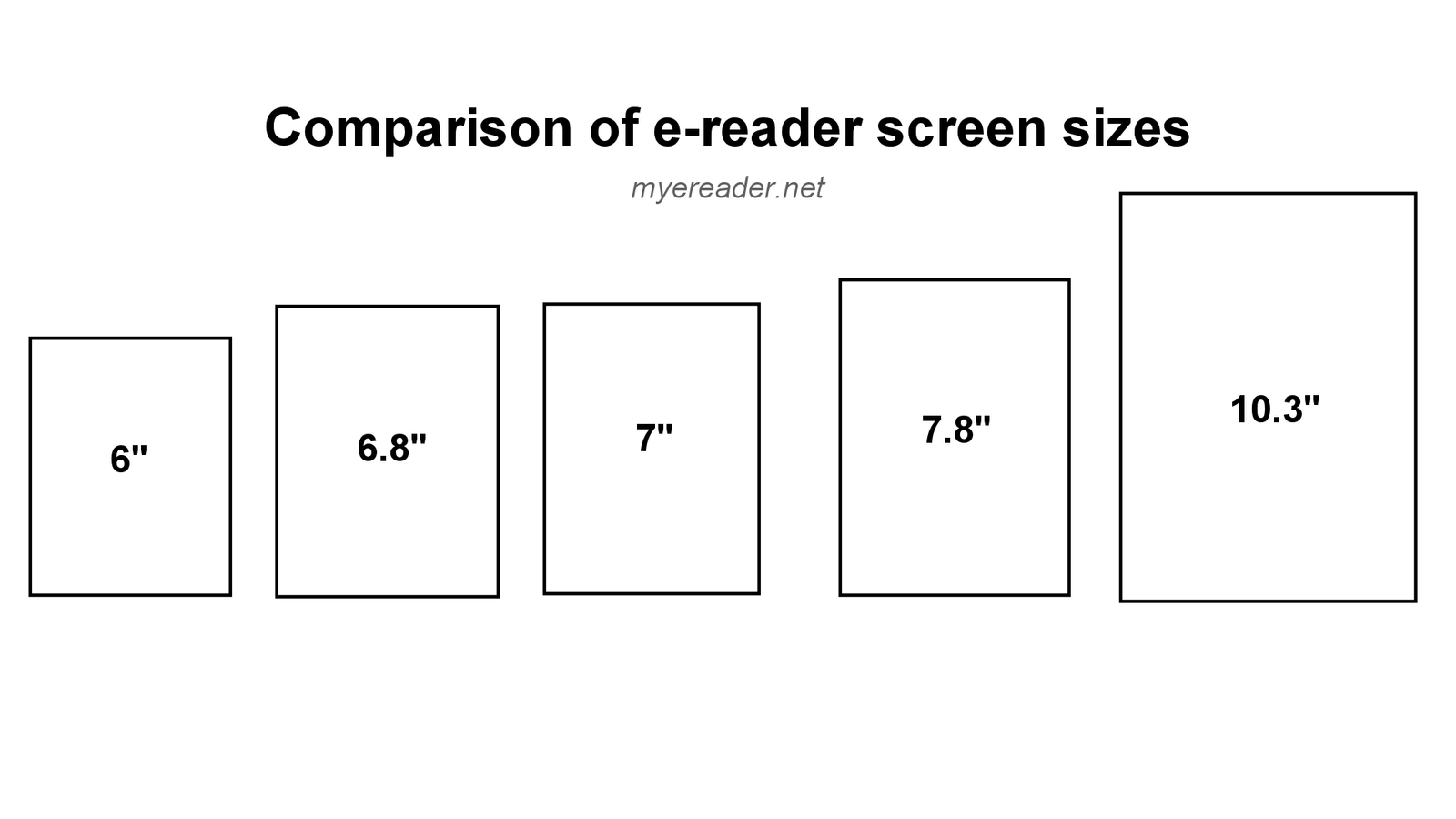
This ereader comparison chart will help you to better see the differences between the various diagonals of the e-readers on the market :
Image : Comparison chart of the main diagonals of e-reader screens (with electronic ink)
The 6-inch screens are the most common and e-readers with this type of screen are generally inexpensive or relatively accessible financially.
Before going into details, we will focus on the particular case of the readers of about 10 inches (the diagonal screen of 10.3 inches being the most common).
Large screen ereaders with a size of 10.3 inches and more
Sometimes you can find on the market large screen ereaders that offer a large number of functions with a large screen with electronic ink (e-ink) with a diagonal of 10.3 inches and more.
The main representatives available from the major e-reader brands are:
While these are not necessarily bad readers, they work with a system that allows for additional features, such as note-taking with a stylus.
They are full-fledged work tools that do more than just read ebooks.
If the screen of these e-readers offers a very nice display surface, I think they are more intended for professional or academic use than exclusively for reading.
They have the disadvantage of being very bulky compared to a simpler and smaller e-reader intended for reading (7.8" screen and smaller).
That being said, they are very interesting for manga lovers or people who read PDF documents, since the large screen will allow to better appreciate the details of the pages without having to use the zoom.
That’s why I don’t advocate 10.3" and large screen ereaders for reading ebooks.
6-inch e-reader: the perfect size?
The history of e-readers is littered with machines of different sizes.
But, one thing that hasn’t changed in over 15 years of e-readers is that e-reader manufacturers all offer 6-inch models.
There are many reasons for this:
e-ink screens are particularly reliable and offer a good resolution in 6 inches which allows to imitate very well the paper
a 6-inch screen consumes less energy than a larger screen
a 6 inch screen allows to create small and easily transportable e-readers
a 6 inch reader offers a screen size between a paperback and a large format
In my opinion, these are the reasons why 6-inch e-readers have become popular and why there are now so many of them on the market.
The 6-inch e-readers with e-ink screens offer a very comfortable reading experience, similar to paperback books, which makes them particularly easy to carry around.
If you read in public transport (subway, bus, train, plane) or if you want to take a e-reader on vacation, it is a very good format.
Their problem is that they are less interesting for manga readers.
6.8 and 7 inches ereaders for more comfort
In the 6.8-inch and 7-inch formats there are 3 interesting readers:
This is a very comfortable and versatile screen format that allows you to read novels (ebooks) as well as mangas while keeping a small footprint that allows you to carry the reader without getting too bulky.
So we have two diagonals of e-ink screens available in this format:
6.8 inches
7 inches
So does 0.8 or 1 inch make a difference compared to a slightly smaller e-reader?
Well, yes, with a slightly larger screen, it’s immediately more comfortable.
Note that while the Kobo Libra 2 is larger (in size) than a 6-inch e-reader, the Kindle Oasis has a slightly different format (more square) that I find easier to carry around (but it’s also more expensive).
So this size of e-reader is quite reasonable even for daily use and transportation on the bus, subway or train.
Unfortunately, these ereaders are also more expensive – quite a bit – than the smaller versions. However, the Kindle Paperwhite with its 6.8-inch screen is still quite affordable.
On the other hand, the same is not true for the 7.8-inch e-readers.
Reader with 7.8-inch screen: for home and manga
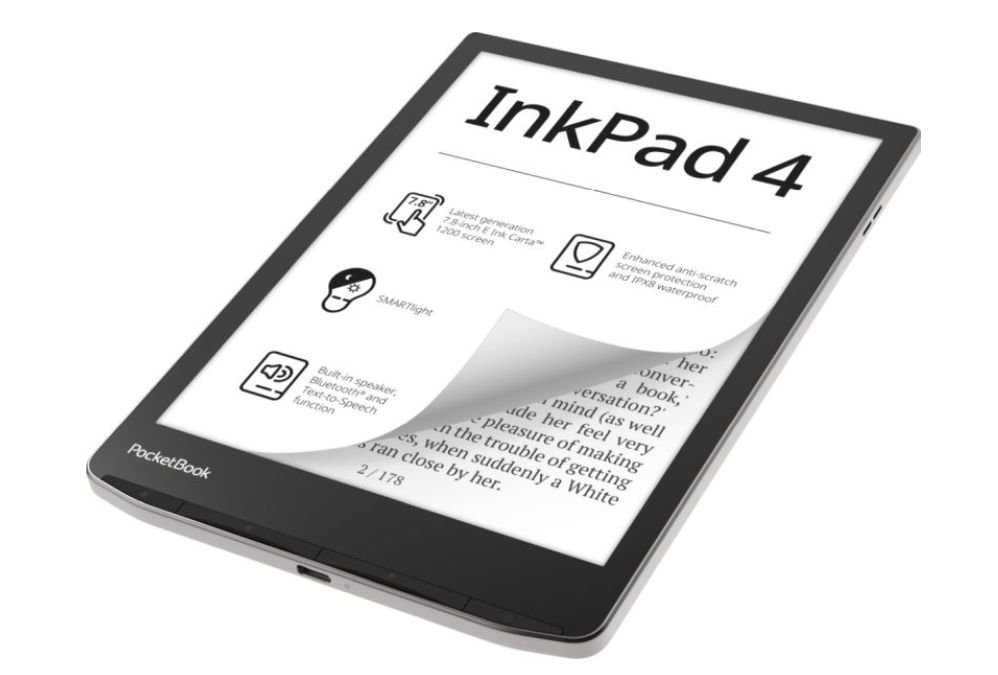
Finally, we come to the last part with the 7.8-inch readers, of which the best current representative is the Pocketbook Inkpad 4.
This format is mainly intended for home use – in my opinion – because of the size that the reader can take in a bag. Don’t worry, it is still possible to carry it of course!
But, it’s really comfortable to have a 7.8 inch screen to read a good book in an armchair or a sofa.
Another good news is that if you read a lot of manga (Japanese comics in small format and printed in black and white), this type of reader is quite suitable.
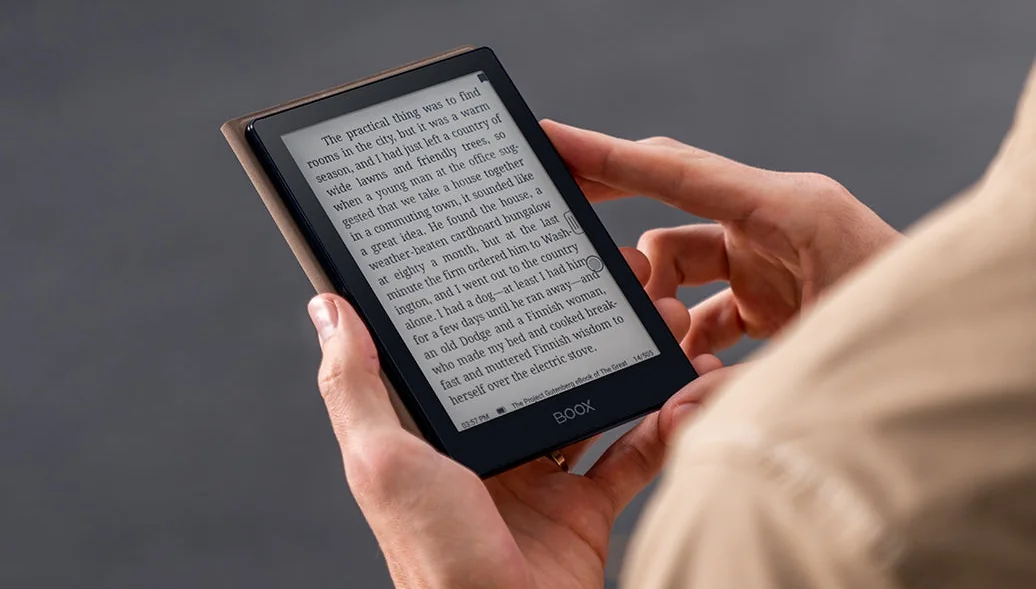
Onyx is a Chinese company which proposes e-readers with electronic ink and the Android operating system for a maximum compatibility with the applications of reading of ebooks. They have just launched the Onyx Boox Poke 5.
The particularity of the Onyx e-readers is the presence of the Android system and the possibility of adding new applications with Google Play.
This characteristic allows to install applications of reading proposed by the big actors of the ebook: Kindle and Kobo in head of list.
This new Onyx Boox Poke 5 e-reader comes with a 6-inch Carta 1300 HD e-ink screen with a resolution of 1448 x 1072 pixels.
The new Carta 1300 e ink screen is the real deal because it is one of the first e-reader to have it.
The Onyx Boox Poke 5 has a touch screen (perfectly integrated "flush bezel" type, i.e. without edge with the case) and is devoid of buttons on the front – contrary to the competing models which tend more and more to propose at least two buttons to turn the pages (Kobo Libra 2, Pocketbook readers).
In terms of lighting, this e-reader offers a color temperature adjustment system that adds a little warmth to the screen by offering a yellow / orange light softer for the eyes. This feature is supposed to reduce the negative effects of blue light on the body and eyes of the reader.
Here are the complete technical specifications of the Onyx Boox Poke 5 e-reader:
E Ink Carta 1300 HD screen, 6 inches, resolution of 1448 x 1072 pixels (300 dpi)
Touch screen with lighting and blue light filter
Qualcomm quad-core processor
RAM: 2 GB
Storage: 32 GB
Wifi
Bluetooth 5.0
Android 11 operating system (with Google Play)
Micro SD
Microphone
1500 mAh battery
Weight: about 160 grams
These features reveal two important points.
First, there is a microphone and a Bluetooth connection that will allow to connect to the Onyx reader headphones or a speaker and, thus, enjoy reading audio books.
Then, the capacity of the battery linked to the use of the Android system (more greedy in energy than the system of a reader dedicated to the reading) will make the autonomy of this Onyx Boox Poke 5 rather weak.
Compared to a classic reader of a big brand like Kobo or Kindle, we can suppose that the autonomy will be 2 to 3 times weaker on this model of Onyx reader.
It is thus a technical compromise to allow to have a compact and light reader while proposing the Android system and its great variety of available applications.
The price of this Onyx Boox Poke 5 e-reader is $179.99 which is quite high. But, for this price, you will also have a protective cover with magnet to protect the screen, as well as the whole Android ecosystem (Google Play and Google services).
It is therefore one of the most affordable reading devices on the market if you want to enjoy the many reading applications available for Android (ebooks, but also audio books and manga).
As always, I have mixed feelings about these models of e-reader with Android. On the one hand, it's very nice to enjoy the numerous applications available. But, on the other hand, the reading experience has always seemed to me less good and less intuitive than with a "classic" e-reader fully optimized for this function.
This Onyx Boox Poke 5 reader is thus to be reserved for the informed users who are at ease with the configuration of technological devices. The users who wish a simple and "turnkey" reading machine have all interest to turn to a brand of reader like Kindle, Kobo or Pocketbook.
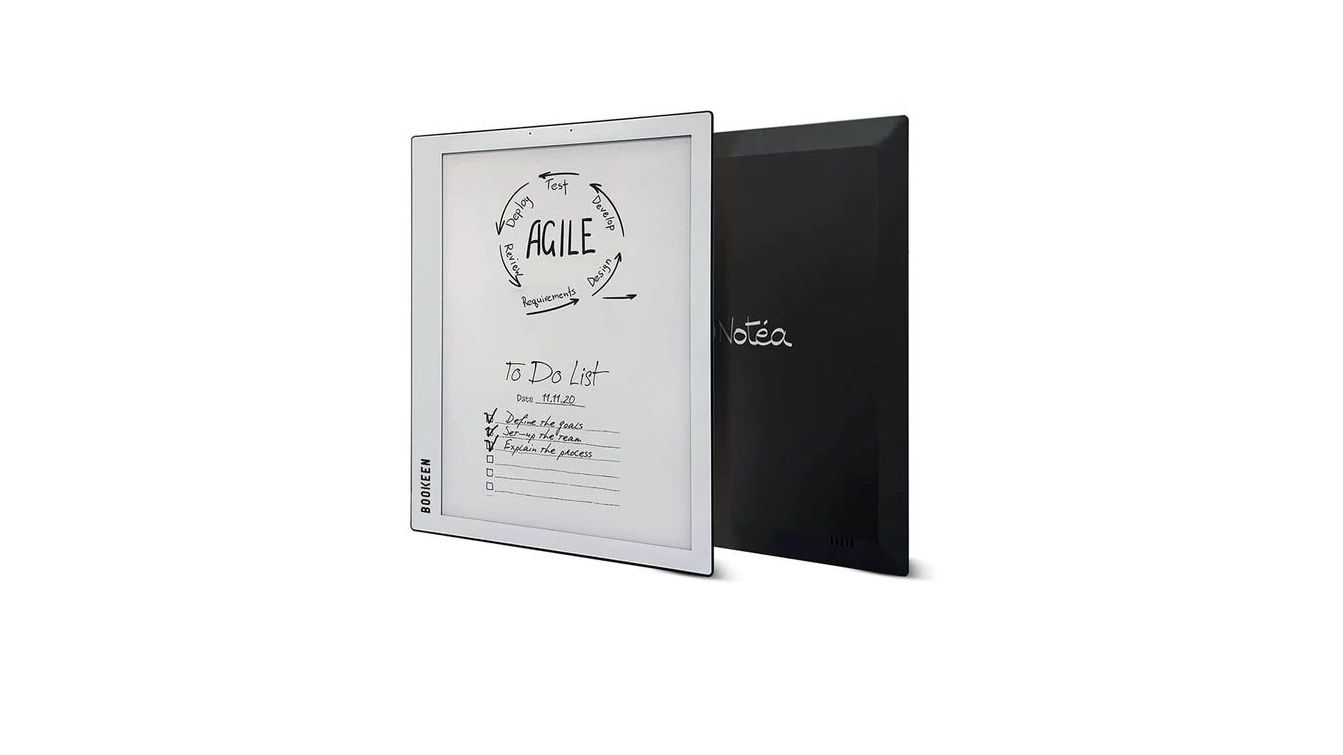
The Bookeen Notéa is a very successful machine in France and, to a lesser extent, in Europe. As a result, it is regularly out of stock and very difficult to find!
Bookeen Notéa: a success… then difficulties
After a successful launch in France, the Bookeen Notéa managed to convince not only readers but also professionals from all walks of life.
With the ability to take notes on PDF documents, this machine has proven to be a valuable ally in the professional world where proofreading and editing documents is a daily task.
In addition to its notepad functions, the large 10.3-inch screen allows demanding fans of novels and manga to sit at home and enjoy their favorite works in excellent conditions.
This was enough to make people jump on this machine, as it was quickly sold out at Bookeen and later everywhere in France.
We had to wait a few months to see new copies put on the market, which were also quickly sold out. All this was in 2021…
Then, Bookeen encountered difficulties and was bought by Vivlio.
Bookeen Notéa soon available with software updates
Months have passed at Vivlio and a large part of the Bookeen team has been able to take its marks within the Lyon-based structure.
Today Bookeen (by Vivlio) is ready to relaunch its flagship e-reader model as the return of the Bookeen Notéa is announced for the coming weeks at all usual Vivlio retailers.
In addition to a new availability of the machine at a price of $419 ($400 – $450), the technical teams are also working on software updates that will apply to all owners of this Bookeen Notéa.
In the US, it is a very rare reading machine that is hard to get. But if you are interested in this kind of digital notebook, you can look at the Kobo Elipsa 2E and the Kindle Scribe.
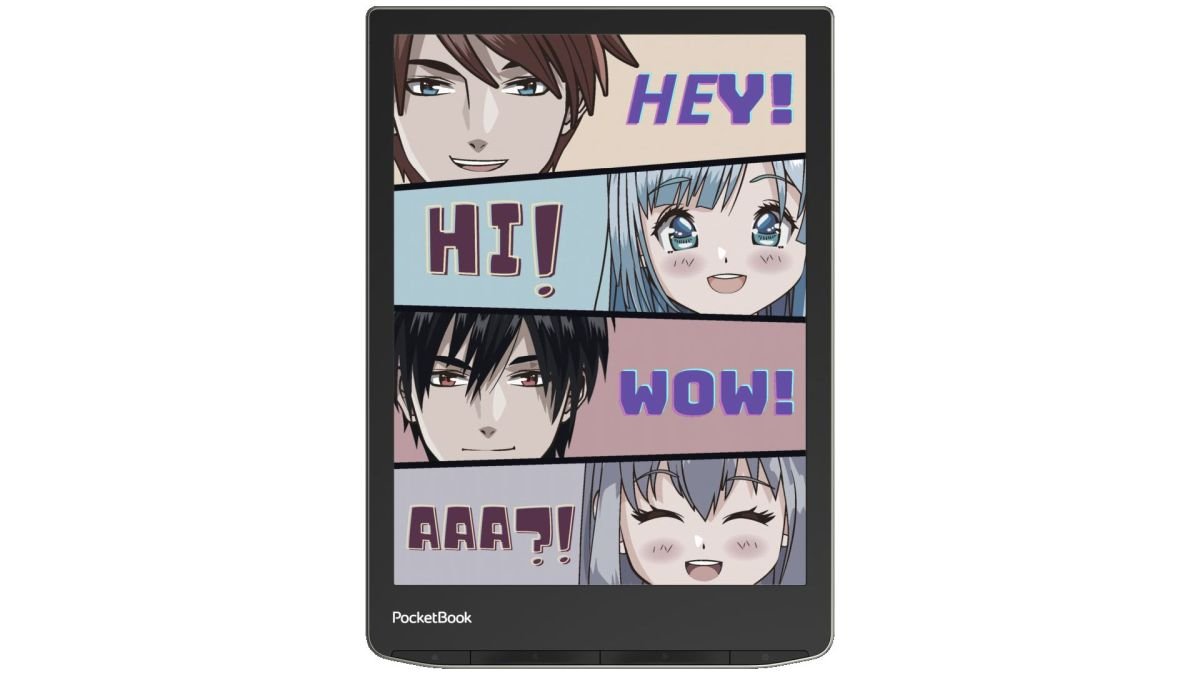
The news keeps coming from Pocketbook with the announcement of the Pocketbook Inkpad Color 2 e-reader. As usual, Pocketbook updates the Inkpad Color with the latest technological advances by integrating a new Kaleido Plus color screen.
Pocketbook Inkpad Color 2 as new 7.8″ color screen
The Pocketbook Inkpad Color 2 comes just after the new Pocketbook Inkpad 4 with a color version that offers a more complete model for comic book lovers, while maintaining a large diagonal of 7.8 inches.
The most important element, then, is this E Ink color Kaleido Plus screen that allows for more vivid and realistic colors. If the resolution in black and white is still 1404 x 1872 pixels (300 PPP), the color resolution is much lower: 468 x 624 pixels (100 PPP) with 4096 different colors displayable.
The design of the e-reader follows the new Pocketbook codes and we still find the buttons under the screen that allow access to the main menu, options and page turning without having to press the touch screen.
Other good news: the reader is waterproof with an IPX8 certification.
As with the Pocketbook Inkpad 4, this Inkpad Color 2 offers many possibilities for reading audio books.
First of all, the color e-reader offers a Bluetooth connection to connect headphones or an audio speaker.
Secondly, there are speakers, which makes the reader autonomous and therefore does not require the purchase of additional audio equipment.
And, in addition to reading many digital audio formats (M4A, M4B, OGG, OGG.ZIP, MP3, MP3.ZIP), the Pocketbook Inkpad Color 2 offers a text-to-speech function that allows you to transform classic ebooks into an audio book via software reading with a synthetic voice.
These audio reading possibilities, the color screen and the large format of this reader make the Pocketbook Inkpad Color 2 very attractive for demanding book readers. It is also one of the most complete readers on the market.
Rechnical specifications of the Pocketbook Inkpad Color 2 e-reader
Here are the technical specifications of the Pocketbook Inkpad Color 2:
E Ink Kaleido Plus display, 7.8 inches, 1404 x 1872 pixels (300 PPP) black and white, 468 x 624 pixels (100 PPP) with 4096 different colors displayable
This new Pocketbook Inkpad Color 2 is a smart addition to the Pocketbook range, offering a large 7.8″ diagonal color screen.
While the colors are still not perfect, the compromise is an interesting one, since this Pocketbook InkPad Color 2 is offered at a reasonable price (for a color reader) and allows color display while retaining the comfort of a larger-sized e-reader.
Once again, we find the good build quality of Pocketbook e-readers, and great format compatibility. You can even load your own MP3 or OGG audio files onto the reader.
Here’s a quick summary of the pros and cons of this Pocketbook InkPad Color 2 if you want to buy one.
PROS
Price (considering it is a color e-reader)
Good build and software
Large ebook format compatibility
CONS
Colors are not great (Kaleido Plus screen)
Where to buy the Pocketbook Inkpad Color 2?
There is a big problem: its price. Indeed, the Pocketbook Inkpad Color 2 price is $319.99.
The price is high for a reading device, but its characteristics justify its price, provided that the color rendering is up to the mark…
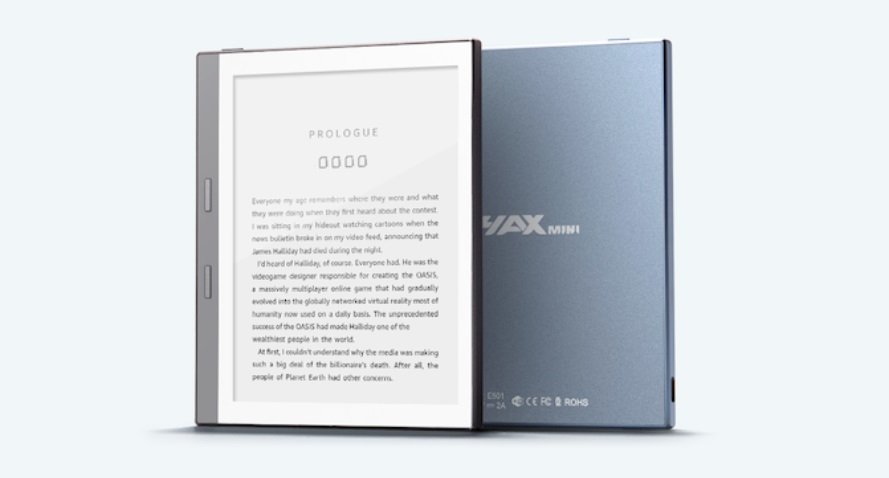
A new Kickstarter project proposes a very interesting e-reader that goes against the current trend: the HaxMini e-reader is a small, easy to carry, affordable and functional e-reader.
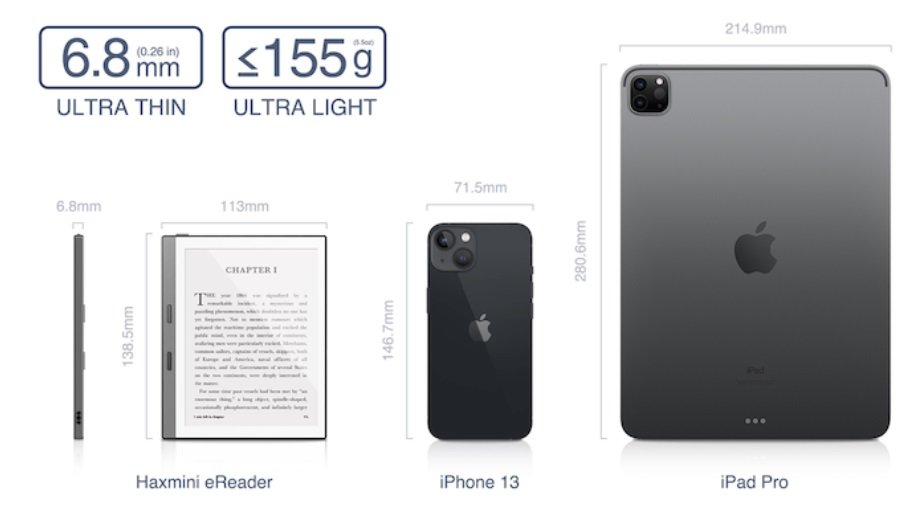
While most e-reader designers are starting to offer models with ever larger screens, color and even foldable, HaxMini is a e-reader with a small 5.83-inch screen, a powerful processor and – most importantly – a small footprint for easy carrying.
The case of the HaxMini e-reader is reminiscent of those of higher-end e-readers like the Kobo Libra 2 or the Kindle Oasis. We find physical buttons on the sides of the screen (on the left this time) for a good grip.
In addition to its e-ink screen with a resolution of 648 x 480 pixels from another time, it should be noted that this HaxMini meets the needs expressed by many readers:
Presence of an expansion port for SD card up to 128 GB
Very fast quad-core processor
Android 8.1 with Google Play installed and allows the addition of Android applications (Kindle, Kobo, etc.)
Low weight of 155 grams
Dimensions of 138.5 mm x 113 mm x 6.8 mm
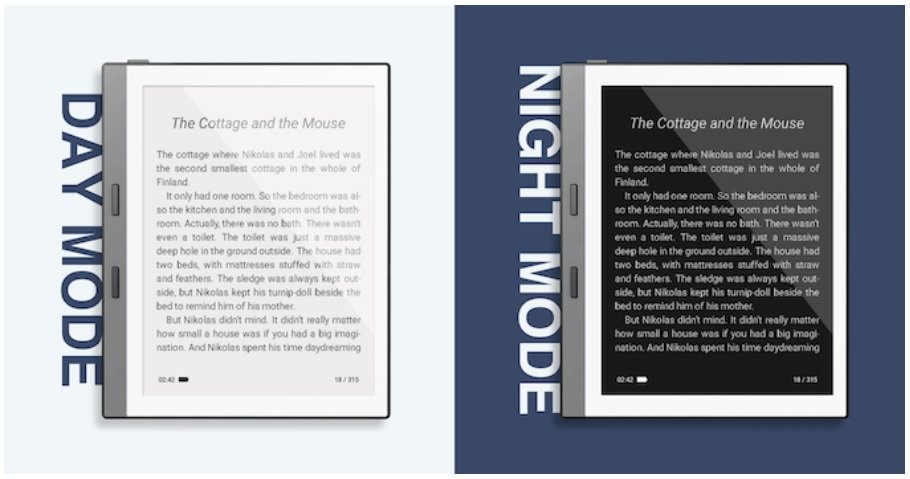
Night mode to display white characters on a black page
Native support for EPUB, PDF, MOBI, TXT and FB2 formats
16GB of storage
USB-C charging
Wifi
Of course, there are also some shortcomings compared to the e-reader models that have come out in recent years.
The first is the resolution of the screen with 648×480 pixels. This reminds us of the cheapest 6-inch e-reader models released 10 to 5 years ago.
Nevertheless, this should not hinder the experience of reading ebooks on such a small screen. But, it will seriously handicap the reading of PDF documents and manga.
There is no lighting either, let alone a blue light filter. So, the Haxmini e-reader is a matter of compromise that will not suit all reading lovers.
That being said, this reader offers a very small footprint that makes it easy to carry around and it should be possible to easily add additional reading applications. This is an aspect that is difficult to find today on e-readers that all have a screen of 6 inches and more.
The project is only in the funding stage and if all goes well, the Haxmini e-reader will be available this summer – in July – at a price of $138. But, you can get it for $79 by participating in the Kickstarter campaign.
Readmoo is an Asian company that is starting to make a name for itself by adopting the latest technologies available to offer innovative reading machines.
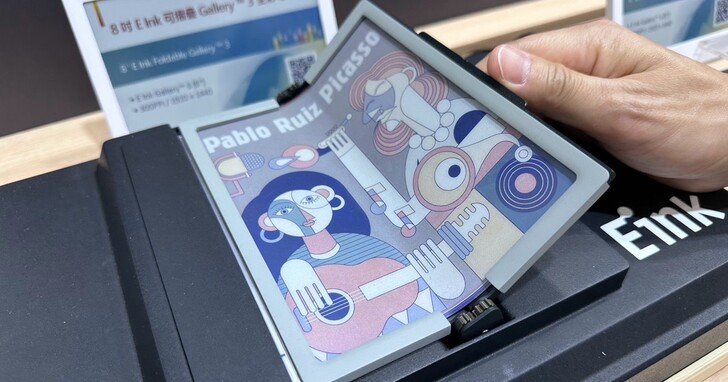
Not only is the screen foldable, but it is also color, with a diagonal of 8 inches and uses Gallery 3, a new way to display colors with electronic ink. It is thus a real innovation which is proposed here for a reader whose use will be undoubtedly dedicated to the mobile readers.
Indeed, a screen of 8 inches offers a nice reading surface for a maximum comfort. The fact that this machine folds on itself – like the recent smartphones proposed by Samsung – makes the reader much easier to carry.
One can easily imagine folding it and storing it in one’s bag at the end of reading in transportation.
A foldable machine also has another advantage: the screen is protected when you are not reading. So there should be no need to add protection to the screen to keep it in shape (or a protective cover).
The Galery 3 screen (based on ACeP: Advanced Color ePaper) will offer color display, which makes this machine particularly attractive.
All this is as exciting as it is intriguing, although we’ll have to judge it on the spot. We know that smartphones that use foldable screens tend to be quite thick when folded. We may have this same feature with this Readmoo reader. If this is the case, it could affect the compactness of the machine and therefore make it less useful and easy to store.
Still, this is only a prototype and, as always, it may never see the light of day. Readmoo and E Ink are nevertheless reassuring, because for both companies this is a reading device that will demonstrate their technological know-how.
A know-how that could pave the way for other ever more innovative readers.