
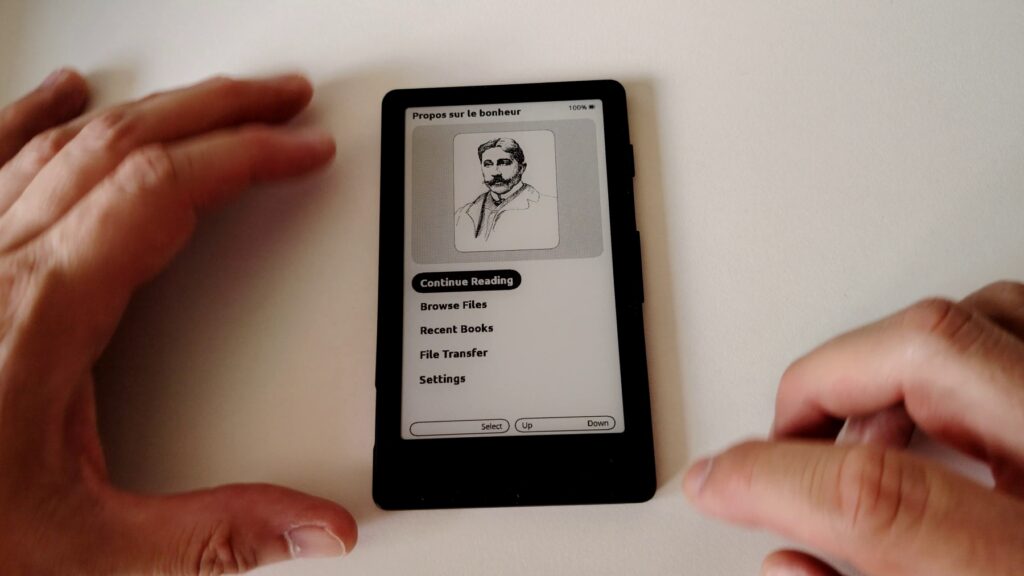
After my review of the XTEINK X4, a small 4-inch e-reader that turned out to be fairly disappointing, it only made sense to run a second test after replacing its stock software with Crosspoint, a free piece of software that completely replaces the original.
Yes, the XTEINK is a popular e-reader, but that’s mostly thanks to Crosspoint. So this new review is worth reading to see whether this device is really made for you.
TL;DR: The XTEINK X4 is a 4-inch pocket e-reader that was pretty disappointing out of the box. Swapping its stock software for Crosspoint, a free replacement firmware, changes everything: better customization, a far more usable interface, and a device that finally makes sense. The catch is that file transfers are still fiddly (no PDF, no DRM support, and no simple USB-to-Calibre workflow), so this one is for tinkerers only. At around $60, it’s a fun little secondary reader. See on Amazon.com : https://amzn.to/4pqqJpW
Installing Crosspoint
Installing Crosspoint is very easy.
Crosspoint put together a dedicated page on installing the software (read it here), but here are the main points:
- The installation is free
- The installation is fairly simple if you’re comfortable with computers
What does Crosspoint bring?
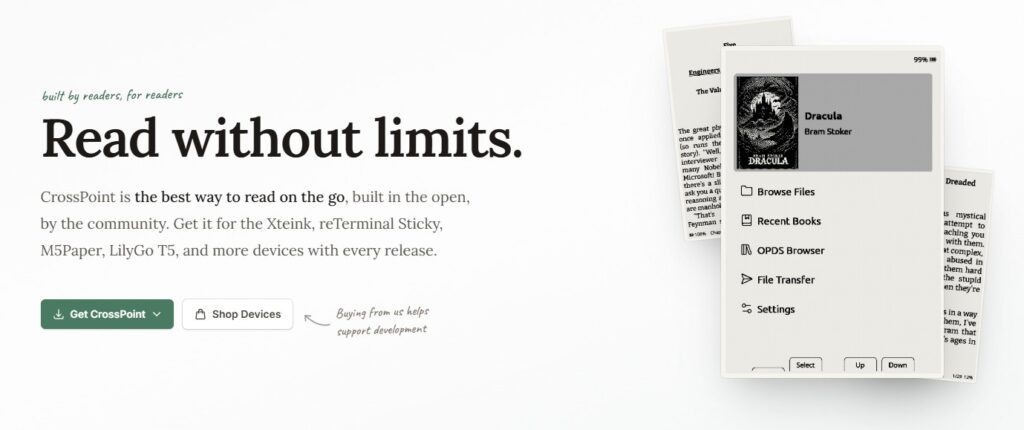
Once installed, Crosspoint first of all brings a brand new interface, which makes the e-reader far easier to use.
You also get much deeper customization options: text size, adding fonts (careful, the format is unusual, but a converter exists), different interfaces and themes, and so on.
The difference is obvious and the XTEINK X4 can finally show what it’s capable of; it’s much better.
One major problem remains
Even though the experience is clearly better with Crosspoint, the XTEINK still has a few issues.
The first one, though not a big deal, is the small number of supported ebook formats: no PDF, no DRM. You only get EPUB, TXT, BMP and one or two other exotic things. Using Calibre (another free program for your computer), you can of course convert your ebooks easily, but more native format support would have been welcome.
The real problem is getting books onto the XTEINK; it’s still fairly complex for anyone who isn’t comfortable with computers.
Here’s what’s on offer: the e-reader can join a Wi-Fi network or create its own hotspot, with QR code wizards. It then exposes a web-based file transfer interface (with fast uploads over WebSocket and WebDAV support), an EPUB optimizer, and a settings page you can reach from your browser. On top of that, there’s a wireless Calibre connector (with a dedicated plugin), an OPDS browser handling up to eight servers with search and direct download, KOReader reading progress sync across devices, and OTA updates pulled from GitHub.
So yes, it’s comprehensive, but it’s a world away from the simplicity of the built-in stores you get from the big brands like Kindle, Kobo or Pocketbook. And there’s still no simple Calibre transfer by just plugging your e-reader into your computer over USB.
Conclusion
The XTEINK X4 is genuinely a good little e-reader when you use it with Crosspoint. Unfortunately, it’s best reserved for tinkerers and people who are comfortable with technology.
If you tick those boxes, and at a price of roughly $60, the XTEINK X4 is an interesting secondary e-reader that slips easily into a pocket. See on Amazon.com : https://amzn.to/4pqqJpW
Pingback: XTEINK X4: review of the internet’s most popular tiny e-reader – World of eReader
Pingback: XTEINK X4 Classic: an unexpected comeback for social media’s favorite e-reader – World of eReader
Pingback: XTEINK S4: the first Android mini e-reader, released too quickly – World of eReader